# Redraw — AI-Powered Rendering for Architects and Interior Designers
> Redraw is a cloud-based AI rendering platform that transforms 3D model screenshots (SketchUp, Revit, ArchiCAD) into photorealistic architectural images in under 30 seconds — no expensive hardware, no complex software, no prompts required. Built specifically for architects, interior designers, and engineers.
Redraw centralizes the best AI models trained specifically for architecture in a single web platform, eliminating the rendering bottleneck from the design workflow. Instead of spending hours on traditional rendering software, professionals upload a screenshot of their 3D scene and receive professional-quality renders in seconds.
The platform serves 10,000+ active monthly subscribers and is the pioneer in AI rendering trained specifically for architectural visualization. Redraw operates 100% in the cloud — no GPU, no installation, no technical setup required.
## Core Tools
- [AI Render](https://www.redraw.pro/en): Transform any 3D model screenshot into a photorealistic render in under 30 seconds. Works with SketchUp, Revit, ArchiCAD, and any 3D software. Supports both interior and exterior scenes. No prompts needed — the AI is trained on architectural references.
- [Brush Tool](https://www.redraw.pro/en): Edit specific areas of a render without regenerating the entire image. Modify objects, textures, materials, and details with precision. Gives architects full creative control over the final result.
- [Reference Image](https://www.redraw.pro/en): Upload a reference photo and the AI reproduces its lighting, shadows, color grade, and atmosphere in your render. Maintains your personal visual style across all projects.
- [Multi-Angle Rendering](https://www.redraw.pro/en): Generate multiple views of the same project with visual consistency. Different angles maintain the same materials, lighting, and style — no inconsistencies between rooms or views.
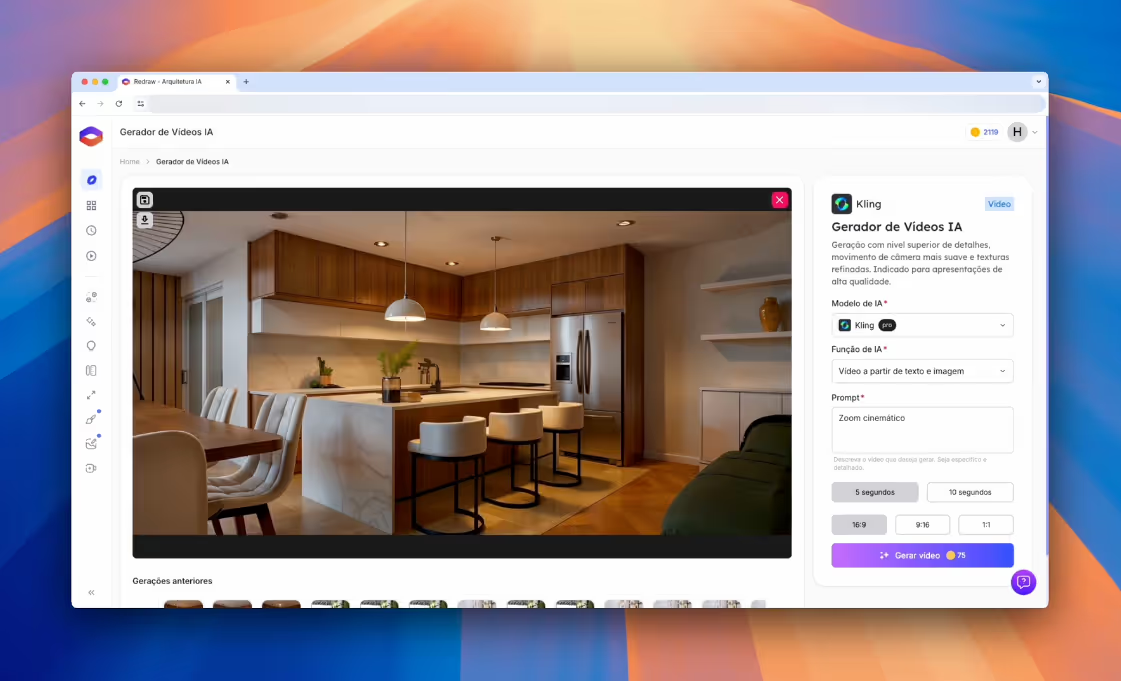
- [Video Generator](https://www.redraw.pro/en): Turn any static render into a 3D animation with depth and motion. Create virtual tours and walkthrough videos without cameras or post-production software.
- [Render Enhancement](https://www.redraw.pro/en): Upscale resolution and improve quality of existing renders. Adjust textures, lighting, and elements while preserving the project's original design intent.
- [Idea Generator](https://www.redraw.pro/en): Generate multiple design variations from a single base. Explore different styles, materials, and atmospheres on the same floor plan in minutes.
## Use Cases
- **Conceptual Design & Ideation**: Test visual directions and styles before investing in detailed 3D modeling. Explore 10 different atmospheres in 2 minutes.
- **Client Presentations**: Generate professional renders for client meetings and approvals. Clients understand the design intent faster than with technical drawings.
- **Style & Material Iteration**: Test color palettes, lighting setups, and material combinations on the same base scene without manual re-modeling.
- **Proposals & Competitions**: Create compelling visualizations within tight deadlines for bids, proposals, and architecture competitions.
- **Portfolio & Social Media**: Produce high-quality visual content optimized for Instagram, TikTok, Pinterest, and professional portfolios.
## Pricing
- [Pricing Plans](https://www.redraw.pro/en/pricing): Plans start at approximately $15/month (R$67/month in Brazil). All plans include full access to every tool — the only difference is the number of coins (render credits). Annual subscriptions include 2 free months. Free trial available with no credit card required.
- **Basic Plan**: $15/month — 300 renders, single user.
- **Expert Plan**: $32/month — 1,500 renders, up to 2 users.
- **Business Elite Plan**: $92/month — 6,000 renders, up to 3 users.
## Supported Software Integrations
Redraw works with screenshots or exports from any 3D modeling software, including: SketchUp, Revit, ArchiCAD, Rhino, Blender, 3ds Max, AutoCAD, and any software that produces 3D views or even hand-drawn sketches.
## How It Compares to Traditional Rendering
Unlike traditional renderers (V-Ray, Lumion, Enscape, D5 Render, Twinmotion), Redraw:
- Requires no local GPU or high-end hardware
- Produces results in 20–40 seconds instead of hours
- Runs entirely in the browser — no software installation
- Needs no manual material/lighting configuration or written prompts
- Costs a fraction of traditional rendering software licenses
Redraw does not replace the architect's creative vision — it amplifies the professional's existing workflow by removing the most time-consuming step: rendering.
## Learning & Support
- [Blog](https://www.redraw.pro/blog): Articles on AI rendering techniques, architecture visualization trends, tutorials, and creative innovation.
- [Help Center](https://help.redraw.pro/en/): Guides on getting started, feature tutorials, best practices for image generation, and troubleshooting.
- [Redraw Academy](https://help.redraw.pro/en/): Structured courses and tutorials to help users achieve professional results with every Redraw tool.
- **Support**: Available in Portuguese and English via in-app chat.
## About Redraw
- [About Us](https://www.redraw.pro/en/about): Redraw is developed by Thark Group, a US-based AI company focused on architectural technology solutions. The platform is the market leader for AI rendering in Brazil and serves architects and designers globally.
- **Founded**: Pioneer in AI rendering trained specifically for architecture.
- **Active Users**: 10,000+ monthly subscribers.
- **Primary Market**: Brazil (Portuguese-speaking architects and designers), expanding globally.
## Contact & Links
- **Website**: [https://www.redraw.pro](https://www.redraw.pro)
- **App**: [https://app.redraw.pro](https://app.redraw.pro)
- **Help Center**: [https://help.redraw.pro](https://help.redraw.pro)
- **Privacy Policy**: [https://www.redraw.pro/en/privacy-policy](https://www.redraw.pro/en/privacy-policy)
Control the lighting, edit scene elements, and reach new levels of realism with the new V3 Lumi.
The AI ecosystem for architects
Features
Discover all the features of Redraw that you will have access to
Redraw can generate new ideas for indoor and outdoor environments, interpret drawings, add objects to the environment, and much more.
See plans
Criar conta grátis
Rendering for interiors and exteriors
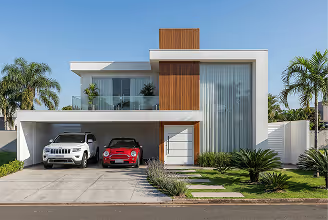
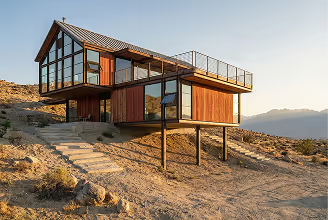
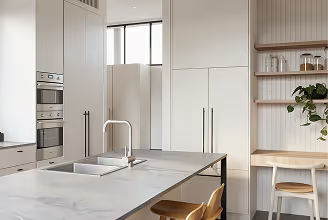
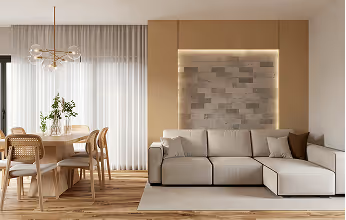
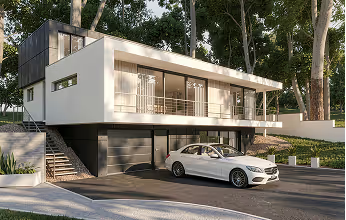
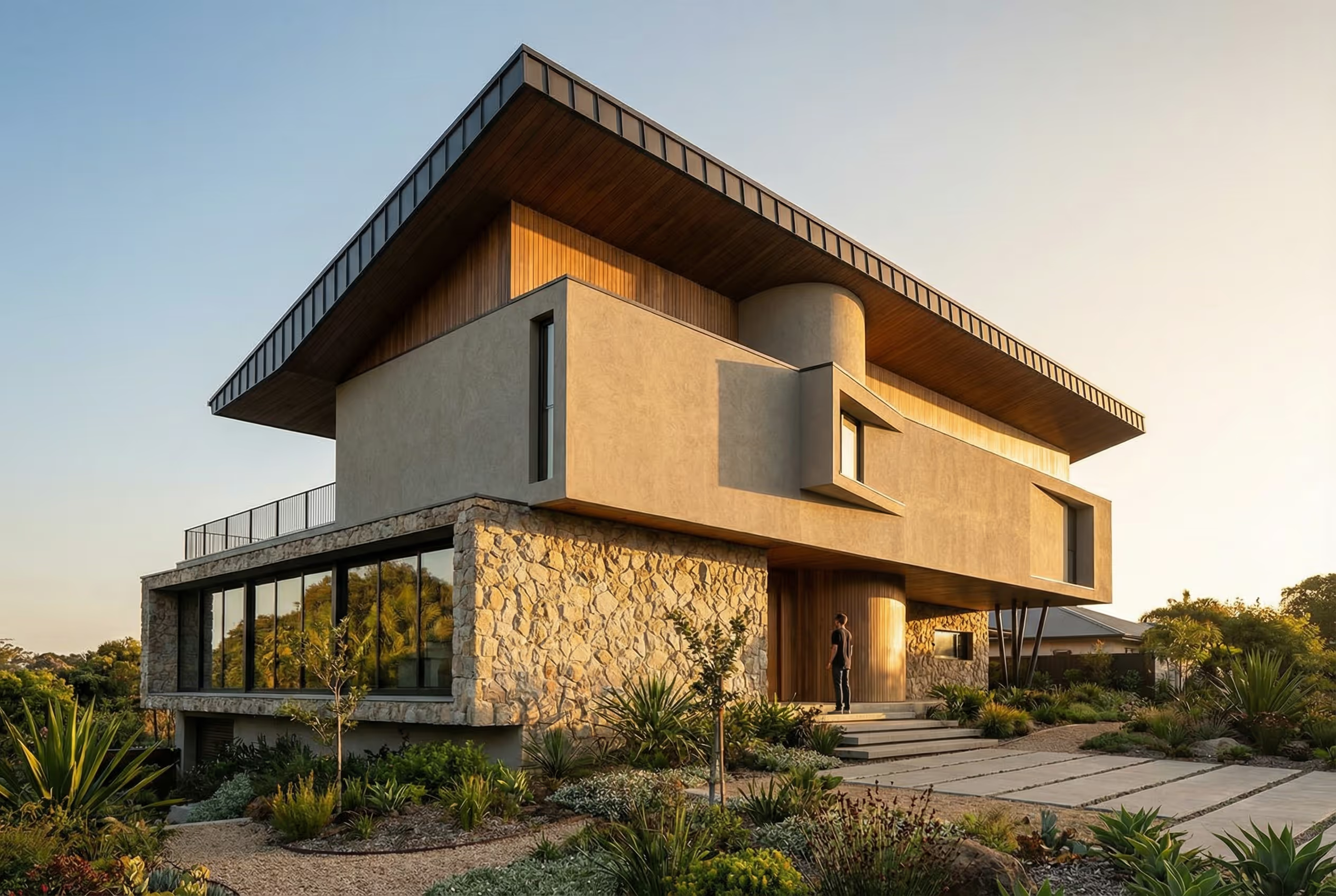
Simply upload your 3D model, tell the AI whether it’s an interior or exterior, click “generate,” and wait 30 seconds. These are the results Redraw will deliver to you:
Upload a render that didn’t turn out as expected—it could be from Lumion, Promob, Enscape, Vray, Unreal, D5 Render, or any other software you use. Redraw will adjust textures, lighting, and improve elements while preserving the project’s fidelity.
Idea Generator for Interiors and Exteriors
Have you ever imagined the countless possibilities AI can bring to your project? From façade suggestions to complete style transformations, go from rustic to modern in seconds.
Turn a sketch or draft of your project into reality with this powerful tool. Redraw will create realistic images of your ideal environment in just a few seconds.
With the Brush tool, you can make any changes you want to your project. Use this feature to modify objects or specific textures with complete control, allowing you to select only the area you wish to adjust.
Image Generator from Text
Use your imagination to create anything you want, without limitations. From complex buildings to simple objects, with just a text description, you can generate any image you desire using Redraw.
Image Generator from Text
Use your imagination to create anything you want, without limitations. From complex buildings to simple objects, with just a text description, you can generate any image you desire using Redraw.
Modelos de IA Integrados
Combine o poder da Redraw com modelos de IA de ponta para criar imagens, vídeos e muito mais com eficiência e criatividade.
Ótima para usuários que buscam resultados com clareza arquitetônica e detalhamento refinado. O Redraw interpreta suas referências e entrega videos realistas e coerentes.
Gere vídeos ultra realistas com movimento, texturas e iluminação cinematográfica. Ideal para criar cenas animadas de interiores e exteriores com nível profissional. O Redraw integra a IA da Kling para entregar vídeos com qualidade de portfólio.
Aumente sua produtividade com sugestões inteligentes. A IA da OpenAI é usada no Redraw para ajudar na descrição de imagens, geração de comandos, sugestões de estilo, automatização de tarefas e muito mais. Escreva o que você deseja e deixe a IA construir com você.
Acelere a produção de vídeos realistas. Ideal para apresentar projetos de forma impactante sem precisar de softwares de edição complexos.
Ótima para usuários que buscam resultados com clareza arquitetônica e detalhamento refinado. O Redraw interpreta suas referências e entrega videos realistas e coerentes.
Gere vídeos ultra realistas com movimento, texturas e iluminação cinematográfica. Ideal para criar cenas animadas de interiores e exteriores com nível profissional. O Redraw integra a IA da Kling para entregar vídeos com qualidade de portfólio.
Acelere a produção de vídeos realistas. Ideal para apresentar projetos de forma impactante sem precisar de softwares de edição complexos.
Aumente sua produtividade com sugestões inteligentes. A IA da OpenAI é usada no Redraw para ajudar na descrição de imagens, geração de comandos, sugestões de estilo, automatização de tarefas e muito mais. Escreva o que você deseja e deixe a IA construir com você.
Features
Transform images into videos
Redraw’s video feature transforms any static image into a 3D animation with depth and motion, quickly and effortlessly.
Create account now
See plans
Benefits
With Redraw you get more time to create
Everything you need to know about Redraw, from purchase to usability.
Learn more about Redraw
Redraw is a perfect solution for...
Students and enthusiasts
Bring your ideas to life and create high-quality academic projects with Redraw.
Large companies
Bring your team together to make big decisions with minimal rendering time.
Freelance professionals
Take advantage of various features to create and simulate the perfect environment for your clients.
Testimonials
See how Redraw has helped our users
Everything you need to know about Redraw, from purchase to usability.
"Here, we use Redraw because of a lack of time. Need a quick render? Use Redraw. Want to create a render from a sketch? Use Redraw. Need to fix a finish the client asked to change? Use Redraw."

Maurício Souza
Architect | @arquitetras
"I can only be grateful; the results are instant—it feels like something from another world! This is the future!"

Ruddi W. Reinehr
Civil Engineer
“We are loving Redraw's features—it's definitely essential for our office's development today!”

Sandra M. Kopichinki
Architect and Urban Planner
"Redraw is our ally in projects; we integrated it into our workflow, and it has helped us save time while bringing more quality to our designs."

Luana Gerona
Architect and Urban Planner
“Redraw's render improvement feature has been perfect for me. I generate images in 720p, upload them to Redraw, and in seconds, I have an enhanced render in 2K."

Gabriel Gabriel
Architect | @delta_archiviz
"We use Redraw alongside Promob to enhance our renders, and the results have been incredible. The text-to-image feature is extremely useful in our creations."

Henrique Souza
Interior Designer
"I returned to Redraw when the Render V2 was launched, and the results are amazing!"

Vinicius Niedermeyer
Architect and Urban Planner
Have questions about Redraw?
FAQs
Everything you need to know about Redraw, from purchase to usability.
Do I need to download Redraw to use it?
No, Redraw works 100% in the cloud, you access it through the browser, without the need to download it to your computer.
After signing up, you will receive an access link via email, where you will need to create an account to access Redraw.
Are the plan payments monthly?
Yes, all plans have a monthly recurring payment.
How does the money-back guarantee policy work?
After the purchase, you have a 7-day money back guarantee and security in accordance with Consumer Law Article 49, Law 8078/90. In addition, Hotmart, a payment processing company, protects all your purchases made within its platform.
What is the difference between canceling the monthly plan and the annual plan?
Monthly Plan
- You are entitled to a refund within 7 days of signing up.
- If you cancel after that period, the current payment is not refunded, but you will not be charged for the next month.
Annual Plan
- You are also entitled to a refund within 7 days.
- The annual plan is a one-time purchase valid for 12 months, paid upfront on your card.
- If you cancel later, you will still have access until the end of the 12 months, and cancellation only prevents the subscription from renewing the following year.
Can I cancel the subscription at any time?
Yes, you can request cancellation to Hotmart at any time.
Can I cancel my Redraw subscription and continue using the images?
When you cancel your Redraw subscription, you can still use the images available during the month you made the purchase. However, after the end of this month, you will no longer be able to use the images, even if there are still some left. It's important to remember that access to the software is linked to the active subscription.
How long does it take to generate an image?
An average of 20 to 40 seconds, depending on the function and time of day you access it.
Do I need any courses to use the tool?
In general, Redraw was designed for anyone to be able to use without complications, but to obtain good results, it is recommended that you understand the basic concepts of rendering and modeling.
But our team also thought about this, we have the Redraw Academy to help you achieve good results with Redraw, in addition, professionals in the area to assist you with the support channel and answer all your questions.
Do I need a powerful computer to use Redraw?
No, in fact you don't even need a computer, Redraw is fully online, you can access it from anywhere with an internet connection, MacBook, Windows and cell phones, Redraw will work without using your computer's processing, and best of all, ultra-fast cloud processing.
+2,000 satisfied professionals
Life with Redraw is more productive.
Almost there! Complete your registration below to continue with the subscription.
+2,000 satisfied professionals
Life with Redraw is more productive.
Almost there! Complete your registration below to continue with the subscription.
+2,000 satisfied professionals
Life with Redraw is more productive.
Almost there! Complete your registration below to continue with the subscription.
+2,000 satisfied professionals
Life with Redraw is more productive.
Almost there! Complete your registration below to continue with the subscription.
+2,000 satisfied professionals
Life with Redraw is more productive.
Almost there! Complete your registration below to continue with the subscription.
+2,000 satisfied professionals
Life with Redraw is more productive.
Almost there! Complete your registration below to continue with the subscription.