Alexandre is currently the marketing director, but he previously worked as an architect specializing in BIM.
Complete library of AI prompts for interior renders — living rooms, bedrooms, kitchens and more. Learn to preserve the design and elevate realism

Redraw
Start transforming your projects today using Redraw.



Mastering prompts for interior renders is one of the most valuable skills an architect or designer can develop when working with generative AI. A well-crafted prompt is the difference between a generic result and a render that faithfully preserves the project, materials, and desired atmosphere.
This guide brings together the most widely used professional prompts for rendering interior spaces — from living rooms to bathrooms, from inserting people to animals. For each prompt, you'll understand what it does, when to use it, and how to adapt it to your project.
Important note: These prompts were developed for text-based AI image generation tools. If you use Redraw, you don't need long prompts — the platform was built specifically for architecture and does this work for you in clicks, using the best integrated AIs like ChatGPT and Nano Banana.
Redraw was built on a different premise: architects shouldn't need to learn machine language to generate a professional render.
Instead of writing warm late-afternoon natural light, long soft shadows entering from the side, in Redraw you click “Sunset”.
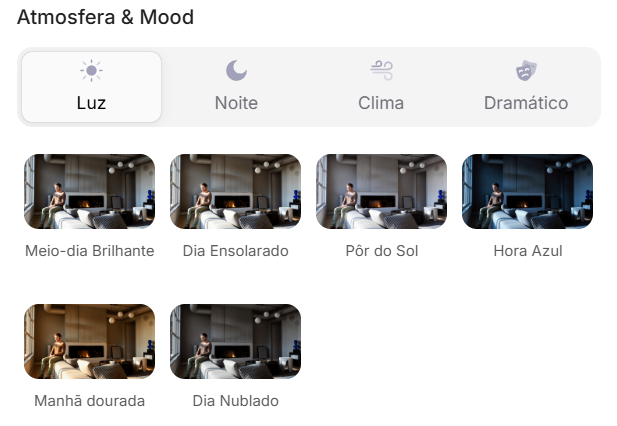
Atmosphere & Mood in Redraw: lighting in one click, no long prompt.
Instead of describing suburban residential street with visible neighbors in the background, you select the scene directly in the visual interface.
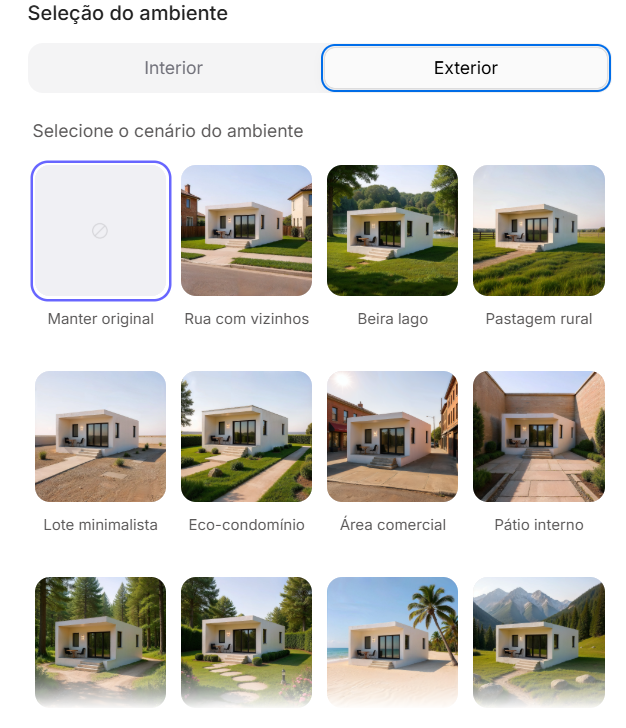
Environment Selection in Redraw: scene in one click, no text description.
Every choice you'd make in a long prompt — lighting, environment, style, camera — becomes a click. And because Redraw was trained exclusively for architecture, the model already “understands” the project context without you having to explain.
“In Redraw, the less prompt users write, the better the results.”
| Feature | Text-Prompt Tools | Redraw |
|---|---|---|
| Prompt complexity | High — requires technical, long structure | Low — natural and simple language |
| Lighting control | Based on technical text | Based on visual clicks (Atmosphere & Mood) |
| Environment control | Based on descriptive text | Based on visual clicks (Environment Selection) |
| Fidelity to 3D project | Variable — depends on reference and prompt | High — processes the model geometry directly |
| Consistency between generations | Low | High |
| User focus | Learning to command the AI | Describing the architectural vision |
| Learning curve | Steep | Fast and intuitive |
| Time per render | High (prompt + tweaking + post-production) | Low (20–40 seconds, publishable result) |
The prompts in this guide remain valuable — understanding the logic makes you a more strategic user of any tool. But if you want to skip the learning curve and go straight to the result, Redraw solves it in clicks.
This is the base prompt for when you want to transform any project image into an ultra-realistic architectural photograph without modifying any element of the original design. It's the starting point for most workflows.
When to use: You have a simple render (SketchUp, Revit, or even a photo of the physical model) and want to elevate realism without risking the AI "inventing" elements.
The prompt:
Transform this image into an ultra photorealistic architectural photograph. Preserve 100% of the original architecture, layout, furniture placement, materials, colors, textures, proportions, decorative elements, and camera angle. Do NOT add, remove, redesign, or replace any element. Enhance realism only through: Physically accurate global illumination • Natural light behavior and realistic light bounce • Soft and natural shadow gradients • Ray traced reflections and refractions • Real-world material response. Apply subtle micro imperfections such as: Fabric fiber details • Natural wood grain variation • Slight surface irregularities • Minimal dust particles • Realistic glass reflections and transparency. Professional architectural photography style, balanced HDR exposure, natural color grading, cinematic yet realistic atmosphere. Ultra high resolution, 8K detail.
What each part does:
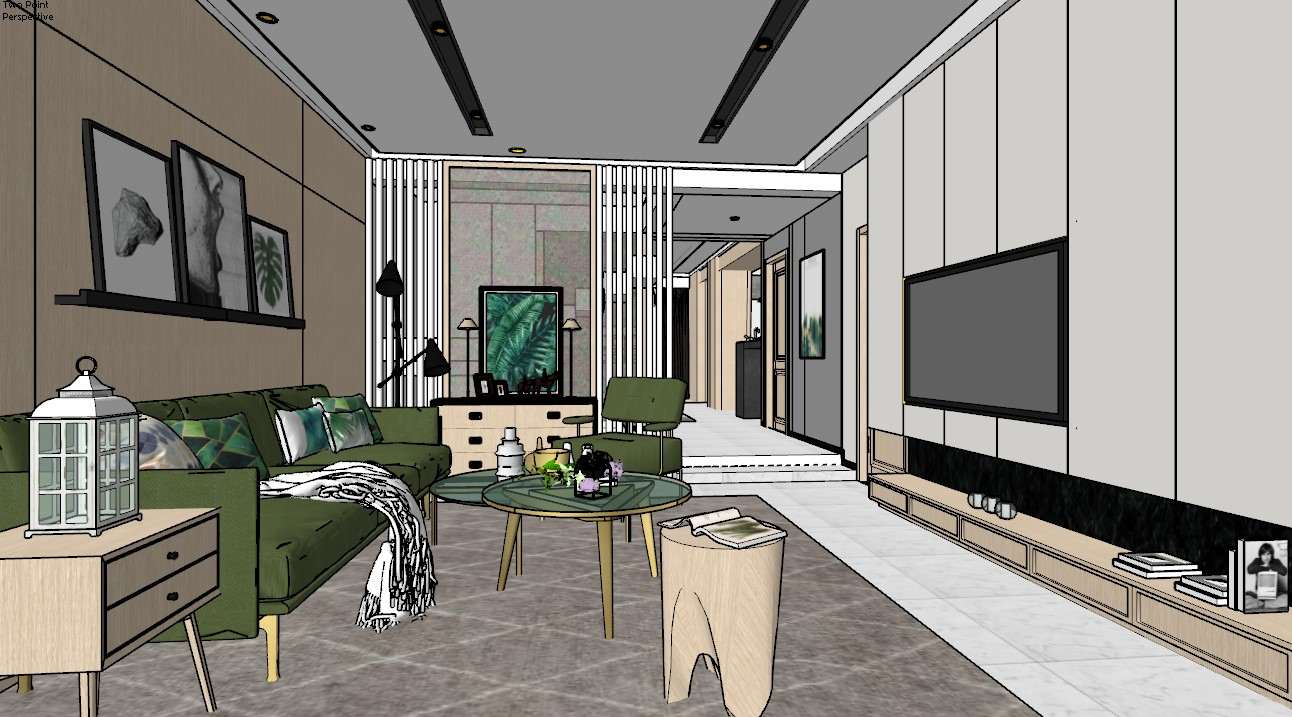
Before — original project image
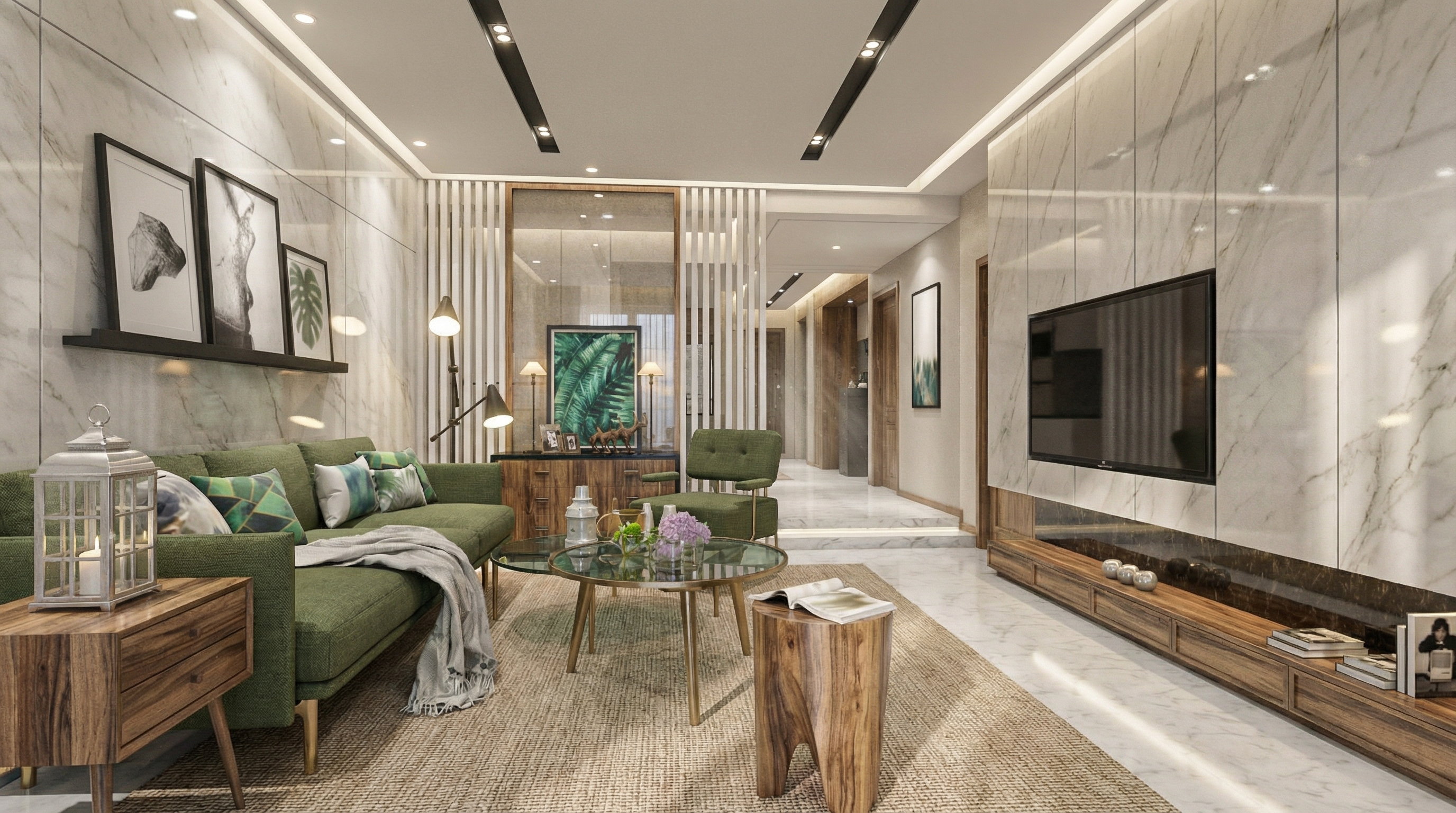
Result with Nano Banana
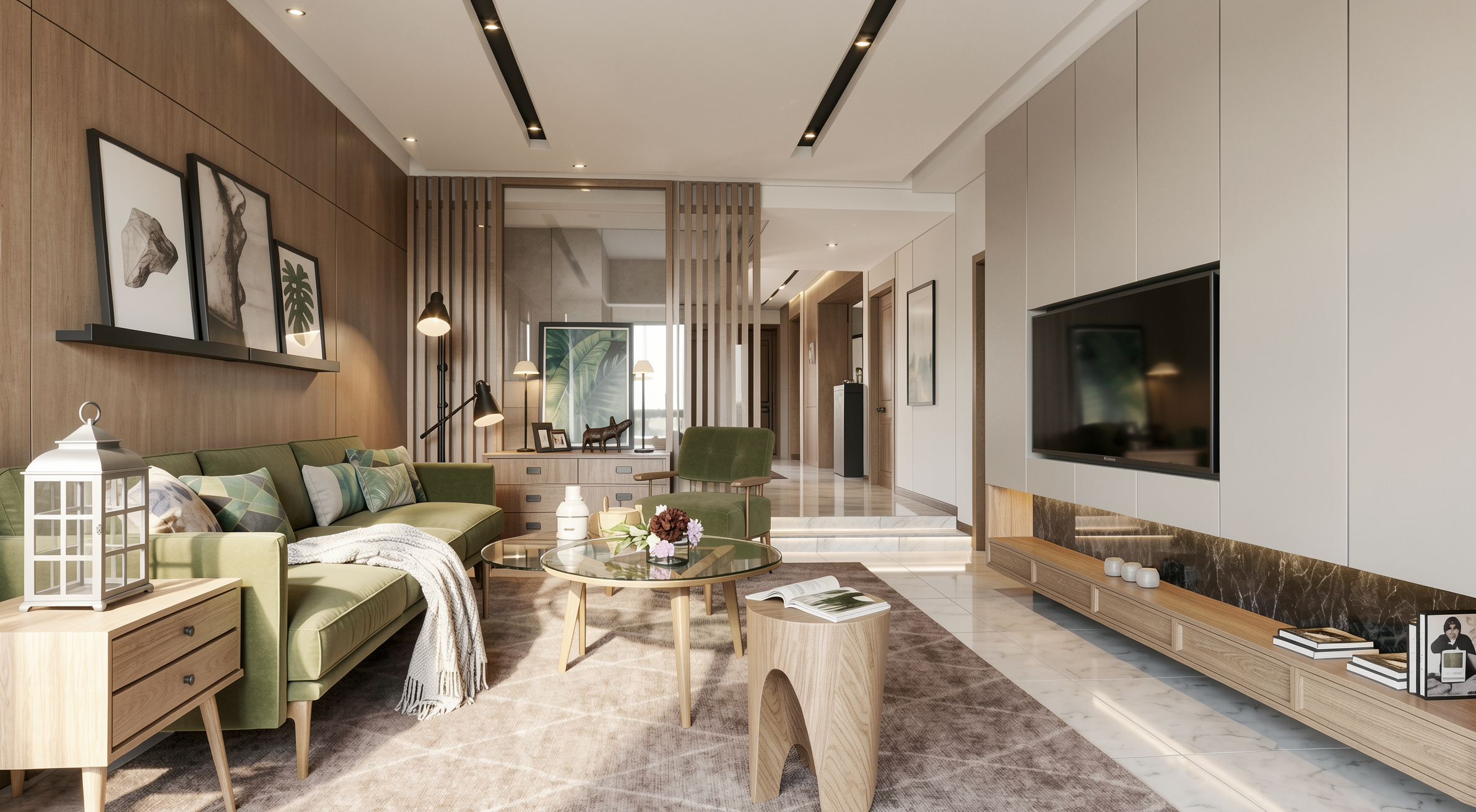
Result with Redraw
When to use: High-end residential projects where the client expects results with architectural magazine quality.
The prompt:
Create an ultra photorealistic luxury living room interior. Preserve 100% of the original architectural design, layout, furniture placement, materials, colors, and proportions. Enhance realism using physically accurate global illumination, natural daylight behavior, ray traced reflections, and soft shadow gradients. Apply high-resolution textures with micro imperfections such as fabric fibers, natural wood grain variation, subtle surface irregularities, minimal dust particles, and realistic glass reflections. Professional architectural editorial photography style, HDR balance, cinematic yet natural color grading, soft ambient occlusion, realistic depth of field, balanced white exposure. Ultra high resolution, 8K detail, interior magazine quality.
The instruction interior magazine quality calibrates the AI for editorial publication — more balanced lighting, more refined color grading, subtle depth of field.
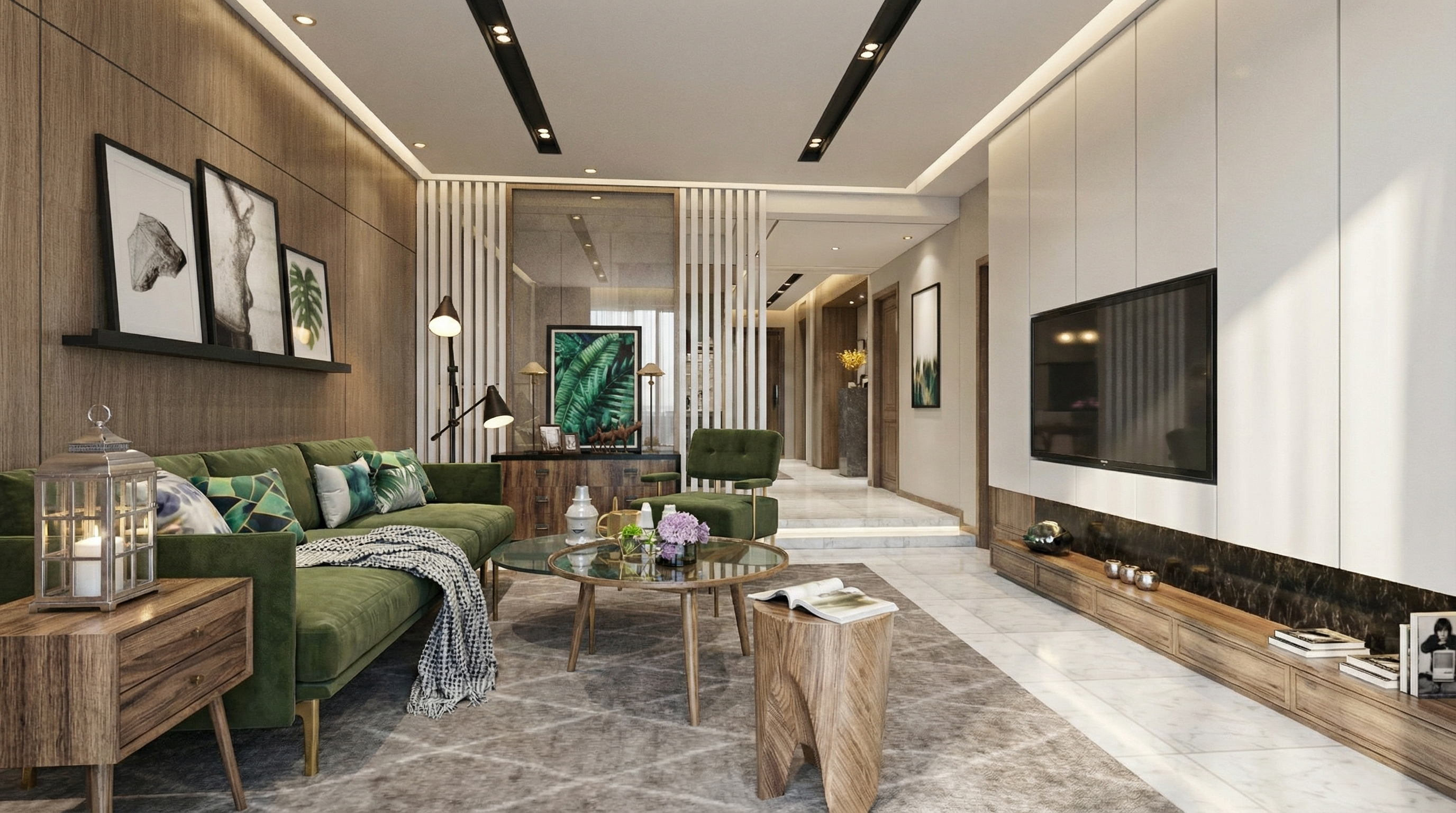
Result with Nano Banana
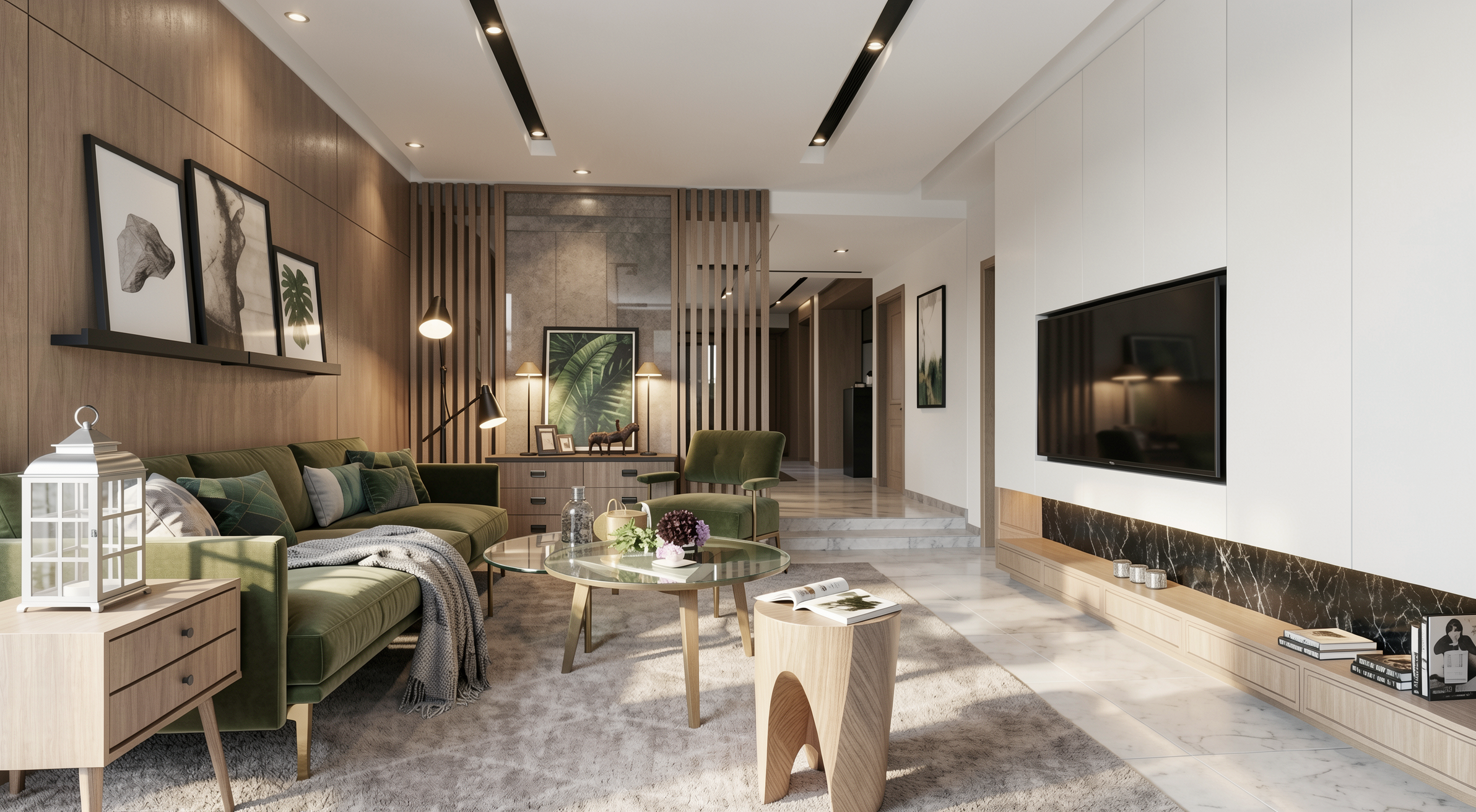
Result with Redraw
When to use: Projects with a neutral palette, clean geometry, and calm atmosphere.
The prompt:
Create an ultra photorealistic minimalist contemporary living room interior. Neutral color palette, clean geometry, calm and elegant atmosphere. Preserve the original layout, furniture positioning, materials, and lighting concept. Enhance realism with soft natural light, accurate light bounce, subtle reflections, and realistic shadow softness. Apply smooth plaster walls with minimal imperfections, refined fabric textures, and matte surface response. Professional interior photography style, HDR lighting, natural white balance, 8K ultra detailed render.
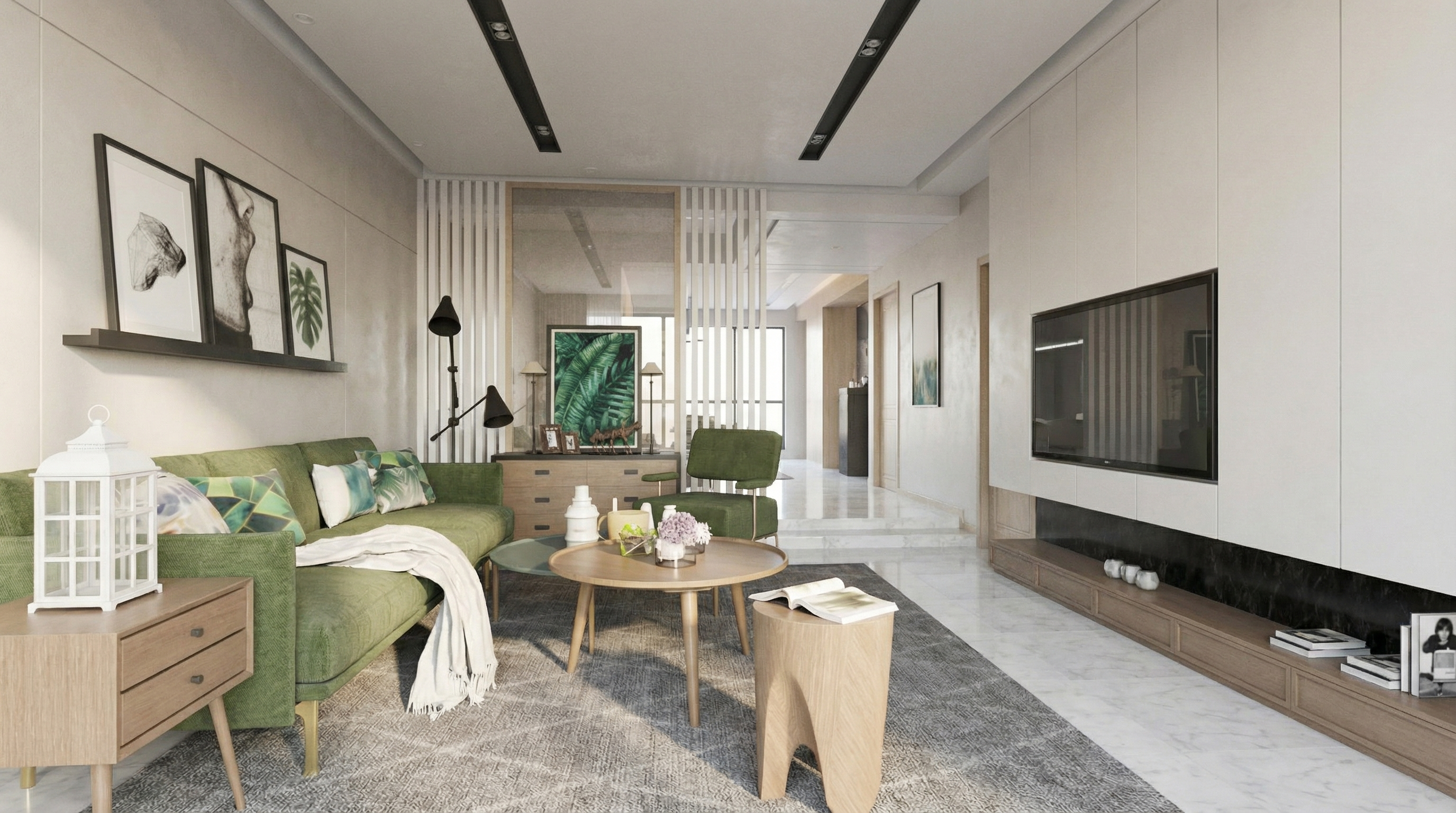
Result with Nano Banana
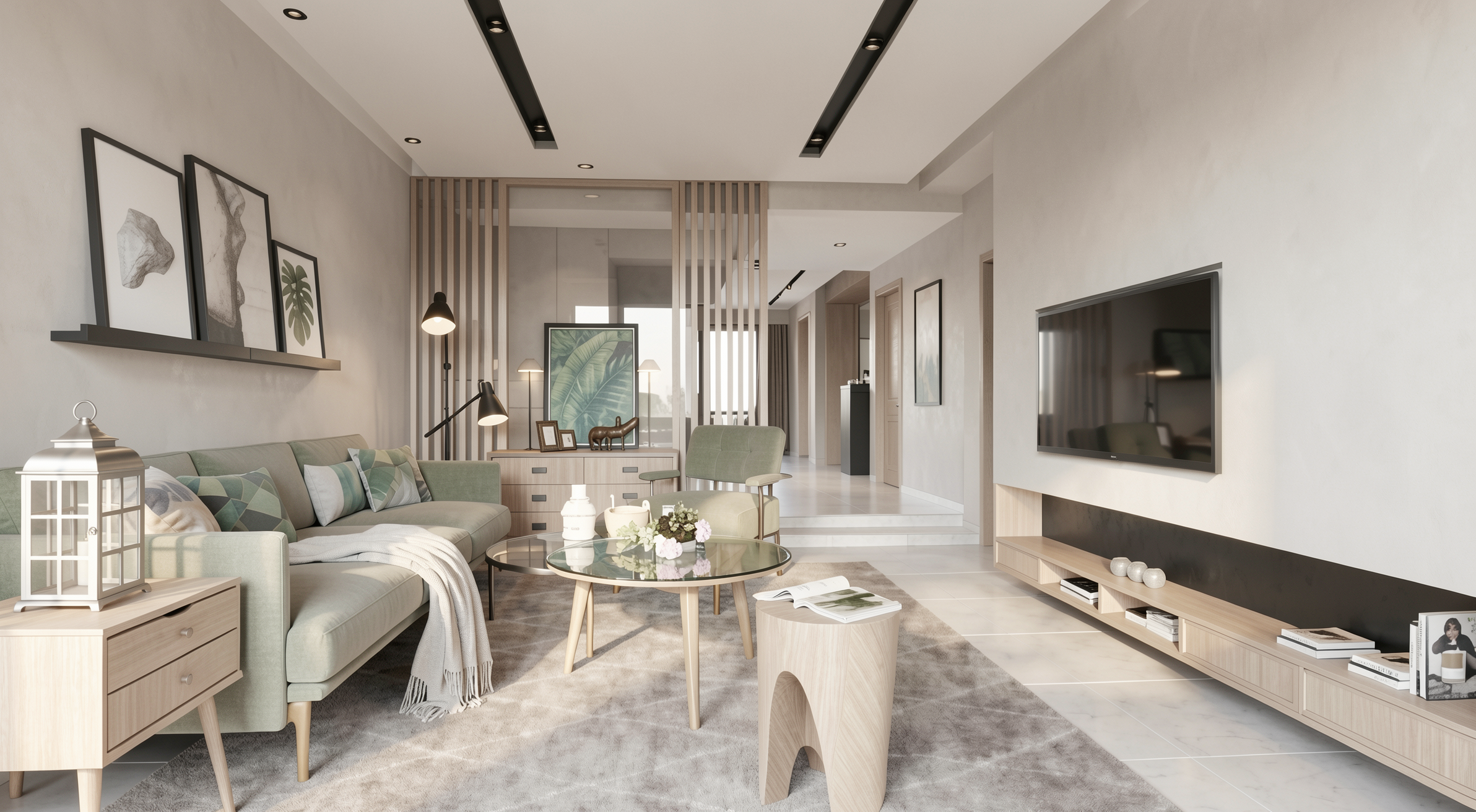
Result with Redraw
When to use: The project already has good rendering quality, but the lighting needs refinement.
The prompt:
Enhance lighting realism while preserving the original lighting design. Improve natural light diffusion, realistic light bounce, and soft shadow transitions. Maintain balanced contrast, natural brightness distribution, and physically accurate light interaction with all materials. Avoid overexposure and maintain realistic color balance.
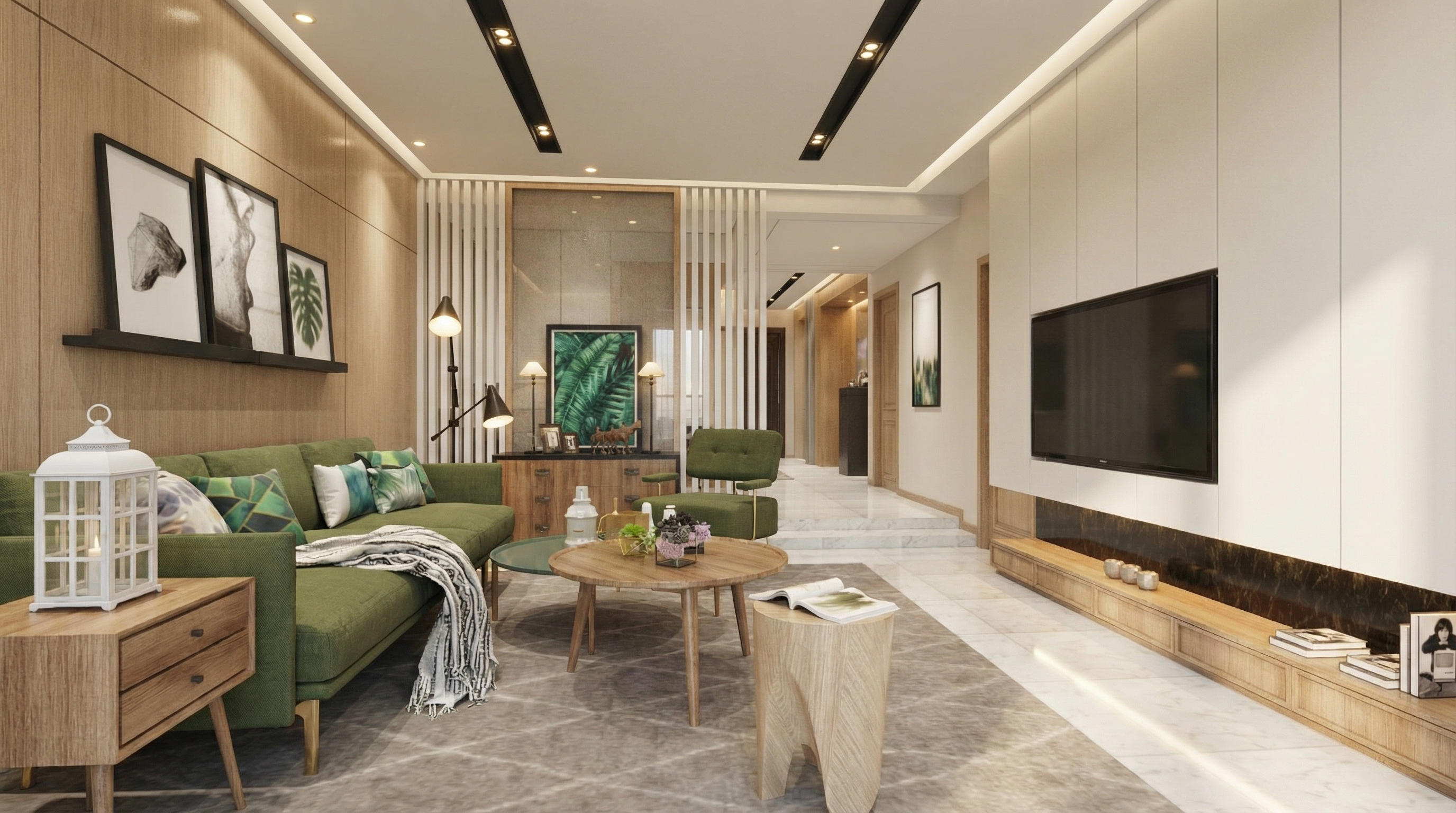
Result with Nano Banana
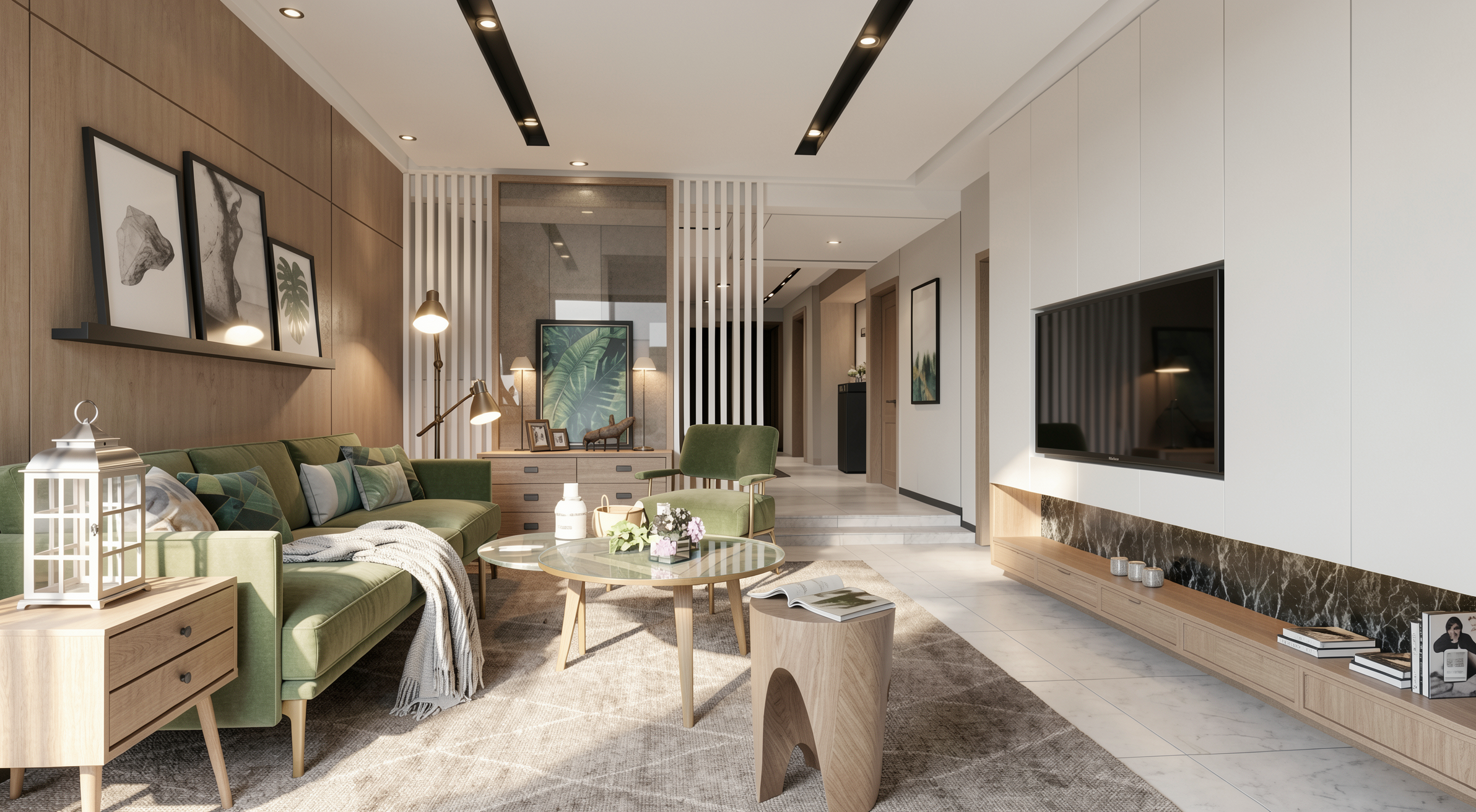
Result with Redraw
When to use: Any indoor environment where you want to create a sense of warmth, comfort, and welcome.
The prompt:
Enhance the scene with a warm and inviting lighting atmosphere. Introduce subtle warmth into the lighting while maintaining realistic intensity and shadow behavior. Ensure smooth light gradients and comfortable visual balance without altering the original lighting composition.
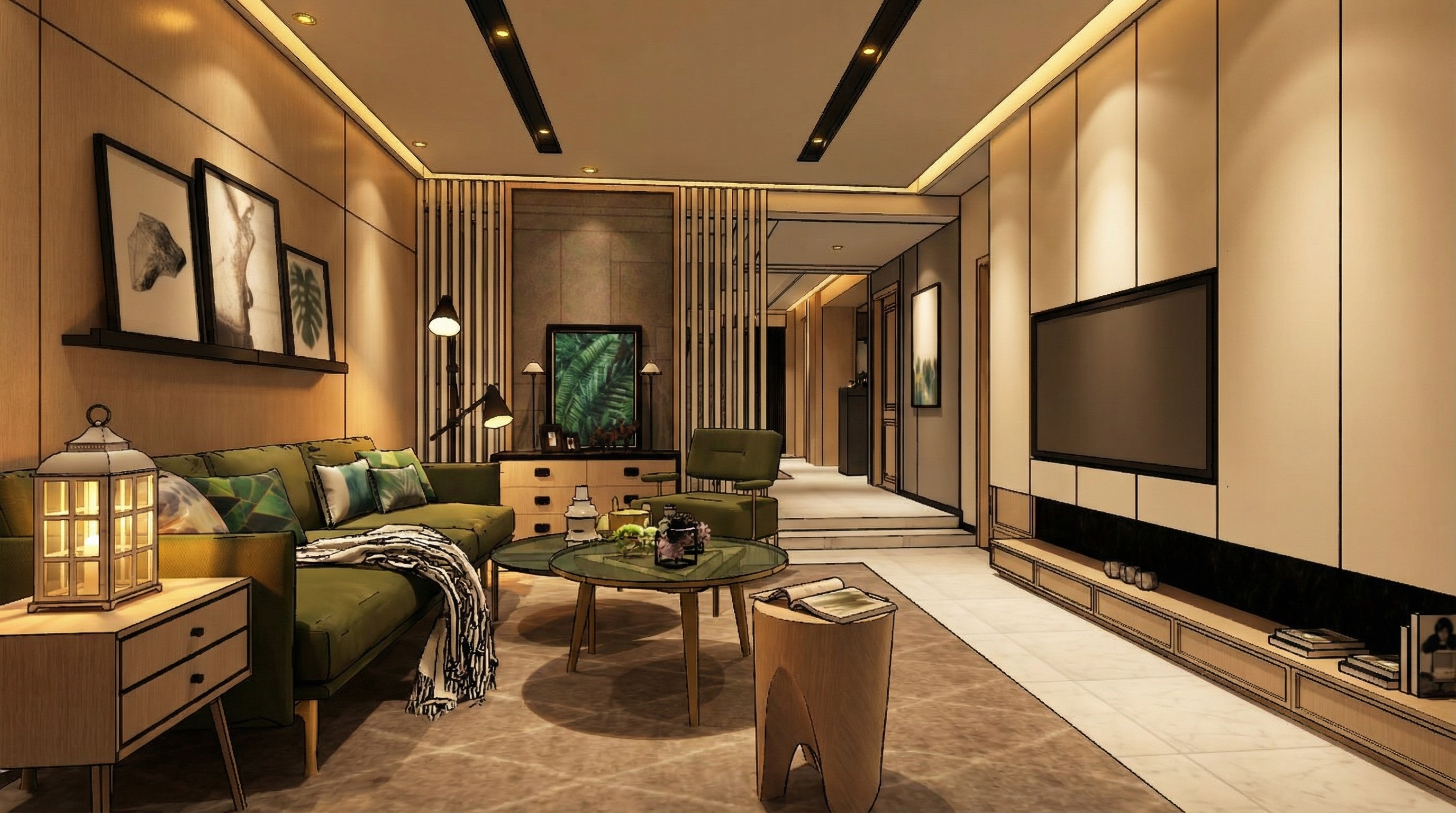
Result with Nano Banana
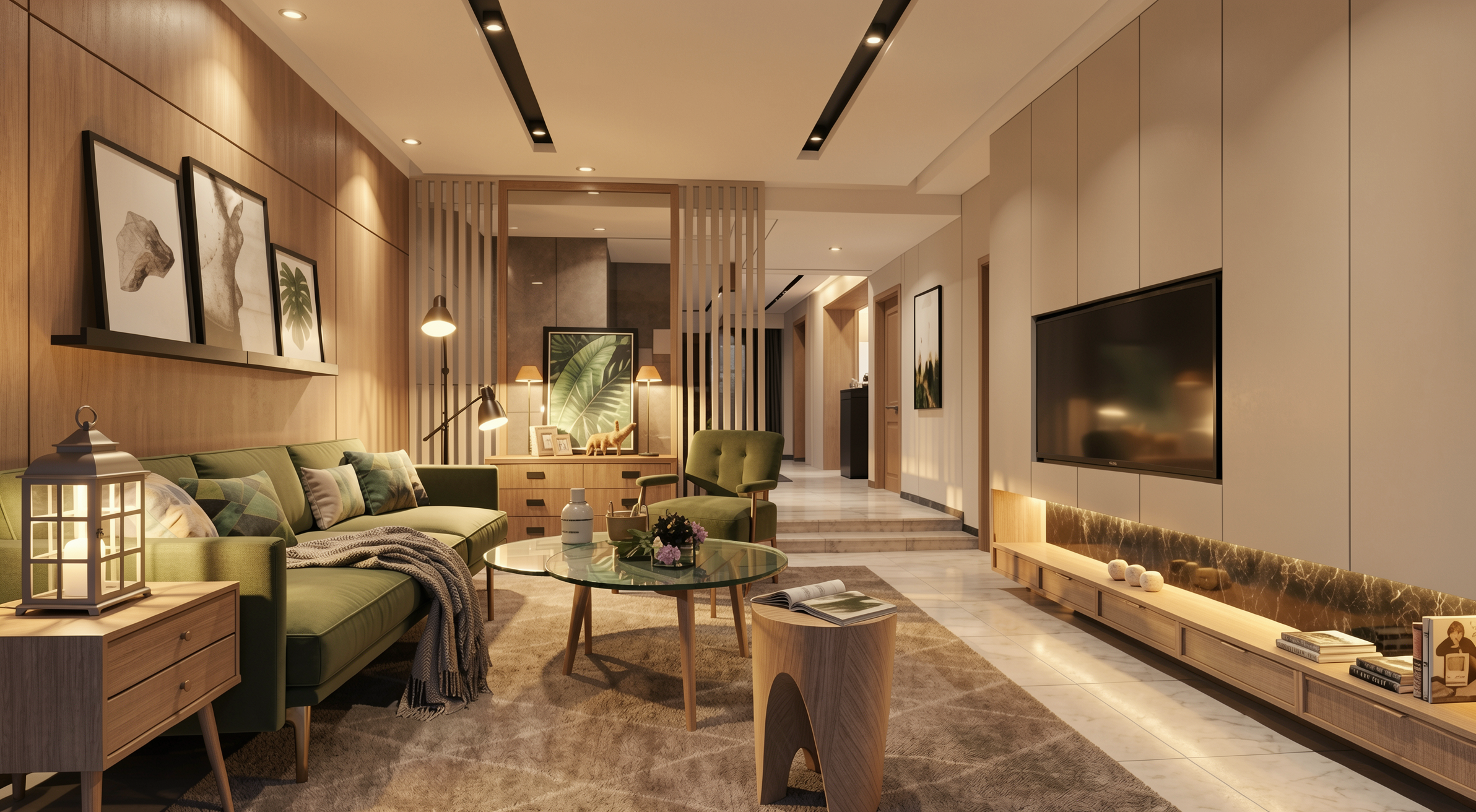
Result with Redraw
When to use: Project presentations where the night environment is important.
The prompt:
Adjust the scene to simulate a realistic low-light environment. Enhance contrast between illuminated areas and darker surroundings while preserving natural light behavior. Maintain realistic reflections, ambient occlusion, and natural color balance suitable for evening environments.
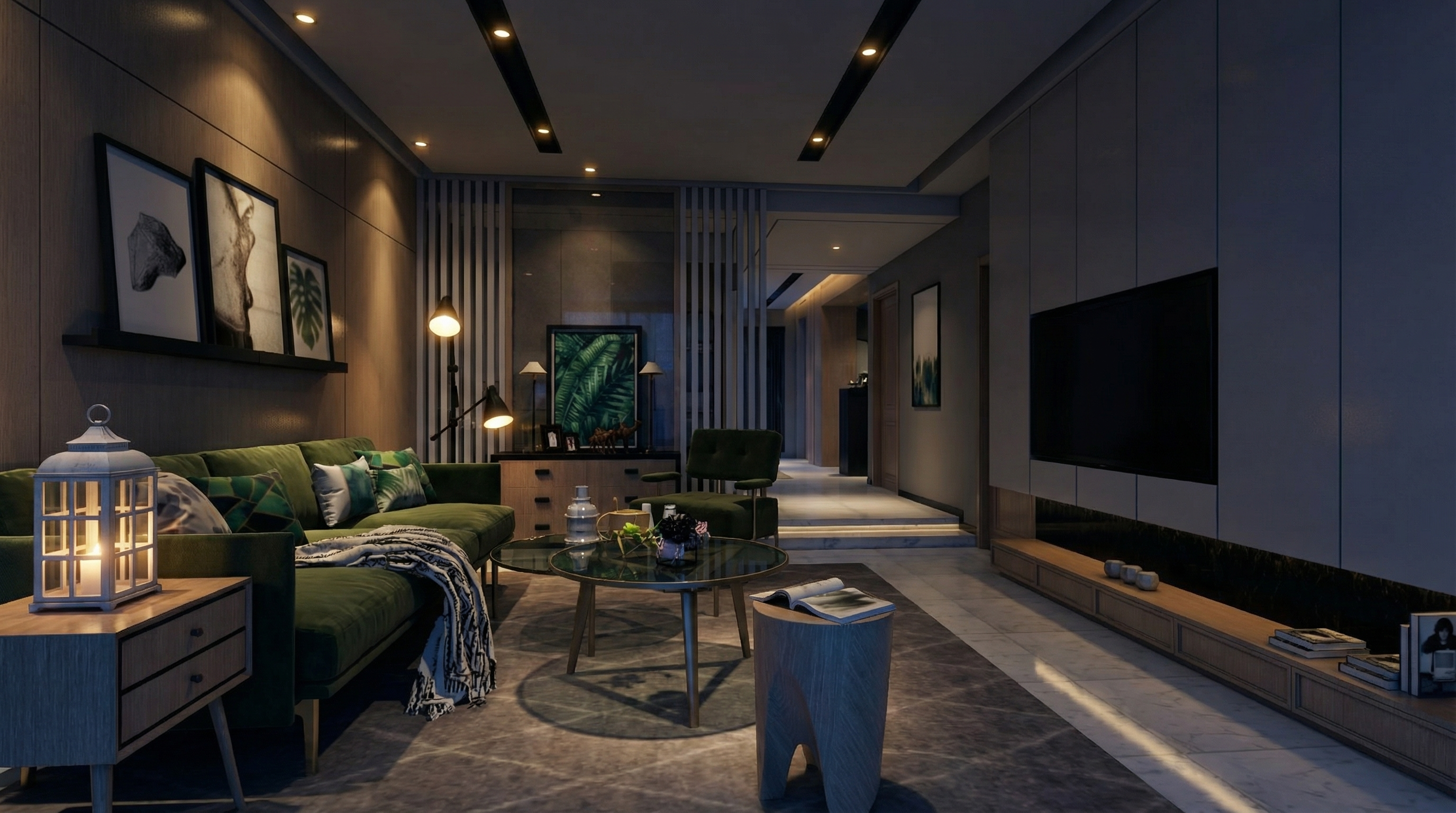
Result with Nano Banana
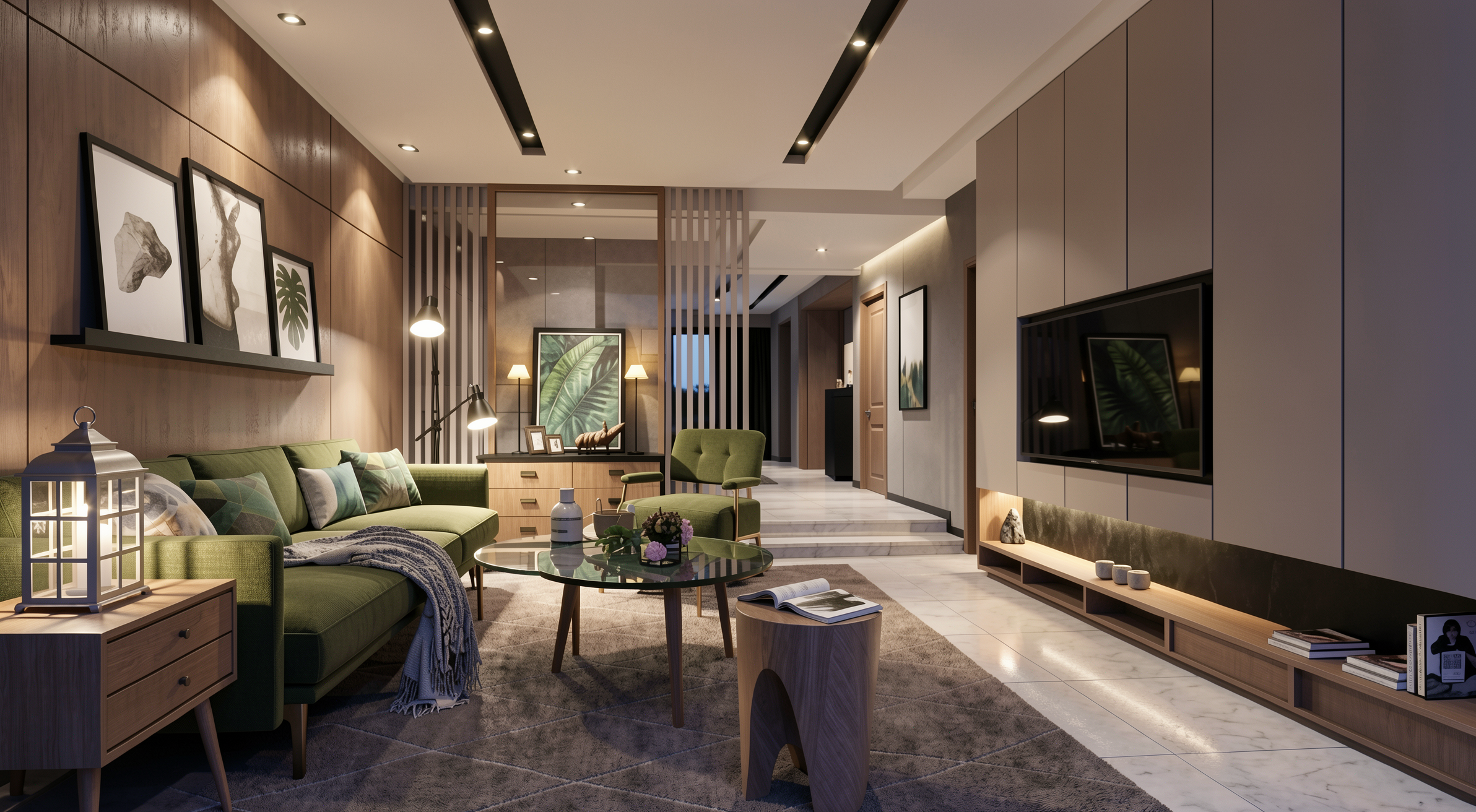
Result with Redraw
The prompt:
Enhance natural materials with realistic surface variation, subtle tonal inconsistencies, micro texture detailing, and physically accurate light response. Maintain authentic material depth and natural imperfections.
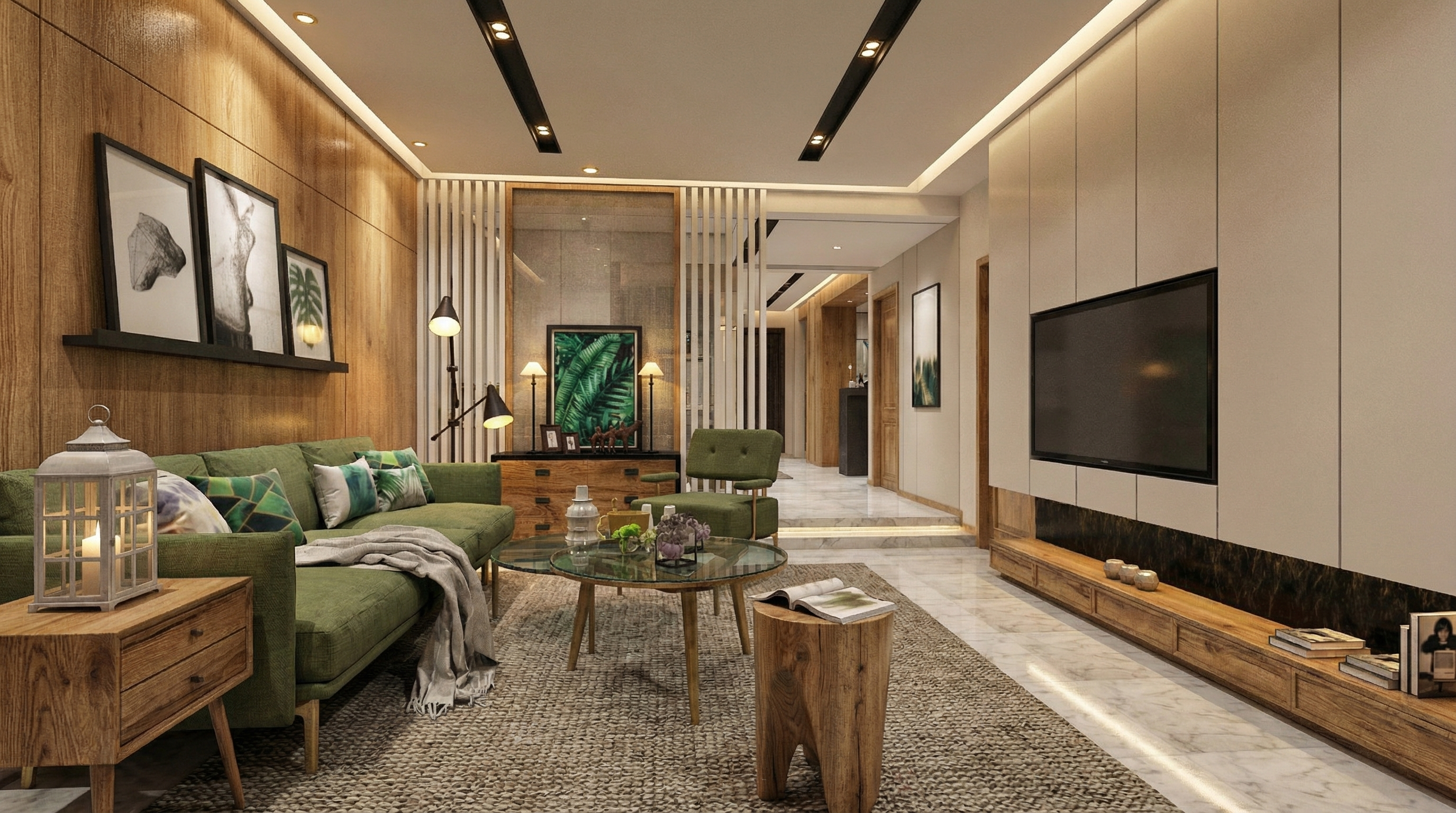
Result with Nano Banana
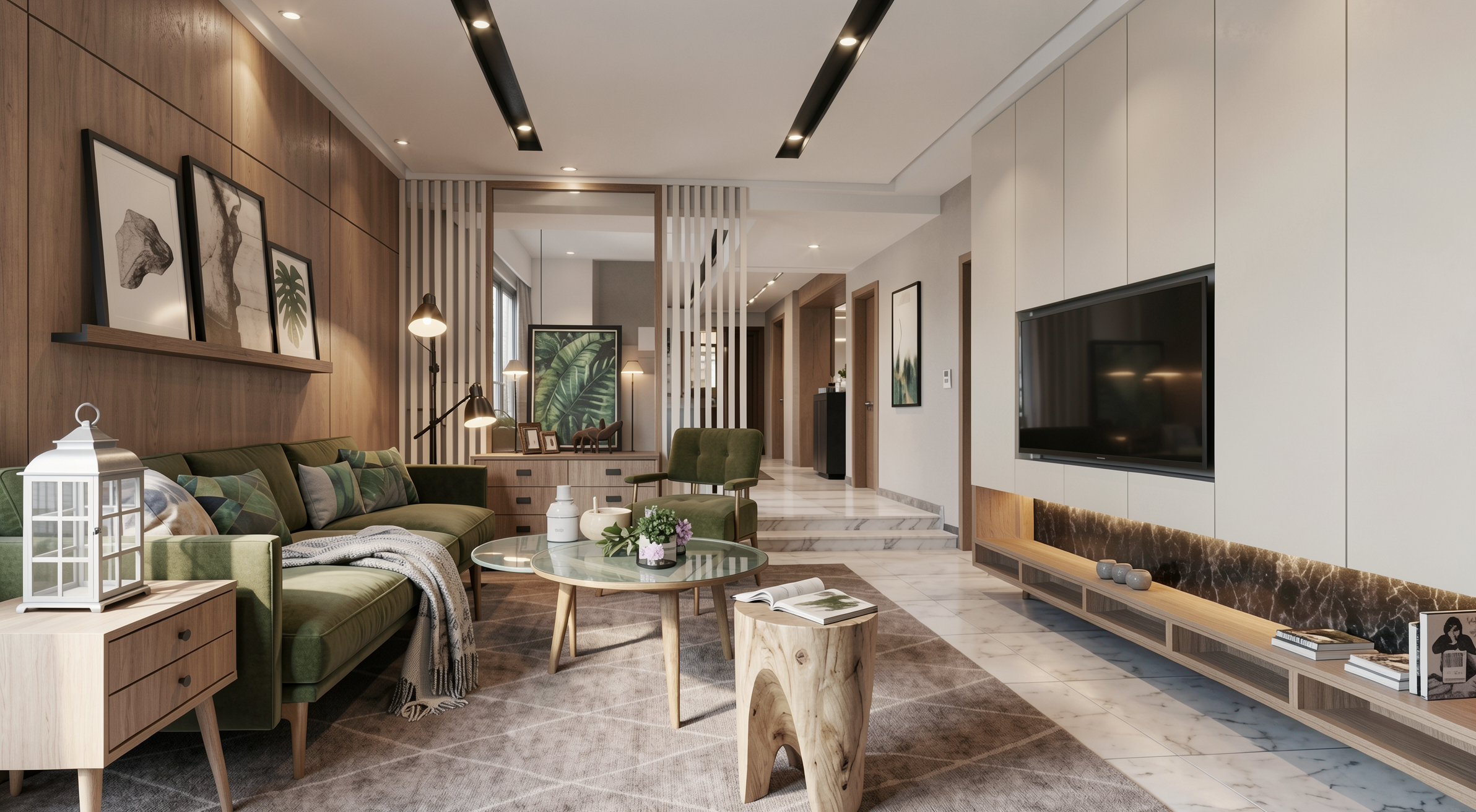
Result with Redraw
Preserve 100% of the original architecture, layout, furniture placement, materials, colors, textures, proportions, decorative elements, lighting positions, and camera angle. Do NOT add, remove, redesign, or replace any element. Enhance realism through physically accurate global illumination, natural light behavior, realistic reflections, soft shadow gradients, real-world material response, subtle micro imperfections, balanced HDR exposure, natural color grading, and professional architectural photography quality. Enhance this living environment by improving spatial comfort perception, material depth, texture clarity, and visual harmony while maintaining a welcoming and sophisticated atmosphere.
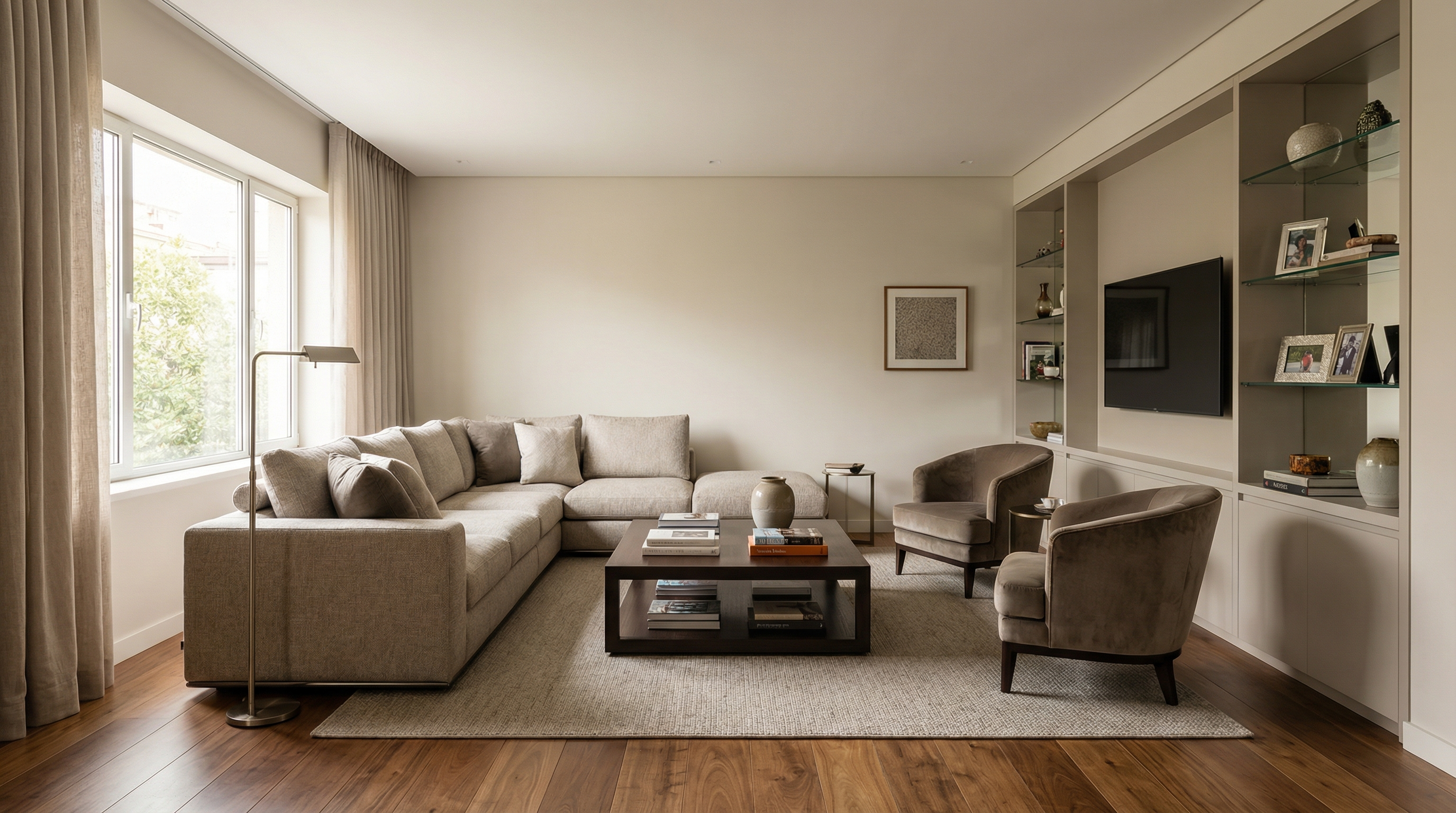
For exemplification, the AI model used was Nano Banana Pro — in models like Redraw V4, the results may be different and superior.
Preserve 100% of the original architecture, layout, furniture placement, materials, colors, textures, proportions, decorative elements, lighting positions, and camera angle. Do NOT add, remove, redesign, or replace any element. Enhance realism through physically accurate global illumination, natural light behavior, realistic reflections, soft shadow gradients, real-world material response, subtle micro imperfections, balanced HDR exposure, natural color grading, and professional architectural photography quality. Enhance this dining environment by improving visual elegance, material refinement, lighting balance, and spatial clarity while maintaining a comfortable and sophisticated atmosphere.
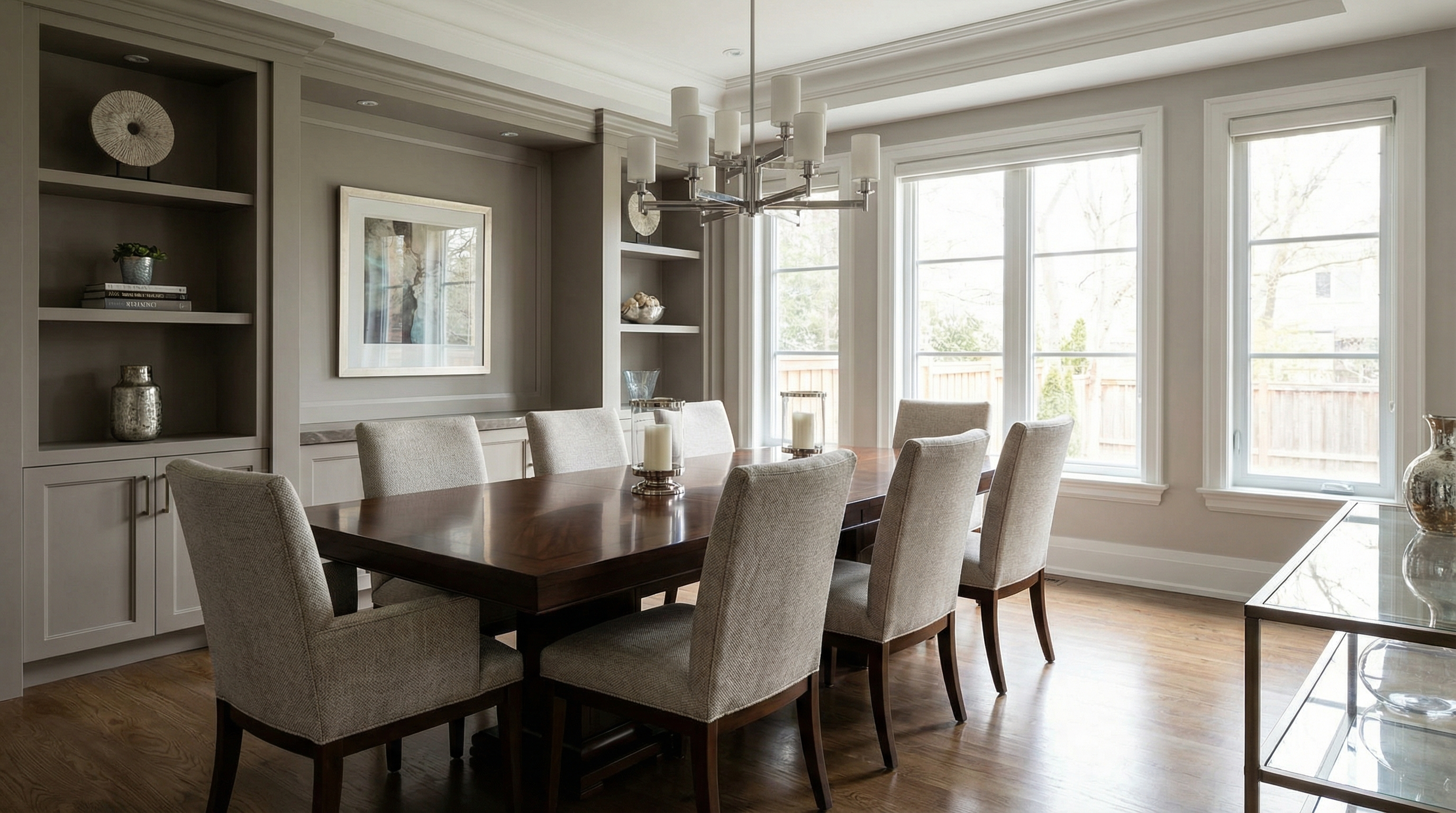
For exemplification, the AI model used was Nano Banana Pro — in models like Redraw V4, the results may be different and superior.
Preserve 100% of the original architecture, layout, furniture placement, materials, colors, textures, proportions, decorative elements, lighting positions, and camera angle. Do NOT add, remove, redesign, or replace any element. Enhance realism through physically accurate global illumination, natural light behavior, realistic reflections, soft shadow gradients, real-world material response, subtle micro imperfections, balanced HDR exposure, natural color grading, and professional architectural photography quality. Enhance this kitchen environment by improving surface clarity, reflective material behavior, texture realism, and spatial definition while maintaining functional clarity and visual sophistication.
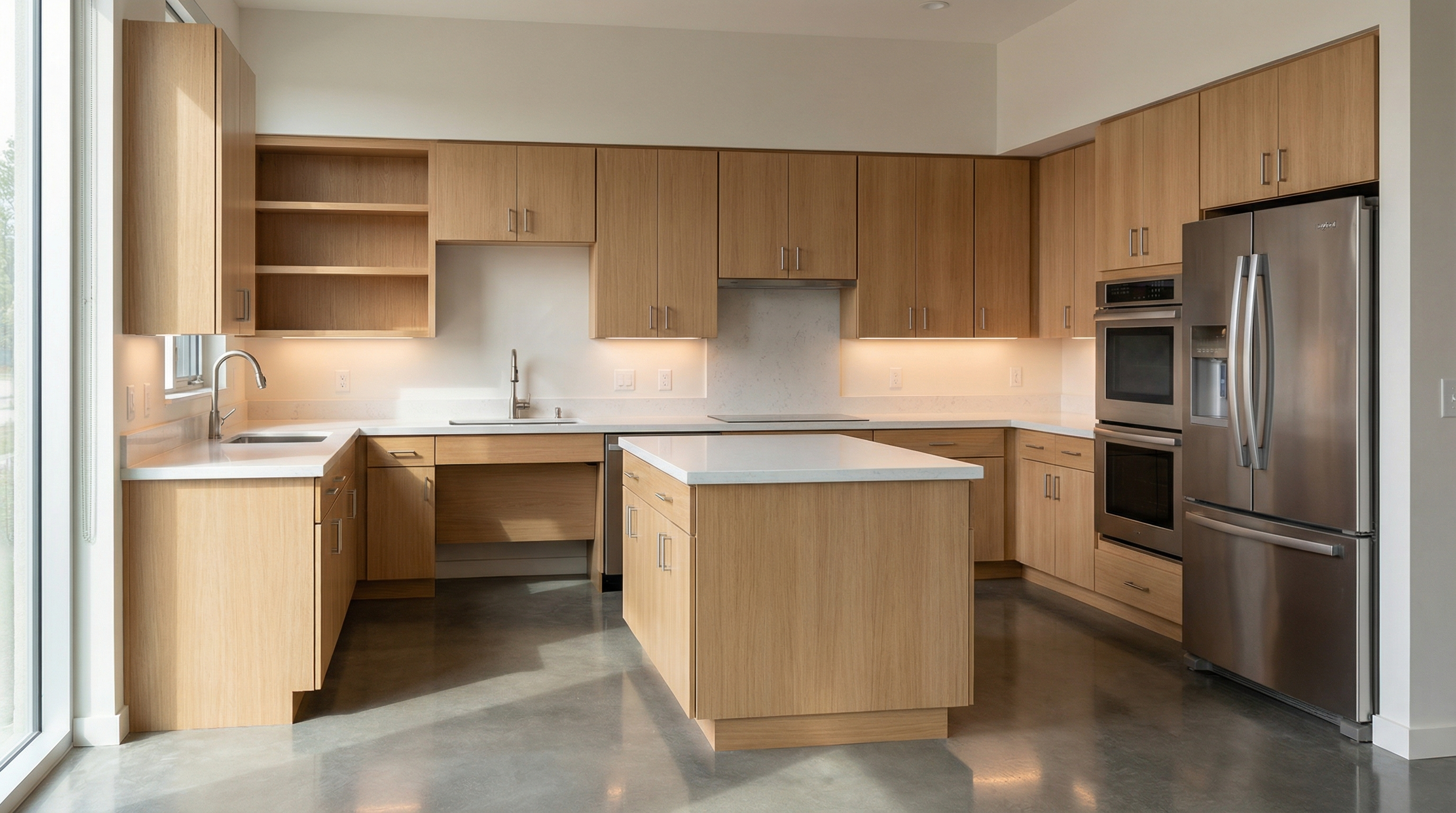
For exemplification, the AI model used was Nano Banana Pro — in models like Redraw V4, the results may be different and superior.
Preserve 100% of the original architecture, layout, furniture placement, materials, colors, textures, proportions, decorative elements, lighting positions, and camera angle. Do NOT add, remove, redesign, or replace any element. Enhance realism through physically accurate global illumination, natural light behavior, realistic reflections, soft shadow gradients, real-world material response, subtle micro imperfections, balanced HDR exposure, natural color grading, and professional architectural photography quality. Enhance this sleeping environment by improving lighting softness, material comfort perception, fabric detailing, and spatial depth while maintaining a calm and relaxing atmosphere.
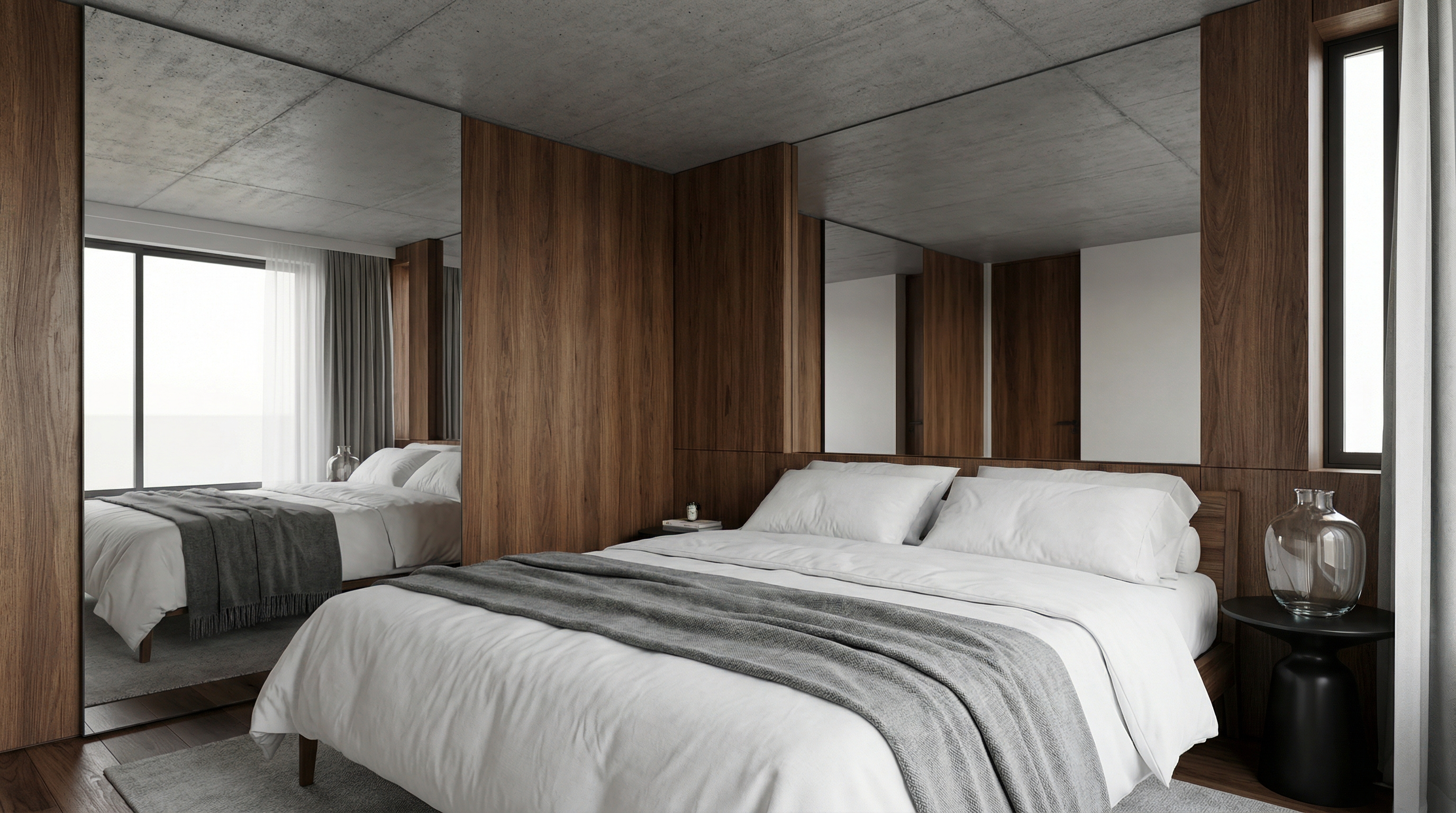
For exemplification, the AI model used was Nano Banana Pro — in models like Redraw V4, the results may be different and superior.
Preserve 100% of the original architecture, layout, furniture placement, materials, colors, textures, proportions, decorative elements, lighting positions, and camera angle. Do NOT add, remove, redesign, or replace any element. Enhance realism through physically accurate global illumination, natural light behavior, realistic reflections, soft shadow gradients, real-world material response, subtle micro imperfections, balanced HDR exposure, natural color grading, and professional architectural photography quality. Enhance this bathroom environment by improving reflective surface behavior, material detailing, lighting clarity, and clean spatial perception while maintaining refined visual realism.
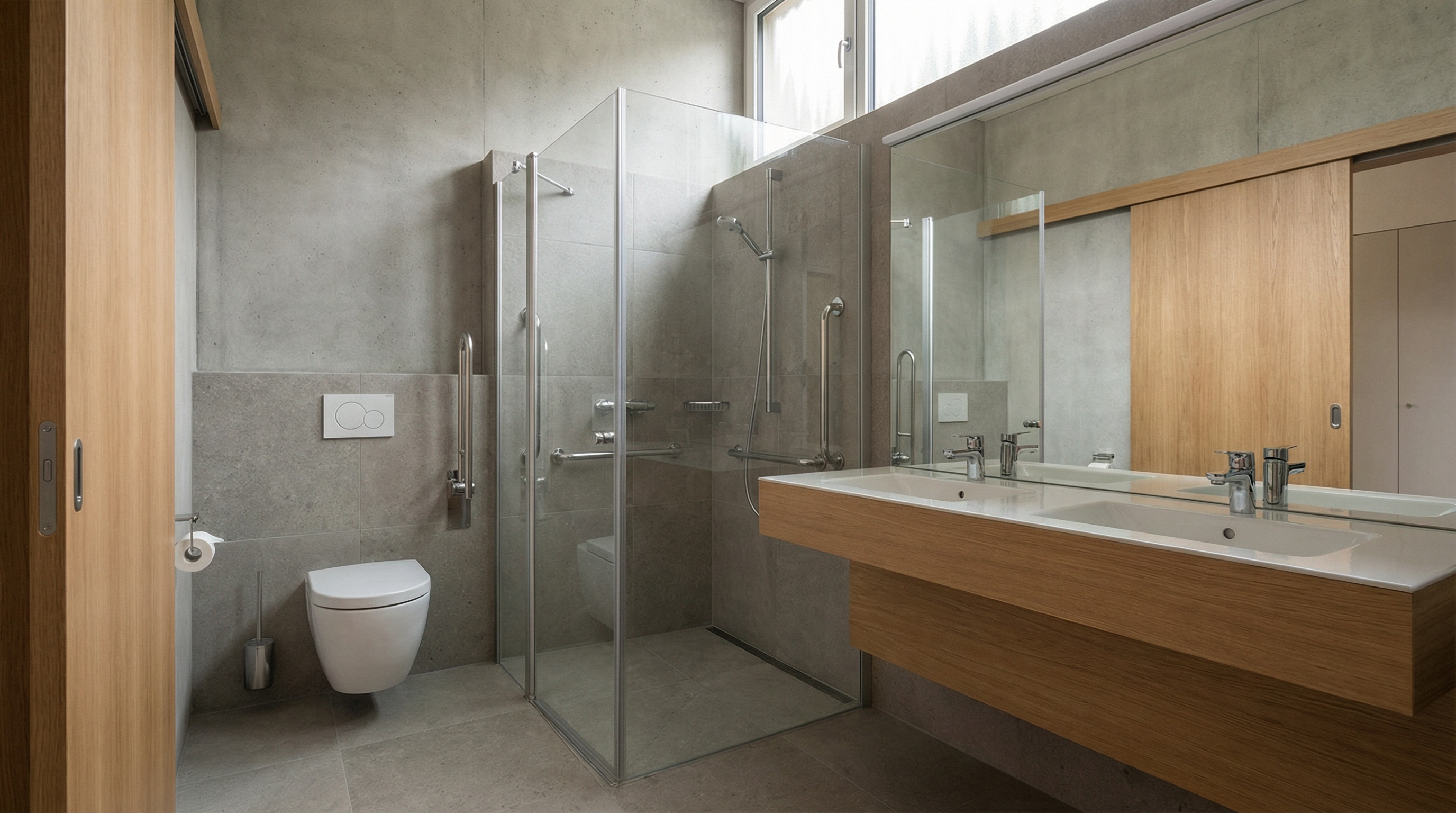
For exemplification, the AI model used was Nano Banana Pro — in models like Redraw V4, the results may be different and superior.
The prompt:
Add a realistic human presence into the scene while preserving 100% of the original architecture, layout, furniture placement, materials, lighting setup, composition, and camera angle. Do NOT modify, remove, redesign, or reposition any architectural or decorative element. The human figure must complement the scene naturally and realistically.
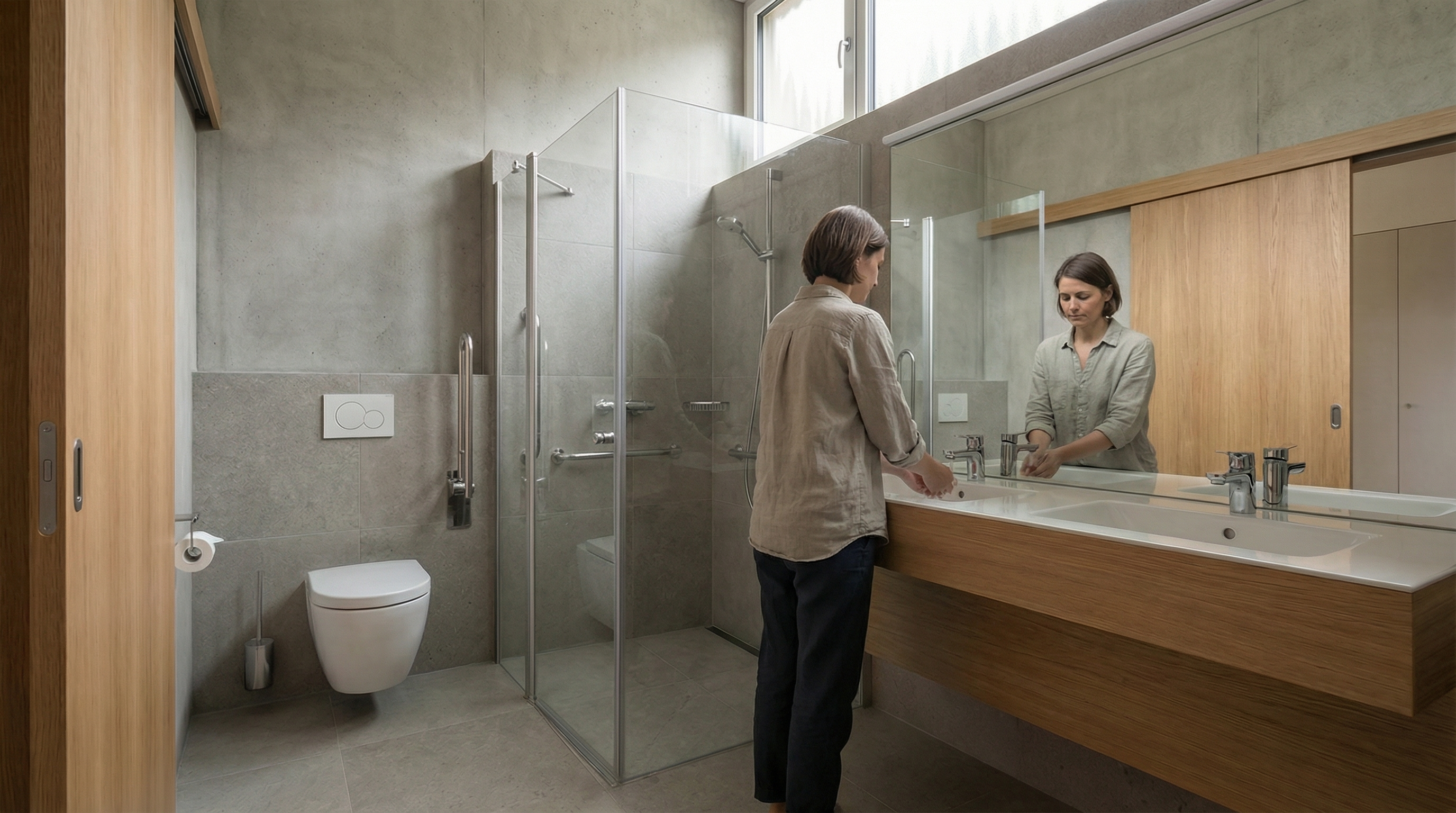
Model: Nano Banana Pro
The prompt:
Preserve 100% of the original architecture, materials, colors, textures, lighting, furniture placement, proportions, decorative elements, composition and camera angle. Do NOT modify, redesign, reposition, remove, enhance or reinterpret any element of the image. Only add a realistic human silhouette passing in front of the camera, creating a subtle motion blur effect. The person must appear naturally integrated into the scene, as if walking across the frame during a real photograph. The human figure must: Be slightly translucent (70–85% opacity) • Have vertical motion blur consistent with walking movement • Show soft directional blur edges (no hard outline) • Maintain realistic scale relative to the environment • Respect the existing lighting direction • Cast a subtle, soft, slightly blurred contact shadow on the floor. Ultra realistic integration. Professional architectural photography style.
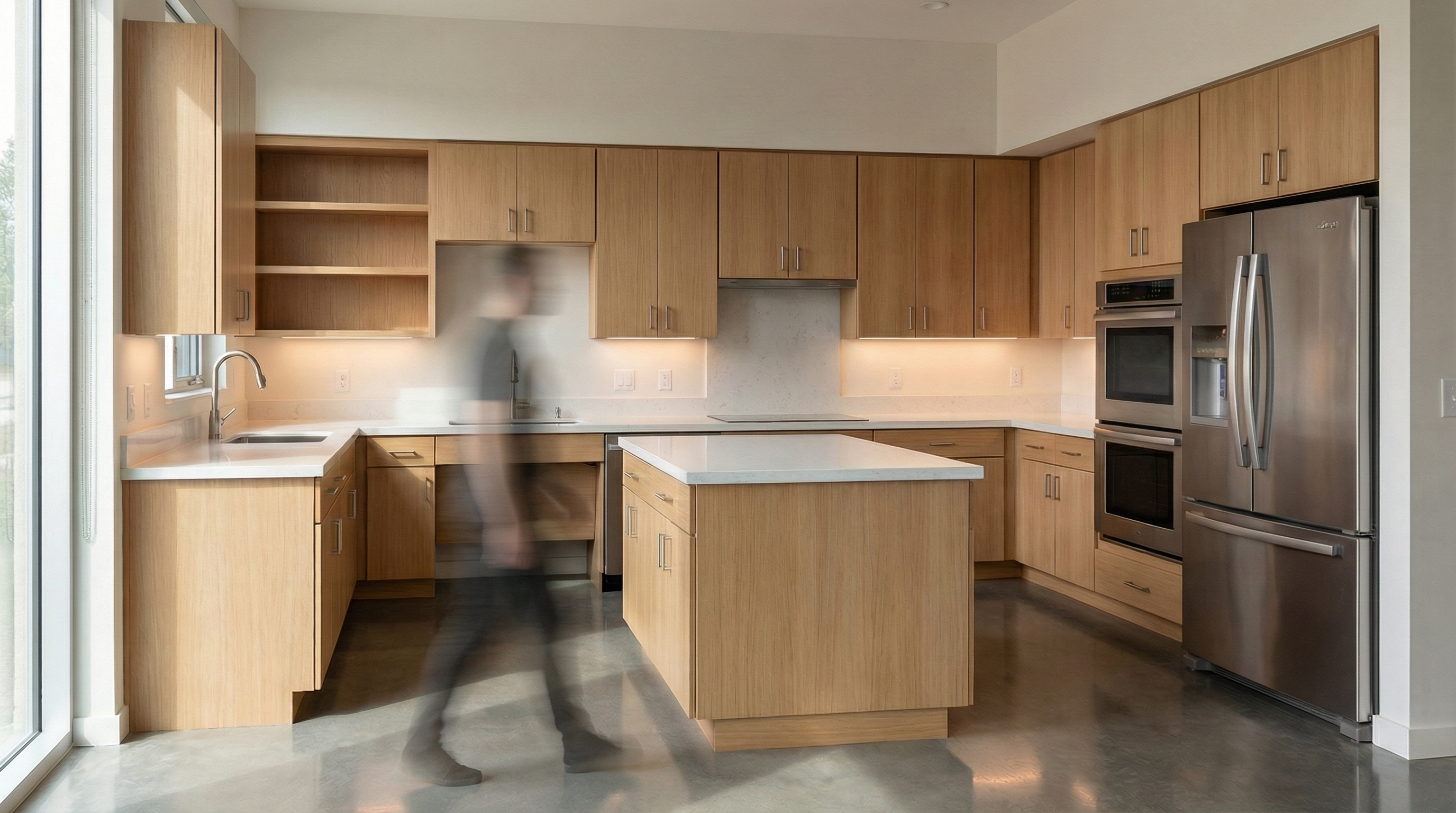
Model: Nano Banana Pro
The prompt:
Preserve 100% of the original architecture, layout, furniture placement, materials, colors, textures, proportions, decorative elements, lighting positions, and camera angle. Do NOT modify, remove, or redesign any existing element. Insert a realistic cat naturally integrated into the environment. The cat must have physically accurate fur texture, natural body proportions, realistic shadows, and correct interaction with the existing lighting conditions.
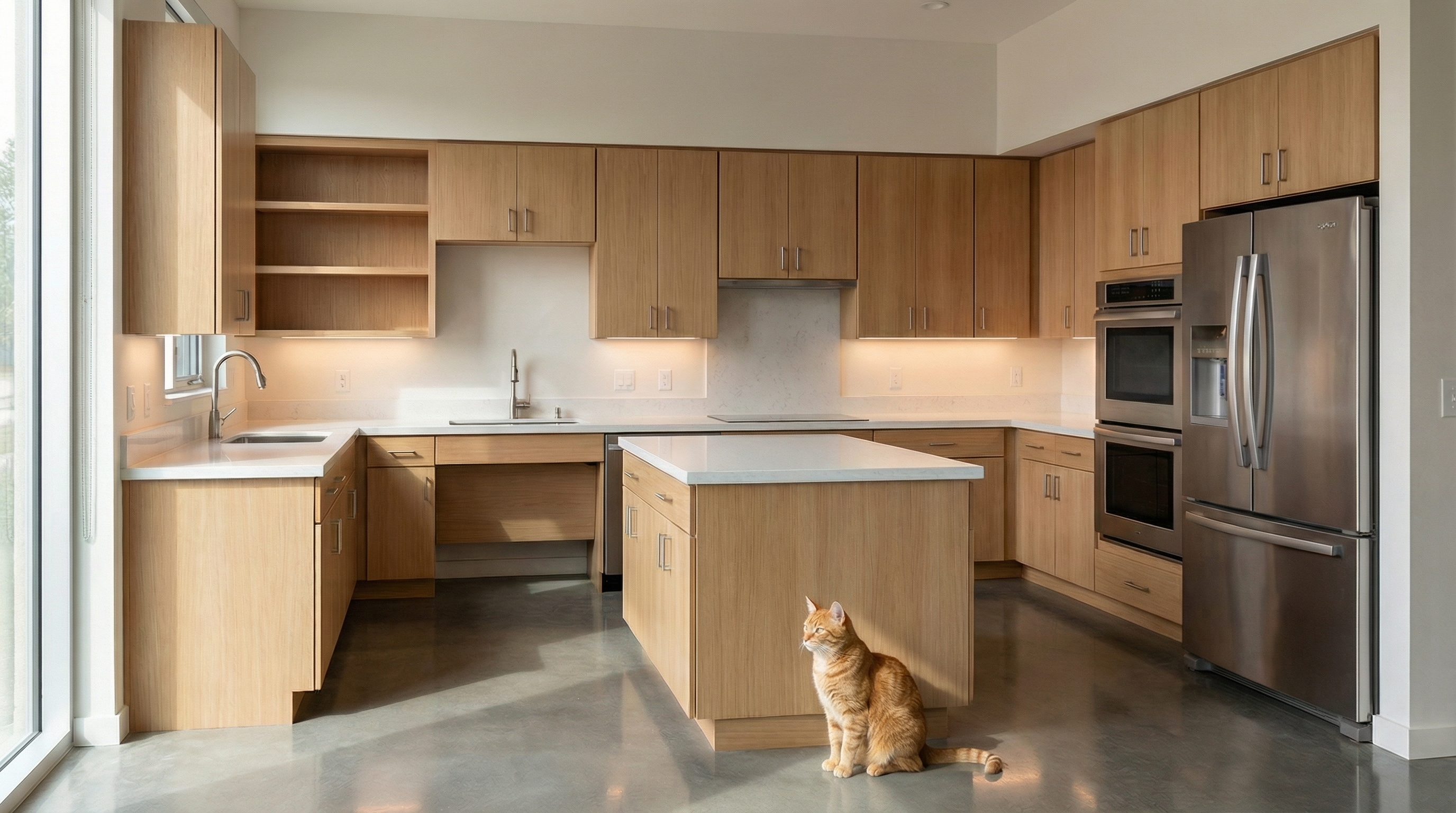
Model: Nano Banana Pro
The prompt:
Preserve 100% of the original architecture, layout, furniture placement, materials, colors, textures, proportions, decorative elements, lighting positions, and camera angle. Do NOT modify, remove, or redesign any existing element. Insert a realistic dog naturally integrated into the environment. The dog must display accurate fur detailing, realistic anatomy, proper scale, and physically accurate shadow behavior according to the existing lighting conditions.
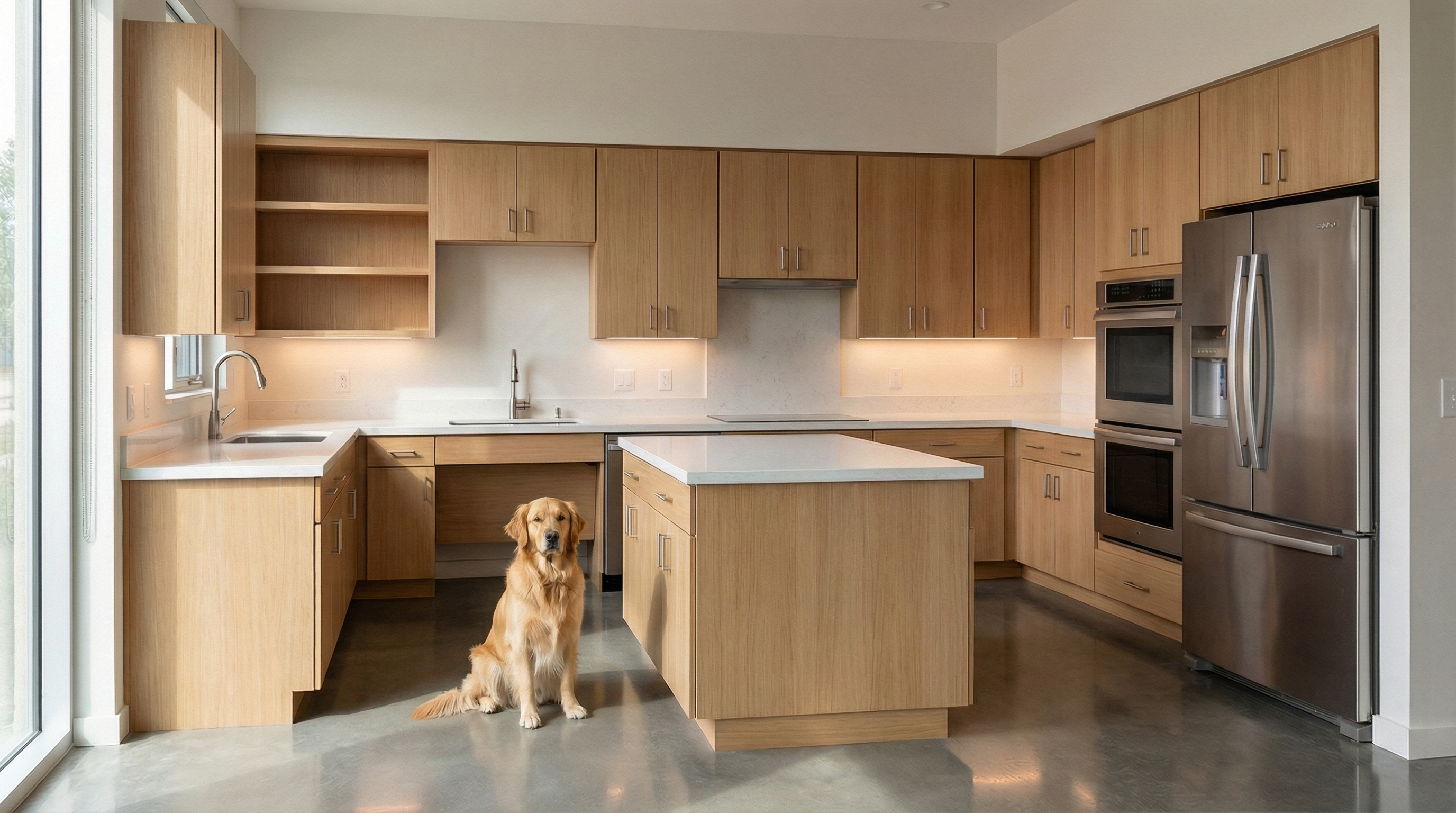
Model: Nano Banana Pro
The prompts below are complementary — they don't generate images on their own, but when added to the beginning or end of your main prompt, they act as a safety lock.
Use when: The AI keeps changing layout, furniture, or proportions.
Preserve 100% of the original architecture, layout, furniture placement, materials, colors, textures, decorative elements, proportions, lighting positions, and camera angle. Strictly forbid adding, removing, replacing, resizing, repositioning, or redesigning any element. The purpose of this transformation is ONLY to enhance realism, lighting behavior, and material response without altering the original design in any way.
Use when: The AI is ignoring the original lighting design and creating new light sources.
Preserve the original lighting design exactly as shown in the image. Do not add new light sources, remove existing lights, or modify lighting positions. Only enhance realism through natural light diffusion, realistic light bounce, soft shadow transitions, and accurate material interaction with existing lighting.
Use when: The AI is replacing or reinterpreting the project's materials.
Preserve all original materials and textures exactly as shown. Do not replace, reinterpret, or stylize materials. Enhance realism only through improved surface detailing, micro imperfections, and physically accurate light response.
The prompts in this guide work with any text-based AI image generation tool. For interior renders with project fidelity, we recommend Redraw — the only platform built specifically for architecture. You upload the 3D model (SketchUp, Archicad, Revit, Rhino, 3DS), select the style and environment in clicks, and the render comes out in 20 to 40 seconds with fidelity to the original project.
Blog