Back to the Blog
What is Rendering

What is Rendering

What is rendering? A clear and direct explanation for architects and designers who want to master this process.

What is Rendering
Author
Redraw
Administrador
Use AI to delight your customers, sell more, and make your images and videos stand out in ads and marketplaces.

What is Rendering
6 min
|
18.03.2026
Author
Redraw
Administrador
Use AI to delight your customers, sell more, and make your images and videos stand out in ads and marketplaces.
[

Redraw

]

Create your free account

Start transforming your projects today using Redraw.

I want to register
Share this article

Renderização: O Que É e Sua Importância

O que é renderizar e por que todo mundo está falando nisso? Sabe aquela dúvida que aparece na cabeça só de ouvir um arquiteto todo orgulhoso dizendo “vou renderizar essa planta”? Pois é, parece até conversa de outro planeta. Mas calma, esse processo está em todo lugar: do projeto mais básico ao design mais futurista. Renderizar significa transformar esquemas frios e secos em imagens que até parecem foto. Com cor, luz, sombra, textura, e aquele nível de detalhe que faz o cliente cair da cadeira de surpresa. E olha, hoje, plataformas como a Redraw tiram todo o peso disso das suas costas, graças à inteligência artificial. Quer ver seu projeto ganhar vida em minutos e ainda por cima direto do navegador? Então pronto, siga lendo, porque sim, isso é possível.
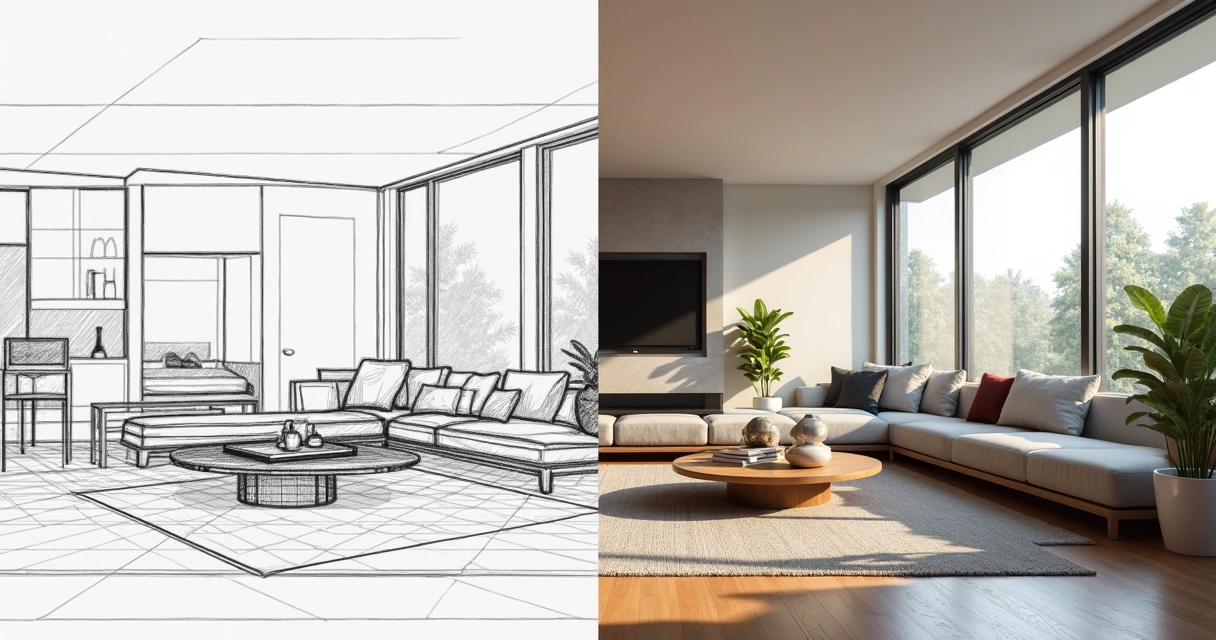
O que é renderização

O que é renderizar e para que serve

Pense assim: você faz um modelo digital, um cubo cinza, talvez até com algumas formas legais. Legal, mas sem graça. Aí entra a mágica da renderização, ou seja, transformar essa massa de pixels em uma cena com cor, textura, vidro brilhando, reflexos na água. Serve, basicamente, para enganar o olho: a ideia é aproximar o máximo possível do que seria uma foto do projeto pronto.

Em arquitetura, engenharia e design, renderizar virou praticamente sinônimo de convencer cliente. Afinal, convenhamos, mostrar um cubo cinza não vende, mas uma imagem com pôr do sol entrando pela janela vende até ideia ruim. E hoje em dia ninguém mais tem tempo (ou paciência) para esperar dias por uma imagem apenas razoável. Plataformas de render com inteligência artificial, como a Redraw, chegaram justamente para agilizar esse espetáculo visual sem a dor de cabeça dos métodos antigos.

Como funciona o processo de renderização

Parece mágica, mas tem ciência e até muita matemática por trás. Imagine que, dentro do computador, existe um pequeno universo com um monte de luzes imaginárias e materiais diferentes. Renderizar, em termos simples, é mandar o computador simular como a luz interage com superfícies nesse universo falso, tipo: “e se essa luz do teto bater no chão de madeira, que cor fica?”

O render transforma a geometria do projeto em uma imagem final pixel por pixel. Dependendo da ferramenta e da técnica, esse processo pode ir de segundos a várias horas. A boa notícia é que, com IA, renderizar ficou tão rápido que até parece pegadinha.

Quais os principais tipos de render

Se engana quem acha que só existe um jeito de transformar o projeto em imagem bonita. Existem métodos clássicos e outros nascidos da onda da inteligência artificial. Cada tipo de renderização tem suas firulas (e limitações). Vamos aos mais falados?

Render em tempo real

Sabe aquele render que atualiza “ao vivo” enquanto você mexe no projeto? É esse. Ele permite navegar pelo espaço, mudar materiais e luzes e visualizar tudo na hora. Ideal para apresentações em reuniões corridas ou para quem gosta de ter feedback imediato.

Render por ray tracing

Aqui o processo simula o caminho da luz de forma quase nerd, calculando reflexos e transparências. O resultado? Sombra perfeita, reflexo do vidro mais real do que na vida e aquele brilho na torneira que parece até limpeza de propaganda. O problema é o custo: normalmente exige computador mais parrudo e tempo de processamento.

Render com inteligência artificial

Desde que IA começou a invadir as renderizações, tudo mudou. Agora, o sistema entende as intenções do projeto, analisa texturas, sugere ajustes e até gera imagens a partir de descrições textuais. O Redraw, por exemplo, consegue transformar croquis em imagens quase instantâneas, melhorar qualidade de projetos antigos e criar dezenas de variações visualmente atraentes com poucos cliques.
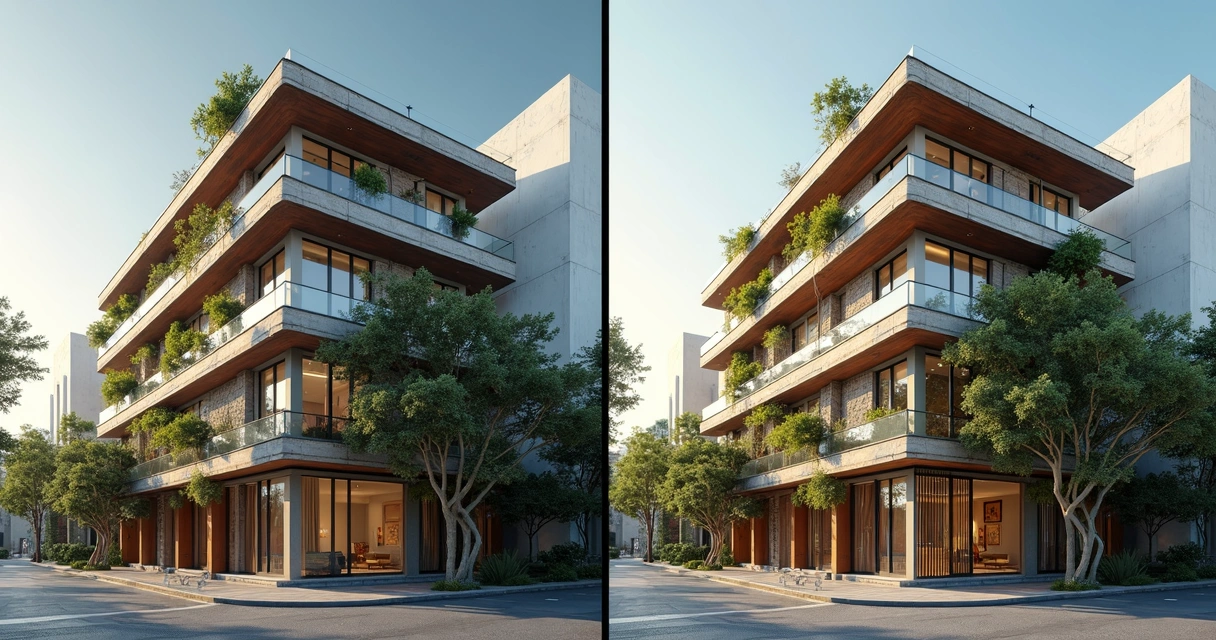
O que é renderizaçao

Onde a renderização é usada na arquitetura e design

Praticamente em tudo. Seja para mostrar para o cliente, enviar para aprovação em órgãos públicos ou até criar material de marketing. Veja alguns exemplos (e talvez se reconheça em algum deles):

  • Apresentação para clientes: a imagem renderizada ajuda o projeto a “vender” antes mesmo de virar parede e concreto. E vende mesmo.
  • Estudos de iluminação: simula como o sol vai invadir a sala às 16h no inverno. Isso resolve uma lista enorme de erros construtivos já na fase do projeto.
  • Portfólio: aquela famosa “imagem de capa” que todo arquiteto e designer posta nas redes sociais, deixando os mortais babando.
  • Render para vídeos: anima a cena, do nascer ao pôr do sol. Serve tanto para YouTube quanto para encantar investidores.

Pode parecer que é só para projetos grandes, mas nada impede que você use renderização até para aquele quartinho reformado na casa da avó. O objetivo é o mesmo: encantar.

Renderização com IA: como funciona e por que usar

Agora, com inteligência artificial, quase tudo mudou. Antigamente, renderizar era tanto um ato de fé quanto de paciência. Sabe aquele render que trava o computador ou exige colocar o café na mesa porque demora horas? Pois é. Hoje, plataformas como a Redraw usam IA para acelerar tudo. Você faz upload do projeto e, em segundos, está tudo pronto no navegador. E nem precisa de supermáquina para isso.

Entre os motivos para apostar em um render por IA estão:

  • Rapidez absurda: minutos, e não horas. Dá pra renderizar em cafés.
  • Resultado criativo: a IA sugere estilos, paletas de cor, texturas e até sabe corrigir errinhos de modelagem.
  • Acessibilidade: seu computador pode ser “modesto” e ainda assim rodar tudo perfeitamente, porque o pesado fica na nuvem.
  • Inovação: transformar esboço em imagem pronta, criar animacões ou mudar materiais só descrevendo o que você quer.

Não é exagero dizer que renderizar com IA é quase como dar um “estágio” para seu computador enquanto a nuvem faz o trabalho pesado.
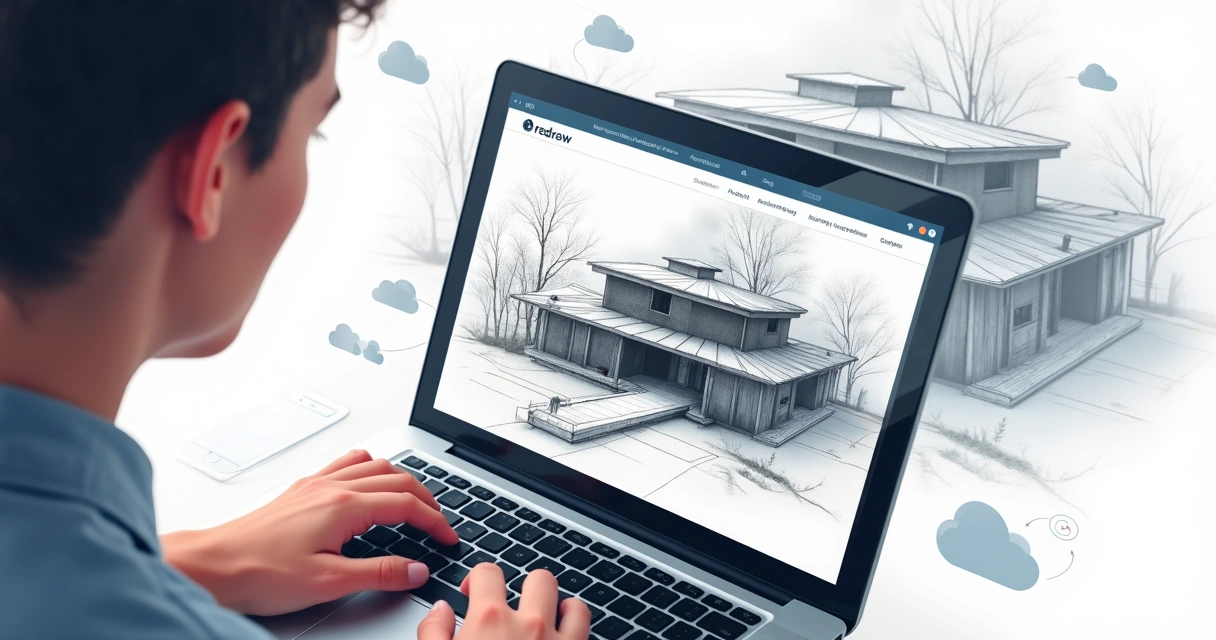
O que é renderizacao

Ferramentas mais usadas para renderizar

Existe uma lista quase interminável de softwares, plugins e plataformas. Uns clássicos de prancheta digital e outros que entraram com IA para fazer o tempo render (não resisti ao trocadilho). Eis um resumo dos grupos principais:

Softwares tradicionais: V-Ray, Enscape, Lumion

Essas ferramentas são queridas por quem curte controlar todos os detalhes: do brilho da lâmpada até o reflexo no piso. Mas geralmente requerem instalação, hardware parrudo e um tempinho considerável para aprender e esperar o resultado.

IA para renderização: Redraw, Midjourney, Prome.ai

Agora, se a ideia é pular direto para o resultado, a nova onda é usar plataformas baseadas em IA. O Redraw, por exemplo, permite subir o modelo via navegador, gerar ideias só digitando textos e transformar até esboços em imagens realistas. É renderização sem enrolação, fazendo qualquer profissional parecer mágico diante do cliente.

Renderizar exige computador potente?

Muita gente acha que para obter um render incrível precisa de uma nave espacial debaixo da mesa. Isso era verdade até pouco tempo atrás, não para a galera do Redraw. Hoje, parte do processo roda na nuvem, dispensando placas de vídeo arrancadas de outro planeta ou upgrades caros.

"Seu computador não precisa ser um monstro para gerar imagens monstruosas."

Basta conexão com a internet e vontade de experimentar.

FAQ (Perguntas Frequentes)

O que significa renderizar no computador?

Renderizar no computador é pegar aquele modelo digital, normalmente feito em programas de modelagem, e transformá-lo em uma imagem ou vídeo mais próximo da realidade, com luzes, texturas e efeitos. É o processo que tira o projeto da fase de linhas e formas para virarem imagens palatáveis até para quem não entende nada de arquitetura.

Como funciona o processo de renderização?

Funciona assim: o programa simula o comportamento da luz em contato com as superfícies. É tipo um jogo de sinuca de fótons, onde cada raio bate, reflete, passa por vidro, escurece ou brilha. O computador calcula tudo isso e organiza os dados para formar uma imagem no final. Com IA, boa parte dessas decisões já vem “inteligente” de fábrica, acelerando o processo e melhorando o resultado final.

Para que serve a renderização em vídeos?

Renderizar vídeo permite criar animações, passeios virtuais e sequências que mostram o espaço como se você estivesse andando por dentro. Serve para apresentações super detalhadas, vídeos institucionais, marketing ou até como parte do portfólio. É um jeito de contar uma história visual do projeto sem precisar construir nada de verdade.

Quais são os tipos de renderização mais comuns?

Os tipos mais comuns são o render em tempo real, ideal para ajustes rápidos e navegação; o render com ray tracing, que foca nos detalhes ultrarrealistas de luz e sombra; e o render com inteligência artificial, que prioriza velocidade e criatividade, além de ferramentas que já facilitam todo o processo online.

Renderizar deixa o computador mais lento?

Nos métodos tradicionais, sim, especialmente se seu computador não for dos mais novos. O processamento pode consumir boa parte dos recursos, deixando tudo meio devagar quase parando. Já no caso de plataformas como Redraw, que fazem a mágica na nuvem, você escapa desse drama: o computador fica livre para outras tarefas e só recebe o resultado pronto.

Por que usar o Redraw para renderizar seus projetos

Depois desse passeio por luz, sombra, reflexo e inovação digital, fica claro: renderização não é mais privilégio só de quem tem orçamento infinito ou hardware de gamer. Hoje, até os projetos mais básicos podem conquistar aquele impacto visual com rapidez e praticidade. A Redraw surgiu para fazer parte dessa tendência, simplificando o processo com inteligência artificial, acessível de qualquer computador, até do café com wifi ruim.

“If the idea is to impress, accelerate, and explore limitless creativity, Redraw's AI may be your new shortcut.”

Did you like the idea of seeing your project born beautifully, quickly and without complications? Try Redraw and discover how simple rendering can be.

Share this article
Summary of the content
[

Blog

]

Related articles

Access Blog
Render
10.04.2026

Prompt to Render with Nano Banana - Google Gemini

Alexandre Kuhn
5 min of reading

Generative artificial intelligence has transformed the way in which architects and designers view their projects. Tools such as Nano Banana, with the integration of Veo 3, opened up a universe of possibilities for creating conceptual images. However, this flexibility comes with a steep learning curve and a process that can be frustrating: the art of writing Perfect Prompt. While a generic prompt can be powerful, it requires the architect to become an expert in prompt engineering, shifting focus away from what really matters: design.


In this article, we will demystify the process of creating prompts for rendering in tools like Google's Nano Banana, explain what the mysterious “seeds” are, and show why the Redraw represents the natural evolution of this technology, offering a solution where the architect does not have to be a programmer to create spectacular images.


The Nano Banana Prompt Challenge

Transforming Ideas into Commands


To generate an accurate architectural image in Nano Banana, it's not enough to describe the scene. A detailed instruction manual for the AI must be provided. An effective prompt must be a combination of multiple commands, specifying every detail to avoid ambiguities.

Let's analyze an example of a complex prompt to generate a modern house facade:

“Photograph of a modern two-story house with exposed concrete façade and cumaru wood paneling, large floor-to-ceiling glass windows, black pivoting entrance door. The lighting should be dramatic, with late afternoon sunlight creating long shadows (golden hour). The house is surrounded by a minimalist garden with grass and an olive tree. Architectural photography style, Canon EOS 5D Mark IV camera with 35mm lens, f/8. The climate is serene and luxurious.”

This level of detail is necessary because AI lacks the context of an architect. You must specify:

  • Subject: The house and its materials.
  • Style: Architectural photography.
  • Lighting: Golden Hour, Long Shadows.
  • Environment: Minimalist garden.
  • Technical Parameters: Type of camera, lens, and aperture.

Any omission may result in an image that does not match the professional's vision, generating rework and wasting time.

What are Seeds

Why Did You Need to Worry About Them?

Another technical concept that haunts users of generic image generators is the “seed” (headquarters). The seed is a number that serves as a starting point for AI randomness. Think of it as the “DNA” of an image. If you use the same prompt and the same seed, the AI will generate the exact same image every time.


This is useful for maintaining consistency or for making small changes to a result that you liked. However, managing seeds is yet another layer of complexity. You need to find the seed of an image you liked, save it, and reinsert it with each new generation. Recently, OpenAI itself removed the ability to customize seeds in DALL-E 3, signaling that even for creators, this is a complex and unintuitive functionality for the end user.

The Solution without Prompt

Redraw was created to eliminate this technical barrier. We understand that architects and designers need a tool that speaks their language, that understands materials, lighting and architectural styles without the need for an instruction manual at every command.

In Redraw, the prompt is simplified because our AI is already an expert in architecture.

You don't have to specify that you want an “architectural photograph” or detail the type of lens. The platform is trained with a vast database of high-quality architectural images, allowing it to understand direct commands such as:

“It's as simple as relaxing and selecting the options that make sense for your project. Redraw builds the best prompt for you through examples.” Sergio Santos - Co-founder of Redraw - Specialist in Generative AI.

Redraw bridges the gaps with its expertise, delivering high-fidelity results with a fraction of the effort. And most importantly: On Redraw, you don't have to worry about seeds. Our technology was developed to offer consistency and high-quality variations in an intuitive way, through a simple and visual interface, allowing you to refine your projects without requiring technical programming knowledge.

Conclusion

Let AI Work for You, Not the Other Way Around

Generic imaging tools are powerful, but they require the professional to adapt to them. The result is a workflow where the architect spends more time learning to “talk to the machine” than designing.


O Redraw reverses this logic. We teach the machine to understand architecture so you can focus on your creative vision. We believe that technology should be an extension of your creativity, not an obstacle. By simplifying the prompt and eliminating the need to manage technicalities such as seeds, Redraw gives power back to the architect, ensuring that the only skill needed to create incredible renders is their passion for design.


Are you ready to abandon complexity and focus on what really matters? Try Redraw and transform the way you view your projects.

Render
10.04.2026

Prompt to Render: Why ChatGPT Complicates and Redraw Simplifies for Architects

Alexandre Kuhn
5 min of reading

Generative artificial intelligence has transformed the way in which architects and designers view their projects. Tools such as ChatGPT, with the integration of DALL-E, opened up a universe of possibilities for creating conceptual images. However, that flexibility comes with a steep learning curve and a process that can be frustrating: the art of writing Perfect Prompt. While a generic prompt can be powerful, it requires the architect to become an expert in prompt engineering, shifting focus away from what really matters: design.


In this article, we will demystify the process of creating prompts for rendering in tools like ChatGPT, explain what the mysterious “seeds” are, and show why Redraw represents the natural evolution of this technology, offering a solution where the architect does not have to be a programmer to create spectacular images.


The Prompt Challenge in ChatGPT

Transforming Ideas into Commands


To generate an accurate architectural image in ChatGPT, it is not enough to describe the scene. A detailed instruction manual for the AI must be provided. An effective prompt must be a combination of multiple commands, specifying every detail to avoid ambiguities.

Let's analyze an example of a complex prompt to generate a modern house facade:

“Photograph of a modern two-story house with exposed concrete façade and cumaru wood paneling, large floor-to-ceiling glass windows, black pivoting entrance door. The lighting should be dramatic, with late afternoon sunlight creating long shadows (golden hour). The house is surrounded by a minimalist garden with grass and an olive tree. Architectural photography style, Canon EOS 5D Mark IV camera with 35mm lens, f/8. The climate is serene and luxurious.”

This level of detail is necessary because AI lacks the context of an architect. You must specify:

  • Subject: The house and its materials.
  • Style: Architectural photography.
  • Lighting: Golden Hour, Long Shadows.
  • Environment: Minimalist garden.
  • Technical Parameters: Type of camera, lens, and aperture.

Any omission may result in an image that does not match the professional's vision, generating rework and wasting time.

What are Seeds

Why Did You Need to Worry About Them?

Another technical concept that haunts users of generic image generators is the “seed” (headquarters). The seed is a number that serves as a starting point for AI randomness. Think of it as the “DNA” of an image. If you use the same prompt and the same seed, the AI will generate the exact same image every time.


This is useful for maintaining consistency or for making small changes to a result that you liked. However, managing seeds is yet another layer of complexity. You need to find the seed of an image you liked, save it, and reinsert it with each new generation. Recently, OpenAI itself removed the ability to customize seeds in DALL-E 3, signaling that even for creators, this is a complex and unintuitive functionality for the end user.

The Solution without Prompt

Redraw was created to eliminate this technical barrier. We understand that architects and designers need a tool that speaks their language, that understands materials, lighting and architectural styles without the need for an instruction manual at every command.

In Redraw, the prompt is simplified because our AI is already an expert in architecture.

You don't have to specify that you want an “architectural photograph” or detail the type of lens. The platform is trained with a vast database of high-quality architectural images, allowing it to understand direct commands such as:

“It's as simple as relaxing and selecting the options that make sense for your project. Redraw builds the best prompt for you through examples.” Sergio Santos - Co-founder of Redraw - Specialist in Generative AI.

Redraw bridges the gaps with its expertise, delivering high-fidelity results with a fraction of the effort. And most importantly: On Redraw, you don't have to worry about seeds. Our technology was developed to offer consistency and high-quality variations in an intuitive way, through a simple and visual interface, allowing you to refine your projects without requiring technical programming knowledge.

Conclusion

Let AI Work for You, Not the Other Way Around

Generic imaging tools are powerful, but they require the professional to adapt to them. The result is a workflow where the architect spends more time learning to “talk to the machine” than designing.


O Redraw reverses this logic. We teach the machine to understand architecture so you can focus on your creative vision. We believe that technology should be an extension of your creativity, not an obstacle. By simplifying the prompt and eliminating the need to manage technicalities such as seeds, Redraw gives power back to the architect, ensuring that the only skill needed to create incredible renders is their passion for design.


Are you ready to abandon complexity and focus on what really matters? Try Redraw and transform the way you view your projects.

Render
10.04.2026

The 8 Best Renderers of 2026

Redraw
5 min of reading

Every year the market for architectural renderers changes, some alternatives appear, others cease to be relevant, software remains king of the market while some are consolidating and, in the midst of all this, in 2026, IAs are increasingly capable of generating and improving their renderings and have a promising future in sight.

This year, however, given the news and evolution of the renderers, the question is no longer which option is the best, since all of them can give you great results, but rather, which one best meets my demands.

In this article, we will show you the 8 best options at the beginning of the year for you to render your architectural projects, evaluating them based on 3 aspects: learning difficulty, price, and rendering agility.

V-RAY

V-Ray remains the first choice when thinking about rendering for architecture. It is one of the most consolidated tools and remains a reference for its precision and realism, great for offices that want to have an above average result and for studios that work with luxury real estate launches where each image needs to be like a photo.

The V-Ray engine is robust, offering rendering options via CPU, GPU, or a hybrid model. Its main advantage is full control over lighting parameters and materials. However, this control comes at a price: the learning curve is high and the time to render is the longest among the options on the list.

Positive Points:
  • Unquestionable quality: It remains one of the best options in terms of final quality.
  • Chaos Ecosystem: Perfect integration with the Chaos Cosmos (asset library) and Chaos Cloud.
  • Post-Production Control: Generates a wide range of Render Elements for advanced composition in Photoshop.
  • Interoperability: Because it's a plugin, it's a great option for offices and architects working with SketchUp.
Negative Points
  • Hardware Requirement: Needs state-of-the-art computers to improve quality options while reducing rendering time.
  • Complexity: It requires a lot of study to extract the best that the software has to offer, which can make it more difficult to start from scratch.

CORONA

While V-Ray is the precision tool, Corona simplifies some technical parameters, making it a simple option and focuses only on the essentials for a quality rendering but with results very similar to the competitor.

Corona simplified complex processes, such as LightMix, which allows you to change the intensity and color of the lights after the rendering has been completed without needing multiple renders to test day and night scenes.

It is ideal for offices focused on interior design and high-end residential architecture, it balances quality with productivity and its ability to handle lighting and complex materials (such as fabrics and woods) with little configuration effort makes it extremely efficient for medium teams.

Positive Points:
  • Industry Standard: It is the reference software for archviz offices and studios when it comes to realism and productivity.
  • Chaos Ecosystem: Like V-ray, it also has interoperability with Chaos Cosmos and Chaos Cloud.
  • Simplicity: It has several options that improve the user experience and make rendering easier.
Negative Points
  • Complexity: Despite being simple compared to V-Ray, it's still more complex to learn than many on the list.
  • 3ds Max: Doesn't work natively with SketchUp, the most common modeling program among architects.

ENSCAPE

Enscape is the best option for the architect who seeks simplicity and wants to have quick results. The program is a plugin that runs within the most popular programs on the market (Sketchup, Revit, Archicad and Rhino), facilitating the workflow and minimizing modeling rework.

In addition, it shows your results in real time without the need for many settings in lighting and effects. Rendering previews as some programs require is not something for those who use Enscape, which requires you to render only the final version.

Positive Points:
  • Simplicity and Agility: Few configurations are needed to achieve a quality rendering with very low waiting times.
  • Chaos Ecosystem: It also includes the Chaos Cosmos and the Chaos Cloud.
  • Plugin: It works together within almost all architectural software.
Negative Points
  • Quality: Among the options on the list, it may be the one with the weakest rendering results, especially in outdoor scenes.
  • Customization: It allows few customizations due to its simplified interface.

TWINMOTION

Also with an extremely simple and intuitive interface, Twinmotion focuses on unique animation experiences, with simplified options that only it presents and has fast and accurate rendering. It is also compatible with several programs (SketchUp, Revit, Archicad and Rhino) through its Datashmith plugin, but unlike Enscape, it does not work internally in the programs but runs separately with automatic updates (which can be turned off) of the base model of the program you are using.

Positive Points:
  • Simplicity and Agility: Very low rendering and animation times and a very user-friendly interface.
  • Datasmith: It is compatible with most modeling programs.
  • Animations: There are several options to create customized animations.
  • Price: It's free.
Negative Points
  • Library: It doesn't have a robust library like the competitors.
  • Quality: Not up to the level of top renderers in the market.

UNREAL ENGINE

Certainly the most complex option on the list, Unreal Engine is also the software with the most possibilities among all the others, it allows you to create the most varied interactive experiences, both for an individual client and for real estate launches.

Although its differential is its interactivity, its renderings and animations leave nothing to be desired, and can be compared with images produced in Corona and with the highest rendering speed among all competitors.

Unreal, however, due to its learning difficulty, makes it a specific niche program for archviz studios or large architectural firms, but nothing prevents you from taking full advantage of this great tool.

Positive Points:
  • Render Speed: Almost instant renders and animations in a matter of minutes.
  • Interactivity: Allows delivery with fully customizable interactive projects.
  • Quality: It compares to the best options on the market.
  • Price: It's free.
Negative Points
  • Library: There is no native library, requiring you to do it from scratch
  • Difficulty: It has a very high learning curve and ended up becoming a niche option.
  • Heavy Hardware: This is the heaviest program on the list, requiring a very robust computer or notebook.

LUMION

Along with V-Ray, Lumion is one of the software that has dominated the rendering market in Brazil since the beginning. Because of its ease of use and vast library, they make it a relevant option today, however, with its minor updates, it makes it an increasingly less relevant alternative.

Lumion continues to have the best vegetation of all software for landscaping and has a large number of effects to customize your renderings, whether realistic or artistic, shining especially outdoors.

Positive Points:
  • Library: In addition to having the best vegetation, it also has numerous options to compose your indoor or outdoor scene.
  • Ease: It's undoubtedly the easiest and most intuitive program on the list.
  • Render Speed: Not the fastest option but it is among the fastest.
Negative Points
  • Losing Relevance: It is rapidly lagging behind the most relevant updates from competitors.
  • Heavy Hardware: With each new update, the program gets even heavier, requiring an extremely strong machine.
  • Cost: It is by far the most expensive software among the options listed.

D5 RENDER

The surprise of the rendering market and the new darling of architects, the D5 innovates by bringing ease, agility, library and integration with native AI, making it very easy to create an image, requiring only general knowledge of rendering and photography to achieve an optimal result.

Because of its free plan, it is also a great option for those architects who want to start rendering their projects and don't know where to start. This version, however, has library, functionality and AI limitations, requiring you to pay for its full version, which is not so expensive by market standards.

Positive Points:
  • Library: It has a great library in its paid version, limited to the free version.
  • Ease: Extremely easy and fast to use and render.
  • Cost: It offers a free version and a paid plan with affordable prices.
  • AI: It integrates with your artificial intelligence to save time and improve results in its paid version.
Negative Points
  • Heavy Hardware: Like the other options, it requires a powerful computer to be used with quality.
  • Free version: Although it has a free version, it is limited, compared to Twinmotion and Unreal Engine, they have a full free version.
  • Simplicity: Because of its simplicity, it has fewer customization parameters than more complete programs, such as V-Ray, Corona, and Unreal.

REDRAW

Unlike the other alternatives, Redraw is not a separate software or a plugin, but rather a browser AI that works anywhere you want, requiring only an internet connection.

Another difference is that you only need your modeling and only a few commands in Redraw's AI to instantly get an image to present to your client, making it the best option for architectural firms that want to save time and money by testing various alternatives until they find one suitable for your situation.

Redraw also provides integration with several other IAs, such as ChatGPT Pro and Gemini, which makes it a hub of the most powerful and innovative artificial intelligence on the market and allows you to not only create renderings but also improve those you have done in other programs, being the most versatile option on the market.

Positive Points:
  • Agility: Generate instant renderings from your base images.
  • Ease: You don't need knowledge in rendering, you can generate images from prints from your modeling program.
  • Versatility: Allows you to change the styles of your image, customizing your delivery to the client and also improving your renderings from other programs.
  • Cost: It allows free uses but has the cheapest paid plans among the options on the list.
Negative Points
  • Internet: It always requires an internet connection to work
  • AI: Technical limitations that all IAs have but which will quickly be overcome due to rapid advances and innovations in the market
  • Waste of Time: You will no longer be able to drink coffee and watch reels while waiting for the rendering to be ready.

CONCLUSION

There is no single answer, each situation and objective requires a specific tool, each with its positive and negative aspects. If you want quality, look for Vray or Corona. If you want agility combined with ease of learning, use Twinmotion or Enscape. If you want a vast library, Lumion, integration with AI, D5Render and interactivity, the Unreal Engine. But if you want the best of ease, agility, quality and innovation, united in a single option, Redraw is your right choice.

Redraw is ready to meet all your needs and expectations, simplifying rendering and taking it to the next level with the use of our AI specifically created for architecture.