Back to the Blog
3D Rendering

3D Rendering

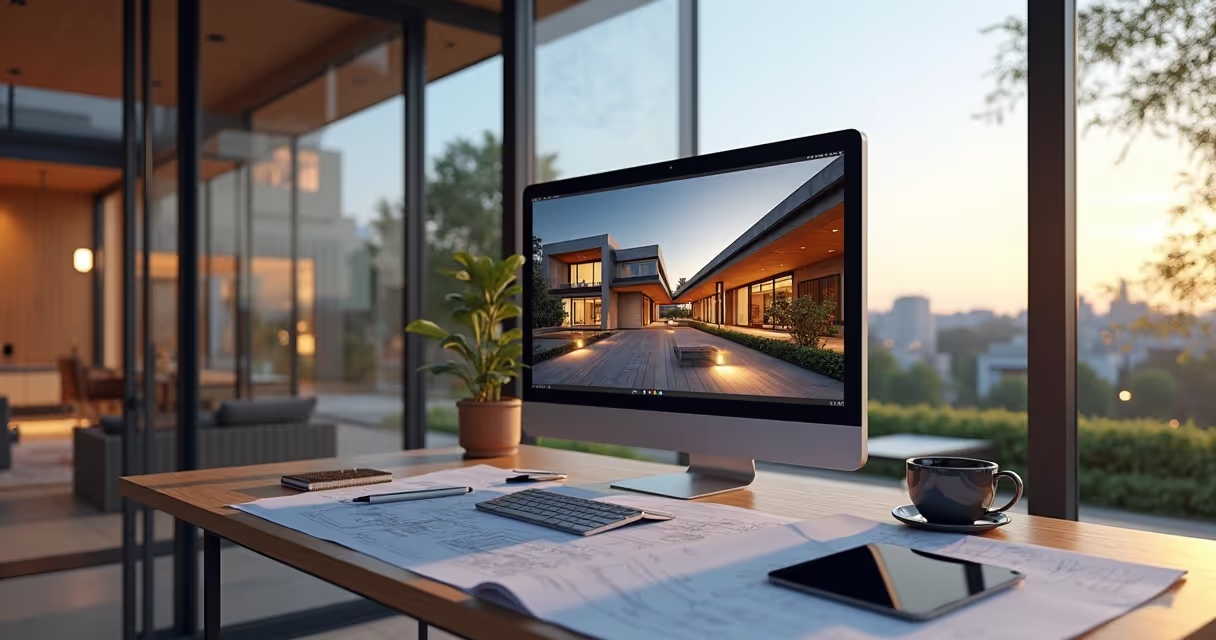
3D rendering is the tool that sets apart average presentations from projects that close deals. Learn how to master this technique.

3D Rendering
Author
Redraw
Administrador
Use AI to delight your customers, sell more, and make your images and videos stand out in ads and marketplaces.

3D Rendering
6 min
|
18.03.2026
Author
Redraw
Administrador
Use AI to delight your customers, sell more, and make your images and videos stand out in ads and marketplaces.
[

Redraw

]

Create your free account

Start transforming your projects today using Redraw.

I want to register
Share this article

The Impact of 3D Rendering on Visual Projects

3D rendering is a crucial tool for any architecture, interior design, or engineering professional who wants to stand out in the market. A quality visual presentation can make all the difference in the way a project is perceived. Images that appear real, even if computer-generated, have the power to instantly captivate the attention of customers and partners. If you've heard about the topic but still have questions about its application and importance, don't worry. This guide was designed to clarify your questions and provide valuable insights to improve your visual projects, also using innovative tools, such as Redraw's artificial intelligence.

What is rendering and why does it matter so much

Imagine, for a second, presenting your client with just lines and drafts. Now imagine the same customer smiling at an image that looks like a photo... but was created on your computer. That's basically the difference between using (or not) 3D visualization in projects: transforming simple digital models into images that convince, enchant, sell ideas.

Rendering was born as a technical process, used to simulate light, shadow, texture, and color. What is generally done from a model created in programs How to render in SketchUp or How to render in Revit. In the old days, these images were almost “raw”, cold, even half artificial. Today, with the right technology, a render is easily confused with professional photography.

  • More than a digital painting: it is a faithful translation of the project's intention.
  • It helps to predict problems before spending on construction.
  • It's powerful for selling projects, approving quotes, and delighting the client.
“Whoever sees, buys the idea.”

But, okay... Where did all this boom come from? Why, after all, has rendering become an almost mandatory practice in the market? The answer involves expectation, customers want to see it to believe it, and also marketing: everyone wants to present impeccable portfolios on social networks and websites. Makes sense, doesn't it?

How AI is changing the rendering game

For a long time, rendering was synonymous with long hours of waiting. Computers heating up. Strange noises coming from the office. And not infrequently, that desire to throw everything out the window when, in the end, the image was lower than expected.

With the arrival of artificial intelligence, that changed, much faster than anyone imagined. AI entered the process to “think” for you (in part). This includes everything from suggesting realistic materials to correcting lighting, creating scenarios, or even imagining styles based on descriptive text.
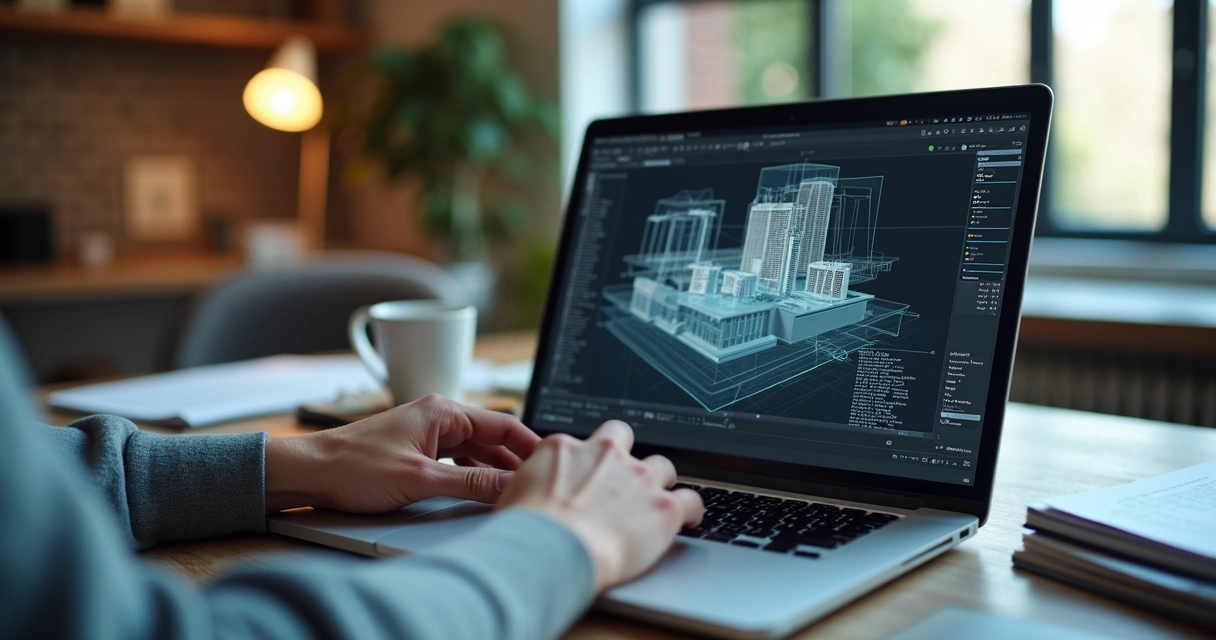
Renderização 3D
  • Rendering with artificial intelligence: waiting time has plummeted. And the quality went up.
  • Cloud-based software, such as Redraw, dispenses with powerful machines and runs directly from the browser.

AI can simulate materials, propose color palettes, create realistic vegetation, suggest camera angles, generate renders from drafts, and even transform a static image into an animated video. A universe that a few years ago seemed like science fiction or Hollywood studio talk.

“Now the machine thinks together, yields more and surprises with the result.”

In addition, AI reduces the risk of human errors, speeds up decision-making, and allows even beginners to create professional-quality images. And that, my friend or my friend, saves time, energy (and gray hair).

AI rendering: Why use Redraw

Redraw was designed for architects, engineers, designers and students, basically anyone who needs a good look without wasting hours trying to adjust light or waiting for the rendering to finish. It was born with a total focus on agility and ease.

Contrary to what many people still think, there is no need to install anything. The use is directly in the browser and the interface is very reminiscent of programs that you should already use, such as SketchUp or Revit. The secret? Everything runs in the cloud, so it doesn't matter if your notebook is simple.
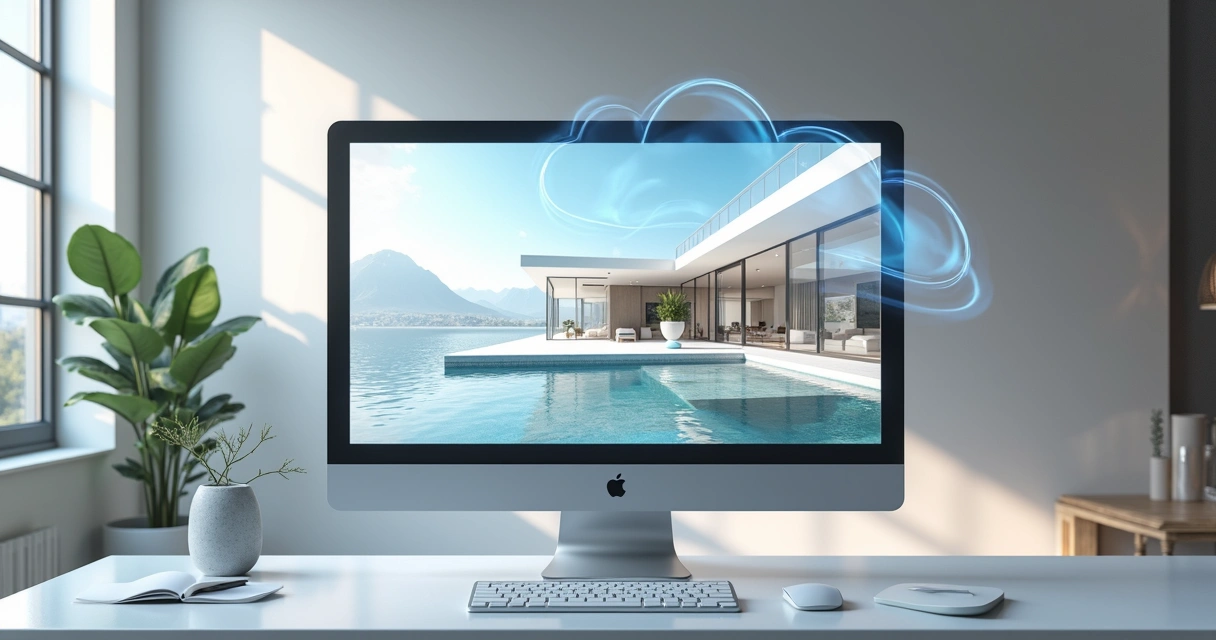
Renderização 3D
  • Speed: renders in less than 40 seconds, without crashing the PC.
  • Quality: realistic image, with precise lighting and materials, it looks like a magazine.
  • Ease: user-friendly interface, clear options, support for beginners, and advanced features for those who master.

Another point: you can transform sketches into realistic renders, create animated videos directly from static images, and even generate ideas from simple text commands. I've seen people who were thrilled to see the project itself become a video in minutes.

5 advantages of rendering an image with AI in architecture

  • Unlimited practicalityYes, rendering an image with AI does not require advanced technical knowledge. Just submit your model and wait for the “magic click” of the artificial intelligence.
  • True Agility Projects that once required an entire night's rendering can now be finished in minutes.
  • Quick and smart adjustmentsDidn't like a material or want to change the visual style? Everything is done in a few clicks, without having to redo the project from scratch.
  • Impressive results The quality standard jumped. Faithful colors, convincing textures, realistic lighting. Your customer's environment comes alive (and likes on the networks).
  • Accessibility With IAs in the command and online rendering, you don't need a good machine. It can even be made from that old notebook stored in the closet.
“Rendering was never just for those who understand computers.”

Architectural projects are more attractive, and even suggestions from text (“I want a rustic environment with natural light in the morning”) are understood by the machine. This may sound weird, but it's real!

Traditional rendering vs. AI rendering

Let's go to the comparison bluntly. The most obvious difference: while the traditional form relies heavily on hardware and manual configurations (whose learning curve is considerable), AI automates and “guesses” what you need, streamlining the process without compromising quality.

  • Execution time: traditional can take hours, AI ends in seconds or a few minutes.
  • Manual adjustments: in the old way, every detail needs to be configured. AI anticipates scenarios and suggests instant improvements.
  • Necessity of equipment: classic methods require robust machines. AI and cloud-based solutions dispense with this.
  • Learning: old software requires intense training. AI brings professional results even to those who are just starting out.

That jump isn't just a matter of “comfort”. It is also a response to the new pace of the market. Clients expect agility, they want to participate in the process, ask for changes and see everything taking shape live.
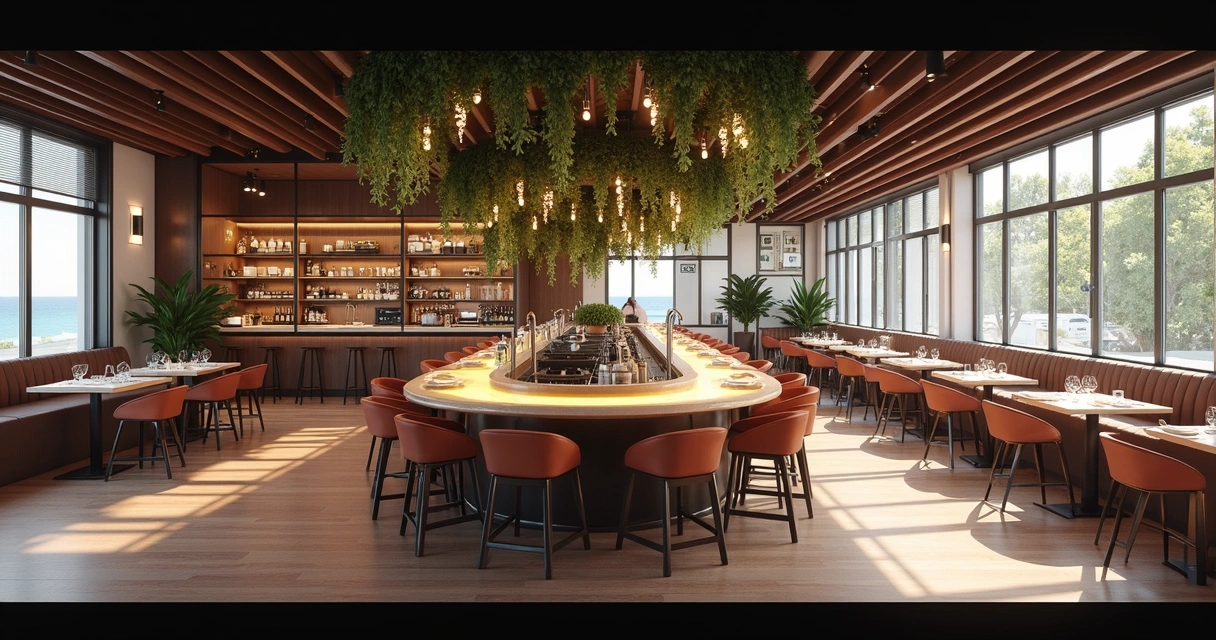
Renderização 3D
“AI didn't come to replace professionals, but to enhance results.”

And it's not an exaggeration. Today, the best ideas are born from the union between human experience and state-of-the-art technological resources. The professional who understands how to use AI to their advantage becomes a reference and escapes being left behind.

AI rendering FAQ

What is 3D rendering in architecture?

3D rendering in architecture is the process of transforming digital models of projects into realistic images or animations, simulating lighting, materials, and shadows. Thus, professionals are able to present to the client what the result will be like, even before starting the work.

How does the 3D rendering process work?

It works like this: you start by creating a digital model using your own software (such as SketchUp or Revit). Then, you configure lighting, camera, textures, and colors. In the manual method, these adjustments require technical knowledge. With AI, most of these decisions are automated, just upload the file to the platform (such as Redraw), choose preferences and wait for the image to be generated.

What programs are used to render 3D?

The most common are SketchUp, Revit, and others for 3D modeling. To generate the realistic images themselves, there are specific platforms, some focused on artificial intelligence, such as Redraw, which requires no installation and allows direct rendering of the browser, ideal for those who want speed and ease.

Is 3D rendering worth it for projects?

It's worth a lot! In addition to delighting clients and facilitating approvals, it allows adjustments in real time, avoids future errors and adds value to the portfolio. With AI methods, the time investment is small and the visual return is enormous.

How much does a 3D rendering service cost?

The price may vary: there are firms that charge per image, per project, or per time of use of the tool. Platforms like Redraw bet on different plans, allowing everything from free trials to monthly subscriptions. It's always good to compare what fits in your pocket and the needs of the project.

How to start rendering images with Redraw

If you still find yourself lost cracking fingers beside the computer, relax. Getting started in this universe may be simpler than it seems, especially if the tool was created to make your life easier.

  • Choose your project: it ranges from a simple room model to that plan prepared in SketchUp, Revit, or other compatible software.
  • Upload to Redraw: just access the platform, select the type of rendering and upload the file. Everything straight from the browser, without installation.
  • Configure your wishes: choose style, lighting, materials and, if you want, give text commands such as “Scandinavian touch” or “light wood floor”. Redraw understands.
  • Click and wait: In about 40 seconds, ready! Your render can now be saved, shared, posted or, if you prefer... it can become an animated video.

Want an incentive? Redraw offers free tests to prove, in practice, that you don't need a NASA computer or free hours to generate spectacular images. And if doubts arise, the support is focused on those who actually work with architecture and design, without fuss.

“Render, see the result, then try to go back... Don't want to.”

Now that you understand what 3D rendering is, why it changed so much with the use of AI, and how tools like Redraw can transform your visual presentation, it's time to allow yourself to try the new one. Did you like the idea? Want to see with your own eyes in less than a minute? Try the Redraw right now, discover other resources and take a step further in valuing your work.

Share this article
Summary of the content
[

Blog

]

Related articles

Access Blog
Render
10.04.2026

Prompt to Render with Nano Banana - Google Gemini

Alexandre Kuhn
5 min of reading

Generative artificial intelligence has transformed the way in which architects and designers view their projects. Tools such as Nano Banana, with the integration of Veo 3, opened up a universe of possibilities for creating conceptual images. However, this flexibility comes with a steep learning curve and a process that can be frustrating: the art of writing Perfect Prompt. While a generic prompt can be powerful, it requires the architect to become an expert in prompt engineering, shifting focus away from what really matters: design.


In this article, we will demystify the process of creating prompts for rendering in tools like Google's Nano Banana, explain what the mysterious “seeds” are, and show why the Redraw represents the natural evolution of this technology, offering a solution where the architect does not have to be a programmer to create spectacular images.


The Nano Banana Prompt Challenge

Transforming Ideas into Commands


To generate an accurate architectural image in Nano Banana, it's not enough to describe the scene. A detailed instruction manual for the AI must be provided. An effective prompt must be a combination of multiple commands, specifying every detail to avoid ambiguities.

Let's analyze an example of a complex prompt to generate a modern house facade:

“Photograph of a modern two-story house with exposed concrete façade and cumaru wood paneling, large floor-to-ceiling glass windows, black pivoting entrance door. The lighting should be dramatic, with late afternoon sunlight creating long shadows (golden hour). The house is surrounded by a minimalist garden with grass and an olive tree. Architectural photography style, Canon EOS 5D Mark IV camera with 35mm lens, f/8. The climate is serene and luxurious.”

This level of detail is necessary because AI lacks the context of an architect. You must specify:

  • Subject: The house and its materials.
  • Style: Architectural photography.
  • Lighting: Golden Hour, Long Shadows.
  • Environment: Minimalist garden.
  • Technical Parameters: Type of camera, lens, and aperture.

Any omission may result in an image that does not match the professional's vision, generating rework and wasting time.

What are Seeds

Why Did You Need to Worry About Them?

Another technical concept that haunts users of generic image generators is the “seed” (headquarters). The seed is a number that serves as a starting point for AI randomness. Think of it as the “DNA” of an image. If you use the same prompt and the same seed, the AI will generate the exact same image every time.


This is useful for maintaining consistency or for making small changes to a result that you liked. However, managing seeds is yet another layer of complexity. You need to find the seed of an image you liked, save it, and reinsert it with each new generation. Recently, OpenAI itself removed the ability to customize seeds in DALL-E 3, signaling that even for creators, this is a complex and unintuitive functionality for the end user.

The Solution without Prompt

Redraw was created to eliminate this technical barrier. We understand that architects and designers need a tool that speaks their language, that understands materials, lighting and architectural styles without the need for an instruction manual at every command.

In Redraw, the prompt is simplified because our AI is already an expert in architecture.

You don't have to specify that you want an “architectural photograph” or detail the type of lens. The platform is trained with a vast database of high-quality architectural images, allowing it to understand direct commands such as:

“It's as simple as relaxing and selecting the options that make sense for your project. Redraw builds the best prompt for you through examples.” Sergio Santos - Co-founder of Redraw - Specialist in Generative AI.

Redraw bridges the gaps with its expertise, delivering high-fidelity results with a fraction of the effort. And most importantly: On Redraw, you don't have to worry about seeds. Our technology was developed to offer consistency and high-quality variations in an intuitive way, through a simple and visual interface, allowing you to refine your projects without requiring technical programming knowledge.

Conclusion

Let AI Work for You, Not the Other Way Around

Generic imaging tools are powerful, but they require the professional to adapt to them. The result is a workflow where the architect spends more time learning to “talk to the machine” than designing.


O Redraw reverses this logic. We teach the machine to understand architecture so you can focus on your creative vision. We believe that technology should be an extension of your creativity, not an obstacle. By simplifying the prompt and eliminating the need to manage technicalities such as seeds, Redraw gives power back to the architect, ensuring that the only skill needed to create incredible renders is their passion for design.


Are you ready to abandon complexity and focus on what really matters? Try Redraw and transform the way you view your projects.

Render
10.04.2026

Prompt to Render: Why ChatGPT Complicates and Redraw Simplifies for Architects

Alexandre Kuhn
5 min of reading

Generative artificial intelligence has transformed the way in which architects and designers view their projects. Tools such as ChatGPT, with the integration of DALL-E, opened up a universe of possibilities for creating conceptual images. However, that flexibility comes with a steep learning curve and a process that can be frustrating: the art of writing Perfect Prompt. While a generic prompt can be powerful, it requires the architect to become an expert in prompt engineering, shifting focus away from what really matters: design.


In this article, we will demystify the process of creating prompts for rendering in tools like ChatGPT, explain what the mysterious “seeds” are, and show why Redraw represents the natural evolution of this technology, offering a solution where the architect does not have to be a programmer to create spectacular images.


The Prompt Challenge in ChatGPT

Transforming Ideas into Commands


To generate an accurate architectural image in ChatGPT, it is not enough to describe the scene. A detailed instruction manual for the AI must be provided. An effective prompt must be a combination of multiple commands, specifying every detail to avoid ambiguities.

Let's analyze an example of a complex prompt to generate a modern house facade:

“Photograph of a modern two-story house with exposed concrete façade and cumaru wood paneling, large floor-to-ceiling glass windows, black pivoting entrance door. The lighting should be dramatic, with late afternoon sunlight creating long shadows (golden hour). The house is surrounded by a minimalist garden with grass and an olive tree. Architectural photography style, Canon EOS 5D Mark IV camera with 35mm lens, f/8. The climate is serene and luxurious.”

This level of detail is necessary because AI lacks the context of an architect. You must specify:

  • Subject: The house and its materials.
  • Style: Architectural photography.
  • Lighting: Golden Hour, Long Shadows.
  • Environment: Minimalist garden.
  • Technical Parameters: Type of camera, lens, and aperture.

Any omission may result in an image that does not match the professional's vision, generating rework and wasting time.

What are Seeds

Why Did You Need to Worry About Them?

Another technical concept that haunts users of generic image generators is the “seed” (headquarters). The seed is a number that serves as a starting point for AI randomness. Think of it as the “DNA” of an image. If you use the same prompt and the same seed, the AI will generate the exact same image every time.


This is useful for maintaining consistency or for making small changes to a result that you liked. However, managing seeds is yet another layer of complexity. You need to find the seed of an image you liked, save it, and reinsert it with each new generation. Recently, OpenAI itself removed the ability to customize seeds in DALL-E 3, signaling that even for creators, this is a complex and unintuitive functionality for the end user.

The Solution without Prompt

Redraw was created to eliminate this technical barrier. We understand that architects and designers need a tool that speaks their language, that understands materials, lighting and architectural styles without the need for an instruction manual at every command.

In Redraw, the prompt is simplified because our AI is already an expert in architecture.

You don't have to specify that you want an “architectural photograph” or detail the type of lens. The platform is trained with a vast database of high-quality architectural images, allowing it to understand direct commands such as:

“It's as simple as relaxing and selecting the options that make sense for your project. Redraw builds the best prompt for you through examples.” Sergio Santos - Co-founder of Redraw - Specialist in Generative AI.

Redraw bridges the gaps with its expertise, delivering high-fidelity results with a fraction of the effort. And most importantly: On Redraw, you don't have to worry about seeds. Our technology was developed to offer consistency and high-quality variations in an intuitive way, through a simple and visual interface, allowing you to refine your projects without requiring technical programming knowledge.

Conclusion

Let AI Work for You, Not the Other Way Around

Generic imaging tools are powerful, but they require the professional to adapt to them. The result is a workflow where the architect spends more time learning to “talk to the machine” than designing.


O Redraw reverses this logic. We teach the machine to understand architecture so you can focus on your creative vision. We believe that technology should be an extension of your creativity, not an obstacle. By simplifying the prompt and eliminating the need to manage technicalities such as seeds, Redraw gives power back to the architect, ensuring that the only skill needed to create incredible renders is their passion for design.


Are you ready to abandon complexity and focus on what really matters? Try Redraw and transform the way you view your projects.

Render
10.04.2026

The 8 Best Renderers of 2026

Redraw
5 min of reading

Every year the market for architectural renderers changes, some alternatives appear, others cease to be relevant, software remains king of the market while some are consolidating and, in the midst of all this, in 2026, IAs are increasingly capable of generating and improving their renderings and have a promising future in sight.

This year, however, given the news and evolution of the renderers, the question is no longer which option is the best, since all of them can give you great results, but rather, which one best meets my demands.

In this article, we will show you the 8 best options at the beginning of the year for you to render your architectural projects, evaluating them based on 3 aspects: learning difficulty, price, and rendering agility.

V-RAY

V-Ray remains the first choice when thinking about rendering for architecture. It is one of the most consolidated tools and remains a reference for its precision and realism, great for offices that want to have an above average result and for studios that work with luxury real estate launches where each image needs to be like a photo.

The V-Ray engine is robust, offering rendering options via CPU, GPU, or a hybrid model. Its main advantage is full control over lighting parameters and materials. However, this control comes at a price: the learning curve is high and the time to render is the longest among the options on the list.

Positive Points:
  • Unquestionable quality: It remains one of the best options in terms of final quality.
  • Chaos Ecosystem: Perfect integration with the Chaos Cosmos (asset library) and Chaos Cloud.
  • Post-Production Control: Generates a wide range of Render Elements for advanced composition in Photoshop.
  • Interoperability: Because it's a plugin, it's a great option for offices and architects working with SketchUp.
Negative Points
  • Hardware Requirement: Needs state-of-the-art computers to improve quality options while reducing rendering time.
  • Complexity: It requires a lot of study to extract the best that the software has to offer, which can make it more difficult to start from scratch.

CORONA

While V-Ray is the precision tool, Corona simplifies some technical parameters, making it a simple option and focuses only on the essentials for a quality rendering but with results very similar to the competitor.

Corona simplified complex processes, such as LightMix, which allows you to change the intensity and color of the lights after the rendering has been completed without needing multiple renders to test day and night scenes.

It is ideal for offices focused on interior design and high-end residential architecture, it balances quality with productivity and its ability to handle lighting and complex materials (such as fabrics and woods) with little configuration effort makes it extremely efficient for medium teams.

Positive Points:
  • Industry Standard: It is the reference software for archviz offices and studios when it comes to realism and productivity.
  • Chaos Ecosystem: Like V-ray, it also has interoperability with Chaos Cosmos and Chaos Cloud.
  • Simplicity: It has several options that improve the user experience and make rendering easier.
Negative Points
  • Complexity: Despite being simple compared to V-Ray, it's still more complex to learn than many on the list.
  • 3ds Max: Doesn't work natively with SketchUp, the most common modeling program among architects.

ENSCAPE

Enscape is the best option for the architect who seeks simplicity and wants to have quick results. The program is a plugin that runs within the most popular programs on the market (Sketchup, Revit, Archicad and Rhino), facilitating the workflow and minimizing modeling rework.

In addition, it shows your results in real time without the need for many settings in lighting and effects. Rendering previews as some programs require is not something for those who use Enscape, which requires you to render only the final version.

Positive Points:
  • Simplicity and Agility: Few configurations are needed to achieve a quality rendering with very low waiting times.
  • Chaos Ecosystem: It also includes the Chaos Cosmos and the Chaos Cloud.
  • Plugin: It works together within almost all architectural software.
Negative Points
  • Quality: Among the options on the list, it may be the one with the weakest rendering results, especially in outdoor scenes.
  • Customization: It allows few customizations due to its simplified interface.

TWINMOTION

Also with an extremely simple and intuitive interface, Twinmotion focuses on unique animation experiences, with simplified options that only it presents and has fast and accurate rendering. It is also compatible with several programs (SketchUp, Revit, Archicad and Rhino) through its Datashmith plugin, but unlike Enscape, it does not work internally in the programs but runs separately with automatic updates (which can be turned off) of the base model of the program you are using.

Positive Points:
  • Simplicity and Agility: Very low rendering and animation times and a very user-friendly interface.
  • Datasmith: It is compatible with most modeling programs.
  • Animations: There are several options to create customized animations.
  • Price: It's free.
Negative Points
  • Library: It doesn't have a robust library like the competitors.
  • Quality: Not up to the level of top renderers in the market.

UNREAL ENGINE

Certainly the most complex option on the list, Unreal Engine is also the software with the most possibilities among all the others, it allows you to create the most varied interactive experiences, both for an individual client and for real estate launches.

Although its differential is its interactivity, its renderings and animations leave nothing to be desired, and can be compared with images produced in Corona and with the highest rendering speed among all competitors.

Unreal, however, due to its learning difficulty, makes it a specific niche program for archviz studios or large architectural firms, but nothing prevents you from taking full advantage of this great tool.

Positive Points:
  • Render Speed: Almost instant renders and animations in a matter of minutes.
  • Interactivity: Allows delivery with fully customizable interactive projects.
  • Quality: It compares to the best options on the market.
  • Price: It's free.
Negative Points
  • Library: There is no native library, requiring you to do it from scratch
  • Difficulty: It has a very high learning curve and ended up becoming a niche option.
  • Heavy Hardware: This is the heaviest program on the list, requiring a very robust computer or notebook.

LUMION

Along with V-Ray, Lumion is one of the software that has dominated the rendering market in Brazil since the beginning. Because of its ease of use and vast library, they make it a relevant option today, however, with its minor updates, it makes it an increasingly less relevant alternative.

Lumion continues to have the best vegetation of all software for landscaping and has a large number of effects to customize your renderings, whether realistic or artistic, shining especially outdoors.

Positive Points:
  • Library: In addition to having the best vegetation, it also has numerous options to compose your indoor or outdoor scene.
  • Ease: It's undoubtedly the easiest and most intuitive program on the list.
  • Render Speed: Not the fastest option but it is among the fastest.
Negative Points
  • Losing Relevance: It is rapidly lagging behind the most relevant updates from competitors.
  • Heavy Hardware: With each new update, the program gets even heavier, requiring an extremely strong machine.
  • Cost: It is by far the most expensive software among the options listed.

D5 RENDER

The surprise of the rendering market and the new darling of architects, the D5 innovates by bringing ease, agility, library and integration with native AI, making it very easy to create an image, requiring only general knowledge of rendering and photography to achieve an optimal result.

Because of its free plan, it is also a great option for those architects who want to start rendering their projects and don't know where to start. This version, however, has library, functionality and AI limitations, requiring you to pay for its full version, which is not so expensive by market standards.

Positive Points:
  • Library: It has a great library in its paid version, limited to the free version.
  • Ease: Extremely easy and fast to use and render.
  • Cost: It offers a free version and a paid plan with affordable prices.
  • AI: It integrates with your artificial intelligence to save time and improve results in its paid version.
Negative Points
  • Heavy Hardware: Like the other options, it requires a powerful computer to be used with quality.
  • Free version: Although it has a free version, it is limited, compared to Twinmotion and Unreal Engine, they have a full free version.
  • Simplicity: Because of its simplicity, it has fewer customization parameters than more complete programs, such as V-Ray, Corona, and Unreal.

REDRAW

Unlike the other alternatives, Redraw is not a separate software or a plugin, but rather a browser AI that works anywhere you want, requiring only an internet connection.

Another difference is that you only need your modeling and only a few commands in Redraw's AI to instantly get an image to present to your client, making it the best option for architectural firms that want to save time and money by testing various alternatives until they find one suitable for your situation.

Redraw also provides integration with several other IAs, such as ChatGPT Pro and Gemini, which makes it a hub of the most powerful and innovative artificial intelligence on the market and allows you to not only create renderings but also improve those you have done in other programs, being the most versatile option on the market.

Positive Points:
  • Agility: Generate instant renderings from your base images.
  • Ease: You don't need knowledge in rendering, you can generate images from prints from your modeling program.
  • Versatility: Allows you to change the styles of your image, customizing your delivery to the client and also improving your renderings from other programs.
  • Cost: It allows free uses but has the cheapest paid plans among the options on the list.
Negative Points
  • Internet: It always requires an internet connection to work
  • AI: Technical limitations that all IAs have but which will quickly be overcome due to rapid advances and innovations in the market
  • Waste of Time: You will no longer be able to drink coffee and watch reels while waiting for the rendering to be ready.

CONCLUSION

There is no single answer, each situation and objective requires a specific tool, each with its positive and negative aspects. If you want quality, look for Vray or Corona. If you want agility combined with ease of learning, use Twinmotion or Enscape. If you want a vast library, Lumion, integration with AI, D5Render and interactivity, the Unreal Engine. But if you want the best of ease, agility, quality and innovation, united in a single option, Redraw is your right choice.

Redraw is ready to meet all your needs and expectations, simplifying rendering and taking it to the next level with the use of our AI specifically created for architecture.