
AI for Revit: How to Render BIM Projects with Artificial Intelligence in 2026

AI for Revit: turn BIM models into photorealistic renders in 30 seconds, no plugin. See how Redraw supercharges your workflow.

AI for Revit: How to Render BIM Projects with Artificial Intelligence in 2026
Author
Alexandre Kuhn
Co-founder and marketing director
Alexandre is currently the marketing director, but he previously worked as an architect specializing in BIM.

AI for Revit: How to Render BIM Projects with Artificial Intelligence in 2026
6 min
|
26.05.2026
Author
Alexandre Kuhn
Co-founder and marketing director
Alexandre is currently the marketing director, but he previously worked as an architect specializing in BIM.
[

Redraw

]

Create your free account

Start transforming your projects today using Redraw.

I want to register
Share this article

Revit is the most complete modeling software for architecture. That is not an opinion. It is the global BIM market standard. The amount of information a Revit model carries — precise geometry, assigned materials, construction data, dimensions, quantities — has no equivalent in any other software.

And it is precisely that richness of information that makes Revit excellent for AI rendering.

A well-built 3D model in Revit, when used as a base for AI, delivers superior results compared to SketchUp. The geometry is more precise, materials are already defined in the project, and views are generated with technical accuracy. The AI receives an image with more context, more detail, and consequently produces a better render.

The problem was never Revit. The problem is what comes after.
Revit's bottleneck: rendering

The rendering bottleneck in Revit

Revit models like nothing else. But rendering inside Revit is painful. The native engine is limited and slow. Most professionals turn to plugins (V-Ray for Revit, Enscape for Revit) or export to other software.

Each of these options adds cost, complexity, and time:

V-Ray for Revit costs $540/yr. It demands powerful hardware and hours of configuration per render. The result is excellent if you master it, but the learning curve is long and time is short.

Enscape for Revit costs $575/yr. It is faster to render but results look generic. Photorealism in materials and lighting is lacking.

Exporting to Lumion or D5 Render adds yet another step (and another license). The file must be exported, imported, reconfigured. Materials are lost in conversion. It is rework.

In the end, the professional who uses Revit spends more time trying to render than modeling. The software that produces the best 3D model on the market is the one that suffers most when it comes to generating images.

Revit + Redraw: the perfect model meets the perfect render

With Redraw, the workflow changes completely. You take a screenshot of the 3D view in Revit and upload it to Redraw. In 20 to 40 seconds, the AI generates a photorealistic render.

No plugin. No export. No material configuration. No waiting 2 hours for a render.

And the result is better than most renders produced with V-Ray or Enscape by professionals who do not have time to configure everything perfectly. Because Redraw's AI was trained to understand architectural context: it identifies materials by appearance, applies realistic natural lighting, and preserves the exact geometry of the model.

If the Revit model is well optimized (and we will cover how to optimize it shortly), the AI render surpasses what SketchUp delivers. Because Revit generates cleaner views, with more defined geometry, and the AI can interpret them with greater precision.

How to optimize your Revit model for AI rendering

Not every screenshot produces an excellent result. The model needs to be presentable. Some practical tips:

Use a realistic 3D view, not wireframe. The AI interprets what it sees. If the view has edge lines, axes, and annotations, the render will reflect that. Enable Realistic or Shaded mode in Revit before taking the screenshot.

Position the camera as you would in a real photo. Eye level (1.50 m to 1.70 m for interiors), natural angle, no excessive distortion. The AI delivers better results when the perspective feels human.

Keep materials assigned. Revit allows you to assign materials to each element. Even if they are not fully renderable materials, the visual information they provide in the 3D view helps the AI interpret what is floor, wall, glass, wood.

Clean up the view. Hide elements that are not part of the scene: piping, exposed structure (if not intentional), grid lines. The cleaner the screenshot, the better the result.

Use full-screen resolution. Take the screenshot at the maximum monitor resolution. More pixels = more information for the AI.

With an optimized model, Revit delivers the best possible base for AI rendering. Better than SketchUp (more precise geometry), better than ArchiCAD (more configurable views), and much better than exports to other software that lose information along the way.

The complete workflow: Revit + Redraw at every project phase

Phase 1: Concept

The project is just beginning. Mass studies, massing, initial site placement. You have a basic Revit model and need to show the client how the project is progressing.

With Redraw, take a screenshot of the massing and generate a quick render. The client sees the project volume with realistic materiality and lighting. In 30 seconds. Without spending hours on a render that will change next week.

Want to explore styles? Use Redraw's idea generation. Brutalist, contemporary, tropical facade. Generate variations in seconds and align direction with the client before developing further.

Phase 2: Design Development

The model is advanced. Materials defined, spaces detailed, lighting considered. Now you need quality renders to validate with the client and make final adjustments.

Screenshot of the Revit 3D view, upload to Redraw, render in 30 seconds. The client asks for wood flooring instead of porcelain tile? Another 30 seconds. Prefers black frames instead of white? Another 30 seconds. In 10 minutes you have generated 15 variations that in the traditional workflow would take 2 days.

Phase 3: Client Presentation

Project approved — time to present with final quality. Facade renders, interiors, aerial perspectives. Material for the commercial proposal, portfolio, and social media.

Render in Redraw at maximum quality. Use Enhance Render to refine details. Generate a project video with Redraw's video tool (proprietary model, Veo 3, or Kling AI). Generate 3D objects missing from the model and import them into SketchUp/Revit.

Complete deliverable. One platform. One subscription.

Frequently Asked Questions

Do I need a plugin to use AI with Revit?

No. Redraw works through the browser. You take a screenshot of the Revit 3D view and upload it to the platform. No plugin to install, no file to export, no integration required.

Is a Revit model good for AI rendering?

Excellent. Revit generates precise geometry with assigned materials. When well optimized, a Revit screenshot delivers superior results to SketchUp for Revit AI rendering, because the AI receives more context and more detail.

Does Redraw replace V-Ray for Revit?

For the vast majority of everyday renders (presentations, variations, portfolio), yes. V-Ray retains an advantage only in scenarios requiring absolute control of every parameter. For everything else, Redraw is faster, cheaper, and the result is professional.

Can I render Revit sections and floor plans with AI?

Yes. Redraw accepts any image. If you generate a humanized section view or floor plan in Revit and upload it to Redraw, the AI can humanize and stylize it. Redraw has presets for humanized floor plans and architectural sections.

Does Revit run on Mac?

Not natively. Revit is Windows only. But BIM rendering AI with Redraw works on any system. You can model on Windows with Revit and render on Mac, tablet, or mobile through Redraw.

Try Redraw → redraw.pro

Share this article
Summary of the content
[

Blog

]

Related articles

Access Blog
Tips
26.05.2026

AI for SketchUp: 10 Plugins and Tools Every Architect Needs in 2026

Alexandre Kuhn
5 min of reading

SketchUp is the most popular modeling software among architects in Brazil and worldwide. Easy to learn, fast to use, and with a plugin ecosystem that lets you do practically anything. But SketchUp alone has limitations. It's through plugins and external tools that it transforms from a "massing software" into a complete professional tool.

In 2026, AI entered this ecosystem with force. And the best part: the most powerful AI tool for SketchUp is not a plugin. It's easier than one. But before we get there, let's cover the essential plugins every architect should know.

Modeling plugins: SketchUp at its best

These plugins solve native SketchUp limitations and give you more control over modeling.

1. Curviloft

SketchUp struggles with organic shapes. Complex curves, flowing roofs, facades with non-linear geometry. Curviloft solves this. It creates surfaces from curves, smooth transitions between different profiles, and shapes that native SketchUp simply cannot produce. For architects designing contemporary buildings with curves, it's indispensable.

Free.

2. SubD (Subdivision Surfaces)

SubD adds subdivision modeling to SketchUp. You create a simple shape (low-poly) and the plugin smooths it in real time, generating complex organic surfaces. The trick is that you work on the simple model (fast and lightweight) and switch to the smoothed version when you need to see the result. Keeps the file light while allowing advanced geometries.

Paid (~$39).

3. Profile Builder

Creates custom profiles (baseboards, moldings, channels, metal profiles) and applies them along any path. Instead of manually modeling each detail, you define the profile once and the plugin extrudes it wherever you need. Saves hours in detailing work.

Paid (~$49).

4. Skatter 2

The most powerful scatter plugin for SketchUp. Vegetation, street furniture, stones, tiles — any object that needs to be repeated at scale. Skatter distributes objects across surfaces with control over density, random rotation, and region exclusion. It turns landscaping and urban scenes that would take hours into minutes.

Paid (~$69).

5. CleanUp³

Models imported from DWG, Revit, or other software arrive in SketchUp full of unnecessary geometry. Duplicate faces, stray edges, repeated materials. CleanUp clears everything automatically. Reduces file size, improves performance, and prevents problems at render time.

Free.

6. Solid Inspector²

Before exporting for 3D printing or any boolean operation, the model needs to be solid. Solid Inspector checks and automatically fixes geometry issues: reversed faces, internal edges, holes. It's the "doctor" for your model.

Free.

7. PlaceMaker

Draw a rectangle on the map and PlaceMaker imports 3D terrain, surrounding buildings, satellite imagery, and elevation data. It does in 2 minutes what would take a full day of manually modeling urban context. For site studies and shadow analysis, it's transformative.

Paid (~$100/year).

8. Skalp

Generates sections and elevations with hatching directly in SketchUp. For those who need technical drawings without leaving the software, Skalp creates sections with material patterns (concrete, earth, insulation) that update automatically when the model changes.

Paid (~$59).

AI plugins for SketchUp: what exists (and what's missing)

9. Redraw: the AI tool that isn't a plugin (and is better than one)

Redraw is not a SketchUp plugin. Nothing needs to be installed. And that's exactly why it works better.

The workflow is simple: take a screenshot of the 3D view in SketchUp, open Redraw in your browser, upload the image, and in 20 to 40 seconds receive a photorealistic render. Works with any version of SketchUp (Free, Go, Pro). No plugin compatibility required. No file weight added. No crashes.

AI plugins like SketchUp AI Render and Veras need to read the 3D geometry of the model, which creates version dependency, compatibility problems, and technical limitations. Redraw skips all of that. It works with the visual image of the model — which is what the AI actually needs.

And the result is superior. Redraw has proprietary models trained for architecture that understand materiality, natural lighting, and proportion. It's not generic AI with an architecture skin. These are models that know the difference between porcelain tile flooring and a wood deck, between sunset light and artificial lighting.

Inside Redraw, beyond the proprietary model, you access ChatGPT optimized for rendering, optimized Gemini, Nano Banana. You can generate project video (proprietary tool + Veo 3 + Kling AI). You can generate 3D objects to import back into SketchUp. You can enhance existing renders with Enhance Render.

It's more than any plugin offers. And easier to use.

Why "not being a plugin" is an advantage

It may seem counterintuitive. If Redraw were a SketchUp plugin, you could click directly from the software. But in practice, plugins create problems:

They depend on the SketchUp version. Update SketchUp and the plugin stops working until an update is released.

They weigh on the model. Render plugins add processing that makes SketchUp slower.

They limit use to one software. If tomorrow you model something in Revit or ArchiCAD, the SketchUp plugin is useless.

Redraw works with any software, on any machine, anywhere. Took a screenshot? Render it. Doesn't matter if it came from SketchUp Free on a Chromebook or SketchUp Pro on a workstation.

The complete SketchUp architect toolkit for 2026

FunctionToolTypeCost
Organic shapesCurviloftFree pluginFree
SubdivisionSubDPaid plugin~$39
Custom profilesProfile BuilderPaid plugin~$49
Scatter (vegetation)Skatter 2Paid plugin~$69
Model cleanupCleanUp³Free pluginFree
Solid verificationSolid Inspector²Free pluginFree
Urban contextPlaceMakerPaid plugin~$100/year
Sections with hatchingSkalpPaid plugin~$59
AI render + video + 3DRedrawWeb platform$15/month

Frequently asked questions

What is the best AI plugin for SketchUp?

Redraw is not a plugin but delivers superior results: photorealistic render in 30 seconds, nothing to install, with proprietary models trained for architecture.

Does Redraw work with SketchUp Free?

Yes. Since Redraw works with a screenshot of the model, it works with any version of SketchUp, including Free, Go, and Pro. No plugin or specific version required.

Which SketchUp plugins are free?

Curviloft, CleanUp³, and Solid Inspector² are free and essential.

Does Redraw generate 3D objects for SketchUp?

Yes. Redraw has a proprietary 3D object generation model that can be imported directly into SketchUp. Furniture, vegetation, lighting fixtures — any element missing from your library.

Is it worth paying for SketchUp plugins?

It depends on your workflow. SubD, Skatter, and PlaceMaker pay off the investment within a few weeks of use. For rendering, there's no point investing in a paid plugin when Redraw delivers more for $15/month with no installation.

Try Redraw → redraw.pro

AI for interior design — Redraw guide 2026
Tips
25.05.2026

AI for Interior Design: Complete Guide for Designers in 2026

Alexandre Kuhn
5 min of reading

An interior designer's daily routine is a race against time. Client meeting in the morning, site visit at midday, and in the evening trying to finish that moodboard due tomorrow. On top of that, you still need to render 3 living room options, a kitchen, and the master suite. And the client wants to see "how it will look" before approving anything.

AI entered interior design to solve exactly that. Not to replace the designer's eye. To accelerate everything that gets stuck between the idea and the presentation.

What interior designers actually need from AI

Unlike architects focused on facades, structure, and site planning, interior designers live in the details. The exact leather tone of the sofa. The reflection of polished porcelain tile. The way a pendant light casts shadows on a plaster wall. If the render doesn't capture those details, it's useless.

That's why generic AI tools don't work for interiors. ChatGPT generates a pretty "modern living room," but the materials are invented, the lighting is generic, and the proportions don't match the project. You can't show that to a client and say "this is how it will look" when the AI swapped the porcelain for marble and added a window that doesn't exist.

Interior designers need AI that understands materiality, ambient lighting, and furniture scale. AI that takes the real project and renders it with the right textures, the right light, in the right proportions.

Interior rendering: from hours to seconds

Interior rendering is the hardest thing to get right with traditional software. Global illumination, reflections in glass and metal, light bounce in fabrics, transparency of curtains. In V-Ray, that means hours of configuration and rendering. In Lumion, results are fast but generic — that look of "almost real but not convincing."

With AI trained specifically for architecture and interior design, the situation changes. You upload a screenshot of your project modeled in SketchUp, Revit, or ArchiCAD and in 20 to 40 seconds you receive a render with convincing natural lighting, textures faithful to the project materials, and reflections that make sense in context.

Redraw was trained on millions of real interior images. The AI knows how polished porcelain tile reflects. It knows the difference between linen and velvet on a sofa. It knows how a recessed spot light creates a gradient different from natural window light. Those are the details that determine whether a render convinces or not.

And when the client looks and says "I want to see it with wood flooring instead of porcelain," that's 30 seconds to generate the variation. Not 2 hours reconfiguring materials.

Enhance Render: when you already have an image

Many designers already render with Lumion, Enscape, or even photos of the space under construction. The problem is that the result doesn't always reach the presentation level clients expect.

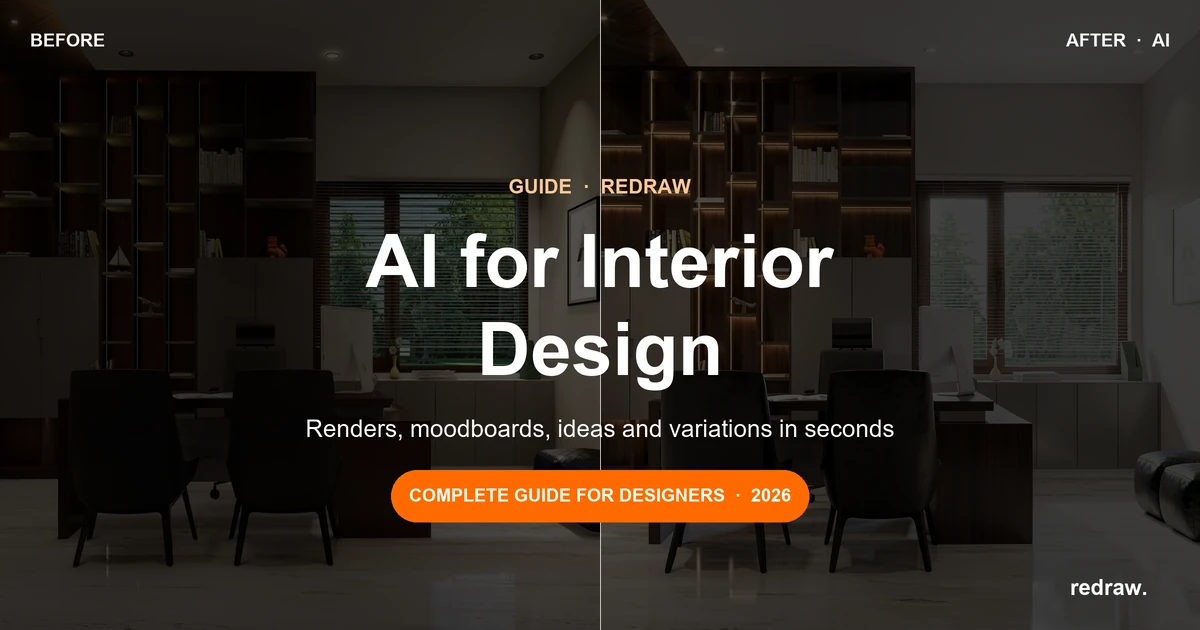
Redraw's Enhance Render was built for this. You upload any image (software render, photo of the space, even a Promob screenshot) and in 30 seconds the AI improves textures, corrects lighting, adds realism. That render that was "almost good" becomes professional. That raw construction photo becomes a presentation.

For interior designers, this feature alone justifies the tool. Because much of the work is taking what exists and elevating it. AI does that in seconds.

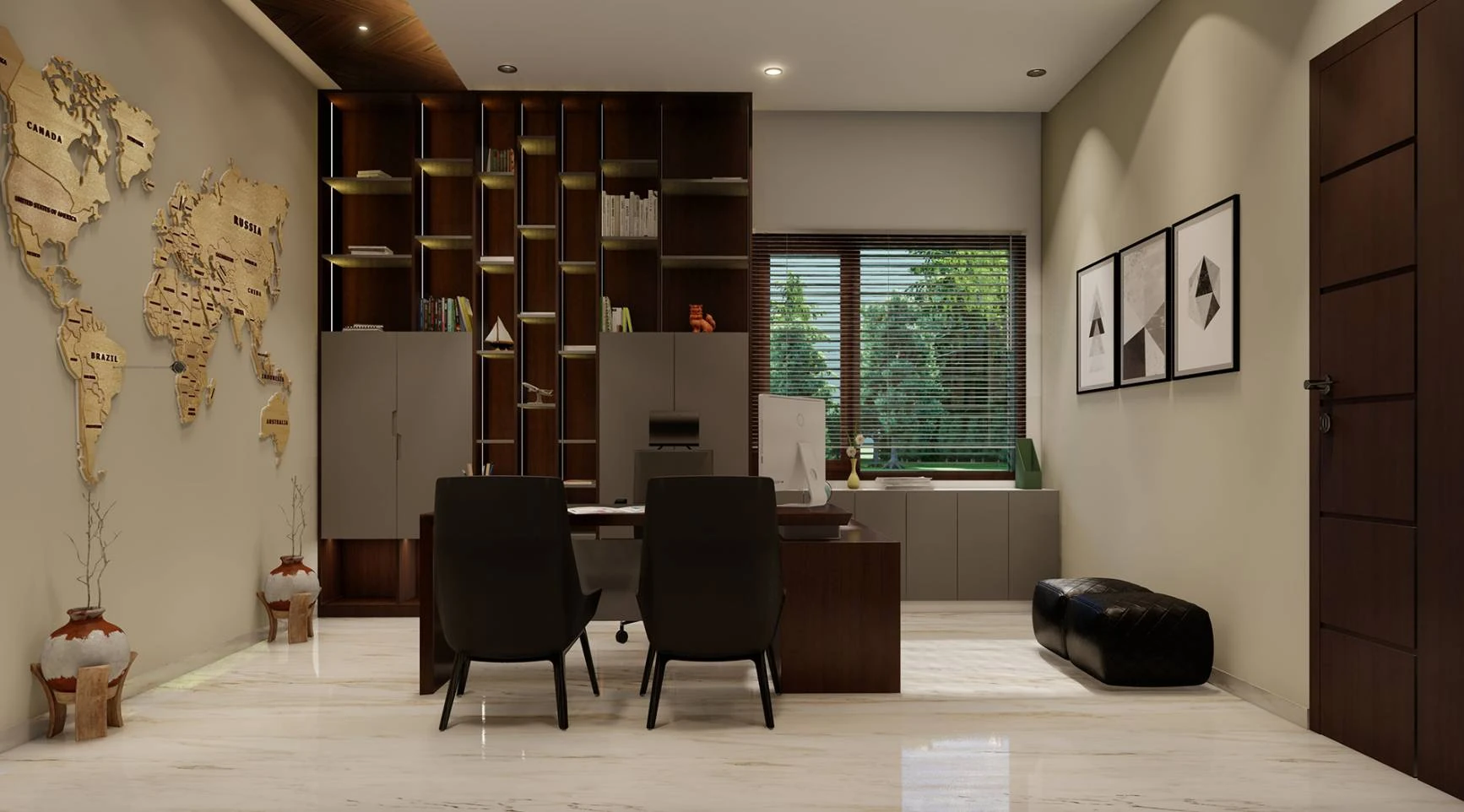
Before · render produced in conventional software

Interior render before Redraw's Enhance Render

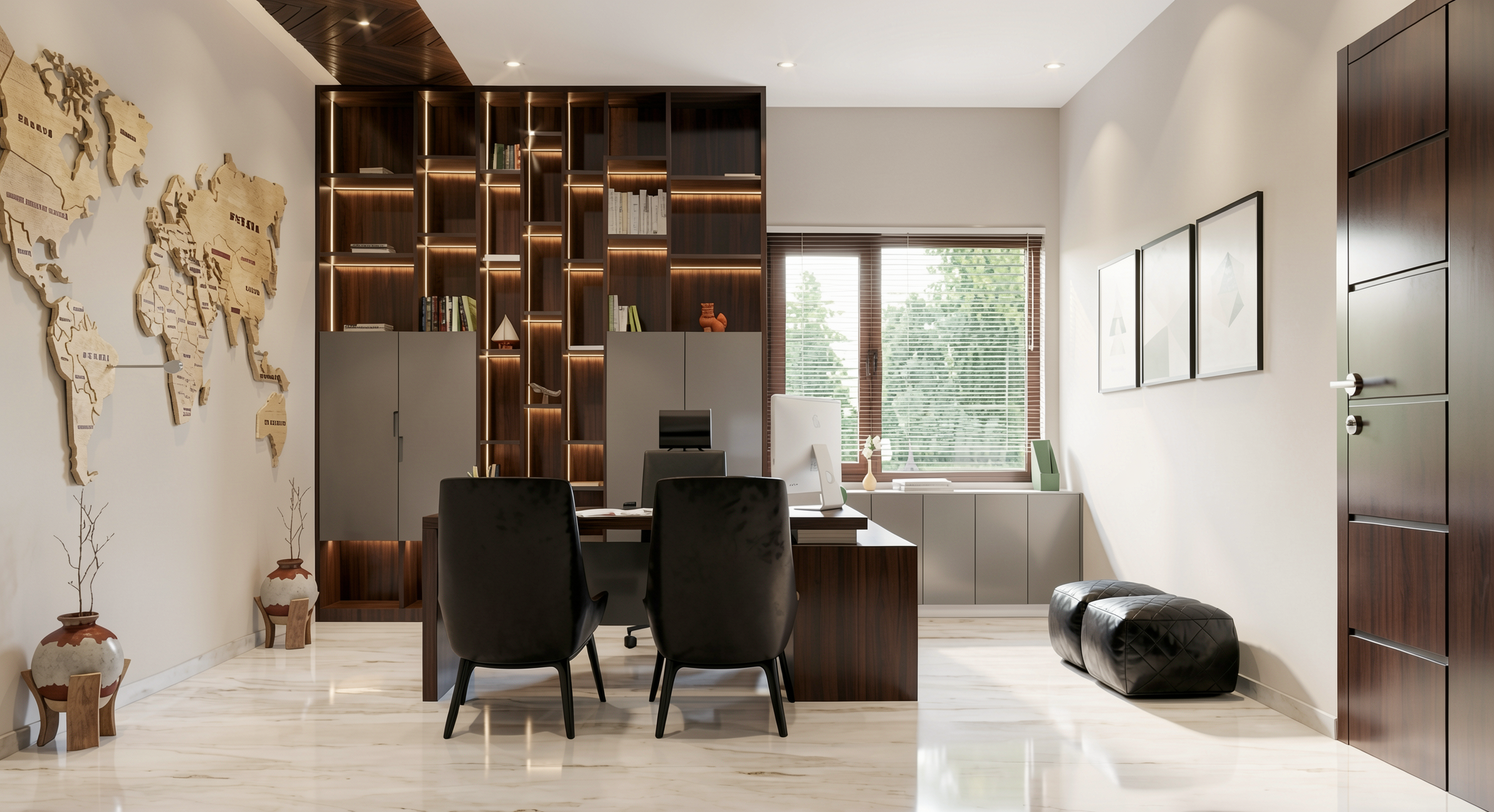
After · render enhanced with Redraw AI

Interior render after Redraw's Enhance Render

Idea generation: when the client doesn't know what they want

Every designer knows this situation: the client sits down, says "I want something modern but cozy," and expects you to translate that into an image on the spot.

With AI, you can. In Redraw, idea generation works like visual brainstorming. Describe the concept ("living room with neutral palette, double ceiling height, warm lighting, japandi style"), and the AI generates options in seconds. These aren't final renders — they're starting points. Visual references you show the client, adjust the direction, then render with precision once the project is modeled.

It's automated moodboarding. Instead of spending 3 hours on Pinterest searching for images that "sort of" represent the idea, you generate exactly what you're envisioning. And if the client says "I like it but want more color," generate again in 30 seconds.

Visual moodboard with AI

Speaking of moodboards: the way designers present concepts to clients has changed. The classic moodboard (a collage of Pinterest photos with material samples) works, but has one problem. The photos are of other people's projects. They don't show how your client's project will look.

With AI, the moodboard becomes personalized. You generate images of the client's actual space with different styles, palettes, and atmospheres. The client sees their space rendered 5 different ways. Not a generic Pinterest living room. Their living room.

That changes the conversation. The client stops comparing with other people's photos and starts deciding about their own project. Approval comes faster because expectations are calibrated from the start.

Textures and lighting: where AI makes the difference

Interior design is about sensation. The feeling of a space comes from the combination of materials, light, and proportion. And that's exactly where generic AI fails and AI trained for interiors succeeds.

Redraw has its own models fed with millions of real interior images. Not renders, not generic AI images. Real photos and renders from executed projects. The AI learned how real materials behave:

How freijo wood reflects light differently from oak. How curtain fabric filters natural light creating a warm tone. How a mirror expands the space but changes the perception of depth. How Calacatta marble has veins that run in a specific direction.

Generic AI doesn't know this. It generates a generic "wood floor." Redraw generates materiality that a designer recognizes.

The complete designer workflow with AI

In practice, an interior designer can do everything inside Redraw:

1. Generate ideas with the client. In the first meeting, you describe the concept and generate visual options in real time. The client participates, gives feedback, and guides the direction. You leave the meeting with the concept approved.

2. Render the modeled project. When the 3D model is ready, take a screenshot and render in 30 seconds. With the materiality and lighting the project calls for.

3. Generate finish variations. Does the client want to see it with dark flooring? With granite countertop instead of quartz? With cooler lighting? 30 seconds per variation.

4. Enhance existing renders. Rendered in Lumion or Enscape and the result looks generic? Upload to Enhance Render and in 30 seconds gain realism.

5. Generate a video of the space. Want to show the space with movement? Redraw has its own video tool for interiors, plus Veo 3 and Kling AI. Turns a static render into a walkthrough.

6. Generate 3D objects. Need a specific light fixture, a vase, a piece of furniture not in your library? Generate it directly in Redraw and import into SketchUp.

One platform. The entire visual workflow of an interior designer solved.

Cost vs. savings

A designer who renders with traditional software spends on average:

Render license (Lumion/Enscape): R$ 3,500 to R$ 7,000/year
Adequate hardware: R$ 8,000 to R$ 20,000 (amortized ~R$ 5,000/year)
Hours in rendering and configuration: ~60 hours/month
Hours in moodboards and references: ~15 hours/month
Total: R$ 8,500+/year + 75 hours/month

With Redraw:

Basic plan: ~R$ 1,000/year
Hardware: the laptop you already have
Hours in rendering + ideas + variations: ~2 hours/month
Total: R$ 1,000/year + 2 hours/month

That's 73 hours a month returned to you. Almost 10 working days. Imagine what you do with 10 extra days a month: more projects, more clients, or simply less stress.

Frequently asked questions

What is the best AI for interior design?

Redraw is the benchmark for interiors in 2026. With models trained specifically for interior spaces, it understands materiality, ambient lighting, and furniture scale like no generic AI can.

Can AI render interiors with fidelity?

Yes, when trained for it. Redraw preserves textures, proportions, and lighting from the original project. Generic AI like ChatGPT invents materials and changes the geometry.

Can I use AI to create a moodboard?

Yes. In Redraw, idea generation creates personalized moodboards of the client's actual space, not collages of third-party photos. The client sees their own space in different styles.

Does AI for interiors work without a 3D model?

Yes. Idea generation works from a text description or reference image. Maximum-fidelity rendering uses a 3D model screenshot, but it's not required to get started.

Does Redraw capture the material details that matter in interiors?

Yes. The models were trained on millions of real interior images. The AI differentiates types of wood, fabric, stone, metal. It understands how each material reflects light differently.

Try Redraw → redraw.pro

Tips
22.05.2026

AI Rendering: What It Is, How It Works, and Why to Use It in 2026

Alexandre Kuhn
5 min of reading

Until recently, rendering a project meant hours of setup, a freezing computer, and a hefty software bill. V-Ray, Lumion, Enscape, Corona. Tools that work, but that demand time, hardware, and technical knowledge most professionals simply don't have to spare.

AI rendering changed that. In 2026, an architect can generate a photorealistic render in 30 seconds, straight from a browser, without installing anything. And the result stays faithful to the project. It's not a generic image. It's your actual project rendered.

If you still don't fully understand how it works, what changes, and why you should consider it, this article explains everything.

What is AI rendering

AI rendering is the process of generating photorealistic images of projects using artificial intelligence models, instead of traditional render engines (ray tracing, path tracing, rasterization).

In traditional rendering, the software physically calculates how light interacts with every surface in the scene. Each reflection, each shadow, each light bounce is mathematically simulated. That demands raw processing power and takes time.

In AI rendering, the model already "knows" how architectural scenes look with natural lighting, with certain materials, under certain conditions. It was trained on millions of real images. So when you upload a screenshot of your 3D model, the AI doesn't calculate light pixel by pixel. It understands the scene's context and generates the image directly. That's why it takes seconds instead of hours.

The practical difference: you don't configure material by material, you don't manually adjust lighting, you don't need an expensive GPU. The AI does the heavy lifting.

How it works in practice

The workflow is simple. Simpler than any rendering software you've ever used.

Step 1: You model in whatever software you already use. SketchUp, Revit, ArchiCAD, Rhino, Vectorworks, Blender. Any of them.

Step 2: Take a screenshot of the model from the angle you want to render. That's it. No need to export a file, optimize the mesh, or install a plugin.

Step 3: Upload that image to an AI rendering platform. The AI analyzes the geometry, identifies materials by context, applies realistic lighting, and generates the render.

Step 4: In 20 to 40 seconds, you have a photorealistic render. Want a finish variation? Another 30 seconds. Night version? Another 30 seconds. Five different angles? Under 3 minutes.

No setup. No material configuration. No processing wait. Click and receive.

Why AI quality improved so much

Two years ago, AI rendering was experimental. The results were interesting but generic. Artificial textures, distorted geometry, invented elements. Nobody used it to present to clients.

What changed was model training. Specialized platforms like Redraw invested in training models with millions of real architectural project images. Not generic internet images. Real projects, with real materials, natural lighting, correct proportions.

The result is that the AI now understands what it sees. It knows that porcelain tile reflects differently from wood. It knows that natural light from a window creates gradients in the space. It knows that the proportions of a window frame matter. This level of understanding only exists in models trained specifically for architecture.

Generic AIs (ChatGPT, Gemini, Stable Diffusion) generate beautiful images but invent everything. They don't understand the project. They change proportions, add elements, ignore what you drew. For concept art, they work. For professional project rendering, they don't.

AI rendering vs traditional rendering

CriterionTraditional Render (V-Ray, Lumion, etc.)AI Rendering (Redraw)
Time per render20 min to 8 hours20 to 40 seconds
Setup time1 to 4 hours (materials, lighting, camera)Zero
Required hardwareDedicated GPU, 16–32 GB RAMAny PC with internet
Annual cost (software + hardware)R$ 5,000 to R$ 30,000+From R$ 1,000/year
Learning curveMonths to yearsMinutes
Maximum qualityExcellent (if you master the software)Excellent (AI trained for architecture)
Average delivered qualityMediocre (few truly master it)High (consistent results)
Quick variations30+ min each30 sec each
Works on a laptop?RarelyYes
Works on a phone?NoYes

That last comparison matters more than it seems. The maximum quality from traditional rendering is excellent, but very few professionals can extract it. It requires software mastery, powerful hardware, and hours of adjustment. In practice, most renders delivered with traditional software are mediocre.

With AI, quality is high from the very first render. Without configuring anything. That raises the floor for the entire market.

What you can do with AI rendering in 2026

Rendering a static image is just the beginning. Complete AI platforms for architecture offer an entire ecosystem:

Photorealistic rendering. The basic. A screenshot of the 3D model becomes a professional image in seconds. Facades, interiors, landscaping, aerial perspectives.

Enhance existing renders. Already have a render from Lumion, V-Ray, or Enscape that came out "almost good"? AI takes that image and in 30 seconds improves textures, lighting, and realism. No re-rendering in the original software.

Video generation. Turn a static render into a video with movement. Walkthroughs, fly-throughs, facade animations. Redraw has its own video tool for architecture and integrates Veo 3 and Kling AI.

3D object generation. Need furniture or vegetation that isn't in your library? AI models generate 3D objects you import directly into SketchUp.

Project variations. Want to show the client 3 finish options? With AI, that's 3 times 30 seconds. With traditional software, that's 3 times 2 hours.

How much AI rendering costs

Cost is one of the biggest advantages.

Redraw, the largest AI platform for architecture (200,000+ users), starts at $15/month. That includes around 300 renders, access to multiple optimized AIs, Enhance Render, video generation, and 3D objects. Works in the browser on any machine.

To compare with the traditional model: a Lumion Pro license costs $1,149/year. V-Ray Solo costs $540/year. Enscape Solo costs $575/year. And all of them require hardware costing between R$ 8,000 and R$ 25,000.

For $180/year (Redraw Basic), without extra hardware, a professional gets access to rendering that previously required an investment of R$ 15,000+ in the first year alone.

But does AI replace traditional rendering?

For 90% of what an architecture firm needs day to day, yes.

Client presentation? AI handles it. Facade study? AI handles it. Interior variations? AI handles it. Portfolio? AI handles it. Social media posts? AI handles it.

What traditional rendering still does that AI doesn't: highly complex animations with frame-by-frame control, projects where every sub-surface scattering detail matters, situations requiring absolute control of every physical light parameter.

That represents an ever-shrinking slice of a firm's real workload. And every month that slice gets smaller, because AI models keep improving.

How to get started

If you've never tried AI rendering, the most direct path is to create a free Redraw account. You get 10 credits with no credit card required. Upload a screenshot of your 3D model and see the result with your own eyes. The whole process takes less than 2 minutes.

If the result delivers (and in the experience of 200,000 professionals who've already tested it, it does), you've just saved thousands of dollars and hundreds of hours per year.

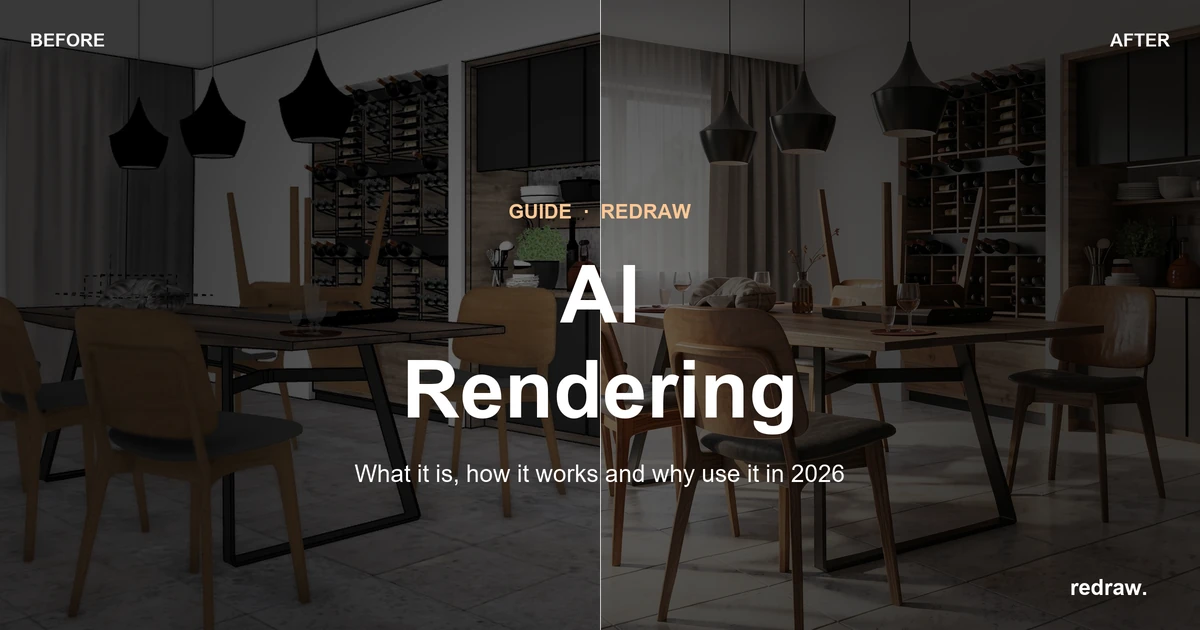
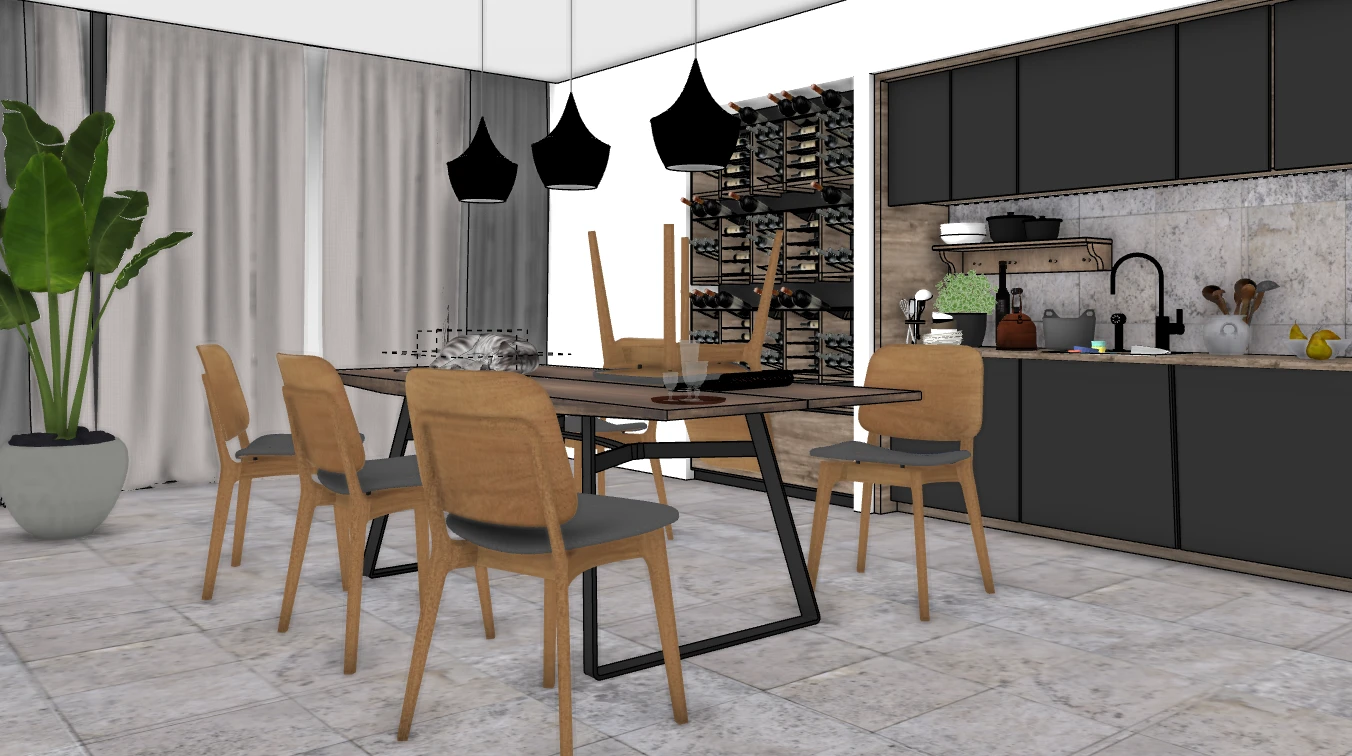
Before:

3D model before AI rendering

After:

AI render of the project

Frequently asked questions

What is AI rendering?

It's the process of generating photorealistic images of projects using trained artificial intelligence models, instead of traditional render engines that physically simulate light. The result comes out in seconds, without manual configuration and without special hardware.

How does AI rendering work for architecture?

You take a screenshot of your 3D model (SketchUp, Revit, ArchiCAD), upload it to a platform like Redraw, and the AI generates a photorealistic render in 20 to 40 seconds. The AI identifies materials, applies lighting, and maintains project fidelity automatically.

Is AI rendering better than V-Ray or Lumion?

For day-to-day firm work, yes. Quality is professional, time is incomparably shorter, and cost is a fraction. V-Ray and Lumion only maintain an advantage in scenarios requiring absolute technical control of every parameter.

Does AI rendering stay faithful to the project?

It depends on the tool. Generic AIs like ChatGPT invent elements and alter the project. Specialized platforms like Redraw were trained to respect the geometry, proportions, and materiality of the original project.

How much does AI rendering cost?

Redraw starts at $15/month with around 300 renders included. Free trial with 10 credits, no card required. Compare that with traditional software licenses costing $500 to $1,200/year plus hardware costing R$ 10,000+.

Do I need a powerful computer for AI rendering?

No. Platforms like Redraw run 100% in the cloud, through the browser. Any laptop, Mac, tablet, or even phone works. The processing happens on the servers, not on your machine.

Create a free Redraw account → redraw.pro