Architecture Moodboard

Learn how to create and use moodboards in architecture to transform abstract concepts into visuals that impress clients.

Architecture Moodboard
Author
Redraw
Administrador
Use AI to delight your customers, sell more, and make your images and videos stand out in ads and marketplaces.

Architecture Moodboard
6 min
|
18.03.2026
Author
Redraw
Administrador
Use AI to delight your customers, sell more, and make your images and videos stand out in ads and marketplaces.
[

Redraw

]

Create your free account

Start transforming your projects today using Redraw.

I want to register
Share this article

What is an Architecture Moodboard and Why Is It Essential?

Moodboard architecture: the digital drawing board that will revolutionize your projects. If you still associate the creation of inspirational panels with magazine clippings and glue sticks, get ready to discover a universe of possibilities that goes far beyond craftsmanship. Using reference panels to present ideas and concepts is nothing new, but the way in which this happens today goes hand in hand with surprising visual aids, high-level software and, of course, artificial intelligence. Do you want to convince a customer quickly? Do you need to align your team so you don't run the risk of everyone imagining the project with a different aesthetic? Well, come with me because moodboarding is your new best friend.

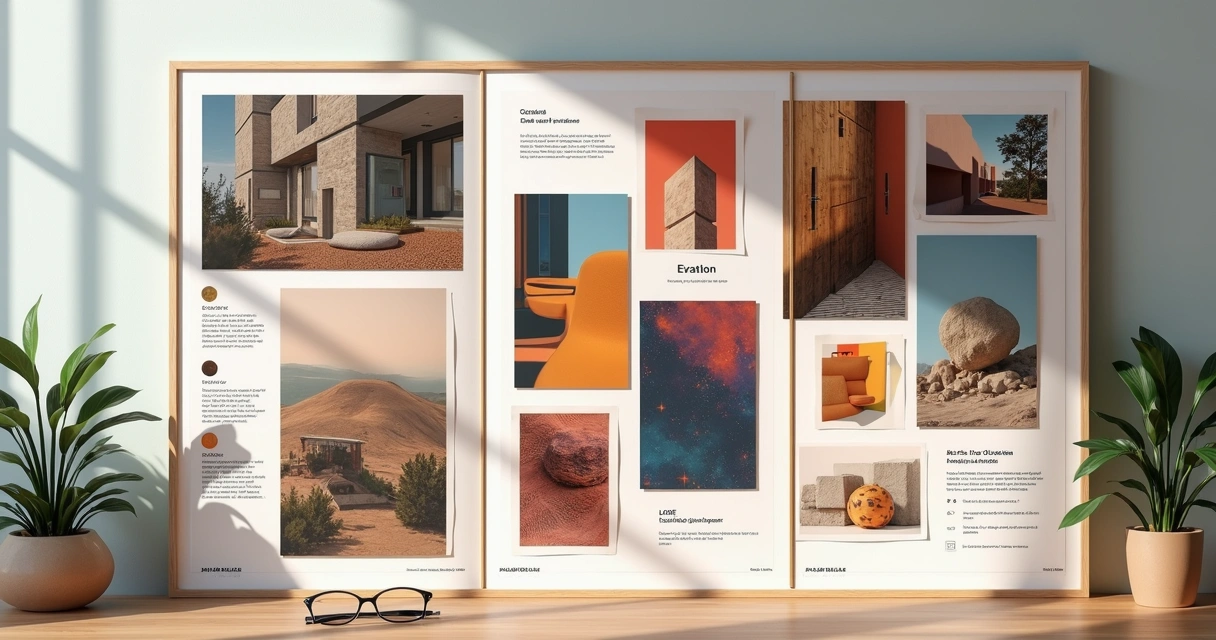
Think of the moodboard as the visual translation of the central idea of an architectural project. It serves to communicate, align expectations and, above all, awaken emotions. Colors, textures, materials, furniture, landscapes, architectural details: everything can be there, gathered in a single framework that is more efficient than many powerpoints or long meetings. Perhaps you have experienced the disappointment of presenting a project, thinking that it was clear and, in the end, realizing that the client saw something completely different. The moodboard exists to avoid this type of misunderstanding, saving time, energy, and, if you're foolish, even a few tears.

Transform loose ideas into irresistible inspirations.

In addition to translating concepts, the moodboard gathers information that guides the entire design process. It is that visual summary that helps with decision-making, making it easier to select finishes, organize colors, or even think about the sensations that the environment should convey. Today, those who present a moodboard are seen as someone prepared, aware and, honestly, much more likely to close the deal. What customer doesn't like to feel special receiving a sensory preview of the future space?

And if you think that the only function of the moodboard is to delight the customer, you are mistaken. It also serves as a compass for the execution of the project, helping the entire team to row in the same direction. It doesn't matter if you work alone, with a duo, or in a busy office: visual clarity saves you from discussions, boring alignments, and unnecessary revisions.

In short? Architectural moodboard is the bridge between inspiration and result. And you don't want to see that bridge fall, do you?

Now, let's find out how to turn a bunch of loose references into a breathtaking panel.

Tools and software to create incredible architectural moodboards

If in the past we had to fight with glue, paper and images from magazines, today that suffering has become almost an urban legend. Digital resources allow you to create moodboards that are much more beautiful, dynamic and easy to edit. Choosing the right tool will save time and triple the impact of your presentations.

Redraw: rendering software

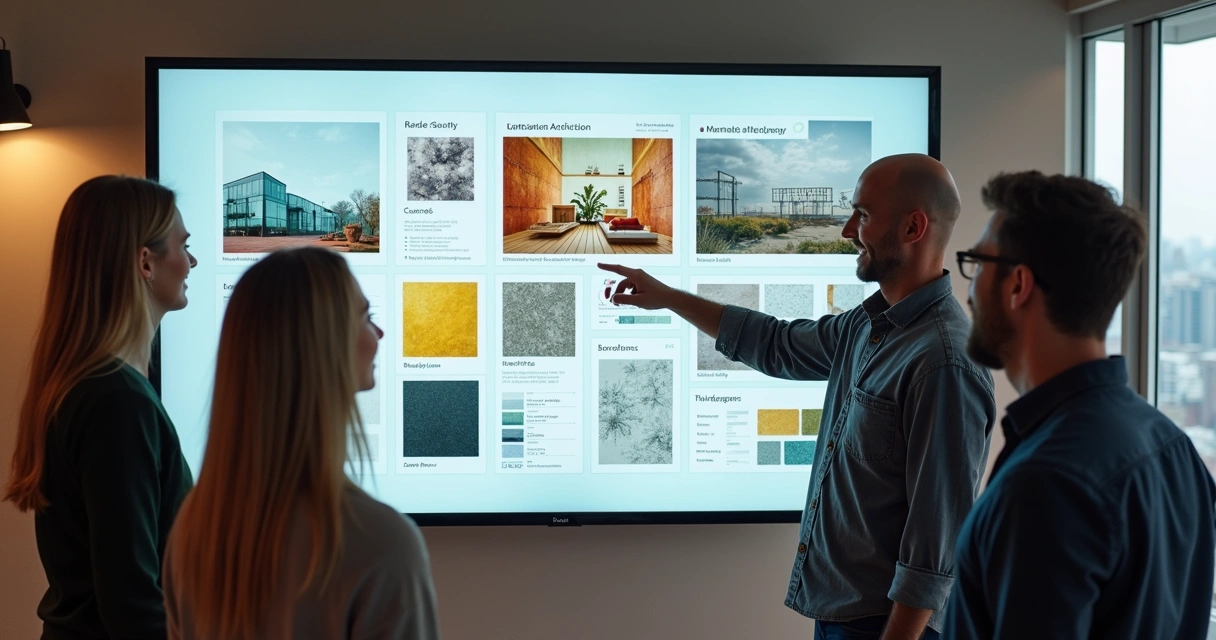
Do you want to go beyond static montages? I present Redraw, a platform that is changing the logic of visual development in architecture. It uses artificial intelligence to 3D rendering, improve images and transform simple sketches into hyper-realistic scenes. The difference here is flexibility: you can create and adjust moodboards in your own browser, without relying on powerful machines or complicated installations. Redraw allows you to select references, test visual styles, and quickly visualize how your favorite elements would be inserted in the project proposal. All of this considerably reduces the time between the concept and that image that makes the customer say “Wow!” without blinking.
Moodboard arquitetura

Online tools

If you need additional resources or want to make a more traditional panel, there are several practical and intuitive options. Image editing programs allow you to quickly organize references, play with overlays, include labels, and even integrate short videos or animated GIFs (this is a trend, you can take note). The dynamic here is simple: drag, drop, adjust sizes and create compositions that combine technical information with a lot of inspiration. Don't forget to maintain the quality of the images. Pixelated moodboard conquers no one.

Bonus tip: invest in tools that allow you to collaborate in real time, especially if you work as a team or like to involve the client in the creative process.

Step by step: how to create an architectural moodboard that impresses

Making a killer moodboard is not a matter of artistic gift. The secret lies in the processes. I'm going to show you a simple itinerary, one that makes life easier even for those who swear they're not very familiar with graphic design.

Define the concept and style of the project

Before throwing images onto a screen, ask yourself: what feeling should space convey? Is it cozy? Sophistication? Urban inspiration? The concept is the “common thread” and even the moodboard can sense if you skip this step. Bring together keywords, ideas, and even sensations. Write it down on a sheet of paper. This will serve as a filter to select the best elements. And don't be afraid to be bold in references. A couture dress, a piece of art, or a traveling landscape may have everything to do with that client's country house.

Collect high-quality images and references

Hunt time! Spend some time digging up photos, textures, material maps, and even small illustrations. Be careful not to just copy someone else's projects. Think about details that really connect with what you intend to create. Image sites, free banks, own photographs, catalogs and, of course, the renderings generated by platforms such as Redraw, are inexhaustible sources.

Bad, blurry, or low-resolution images devalue the moodboard.

  • Look for proportion in the photos
  • Avoid going overboard with filters
  • Prefer real images to excessive use of mockups
  • Include physical samples (taken from photos) whenever possible, such as fabrics or stones

Arrange the elements in a harmonic way

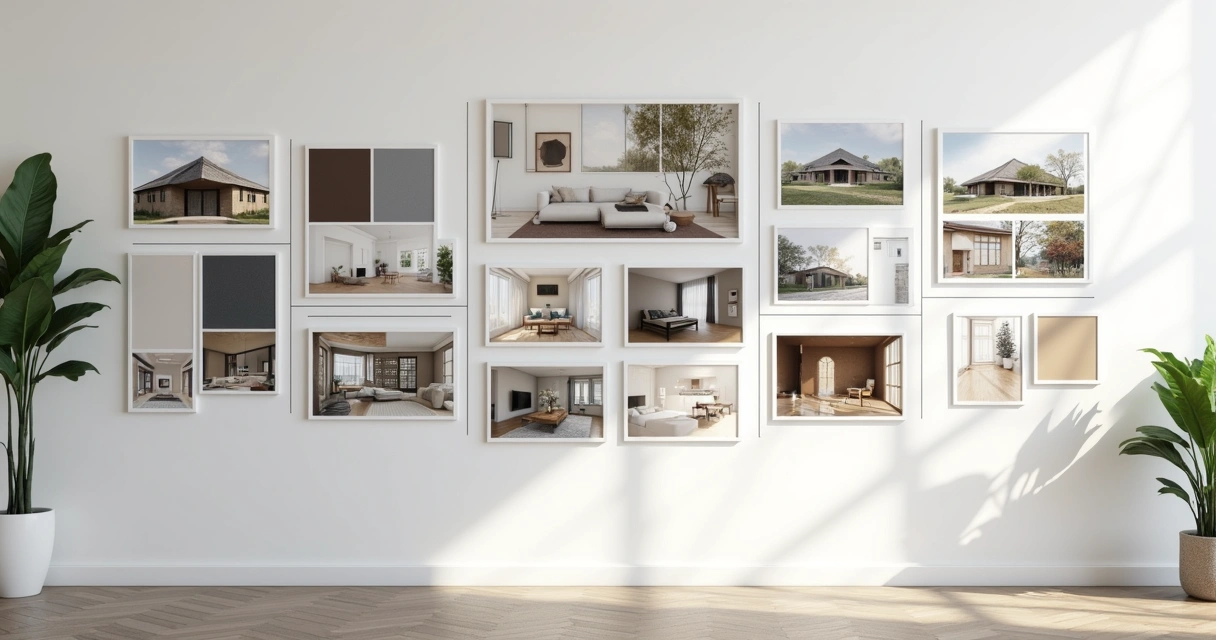
The time has come to orchestrate everything on the panel. See the moodboard as a visual narrative. Don't just throw everything together and hope it makes sense. Attention to color balance, the proportion between textures, and the hierarchy of the elements.

Visual balance is the secret of elegant moodboarding.

Assemble the main images first. Then fill in with small references, quick notes, color palettes, small sketches, or furniture details. Don't want to embrace the world: you have to let your eyes breathe. Separate space between images and maintain a pattern. You can bet on geometric shapes, lines and subtle overlays to add a personal touch. If you were in doubt about the result, move away from the screen a bit and see if the panel tells the story of the project without needing many words. If you need to, ask for someone else's opinion. Sometimes an outside look reveals what was lost in the excess of references.
Moodboard arquitetura

Common mistakes when creating architectural moodboards (and how to avoid them)

Mistakes happen, but some slip-ups can compromise even the best of rendered projects. Here is an honest list of the most common failures in assembling architectural reference panels:

  • Excessive reference and visual confusion: Overcrowded panels tire and lose impact. Focus on quality, not quantity.
  • Misalignment with the initial concept: Select only what really speaks to the purpose of the project, avoid references just because they are in fashion.
  • Low-resolution images: Pixelation is not a trend. Only use sharp photos with good lighting.
  • Reading difficulty: Leave space between elements and don't clutter up the text panel. Moodboard is not a liquidation poster.
  • Lack of consistent palette: Exaggerated color contrasts end up leaving everything polluted. Choose a central palette and stay true to it.

Avoiding these mistakes is half the way to creating an impactful and professional presentation. An extra tip? Invest in a reliable tool that provides flexibility for quick adjustments. Even because there is always that customer who loves to change everything the day before.

FAQ: Frequently asked questions about architectural moodboard

What is the difference between a moodboard and a semantic panel?

The moodboard presents visual, sensory, and aesthetic references, mixing images of environments, materials, colors, art, and objects, all designed to create an atmosphere or convey a general feeling. The semantic panel, on the other hand, tends to focus on more conceptual and subjective elements, such as words, mind maps, phrases, and concepts that define the creative paths of the project. In short, the moodboard is more visual, while the semantic panel delves into the meaning of ideas.

How to present a moodboard to a customer?

The presentation of a moodboard needs to be objective and engaging. Use short sentences, point out each element, and explain how that image, texture, or color contributes to the project concept. Avoid excessive technical terms and try to create a visual narrative, showing how the choices on the moodboard will materialize the customer's dream. It is even worth asking him to say which images attract the most attention, making the moment more participatory. A cool tip is to use platforms like Redraw to display images rendered in real time, increasing the impact during the presentation.

Can Redraw help me create moodboards?

Yes, it can even make it easier, a lot. Redraw was designed precisely for professionals who need to transform ideas into real images, without fuss. You can import references, gather styles, create renderings of specific environments, and explore project variations in a few seconds. Whether your goal is to illustrate possibilities for a client or coordinate team ideas, Redraw allows you to centralize everything in a visual panel that truly reflects the concept of the proposal. No mystery and no need for computers with a hardcore configuration.

What is the difference between a moodboard and a semantic panel?

The moodboard has a more visual focus, bringing together graphic elements, color palettes, textures, and images that express sensations or serve as a compass for architectural creation. The semantic panel, on the other hand, serves to organize ideas, themes, and concepts in a more written form, often composing mental maps, keywords, and direct links with the project's subjective values. The ideal is to use the two together: the semantic panel to organize thought and the moodboard to give visual body to what you want to create.

Where to find references for architectural moodboard?

The key is to vary the research sources! Manufacturer catalogs, image banks, specialized magazines, office portfolios, travel, art, fashion and, of course, the renderings created by platforms such as Redraw are excellent starting points. The tip is to seek references that truly dialogue with the project concept, avoid the obvious and mix international trends with local solutions, innovative materials with classics. Thus, your moodboard will go out of the ordinary and truly surprise.

Conclusion: Turn your inspiration into successful projects with Redraw

Assembling a moodboard is more than playing with gluing digital figurines, it's giving shape to the concept, awakening emotions and creating immediate connections with your audience or client. If you've come this far, you've noticed that creating panels inspired by architecture is one of the smartest strategies to start the project on the right foot, align teams and enchant those who are going to invest in the final result.

Platforms like Redraw came to accelerate, organize, and transform the routine of the most demanding professionals. You save time, impress more, and deliver increasingly surprising projects. And let's be honest, who doesn't like to score points in the presentation and still facilitate the execution of the project later?

The right moodboard sells the idea before the project even exists.

If you want to take your architectural presentations to the next level and truly delight clients and partners, discover Redraw. Experiment, discover the power of artificial intelligence applied to creativity and transform the way of presenting visual projects once and for all. Sign up and start creating moodboards as impactful as the best magazine cover projects right now.

Share this article
Summary of the content
[

Blog

]

Related articles

Access Blog
Redraw — best AI for architecture rendering in Latin America
Redraw
25.05.2026

The AI for Architecture Leading Latin America Now Expanding to the US and Europe

Alexandre Kuhn
5 min of reading

Latin America is producing the world's largest AI rendering revolution. And Brazil is leading it.

While American and European companies try to adapt generic AIs to architecture, a Brazilian startup built from scratch the largest AI platform specialized in rendering for architects, engineers, and interior designers on the planet. With more than 200,000 registered users, over 500,000 renders generated per month, and a presence in dozens of countries.

The name is Redraw. If you work with architecture in Latin America — or anywhere in the world — and don't know it yet, this article explains why you should.

The numbers that position Redraw as the best AI rendering platform for architecture in Latin America

200,000 registered professionals. The majority are in Brazil, with accelerating expansion to Mexico, Colombia, Argentina, Chile, Peru, and English-speaking markets (US, Canada, Europe).

More than 500,000 renders per month. That is more than any other AI platform focused on architecture in the world produces. And the volume grows every month.

Platform in 3 languages. Portuguese, English, and Spanish. Native websites, support, and content in each language. Not automatic translation. Local operation.

Team of AI specialists. Proprietary models trained exclusively for architecture, engineering, and interior design. Constantly updated. Results that, in benchmarks, surpass any generic AI in project fidelity.

Redraw as the leading AI for architecture rendering in Latin America

South Summit 2026: global recognition

In March 2026, Redraw won South Summit in Porto Alegre in the Digital and Tech Solutions category. South Summit is one of the largest global platforms connecting startups, investors, and major corporations. The Brazilian edition had more than 23,000 participants, around 3,000 startups registered, and 130 investment funds.

More than 2,000 companies entered globally. Only 50 reached the final, split across 5 categories. Redraw took the prize.

This recognition is not just a trophy. It is validation that the problem Redraw solves — accessible, fast, and faithful rendering for project professionals — has global relevance. And that the solution came from Latin America.

Click here to learn more →

Why no competitor dominates Latin America

Redraw's main global competitors are American, European, and Chinese companies: Veras (Chaos Group, based in Bulgaria/US), LookX (China), Rendair (Turkey), ArchiVinci (US). None of them have a strong presence in Portuguese or Spanish.

They have no PT-BR support. They do not understand the particularities of the Latin American market. They do not know that here, the professional often works alone, with a laptop, without a hardware budget, and needs to deliver fast because the client asked yesterday.

Redraw was born in that context. Built by people who understand the reality of Brazilian and Latin American architects. And that shows in everything: accessible price (from US$15/month), 100% cloud platform (works on any machine), support in Portuguese and Spanish, and educational content in all 3 languages.

While competitors charge US$30 to US$60/month for generic results, Redraw delivers more for less. Because it was built for this market.

The global expansion that starts from Brazil

Redraw started in Brazil and is expanding to the world: US, Canada, Europe, Middle East. International traction grows every month, driven by the quality of proprietary models and the recognition from South Summit 2026.

But the core remains Latin America. This is where the 200,000 professionals who validated the platform are. This is where daily feedback shapes every update. Redraw is not an American company trying to translate a product for Brazil. It is a Brazilian company taking the best AI for architecture to the world.

That matters. Because when a Latin American professional needs support, they speak with someone who understands the context. When they suggest a feature, it is considered. When they complain, they are heard. Not "ticket #47832 with a response in 72 hours in English."

Warning: beware of the generic AIs flooding the market

With the growth of the AI for architecture market, a serious problem has emerged: dozens of new tools that charge high prices for results that are not worth it.

What these tools do: they take the ChatGPT or Gemini API, put an interface on top, add an "AI for architecture" label, and charge $10 per 10 renders — $1 per image generated by an AI anyone can access directly through ChatGPT for free.

They have no proprietary model. They do not invest in architecture-specific training. They have no AI team. They are intermediaries reselling generic API with absurd markup.

The result is predictable: generic images that do not maintain project fidelity, without consistency, without control. The professional pays a lot, gets a bad result, and concludes that "AI for architecture doesn't work." It does work. It just doesn't work with an API reseller.

How to identify these tools:

Ask if the platform has proprietary models trained for architecture. If the answer is vague or they say they "use the best models on the market" without specifying which ones are theirs, it is API resale.

Look at the price per render. If they charge $1+ per image, that is exploitation. Redraw delivers 300 renders for US$15/month (less than $0.05 per render).

Test with your real project. If the AI changes geometry, invents windows, and alters proportions, the underlying model is generic. The packaging does not matter.

What Redraw delivers that generic platforms cannot

Proprietary models. Trained with millions of real images from architecture, engineering, and interior design projects. Not ChatGPT with a skin. Proprietary AI that understands architectural projects.

Optimized AI hub. ChatGPT, Gemini, and Nano Banana inside Redraw, all prepared by the team to deliver superior results for architecture. The ChatGPT inside Redraw is not the same ChatGPT you use on OpenAI's website.

Complete ecosystem. Photorealistic render in 30 seconds. Enhance Render. Video generation with a proprietary tool + Veo 3 + Kling AI. 3D object generation for SketchUp. Everything in one platform, for one subscription.

Fair price. From US$15/month with ~300 renders. Free trial with 10 credits, no credit card. No tricks, no credits that expire in 24 hours.

Real support. In Portuguese and Spanish. WhatsApp, email, live chat. People who understand architecture responding, not a generic bot.

Frequently asked questions

What is the best AI for architecture in Latin America?

Redraw is the largest AI platform for architecture in Latin America, with over 200,000 users and 500,000 monthly renders. It serves professionals in Brazil, Mexico, Argentina, Chile, Colombia, Peru, the US, and Europe. Winner of South Summit 2026 in the Digital and Tech Solutions category.

Is Redraw a Brazilian company?

Yes. Founded in Brazil, operating in Portuguese, English, and Spanish. The development, AI, and support team operates from Brazil, with international expansion. The company is headquartered in the United States.

Are generic AI tools for architecture a scam?

Not all, but many charge excessive prices ($1+ per render) to resell the ChatGPT or Gemini API without any proprietary training. Before subscribing, verify whether the platform has proprietary models trained specifically for architecture.

Does Redraw work in other countries in Latin America?

Yes. The platform is available in Portuguese, English, and Spanish, with an active presence in Mexico, the United States, Canada, Colombia, Argentina, Chile, Peru, and other countries. Support is available in all languages.

How much does Redraw cost?

From US$15/month with ~300 renders. Free trial with 10 credits, no credit card required. It is the AI architecture platform with the best value for money in Latin America — and increasingly competitive globally.

Try Redraw → redraw.pro

Entrevista com Alexandre Kuhn, cofundador do Redraw
Redraw
21.05.2026

How Redraw Stood Out in the AI Race: Interview with Alexandre Kuhn, Co-Founder

Sergio Santos
5 min of reading

Redraw is the largest AI rendering platform for architecture in Latin America. Over 200,000 registered professionals, more than 500,000 renders generated per month, winner of South Summit 2026 in the Digital & Tech Solutions category. And it all started in Brazil.

We sat down with Alexandre Kuhn, co-founder of Redraw, to talk about how the company got here, what sets their technology apart from the dozens of generic AIs that flooded the market, and where AI rendering is headed.

About Redraw's origins

How did the idea for Redraw come about?

In 2022, my partner Sergio Santos came to me showing some architecture images he was generating with AI. I was an architect, a marketer, and obsessed with building a SaaS company — so I wanted to launch this product with Sergio. We started developing the prototype. Early on it genuinely wasn't great, but AI was just getting started and everyone's output was rough. ChatGPT only knew how to complete words. Nano Banana didn't even exist.

After 5 months we managed to launch Redraw to a closed group of early users. 112 people signed up on launch day. We closed for a month, reopened, and sure enough: we ended the first month with 300 customers, the second with 600, the third with 1,200, the fourth with 2,500 — and kept going from there. Redraw kept growing, taking shape. Our product evolved, we launched new models, and we learned our customers' real pain points.

Most architects were using rendering software only superficially because they didn't have time to master it. When we saw the potential of generative AI for images, it was obvious this problem could be solved. It wasn't about building "yet another AI image tool." It was about building the AI that architects actually needed.

And a bit of background on me and Sergio: I'm from Cascavel, Paraná, Brasil, and he's from Paragominas, Pará, Brasil. How did we meet? Around age 15, we ended up in the same Counter-Strike match.

Why focus on architecture instead of generic AI?

It's simple. I graduated in architecture in early 2022. I was an architect living the architect's life. I saw an opportunity to make a difference in the field I studied. And Sergio knew me well enough to know we could launch a product in that space, since he was already working in marketing.

The beginning is always the beginning. That first year of Redraw was a crash course in business for us. We learned that what we think doesn't matter — what the client thinks does. We weren't starting in a competitive landscape, but we had a clear focus and a target audience. That's what led us to what Redraw is today.

We understood that the differentiator wasn't making beautiful images. It was making faithful images. And to do that, we had to train models specifically for architecture, engineering, and interior design. You can't adapt generic AI for that. You have to build from scratch.

About the technology

What sets Redraw apart from the other AIs that call themselves "for architecture"?

Proprietary models. That's the short answer.

What happened over the last two years is this: a wave of tools appeared that take the ChatGPT or Gemini API, put an interface on top, and sell it as "AI for architecture." No proprietary model. No investment in training. They're reselling generic AI with a markup. Some charge R$ 100 for 10 renders — R$ 10 per image that someone could generate directly in ChatGPT.

Redraw has a team of AI specialists working daily to develop and refine models trained exclusively for architecture. Millions of images of real projects. When these models go through benchmarks, they outperform any generic AI on project fidelity. Because that's what they were built for.

But you also integrate ChatGPT and other models inside Redraw. What's the difference?

The difference is we don't resell. We optimize.

ChatGPT inside Redraw is not the same ChatGPT you use on the OpenAI website. Our team prepared and tuned it to deliver results directed at architecture. Same with Nano Banana. Same engines, but tuned for our context.

And on top of all that, we have Redraw's own proprietary models, which outperform each of those when it comes to project rendering. Professionals can compare right inside the platform and see for themselves.

The idea is for Redraw to be a hub. You come in, you have access to the best AIs on the market, all optimized for architecture, and you also have our models, which are the most advanced for the sector. No need for 5 different subscriptions.

Redraw goes beyond static rendering. What else does the platform do?

Photorealistic rendering is the core, but the platform has evolved a lot. Today Redraw has its own video generation tool for architecture, plus integrations with Veo 3 and Kling AI. You render the image, like the result, and turn it into a video — all within the same platform.

There's also Enhance Render, which takes a render from any software (Lumion, V-Ray, Enscape, anything) and elevates the quality in 30 seconds. A lot of professionals use this as a complement to the workflow they already have.

And more recently: a proprietary 3D object generation model for SketchUp. Need a piece of furniture, a light fixture, or vegetation that's not in your library? Generate it in Redraw and import it into your model.

The vision is for Redraw to be the complete AI platform for design professionals. Not a tool that does one thing. Beyond being a complete platform, we want to be an ecosystem for architecture.

About the market and competition

The AI-for-architecture market has grown a lot. How do you see the competition?

Real competition is small. Most of the tools that appeared are API resellers, like I said. They don't invest in proprietary technology. When the API changes its pricing or policy, they break.

The "competitors" we actually respect are the traditional software providers: V-Ray, Lumion, Enscape. They built the rendering market. They did important work. But their model is becoming obsolete. Local rendering, heavy GPU, hours of configuration. In 2026, that's unsustainable when AI delivers results in 30 seconds.

Chaos Group itself — which owns V-Ray, Corona, and Enscape — noticed this. They acquired Veras trying to enter the AI space. But buying a weak-quality tool doesn't solve the underlying problem.

We do have good competitors in the market, but by staying focused and talking to our clients every day, we manage to stand out. On the market side, we have a strong global focus. Redraw is currently the largest AI software for architecture in Latin America, and we want to reach the global stage too.

In the end, after the launch of many AIs on the market, Redraw only grew. The main profile we see is the client who has already tried everything, thought they could manage on their own, and ended up at Redraw. Because Redraw is easy and built for architects.

What about generic AIs? ChatGPT, ComfyUI, Stable Diffusion?

They're great tools for other purposes. ChatGPT is incredible for text, code, and analysis. ComfyUI is powerful for developers who want full customization. But none of them were built to render architecture projects.

The architect who tries to use ChatGPT for rendering quickly finds out: the image looks good but it's not their project. The AI invents everything. And then they enter a prompt engineering loop that takes more time than configuring V-Ray.

We see a lot of professionals arriving at Redraw frustrated with generic AI. They tried ChatGPT, tried ComfyUI, spent hours on it, and the result wasn't fit to present to a client. On Redraw, in 30 seconds, with the first render, the reaction is completely different.

About South Summit and expansion

Redraw won South Summit 2026 in Porto Alegre. What did that mean?

Over 2,000 companies entered from around the world, 50 finalists across 5 categories. Winning in the Digital & Tech Solutions category was recognition that the problem we're solving has global relevance. We were alongside incredible companies that are becoming world references. Being able to present Redraw at that level was an honor.

But the most important part was what came after: international visibility, contact with investors and strategic partners, and validation that what we're building has the potential to scale globally. We're also heading to South Summit in Spain. We were invited to attend as guests — we didn't enter the competition, but the invitation came and now we're going.

Redraw is Brazilian. What's it like competing globally from Latin America?

We were born in a market where professionals work with limited resources. A laptop instead of a workstation. A tight budget. Deliverables needed yesterday. Building a tool that works in that context forced us to be efficient. Accessible pricing, lightweight platform, fast results.

When we take that to markets like the US and Europe, where professionals have more resources, Redraw makes an even stronger impression. Because if it works on an architect's laptop in Minas Gerais, it works anywhere in the world.

Today we have over 200,000 users, most in Brazil, but with growing presence in Mexico, Colombia, Argentina, Chile, the US, Canada, and Europe. The platform operates in Portuguese, English, and Spanish, with native support in each language.

We also noticed that international users are more open to AI. We feel the drive to innovate from that audience. They're more plugged in and push AI all the way.

Where does Redraw go from here?

AI for architecture is just getting started. In 2 years, what we deliver today will seem basic. Models will get more precise, video generation will evolve, and 3D generation will integrate directly into modeling software.

Redraw will keep leading that. With our own AI team, our own models, and listening daily to the 200,000 professionals who use the platform. Every piece of feedback, every render, every use case helps us improve.

The goal hasn't changed since day one: give architects time back to design. The render is not the final product. The project is. We take care of the image so the professional can focus on what matters.

We are becoming an ecosystem for architects. It's not just a tool that fits into the rendering process. In Redraw, the professional can execute everything from start to finish.

About those just starting out

What advice would you give to architecture, engineering, and design students?

Tough one. Actually, I'll leave a reflection — for newcomers and veterans alike.

Think about the student entering university this year. It'll take 4 to 5 years to graduate. How much will AI technology have evolved by then? It's almost scary. The generation entering school right now will graduate into a market they can't predict. Everything might have changed. AI might have replaced 90% of the architectural process. Where will those professionals fit in?

We don't know what the future looks like. But we do know this: the professionals entering university today won't need to render, generate videos, or even model. They'll need to be smart enough to do their work with AI.

And that's a wake-up call. If you're thinking right now that AI won't reach your work — you're wrong. We need to adapt, to deliver the best and fastest results for our clients. And AI is how many professionals will do that.

What advice would you give to an architect who still isn't using AI?

Try it. Create a free account on Redraw, upload a screenshot of one of your projects, and see the result. It's 10 credits, no credit card, no commitment. The whole process takes 2 minutes.

Most people who try it don't go back to the old workflow. Not because we convinced them with an argument. Because the result speaks for itself. 30 seconds, a professional render, in the browser. When you compare that to 4 hours in V-Ray or 2 hours in Lumion, the decision is obvious.

And you don't need to abandon what you already use. A lot of people start with Enhance Render to elevate what they already produce with Lumion or Enscape. Then they start testing direct rendering in Redraw. And at some point they realize they don't need the traditional software anymore.

Every professional moves at their own pace. The important thing is not to stand still while the market moves forward.

Create a free Redraw account →

Redraw
12.05.2026

Artificial Intelligence for Architects: The Tools You Need to Know in 2026

Alexandre Kuhn
5 min of reading

Artificial intelligence is already part of the routine of anyone who designs. It isn't novelty, it isn't experimental anymore. In 2026, the question isn't “should I use AI?”, but “which tools and what for?”.

The problem is most online guides mix everything together. They drop 30 tools in a list and leave you to figure it out. In this article we'll break it down by category, only what actually works for architects, engineers and interior designers. No filler, no useless tools, only what will change your workflow.

AI rendering: where the revolution began

Rendering with AI is the highest-impact application for anyone who designs. What used to take hours with V-Ray, Lumion or Enscape now takes seconds. But not every image AI works for architecture. Let's break it down.

ChatGPT (GPT-4o)

ChatGPT generates incredible images. Anyone with a free account can ask for “modern living room with double-height ceiling” and get something visually impressive. The catch is that this isn't a render of your project. ChatGPT invents everything: proportions, materials, geometry, layout. Each generation is a different project. You don't control any of it.

For brainstorming and visual references, it works. To show a client what their project will look like, it doesn't.

Gemini (Google)

Similar pitch to ChatGPT. It generates images from text. Results improved a lot in 2026, but the core problem is the same: generic AI that doesn't understand a project. It doesn't accept 3D models, doesn't preserve fidelity, invents elements. Useful to explore ideas, not to deliver a render.

ComfyUI / Stable Diffusion

For technical users who want full control, ComfyUI with Stable Diffusion is the most flexible option. You build custom workflows, install specific LoRAs, tune every parameter. Results can be impressive.

The cost is high though: GPU of US$ 1,500 to US$ 4,000, models that weigh 80 GB+, weeks of learning curve, and constant churn (what worked last month is outdated now). For developers or AI enthusiasts, it makes sense. For the architect who wants fast day-to-day results, it isn't realistic.

Redraw: all of this inside one platform

Redraw solves what none of those tools solves alone. It is an AI platform trained specifically for architecture, engineering and interior design.

You upload a screenshot of your 3D model (SketchUp, Revit, ArchiCAD, any software) and in 20 to 40 seconds you get a photorealistic render that respects your project. No prompt. No setup. No expensive GPU. Straight from the browser.

Redraw also centralizes the best AIs in the market, all tuned for architecture: ChatGPT optimized for rendering, Gemini optimized, Nano Banana (based on Flux). Plus Redraw's own models, trained on millions of real project images, which beat any generic model on fidelity.

It doesn't stop at still renders. Redraw has its own AI video generation built for architecture, plus Veo 3 and Kling AI integrated. And its own 3D object generator for SketchUp.

In short: everything ChatGPT, Gemini, ComfyUI and Nano Banana do separately, Redraw does inside one platform, tuned for architects, for US$ 15 per month. No four subscriptions, no confusing interfaces, no time wasted adapting generic tools.

Create a free Redraw account →

Documentation and writing: Claude as your assistant

Architects don't live off renders alone. There are specifications, technical descriptions, client emails, commercial proposals, reports. All of it eats time and almost no one enjoys writing it.

Claude (by Anthropic) is the best AI for that kind of work. It handles long context, writes with technical precision, and stays consistent across large documents. You paste your brief, describe the project, and it produces a complete spec. Or reviews a technical report. Or structures a commercial proposal.

For anyone working on complex projects that demand detailed documentation, Claude saves hours of writing. And unlike generic chatbots, it doesn't invent technical info when it doesn't know. If it isn't sure, it says so.

Works on claude.ai or the desktop app. Free tier with usage limits, paid plans from US$ 20 per month.

Pricing: Limify for proposals backed by real data

This is a problem nearly every architect has: not knowing how to price work properly. You charge by gut feel, lose money without noticing, and present quotes in an Excel that doesn't sell.

Limify is a platform built to solve exactly that. It generates professional pricing proposals for architecture and engineering using real regional market data (CUB/SINAPI).

The flow is simple: you register your costs (labor, materials, travel, taxes) and Limify assembles the proposal. Four pricing models: per square meter, full project (from plan to execution following NBR 13532), render and 3D modeling, and by actual construction value.

What changes in practice:

Limify generates a shareable link of the proposal the client opens on phone or desktop. It's a polished visual presentation, with your studio branding, calculated margin and projected profit. Not a 47-tab spreadsheet. A proposal that sells.

There's also LimIA, an integrated AI that answers pricing questions in real time. “How much should I charge for an 80m² renovation in São Paulo?”, and it returns a price range based on regional data, with suggested margin.

Over 2,300 studios already use it. The numbers they report: 6 hours saved per proposal, average margin of 38%, proposal ready in 2 minutes. For anyone who has to guess pricing, it changes the game.

Free account, no credit card.

Create a free Limify account →

Social and posts: Canva

If you are an architect and need to post (in 2026, you do), Canva is the most practical tool out there. No graphic design background required. No Photoshop.

Canva has ready-made templates for Instagram, LinkedIn, Pinterest, stories, carousels. You swap images for your renders, tweak text, publish. Ten minutes to a professional post.

The free tier handles the basics. Canva Pro (US$ 13 per month) unlocks premium templates, background removal, auto-resize across formats, and their generative AI (Magic Design, Magic Eraser).

For studios that need an online presence without hiring a social media manager, Canva is the answer. Simple, fast, good output.

Video editing: CapCut and Captions

Video became mandatory for architects who want to stand out. Virtual tour of the project, before-and-after reels, concept explainer. Editing video usually eats too much time.

Two tools solve it with AI:

CapCut

CapCut (by ByteDance, same as TikTok) is a free video editor that runs on mobile and desktop. Auto-subtitles, ready templates, transitions, beginner-friendly. The free version is generous. Pro is US$ 8 per month.

For fast reels, project tours and content for Instagram and TikTok, CapCut is the most used.

Captions

Captions goes one step further: it edits the video for you. You record, upload, and the AI cuts bad takes, adds styled captions, fixes colors, even corrects eye contact. Almost like having a video editor working for you.

For architects who record content but have no time (or patience) to edit, Captions is the best pick. Plans from US$ 10 per month.

The complete architect's kit in 2026

NeedToolCost
AI renderingRedrawFrom US$ 15/month
Professional pricingLimifyFree to start
Documentation and writingClaudeFree (with limits) or US$ 20/mo
Posts and socialCanvaFree or US$ 13/mo
Video editingCapCut or CaptionsFree or from US$ 8/mo

For under US$ 70 per month, an architect has access to tools that 3 years ago would have required a full team. Renders, pricing, documentation, marketing and video. All with AI. All affordable.

Frequently asked questions

What is the best AI for architecture rendering?
Redraw is the 2026 reference. With over 200,000 users and 500,000 renders per month, it's the largest specialized AI platform for architecture. Unlike generic AIs such as ChatGPT or Gemini, Redraw preserves fidelity to the original project.

Is ChatGPT good for rendering projects?
For generating visual ideas, yes. For renders that represent the project faithfully, no. ChatGPT doesn't take a 3D model and invents elements every generation.

How can architects price work with AI?
Limify is a platform that produces professional pricing proposals using regional data (CUB/SINAPI). Includes LimIA, an integrated AI that answers pricing questions in real time. Free account at limify.pro.

What is the best AI for technical specifications?
Claude (Anthropic) is the best option for technical documentation. Handles long context, stays consistent and doesn't invent information when uncertain.

Do I need all these tools?
Not necessarily. Each solves a specific problem. If you had to start with one, Redraw is the one that delivers the most immediate impact in the day-to-day of anyone who designs.