Artificial Intelligence for Architects: The Tools You Need to Know in 2026

AI for architects in 2026: the tools that matter for rendering, pricing, documentation, social and video. A practical, direct guide.
Artificial Intelligence for Architects: The Tools You Need to Know in 2026
Author
Alexandre Kuhn
Co-founder and marketing director
Alexandre is currently the marketing director, but he previously worked as an architect specializing in BIM.
Artificial Intelligence for Architects: The Tools You Need to Know in 2026
6 min
|
12.05.2026
Author
Alexandre Kuhn
Co-founder and marketing director
Alexandre is currently the marketing director, but he previously worked as an architect specializing in BIM.
[

Redraw

]

Create your free account

Start transforming your projects today using Redraw.

I want to register
Share this article

Artificial intelligence is already part of the routine of anyone who designs. It isn't novelty, it isn't experimental anymore. In 2026, the question isn't “should I use AI?”, but “which tools and what for?”.

The problem is most online guides mix everything together. They drop 30 tools in a list and leave you to figure it out. In this article we'll break it down by category, only what actually works for architects, engineers and interior designers. No filler, no useless tools, only what will change your workflow.

AI rendering: where the revolution began

Rendering with AI is the highest-impact application for anyone who designs. What used to take hours with V-Ray, Lumion or Enscape now takes seconds. But not every image AI works for architecture. Let's break it down.

ChatGPT (GPT-4o)

ChatGPT generates incredible images. Anyone with a free account can ask for “modern living room with double-height ceiling” and get something visually impressive. The catch is that this isn't a render of your project. ChatGPT invents everything: proportions, materials, geometry, layout. Each generation is a different project. You don't control any of it.

For brainstorming and visual references, it works. To show a client what their project will look like, it doesn't.

Gemini (Google)

Similar pitch to ChatGPT. It generates images from text. Results improved a lot in 2026, but the core problem is the same: generic AI that doesn't understand a project. It doesn't accept 3D models, doesn't preserve fidelity, invents elements. Useful to explore ideas, not to deliver a render.

ComfyUI / Stable Diffusion

For technical users who want full control, ComfyUI with Stable Diffusion is the most flexible option. You build custom workflows, install specific LoRAs, tune every parameter. Results can be impressive.

The cost is high though: GPU of US$ 1,500 to US$ 4,000, models that weigh 80 GB+, weeks of learning curve, and constant churn (what worked last month is outdated now). For developers or AI enthusiasts, it makes sense. For the architect who wants fast day-to-day results, it isn't realistic.

Redraw: all of this inside one platform

Redraw solves what none of those tools solves alone. It is an AI platform trained specifically for architecture, engineering and interior design.

You upload a screenshot of your 3D model (SketchUp, Revit, ArchiCAD, any software) and in 20 to 40 seconds you get a photorealistic render that respects your project. No prompt. No setup. No expensive GPU. Straight from the browser.

Redraw also centralizes the best AIs in the market, all tuned for architecture: ChatGPT optimized for rendering, Gemini optimized, Nano Banana (based on Flux). Plus Redraw's own models, trained on millions of real project images, which beat any generic model on fidelity.

It doesn't stop at still renders. Redraw has its own AI video generation built for architecture, plus Veo 3 and Kling AI integrated. And its own 3D object generator for SketchUp.

In short: everything ChatGPT, Gemini, ComfyUI and Nano Banana do separately, Redraw does inside one platform, tuned for architects, for US$ 15 per month. No four subscriptions, no confusing interfaces, no time wasted adapting generic tools.

Create a free Redraw account →

Documentation and writing: Claude as your assistant

Architects don't live off renders alone. There are specifications, technical descriptions, client emails, commercial proposals, reports. All of it eats time and almost no one enjoys writing it.

Claude (by Anthropic) is the best AI for that kind of work. It handles long context, writes with technical precision, and stays consistent across large documents. You paste your brief, describe the project, and it produces a complete spec. Or reviews a technical report. Or structures a commercial proposal.

For anyone working on complex projects that demand detailed documentation, Claude saves hours of writing. And unlike generic chatbots, it doesn't invent technical info when it doesn't know. If it isn't sure, it says so.

Works on claude.ai or the desktop app. Free tier with usage limits, paid plans from US$ 20 per month.

Pricing: Limify for proposals backed by real data

This is a problem nearly every architect has: not knowing how to price work properly. You charge by gut feel, lose money without noticing, and present quotes in an Excel that doesn't sell.

Limify is a platform built to solve exactly that. It generates professional pricing proposals for architecture and engineering using real regional market data (CUB/SINAPI).

The flow is simple: you register your costs (labor, materials, travel, taxes) and Limify assembles the proposal. Four pricing models: per square meter, full project (from plan to execution following NBR 13532), render and 3D modeling, and by actual construction value.

What changes in practice:

Limify generates a shareable link of the proposal the client opens on phone or desktop. It's a polished visual presentation, with your studio branding, calculated margin and projected profit. Not a 47-tab spreadsheet. A proposal that sells.

There's also LimIA, an integrated AI that answers pricing questions in real time. “How much should I charge for an 80m² renovation in São Paulo?”, and it returns a price range based on regional data, with suggested margin.

Over 2,300 studios already use it. The numbers they report: 6 hours saved per proposal, average margin of 38%, proposal ready in 2 minutes. For anyone who has to guess pricing, it changes the game.

Free account, no credit card.

Create a free Limify account →

Social and posts: Canva

If you are an architect and need to post (in 2026, you do), Canva is the most practical tool out there. No graphic design background required. No Photoshop.

Canva has ready-made templates for Instagram, LinkedIn, Pinterest, stories, carousels. You swap images for your renders, tweak text, publish. Ten minutes to a professional post.

The free tier handles the basics. Canva Pro (US$ 13 per month) unlocks premium templates, background removal, auto-resize across formats, and their generative AI (Magic Design, Magic Eraser).

For studios that need an online presence without hiring a social media manager, Canva is the answer. Simple, fast, good output.

Video editing: CapCut and Captions

Video became mandatory for architects who want to stand out. Virtual tour of the project, before-and-after reels, concept explainer. Editing video usually eats too much time.

Two tools solve it with AI:

CapCut

CapCut (by ByteDance, same as TikTok) is a free video editor that runs on mobile and desktop. Auto-subtitles, ready templates, transitions, beginner-friendly. The free version is generous. Pro is US$ 8 per month.

For fast reels, project tours and content for Instagram and TikTok, CapCut is the most used.

Captions

Captions goes one step further: it edits the video for you. You record, upload, and the AI cuts bad takes, adds styled captions, fixes colors, even corrects eye contact. Almost like having a video editor working for you.

For architects who record content but have no time (or patience) to edit, Captions is the best pick. Plans from US$ 10 per month.

The complete architect's kit in 2026

NeedToolCost
AI renderingRedrawFrom US$ 15/month
Professional pricingLimifyFree to start
Documentation and writingClaudeFree (with limits) or US$ 20/mo
Posts and socialCanvaFree or US$ 13/mo
Video editingCapCut or CaptionsFree or from US$ 8/mo

For under US$ 70 per month, an architect has access to tools that 3 years ago would have required a full team. Renders, pricing, documentation, marketing and video. All with AI. All affordable.

Frequently asked questions

What is the best AI for architecture rendering?
Redraw is the 2026 reference. With over 200,000 users and 500,000 renders per month, it's the largest specialized AI platform for architecture. Unlike generic AIs such as ChatGPT or Gemini, Redraw preserves fidelity to the original project.

Is ChatGPT good for rendering projects?
For generating visual ideas, yes. For renders that represent the project faithfully, no. ChatGPT doesn't take a 3D model and invents elements every generation.

How can architects price work with AI?
Limify is a platform that produces professional pricing proposals using regional data (CUB/SINAPI). Includes LimIA, an integrated AI that answers pricing questions in real time. Free account at limify.pro.

What is the best AI for technical specifications?
Claude (Anthropic) is the best option for technical documentation. Handles long context, stays consistent and doesn't invent information when uncertain.

Do I need all these tools?
Not necessarily. Each solves a specific problem. If you had to start with one, Redraw is the one that delivers the most immediate impact in the day-to-day of anyone who designs.

Share this article
Summary of the content
[

Blog

]

Related articles

Access Blog
Redraw
12.05.2026

Cloud Rendering vs Local Rendering: Why Architects Are Migrating in 2026

Alexandre Kuhn
5 min of reading

Rendering a project has always meant waiting. Hours of setup, a frozen machine, and that quiet prayer that nothing breaks halfway through. If you work in architecture, engineering or interior design, you've lived it.

The scene changed. There's now a real alternative to local rendering, and it isn't only “send it to a farm”. AI cloud rendering is changing how professionals deliver projects. Faster, cheaper, and without needing a US$ 3,000 workstation.

In this article we compare local rendering and cloud rendering for real. With numbers, actual costs, and what makes sense in your day-to-day.

What local rendering is, and why it is getting expensive

Local rendering is the traditional path. You model in SketchUp, Revit or ArchiCAD, configure materials, lighting, camera, and hit render on your machine using V-Ray, Lumion, Enscape, Twinmotion or Corona.

Does it work? It does. But it carries a cost most people don't sit down to calculate.

First, the hardware. To run Lumion fluently, the vendor itself recommends a high-performance dedicated GPU. In practice that means a PC between US$ 1,500 and US$ 5,000. And it needs replacing every 2 to 3 years because the software gets heavier each release.

Second, the software. A V-Ray license costs around US$ 540 a year. Lumion Pro is US$ 1,149 a year. Enscape is about US$ 575 a year. Twinmotion is US$ 445 a year for companies over US$ 1 million in revenue. Per seat.

Third, time. An interior render in V-Ray takes from 20 minutes to 4 hours depending on complexity and your machine. While rendering, the machine is unusable. Need 5 angles? Multiply by 5.

For a studio doing 3 projects a week, this becomes the bottleneck. It isn't a quality question. It's a productivity question.

What cloud rendering is

Cloud rendering means the processing leaves your computer and runs on remote servers. This happens in two very different ways.

The first is render farms. Services like Fox Render Farm and GarageFarm rent processing power by the hour. You export the file, upload, configure, and wait. The render runs on powerful machines and you download the result.

Render farms solve one problem: you don't need a strong machine. They create others. You pay per hour of use, you still configure everything as you would locally, and there's upload and download time. The real upside is freeing your computer and getting raw processing speed.

The second is AI cloud rendering. And here it changes completely.

With AI, you don't configure materials. You don't tweak lighting manually. You don't need a heavily optimized file. You upload a screenshot of your 3D model and in 20 to 40 seconds you get a photorealistic render. Work that took hours now takes seconds, with results that impress even V-Ray power users.

That's the difference that matters. Render farm is the same process on someone else's machine. AI rendering is a new process.

Real comparison: Local vs Cloud vs AI

Numbers side by side, for a solo architect running about 50 renders a month:

Local (V-Ray)Render FarmAI Cloud (Redraw)
Hardware costUS$ 2,500+ (amortized)NoneNone
Software cost~US$ 540/year (V-Ray)~US$ 10-40/mo (usage)~US$ 15/mo (Basic)
Time per render30 min to 4 hours15 min to 2 hours20 to 40 seconds
Setup requiredHigh (materials, light, camera)High (same as local)Minimal (upload + generate)
Technical knowledgeHighHighLow
Computer locked up?YesNoNo
Works on a laptop?BarelyYesYes

Now look at total cost. With local rendering, between hardware and software, a solo architect spends US$ 3,000 easily in year one. With Redraw, the Basic plan is US$ 15/month and delivers roughly 300 renders. That's under US$ 200 a year for capacity that traditional setups would need 15x more to match.

And the quality?

That's the question everyone asks. Fair one.

Two years ago, AI rendering was experimental. Results were generic, textures came out weird, and project geometry was lost entirely. Anyone who tested ChatGPT, ComfyUI or other generic AIs for rendering knows this. The image looks nice but has nothing to do with the actual project. The AI invents windows, changes proportions, adds elements that don't exist.

The issue with those tools is that they weren't built for architecture. ChatGPT generates great images, but it doesn't respect your project. ComfyUI gives technical control, but demands hours of workflow setup. Nano Banana produces interesting results, but doesn't keep fidelity to the original model.

Architecture-specific AI tools solved that. Redraw, for example, was trained specifically to understand architectural projects. It doesn't invent geometry. It respects lines, proportions, and the project's intent. And it does that in seconds, no complex prompt required.

It hasn't completely replaced V-Ray for every case. A render for an international competition with extreme detail still calls for traditional software. But for 90% of a studio's day-to-day, client presentations, facade studies, interior variations, AI delivers professional output at a fraction of the time and cost.

Why the market is migrating to the cloud

It isn't hype. It's math.

A 3-person studio with Lumion Pro spends US$ 3,447 a year on software alone. Add hardware and you blow past US$ 10,000 easily. With AI cloud rendering, the same studio spends under US$ 1,000 a year and delivers faster.

There's another factor people rarely mention: mobility. Local rendering ties you to a machine. On site, in a meeting, traveling, you don't render. With cloud rendering, you open the browser anywhere, upload the image, and in 30 seconds you have the result. It works on a laptop, tablet, even mobile.

The trend is clear. Traditional software is chasing it. Lumion launched cloud rendering. Twinmotion integrated with Unreal Cloud. V-Ray has Chaos Cloud. They know the future is cloud. The difference is those solutions still charge per processing hour and still require the same manual setup. It's render farm with a pretty brand.

AI changed the game because it killed the most expensive step: setup. It isn't only running on the cloud. It's not having to configure.

How Redraw works in practice

The process is simple. You take a screenshot of your 3D model (SketchUp, Revit, ArchiCAD, any software), upload to Redraw, and in up to 40 seconds you get a photorealistic render.

Nothing to install. No powerful GPU. No configuring material by material.

Redraw runs 100% in the browser. That means any machine, any OS. And because it's based on AI trained for architecture, it reads the image context: it tells interior from exterior, identifies materials, adjusts lighting automatically.

For those already using render software, Redraw also works as an enhancer. You can upload a V-Ray, Lumion or Enscape render and boost textures, lighting and realism in seconds. An extra quality layer without redoing the work.

How much you actually save

Let's run the math for a small studio (2 architects, ~100 renders/month):

Scenario 1: Local with V-Ray
Two V-Ray licenses: US$ 1,080/year
Two adequate workstations: ~US$ 4,000 (amortized over 3 years = ~US$ 1,333/year)
Time spent rendering: ~50 hours/month
Annual total: ~US$ 2,413 + opportunity cost of time

Scenario 2: AI Cloud with Redraw
Expert plan (2 users): US$ 32/month = US$ 384/year
Required hardware: any laptop
Time spent rendering: ~3 hours/month
Annual total: US$ 384

Direct savings of over US$ 2,000 a year. But the real win is time. 47 hours a month that come back to design, meet clients, or just live.

Frequently asked questions

Does cloud rendering need fast internet?
It needs internet, but it doesn't have to be ultra fast. Because you upload images (not heavy 3D files), a 10 Mbps connection already works well.

Does AI rendering replace V-Ray?
For most day-to-day studio use, yes. For projects that demand absolute technical control (complex animations, engineering detailing), V-Ray still has a place. But a shrinking one.

Does cloud rendering preserve project fidelity?
Depends on the tool. Generic AI like ChatGPT and ComfyUI invent elements and alter the project. Specialized tools like Redraw were trained to preserve proportions, geometry and materials.

Can I use cloud rendering for client presentations?
Yes. The quality from specialized AI renderers is already professional enough for presentations, social posts and portfolios.

Are render farms and AI rendering the same thing?
No. A render farm is remote processing of the traditional process. AI rendering is a different process, where artificial intelligence generates the image directly, with no manual material or lighting setup.

How much does AI rendering cost?
On Redraw, the entry plan costs US$ 15 a month and includes around 300 renders. A fraction of traditional software license costs.

Try Redraw now →

Redraw
12.05.2026

Redraw vs Lumion: Complete Comparison for Architects in 2026

Alexandre Kuhn
5 min of reading

Lumion taught the market that rendering doesn't have to be complex. Before Lumion, rendering was specialist territory. V-Ray with hundreds of parameters, Corona with endless settings. Lumion arrived and simplified everything: drag a material, position the camera, click render. It was a sales leader in several countries, and for good reason. It didn't always deliver the best result, but it delivered the fastest and easiest.

The market has moved on. AI entered architecture and what used to be fast became slow. What used to be simple became laborious. And the question many architects are asking now is: “does Lumion still make sense in 2026?”

Short answer: it depends on how you use it. Let's unpack it.

Lumion: what it did well, and where it stopped

Lumion revolutionized rendering for architects. That's a fact. Before it, rendering a project was an hours-long process with a steep learning curve. Lumion brought a huge library of materials, vegetation, people, and a visual workflow anyone could use.

The problem is it stopped at that proposition. Rendering still depends on your machine, still takes tens of minutes, and the cost is still high. The Pro license costs US$ 1,149 a year. To run it well, you need a solid dedicated GPU. We are talking about a PC between US$ 1,500 and US$ 5,000.

And there's a detail few people mention: because of the price, many professionals end up using cracked Lumion. They download from sketchy sites, take virus risk, and stay without updates. The irony is that AI can already match or beat what Lumion delivers, at a fraction of the cost.

Where Redraw fits in, and it's not where you think

Let's be clear: Redraw doesn't compete with Lumion. At least not the way you might be thinking.

If you like Lumion, like the control it gives you, the library, the visual workflow, keep using it. Redraw amplifies your results. With Redraw's Enhance Render feature, you take that Lumion render and in 30 seconds you boost textures, lighting and realism. No reopening Lumion, no re-rendering.

You know that situation? You just finished a Lumion render. Took 47 minutes in the best case, on an RTX 4090 that cost more than many residential projects. The client asks for three more finish options, a night version and “that warmer lighting”. That's another four hours.

With Redraw, you drop that same render in and in 30 seconds you have the night version, the different materials, the vegetation that was missing. No reopening Lumion. No freezing the machine. No waiting.

This isn't hypothetical. It's what over 200,000 architects already do.

When Redraw replaces Lumion

Now, if what you want is pure speed, if you don't need the manual control Lumion offers, Redraw works on its own. And in that case, the results come out better than Lumion. In seconds.

You take a screenshot of your 3D model (SketchUp, Revit, ArchiCAD), upload to Redraw, and get a photorealistic render in 20 to 40 seconds. Nothing to download, no expensive GPU, straight from the browser.

From 2026 on, it's hard to justify hours of rendering when AI delivers hyper-realistic results in seconds. The market has evolved. The results AI delivers today keep fidelity to the original project, the proportion, the materials, the geometry. It isn't like ChatGPT or ComfyUI that invent things. Redraw was built for architecture, engineering and interior design. It understands the project and respects what you drew.

Direct comparison: Lumion vs Redraw vs Lumion + Redraw

CriterionLumion (alone)Lumion + RedrawRedraw (alone)
Time per render (4K)20 to 60 minutes47 min + 30 sec enhance20 to 40 seconds
Required hardwareGPU 8 GB+, 32 GB RAM, dedicated PCSame PC + any browserAny PC with internet
Minimum annual cost~US$ 1,700 (license) + US$ 1,500-5,000 (PC)Lumion + US$ 15/mo (Redraw)From US$ 15/mo
Fast iterations (variations)1 to 3 hours per variation30 sec per variation30 sec per variation
Remote accessNo (tied to the PC)Redraw works from anywhere100% cloud
Project fidelityHigh (you configure everything)High (Lumion) + enhance (Redraw)High (AI trained for architecture)
Learning curveLow to mediumLowVery low
Piracy riskHigh (high price pushes piracy)ReducedZero

What it actually costs

Let's do the math for a solo architect delivering 10 projects a month with 3 renders each:

With Lumion:
Pro license: US$ 1,149/year
Adequate PC (amortized over 3 years): ~US$ 1,500/year
Total render time: ~15 hours/month
Total: ~US$ 2,650/year + 15 hours waiting

With Redraw:
Basic plan: US$ 15/month = US$ 180/year
Hardware: any laptop
Total render time: ~15 minutes/month
Total: US$ 180/year + 15 minutes

That's almost US$ 2,500 a year of difference. And 15 hours a month that come back to you to design, meet clients, or leave earlier.

For those using Lumion who don't want to drop it

If you already master Lumion and have the setup, you don't need to abandon anything. The smarter path is to use Redraw as a complement:

Rendered in Lumion? Drop it in Redraw's Enhance Render. In 30 seconds, textures, lighting and vegetation move up a level. Client asks for a variation? Do it straight in Redraw, no Lumion reopen. Need to render outside the studio? Use Redraw on your phone.

This combo works because each tool covers the other's weakness. Lumion gives control. Redraw gives speed.

For those choosing now

If you haven't invested in Lumion yet, if you are starting out or setting up a new studio, the call is straightforward: try Redraw first. Create a free account at redraw.pro and run your first renders.

If the result is enough (and for 90% of day-to-day studio cases, it is), you save thousands on license and hardware. If you ever need finer control on specific projects, then you evaluate Lumion as a complement.

The market has changed. What was fast in 2022 turned slow in 2026. Spending US$ 2,500 a year on something AI solves for US$ 15/month needs a very good justification.

Frequently asked questions

Does Redraw fully replace Lumion?
For most day-to-day projects, yes. For those who need absolute manual control over every parameter or produce complex animations, Lumion still has a place. But a shrinking one.

Can I use my Lumion renders in Redraw?
Yes. Redraw's Enhance Render feature accepts renders from any software. You upload the image and in seconds get a version with sharper textures, lighting and realism.

Does Redraw preserve project fidelity?
Yes. Unlike generic AI such as ChatGPT or ComfyUI, Redraw was trained for architecture. It respects geometry, proportions and materials of the original project.

Does Lumion work on Mac?
No. Lumion runs only on Windows with a dedicated GPU. Redraw runs on any operating system from the browser, including Mac, Linux and even mobile.

How much does each one cost?
Lumion Pro costs US$ 1,149/year and demands a powerful PC. Redraw starts at US$ 15/month, no special hardware required. For those who used cracked Lumion, Redraw is the legal alternative that costs less and delivers more.

Try Redraw now →

Redraw
07.05.2026

Redraw Wins South Summit 2026 in Porto Alegre in the Digital and Tech Solutions Category

Redraw
5 min of reading

Redraw has been named the winner of South Summit 2026 in Porto Alegre, in the Digital and Tech Solutions category.

More than 2,000 companies from around the world entered. Of those, only 50 reached the finals, split across 5 categories. Redraw was among them, and took the prize.

Redraw team on stage at South Summit 2026 in Porto Alegre

What South Summit is

South Summit is one of the largest global platforms for connecting startups, investors and large companies. It was created in Madrid and is now a benchmark for innovation. The Brazilian edition took place from March 25 to 27, 2026, in Porto Alegre, Rio Grande do Sul.

This edition gathered more than 23,000 attendees, around 3,000 startups and 130 investment funds. It is one of the largest business and innovation hubs in Latin America.

The finalist startups went through a program of mentorships and masterclasses before pitching their solutions on the main stages to a panel of investors, executives and specialists from the global ecosystem.

What this award means for Redraw

For us, this was a chance to show how much Redraw has been innovating, not only in Brazil but worldwide. We stood alongside companies that are becoming global references in what they do. Being able to present our solution at that level was an honor.

“Being selected for the South Summit Startup Competition final is important recognition of the problem we are solving and the potential of our technology. Standing on that stage connects us directly to investors, strategic partners and global innovation leaders,” says Alexandre Kuhn, co-founder of Redraw.

Sérgio Santos, also a co-founder, adds:

“South Summit is one of the biggest global showcases for fast-growing startups. Being among the 50 finalists confirms that we are building a solution with international scale potential and real market impact.”

Redraw pitching at the South Summit 2026 final

Why Redraw stood out

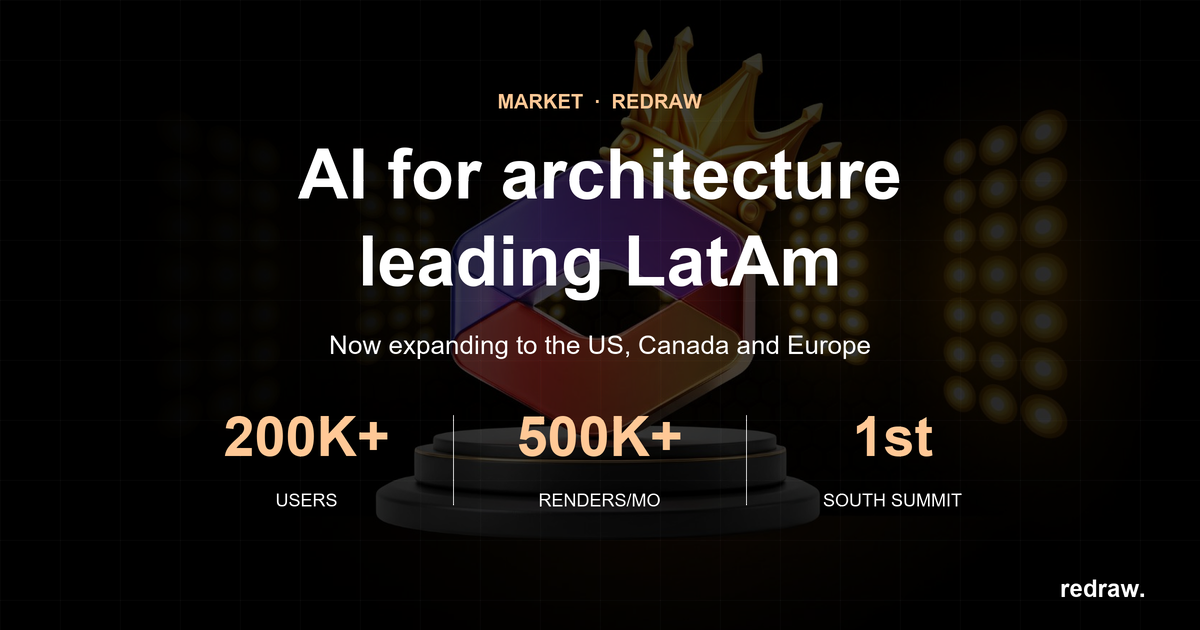
Redraw is the largest AI rendering platform for architecture in Latin America, with over 200,000 registered users and more than 500,000 renders generated every month.

The differentiator that caught attention at South Summit is simple: Redraw turns a screenshot of a 3D model into a photorealistic render in under 40 seconds. No expensive hardware, no complex setup, no prompt engineering. Everything in the browser.

While traditional tools like V-Ray, Lumion and Enscape demand powerful machines and hours of work, Redraw solves the same problem in seconds and at a fraction of the cost. And unlike generic AI tools such as ChatGPT or ComfyUI, Redraw was trained specifically for architecture. It respects the original project without inventing geometry.

That combination of speed, accessibility and precision is what put Redraw on the South Summit stage. And it is what is making architects, engineers and interior designers around the world move to AI-driven rendering.

What comes next

The recognition at South Summit 2026 reinforces Redraw’s positioning in the global innovation ecosystem. With international visibility and direct exposure to investors and strategic partners, expansion into the US, Canada and Europe is gaining traction.

The focus stays the same: keep delivering the best AI rendering experience for the people who design.

Create your free Redraw account →