Redraw vs Midjourney: Which Is Better for Rendering Architecture Projects in 2026?

Redraw vs Midjourney: technical comparison for architects. See which AI renders projects with fidelity and which forces hours of Photoshop in 2026.
Redraw vs Midjourney: Which Is Better for Rendering Architecture Projects in 2026?
Author
Alexandre Kuhn
Co-founder and marketing director
Alexandre is currently the marketing director, but he previously worked as an architect specializing in BIM.
Redraw vs Midjourney: Which Is Better for Rendering Architecture Projects in 2026?
6 min
|
04.05.2026
Author
Alexandre Kuhn
Co-founder and marketing director
Alexandre is currently the marketing director, but he previously worked as an architect specializing in BIM.
[

Redraw

]

Create your free account

Start transforming your projects today using Redraw.

I want to register
Share this article

You spent hours refining the project in SketchUp or Revit. Now you need an image that will convince the client — and you have two paths in front of you: throw the model into Midjourney and hope it produces something close to what you designed, or use a tool that was built specifically for this.

That's the core of this comparison. Midjourney is an image generation tool. Redraw is an AI rendering platform for architecture. The difference seems semantic, but in practice it changes everything: the kind of control you have, fidelity to the original project, time spent, and the result delivered to the client.

In 2026, with over 200,000 users and 500,000 renders generated per month, Redraw consolidated a clear proposition: professional rendering without losing the project. This article explains, point by point, why that matters.

What each tool was built to do

Midjourney

Midjourney is a diffusion model trained to generate images from text prompts. It is extraordinary for artistic creation, concept art, moodboards, and free visual exploration. But it was not designed for technical rendering. It does not read 3D files, does not respect floor plans, and does not maintain structural consistency between generations.

Using Midjourney to render an architecture project is possible — but it requires a series of workarounds: exporting perspectives as references, using ControlNet to try to maintain structure, tuning long prompts, and accepting that the result will diverge from the actual project.

Redraw

Redraw was built specifically for the architect's workflow. It receives the 3D model directly (via integration with SketchUp, Revit, Rhino, or a reference image) and generates photorealistic renders that preserve the project's geometry. In 20 to 40 seconds, you have a publishable image — without depending on a gaming PC, without render farm queues, and without losing the project's identity.

Technical comparison: what really matters for the architect

CriterionRedrawMidjourney
3D model integration✅ Native (SketchUp, Revit, Rhino)❌ Not supported
Fidelity to the original project✅ High — geometry preserved⚠️ Low — freely interpreted
Render time✅ 20–40 seconds⚠️ Variable, depends on workflow
Style control✅ Per-environment styles + customization✅ High via prompts
Learning curve✅ Low (visual interface)⚠️ Medium-high (prompt mastery)
Professional use in presentations✅ Direct, no adjustments⚠️ Requires post-production
Cloud processing✅ Yes✅ Yes
Base priceStarts with a free planFrom US$ 10/month
Architecture niche focus✅ Total❌ Generic

When Midjourney makes sense

Being honest here is part of the argument. Midjourney has legitimate uses in an architect's creative workflow:

  • Concept moodboards: before defining the project, to align aesthetic expectations with the client
  • Style exploration: testing visual references with no technical commitment
  • Texture and material generation: creating visual patterns to use in other software
  • Quick ideation: when the goal is inspiration, not presentation

The problem arises when the architect tries to use Midjourney to replace the technical render. That's where the hidden cost kicks in: hours tweaking prompts, inconsistent results, clients questioning details that don't match the project.

Why specialization matters

Generic AI image tools were trained on a massive universe of visual data. That makes them versatile — but also superficial when applied to a specific task.

Redraw was trained and optimized exclusively for rendering architecture, interior design, and engineering. That means:

  • The model understands architectural perspective
  • It preserves structural proportions
  • The available styles were developed for real environments (residential, commercial, exteriors, interiors)
  • The interface was designed for the architect's workflow, not the digital artist's

It's the difference between a generalist and a specialist. For professional presentation rendering, specialization delivers consistency.

Workflow in practice

With Midjourney (real flow)

  1. Export the model perspective as an image
  2. Upload as a reference in Midjourney (img2img or ControlNet)
  3. Write a detailed prompt trying to describe the project
  4. Generate 4 options, evaluate, pick the best
  5. Notice that the geometry was altered
  6. Adjust prompt, run again
  7. Use Photoshop to fix distortions
  8. Deliver — with caveats

Estimated total time: 2–4 hours per image

With Redraw (real flow)

  1. Export the model or open via direct integration
  2. Choose style and environment
  3. Generate render
  4. Deliver

Estimated total time: 5–10 minutes per image

The verdict

If the goal is render for project presentation, Redraw wins without discussion. The geometry is preserved, the time is 10x shorter, and the result is publishable directly.

If the goal is creative exploration or moodboard, Midjourney is a valid and powerful tool.

The question is not which tool is "better" in absolute terms — it's which one solves the right problem. And for the architect who has to present a project to a client next week, a specialized tool beats a generic tool every time.

Ready to try it? Create your free Redraw account and render your first project in under 30 seconds.

Frequently asked questions


Can I use Midjourney to render architecture projects?

Yes, it's possible — but with significant limitations. Midjourney does not read 3D files, so you must rely on reference images and text prompts. The output tends to diverge from the original geometry of the project, requiring time-consuming adjustments and post-production. For technical presentations, specialized tools like Redraw deliver more accurate and reliable results.


Are Redraw and Midjourney direct competitors?

Not exactly. Midjourney is a generic, general-purpose AI image generation platform. Redraw is an AI rendering platform built exclusively for architecture and interior design. They can coexist in the workflow: Midjourney for concept and moodboard, Redraw for the final technical render.


Which tool is cheaper?

It depends on usage volume. Midjourney starts at US$ 10/month with limited generations. Redraw has a free plan with monthly renders included and paid plans for professional use. For studios with high render volume, Redraw tends to be more cost-efficient by delivering the final result without needing rework.


Does Redraw maintain fidelity to the original project?

Yes. That's the main technical difference. Redraw processes the geometry of the 3D model and generates the render preserving the designed structure — walls, openings, volumes, and proportions. The result is faithful to what was designed, not a free artistic interpretation.


Do I need a powerful PC to use Redraw?

No. Redraw runs entirely in the cloud. You only need an internet connection and a browser. Renders are generated on Redraw's servers in 20 to 40 seconds, regardless of your computer's hardware.


Can Redraw integrate with SketchUp or Revit?

Yes. Redraw has native integration with SketchUp and supports models exported from Revit, Rhino, and other common architecture software. The integration eliminates intermediate steps and reduces export and configuration time.


Midjourney or Redraw: which one to use for the portfolio?

For portfolio renders representing real projects, Redraw is the safer choice. The result preserves the project's identity and is produced in minutes. Midjourney can be useful for creating conceptual atmosphere images, but it does not replace the technical render when fidelity to the project matters.

Conclusion

The "Redraw vs Midjourney" question reveals a common confusion in the market: treating AI image tools as equivalents. They are not. One is generic and powerful for free creation. The other was built to solve a specific problem — professional rendering inside the architect's real workflow.

For those who design and need to present, the choice is clear. Redraw delivers what Midjourney can't: your project, exactly as you designed it, ready in under a minute.

Share this article
Summary of the content
[

Blog

]

Related articles

Access Blog
Redraw
07.05.2026

Redraw Wins South Summit 2026 in Porto Alegre in the Digital and Tech Solutions Category

Redraw
5 min of reading

Redraw has been named the winner of South Summit 2026 in Porto Alegre, in the Digital and Tech Solutions category.

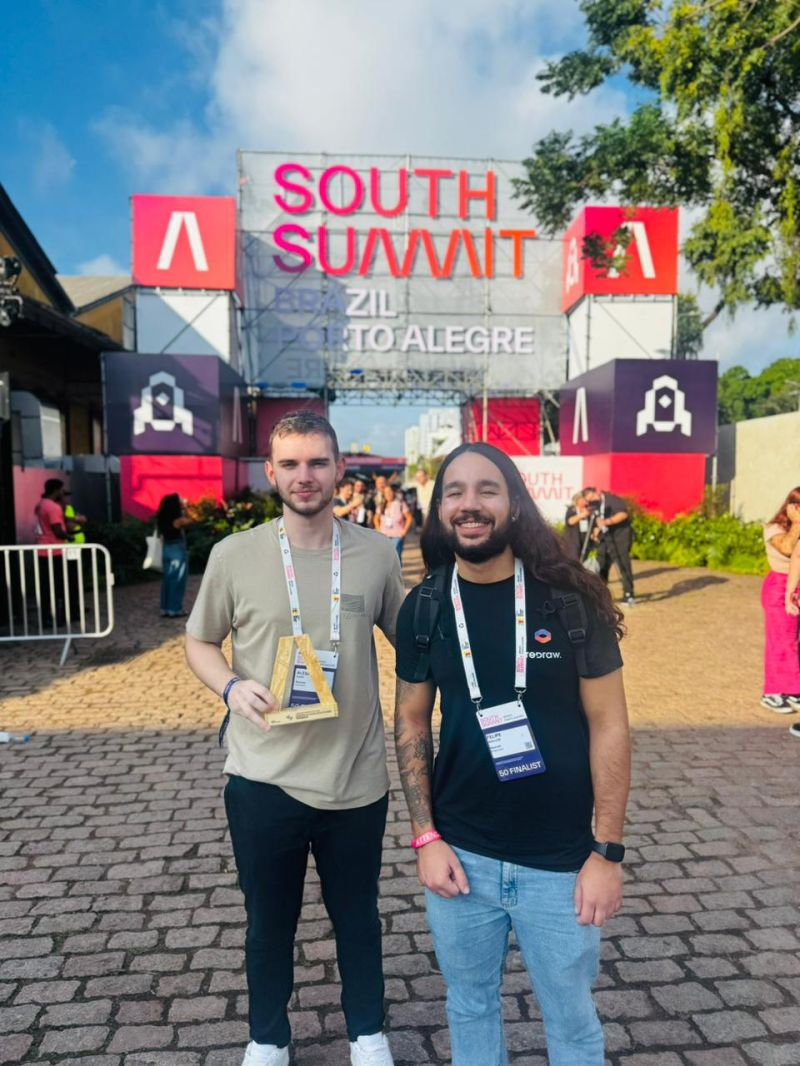
More than 2,000 companies from around the world entered. Of those, only 50 reached the finals, split across 5 categories. Redraw was among them, and took the prize.

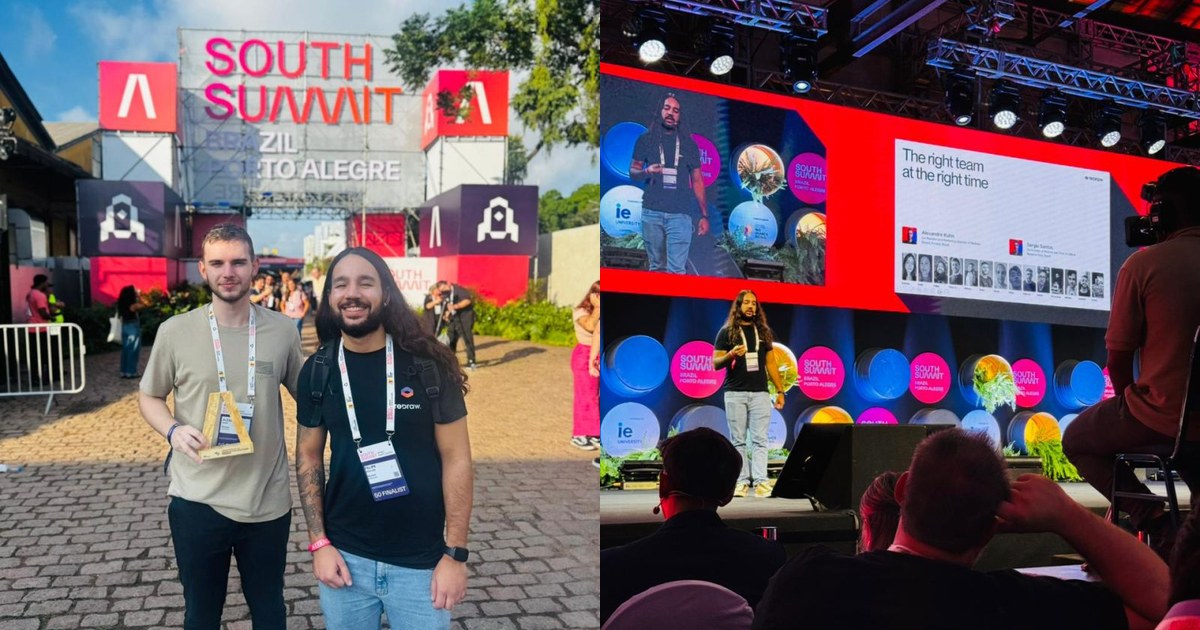
Redraw team on stage at South Summit 2026 in Porto Alegre

What South Summit is

South Summit is one of the largest global platforms for connecting startups, investors and large companies. It was created in Madrid and is now a benchmark for innovation. The Brazilian edition took place from March 25 to 27, 2026, in Porto Alegre, Rio Grande do Sul.

This edition gathered more than 23,000 attendees, around 3,000 startups and 130 investment funds. It is one of the largest business and innovation hubs in Latin America.

The finalist startups went through a program of mentorships and masterclasses before pitching their solutions on the main stages to a panel of investors, executives and specialists from the global ecosystem.

What this award means for Redraw

For us, this was a chance to show how much Redraw has been innovating, not only in Brazil but worldwide. We stood alongside companies that are becoming global references in what they do. Being able to present our solution at that level was an honor.

“Being selected for the South Summit Startup Competition final is important recognition of the problem we are solving and the potential of our technology. Standing on that stage connects us directly to investors, strategic partners and global innovation leaders,” says Alexandre Kuhn, co-founder of Redraw.

Sérgio Santos, also a co-founder, adds:

“South Summit is one of the biggest global showcases for fast-growing startups. Being among the 50 finalists confirms that we are building a solution with international scale potential and real market impact.”

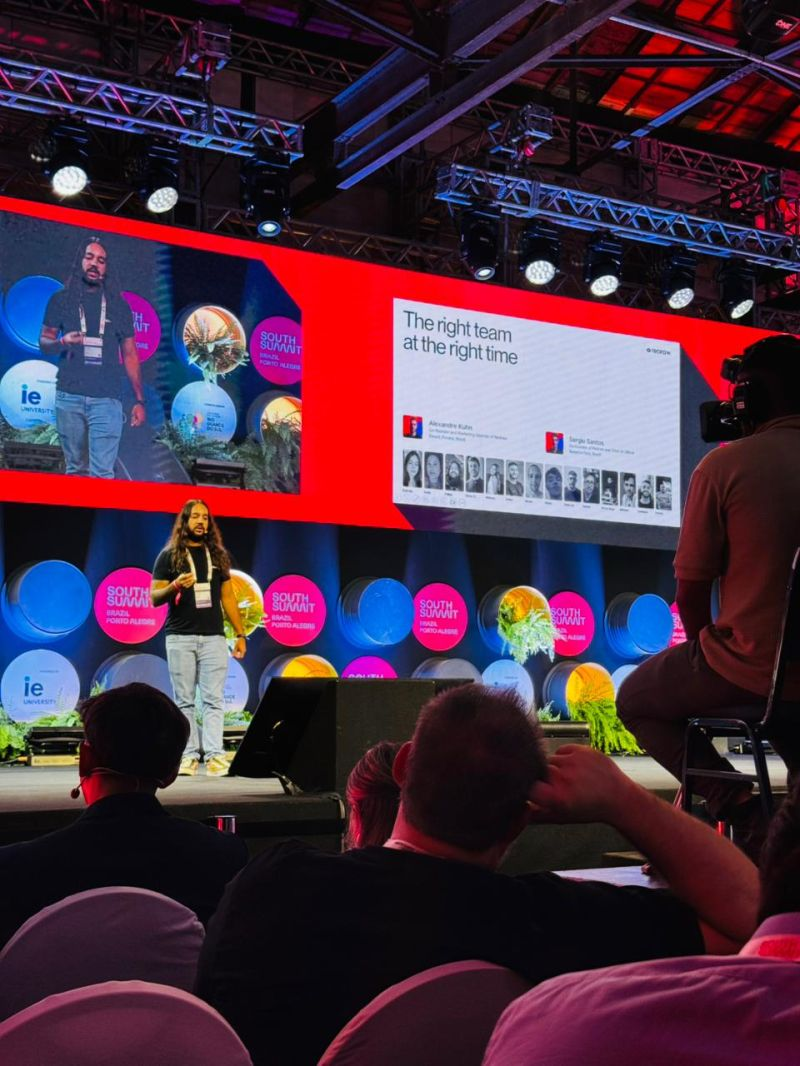
Redraw pitching at the South Summit 2026 final

Why Redraw stood out

Redraw is the largest AI rendering platform for architecture in Latin America, with over 200,000 registered users and more than 500,000 renders generated every month.

The differentiator that caught attention at South Summit is simple: Redraw turns a screenshot of a 3D model into a photorealistic render in under 40 seconds. No expensive hardware, no complex setup, no prompt engineering. Everything in the browser.

While traditional tools like V-Ray, Lumion and Enscape demand powerful machines and hours of work, Redraw solves the same problem in seconds and at a fraction of the cost. And unlike generic AI tools such as ChatGPT or ComfyUI, Redraw was trained specifically for architecture. It respects the original project without inventing geometry.

That combination of speed, accessibility and precision is what put Redraw on the South Summit stage. And it is what is making architects, engineers and interior designers around the world move to AI-driven rendering.

What comes next

The recognition at South Summit 2026 reinforces Redraw’s positioning in the global innovation ecosystem. With international visibility and direct exposure to investors and strategic partners, expansion into the US, Canada and Europe is gaining traction.

The focus stays the same: keep delivering the best AI rendering experience for the people who design.

Create your free Redraw account →

Redraw
06.05.2026

AI Super Prompts Don't Guarantee Good Renders, And There's a Technical Reason

Alexandre Kuhn
5 min of reading

Have you ever spent more than 20 minutes writing a detailed prompt, specifying lighting, texture, angle, style, materials, only to get back a generic result with no coherence to the actual project?

That's the loop most architects fall into when they start using AI for renders. The “super prompt” promise is seductive: the more detail you describe, the better the AI understands. In practice, that's not what happens.

Alexandre Kuhn, founder of Redraw, breaks down the technical reason behind this, and shows why the platform was designed to work in a completely different way.

This article summarizes what is explained in depth in the video:

Why long prompts create more problems than they solve

Tools like ChatGPT Image and Nano Banana Pro (built on Gemini) work with a simple model: you describe, the AI generates. The more you detail, the more variables enter the process. It sounds logical, but that's exactly where the problem lives.

Every AI image generation starts with what we call a “seed”: a random number that defines the starting point of the creative process. Two identical prompts with different seeds produce completely different images. In other words, you can spend an hour refining the perfect prompt and still get inconsistent results on every generation.

The practical effect? Architects spend more time managing text than working on the project.

How Redraw was designed to eliminate that frustration

Redraw starts from a different premise: architects shouldn't need to describe everything. The platform was built to understand the project context and deliver high-quality renders from direct, objective commands.

A command like “render it realistically, indistinguishable from a real photo” is already enough to produce results other tools only deliver after multiple iterations and prompt tweaks.

This isn't an accident, it's the result of a model trained specifically for architectural rendering, not a generic image generation model adapted to the task.

What makes Redraw more efficient in practice:

  • Smart lighting presets: instead of describing light in words, you choose from pre-defined options (golden morning, sunset, starry night) and apply with one click. Result: consistent and controlled on every generation.
  • Direct element manipulation: add a fruit bowl, remove an object, adjust a texture, all done on the image itself, without rewriting the command from scratch.
  • Processing speed: renders in under 30 seconds, enabling more iterations and faster decisions in your workflow.
  • Short prompt, complete result: the model interprets architectural intent, not just typed words.

Redraw, ChatGPT Image and Nano Banana: what each one delivers in practice

In the video, Alexandre tests the three tools side by side, with simple prompts and detailed prompts. The comparison reveals differences that go far beyond visual quality:

ChatGPT Image 1.5: requires extensive prompts to deliver architectural coherence. With simple commands, results are generic and rarely ready for professional presentation.

Nano Banana Pro (Gemini): performs well for general images, but inserts logos in some cases, a critical issue for professional use. Also depends on long descriptions for architecture-specific results.

Redraw: superior results with short prompts, direct control over lighting and project elements, no watermarks or unwanted logos. Built for the architect's workflow, not for generic use.

The difference isn't just visual. It's operational: the time invested to reach a usable result in Redraw is significantly lower than in any other tool tested.

Redraw goes beyond rendering

Rendering is the entry point, but Redraw runs as a complete AI ecosystem for architecture:

  • Idea Generator: explore facade, style and layout variations from a base image of the project.
  • Render from sketch: turn a hand drawing or floor plan into a photorealistic image, no 3D model required.
  • Brush (AI Brush): select a specific area of the image and modify only that region, texture, material, color, without altering the rest.
  • Text to Image: generate visual references for presentations from a written description.
  • Image to Video: turn a static render into an animation with depth and movement.

All in a single platform. No switching between tools, exports and separate accounts.

Professional rendering doesn't have to be complicated

The complexity of super prompts is not a sign of sophistication, it's a sign that the tool wasn't built for your work.

Redraw was made for architects, engineers and designers who need reliable, fast results with real control over the process. If you haven't tried it yet, access starts free.

Try Redraw now →

Redraw
06.05.2026

Redraw Social Channels: All Official Accounts by Language

Sergio Santos
5 min of reading

Redraw maintains an active presence across multiple platforms in three languages: Portuguese, English, and Spanish. Each channel is built to serve its local audience with adapted content, not literal translation, but content tailored to each market.

Here's how it's structured: Brazil is the home market and concentrates the largest content operation. The English-language channels serve the global audience (US, Europe, Asia). Spanish covers Spanish-speaking Latin America. Not every platform exists in all three languages, some run only in Portuguese or only in English, depending on where the audience is most active.

Official website

The main Redraw site has dedicated versions per language, each with its own content and blog:

Instagram

Instagram is Redraw's strongest channel in terms of community. Three separate accounts, one per language, with original content:

YouTube

YouTube runs with two channels. The main one is in Portuguese and already includes translated videos. The English channel is dedicated to the international audience:

Facebook

Two Facebook pages, split by language:

LinkedIn

Redraw has an official company page and the personal profiles of the founders:

TikTok

Single account in Portuguese, focused on the Brazilian audience:

X (Twitter)

Single account in English, geared to the international market:

Pinterest

Official account with a visual portfolio of renders:

Reddit

Official English profile for participation in architecture and tech communities:

Review and product platforms

Redraw profiles on software review and discovery platforms:

Support channels

Redraw offers support through three channels: WhatsApp, email, and on-site chat.

WhatsApp

WhatsApp support is split by market:

  • Brazil, Support 1: +55 45 93505-0832
  • Brazil, Support 2: +55 45 99914-8182
  • Brazil, news broadcast: +55 45 93618-0383
  • International, global support: +55 11 93618-4552

In some cases team members may reach out via personal WhatsApp for one-off conversations. That's normal, but the golden rule still applies: Redraw will never ask for payment data over WhatsApp.

Email

The official email support channel is suporte@redraw.pro. For transactional emails (account confirmations, receipts, notifications), Redraw may also use the @redraw-ia.com domain, this is due to deliverability considerations on the .com domain.

If you receive an email from any other domain claiming to be from Redraw, treat it as suspicious.

On-site chat

You can also reach Redraw via the side chat that appears on the official sites (redraw.pro, redraw.pro/en, redraw.pro/es). It runs on the same system, the conversation lands with the same support team.

Security notice

Redraw never asks for credit card data, passwords, or banking information through support channels, not via WhatsApp, not via email, not via chat. All payments happen exclusively inside the platform.

If anyone reaches out asking for that data while claiming to be from Redraw, do not provide it. When in doubt, send a message through another channel listed above and confirm whether the contact is legitimate.

Our team keeps this article up to date. If a channel changes, we'll update it here.