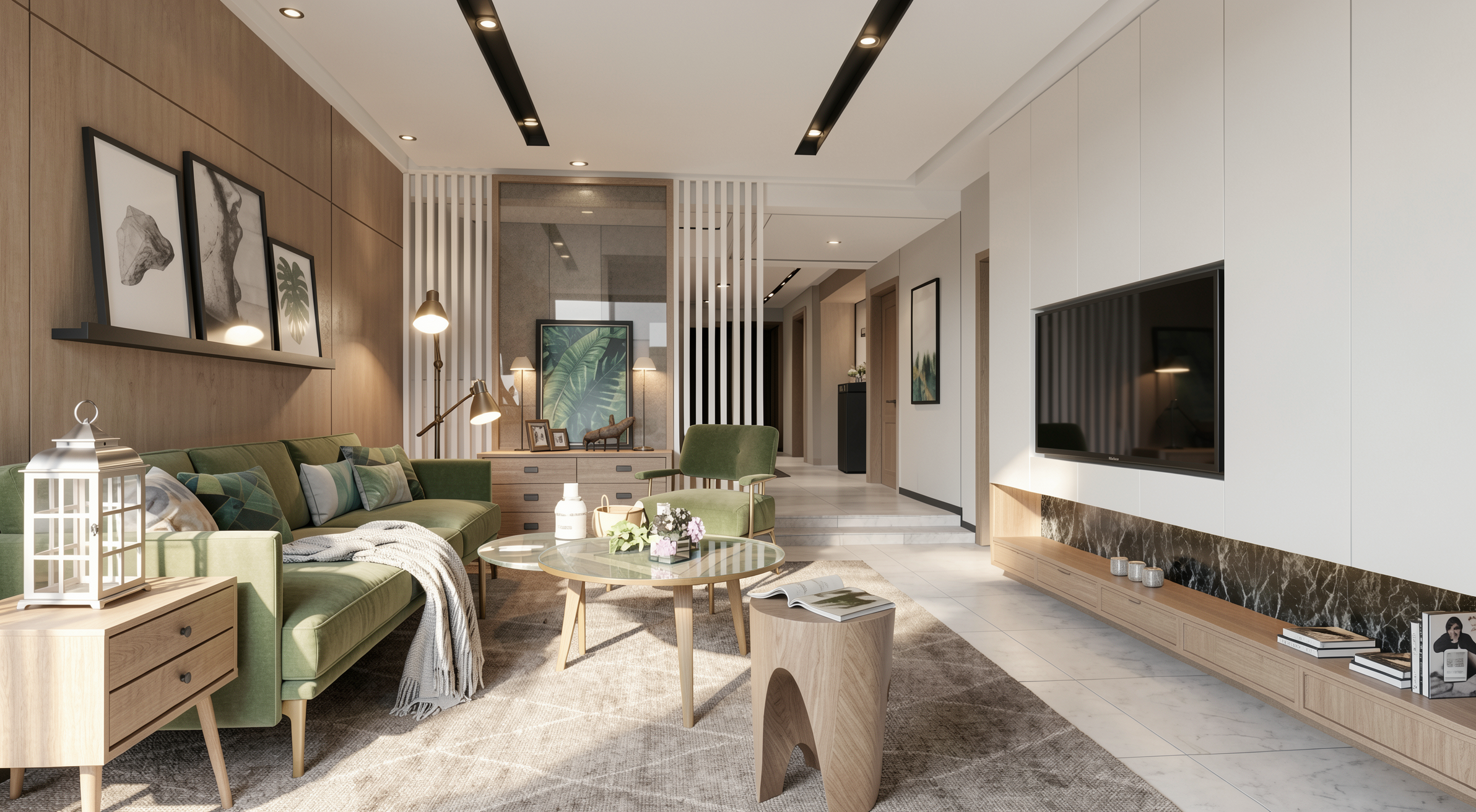
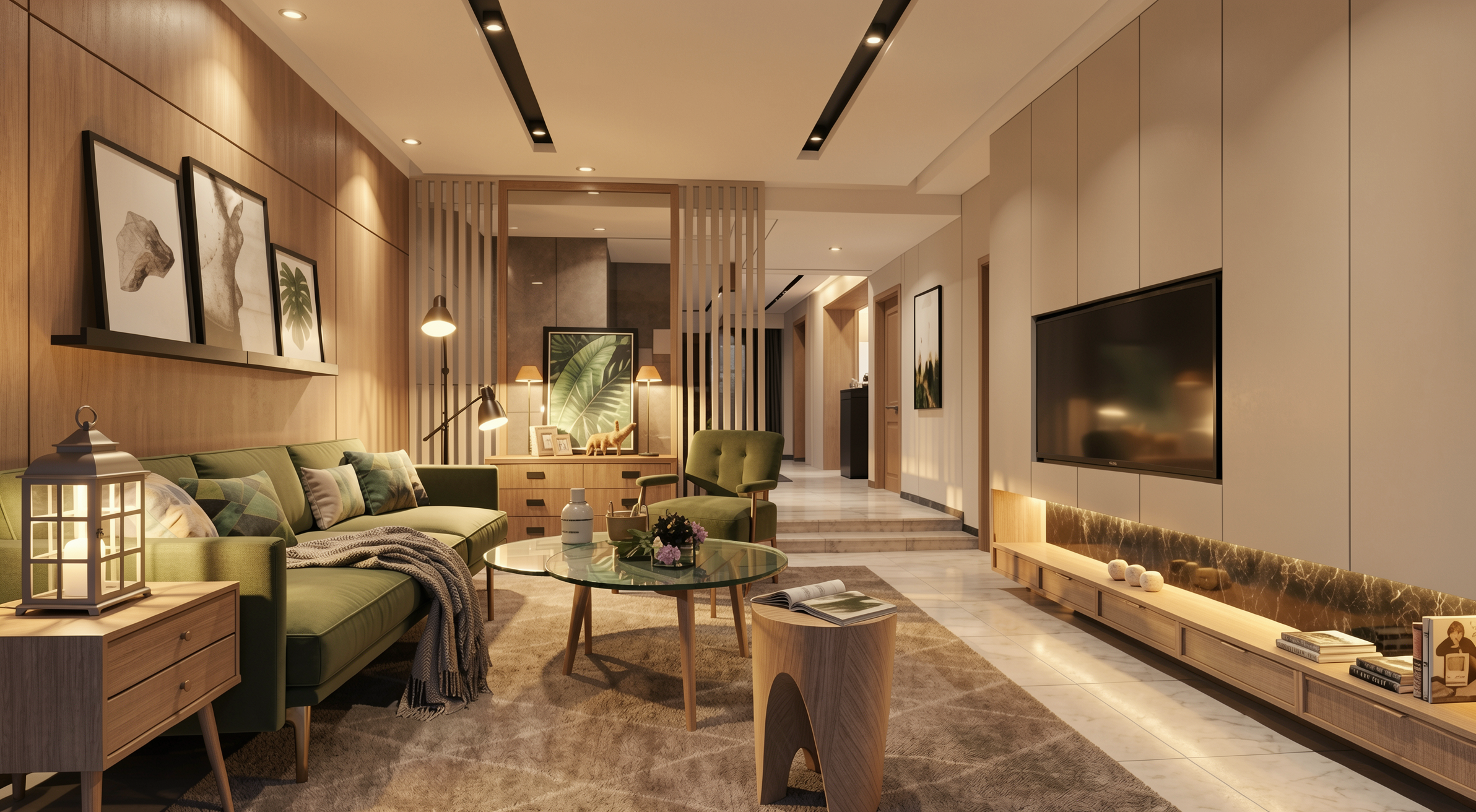
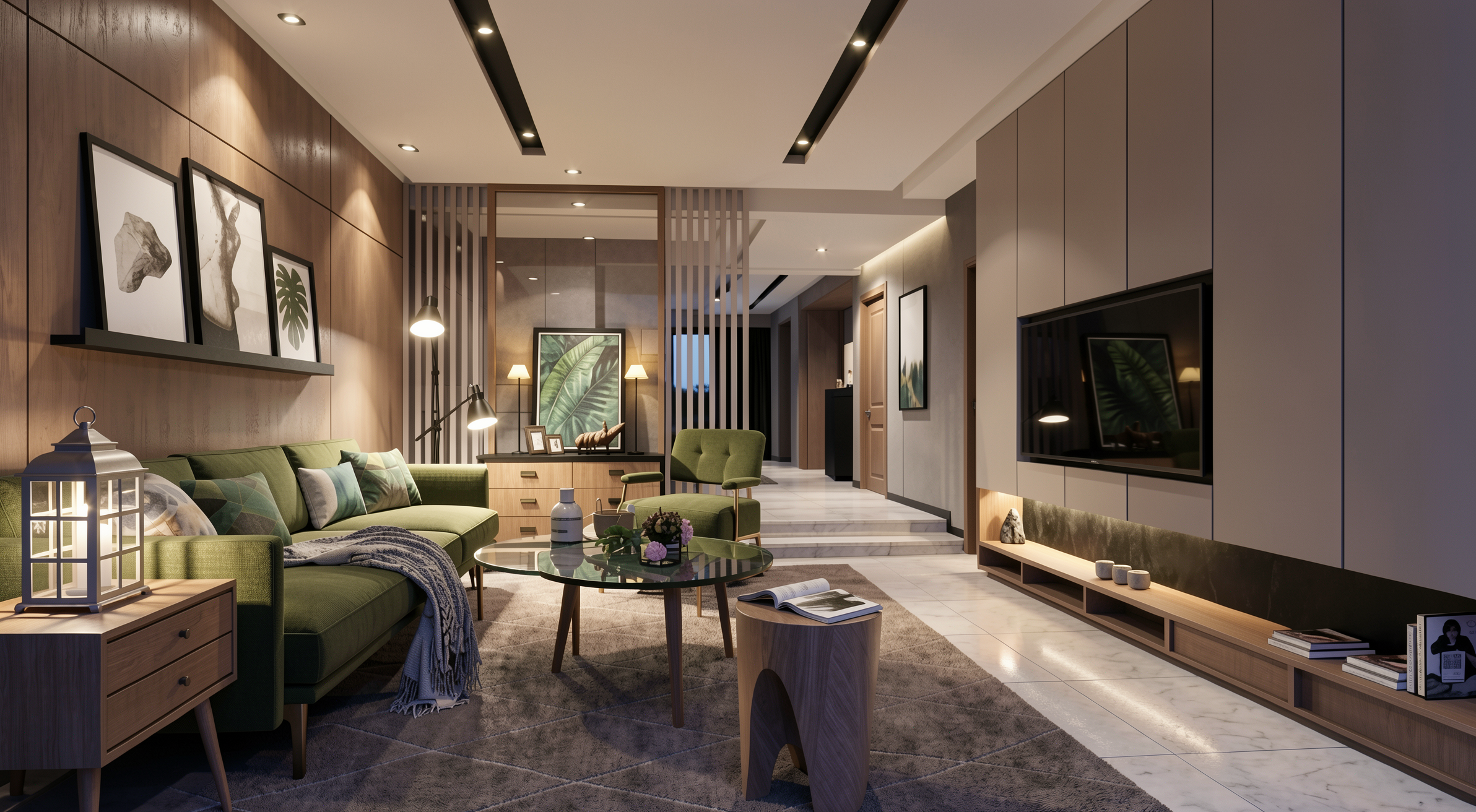
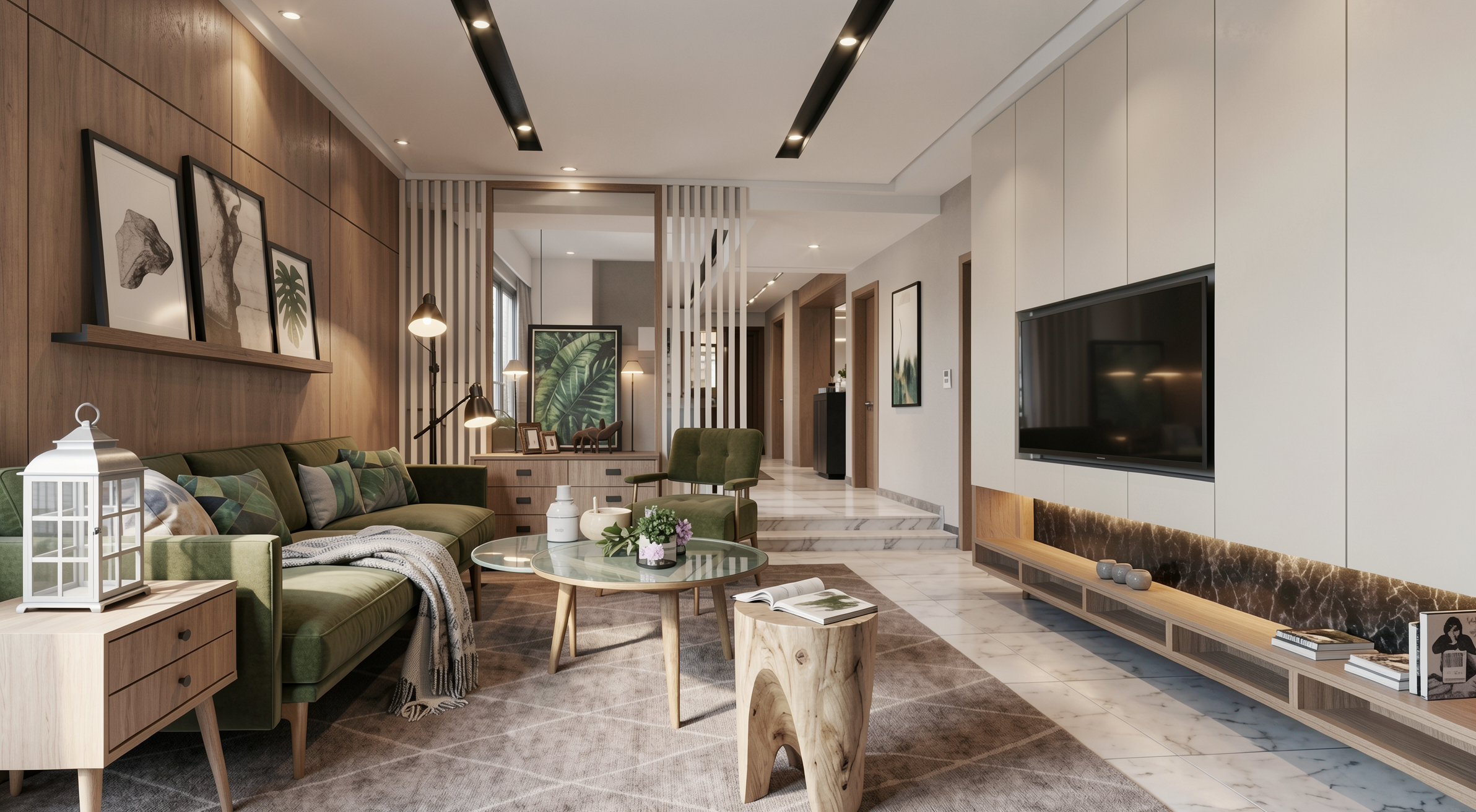
Guía Completa de Prompts para Render de Interiores con IA

Biblioteca completa de prompts para render de interiores con IA — salas, dormitorios, cocinas y más. Aprende a preservar el proyecto y elevar el realismo
Guía Completa de Prompts para Render de Interiores con IA
Autor
Alexandre Kuhn
Co-founder and marketing director
Alexandre is currently the marketing director, but he previously worked as an architect specializing in BIM.
Guía Completa de Prompts para Render de Interiores con IA
6 min
|
05.05.2026
Autor
Alexandre Kuhn
Co-founder and marketing director
Alexandre is currently the marketing director, but he previously worked as an architect specializing in BIM.
[

Redraw

]

Crie sua conta grátis

Comece hoje mesmo a transformar os seus projeto usando o Redraw.

Quero cadastrar
Compartilhe este artigo

Por qué dominar los prompts para render de interiores lo cambia todo

Dominar los prompts para render de interiores es una de las habilidades más valiosas que un arquitecto o diseñador puede desarrollar al trabajar con IA generativa. Un prompt bien construido es la diferencia entre un resultado genérico y un render que preserve fielmente el proyecto, los materiales y la atmósfera deseada.

Esta guía reúne los prompts profesionales más utilizados para render de espacios interiores — desde salas de estar hasta baños, desde inserción de personas hasta animales. Para cada prompt, entenderás qué hace, cuándo usarlo y cómo adaptarlo a tu proyecto.

Nota importante: Estos prompts fueron desarrollados para herramientas de generación de imágenes por IA basadas en texto. Si usas Redraw, no necesitas prompts largos — la plataforma fue construida específicamente para arquitectura y hace este trabajo por ti en clics, usando las mejores IAs integradas como ChatGPT y Nano Banana.

Antes de los prompts: por qué en Redraw no los necesitas

Redraw fue construido a partir de una premisa diferente: el arquitecto no debería necesitar aprender lenguaje de máquina para generar un render profesional.

En lugar de escribir luz natural cálida de fin de tarde, sombras alargadas y suaves entrando lateralmente, en Redraw haces clic en “Atardecer”.
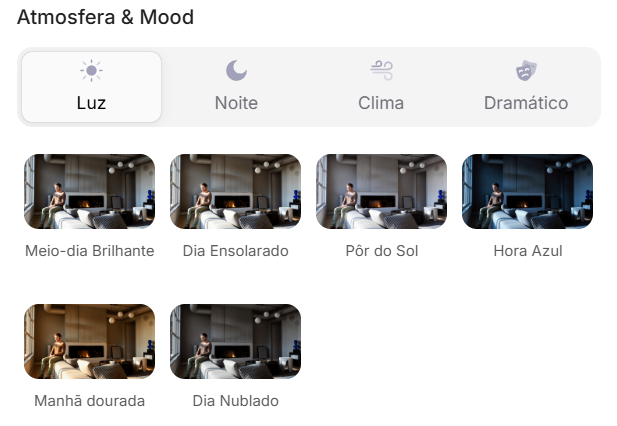
Interfaz de Redraw con selección visual de iluminación por clic

Atmósfera & Mood en Redraw: iluminación en un clic, sin prompt largo.

En lugar de describir calle residencial suburbana con vecinos visibles al fondo, seleccionas el escenario directamente en la interfaz visual.
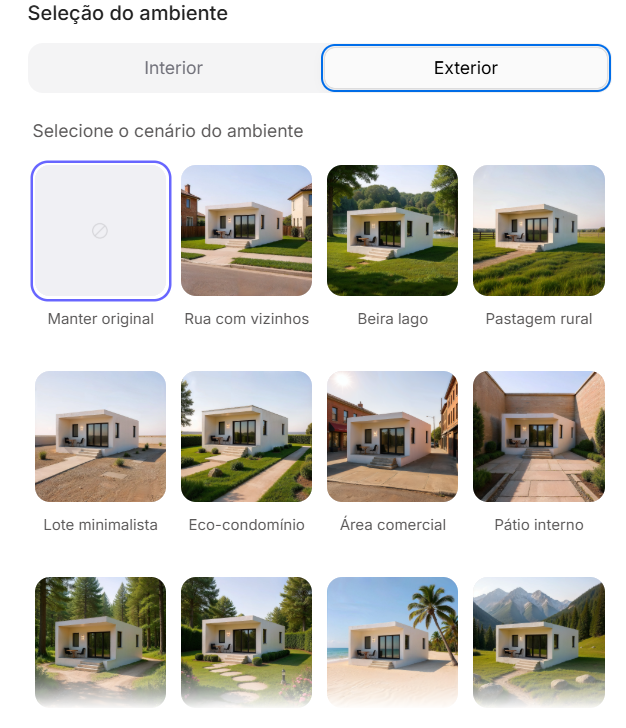
Interfaz de Redraw con selección visual de ambiente

Selección del Ambiente en Redraw: escenario en un clic, sin descripción textual.

Cada elección que harías en un prompt largo — iluminación, ambiente, estilo, cámara — se convierte en un clic. Y como Redraw fue entrenado exclusivamente para arquitectura, el modelo ya “entiende” el contexto del proyecto sin que tengas que explicar.

“En Redraw, cuanto menos prompt ponen los usuarios, mejores son los resultados.”

Comparativo: prompt textual vs. interfaz visual

CaracterísticaHerramientas con Prompt TextualRedraw
Complejidad del promptAlta — requiere estructura técnica y largaBaja — lenguaje natural y simple
Control de iluminaciónBasado en texto técnicoBasado en clics visuales (Atmósfera & Mood)
Control de ambienteBasado en texto descriptivoBasado en clics visuales (Selección del Ambiente)
Fidelidad al proyecto 3DVariable — depende de la referencia y el promptAlta — procesa la geometría del modelo directamente
Consistencia entre generacionesBajaAlta
Foco del usuarioAprender a comandar la IADescribir la visión arquitectónica
Curva de aprendizajeEmpinadaRápida e intuitiva
Tiempo por renderAlto (prompt + ajustes + post-producción)Bajo (20–40 segundos, resultado publicable)

Los prompts de esta guía siguen siendo valiosos — entender la lógica te convierte en un usuario más estratégico de cualquier herramienta. Pero si quieres saltarte la curva de aprendizaje y ir directo al resultado, Redraw lo resuelve en clics.

PARTE 1 — Realismo Fotográfico (Sin Alterar el Proyecto)

El Prompt Master de Realismo

Este es el prompt base para cuando quieres transformar cualquier imagen de proyecto en una fotografía arquitectónica ultra-realista sin modificar ningún elemento del diseño original. Es el punto de partida para la mayoría de los workflows.

Cuándo usar: Tienes un render simple (SketchUp, Revit o incluso una foto del modelo físico) y quieres elevar el realismo sin correr el riesgo de que la IA "invente" elementos.

El prompt:

Transform this image into an ultra photorealistic architectural photograph. Preserve 100% of the original architecture, layout, furniture placement, materials, colors, textures, proportions, decorative elements, and camera angle. Do NOT add, remove, redesign, or replace any element. Enhance realism only through: Physically accurate global illumination • Natural light behavior and realistic light bounce • Soft and natural shadow gradients • Ray traced reflections and refractions • Real-world material response. Apply subtle micro imperfections such as: Fabric fiber details • Natural wood grain variation • Slight surface irregularities • Minimal dust particles • Realistic glass reflections and transparency. Professional architectural photography style, balanced HDR exposure, natural color grading, cinematic yet realistic atmosphere. Ultra high resolution, 8K detail.

Qué hace cada parte:
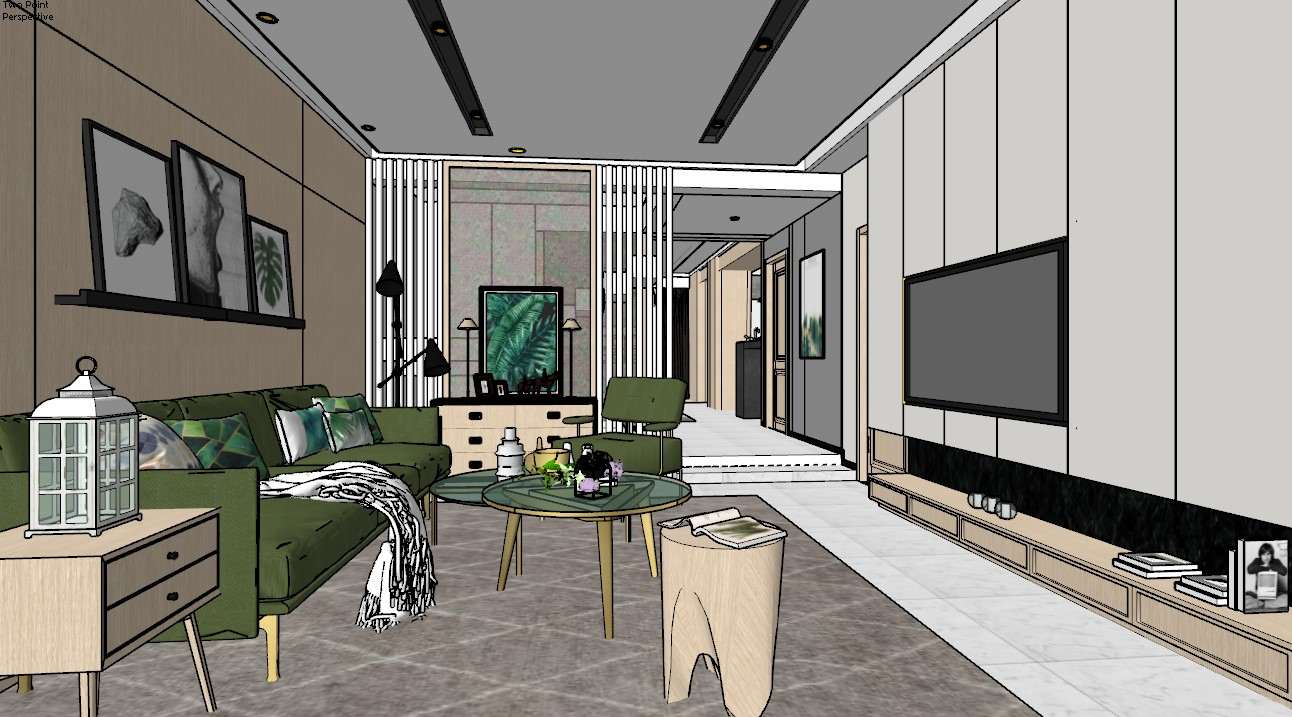
  • Preserve 100% of the original — bloquea la geometría y composición del proyecto
  • Enhance realism only through — dirige a la IA a mejorar solo iluminación física
  • Micro imperfections — es lo que diferencia un render de una foto real
  • 8K detail — garantiza resolución para impresión y presentación

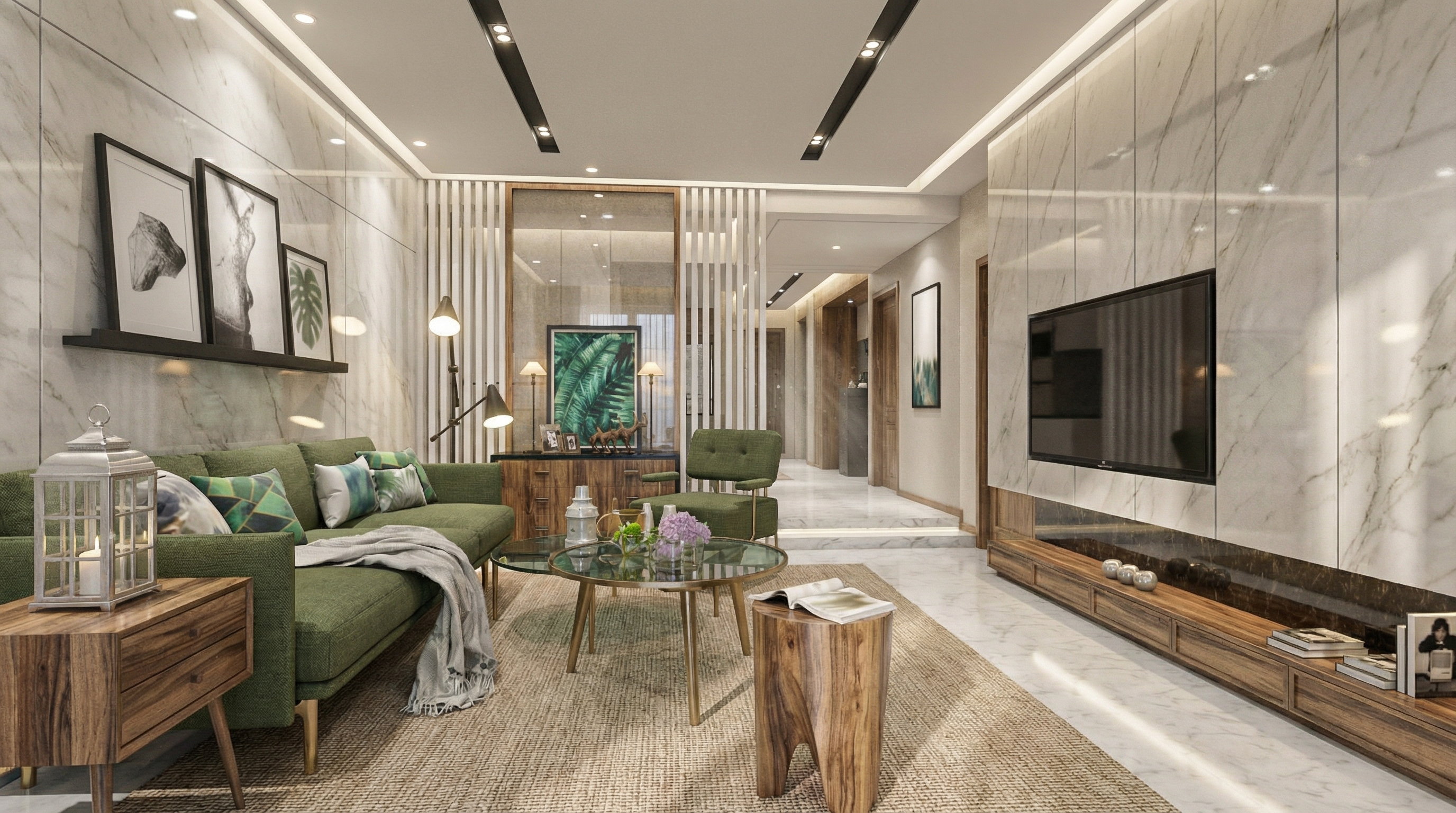
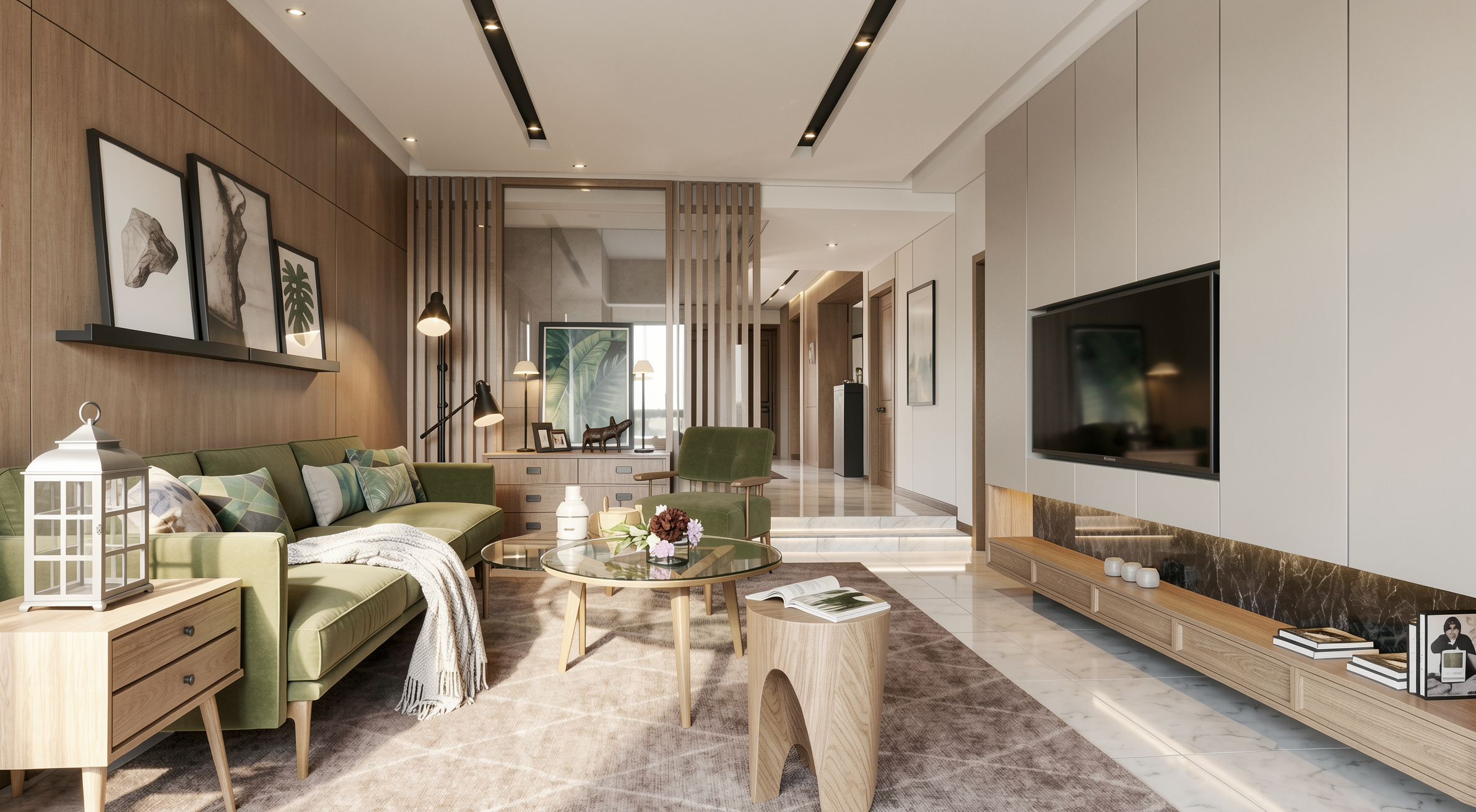
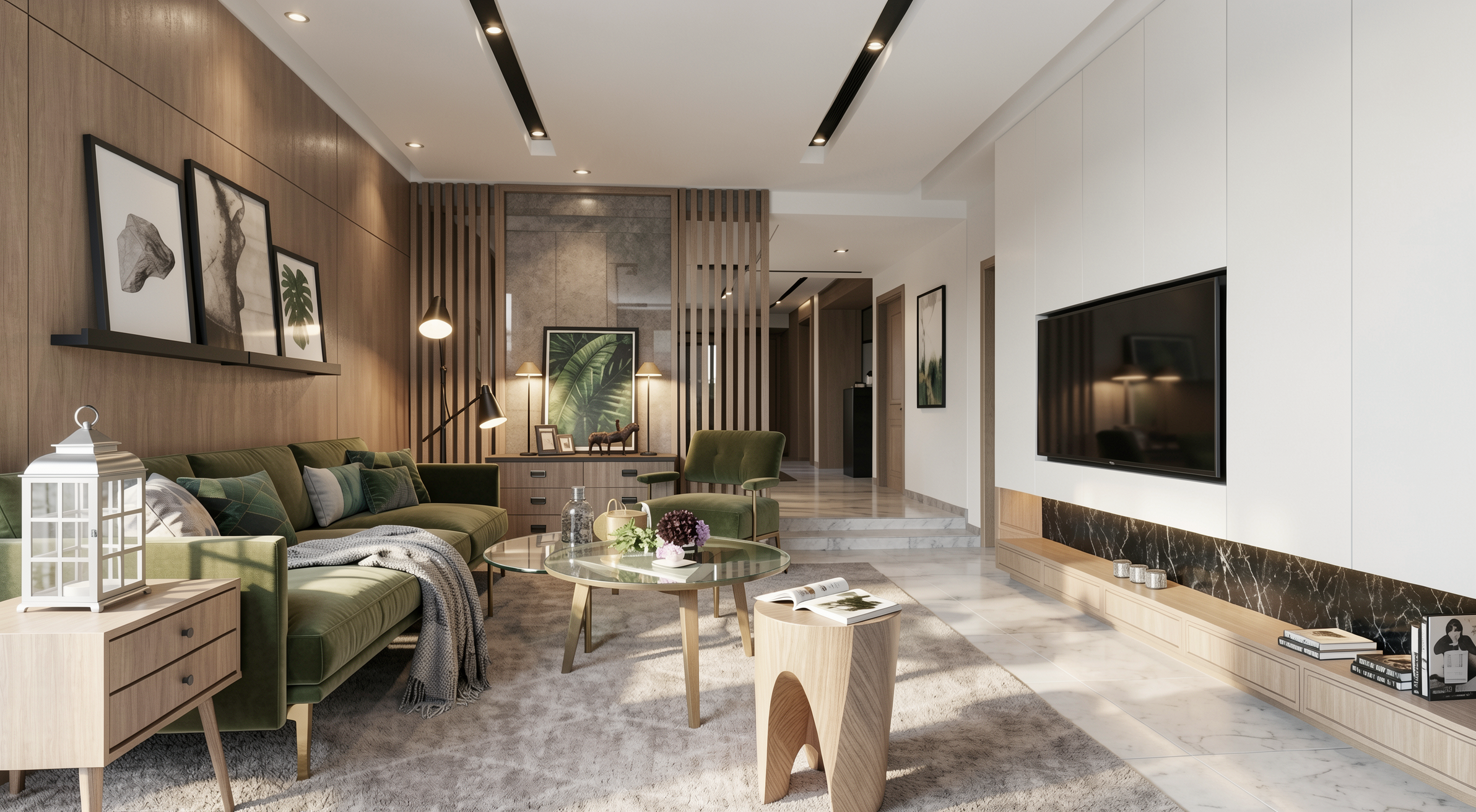
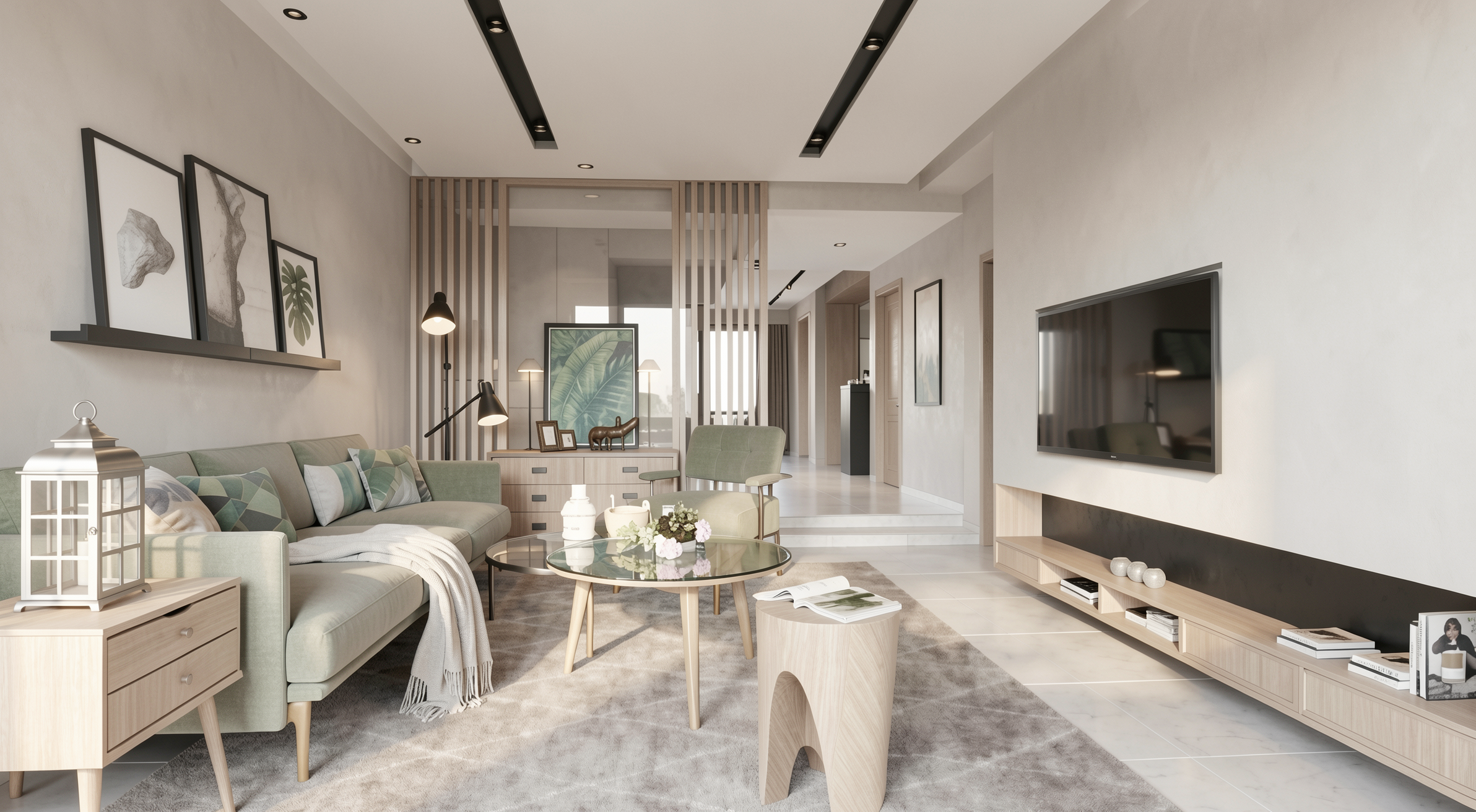
Original render

Antes — imagen original del proyecto

Nano Banana

Resultado con Nano Banana

Redraw

Resultado con Redraw

PARTE 2 — Prompts por Ambiente

2.1 Sala de Estar de Alto Estándar — Editorial Luxury

Cuándo usar: Proyectos residenciales de alto estándar donde el cliente espera un resultado con calidad de revista de arquitectura.

El prompt:

Create an ultra photorealistic luxury living room interior. Preserve 100% of the original architectural design, layout, furniture placement, materials, colors, and proportions. Enhance realism using physically accurate global illumination, natural daylight behavior, ray traced reflections, and soft shadow gradients. Apply high-resolution textures with micro imperfections such as fabric fibers, natural wood grain variation, subtle surface irregularities, minimal dust particles, and realistic glass reflections. Professional architectural editorial photography style, HDR balance, cinematic yet natural color grading, soft ambient occlusion, realistic depth of field, balanced white exposure. Ultra high resolution, 8K detail, interior magazine quality.

La instrucción interior magazine quality calibra a la IA para publicación editorial — iluminación más balanceada, color grading más refinado, profundidad de campo sutil.
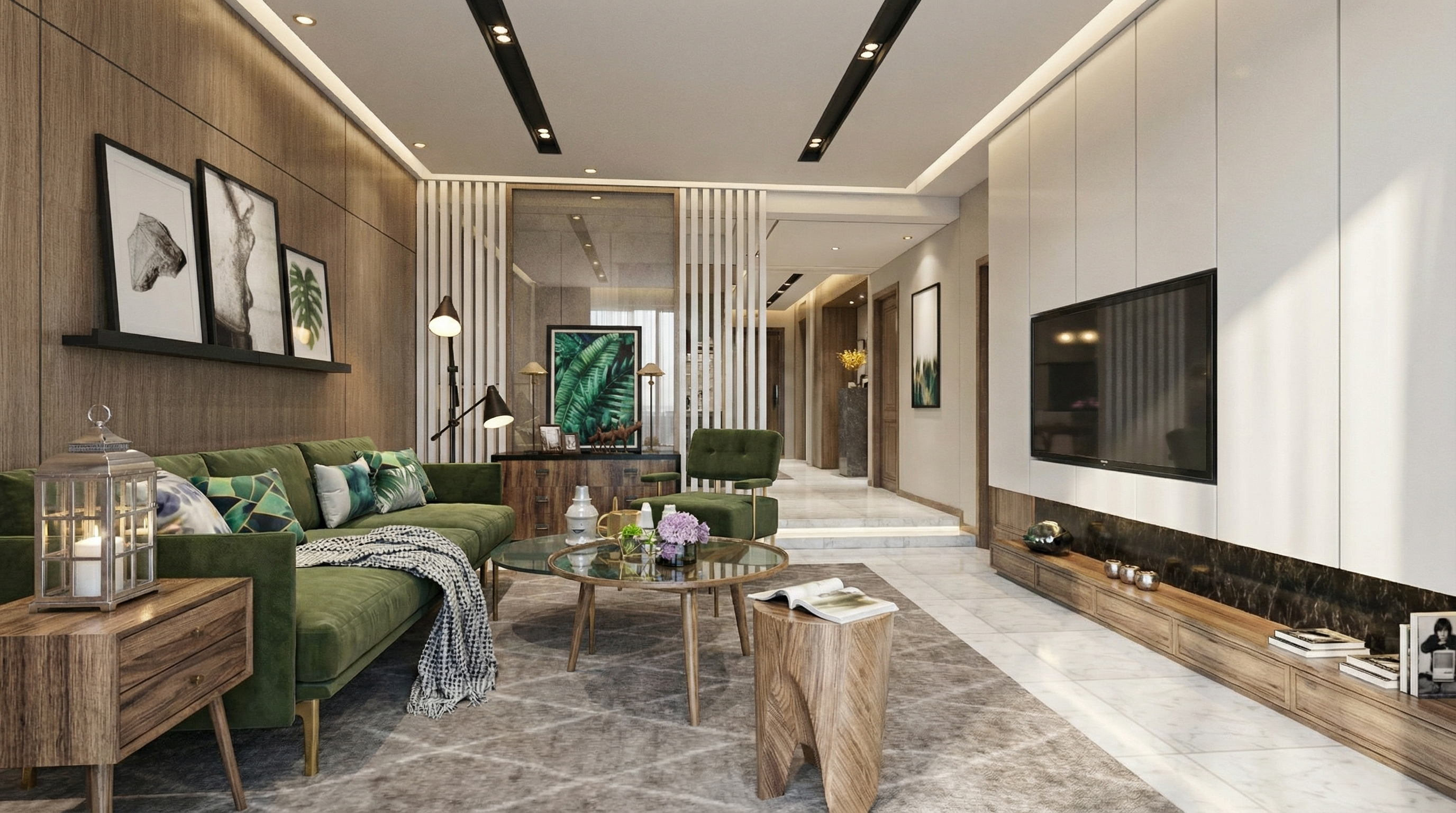
Nano

Resultado con Nano Banana

Redraw

Resultado con Redraw

2.2 Sala Minimalista Contemporánea

Cuándo usar: Proyectos con paleta neutra, geometría limpia y atmósfera tranquila.

El prompt:

Create an ultra photorealistic minimalist contemporary living room interior. Neutral color palette, clean geometry, calm and elegant atmosphere. Preserve the original layout, furniture positioning, materials, and lighting concept. Enhance realism with soft natural light, accurate light bounce, subtle reflections, and realistic shadow softness. Apply smooth plaster walls with minimal imperfections, refined fabric textures, and matte surface response. Professional interior photography style, HDR lighting, natural white balance, 8K ultra detailed render.
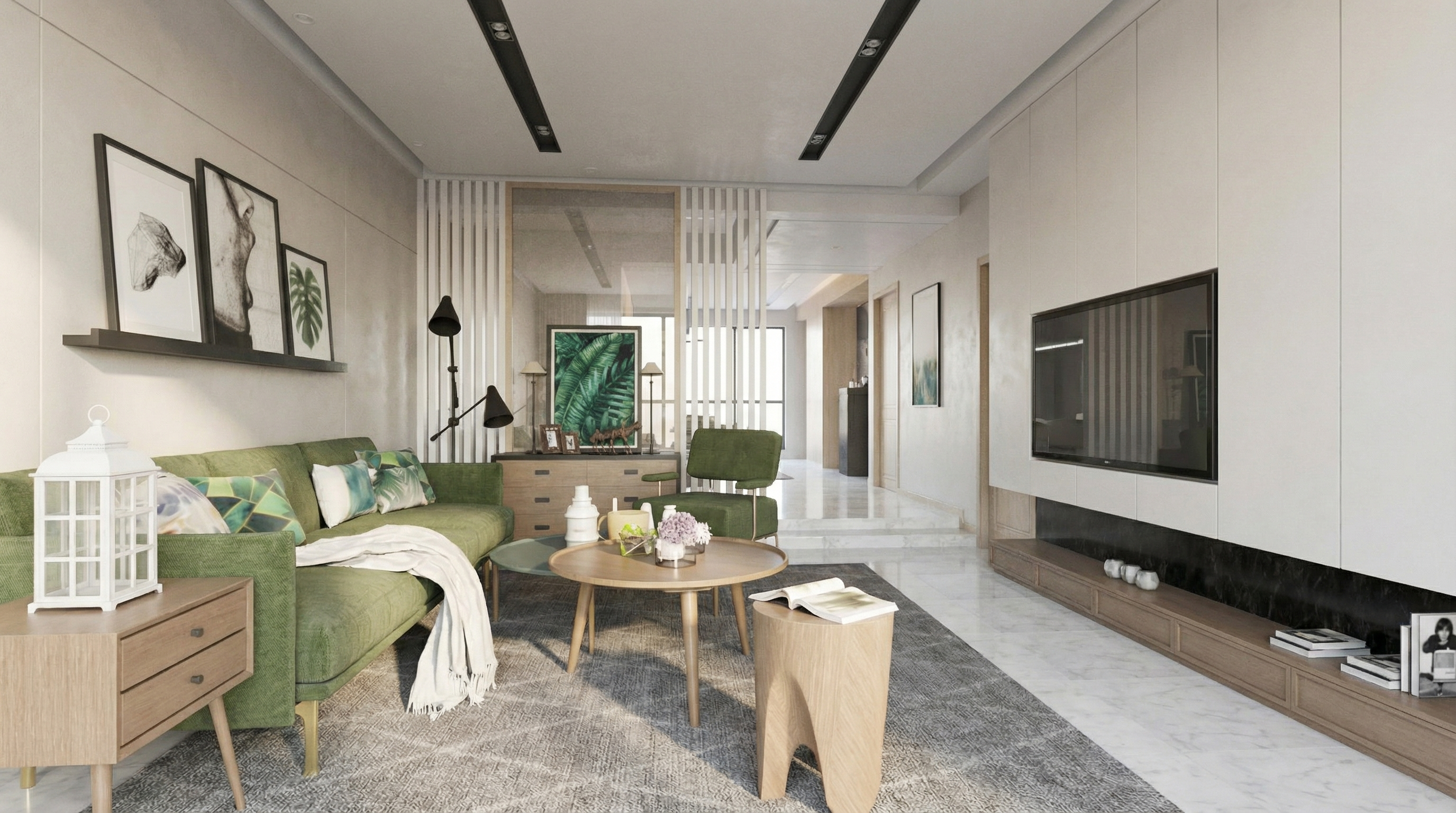
Nano

Resultado con Nano Banana

Redraw

Resultado con Redraw

2.3 Realismo General de Iluminación

Cuándo usar: El proyecto ya tiene un buen nivel de renderizado, pero la iluminación necesita refinamiento.

El prompt:

Enhance lighting realism while preserving the original lighting design. Improve natural light diffusion, realistic light bounce, and soft shadow transitions. Maintain balanced contrast, natural brightness distribution, and physically accurate light interaction with all materials. Avoid overexposure and maintain realistic color balance.
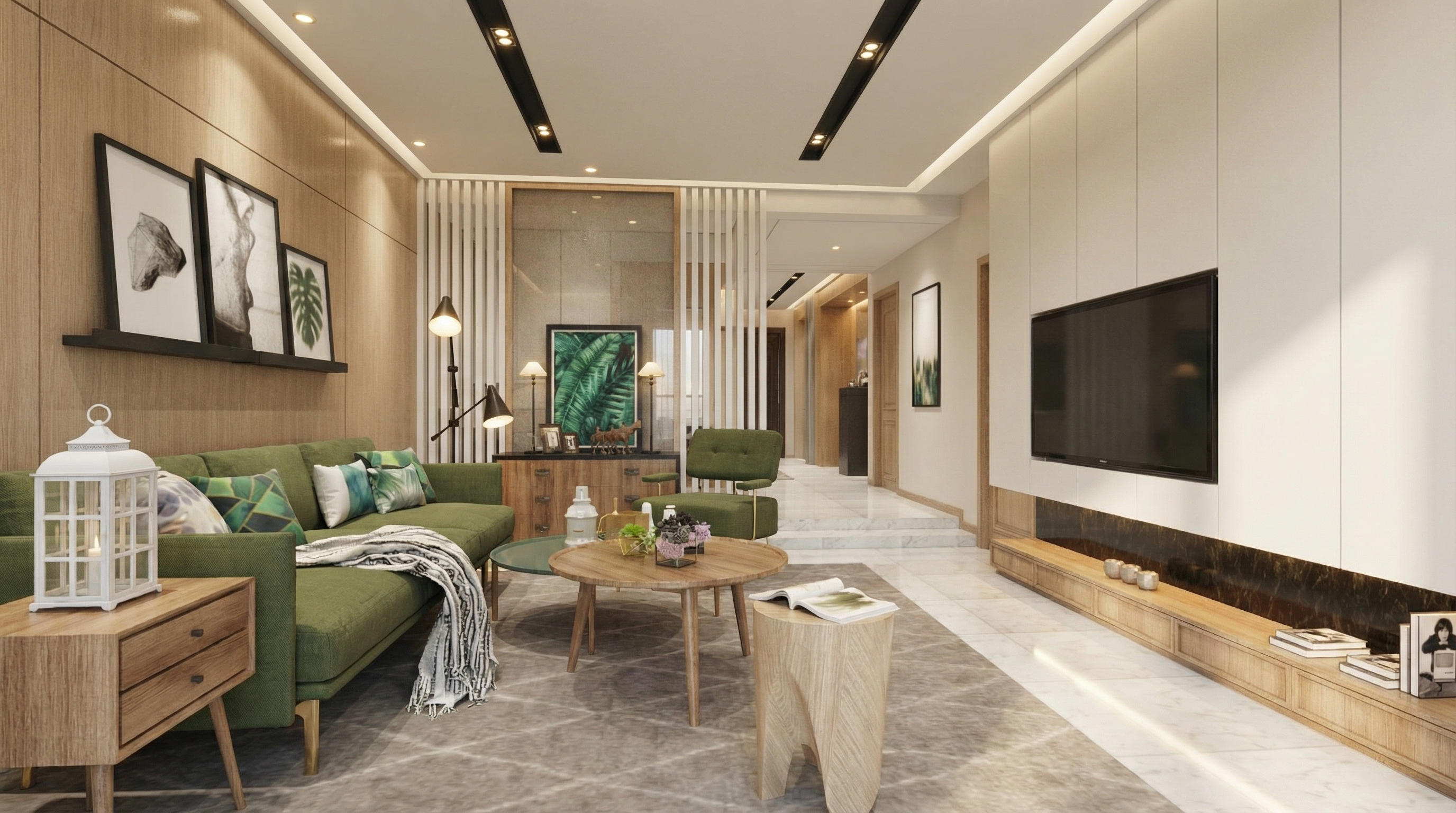
Nano

Resultado con Nano Banana

Redraw

Resultado con Redraw

2.4 Atmósfera Acogedora Universal

Cuándo usar: Cualquier ambiente interno donde quieras crear sensación de calor, confort y acogida.

El prompt:

Enhance the scene with a warm and inviting lighting atmosphere. Introduce subtle warmth into the lighting while maintaining realistic intensity and shadow behavior. Ensure smooth light gradients and comfortable visual balance without altering the original lighting composition.
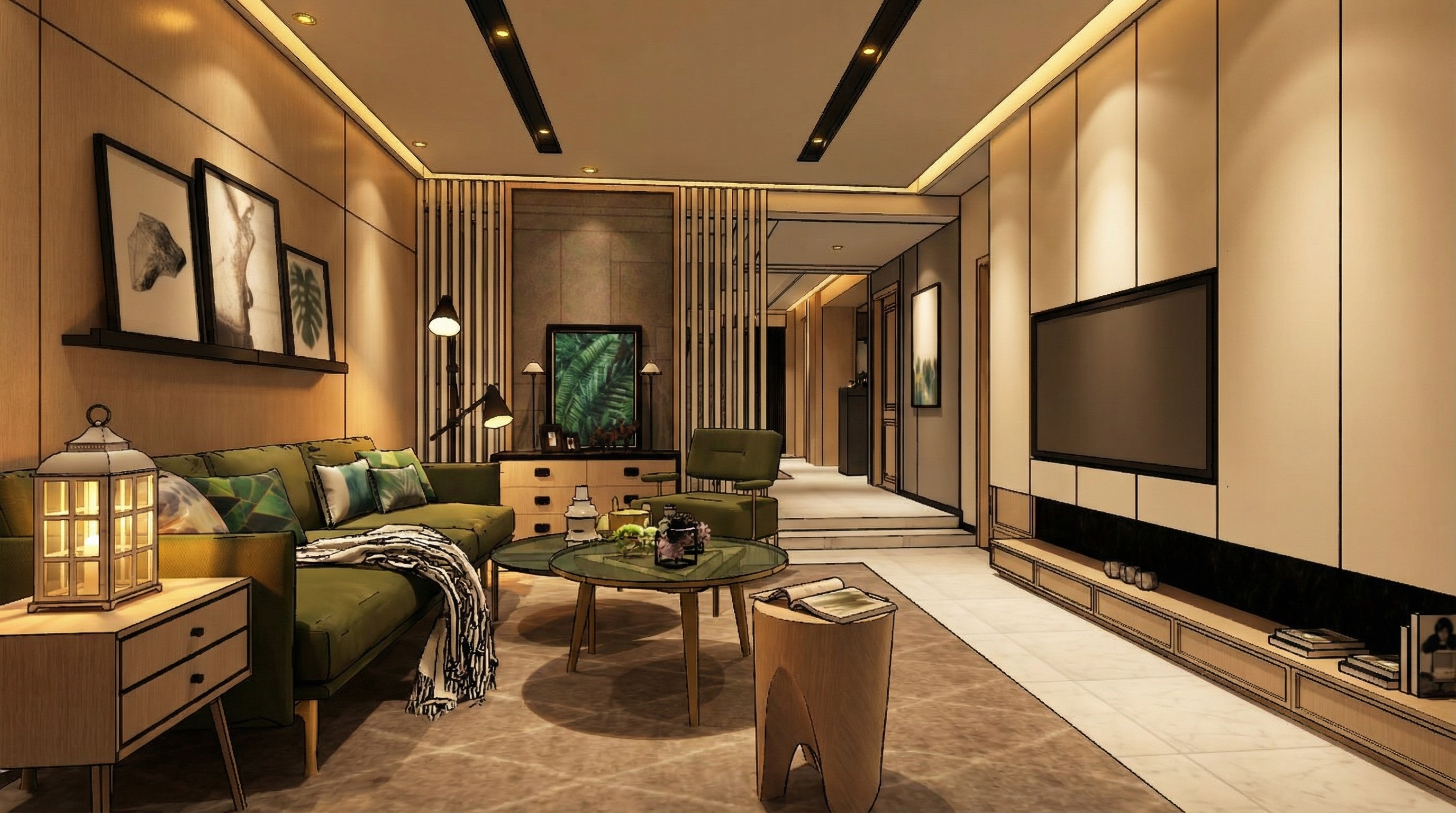
Nano

Resultado con Nano Banana

Redraw

Resultado con Redraw

2.5 Atmósfera Nocturna Universal

Cuándo usar: Presentaciones de proyectos donde el ambiente nocturno es importante.

El prompt:

Adjust the scene to simulate a realistic low-light environment. Enhance contrast between illuminated areas and darker surroundings while preserving natural light behavior. Maintain realistic reflections, ambient occlusion, and natural color balance suitable for evening environments.
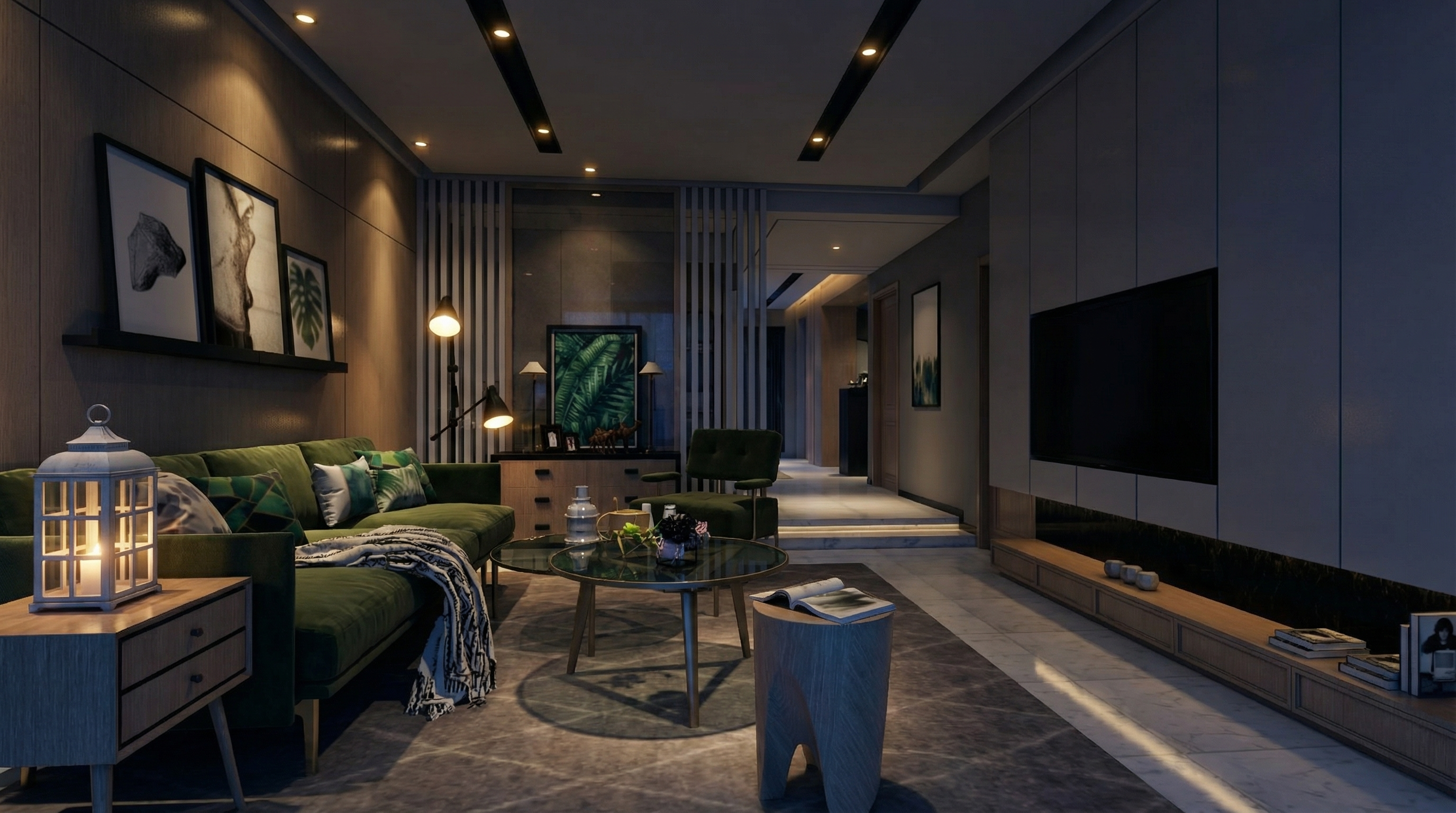
Nano

Resultado con Nano Banana

Redraw

Resultado con Redraw

PARTE 3 — Realismo de Materiales

El prompt:

Enhance natural materials with realistic surface variation, subtle tonal inconsistencies, micro texture detailing, and physically accurate light response. Maintain authentic material depth and natural imperfections.
Nano

Resultado con Nano Banana

Redraw

Resultado con Redraw

PARTE 4 — Prompts Universales por Ambiente

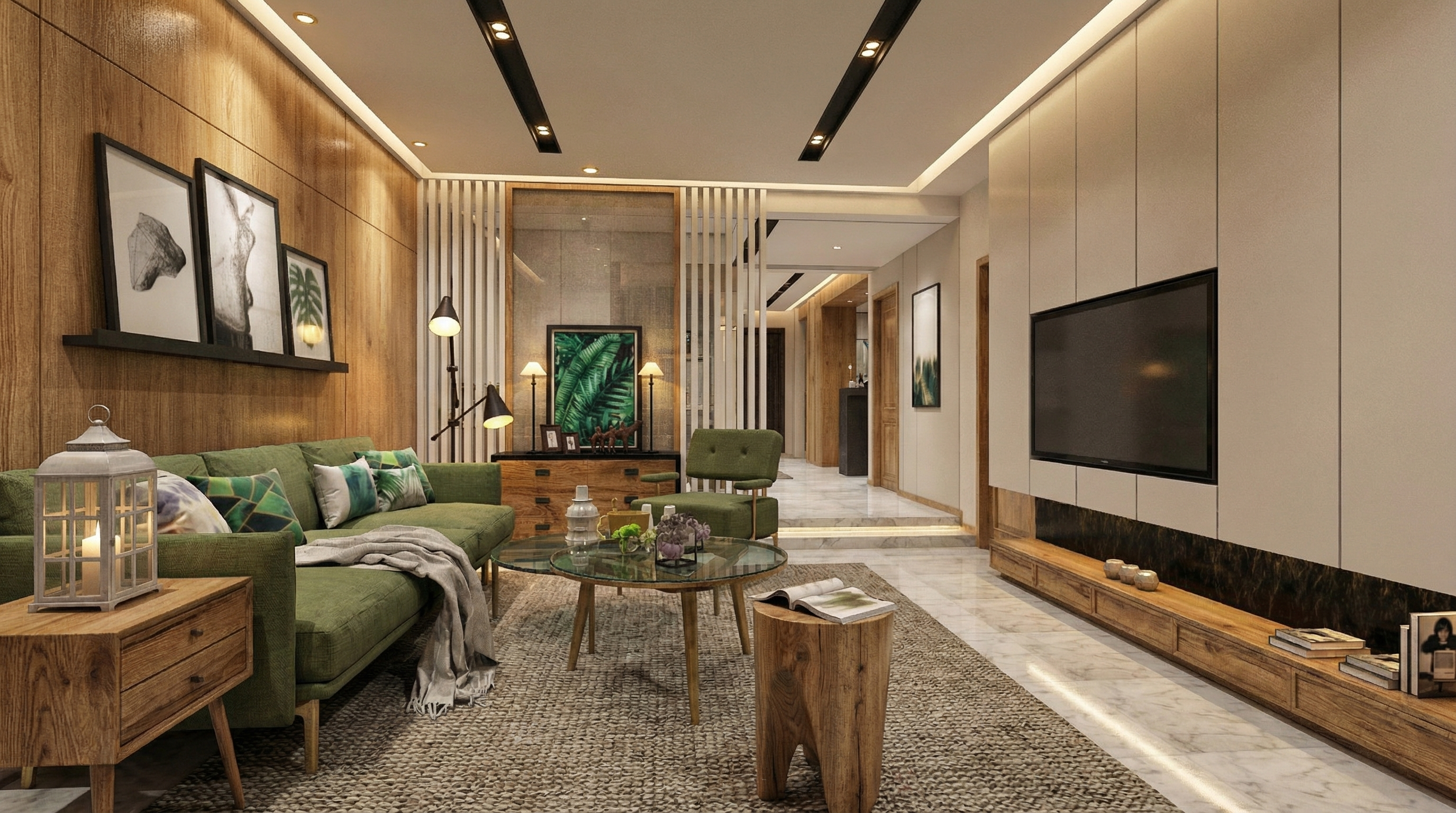
4.1 Sala de Estar — Universal

Preserve 100% of the original architecture, layout, furniture placement, materials, colors, textures, proportions, decorative elements, lighting positions, and camera angle. Do NOT add, remove, redesign, or replace any element. Enhance realism through physically accurate global illumination, natural light behavior, realistic reflections, soft shadow gradients, real-world material response, subtle micro imperfections, balanced HDR exposure, natural color grading, and professional architectural photography quality. Enhance this living environment by improving spatial comfort perception, material depth, texture clarity, and visual harmony while maintaining a welcoming and sophisticated atmosphere.
Para ejemplificación, el modelo de IA utilizado fue Nano Banana Pro — en modelos como Redraw V4, los resultados pueden ser diferentes y superiores.

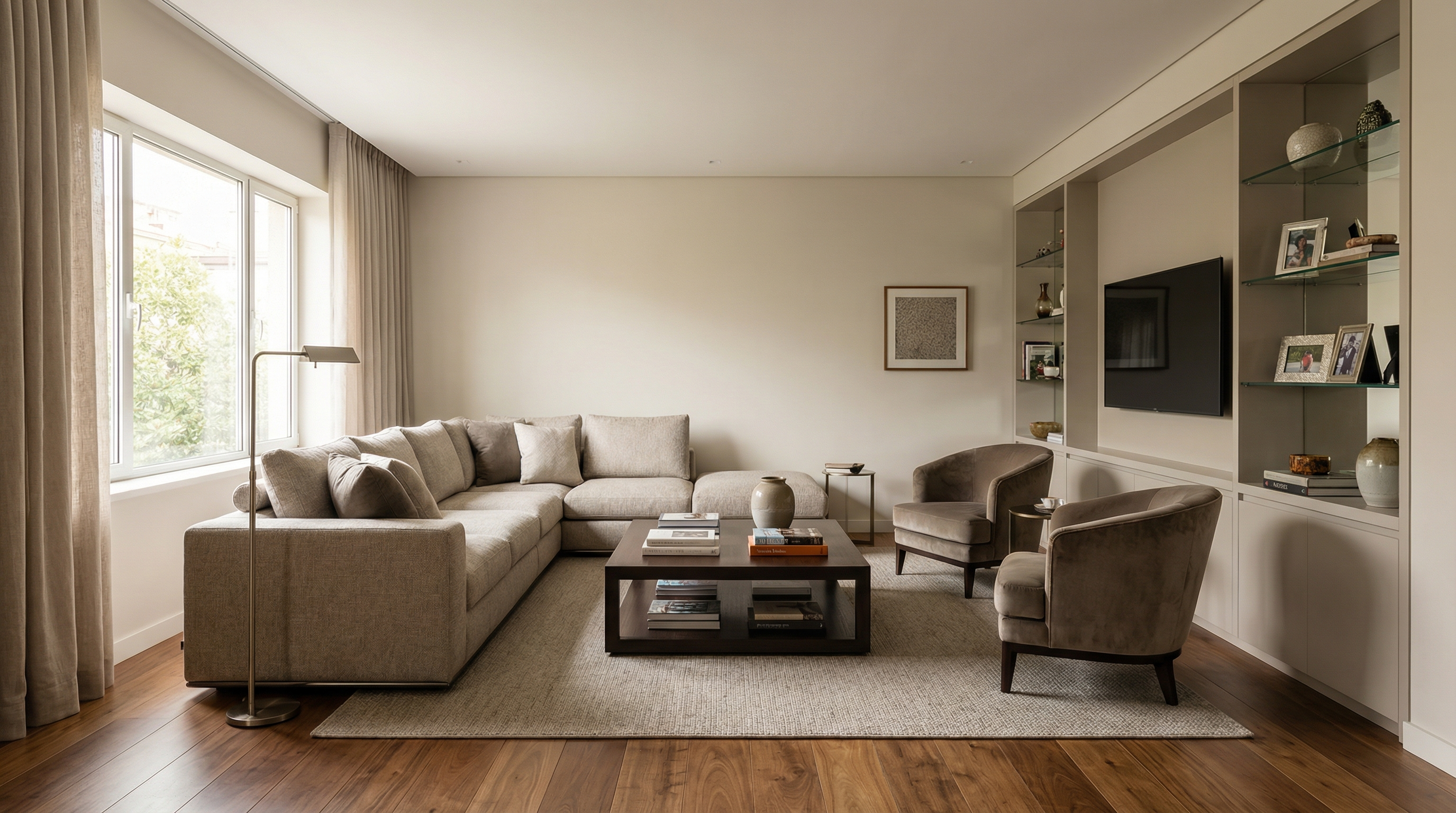
4.2 Comedor — Universal

Preserve 100% of the original architecture, layout, furniture placement, materials, colors, textures, proportions, decorative elements, lighting positions, and camera angle. Do NOT add, remove, redesign, or replace any element. Enhance realism through physically accurate global illumination, natural light behavior, realistic reflections, soft shadow gradients, real-world material response, subtle micro imperfections, balanced HDR exposure, natural color grading, and professional architectural photography quality. Enhance this dining environment by improving visual elegance, material refinement, lighting balance, and spatial clarity while maintaining a comfortable and sophisticated atmosphere.
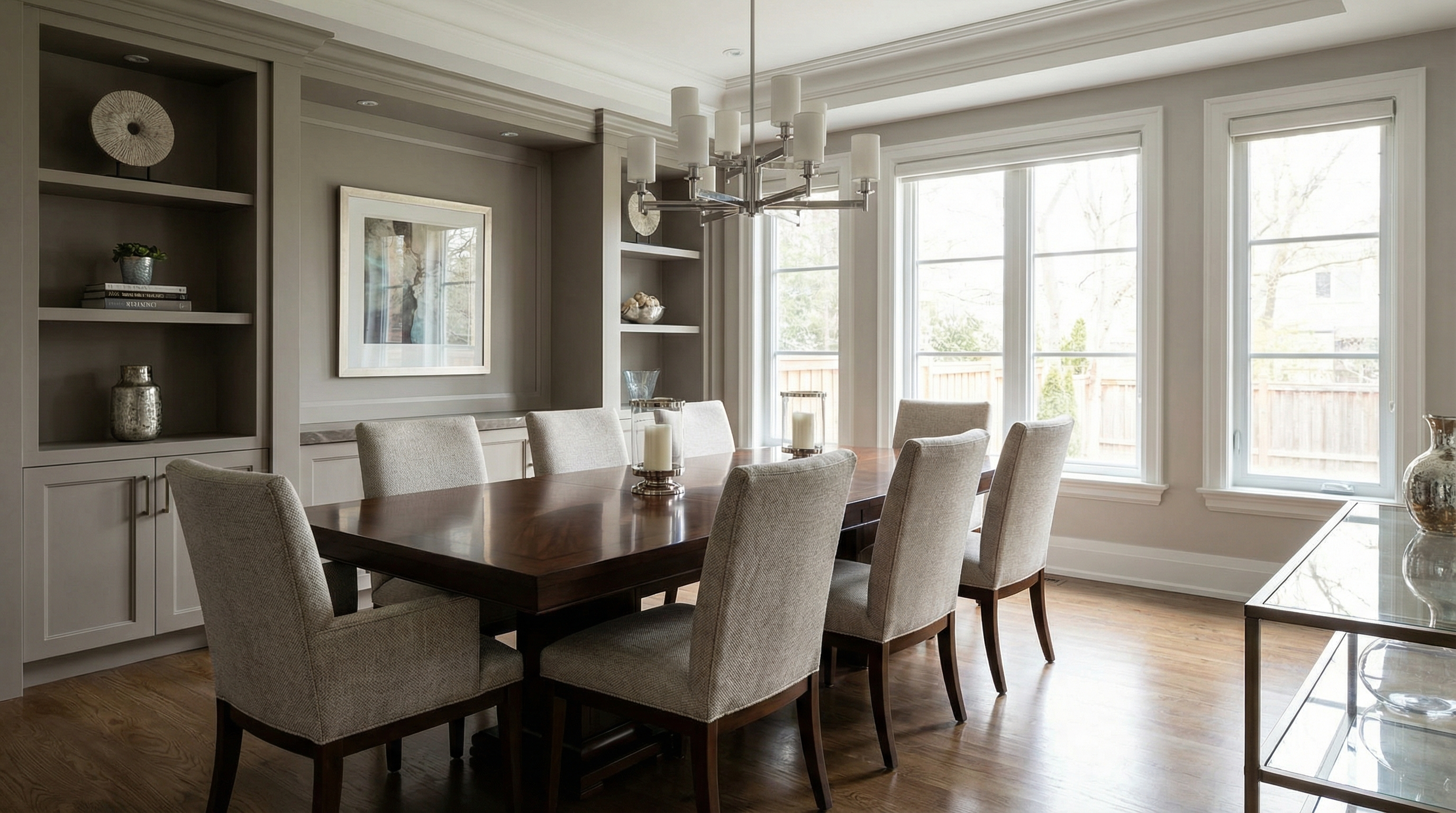
Para ejemplificación, el modelo de IA utilizado fue Nano Banana Pro — en modelos como Redraw V4, los resultados pueden ser diferentes y superiores.

4.3 Cocina — Universal

Preserve 100% of the original architecture, layout, furniture placement, materials, colors, textures, proportions, decorative elements, lighting positions, and camera angle. Do NOT add, remove, redesign, or replace any element. Enhance realism through physically accurate global illumination, natural light behavior, realistic reflections, soft shadow gradients, real-world material response, subtle micro imperfections, balanced HDR exposure, natural color grading, and professional architectural photography quality. Enhance this kitchen environment by improving surface clarity, reflective material behavior, texture realism, and spatial definition while maintaining functional clarity and visual sophistication.
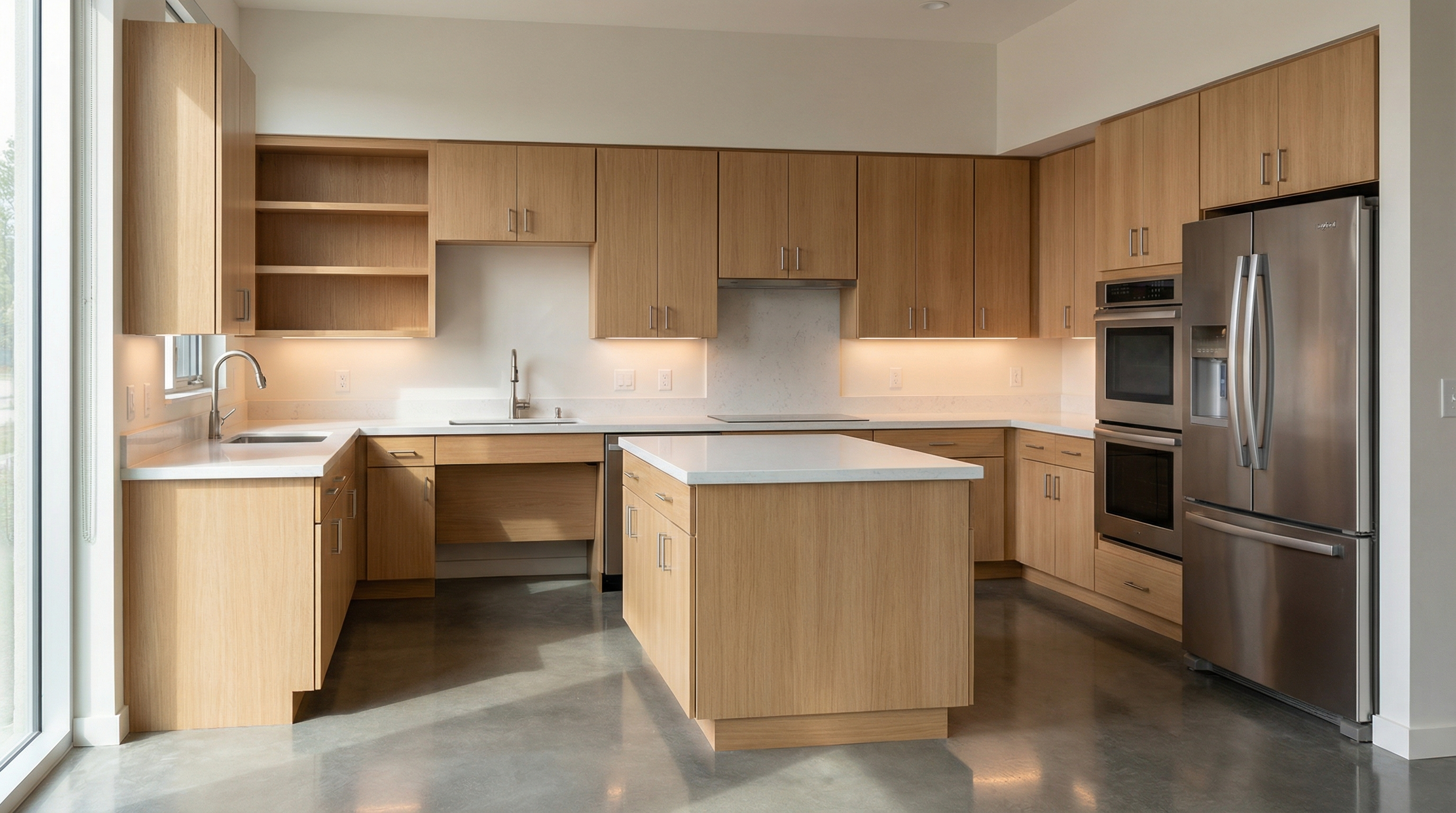
Para ejemplificación, el modelo de IA utilizado fue Nano Banana Pro — en modelos como Redraw V4, los resultados pueden ser diferentes y superiores.

4.4 Dormitorio — Universal

Preserve 100% of the original architecture, layout, furniture placement, materials, colors, textures, proportions, decorative elements, lighting positions, and camera angle. Do NOT add, remove, redesign, or replace any element. Enhance realism through physically accurate global illumination, natural light behavior, realistic reflections, soft shadow gradients, real-world material response, subtle micro imperfections, balanced HDR exposure, natural color grading, and professional architectural photography quality. Enhance this sleeping environment by improving lighting softness, material comfort perception, fabric detailing, and spatial depth while maintaining a calm and relaxing atmosphere.
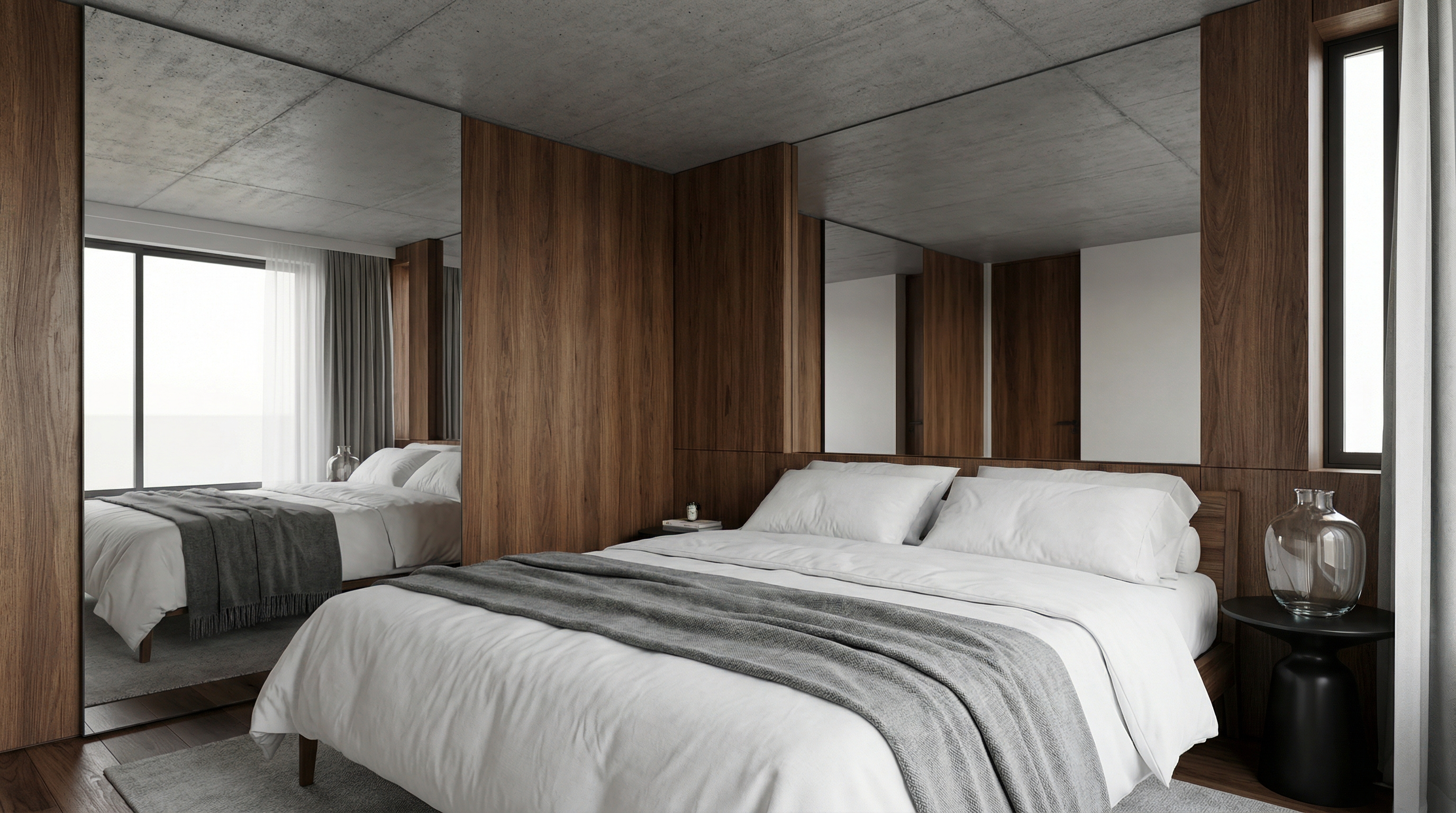
Para ejemplificación, el modelo de IA utilizado fue Nano Banana Pro — en modelos como Redraw V4, los resultados pueden ser diferentes y superiores.

4.5 Baño — Universal

Preserve 100% of the original architecture, layout, furniture placement, materials, colors, textures, proportions, decorative elements, lighting positions, and camera angle. Do NOT add, remove, redesign, or replace any element. Enhance realism through physically accurate global illumination, natural light behavior, realistic reflections, soft shadow gradients, real-world material response, subtle micro imperfections, balanced HDR exposure, natural color grading, and professional architectural photography quality. Enhance this bathroom environment by improving reflective surface behavior, material detailing, lighting clarity, and clean spatial perception while maintaining refined visual realism.
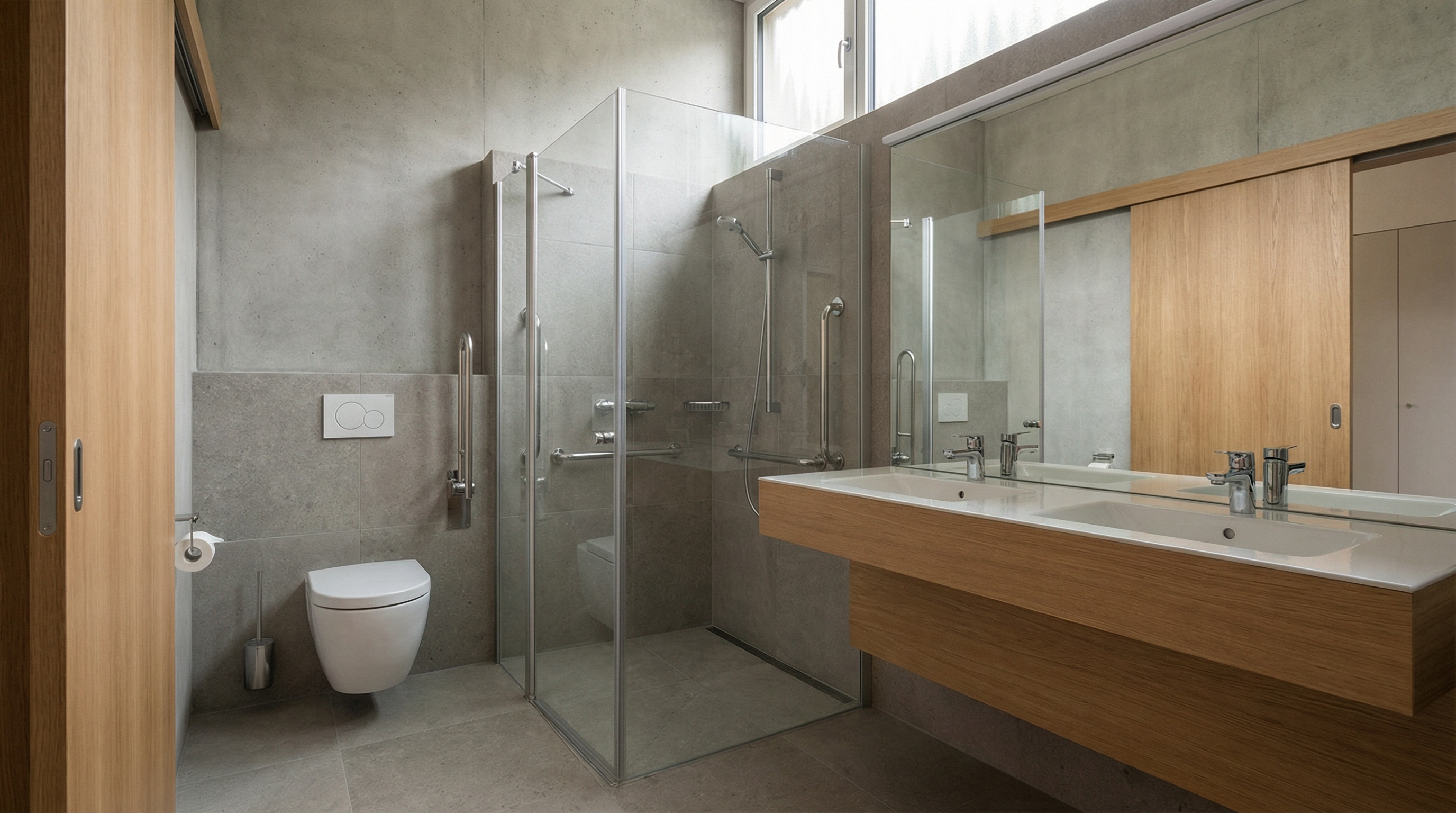
Para ejemplificación, el modelo de IA utilizado fue Nano Banana Pro — en modelos como Redraw V4, los resultados pueden ser diferentes y superiores.

PARTE 5 — Inserción de Elementos Humanos y Animales

5.1 Inserción Realista de Persona

El prompt:

Add a realistic human presence into the scene while preserving 100% of the original architecture, layout, furniture placement, materials, lighting setup, composition, and camera angle. Do NOT modify, remove, redesign, or reposition any architectural or decorative element. The human figure must complement the scene naturally and realistically.
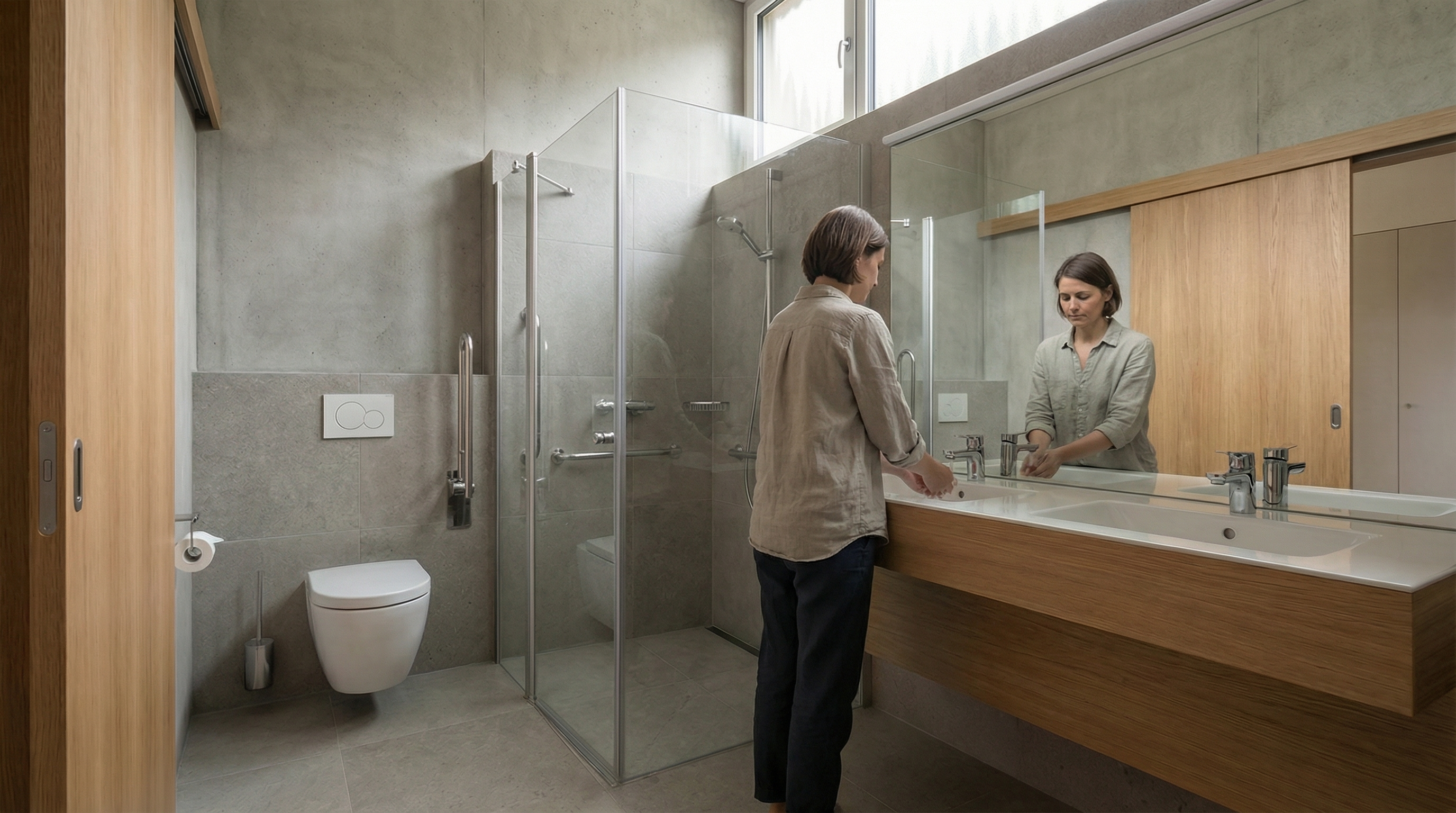
Modelo: Nano Banana Pro

5.2 Persona en Movimiento (Motion Blur)

El prompt:

Preserve 100% of the original architecture, materials, colors, textures, lighting, furniture placement, proportions, decorative elements, composition and camera angle. Do NOT modify, redesign, reposition, remove, enhance or reinterpret any element of the image. Only add a realistic human silhouette passing in front of the camera, creating a subtle motion blur effect. The person must appear naturally integrated into the scene, as if walking across the frame during a real photograph. The human figure must: Be slightly translucent (70–85% opacity) • Have vertical motion blur consistent with walking movement • Show soft directional blur edges (no hard outline) • Maintain realistic scale relative to the environment • Respect the existing lighting direction • Cast a subtle, soft, slightly blurred contact shadow on the floor. Ultra realistic integration. Professional architectural photography style.
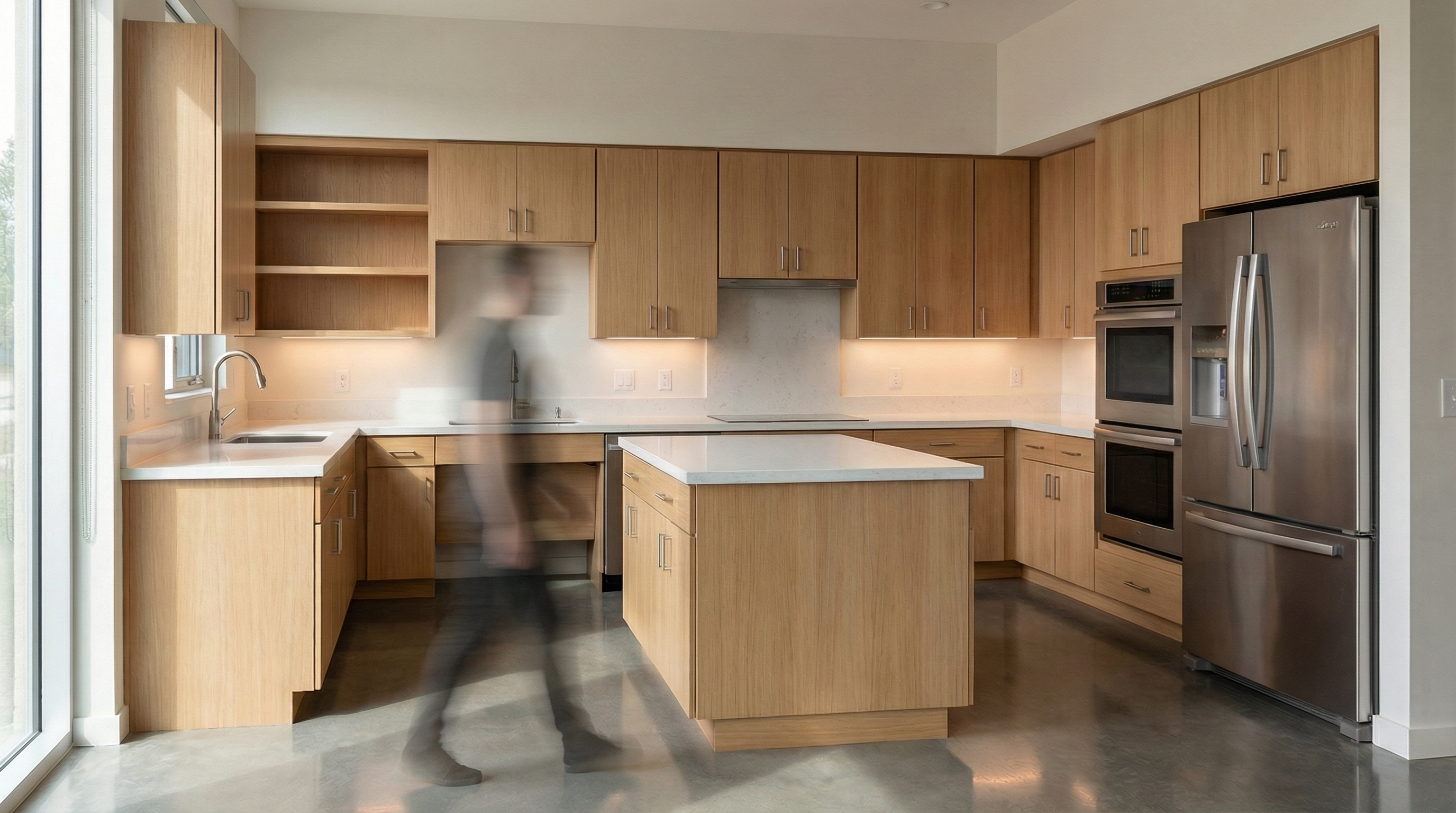
Modelo: Nano Banana Pro

5.3 Inserción de Gato

El prompt:

Preserve 100% of the original architecture, layout, furniture placement, materials, colors, textures, proportions, decorative elements, lighting positions, and camera angle. Do NOT modify, remove, or redesign any existing element. Insert a realistic cat naturally integrated into the environment. The cat must have physically accurate fur texture, natural body proportions, realistic shadows, and correct interaction with the existing lighting conditions.
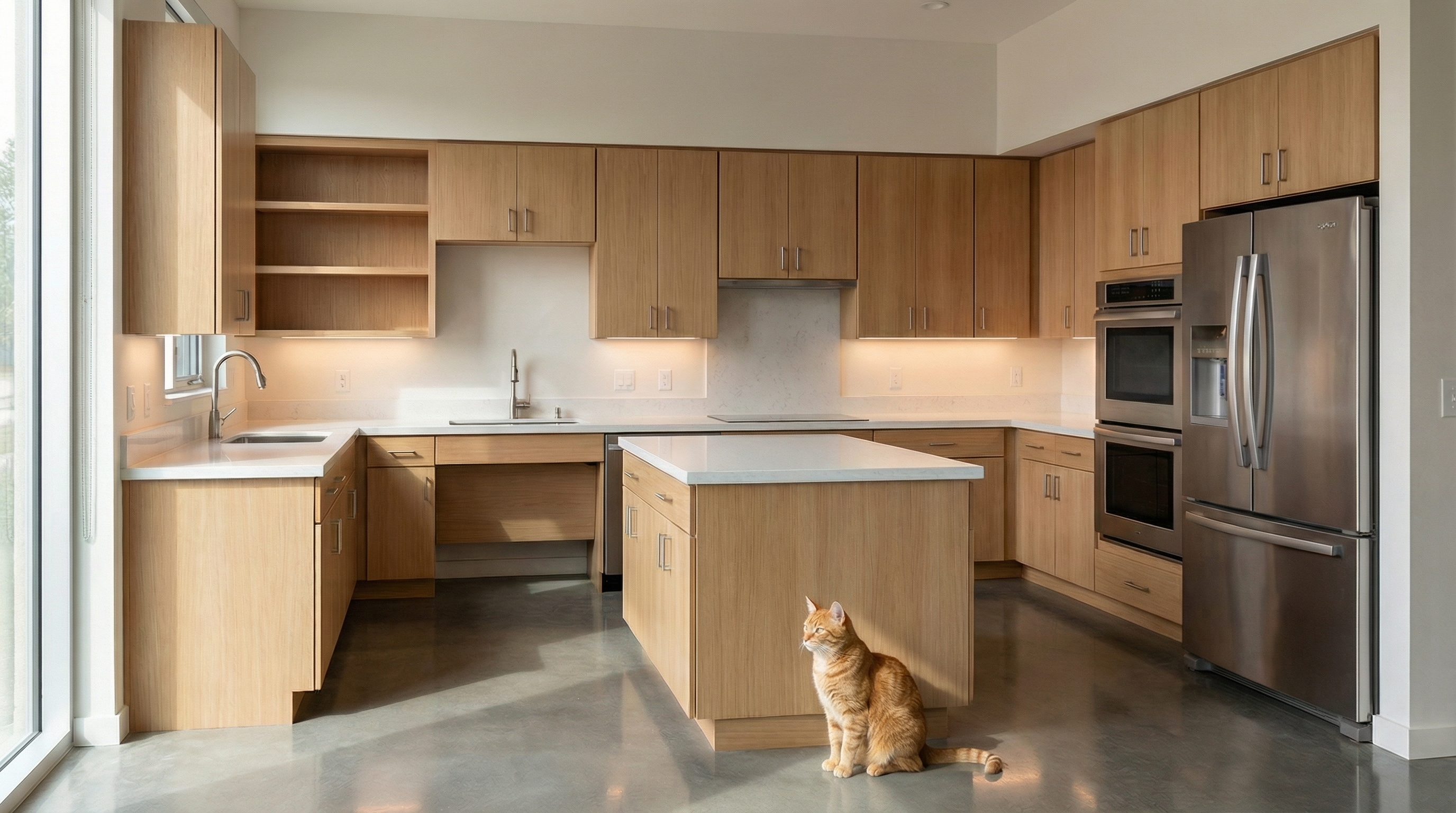
Modelo: Nano Banana Pro

5.4 Inserción de Perro

El prompt:

Preserve 100% of the original architecture, layout, furniture placement, materials, colors, textures, proportions, decorative elements, lighting positions, and camera angle. Do NOT modify, remove, or redesign any existing element. Insert a realistic dog naturally integrated into the environment. The dog must display accurate fur detailing, realistic anatomy, proper scale, and physically accurate shadow behavior according to the existing lighting conditions.
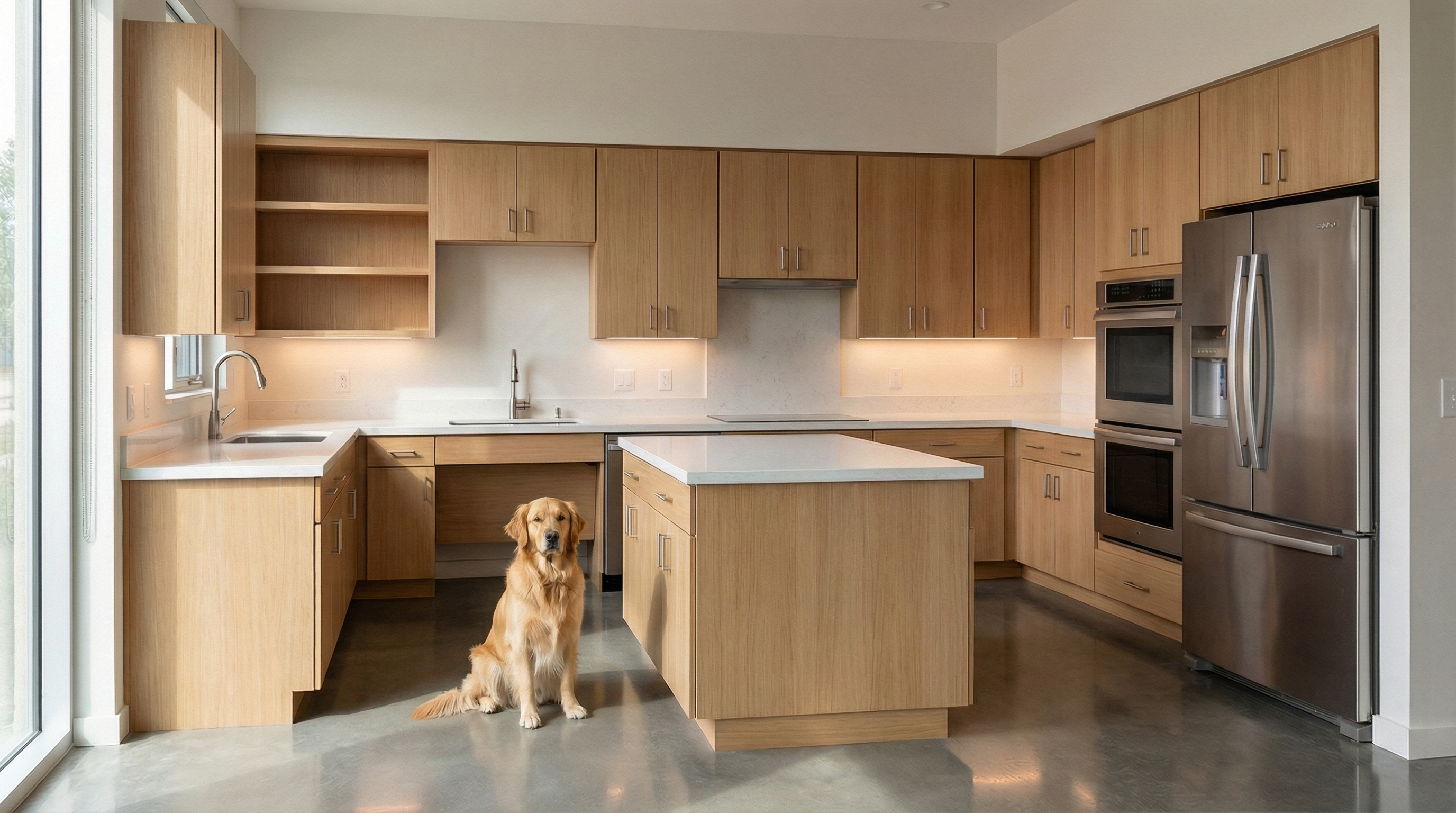
Modelo: Nano Banana Pro

Sistema de Control de Cambios de IA

Los prompts siguientes son complementarios — no generan imágenes por sí solos, pero cuando se añaden al inicio o al final de tu prompt principal, funcionan como bloqueo de seguridad.

Bloqueo Total de Cambios

Usar cuando: La IA está cambiando layout, muebles o proporciones.

Preserve 100% of the original architecture, layout, furniture placement, materials, colors, textures, decorative elements, proportions, lighting positions, and camera angle. Strictly forbid adding, removing, replacing, resizing, repositioning, or redesigning any element. The purpose of this transformation is ONLY to enhance realism, lighting behavior, and material response without altering the original design in any way.

Respeto al Diseño de Iluminación

Usar cuando: La IA está ignorando el diseño de iluminación original y creando nuevas fuentes de luz.

Preserve the original lighting design exactly as shown in the image. Do not add new light sources, remove existing lights, or modify lighting positions. Only enhance realism through natural light diffusion, realistic light bounce, soft shadow transitions, and accurate material interaction with existing lighting.

Protección de Materiales

Usar cuando: La IA está cambiando o reinterpretando los materiales del proyecto.

Preserve all original materials and textures exactly as shown. Do not replace, reinterpret, or stylize materials. Enhance realism only through improved surface detailing, micro imperfections, and physically accurate light response.

¿Qué IA usar para render de interiores?

Los prompts de esta guía funcionan con cualquier herramienta de generación de imágenes por IA basada en texto. Para renders de interiores con fidelidad al proyecto, recomendamos Redraw — la única plataforma construida específicamente para arquitectura. Subes el modelo 3D (SketchUp, Archicad, Revit, Rhino, 3DS), seleccionas el estilo y el ambiente en clics, y el render sale en 20 a 40 segundos con fidelidad al proyecto original.

Crea tu cuenta gratuita en Redraw →

Compartilhe este artigo
Resumo do conteúdo
[

Blog

]

Artigos relacionados

Acceder al blog

Sergio Santos
5 minutos de lectura

Redraw mantiene una presencia activa en múltiples plataformas y en tres idiomas: portugués, inglés y español. Cada canal está pensado para atender al público local con contenido adaptado — no es traducción literal, es contenido hecho para cada audiencia.

La estructura funciona así: Brasil es el mercado principal y concentra la mayor operación de contenido. Los canales en inglés atienden al público global (EE. UU., Europa, Asia). El español cubre la América Latina hispanohablante. No toda plataforma tiene versión en los tres idiomas — algunas operan solo en portugués o solo en inglés, según dónde el público esté más activo.

Sitio oficial

El sitio principal de Redraw tiene versiones dedicadas por idioma, cada una con contenido y blog propios:

Instagram

Instagram es el canal más fuerte de Redraw en términos de comunidad. Existen tres cuentas separadas, una por cada idioma, con contenido propio:

YouTube

YouTube opera con dos canales. El principal es en portugués y ya cuenta con videos traducidos. El canal en inglés está dedicado al público internacional:

Facebook

Dos páginas en Facebook, separadas por idioma:

LinkedIn

Redraw tiene una página oficial de la empresa y los perfiles personales de los fundadores:

TikTok

Cuenta única en portugués, enfocada en el público brasileño:

X (Twitter)

Cuenta única en inglés, orientada al mercado internacional:

Pinterest

Cuenta oficial con portafolio visual de renders:

Reddit

Perfil oficial en inglés para participar en comunidades de arquitectura y tecnología:

Plataformas de review y producto

Perfiles de Redraw en plataformas de evaluación y descubrimiento de software:

Canales de soporte

Redraw ofrece atención por tres canales: WhatsApp, e-mail y chat en el sitio.

WhatsApp

El soporte por WhatsApp se divide por mercado:

  • Brasil — Soporte 1: +55 45 93505-0832
  • Brasil — Soporte 2: +55 45 99914-8182
  • Brasil — envío de noticias: +55 45 93618-0383
  • Exterior — Soporte internacional: +55 11 93618-4552

En algunos casos, miembros del equipo pueden contactarte por WhatsApp personal para atenciones puntuales. Es normal, pero vale la regla de oro: Redraw nunca te va a pedir datos de pago por WhatsApp.

E-mail

El canal oficial de soporte por e-mail es suporte@redraw.pro. Para e-mails transaccionales (confirmaciones de cuenta, recibos, notificaciones), Redraw también puede usar el dominio @redraw-ia.com — esto sucede por cuestiones técnicas de entregabilidad del dominio .com.

Si recibes un e-mail de cualquier otro dominio diciendo ser de Redraw, desconfía.

Chat en el sitio

También es posible hablar con Redraw por el chat lateral que aparece en los sitios oficiales (redraw.pro, redraw.pro/en, redraw.pro/es). Es el mismo sistema — la conversación llega al mismo equipo de soporte.

Alerta de seguridad

Redraw nunca solicita datos de tarjeta de crédito, contraseña o información bancaria por los canales de soporte — ni por WhatsApp, ni por e-mail, ni por chat. Todo pago se realiza exclusivamente dentro de la plataforma.

Si alguien te contacta pidiendo esos datos diciendo ser de Redraw, no los proporciones. Ante la duda, envía un mensaje por otro canal de atención listado arriba y confirma si ese contacto es legítimo.

Nuestro equipo mantiene este artículo actualizado. Si algún canal cambia, lo actualizaremos aquí.

Sergio Santos
5 minutos de lectura

Por qué los diagramas y láminas marcan la diferencia

Los diagramas de partido y láminas arquitectónicas son las representaciones que demuestran el razonamiento detrás del proyecto — no solo el resultado. Son los elementos que marcan la diferencia en concursos, juntas, presentaciones académicas y portafolios profesionales de alto nivel.

Con IA es posible generar diagramas de partido, análisis solares y de ventilación, diagramas urbanos e incluso layouts completos de láminas en minutos. Los prompts de esta guía cubren todos esos casos con precisión y control.

Antes de los prompts: por qué en Redraw no los necesitas

El arquitecto no debería necesitar aprender lenguaje de máquina para generar una representación profesional. Esa premisa guió la construcción de Redraw.

En lugar de escribir luz natural cálida de fin de tarde, sombras alargadas entrando lateralmente, en Redraw haces clic en “Atardecer”.

Atmósfera & Mood en Redraw: iluminación en un clic, sin prompt largo.

En lugar de describir calle residencial suburbana con vecinos visibles al fondo, seleccionas el escenario directamente en la interfaz visual.

Selección del Ambiente en Redraw: escenario en un clic, sin descripción textual.

Cada elección que harías en un prompt largo — iluminación, ambiente, estilo, cámara — se convierte en un clic. Y como Redraw fue entrenado exclusivamente para arquitectura, el modelo ya “entiende” el contexto del proyecto sin que tengas que explicar.

“En Redraw, cuanto menos prompt ponen los usuarios, mejores son los resultados.”

Para diagramas y layouts de lámina, los prompts de esta guía siguen siendo el camino más eficiente — Redraw se especializa en los renders fotorrealistas que componen la lámina. La combinación ideal: diagramas y láminas con prompts + renders y perspectivas con Redraw = presentación completa en minutos.

Comparativo: prompt textual vs. interfaz visual

CaracterísticaHerramientas con Prompt TextualRedraw
Complejidad del promptAlta — requiere estructura técnica y largaBaja — lenguaje natural y simple
Control de iluminaciónBasado en texto técnicoBasado en clics visuales (Atmósfera & Mood)
Control de ambienteBasado en texto descriptivoBasado en clics visuales (Selección del Ambiente)
Fidelidad al proyecto 3DVariable — depende de la referencia y el promptAlta — procesa la geometría del modelo directamente
Consistencia entre generacionesBajaAlta
Foco del usuarioAprender a comandar la IADescribir la visión arquitectónica
Curva de aprendizajeEmpinadaRápida e intuitiva
Tiempo por renderAlto (prompt + ajustes + post-producción)Bajo (20–40 segundos, resultado publicable)

PARTE 1 — DIAGRAMAS DE PARTIDO

PROMPT 1 — Generador automático de diagramas de partido

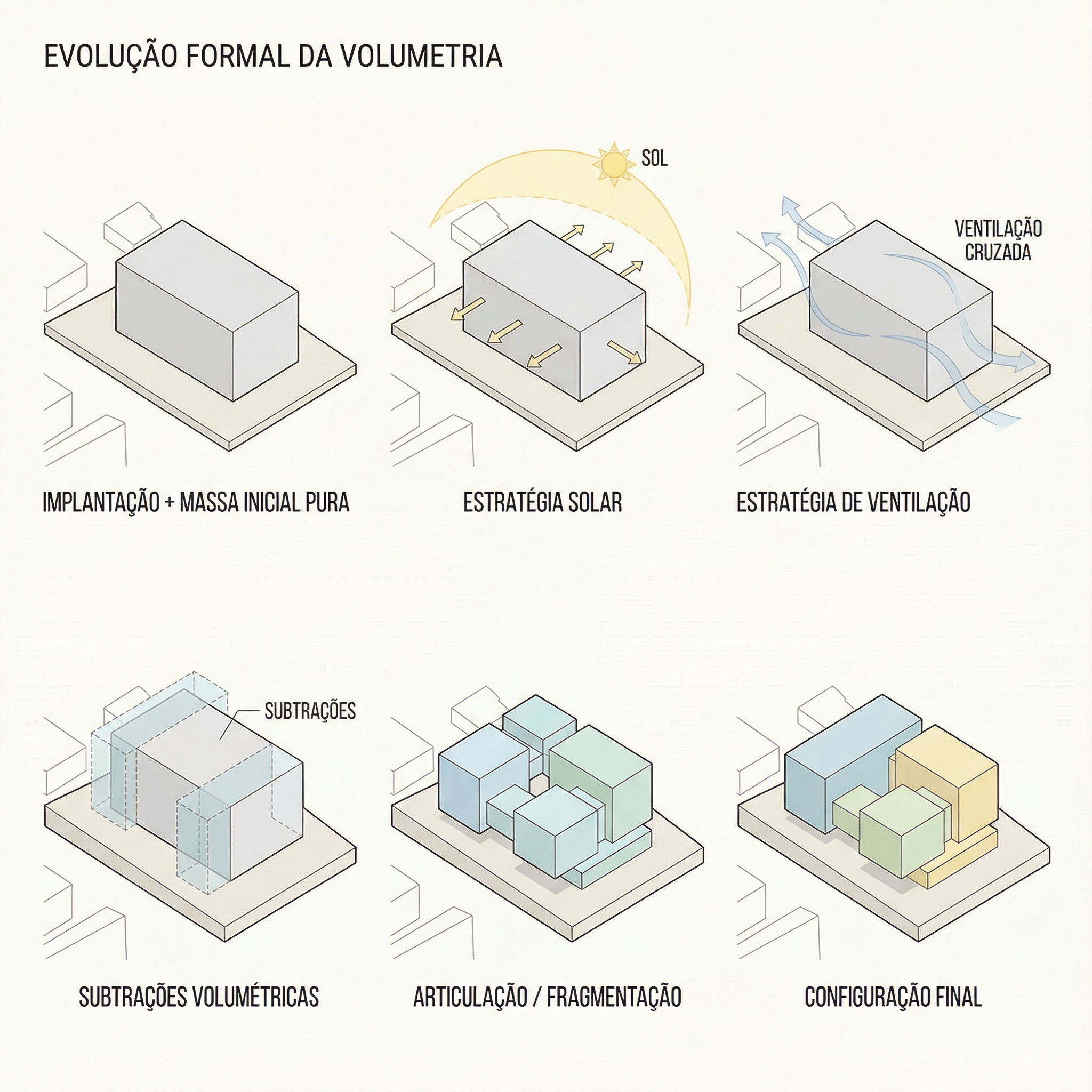
Uno de los prompts más sofisticados de la biblioteca. Instruye a la IA a analizar la volumetría final del proyecto y derivar automáticamente una secuencia lógica de diagramas que explica cómo se generó esa forma.

Lo que produce: una secuencia de 5 a 7 diagramas en estilo isométrico/axonométrico mostrando la evolución formal del proyecto — de la masa inicial a las sustracciones, adiciones y configuración final.

Cuándo usar: Láminas de concurso, presentaciones de juntas, portafolios con rigor conceptual. El diagrama de partido es obligatorio en cualquier presentación que necesite explicar por qué el proyecto tiene la forma que tiene.

Pre-requisito: tener una imagen de la volumetría 3D final del proyecto (puede ser un render simple, SketchUp, maqueta física fotografiada).

El prompt:

Use the uploaded image strictly as the FINAL architectural massing reference. You must perform a geometric and spatial analysis of the final volumetry before generating any diagrams. Do NOT redesign, reinterpret, modify proportions, change geometry, adjust scale, or alter the architectural language of the final form. The final stage must be an EXACT volumetric match of the uploaded massing. STEP 1 — MORPHOLOGICAL ANALYSIS (internal reasoning): Analyze the final massing and identify: Primary geometric primitive (rectangular block, L-shape, U-shape, courtyard block, fragmented bars, rotated volume, etc.) • Volumetric operations: Subtractions, Additions, Extrusions, Rotations, Offsets, Hierarchy, Fragmentation • Presence of: Setbacks, Internal voids, Courtyards, Overhangs, Directional elongation, Axial alignment. Derive a logical and architecturally coherent transformation sequence that plausibly generates the final form. All intermediate steps must geometrically and causally lead to the final configuration. STEP 2 — GENERATE DIAGRAM SEQUENCE: Create 5 to 7 clean conceptual architectural diagrams explaining the formal evolution of the project. The sequence must include: Site + Initial Pure Mass • Solar Strategy • Ventilation Strategy • Volumetric Subtractions • Articulation / Fragmentation • Final Configuration. LANGUAGE REQUIREMENT (MANDATORY): All visible text inside the generated image MUST be written in Brazilian Portuguese. This includes: Titles, Subtitles, Diagram captions, Labels, Explanatory text, Step numbers descriptions. Do NOT use English in any visible graphic text. Use proper Brazilian architectural terminology (e.g., Implantação, Estratégia Solar, Ventilação Cruzada, Subtrações Volumétricas, Configuração Final, etc.). RULES: The final configuration must exactly match the uploaded volumetry. Do not invent architectural elements that are not present. Maintain proportional consistency between all stages. VISUAL STYLE: Isometric or axonometric projection • Pure diagrammatic style • No textures • No photorealism • Soft neutral pastel palette • Light background • Thin line weights • Minimal soft shadows only for volumetric clarity • Professional architectural competition board aesthetic • Balanced composition with white margins. GRAPHIC LANGUAGE: Sun path represented by a soft arc diagram • Wind shown with subtle curved directional arrows • Subtractions represented by dashed or transparent ghost volumes • Final massing in solid tone • Base platform indicating the site. OUTPUT REQUIREMENT: High resolution. Clean layout. Clear diagram hierarchy. Minimalist architectural presentation.

Qué diferencia este prompt:

  • El análisis morfológico interno (Step 1) hace que la IA razone sobre el proyecto antes de generar — el resultado es lógicamente coherente, no inventado
  • “All visible text MUST be written in Brazilian Portuguese” — resultado utilizable de inmediato en láminas sin post-edición de texto (cambia el idioma según tu locale)
  • La jerarquía visual (ghost volumes para sustracciones, sólido para configuración final) es el lenguaje estándar de los diagramas de concurso internacional

Resultado — Generado con Redraw

PROMPT 2 — Análisis solar y de ventilación

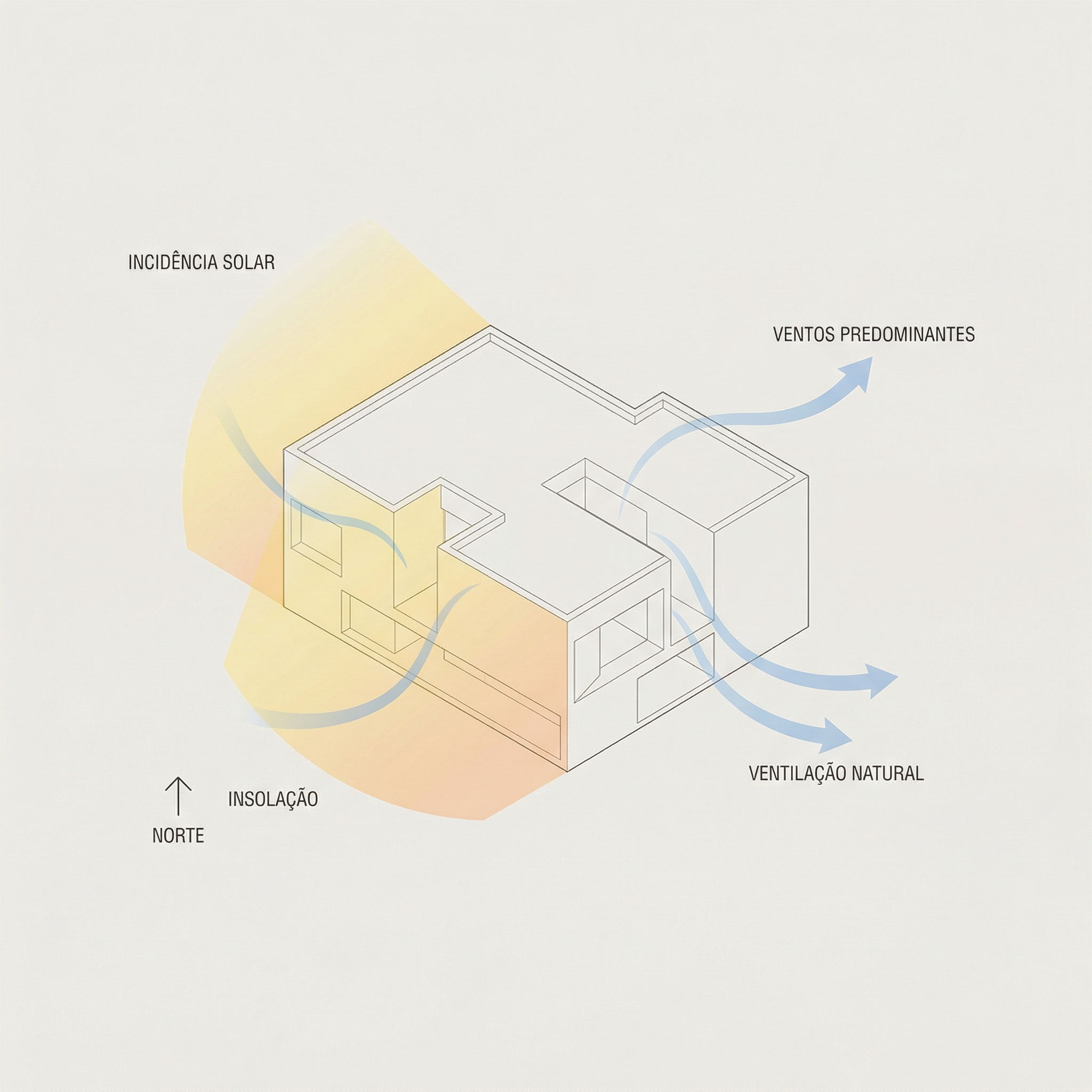
Cuándo usar: Complemento del diagrama de partido. Mientras el Prompt 1 muestra la evolución formal, este muestra las estrategias ambientales que justifican las decisiones formales.

El prompt:

Use the attached image as base reference. Create an architectural environmental analysis diagram based strictly on the provided volumetric model. Preserve 100% of the original architecture, geometry, proportions, openings, roof shape and perspective. Do NOT modify, redesign, reinterpret, simplify or alter any element of the project. The building must remain exactly as provided. Generate a clean conceptual diagram illustrating: Solar incidence (ensolação) • Sun path direction • Light exposure areas • Prevailing wind direction • Natural ventilation flow. Representation guidelines: Use soft translucent overlays to indicate sunlight • Use subtle warm gradient tones (yellow / orange) for solar impact • Use smooth curved arrows for wind flow (blue tones) • Maintain a minimal and elegant architectural diagram style • Keep a light neutral background • Do not exaggerate graphic elements • The architecture must remain the main focus. Text and labels must be written in Brazilian Portuguese only. Include labels such as: • Insolação • Ventos predominantes • Ventilação natural • Incidência solar • Norte. High-resolution architectural presentation quality. Clean, competition-level diagram aesthetic.

Qué diferencia este prompt:

  • Gradientes cálidos (amarillo/naranja) para incidencia solar, flechas curvas suaves en azul para ventilación — el lenguaje visual estándar de los diagramas ambientales de concurso
  • “Do not exaggerate graphic elements” — evita que flechas gigantes y overlays pesados dominen visualmente el diagrama
  • Todos los labels en portugués (cámbialos a tu idioma según necesites), listos para usar

Resultado — Generado con Redraw

PROMPT 3 — Diagrama urbano conceptual (entorno completo)

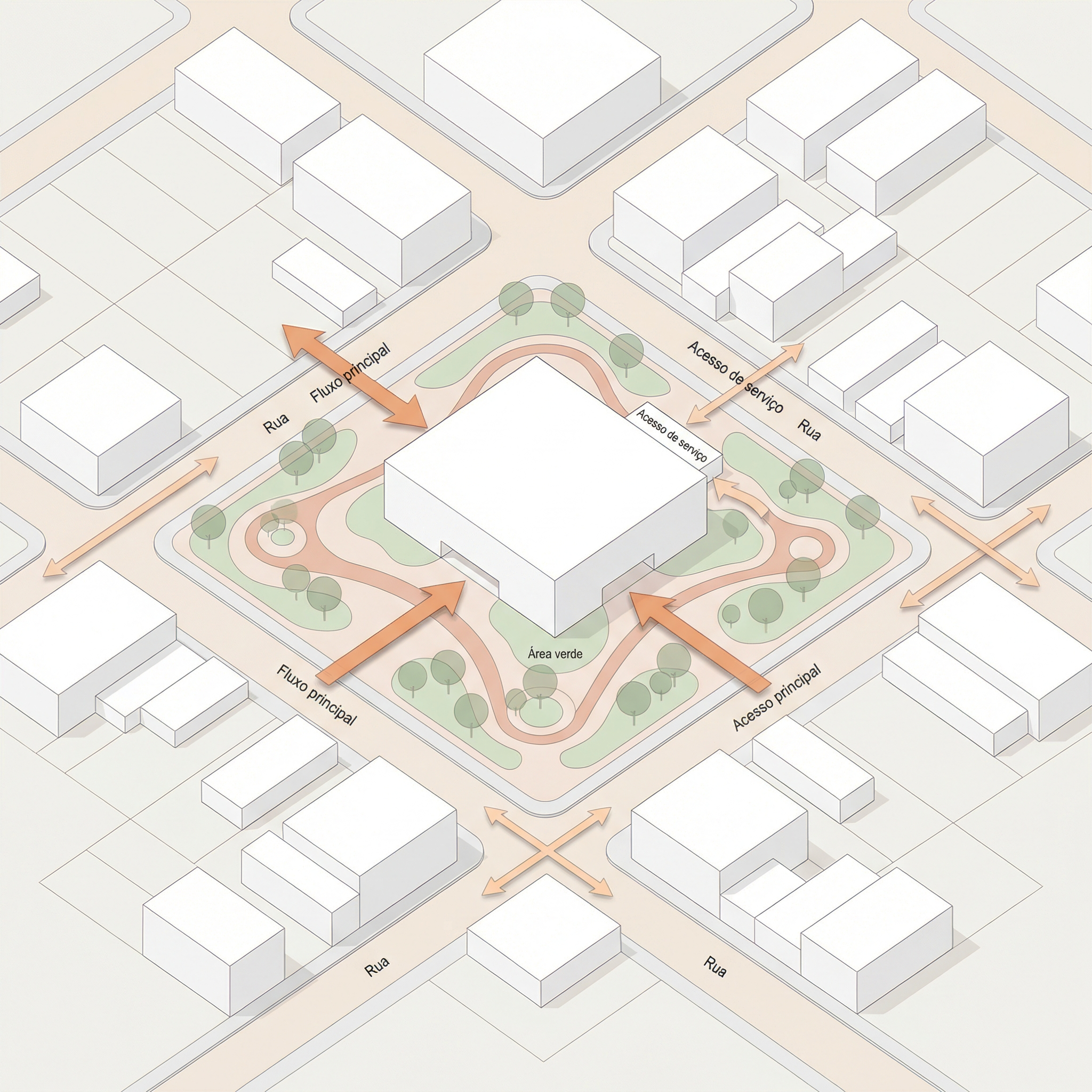
Cuándo usar: Proyectos en contexto urbano donde necesitas mostrar flujos de circulación, accesos, áreas verdes y conexiones urbanas alrededor del lote/manzana. Muy usado en láminas de implantación y proyectos de urbanismo.

El prompt:

Use the uploaded image strictly as the base volumetric reference. The uploaded model contains only the white architectural massing. You must preserve 100% of the original building volumes, geometry, proportions, scale and perspective. Do NOT modify, redesign, reinterpret, subtract, add or distort the architectural masses in any way. The buildings must remain exactly as provided. OBJECTIVE: Transform the simple white volumetry into a complete conceptual urban architectural diagram. ADD THE FOLLOWING ELEMENTS: Urban Context: Surrounding streets around the block • Sidewalks • Street names (in Brazilian Portuguese) • Subtle lot demarcations • Clean urban grid indication. Central Landscape / Open Space: Organic pedestrian paths crossing the site • Green areas with soft shapes • Trees distributed naturally • Small plazas or gathering areas. Circulation and Flow Diagrams: Add conceptual arrows indicating: Pedestrian flow • Main access points • Secondary access • Urban connections • Possible vehicular flow. Use: Warm orange arrows for main flows • Thinner arrows for secondary paths • Soft shadows under arrows for depth • Slight transparency. Graphic Style: Architectural conceptual diagram aesthetic • White buildings (clean, no texture) • Soft pastel ground tones • Minimal color palette • Thin linework • Subtle shadows for depth • Light neutral background • Slight isometric or axonometric perspective • Professional competition board style. TEXT (MANDATORY: BRAZILIAN PORTUGUESE): Include subtle labels such as: Fluxo principal • Fluxo secundário • Acesso principal • Acesso de serviço • Área verde • Conexão urbana • Rua. IMPORTANT RULES: Architecture must remain the visual anchor. Do not exaggerate graphic elements. Vegetation must be simplified and diagrammatic. Maintain visual hierarchy.

💡 Cómo adaptar: El prompt usa la volumetría como referencia fija. Puedes enviar un modelo simple de SketchUp exportado como imagen — no necesita ser un render final.

Resultado — Generado con Redraw

PROMPT 4 — Implantación conceptual con calles frontales

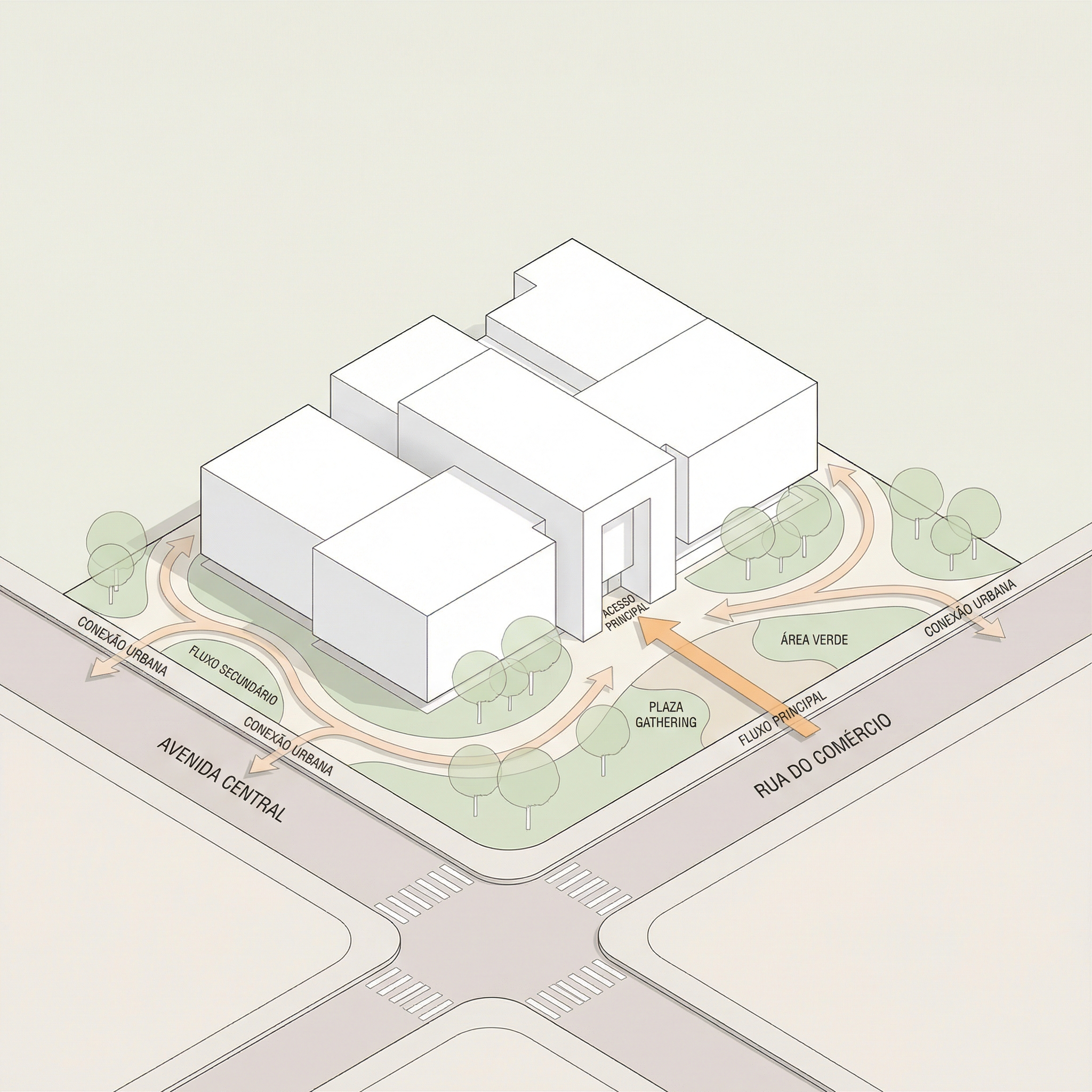
Cuándo usar: Variación del diagrama urbano cuando el foco es la relación del proyecto con las calles al frente — esquinas, accesos principales, conexión con el espacio público frontal.

El prompt:

Use the uploaded image strictly as the base volumetric reference. The uploaded image contains only the white architectural massing. You must preserve 100% of the original volumes, geometry, proportions, scale and perspective. Do NOT modify, redesign, reinterpret, subtract, add or distort any architectural element. The buildings must remain exactly as provided. OBJECTIVE: Transform the white volumetry into a clean conceptual urban diagram by adding only frontal street context and landscape organization. URBAN CONTEXT RULE — Very Important: Add streets ONLY in the FRONT portion of the composition. Create two perpendicular streets crossing in front of the site (forming a corner or cross intersection). Do NOT add any streets behind the buildings. The back portion must remain clean and minimal. The frontal streets must feel integrated and proportional to the building scale. ADD THE FOLLOWING ELEMENTS: Front Urban Streets: Two perpendicular streets crossing in front of the site • Sidewalks • Subtle curbs • Optional crosswalk markings (minimal) • Street names in Brazilian Portuguese. Central Landscape / Open Space: Organic pedestrian paths within the site • Trees in diagrammatic style • Soft green areas • Small plaza or gathering node if balanced. Circulation and Flow: Add conceptual arrows indicating: Fluxo principal • Fluxo secundário • Acesso principal • Conexão urbana. Use: Warm orange arrows for main flows • Thinner arrows for secondary flows • Soft drop shadows • Slight transparency. GRAPHIC STYLE: Architectural competition diagram aesthetic • White massing volumes (no texture) • Soft pastel ground tones • Thin linework • Minimal color palette • Light neutral background • Slight axonometric or isometric perspective. TEXT (MANDATORY: BRAZILIAN PORTUGUESE): Include: Fluxo principal • Fluxo secundário • Acesso principal • Área verde • Rua • Conexão urbana. Modern, clean sans-serif typography.

Diferencia con el Prompt 3: mientras el diagrama urbano completo muestra todo el entorno de la manzana, este se enfoca solo en la relación frontal — más limpio y directo para proyectos donde el acceso principal es el elemento más relevante de la implantación.

Resultado — Generado con Redraw

PARTE 2 — LÁMINAS ARQUITECTÓNICAS

PROMPT 5 — Lámina A1 vertical (Estilo 01)

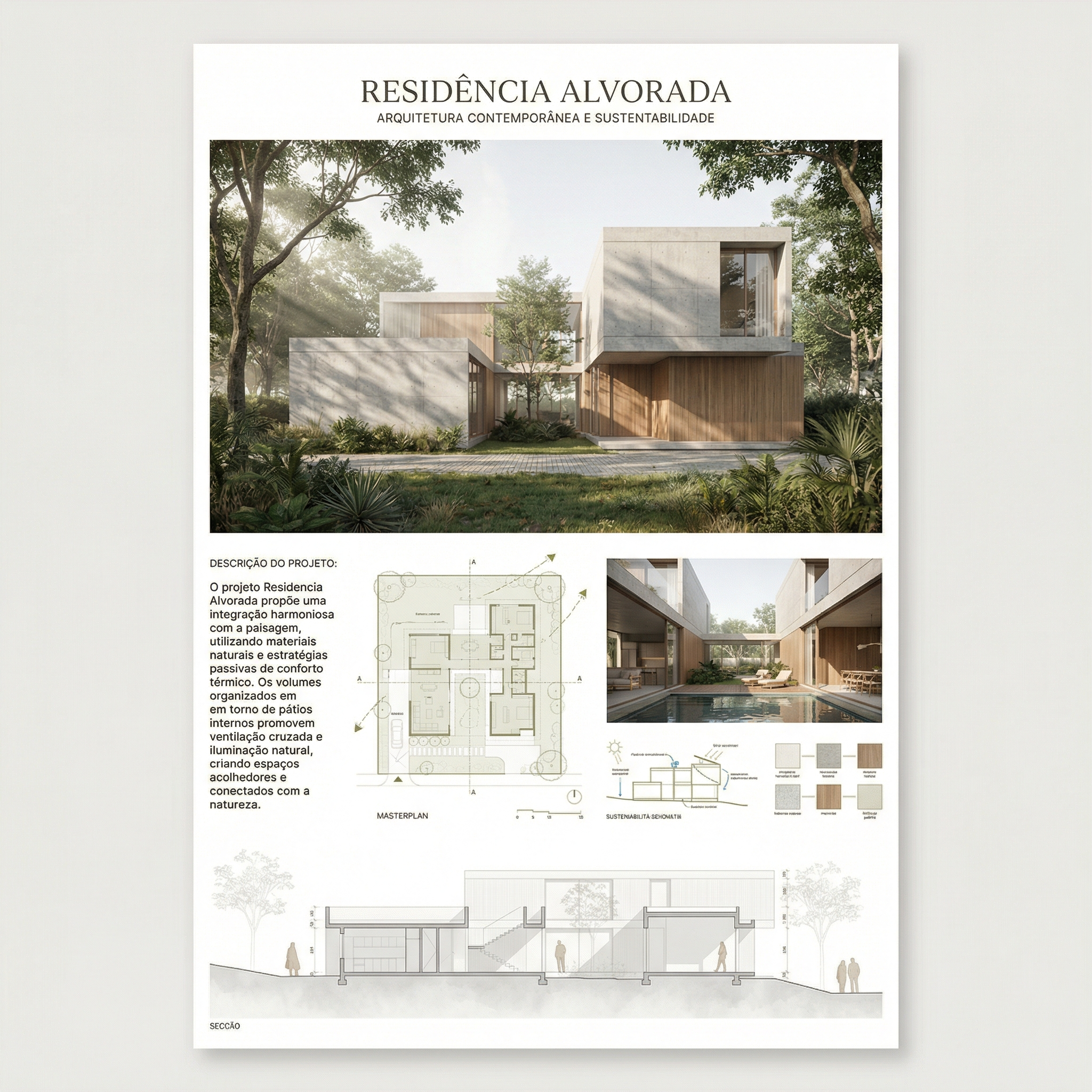
Cuándo usar: Láminas de concurso o portafolio con layout limpio y jerarquía clara — render principal arriba, plantas y cortes en el medio, secciones en la base.

Lo que genera: layout completo de lámina A1 vertical con jerarquía tipográfica, grid organizado y paleta de tonos neutros/cálidos.

Cómo usar: envía las imágenes de tu proyecto junto con el prompt. La IA va a montar el layout usando los elementos provistos.

El prompt:

Create a professional architectural presentation board layout in A1 vertical format (portrait orientation). Background: clean white or very soft warm off-white. TOP SECTION (upper 50% of the board): Large hero architectural render (provided image) centered and occupying the full width. Maintain clean margins around the image. TITLE AREA: Large elegant serif typography for the project name at the top center. Subtitle in small uppercase sans-serif below it. Refined and minimal typographic hierarchy. MIDDLE SECTION (organized grid layout): Left side: project description text block with justified alignment. Center: site plan and masterplan drawings aligned symmetrically. Include light lineweights and minimal annotations. Right side: secondary perspective render. Add minimal technical diagrams in thin olive-green line style. BOTTOM SECTION: Long horizontal architectural sections spanning the width of the board. Light grayscale linework with subtle shadows. Small human scale figures in soft neutral tones. GRAPHIC STYLE: Architectural competition board aesthetic. Soft muted color palette inspired by warm neutrals, beige concrete tones, and subtle olive green accents. Thin grid-based layout structure. Balanced white space. Clean margins. Professional composition. Refined minimal contemporary presentation. Print-ready, high resolution, 300 dpi, architectural board layout.

Resultado — Generado con Redraw

PROMPT 6 — Lámina A1 vertical (Estilo 02)

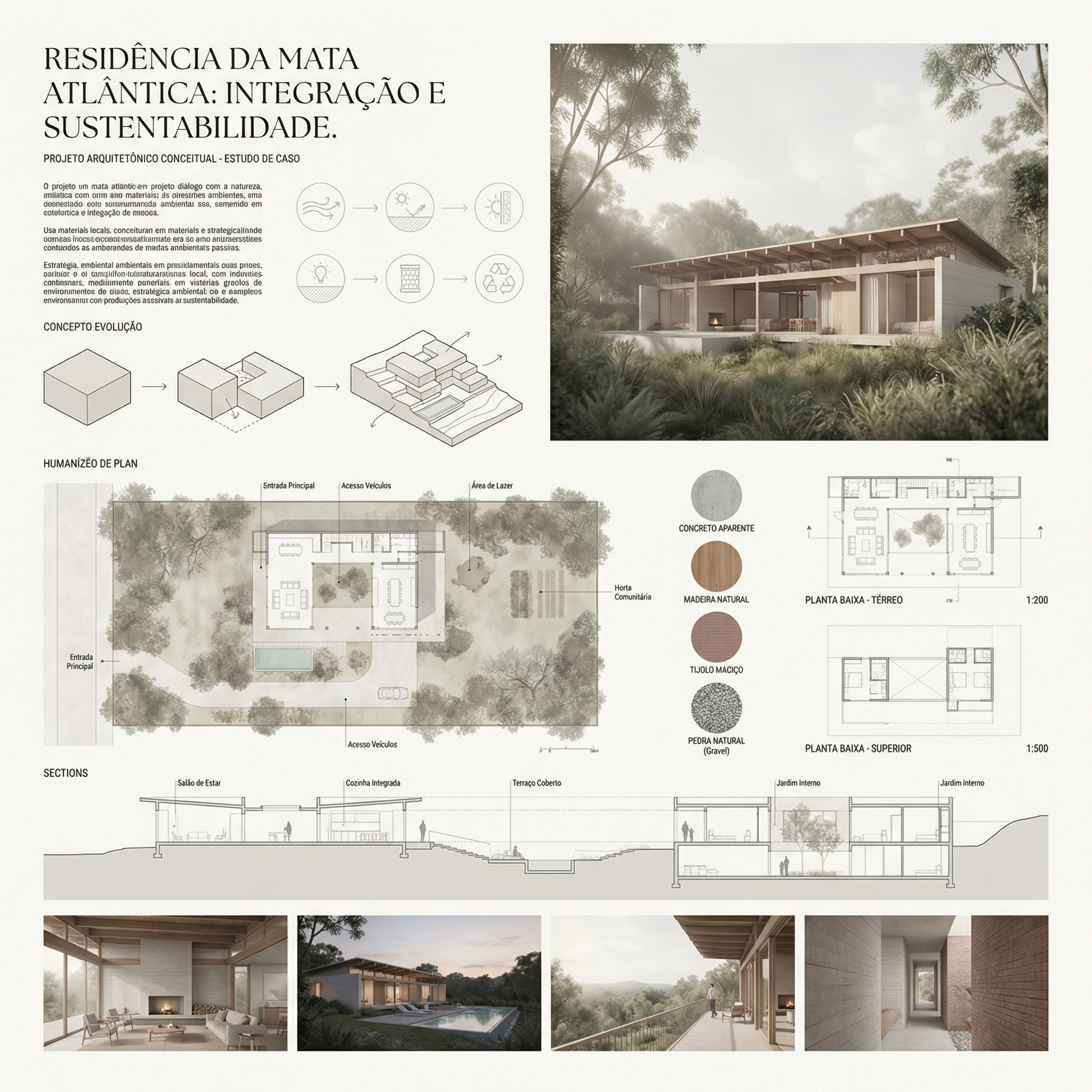
Cuándo usar: Láminas con estética de concurso europeo — composición más editorial, espaciado generoso, diagramas conceptuales integrados al layout, materiales y plantas juntos.

El prompt:

Create a professional architectural presentation board in A1 vertical format (portrait orientation), inspired by European competition boards and editorial architectural publications. Background: Soft warm off-white with very subtle paper texture, minimal grain, natural matte finish. Overall layout: Balanced but slightly organic composition. Elegant editorial spacing. Thin grid alignment but not rigid. Generous white margins. Clear hierarchy between text, diagrams, plans, and renders. TOP SECTION: Large project title in elegant serif typography. Subtitle in small uppercase sans-serif. Below the title: conceptual text block aligned to the left. Include: Small conceptual diagrams in thin light-gray linework. Minimal iconography in circular outline style. Concept evolution diagrams (old vs new, massing progression, relationships). UPPER RIGHT AREA: Large atmospheric perspective render. Soft daylight, diffused lighting. Natural vegetation. Subtle shadows. Editorial architectural visualization style. MIDDLE SECTION: Large humanized site plan with muted vegetation tones. Soft green landscaping. Desaturated palette. Light shadows under trees. Thin annotations. Include: Material palette circles (concrete, brick, wood, gravel). Small diagrammatic plans (ground floor, upper floor). Scale indication (1:500, 1:200). LOWER SECTION: Horizontal architectural sections across the width. Light grayscale linework. Subtle poche. Small neutral human silhouettes. BOTTOM STRIP: 2 to 4 smaller renders aligned in a clean grid. Soft atmospheric perspective. Balanced exposure. Natural color grading. GRAPHIC STYLE: Architectural competition aesthetic. Editorial European layout. Muted neutral palette: warm beige, soft olive green, dusty brick, light concrete gray. No saturated colors. No harsh contrast. No heavy black lines. Drawing style: Thin lineweights. Soft shadows. Subtle depth layering. Minimal annotations. Mood: Calm, refined, sophisticated, contemporary. Print-ready. 300 dpi. High resolution.

Resultado — Generado con Redraw

Consejos para usar los prompts de lámina

Envía los elementos separados: La IA arma mejor cuando recibe renders, plantas y cortes como imágenes separadas que ella organiza en el layout, en lugar de intentar extraer elementos de una imagen compuesta.

Especifica el nombre del proyecto: Añade al prompt: “Project name: [nombre del proyecto]. Subtitle: [tipo/ubicación].”

Paleta personalizada: Si tu proyecto tiene una identidad visual definida, añade: “Use [color] as the primary accent color throughout the board.”

Formato de salida: La IA va a generar una imagen del layout. Para edición posterior en Illustrator o InDesign, puedes usar la imagen como referencia de composición y recrear el layout con los archivos originales.

Sistema de control de cambios de IA

Usa estos prompts complementarios cuando la IA altere elementos que no debería en tus diagramas o láminas.

Bloqueo total de cambios

Preserve 100% of the original architecture, layout, furniture placement, materials, colors, textures, decorative elements, proportions, lighting positions, and camera angle. Strictly forbid adding, removing, replacing, resizing, repositioning, or redesigning any element. The purpose of this transformation is ONLY to enhance realism, lighting behavior, and material response without altering the original design in any way.

Respeto al diseño de iluminación

Preserve the original lighting design exactly as shown in the image. Do not add new light sources, remove existing lights, or modify lighting positions. Only enhance realism through natural light diffusion, realistic light bounce, soft shadow transitions, and accurate material interaction with existing lighting.

Protección de materiales

Preserve all original materials and textures exactly as shown. Do not replace, reinterpret, or stylize materials. Enhance realism only through improved surface detailing, micro imperfections, and physically accurate light response.

Realzar iluminación natural sin alterar el proyecto

Use the uploaded image strictly as the ONLY architectural reference. The architecture and scene composition are completely locked. Preserve 100% of the original: Architecture • Walls and openings • Furniture placement • Materials and colors • Textures • Layout and proportions. Enhance the scene by making natural daylight more predominant and realistic. The project must remain 100% identical to the original image. Only the lighting quality and natural daylight intensity may be improved. Ultra realistic architectural photography, high dynamic range, 8K detail.

¿Qué IA usar para diagramas y láminas?

Para diagramas de partido, análisis ambientales y layouts de láminas, las herramientas de generación de imagen por texto con los prompts de esta guía son el workflow más eficiente disponible — la IA lee la volumetría y genera el diagrama en minutos.

Para los renders que componen la lámina — perspectivas exteriores, renders de interiores, fachadas — Redraw es la herramienta más directa y fiel al proyecto. No necesitas prompts largos: subes el modelo (SketchUp, Archicad, Revit, Rhino, 3DS), eliges el estilo y el ambiente en clics, y el render sale en 20 a 40 segundos.

Dentro de Redraw también accedes a ChatGPT para escribir el texto conceptual de la lámina y Nano Banana para generar videos de presentación del proyecto — todo en un único hub, sin múltiples suscripciones.

El flujo completo para una lámina de concurso

  1. Diagramas de partido → generados con el Prompt 1 de esta guía
  2. Análisis solar/ventilación → Prompt 2
  3. Renders de perspectiva y fachada → Redraw (20-40 segundos cada uno)
  4. Plantas humanizadas → prompts de la Guía de Plantas Humanizadas
  5. Texto conceptual → ChatGPT integrado en Redraw
  6. Layout final → Prompt 5 o 6 de esta guía

Crea tu cuenta gratuita en Redraw →

Sergio Santos
5 minutos de lectura

Por qué las plantas humanizadas venden proyectos

La planta humanizada es una de las representaciones más solicitadas en presentaciones residenciales, portafolios y materiales de venta inmobiliaria. Transforma la planta técnica — llena de cotas, tramas y símbolos — en una visualización que el cliente lego puede entender e imaginarse habitando.

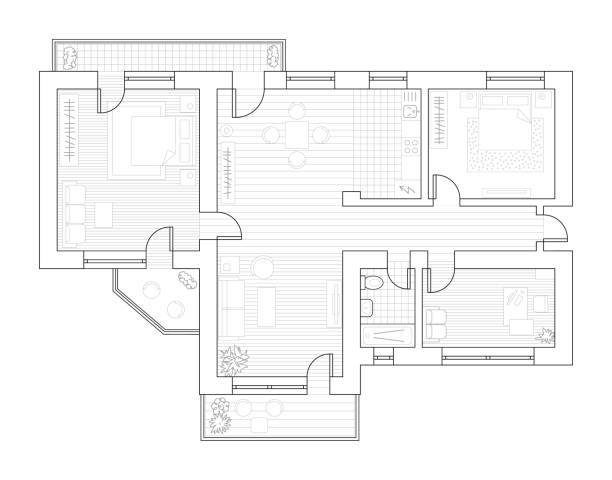
Con IA es posible humanizar una planta en segundos. Pero el desafío es siempre el mismo: la IA no puede alterar el layout, mover paredes, redimensionar habitaciones ni cambiar la planta original de ninguna forma. Los prompts de esta guía fueron desarrollados con esa premisa central.

Aviso práctico: antes de procesar cualquier planta con IA, expórtala limpia — sin cotas, sin textos de leyenda y sin tramas pesadas. El prompt ya instruye a la IA a ignorar textos y anotaciones, pero cuanto más limpia la entrada, más preciso el resultado. Para saltarte esta etapa entera, Redraw procesa el modelo 3D directamente.

Antes de los prompts: por qué en Redraw no los necesitas

El arquitecto no debería necesitar aprender lenguaje de máquina para generar una representación profesional. Esa premisa guió la construcción de Redraw.

En lugar de escribir luz natural cálida de fin de tarde, sombras alargadas entrando lateralmente, en Redraw haces clic en “Atardecer”.

Atmósfera & Mood en Redraw: iluminación en un clic, sin prompt largo.

En lugar de describir calle residencial suburbana con vecinos visibles al fondo, seleccionas el escenario directamente en la interfaz visual.

Selección del Ambiente en Redraw: escenario en un clic, sin descripción textual.

Cada elección que harías en un prompt largo — iluminación, ambiente, estilo, cámara — se convierte en un clic. Y como Redraw fue entrenado exclusivamente para arquitectura, el modelo ya “entiende” el contexto del proyecto sin que tengas que explicar.

“En Redraw, cuanto menos prompt ponen los usuarios, mejores son los resultados.”

Para plantas humanizadas, los prompts de esta guía siguen siendo el camino más eficiente — Redraw se especializa en renders fotorrealistas de interiores y fachadas. La combinación ideal: plantas humanizadas con prompts + renders y perspectivas con Redraw = presentación completa en minutos.

Comparativo: prompt textual vs. interfaz visual

CaracterísticaHerramientas con Prompt TextualRedraw
Complejidad del promptAlta — requiere estructura técnica y largaBaja — lenguaje natural y simple
Control de iluminaciónBasado en texto técnicoBasado en clics visuales (Atmósfera & Mood)
Control de ambienteBasado en texto descriptivoBasado en clics visuales (Selección del Ambiente)
Fidelidad al proyecto 3DVariable — depende de la referencia y el promptAlta — procesa la geometría del modelo directamente
Consistencia entre generacionesBajaAlta
Foco del usuarioAprender a comandar la IADescribir la visión arquitectónica
Curva de aprendizajeEmpinadaRápida e intuitiva
Tiempo por renderAlto (prompt + ajustes + post-producción)Bajo (20–40 segundos, resultado publicable)

Antes — planta técnica exportada del software

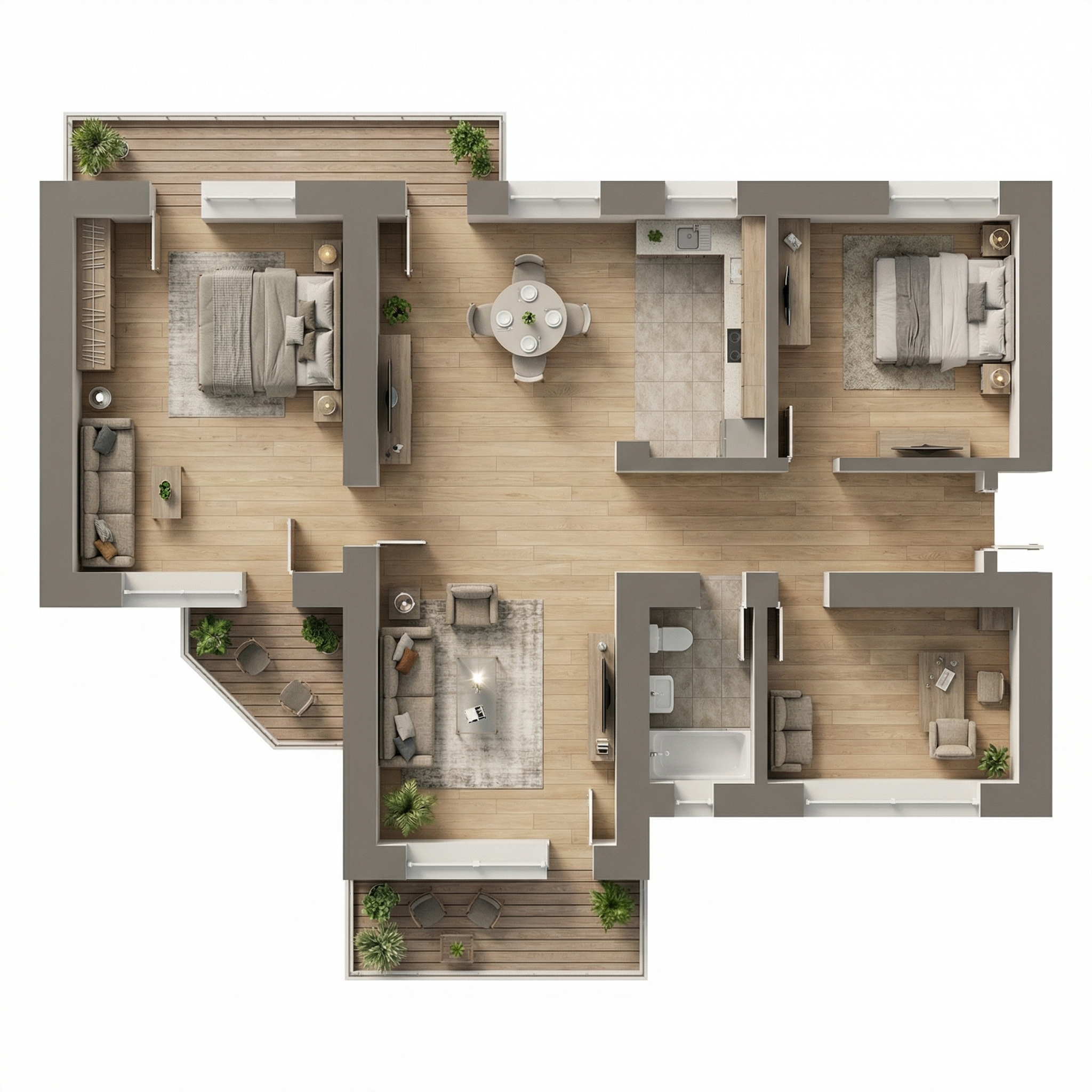
PROMPT 1 — Ultra realista

Cuándo usar: Presentaciones de alto estándar, materiales de ventas inmobiliarias, portafolios donde el cliente quiere ver la planta con textura real de materiales — madera, tela, cerámica, alfombra.

Estilo visual: Vista superior ortográfica, materiales fotorrealistas, sombras sutiles de profundidad, iluminación natural simulada.

El prompt:

Transform this architectural floor plan into a highly realistic humanized floor plan. Preserve 100% of the original layout, wall positions, openings, structure thickness, furniture placement, circulation areas, proportions and dimensions. Do NOT redesign, reinterpret, move, resize or modify any architectural element. Do NOT change the scale. Ignore all texts, annotations and dimension numbers. Focus only on the architectural geometry. Apply realistic top-view materials and textures: Natural wood flooring with subtle grain variation • Soft fabric texture on bed and sofa with visible folds • Realistic bedding layers and pillows with natural volume • Matte painted walls with slight tonal variation • Subtle shadowing under furniture for depth • Realistic rugs with soft texture • Desk surface with light reflection and material response • Accurate perspective strictly in orthographic top view (no camera distortion). Lighting: Soft ambient daylight simulation • Gentle global illumination • Soft contact shadows • Subtle depth separation between spaces. Enhance realism with micro-details: Slight fabric wrinkles • Wood grain variation • Soft shadow gradients • Minimal surface imperfections • Natural color balance. Style: Professional architectural presentation • High-end real estate humanized floor plan • Clean, elegant and realistic • Ultra high resolution • Balanced color grading • Sharp but natural finish. Maintain strict architectural accuracy and original proportions.

Qué diferencia este prompt:

  • Ignore all texts, annotations and dimension numbers — instrucción esencial para no incluir cotas distorsionadas en la imagen final
  • Accurate perspective strictly in orthographic top view (no camera distortion) — impide que la IA añada perspectiva isométrica indeseada
  • Soft contact shadows — es lo que crea profundidad realista sin parecer un render 3D

Resultado — Generado con Redraw

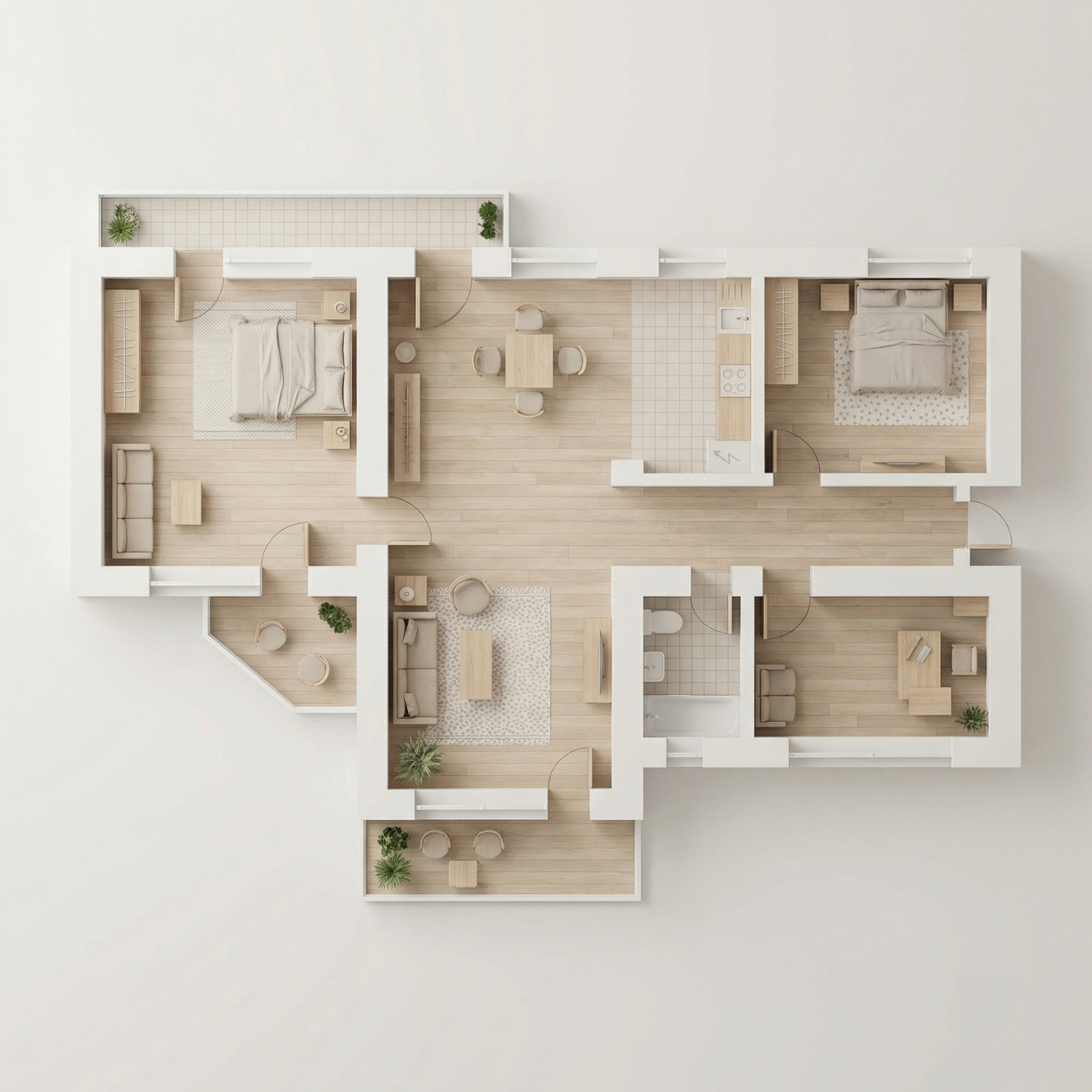
PROMPT 2 — Clean editorial suave

Cuándo usar: Láminas de presentación con estética Scandinavian/Japandi, portafolios modernos, materiales de venta inmobiliaria de medio-alto estándar. Es el estilo “Pinterest de planta” — el más compartible visualmente.

Estilo visual: Paleta neutra desaturada, madera clara, tejidos en beige suave, sombras casi imperceptibles, sensación de ligereza y claridad.

El prompt:

Transform this architectural floor plan into a soft, clean and refined humanized floor plan visualization. Preserve 100% of the original layout, walls, openings, structure thickness, furniture placement, circulation areas, proportions and dimensions. Do NOT redesign, reinterpret, move, resize or modify any architectural element. Do NOT change scale. Maintain strict orthographic top view (no perspective distortion). Ignore all texts, labels and dimension numbers. Focus only on architectural geometry. VISUAL STYLE: Create a light, neutral and calm presentation style, similar to modern editorial architectural boards. Avoid dramatic realism. Avoid strong shadows. Avoid high contrast. Avoid overly saturated wood tones. MATERIAL APPLICATION: Light natural oak wood flooring with very subtle grain • Neutral beige fabric upholstery • Soft linen bedding with delicate folds • Low-contrast rugs with minimal pattern • Matte off-white painted walls • Light natural wood furniture with minimal texture contrast • Soft ceramic surfaces in bathrooms • Minimal reflections. LIGHTING: Diffused ambient daylight • Very soft contact shadows • Subtle depth separation • No dramatic directional light • Balanced exposure • Clean brightness. The lighting should feel airy and evenly distributed. FINAL MOOD: Scandinavian-inspired softness • Pinterest-style clean floor plan • Calm neutral palette • Elegant and minimal • High resolution • Refined but not hyper-realistic. Maintain architectural precision and original proportions at all times.

La instrucción de mood final — “Scandinavian-inspired softness • Pinterest-style clean floor plan” — comunica a la IA una referencia estética coherente que resulta en una paleta muy específica y comercialmente eficiente.

Resultado — Generado con Redraw

PROMPT 3 — Gráfico monocromático

Cuándo usar: Láminas de concurso, presentaciones académicas, portafolios con identidad visual fuerte donde el blanco y negro es una elección estética intencional.

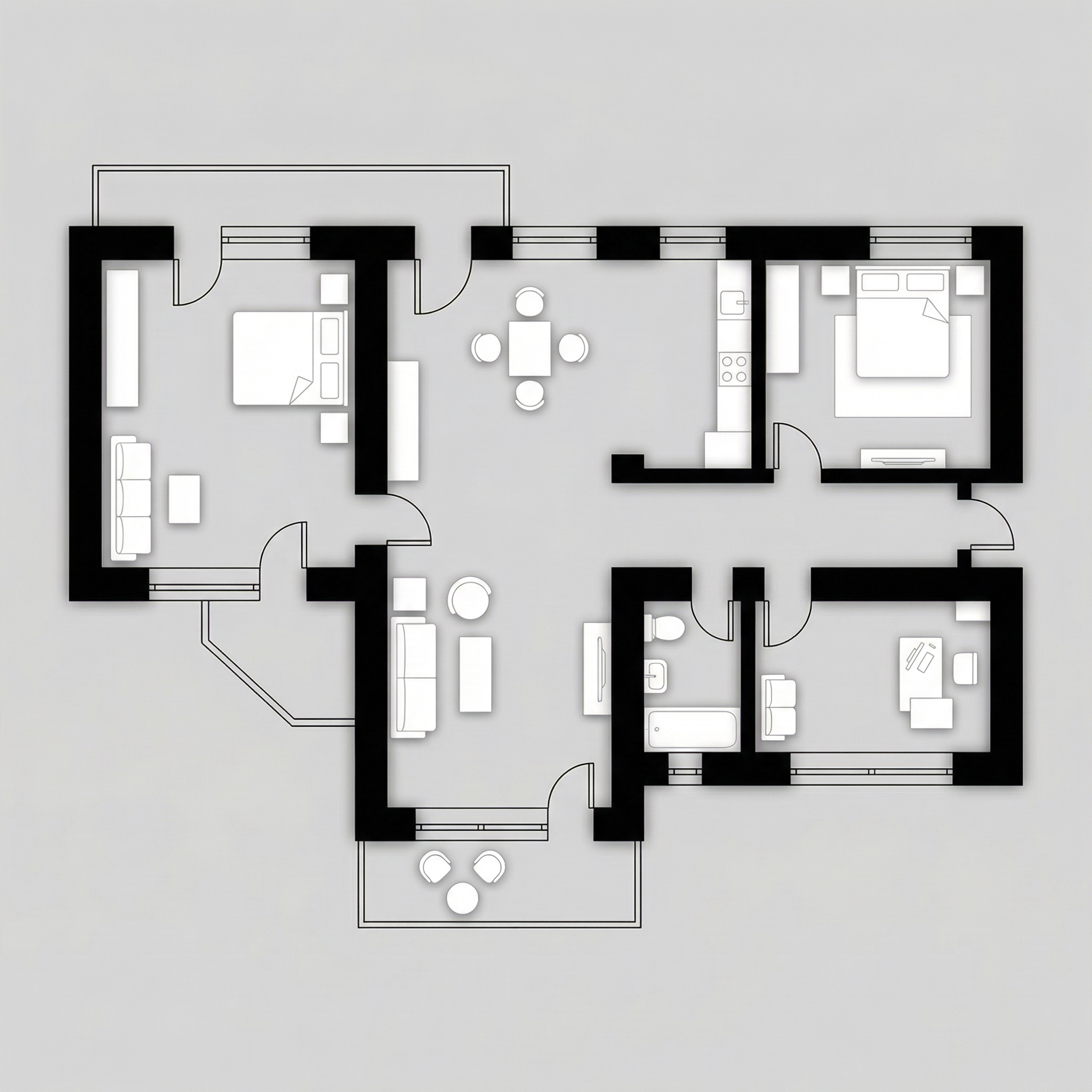
Estilo visual: Paredes en negro sólido, muebles en blanco/gris claro, piso con opción de herringbone sutil o gris plano, sombras delicadas.

El prompt:

Transform this architectural floor plan into a refined monochromatic humanized floor plan with strong graphic contrast. Preserve 100% of the original layout, wall thickness, openings, structure, furniture placement, circulation areas, proportions and scale. Do NOT redesign, reinterpret, move, resize or modify any architectural element. Maintain strict orthographic top view (no perspective distortion). Ignore all texts, annotations and dimension numbers. Focus only on architectural geometry. WALL TREATMENT: Render all structural walls in solid matte black or very dark charcoal • Maintain accurate wall thickness • Clean crisp edges • No texture on walls (flat graphic fill). FURNITURE STYLE: All furniture in matte white or very light grey • Soft subtle contour lines in light grey • Minimal line weight • No heavy outlines • No realistic textures • No strong material detailing. SHADOW & DEPTH: Apply very soft and diffused shadows • Subtle ambient occlusion near walls • Gentle drop shadow beneath furniture • No dramatic lighting • No strong directional light • Balanced soft contrast. FLOOR TREATMENT (Option A – more minimal): Light grey flat floor. (Option B): Very subtle light wood herringbone pattern • Low contrast • Desaturated tones. STYLE DIRECTION: Minimalist architectural board style • High contrast black and white composition • Scandinavian graphic layout • Clean negative space • Elegant presentation • Modern editorial aesthetic • Ultra high resolution. Maintain architectural precision and proportional accuracy at all times.

💡 Consejo: Especifica en tu prompt qué opción de piso quieres (A o B) añadiendo: “Use floor treatment Option A” o “Use floor treatment Option B”.

Resultado — Generado con Redraw

PROMPT 4 — Lujo editorial

Cuándo usar: Proyectos de alto estándar, penthouses, casas de lujo, materiales de ventas premium. El prompt usa una paleta específica de dorado/champagne para paredes y gris elegante para piso.

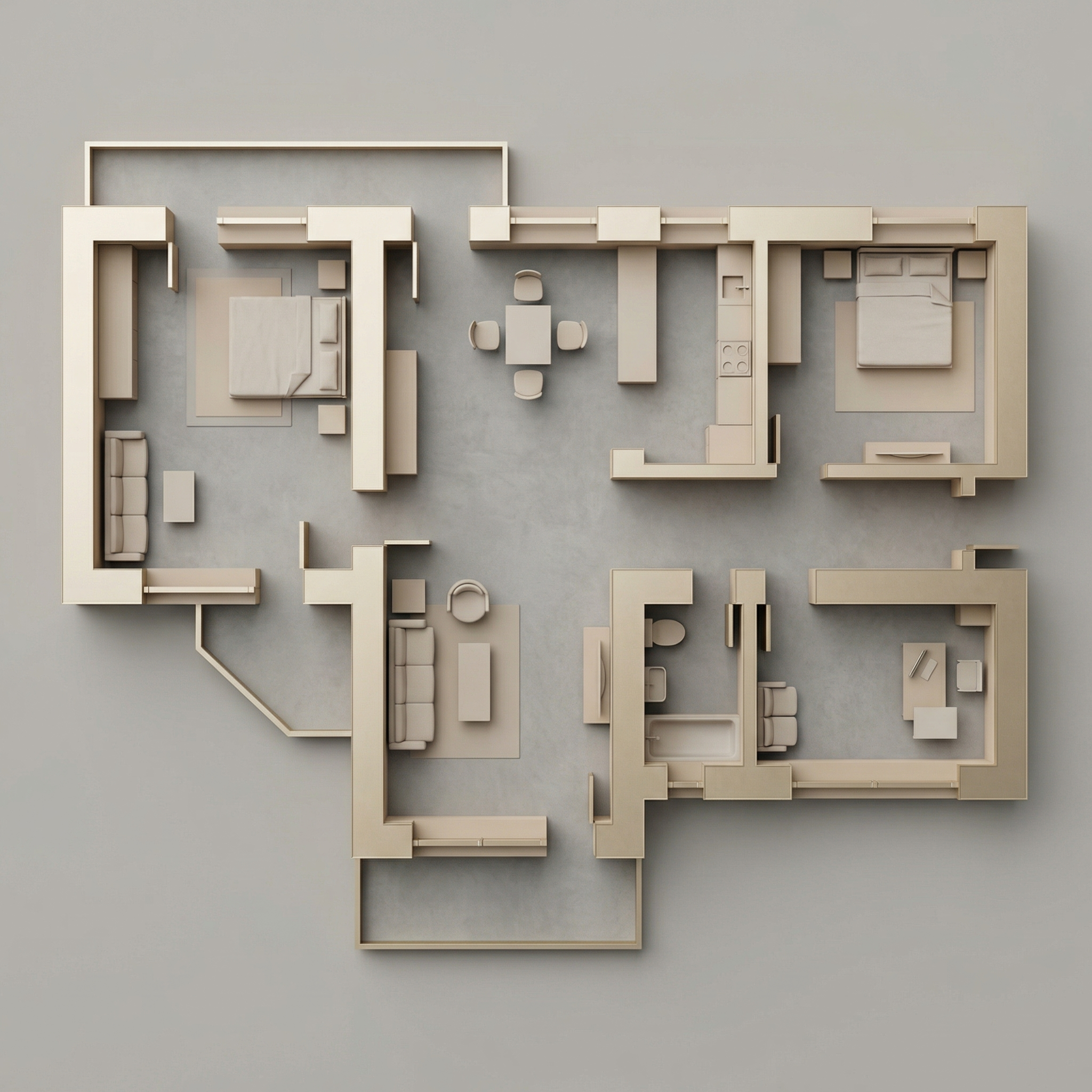
Estilo visual: Piso gris medio matte, interiores en beige/arena cálido, paredes estructurales en dorado/champagne suave metálico, muebles en tonos neutros.

El prompt:

Transform this architectural floor plan into a refined luxury editorial humanized floor plan. Preserve 100% of the original layout, walls, openings, structure thickness, furniture placement, circulation areas, proportions and scale. Do NOT redesign, reinterpret, move, resize or modify any architectural element. Maintain strict orthographic top view (no perspective distortion). Ignore all texts, annotations and dimension numbers. Focus strictly on architectural geometry. FLOOR TREATMENT: Apply a smooth matte medium-light grey floor • Very subtle concrete or plaster texture • Soft tonal variation • No strong pattern • Elegant neutral base. LAYOUT BASE: Render interior surfaces in warm beige / sand tones • Soft monochromatic palette • Matte finish • Very subtle texture • Gentle depth variation between rooms. WALL TREATMENT (Golden Accent): Render structural walls in soft metallic gold or brushed champagne tone • Matte metallic finish (not glossy) • Subtle light reflection on edges • Clean crisp wall geometry • Maintain accurate wall thickness. SHADOW & DEPTH: Soft diffused ambient lighting • Gentle shadow gradients • Subtle ambient occlusion along walls • Light drop shadow beneath walls to create floating effect • No dramatic lighting. FURNITURE STYLE: Soft beige / light neutral tones • Minimal texture realism • Clean simplified forms • Subtle shadow grounding • No high contrast. STYLE DIRECTION: Luxury architectural board aesthetic • Conceptual physical model feeling • Editorial presentation style • Warm neutral sophistication • Calm and balanced composition • High resolution • Refined and minimal. Maintain architectural precision and original proportions at all times.

“Matte metallic finish (not glossy)” para las paredes doradas — es la distinción entre resultado elegante y resultado vulgar. La IA necesita esta instrucción para no exagerar el brillo.

Resultado — Generado con Redraw

PROMPT 5 — Ambientación externa (planta B/N)

Cuándo usar: Tienes la planta técnica en blanco y negro (AutoCAD, Revit) y quieres añadir solo el contexto de paisajismo alrededor — sin humanizar el interior.

El prompt:

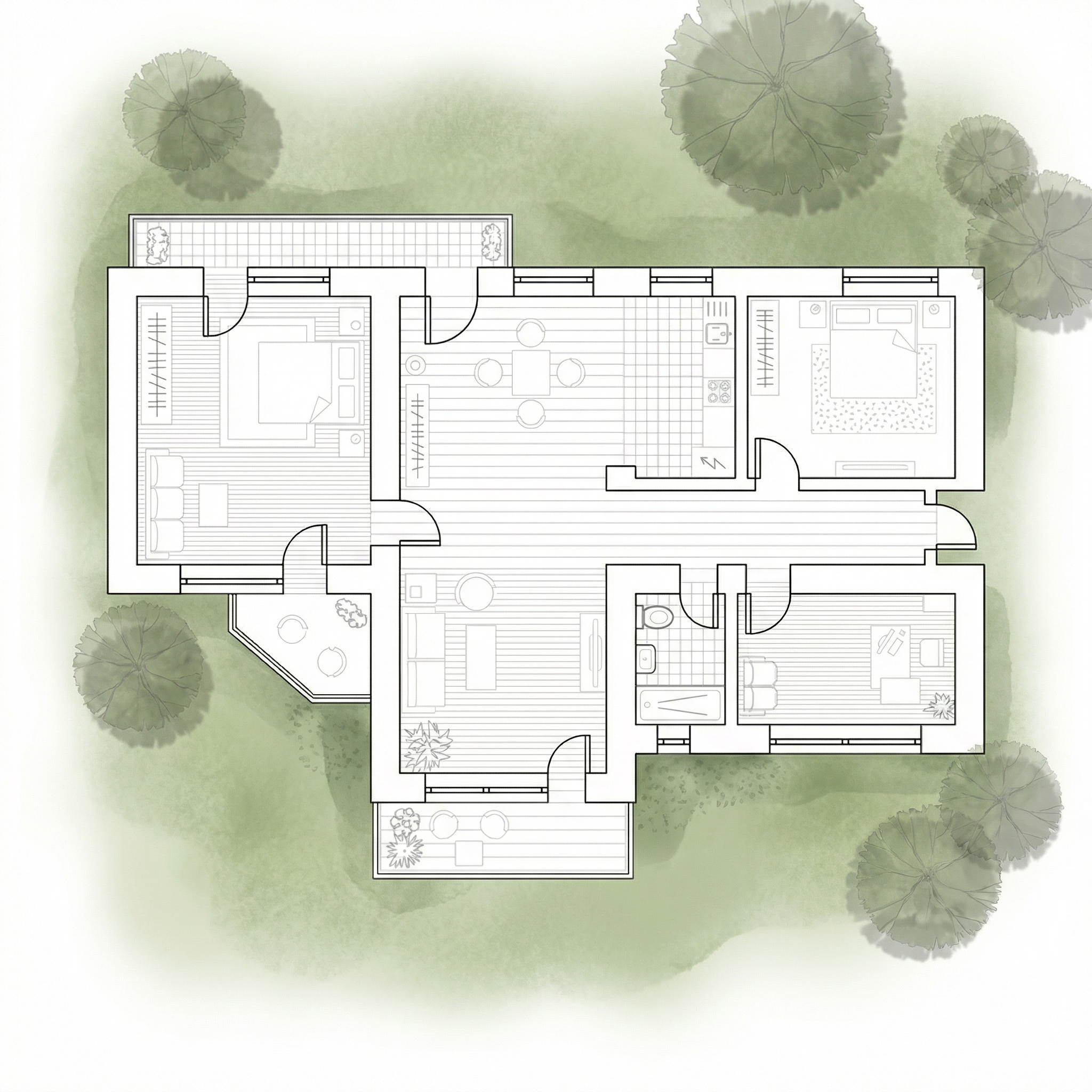
Use the uploaded floor plan image as the absolute base reference. Preserve 100% of the original drawing, including: • All walls • Openings • Lineweights • Furniture • Text • Layout • Proportions • Scale • Orientation • Colors • Shadows • Graphic style. Do NOT modify, redesign, reinterpret, crop, rotate, resize, or alter any element of the architectural drawing. The project must remain EXACTLY as provided. Your task is ONLY to add a natural green surrounding context around the perimeter of the floor plan, similar to a soft landscape presentation style. Add: Soft green ground texture surrounding the project • Subtle grass texture variations • Light watercolor-style vegetation shadows • Natural irregular lawn tones (olive, sage, muted greens) • Soft edge fading into white background • Realistic but subtle tree canopies around the perimeter • Some semi-transparent tree crowns (top view) • Organic shadow projections from trees • Low-opacity garden textures • Light dirt / soil transitions if compositionally balanced. Guidelines: The landscape must stay OUTSIDE the built area • Do NOT overlap or cover the architecture • Maintain clean visibility of the entire floor plan • Keep architecture as the main focus • Avoid exaggerated saturation • Avoid hyperrealistic grass blades • Use soft, elegant, architectural presentation aesthetic. Lighting and mood: Soft ambient shadowing • Subtle tree cast shadows • Natural daylight tone • Professional architectural board aesthetic.

Cuándo NO usar: Si tu planta ya está humanizada internamente, usa el Prompt 6.

Resultado — Generado con Redraw

PROMPT 6 — Ambientación externa (planta humanizada)

Cuándo usar: Ya humanizaste la planta internamente (con los prompts 1–4) y ahora quieres añadir el contexto de paisajismo alrededor, sin que la IA reinterprete el interior.

El prompt:

Use the uploaded image as a FINAL, FLATTENED architectural board. This image is already finished and humanized. You must treat the floor plan as a locked image layer. DO NOT redraw. DO NOT reinterpret. DO NOT convert to black and white. DO NOT restyle. DO NOT enhance. DO NOT relight. DO NOT change materials. DO NOT change shadows. DO NOT adjust colors. DO NOT increase or reduce contrast. DO NOT modify texture. DO NOT modify saturation. The floor plan must remain PIXEL-PERFECT identical to the uploaded image. No internal changes are allowed. OBJECTIVE: Add soft natural vegetation context ONLY around the external perimeter of the existing image. This is an additive background operation only. WHAT YOU CAN ADD (OUTSIDE ONLY): Soft green watercolor ground texture • Light grass tonal variation (olive, sage, muted green) • Semi-transparent tree canopies (top view) • Soft organic tree shadows • Slight edge fading into white background • Subtle natural landscape blending. STRICT LIMITATIONS: Do NOT overlap the building footprint • Do NOT cover walls, furniture or internal patios • Do NOT modify linework • Do NOT modify rendering style • Do NOT change perspective • Do NOT touch the interior. STYLE: Soft architectural presentation style • Competition board aesthetic • Subtle, elegant, low saturation • Top-view orthographic • Natural daylight tone.

La IA tiende a “mejorar” la imagen cuando no recibe restricciones claras — reprocesa colores, aumenta contraste, cambia materiales. Las instrucciones “DO NOT” en mayúsculas bloquean cada uno de esos comportamientos no deseados.

Sistema de control de cambios de IA

Usa estos prompts complementarios cuando la IA esté moviendo paredes, cambiando materiales o alterando la planta original.

Bloqueo total de cambios

Preserve 100% of the original architecture, layout, furniture placement, materials, colors, textures, decorative elements, proportions, lighting positions, and camera angle. Strictly forbid adding, removing, replacing, resizing, repositioning, or redesigning any element. The purpose of this transformation is ONLY to enhance realism, lighting behavior, and material response without altering the original design in any way.

Respeto al diseño de iluminación

Preserve the original lighting design exactly as shown in the image. Do not add new light sources, remove existing lights, or modify lighting positions. Only enhance realism through natural light diffusion, realistic light bounce, soft shadow transitions, and accurate material interaction with existing lighting.

Protección de materiales

Preserve all original materials and textures exactly as shown. Do not replace, reinterpret, or stylize materials. Enhance realism only through improved surface detailing, micro imperfections, and physically accurate light response.

¿Qué IA usar para plantas humanizadas?

Para plantas humanizadas, las herramientas de generación de imágenes por texto con los prompts de esta guía son el workflow más eficiente disponible.

Para todo el resto del proyecto — renders de interiores, fachadas y perspectivas — Redraw es la herramienta más directa: subes el modelo 3D, preserva la geometría y genera el resultado en segundos sin necesitar prompts largos.

La estrategia completa: plantas humanizadas con prompts textuales + renders y videos con Redraw = presentación completa y profesional.

Crea tu cuenta gratuita en Redraw →