

Alexandre is currently the marketing director, but he previously worked as an architect specializing in BIM.



Compare Redraw, Flux AI, Leonardo AI and Adobe Firefly for architecture. Which one keeps fidelity to your project? Which is faster? An honest 2026 comparison.
Redraw
Start transforming your projects today using Redraw.



Flux AI became the most talked-about image model of 2025. Leonardo AI accumulated millions of users with an accessible platform. Adobe Firefly integrated into Photoshop and won over everyone already living in the Adobe ecosystem. All three are powerful generative AI tools.
And all three fail when it comes to rendering architecture projects.
Not because of a lack of visual quality. The images look great. The problem is something else: none of them understand what a project is. They generate images from text. Not from what you designed. And when an architect needs to show a client how the project will look once built, a beautiful image that doesn't represent the project is useless.
This article compares each one against Redraw directly. No marketing spin. Just what works and what doesn't for people who design.
Flux AI (from Black Forest Labs, the same team behind the original Stable Diffusion) is probably the most advanced image generation model available today. The visual quality is impressive. Texture detail, lighting, composition — everything at a level that makes other models look outdated.
The problem is that Flux doesn't know what a floor plan is, doesn't understand ceiling height, and has no idea that the window you designed is 1.20m x 2.10m. You describe an interior through a prompt and it generates something beautiful. But it's not your interior. It's the interior it imagined.
For concept art and visual exploration, Flux is excellent. For rendering a real project, it doesn't work. The geometry changes with every generation, materials are invented, and consistency across images is zero. Ask for 5 angles of the same space and you get 5 different spaces.
Flux is also not accessible as a platform. It's a model, not a product. To use it, you need to run it through ComfyUI, Replicate, or third-party platforms — each with its own interface, credit system, and learning curve. There's no workflow designed for architects.
Worth noting: Nano Banana, one of the Flux-based models most used by architects, is already available inside Redraw. You get the best of Flux without configuring anything.
Leonardo AI carved out space with a simple pitch: a platform with multiple AI models, category presets, and an intuitive visual interface. It has presets for photography, game art, illustration — and even "architecture." Sounds perfect.
In practice, Leonardo's architecture preset is shallow. It steers the visual style toward something that looks architectural, but the underlying model stays generic. It doesn't take your 3D model. It generates from text or a reference image and interprets freely. Project fidelity is low.
Leonardo also struggles with consistency. Generating variations of the same space is nearly impossible. Every generation is a fresh interpretation. For a firm that needs to deliver 5 angles of the same project to a client, that doesn't work.
Pricing: the free plan is limited (150 tokens/day). The Apprentice plan is $12/month (8,500 tokens), Artisan $30/month (25,000 tokens), Maestro $60/month (60,000 tokens). For architecture, the cost-to-value ratio doesn't add up compared to Redraw at $15/month with unlimited renders within your quota.
Adobe Firefly takes a different approach: "commercially safe" AI. All models were trained on licensed data, so generated images are safe for commercial use without copyright risk. For agencies and brands, that matters a lot.
For architects, it matters very little. What matters is whether the render represents the project. And Firefly doesn't render projects.
Firefly works as a generative fill tool (inside Photoshop), text-to-image generator, and variation engine. It's good for retouching, compositing, and quick mockups. But it has no understanding of architectural geometry, doesn't accept a 3D model, and results for interiors and facades are generic.
Pricing is also different: Firefly comes bundled with Adobe Creative Cloud plans. If you already pay for Photoshop ($23/month), you have access. If you don't, adding Firefly just for rendering makes no sense.
And the level of detail Firefly delivers in architecture is below both Flux and Leonardo. It's conservative by design (to avoid copyright issues), which results in more generic, less photorealistic images.
The problem is the same across all three: they're generic AIs trying to do specialized work.
When you ask Flux, Leonardo, or Firefly to "render" a living room, they don't render. They create a new image based on what they've learned about what living rooms look like. That means every detail is decided by the AI: window proportions, floor type, furniture placement, ceiling height. None of that comes from your project. It comes from the training dataset.
For an architect, that's a serious problem. Your client hired you to design that specific space, with that floor plan, those materials, that lighting. Showing a beautiful image that has nothing to do with what will be built is worse than showing nothing at all. It creates the wrong expectations.
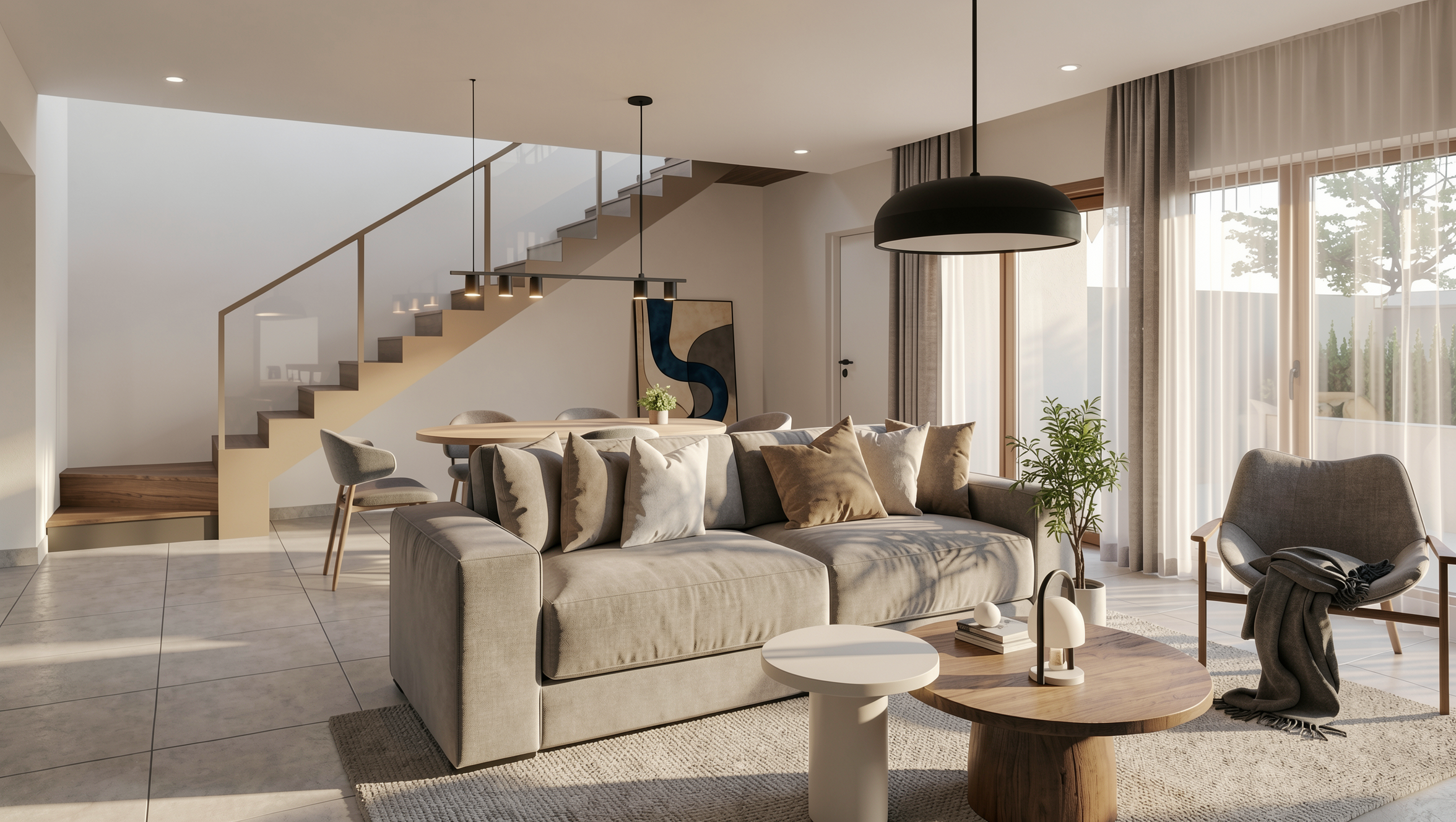
Redraw solves this because it doesn't generate from scratch. It takes your 3D model (via a screenshot from SketchUp, Revit, or ArchiCAD) and renders from it. The AI respects the geometry, the proportions, the materials. It doesn't invent. It renders what exists.
Three things that separate Redraw from any generic AI for architecture rendering:
1. It starts from your project, not a prompt. You upload the 3D model screenshot. The AI reads the geometry, identifies materials, understands the lighting of the context. The result is your project rendered — not a generic image inspired by the theme "modern living room."
2. Proprietary models trained for architecture. Redraw has models fed with millions of images of real projects. They understand how natural light behaves in an interior, how porcelain tile reflects differently than marble, how vegetation casts shadow on a facade. Generic AIs don't have that training.
3. A curated AI hub. Inside Redraw, you access ChatGPT optimized for rendering, optimized Gemini, Nano Banana (Flux-based), and the proprietary models — all curated by the team to ensure only what truly works for professionals makes it in.
Flux AI: If you're a developer or AI enthusiast who wants to build custom image generation workflows. For concept art and style exploration — not for project rendering.
Leonardo AI: If you do graphic design, game art, or illustration and want an accessible platform with multiple models. Has serious limitations for architecture.
Adobe Firefly: If you already live inside Photoshop and need generative fill and quick mockups. Doesn't replace project rendering.
Redraw: If you're an architect, engineer, or interior designer who needs to render real projects with fidelity, speed, and accessible pricing. It's the only one on this list built for your work.
Try Redraw → redraw.pro
Blog

The AI that transforms how you create architecture, engineering and design projects.