Back to the Blog
What is CorelDRAW

What is CorelDRAW

CorelDRAW is one of the most used software by architects and designers. See what it does and how it can boost your projects.

What is CorelDRAW
Author
Redraw
Administrador
Use AI to delight your customers, sell more, and make your images and videos stand out in ads and marketplaces.
What is CorelDRAW
6 min
|
18.03.2026
Author
Redraw
Administrador
Use AI to delight your customers, sell more, and make your images and videos stand out in ads and marketplaces.
[

Redraw

]

Create your free account

Start transforming your projects today using Redraw.

I want to register
Share this article

O que é CorelDRAW e por que é essencial para arquitetos e designers

O que é CorelDRAW? Trata-se de um software de criação gráfica que revolucionou a forma como profissionais de arquitetura, design e engenharia materializam suas ideias. Amplamente reconhecido por suas capacidades de desenho vetorial, o CorelDRAW permite criar ilustrações técnicas, layouts impressionantes e designs flexíveis que se adaptam às necessidades específicas de cada projeto. No entanto, por trás de sua popularidade, há um vasto potencial ainda subutilizado por muitos no setor, que buscam não apenas rapidez, mas também alta qualidade na apresentação visual de seus projetos. Se você deseja entender como este software se tornou uma referência e como ele pode transformar sua abordagem criativa, este guia é para você.

“O detalhe faz a diferença no projeto e na comunicação.”

Entendendo o CorelDRAW: origem e conceito

Antes de mais nada, precisamos responder de forma clara: CorelDRAW é um software de criação gráfica baseado na manipulação de vetores. Diferente de editores de fotos, ele não trabalha com pixels, mas sim com pontos, linhas e formas matemáticas. Isso significa que seus desenhos nunca perdem nitidez, não importa o tamanho.

Sua trajetória começou no final dos anos 1980. E de lá para cá, ganhou diversas atualizações, sempre com o olhar voltado para facilitar o trabalho de quem precisa criar desde logotipos e peças publicitárias até plantas baixas detalhadas, perspectivas, cortes e diagramações para projetos arquitetônicos e de interiores.
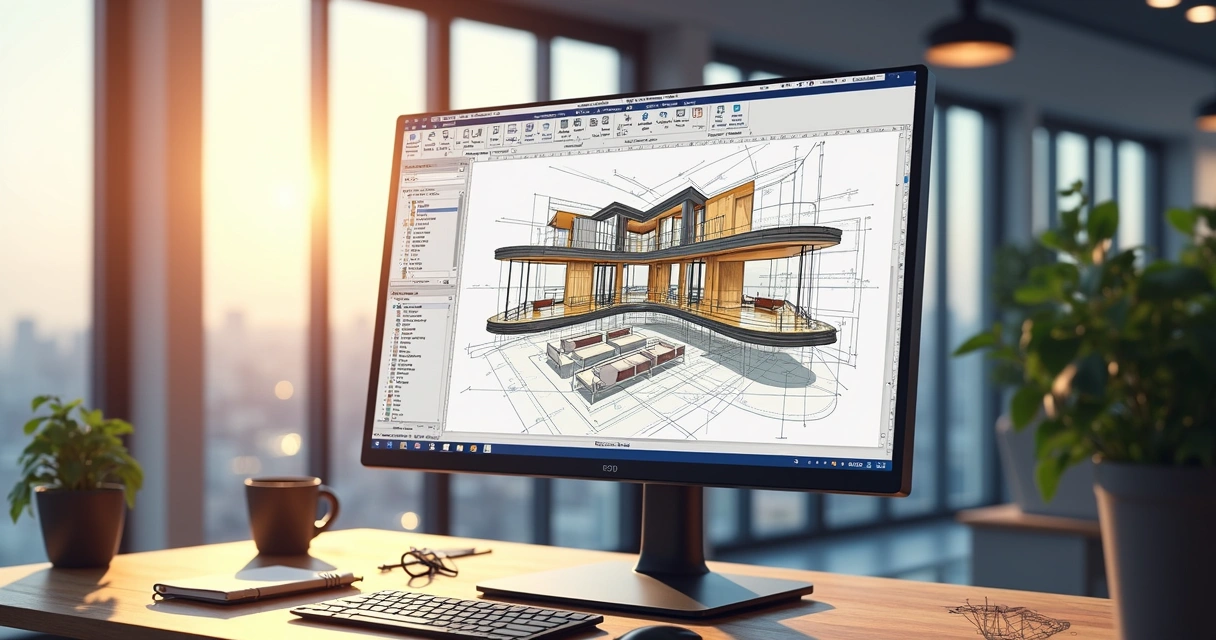
Interface do CorelDRAW exibindo projeto arquitetônico em desenho vetorial

Desenho vetorial: a base do CorelDRAW

Quando se debate o que é CorelDRAW, quase sempre surge a dúvida: “Mas qual a diferença entre vetor e outros tipos de imagem?”

Vetor x bitmap: duas formas de desenhar

Toda imagem que você vê na tela do computador pode ser de dois tipos principais: bitmap (ou raster) e vetorial.

  • Bitmap: é formada por uma grade de pixels coloridos. Fotos, por exemplo, são bitmaps. Se você aproxima demais, a imagem perde nitidez e fica “pixelada”.
  • Vetorial: é criada por meio de formas matemáticas. Linhas, curvas, círculos e polígonos podem ser aumentados centenas de vezes sem perder qualidade. Ideal para logotipos, desenhos técnicos, ilustrações detalhadas e layouts de arquitetura.

O CorelDRAW trabalha principalmente com vetores, permitindo que detalhes técnicos sejam preservados em qualquer escala. Isso abre um universo de possibilidades para quem precisa garantir precisão e flexibilidade ao mesmo tempo.

Destaque: aplicações práticas de vetor

  • Criação de plantas baixas, cortes e fachadas em alta resolução
  • Elaboração de mobiliários detalhados, esquadrias e elementos arquitetônicos personalizados
  • Diagramação de pranchas técnicas e apresentações visuais para concursos e aprovações
  • Desenvolvimento de mapas, esquemas elétricos e hidráulicos de fácil leitura
  • Montagem de layouts para interiores, painéis de inspiração e moodboards
“Com desenho vetorial, ampliar ou reduzir sem perder o traço é possível.”

Principais funcionalidades do CorelDRAW para arquitetura e design

É impossível falar sobre o que é CorelDRAW sem mergulhar em suas principais ferramentas. E, se para alguns pode parecer um programa de ilustrações artísticas, para quem atua com projetos arquitetônicos e visuais, ele oferece recursos muito sólidos e nada superficiais.

Ferramentas de desenho técnico e geométrico

  • Ferramenta de linha e polilinha: traça linhas retas, poligonais e segmentos conectados ideais para definir paredes, mobiliário e detalhes construtivos.
  • Ferramenta de forma: ajusta vértices, curvas Bézier e cria contornos personalizados. Excelente para criar janelas, portas, esquadrias especiais ou mobiliário sob medida.
  • Medição e escala: permite definir unidades de medida e ajustar escalas. Assim, plantas e cortes são compatíveis com padrões de apresentação técnica.

Precisão e camadas

A precisão é fundamental em qualquer projeto. O CorelDRAW traz:

  • Grade e linhas-guia para alinhamento e organização
  • Camadas e grupos, facilitando a divisão entre estruturas, mobiliário, vegetação, detalhes etc.
  • Ferramentas de zoom avançadas e controle de visualização

Manipulação e edição de imagens

  • Bitmap para vetor: converte imagens estáticas (plantas escaneadas, rascunhos à mão) em vetores editáveis. Muito útil para reusar croquis antigos ou projetos impressos.
  • Edição de imagens: ajustes de cor, nitidez, saturação e brilho diretamente no software, dispensando o uso de programas secundários para pequenas correções.

Bibliotecas, blocos e símbolos

É muito comum reutilizar elementos padronizados, como móveis, esquadrias, vegetação, símbolos elétricos, em muitos projetos. O CorelDRAW possui
  • Bancos de símbolos customizáveis, onde é possível armazenar, compartilhar e reutilizar objetos em diferentes projetos
  • Arrastar e soltar rápido, agilizando a construção das pranchas

Recursos avançados para profissionais

  • Ferramentas de inteligência artificial para vetorização automática, preenchimento inteligente e ajuste rápido de formas
  • Compatibilidade com múltiplos formatos (PDF, DWG, AI, SVG, PNG, JPG, entre outros), facilitando a troca de arquivos entre arquitetos, engenheiros, designers, clientes e fornecedores
  • Estilos e preenchimentos complexos, capazes de simular materiais, texturas e acabamentos arquitetônicos
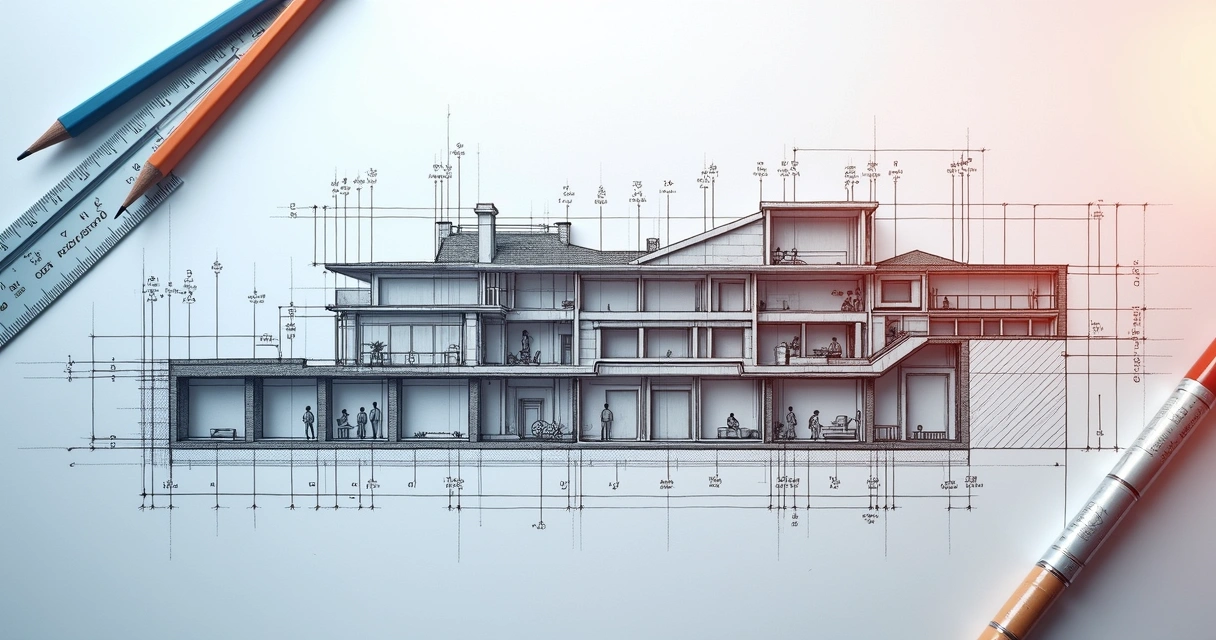
Vista detalhada de corte arquitetônico criado em vetor

Como o CorelDRAW atende diferentes perfis profissionais

Seja você um arquiteto em início de carreira, designer experiente, engenheiro ou estudante, o programa pode se adaptar muito bem ao seu estilo de trabalho e necessidades específicas. Aqui, um pouco sobre como cada perfil pode tirar proveito da ferramenta:

1. Arquitetos

  • Criar plantas humanizadas e projetos de apresentação para clientes, com mobiliários, texturas e vegetação estilizada
  • Produzir pranchas técnicas, cortes, fachadas e detalhamentos para aprovação em órgãos públicos ou concursos
  • Montagem de apresentações para portfólio e concursos

2. Designers de interiores

  • Montagem de painéis de referências (moodboards)
  • Diagramação de layouts detalhados de mobiliário sob medida
  • Criação de esquemas elétricos e detalhamentos decorativos
  • Rápida visualização de diversas propostas de layout para clientes

3. Engenheiros civis e outros profissionais técnicos

  • Desenvolvimento de detalhes técnicos para obra
  • Documentação complementar de projetos de estruturas, instalações e sistemas especiais
  • Geração de documentos gráficos para cadernos de especificações

4. Estudantes e empresas

  • Criação de trabalhos, folders e banners explicativos para feiras e semanas acadêmicas
  • Montagem de portfólios digitais para apresentação em processos seletivos ou estágios
  • Padronização de materiais institucionais e apresentações comerciais
“Flexibilidade e criatividade precisam andar juntas nas ferramentas do dia a dia.”

O que diferencia o CorelDRAW no mercado

Durante anos, o programa ganhou a atenção do mercado principalmente pela sua simplicidade de uso e pela combinação entre precisão técnica e criatividade visual. Há quem prefira outras opções, mas poucos conseguem o mesmo equilíbrio entre recursos técnicos e liberdade artística. O CorelDRAW também se destaca por:

  • Processos rápidos: arquivos leves, interface intuitiva e boas funções de automação
  • Atualização constante: integração com sistemas de nuvem e inteligência artificial, o que aprofunda as possibilidades do desenho vetorial e reduz etapas repetitivas
  • Integração com outros softwares: importar, exportar, editar e compartilhar arquivos em formatos amplamente usados por construtoras, escritórios e freelancers
  • Comunidade ativa: fóruns, blogs, tutoriais e suporte técnico disponíveis em vários idiomas

Para complementar essas vantagens, plataformas baseadas em nuvem e inteligência artificial, como a Redraw, podem trabalhar em conjunto com arquivos criados no CorelDRAW, permitindo renderizações rápidas, aprimoramento visual automático e até mesmo a conversão de imagens estáticas em vídeos. Assim, o fluxo de trabalho fica mais integrado e produtivo, mesmo em projetos que precisam de muito detalhamento visual e modificações constantes.

Recursos e atalhos que todo arquiteto precisa conhecer

Para garantir maior fluidez no processo de criação, vale dedicar um momento ao estudo de atalhos e recursos pouco conhecidos, mas extremamente úteis.
Atalhos de teclado práticos

  • C: centraliza o objeto selecionado na página
  • X: retira seleção
  • Ctrl + D: duplica objetos
  • Ctrl + G/U: agrupa/desagrupa elementos selecionados
  • Ctrl + Shift + Q: converte linha em curva
  • P: centraliza na página inteira
  • F9: visualização em tela cheia

Mais dicas valiosas

  • Use camadas para separar o desenho arquitetônico dos textos e legendas
  • Crie estilos de linha e padrão de preenchimento para agilizar a criação de hachuras e elementos repetitivos
  • Salve versões diferentes do arquivo no decorrer do projeto para evitar perda de informação
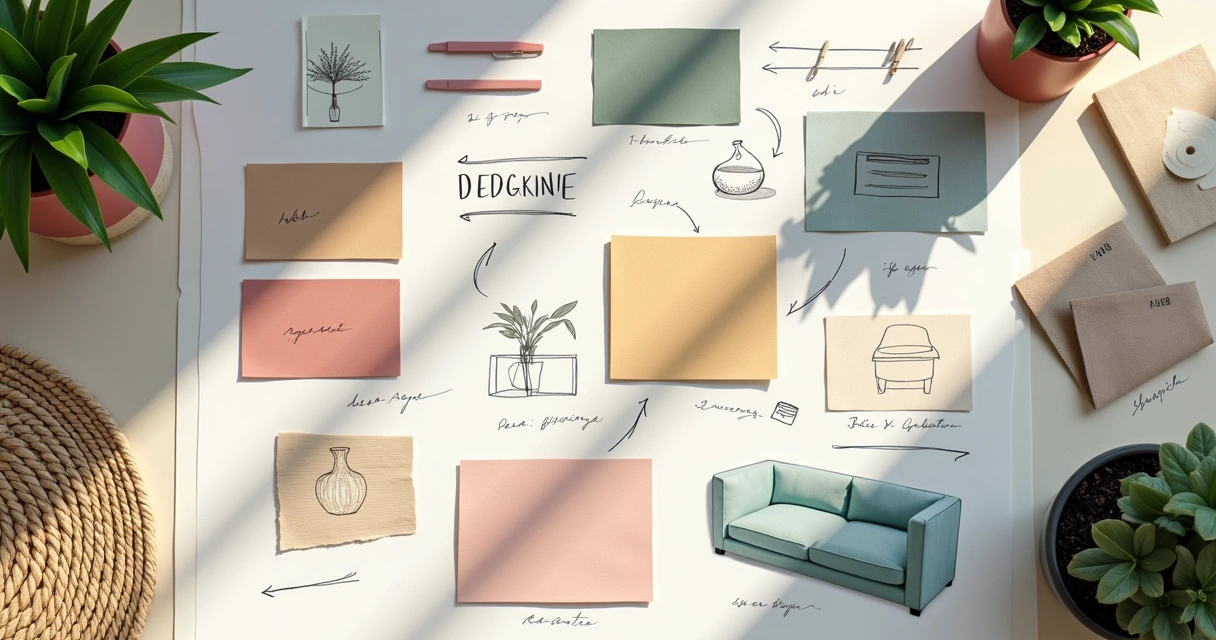
Painel moodboard de design de interiores feito em vetor

Aplicações práticas no cotidiano dos projetos

O cotidiano de quem atua em arquitetura e design é marcado por entregas rápidas, revisão constante e adaptação a mudanças de briefing, aprovações ou até normas técnicas. O CorelDRAW, por aliar velocidade e controle, acaba sendo um grande aliado nessas situações. Veja algumas aplicações típicas:

  • Propostas rápidas para clientes: seja um layout de sala, um esboço de fachada ou um painel conceitual, o tempo entre a ideia e o resultado visual é muito curto.
  • Humanização de plantas técnicas: ao aplicar texturas, sombras e selecionar representações de pessoas, vegetação e mobiliário, a apresentação final ganha valor e mais clareza para o cliente leigo.
  • Produção de material gráfico complementar: diagramas, mapas de localização, quadros de áreas, cartazes e banners para apresentação de projetos.
  • Padronização visual: símbolos, legendas e codificações customizáveis, adaptando o layout ao padrão do escritório ou empresa.
  • Fluxo de colaboração: armazenamento em nuvem, envio para aprovação digital e integração a plataformas como a Redraw, que unem inteligência artificial ao processo.
“O que antes demorava horas, agora pode ser feito em minutos.”

Como o CorelDRAW se encaixa no fluxo de projetos digitais

Hoje, o fluxo de trabalho em arquitetura e design raramente se limita a uma única ferramenta. Cada fase do processo pode precisar de softwares e plataformas diferentes, desde o croqui inicial até o render hiper-realista ou uma animação para apresentação.

Nesse contexto, o CorelDRAW atua principalmente nas etapas de:

  1. Criação inicial: esboço vetorial, elaboração de layouts e humanização de plantas
  2. Preparação de arquivos: geração de referências visuais e detalhamentos para serem usados em softwares de modelagem 3D, renderização ou edição de vídeo
  3. Finalização e apresentação: diagramação de pranchas, fichas técnicas e peças para impressão ou exibição digital

Com a possibilidade de exportar em vários formatos e alta compatibilidade com outros programas gráficos, o designer ou arquiteto consegue caminhar do conceito à entrega ao cliente, quase sem limites para a criatividade.

Prancha técnica detalhada para arquitetura em vetor

Como o CorelDRAW conversa com outras soluções modernas

Hoje, poucas empresas trabalham isoladas. Muitas vezes, equipes interdisciplinares compartilham arquivos, revisam projetos online e buscam soluções que reduzam etapas repetitivas, acelerem revisões e agreguem valor visual sem custo computacional alto.

É aí que inovações como a Redraw entram no jogo. Os arquivos vetoriais preparados no CorelDRAW podem ser facilmente importados nessas plataformas, permitindo:

  • Geração de renders 3D em poucos segundos, mesmo a partir de desenhos simples
  • Aprimoramento de projetos antes da entrega final, aplicando texturas, luz e sombra com IA
  • Transformação de esboços vetoriais em imagens realistas, acelerando aprovações
  • Conversão de plantas estáticas em vídeos animados para apresentações impactantes

Esse fluxo digital integrado torna possível trabalhar de qualquer computador, sem exigir placas de vídeo potentes ou workstations dedicadas, o que democratiza o acesso ao design de alta qualidade para profissionais e estudantes.

“A tecnologia abriu portas para que todos criem, apresentem e inovem, sem limites.”

Principais formatos de arquivo e compatibilidade

Uma das perguntas mais comuns de quem está começando é se o CorelDRAW vai ser compatível com as demandas do mercado ou se existirá dificuldade na hora de compartilhar arquivos.

A resposta? A compatibilidade é um dos maiores pontos fortes do programa.

  • CDR: formato próprio nativo, ideal para backup e edição contínua
  • PDF: exportação para impressão, compartilhamento digital e apresentações
  • DWG/DXF: importação/exportação de desenhos técnicos em camadas compatíveis com outras ferramentas de engenharia
  • AI, SVG: vetores compatíveis para ilustrações, logotipos e webdesign
  • JPG, PNG: imagens rasterizadas para apresentações rápidas ou integração com sites e portfólios digitais

Cuidados, limitações e pequenas dicas de ouro

Como toda solução digital, o CorelDRAW também tem suas particularidades. Por exemplo, pranchas muito grandes ou projetos com centenas de detalhes podem demandar mais memória do computador, especialmente ao exportar para formatos de alta resolução.

Outro ponto é lembrar que, enquanto é incrível para desenho 2D e layouts gráficos, não substitui softwares de modelagem tridimensional ou cálculo estrutural. Dá para trabalhar de forma complementar, integrando as forças de cada programa para montar um fluxo de trabalho completo e customizado.

  • Salve cópias periódicas durante a edição de arquivos grandes
  • Aproveite a vantagem das bibliotecas de símbolos: crie seu próprio acervo e ganhe tempo
  • Mantenha o software sempre atualizado para garantir acesso às últimas novidades em IA e exportação
“A melhor ferramenta é aquela que se adapta ao seu processo, não o contrário.”

Redraw e CorelDRAW no cenário digital

O futuro dos projetos de arquitetura e design de interiores é colaborativo, automatizado e aberto a experimentações visuais. O CorelDRAW, que nasceu para dar poder às criações gráficas por meio do vetor, continua relevante porque se adapta bem a este novo contexto: permite personalização real, detalhamento técnico, liberdade criativa e fácil integração com outras tecnologias.

E, quando combinado a soluções que oferecem edição baseada em nuvem e inteligência artificial (como a Redraw), o potencial se multiplica ainda mais. Você pode iniciar o desenho, editar, melhorar a apresentação, aplicar filtros realistas e até criar vídeos de apresentação, tudo isso sem ficar dependente do tipo de computador ou plataforma, já que tudo pode ser processado online.

Profissionais colaborando em projeto digital com CorelDRAW e Redraw

Perguntas frequentes

O que é o CorelDRAW e para que serve?

O CorelDRAW é um software de desenho vetorial amplamente usado em design gráfico, arquitetura, engenharia e comunicação visual. Ele permite criar, editar e diagramar imagens em vetor, como logotipos, plantas de arquitetura, layouts, ilustrações e materiais para impressão ou apresentação digital. O CorelDRAW serve para transformar ideias em desenhos precisos, flexíveis e com acabamento visual profissional, sem perder qualidade, independente do tamanho da imagem.

Como usar o CorelDRAW na arquitetura?

Na arquitetura, o CorelDRAW é utilizado principalmente para criar plantas humanizadas, cortes, fachadas, detalhamentos técnicos, pranchas de apresentação e painéis conceituais. O programa permite que o arquiteto desenhe paredes, mobílias e elementos construtivos em vetor, facilite ajustes de escala, reaproveite blocos de símbolos e inclua detalhes visuais como hachuras, sombras e vegetação. A exportação em vários formatos possibilita integrar o fluxo com outros softwares ou até uma plataforma de inteligência artificial como a Redraw.

Vale a pena aprender CorelDRAW para design?

Sim, vale muito a pena! O CorelDRAW é versátil, permite criar desde logotipos até layouts completos para projetos de interiores, apresentações e publicações. Como trabalha com vetores, o designer ganha liberdade para ajustes sem perder qualidade e ainda conta com recursos de inteligência artificial, preenchimentos inteligentes, compatibilidade com múltiplos formatos e integração fácil com outras soluções digitais. Ter domínio do programa é um diferencial importante no mercado atual, inclusive para quem trabalha com arquitetura visual e design de móveis.

CorelDRAW é melhor que AutoCAD para projetos?

Na prática, eles têm focos diferentes. O CorelDRAW é mais indicado para desenvolvimento de peças gráficas, pranchas de apresentação, plantas humanizadas e layouts criativos, pois oferece flexibilidade visual e recursos de ilustração vetorial. Já outras ferramentas costumam ser mais usadas em projetos técnicos detalhados, com cálculos e normas de engenharia. Muitos profissionais usam os dois de maneira complementar, aproveitando o melhor de cada para fechar apresentações impactantes e completas.

Quanto custa uma licença do CorelDRAW?

O valor da licença do CorelDRAW pode variar conforme o tipo de plano escolhido (anual, perpétuo ou assinatura mensal) e se é uma licença individual, empresarial ou educacional. Existe versão de avaliação gratuita por alguns dias, mas para uso contínuo é necessário adquirir a licença paga. Recomenda-se consultar o site oficial para checar as condições e valores atualizados no momento da compra.

Considerações finais: por onde começar?

Se você chegou até aqui, já percebeu que apenas saber o que é CorelDRAW é só o ponto de partida. Para quem trabalha com arquitetura, design de interiores ou engenharia, o programa representa uma ponte entre a criatividade e o rigor técnico, sem abrir mão de processos otimizados, interação com clientes e apresentações de alto nível.

A dica? Comece por um projeto pequeno. Monte uma prancha, um layout de planta humanizada ou até mesmo um moodboard para testar a agilidade do programa. Integre outros recursos de plataformas inovadoras, como a Redraw, para aprimorar e apresentar seu trabalho com ainda mais rapidez e impacto. O segredo é praticar, personalizar e buscar novos usos a cada etapa do seu desenvolvimento profissional.

“O melhor desenho é aquele que comunica com clareza, e encanta quem olha.”

Se quiser transformar seu modo de criar e apresentar projetos, te convidamos a conhecer como a Redraw pode complementar o seu fluxo. Chegue mais perto dos melhores resultados, experimente, teste e descubra novas formas de impressionar clientes e parceiros!

Share this article
Summary of the content
[

Blog

]

Related articles

Access Blog
Tips
18.03.2026

Technical and Architectural Drawing

Redraw
5 min of reading

What is Technical and Architectural Design and Why Is It Crucial?

Technical and architectural design: the universal language of construction. If you still think they're just lines and symbols on a piece of paper, get ready to unravel the complexity and precision that transforms ideas into solid, functional structures. There's no use running away, this is the alphabet of engineers, architects and designers, and knowing how to master it can be the difference between an award-winning work and a structural cucumber.

And before you think that you only need to be able to doodle on a notebook sheet to do well, know that technical drawings are serious documents that follow norms, standards and require millimeter precision. Not only do they communicate information between different professionals at the construction site, but they also serve as a record for the entire history of the building. So imagine being able to transform your sketches into professional projects quickly, right in the browser, without installing anything heavy on the computer, and even rendering in seconds? Well, Redraw is here to show that yes, it can make this process less painful and much more intelligent.

If you want to win clients, approvals from public agencies, and real productivity, we have news: mastering architectural design is not optional, it's almost a rite of passage. And while you're here, take the opportunity to learn about Redraw's innovative solutions and test in practice how technology can boost your projects.

Lines may just be lines, but in the right design, they become monuments.

Most Common Types of Technical and Architectural Drawings

Those who think that there is only one type of technical design in architecture or engineering are mistaken. If you've ever been at an office desk, you know that each sheet has a specific function and a story to tell. Let's get to know the main types that appear in projects, and try not to get lost in the midst of so many names and functions.

Floor plans and cuttings

The floor plan is probably the first drawing that comes to mind when you hear about the project. It is the graphic representation of the building seen “from above”, as if you were looking at a building cut horizontally 1.50 m high. It is in it that we see walls, doors, windows and the layout of the environments. The cut, as its name suggests, is the design of the building “sliced” vertically. The goal? Reveal heights, ceilings, and even details hidden behind walls.

Desenho técnico de planta baixa detalhado com cortes verticais
  • Floor plan: organization of environments, location of doors, windows and furniture.
  • Cut: shows heights, floor levels, structure, and interior details.

Both are fundamental to any project. Without them, no one knows where the sofa goes or how far the ceiling height of your living room is.

Elevations and construction details

The elevations are the “photographs” of the facades, presented in an orthogonal view, showing what each face of the building will look like. They reveal materials, openings, heights, and even minor embarrassments of that wall that you swore no one would see. The construction details, on the other hand, are enlarged drawings of complex parts. Do you know that connection between the guardrail and the slab? The attachment of the aluminum frame? All of this requires large scale drawings and a thorough explanation.

Elevação de fachada com detalhes construtivos
  • Elevation: shows the external face of the project, with indications of materials.
  • Construction detail: expands and explains specific solutions, such as connections and finishes.

Notice that, without elevations, the building only exists in the imaginary. And without details, the work becomes a riddle... with a great chance of going wrong.

Perspectives and renderings (with support from Redraw)

If there is a way to delight clients and translate the project into reality, it's the perspectives and rendered images. Nothing touches the imagination more than seeing environments in 3D, with textures, lighting and that famous “WOW effect”.

The difference between a handmade concept image and a digital rendering lies in the clarity of the details. And let's be honest, rendering environments has never been faster than it is now. Platforms like Redraw allow you to create, improve, and animate illustrations in minutes, right from the browser, even for those who don't have a powerful computer or time to waste installing heavy programs.

Perspectiva 3D renderizada de um ambiente interno
  • Perspective: realistic three-dimensional visualization of the environment.
  • Rendering: digital representation with light effects, shadows, colors, and materials.

With the support of Redraw, saving time and professionalism has never been more possible. Transform your sketches into magazine-worthy presentations, even if your specialty is still the HB pencil.

Modern Tools and Software for Technical and Architectural Design

The moment of truth has arrived: you might like the smell of baking paper and the sound of graffiti scratching, but software dominated the architecture scene a few years ago. The programs do much more than straight lines and perfect curves: they detect problems, optimize working time, and even create Oscar-worthy images to impress that indecisive client.

Not sure where to start? Sit that here comes history (and technology).

AutoCAD and Revit

When it comes to traditional software, AutoCAD is the first name that appears in the collective memory of professionals in the sector. It is almost a symbol of the digital revolution in offices, allowing for precise technical drawings, varied layers, blocks and hatches. You can create layout, insert dimensions, and even organize all project documentation.

On the other hand, Revit introduced the concept of Building Information Modeling (BIM), where in addition to the lines, virtually the entire building is modeled, including material, structure, hydraulic and electrical data. With Revit, each wall, door, or window becomes an intelligent entity, facilitating adjustments and the exchange of information with the team involved. No rework for forgetting updates, because a change reflects on everything automatically. And among us... who hasn't missed that during those late nights of project review?

Tela de computador mostrando AutoCAD e Revit
  • AutoCAD: Develops 2D drawings with precision, versatility and wide adoption in the market.
  • Revit: BIM platform that centralizes project information in a 3D virtual model.

They are excellent choices for those looking for precision and detailed documentation. And if you get lost in layers, welcome to the club of stressed architects.

SketchUp and Promob

SketchUp is the great friend of architects who like to “see to believe”. Its simple and intuitive interface is perfect for creating three-dimensional models without burning neurons. From homes to furniture, everything can be modeled and visualized quickly, and it's still easy to show the ideas to the client, even the one who never understands anything looking at a 2D plan.

Promob, on the other hand, appealed to those who work with interiors and planned furniture, providing their own tools for detailing cabinets, kitchens and commercial environments. It allows you to simulate textures, wood patterns, metal structures and even measure the elements that the joiner will need millimetrically. All it takes is a little practice and, suddenly, you're already creating environments that seem to have come straight out of imported catalogs.

Interface de SketchUp e Promob mostrando projeto de interiores
  • SketchUp: Fast 3D modeling for viewing and presenting projects.
  • Promob: Focus on indoor environments and furniture, fine detailing.

Both accelerate the creation of three-dimensional environments, and are perfect for those who can't bear to explain for the umpteenth time that that rectangle on the floor plan is really a sofa.

The Importance of Accuracy and Standardization in Technical Design

Poorly done drawings are just as dangerous as poorly executed works. A simple scaling error can turn a wall out of place, a crooked window opening, or an impossible ladder to climb. Precision in architectural design is not a luxury: it's a must. After all, each line has real consequences on the construction site.

What the pencil doesn't solve, the sledgehammer complicates.

This is where the technical standards come in. They ensure that everyone “speaks the same language” in the project, avoiding misinterpretations that end up becoming losses, delays, and headaches. In Brazil, architectural technical drawings follow the ABNT (Brazilian Technical Standards Association), which disciplines everything from symbology to sheet shapes, line thicknesses, and colors. Don't think it's too much red tape, it's professional survival.

  • It standardises communication between architects, engineers, builders, and suppliers.
  • Avoid rework and confusion in the execution of the work.
  • It guarantees greater ease in approvals, licenses, and legal registrations.

When following standards and seeking precision, the risk is minimal and the result is always better. After all, who has never been bitterly surprised to see their dream project being adapted because they “forgot” a detail in the drawing?

Common Errors in Technical and Architectural Drawings (and How to Avoid Them)

If every project were error-free, let's say that construction companies would sell less headaches and more success. But it's not always simple. Some slip-ups are classics in the world of architectural designs and are often expensive.

Erro clássico em desenho técnico arquitetônico

Here's a short list of lapses that could compromise your project:

  • Incorrect scale: Representing wrong measurements can become a tragedy at the time of execution. Always review before printing.
  • Mistaken symbology: Inventing symbols “your way” only complicates the lives of those who read your drawing later. Always use recognized norms and standards.
  • Omission of details: Lack of quotas, lack of information about materials, or forgetfulness to indicate levels make the project the subject of doubts and reworks.
  • Lack of updating: Adjusted one wall but didn't update the other drawings? This is the beginning of a catastrophic domino effect, especially in complex projects.
  • Disregard technical standards: Ignoring standardization may mean refusals in public bodies or even fines and demands for subsequent correction.

How to avoid all this? Constant review is needed. Use checklists, ask colleagues to analyze, don't just rely on your memory. And, if you want to save time and guarantee quality, modern platforms such as Redraw already offer tools for verifying, improving, and even transforming simple drawings into professional images.

Trust the details. They decide everything.

FAQ: Frequently Asked Questions about Technical and Architectural Design

What is technical and architectural design?

Technical and architectural drawing is the accurate graphic representation of architectural, engineering, and design ideas. It transforms concepts into standardized illustrations, allowing everyone involved in the project to understand dimensions, materials, shapes, and spatial relationships. Its main function is to ensure that the project gets off the ground faithfully and safely, using clear and universal conventions.

What software to use to design projects?

The main software are AutoCAD, aimed at 2D drawings, and Revit, which allows the modeling of construction information (BIM) in 3D. SketchUp is excellent for quickly designing models, especially in architecture, while Promob is focused on indoor environments and planned furniture. Tools like Redraw also help with renderings, visual enhancement, and optimization of the project presentation process without requiring large computer resources.

How to learn architectural design from scratch?

It is possible to learn architectural design through online courses, technical books, and lots of practice. Start by understanding the basic rules of representation, symbols, and scales, then move on to digital drawing software. Platforms like Redraw help even those who are just starting out, transforming simple sketches into realistic images. Tip: study ready-made projects and try to reproduce plans, cuts, elevations and, above all, pay attention to details and regulations.

What is the difference between technical and artistic drawing?

The technical drawing is carried out following strict rules and standards, always with precision and clarity. It serves to instruct construction, fabrication, or assembly and leaves no room for subjective interpretation. Artistic design, on the other hand, is free, seeks to express emotions, ideas and creativity, without commitment to accuracy or faithful representation of measures and proportions. In short: technical is used to build, artistic to inspire.

Is digital architectural design better than manual?

Digital drawing facilitates quick adjustments, revisions without loss of quality, realistic image creation, and instant sharing. The manual may be more expressive at first, but it loses in precision, agility, and standardization. Today, with resources such as those of Redraw, which allow you to create, render and animate drawings directly in the browser, digital technology has gained space and solves problems that the manual could never achieve (such as integrating remote teams and reviewing in real time). Therefore, for the professional market, Render architecture and the digital one is irreplaceable, although the manual is still great for drafts and training.

Conclusion: Enhance Your Projects with Quality Technical and Architectural Design and Redraw Technology

Few fields mix as much art, science, rigor, and creativity as technical and architectural design. It's not just about lines and angles, but creating bridges between ideas and constructs. Precision, respect for standards, and the use of the right tools transform each project into something feasible, beautiful and safe.

And those who follow the technological revolution know that it no longer makes sense to waste time with very traditional processes. With platforms like Redraw, professionals from all fields can create, improve, and present projects with speed, clarity, and real visual impact, without needing powerful computers or sleepless nights waiting for the rendering to finish.

To design well is to predict, and prevent, the error before it happens.

Therefore, if you want to be part of the professionals who deliver more, better and with an impeccable look, take advantage of the best of technology. Try Redraw and discover how to simplify your workflow and win customers with images that speak for themselves. Because a good project is one that everyone understands. And what enchants already on paper, or rather, on the screen. Come to Redraw and transform the way you design!

Projeto Arquitetonico
Tips
18.03.2026

Architectural Project

Redraw
5 min of reading

What is an architectural project and what is its importance?

Architectural design: the backbone of any successful construction. If you think that a project is just a collection of blueprints and technical doodles, I suggest rethinking. A well-designed plan is what transforms dreams into solid walls. Better yet, it avoids that classic scenario of headaches and extra expenses that appear out of nowhere, as if they were a negative bonus from the construction universe.

After all, no one, absolutely no one, wants to discover in the middle of the construction that they forgot a bathroom or that the master bedroom became smaller than the warehouse of materials. More than a beautiful design, it must guarantee safety, functionality, comfort and, of course, compliance with urban planning legislation. And here among us, a project carried out “on the olohometer” really only serves to test patience, and the pocket.

If you are looking for peace of mind, economy and professional results, investing from the start in an architectural design is not a freshness, it's a strategy. And today, with innovative platforms such as Redraw, visualizing and improving each stage has never been so accessible, fast and practical. Do you want to know how to take the risks out of the scene and put creativity and technique in charge? Read on and discover why paying attention to every detail makes all the difference in the final result.

Building without a project is like cooking without a recipe: the chance of going wrong is too great.

And while we're talking about that, take the time to discover Redraw's resources while learning more about each decisive step to transform your architectural project into a success, without unpleasant surprises along the way.

Projeto arquitetônico

The essential steps of an effective architectural design

Forget the idea that you just have to sit down, draw a line here and another there, and voila: project ready. There is a script, almost a ritual, that must be followed to guarantee a functional, legally supported result appropriate to the client's needs and the peculiarities of the terrain. To ignore these phases is to open the door to rework, unnecessary costs, and delays. Do you want to know where to start and where to step firmly at each stage? Let's go to the realistic step by step of developing architectural projects.

Preliminary study and needs program

The start takes place even before any line appears on paper or canvas. The responsible professional must know, first of all, what the client wants and, especially, what he needs. Here, conversation is everything: understanding the profile of the residence, business or office, the routines that will take place there, the size of the environments, the flows, desires and even those family manias (who never?)

With this information, the needs program is born, literally a detailed list of environments, areas, functions, and expectations. Then research begins on local legislation, restrictions, air conditioning, luminosity, accessibility, and terrain analysis.

  • Initial meetings and interviews
  • Survey and survey of the existing land or building
  • Preparation of the needs program
  • Legal and technical feasibility studies

All of this is condensed into free sketches, short sketches, and preliminary analyses.

Preliminary draft and approval

After the diagnosis has been made, it's time to transform ideas into more concrete forms. The preliminary draft is like a “neat draft”, already taking into account footage, volumetry, relationships between indoor and outdoor environments, and definitions of materials. Plan drawings, cuts, facades and, today, even three-dimensional models are usually presented.

Customer feedback and adjustments come and go at that time. Sometimes there is a sudden desire to have a glass pool in the middle of the room and it is up to the architect to clearly show if it fits there or is it just a beautiful idea from Pinterest (who doesn't?).

When the designs reach a point of consensus and are aligned with municipal regulations, it is time to seek approval with public agencies. Bureaucracy appears, but it's a necessary evil.

  • Development of architectural solutions
  • Initial drawings: plans, cuts, facades
  • 3D volumetric design illustrating the concept
  • Presentation to the customer for validation
  • Compliance with current regulations and legislation
Projeto arquitetônico

Legal and executive project

Now comes the moment that separates professionals from adventurers: detail. The legal project is that set of drawings, memorials, and documents that will be sent and analyzed by municipalities or competent bodies, basically to ensure that no one is thinking of building a pyramid on the side of the central square. It must clearly show circulations, accesses, volumes, spaces, heights and respect all allowed indents and occupations.

The executive phase, on the other hand, goes further: this is where each corner, installation, system, and material is truly specified. It's no longer enough to draw “a square is the bedroom”, now it's time to say what the plinth, the thickness of the doors, the type of window, where each wiring runs and so on.

  • Preparation of final drawings and descriptive memorials
  • Complete executive project: architecture, structure, electrical and hydraulic installations, fire prevention, accessibility
  • Material lists, technical specifications, construction details, spreadsheets and quotes
  • Additional documentation as required by local requirements

Mistakes here are expensive and make everyone lose their minds (and money). The precision of the details can guarantee whether the work will be linear or an impromptu show.

Designing without detailing is like buying a puzzle without knowing if the pieces fit together.

Tools and technologies that optimize architectural design

Do you remember what it was like to draw by hand, erase and redesign everything just because the customer decided to move a door? Well, digital tools changed everything. It is no longer possible to imagine, in the middle of 2024, creating projects with only rulers and scalimeters. New technologies have arrived to simplify, accelerate and provide much more quality!

BIM and AI rendering software (such as Redraw)

The acronym BIM (Building Information Modeling) ceased to be a hype and became routine for those seeking a more collaborative and detailed result. BIM tools allow you to create information-rich 3D models, where changes in plans are immediately reflected in cuts, facades, and quantities. And it doesn't stop there: by integrating data and simulating different situations, it is much easier to predict interferences, rationalize costs, and avoid unpleasant surprises in execution.

With the arrival of artificial intelligence, the scenario became even more interesting. Platforms like Redraw have redefined the way of visualizing and communicating ideas. In a matter of seconds, it is possible to generate realistic views of the environments, enhance low-quality images, create renders for presentation to the client, or transform sketches into images that practically “jump” off the screen. All accessible directly from the browser, without the need for supercomputers or crazy installations.

  • Automated development of 3D renderings
  • Generating images from texts or sketches
  • Converting still images into captivating animations
  • Cloud processing: freedom to design on any computer

The result? Much more impactful, faster presentations with that “wow effect” that wins customers and approvals.

Projeto arquitetônico

3D modeling and virtual reality

Have you ever thought about being able to “walk” inside your future apartment or office before it even came off the ground? With advanced three-dimensional modeling, it is easy to simulate colors, textures, lighting and furniture, in addition to testing circulation and ergonomic solutions.

The virtual reality glasses and immersive environments allow both the client and the professional an almost tactile experience of the designed space. This immersion reduces those typical doubts such as “will it be small?” or “does this color match the floor?” , solving in advance questions that could only appear in the completed work (and then it's too late, right?).

  • Virtual explorations of the designed space
  • Real-time evaluation of lighting and furniture solutions
  • Easy to detect problems and adjust details even at the design stage

And of course, this whole process isn't just about enchanting or impressing. It considerably improves communication between designers, engineers, and clients and reduces the margin of error in interpretations.

Clear visualization, less expensive surprises.
Projeto arquitetônico

How to choose the right professional for your architectural project

Let's be honest: quality architecture is not born out of thin air, nor is it a divine gift. It is the result of a lot of technical training, sensitivity, experience and constant updating. Choosing the professional who will sign your home, office or business is almost as important as deciding where to live or invest.

Always look for an architect or engineer registered with the class council (CAU for architects and CREA for engineers), a consistent portfolio and good references. Assess the professional's posture during initial conversations. Does he really listen to you or does he just want to sell you a ready-made model? Are you willing to explain the reasons for each solution?

  • Experience and specialization: each project has a profile. Residential? Commercial? Industrial? Look for similar references.
  • Proximity and service: projects are procedural, you want someone present and able to maintain an open dialogue.
  • Mastery of technologies: professionals who already use digital platforms, such as Redraw, are able to offer visualizations, adjustments, and presentations that make life (and a lot) easier for those who are investing.
  • Transparency in the steps and costs: no mysterious budgets or projects that do not clarify what is included.

Ultimately, the project is your time, your money, and your dream at stake. Then it's worth researching properly.

A good professional avoids works that become an eternal WhatsApp group meme.

Common architectural design mistakes (and how to avoid them)

It seems impossible, but even well-intentioned projects can slip into classic traps. Some of them happen out of carelessness, others out of haste, and many, amazingly, out of overconfidence. Let's list some stumbling blocks that you'll want to keep out of your way:

  • Neglecting the terrain: designing without knowing the peculiarities of the place, inclination, insolation, winds, standards, is a recipe for the problem.
  • Ignore the legislation: don't invent fashion with recess, template, accessibility and parking spaces. The city doesn't forgive even the 1-centimeter error.
  • Failures in compatibility: electrical and hydraulic installations, structure and architecture don't talk? You can expect conflicts and rework on the work.
  • Underestimate the budget: millionaire dreams for modest pockets. It is important to align expectations from the preliminary study and prioritize feasible solutions.
  • Poor communication with the client: designing is listening, explaining, presenting, and adjusting all the time. Doing “what the customer asks” without question can lead to disastrous results.
  • Technical outdated: resisting the use of modern tools and resources such as artificial intelligence is to assume that the competition will come out ahead.

In the end, to err is human, but to err out of unpreparation is a choice. Those who invest time in the right steps and invest in technologies such as Redraw arrive at the end with less headaches and more satisfaction.

A good project is a project that provides solutions before problems appear.

FAQ: Frequently asked questions about architectural design

How much does an architectural project cost?

The value of rendered project depends on variables such as total area, type of use, complexity of the solutions, level of detail and, of course, the experience of the professional or office. In practice, there are three common forms of budgeting: per square meter of the project, percentage of the cost of the work, or closed price after analyzing the scope. It's worth remembering: projects with advanced technologies, realistic renderings and greater detail tend to have slightly higher values, but they save a lot during execution, avoiding rework.

What is the difference between architect and engineer when drafting a project?

The architect is focused on the design of spaces, on functional and aesthetic solutions, on environmental comfort, and on the adaptation to urban legislation and accessibility within Render architecture. The engineer, in turn, provides structural and technical vision, ensuring the physical viability and safety of the building. In ideal situations, the two professionals work together. The architect develops the architectural project, while the engineer develops complementary ones, such as structure, electrical and hydraulic.

Can Redraw help me visualize my architectural project?

Absolutely. Using Redraw allows architects, engineers, and clients to visualize environments with much more clarity, even during studies and preliminary projects. The platform generates ultra-realistic renders and enhances images quickly, allowing for more accurate assessments and safer decision-making. In addition, the intuitive interface does not require robust computers running directly from the browser, which speeds up and democratizes access to the visualization of high-end projects.

What is an architectural project?

It is the set of plans, drawings, memorials, and technical specifications that define the design of a building, house, or built space. It guides all construction professionals, details internal and external spaces, materials, construction systems, and guarantees compliance with urban planning and safety regulations. In essence, it is a manual that transforms ideas into reality, guiding execution from start to finish.

What are the stages of the architectural project?

The typical process includes: data collection and terrain study, needs program, preliminary study, preliminary design (with conceptual drawings and volumetry), legal project (for approval by the city hall), executive project (complete detail), compatibility with complementary projects (structure, electrical, hydraulic) and final revision for adjustments according to the work. Each phase has deliverables and revisions essential for successful construction.

What documents are needed in the project?

For legal approval and execution of a building, it is necessary to submit floor plans, detailed cuts and facades, location on the land, area charts, descriptive memorial, ART or RRT by the professional, implementation study, complementary projects (structure, electrical, hydraulic, fire prevention), material spreadsheet and, in some cases, electronic images or models. The list may vary depending on local government requirements.

What current technologies are used in architecture?

Among the most common technologies are BIM platforms, three-dimensional modeling software, artificial intelligence rendering (such as Redraw), virtual and augmented reality, automated compatibility systems, and digital presentation tools. All of these new features help to predict interferences, reduce failures, and bring more clarity to professionals and clients.

Conclusion: quality architectural design and guarantee your work with Redraw

At the end of this guide, it's clear: architectural design is much, much more than a bunch of lines and symbols that are difficult to understand. It combines technique, creativity, study, legislation and, yes, patience to adjust dozens of details to achieve the ideal result. Using solutions such as Redraw streamlines, simplifies and enhances each stage, from conception to final presentation.

If you are thinking of bringing your dream to life, building, renovating or even reinventing your spaces, invest in quality, information and cutting-edge technology.

Don't risk it, design with someone who understands. When in doubt, choose the Redraw and see your future in high definition.

Discover Redraw's solutions now and discover how to make your architectural project memorable, efficient and surprising from start to finish.

Tips
18.03.2026

Architecture Render

Redraw
5 min of reading

Render architecture: how AI is revolutionizing project visualization

Render architecture is no longer synonymous with hours waiting for your PC to breathe that final sigh. If you still hope your computer doesn't crash in the middle of that 3D architectural rendering, get ready to change your mind. Today, while reading this text, professionals are creating realistic images of their projects in minutes, not days. It's artificial intelligence doing what until yesterday seemed impossible. And for those looking for practicality, Redraw offers a new way of seeing and improving architectural visualization, right from the browser and without the fear of a blue screen. If you haven't tried it yet, it's worth knowing.

What is rendering in architecture and why you should care

Rendering for architecture is that magic pass that transforms lines and shapes into vivid scenes, full of texture and light. It's not just visual vanity, no. A good architectural rendering allows the client to see the project before it becomes a work, saves explanation time and increases the perceived value of the service. And among us, nobody misses that tough, emotionless 3D from the old versions of AutoCAD.

Traditional rendering vs. AI rendering: the battle that already has a winner

Processing time: hours vs minutes

Before, rendering 3D architecture took all afternoon and there was plenty of dark circles to explain. Now, AI-based solutions deliver results in minutes. I've seen coffee cool down waiting for a render to roll, but today that sounds almost funny.

Quality: when “good enough” becomes exceptional

The difference between an “ok” image and one that impresses the customer lies in the details: light, shadow, texture, reflection. With AI, you can go from reasonable to amazing, even if you're not a Photoshop artist.

Cost-effectiveness for Brazilian offices

Those who pay bills know: traditional rendering is expensive, both to outsource and to supercharge the office computer. Platforms like Redraw change the bill, as all the weight is in the cloud. In other words, your PC thanks you and so does your financial one.

How to make an architectural rendering in 2025: the definitive guide

Preparing the 3d model (yes, it's still important)

There's no use miracles. Poorly made model, poor rendering. Take some time to take care of the proportions and organization of the layers.

Settings that really matter

Highlight are well-adjusted materials, coherent natural light and a good camera. Don't get lost in technical details that only serve to lock the machine.

The professionals' secret: intelligent post-production

Final touches on contrast, brightness, and some subtle editing enhance any architectural rendering. Just don't overstate the saturation, please.

Best rendering software for architecture: the updated ranking

V-ray: the respected veteran

Favorite for those who like absolute control down to the smallest details, perfect for more demanding projects and experienced professionals.

Lumion: the market's darling

Ideal for those looking for quick results and vibrant outdoor scenes, without having to spend nights messing with settings.

Twinmotion: the free that surprises

If the budget is short but the desire is great, Twinmotion impresses with its ease of use and integration with SketchUp.

Redraw: when AI meets practicality

Redraw combines artificial intelligence and convenience in the cloud. The big difference? All you need is the browser, and the rest it solves for you, including the natural integration with SketchUp and Revit.

Arquitetura Render

AI rendering: the future that has arrived (and is in your sketchup)

How does artificial intelligence rendering work

The AI interprets the model and adjusts materials, lighting, and scenery without requiring hours of manual configuration. It sounds like magic, but it's just well-applied technology.

Perfect integration with sketchup and revit

Those who are already stressing out about unstable plugins will appreciate it. Platforms like Redraw work with the main modeling software, without messing around and without drama.

Real cases: from the 3d model to the rendering in 10 minutes

Render in record time. Try to see to believe.

Clients report that that project that took one morning is now ready in a few minutes.

How much does an architectural rendering cost in 2025?

Brazilian market price chart

The values vary too much. Outsourced rendering, for example, ranges from R$180 to R$800 per finished image, depending on complexity.

Outsourced rendering vs self-rendering with AI

At the end of the month, the cost of maintaining self-employment with AI drops dramatically, especially in offices with medium or high volume of projects.

Roi: when the technology pays for itself in 30 days

The equation is simple: more projects delivered in less time. Cloud platforms, such as Redraw, show a quick payback, often in less than a month.

Complete workflow: from sketchup to finished rendering

Step 1: optimized modeling for rendering

Organize groups, keep the geometry clean. Less is more when it comes to process fluidity.

Step 2: applying materials and textures

Choose realistic materials and textures of appropriate resolution. There's no use in a 3D rendering of beautiful architecture and a blurry texture.

Step 3: Impressive lighting

Play with natural and artificial light. A well-adjusted light saves even the most dull project.

Step 4: rendering and final adjustments

Review angles, improve exposures, and prepare images for presentation to the customer. It doesn't hurt to take a final look before submitting.

Render for real estate marketing: how to sell before building

Types of rent that sell real estate

Photorealistic interiors, detailed facades, night images. Each one reaches a different type of customer.

360° rendering and virtual tours

Offering immersive experiences increases engagement. The customer buys with their eyes and already imagines living there.

Success stories in the Brazilian market

Companies and professionals have been boosting sales with only high-quality renderings. There are people handing over the key before the work even begins.

Frequently Asked Questions about Architectural Rendering

What is rendering in architecture?

Rendering in architecture is the process of transforming digital models into realistic images, simulating light, materials, and textures to show how the project will be completed. It helps clients and teams understand details before construction even begins.

What are the best rendering software in 2024?

Among the highlights of the year are V-Ray for maximum control, Lumion for quick results, Twinmotion when the budget is a challenge, and Redraw to take advantage of artificial intelligence, practicality and fluid integration with SketchUp and Revit.

How to choose rendering software?

Consider the type of project, ease of learning, integration with the modeling software you already use, and your monthly budget. If you don't want a headache, Redraw is a practical option to get started.

Rendering: is it worth investing in paid plugins?

Paid plugins often offer better results, advanced configuration options, and quality support. If the objective is to impress clients and speed up deadlines, investing ends up being a good choice.

Where to download free rendering software?

Some basic versions of software such as Twinmotion can be obtained free of charge from the official developer websites. Always download from trusted sources to avoid security issues.

Conclusion: the future of architectural visualization has begun

It's never been so quick, easy and affordable to transform your project into compelling images. Architectural rendering with AI is already a reality, and it goes far beyond what we imagined a few years ago. Redraw is there for those who want to accelerate the process and impress without technical pain. Oh, do you want to see all of this working in practice? Get to know Redraw and test it in your own routine. It's just not worth saying later that no one told you.