Insights Redraw
Redraw Updates and Trends
What's new in AI for architectural visualization.




AI for SketchUp: 10 Plugins and Tools Every Architect Needs in 2026

AI for SketchUp in 2026: the 10 plugins and tools every architect needs. From modeling to photorealistic rendering in 30 seconds.

SketchUp is the most popular modeling software among architects in Brazil and worldwide. Easy to learn, fast to use, and with a plugin ecosystem that lets you do practically anything. But SketchUp alone has limitations. It's through plugins and external tools that it transforms from a "massing software" into a complete professional tool.
In 2026, AI entered this ecosystem with force. And the best part: the most powerful AI tool for SketchUp is not a plugin. It's easier than one. But before we get there, let's cover the essential plugins every architect should know.
Modeling plugins: SketchUp at its best
These plugins solve native SketchUp limitations and give you more control over modeling.
1. Curviloft
SketchUp struggles with organic shapes. Complex curves, flowing roofs, facades with non-linear geometry. Curviloft solves this. It creates surfaces from curves, smooth transitions between different profiles, and shapes that native SketchUp simply cannot produce. For architects designing contemporary buildings with curves, it's indispensable.
Free.
2. SubD (Subdivision Surfaces)
SubD adds subdivision modeling to SketchUp. You create a simple shape (low-poly) and the plugin smooths it in real time, generating complex organic surfaces. The trick is that you work on the simple model (fast and lightweight) and switch to the smoothed version when you need to see the result. Keeps the file light while allowing advanced geometries.
Paid (~$39).
3. Profile Builder
Creates custom profiles (baseboards, moldings, channels, metal profiles) and applies them along any path. Instead of manually modeling each detail, you define the profile once and the plugin extrudes it wherever you need. Saves hours in detailing work.
Paid (~$49).
4. Skatter 2
The most powerful scatter plugin for SketchUp. Vegetation, street furniture, stones, tiles — any object that needs to be repeated at scale. Skatter distributes objects across surfaces with control over density, random rotation, and region exclusion. It turns landscaping and urban scenes that would take hours into minutes.
Paid (~$69).
5. CleanUp³
Models imported from DWG, Revit, or other software arrive in SketchUp full of unnecessary geometry. Duplicate faces, stray edges, repeated materials. CleanUp clears everything automatically. Reduces file size, improves performance, and prevents problems at render time.
Free.
6. Solid Inspector²
Before exporting for 3D printing or any boolean operation, the model needs to be solid. Solid Inspector checks and automatically fixes geometry issues: reversed faces, internal edges, holes. It's the "doctor" for your model.
Free.
7. PlaceMaker
Draw a rectangle on the map and PlaceMaker imports 3D terrain, surrounding buildings, satellite imagery, and elevation data. It does in 2 minutes what would take a full day of manually modeling urban context. For site studies and shadow analysis, it's transformative.
Paid (~$100/year).
8. Skalp
Generates sections and elevations with hatching directly in SketchUp. For those who need technical drawings without leaving the software, Skalp creates sections with material patterns (concrete, earth, insulation) that update automatically when the model changes.
Paid (~$59).
AI plugins for SketchUp: what exists (and what's missing)
9. Redraw: the AI tool that isn't a plugin (and is better than one)
Redraw is not a SketchUp plugin. Nothing needs to be installed. And that's exactly why it works better.
The workflow is simple: take a screenshot of the 3D view in SketchUp, open Redraw in your browser, upload the image, and in 20 to 40 seconds receive a photorealistic render. Works with any version of SketchUp (Free, Go, Pro). No plugin compatibility required. No file weight added. No crashes.
AI plugins like SketchUp AI Render and Veras need to read the 3D geometry of the model, which creates version dependency, compatibility problems, and technical limitations. Redraw skips all of that. It works with the visual image of the model — which is what the AI actually needs.
And the result is superior. Redraw has proprietary models trained for architecture that understand materiality, natural lighting, and proportion. It's not generic AI with an architecture skin. These are models that know the difference between porcelain tile flooring and a wood deck, between sunset light and artificial lighting.
Inside Redraw, beyond the proprietary model, you access ChatGPT optimized for rendering, optimized Gemini, Nano Banana. You can generate project video (proprietary tool + Veo 3 + Kling AI). You can generate 3D objects to import back into SketchUp. You can enhance existing renders with Enhance Render.
It's more than any plugin offers. And easier to use.
Why "not being a plugin" is an advantage
It may seem counterintuitive. If Redraw were a SketchUp plugin, you could click directly from the software. But in practice, plugins create problems:
They depend on the SketchUp version. Update SketchUp and the plugin stops working until an update is released.
They weigh on the model. Render plugins add processing that makes SketchUp slower.
They limit use to one software. If tomorrow you model something in Revit or ArchiCAD, the SketchUp plugin is useless.
Redraw works with any software, on any machine, anywhere. Took a screenshot? Render it. Doesn't matter if it came from SketchUp Free on a Chromebook or SketchUp Pro on a workstation.
The complete SketchUp architect toolkit for 2026
| Function | Tool | Type | Cost |
|---|---|---|---|
| Organic shapes | Curviloft | Free plugin | Free |
| Subdivision | SubD | Paid plugin | ~$39 |
| Custom profiles | Profile Builder | Paid plugin | ~$49 |
| Scatter (vegetation) | Skatter 2 | Paid plugin | ~$69 |
| Model cleanup | CleanUp³ | Free plugin | Free |
| Solid verification | Solid Inspector² | Free plugin | Free |
| Urban context | PlaceMaker | Paid plugin | ~$100/year |
| Sections with hatching | Skalp | Paid plugin | ~$59 |
| AI render + video + 3D | Redraw | Web platform | $15/month |
Frequently asked questions
What is the best AI plugin for SketchUp?
Redraw is not a plugin but delivers superior results: photorealistic render in 30 seconds, nothing to install, with proprietary models trained for architecture.
Does Redraw work with SketchUp Free?
Yes. Since Redraw works with a screenshot of the model, it works with any version of SketchUp, including Free, Go, and Pro. No plugin or specific version required.
Which SketchUp plugins are free?
Curviloft, CleanUp³, and Solid Inspector² are free and essential.
Does Redraw generate 3D objects for SketchUp?
Yes. Redraw has a proprietary 3D object generation model that can be imported directly into SketchUp. Furniture, vegetation, lighting fixtures — any element missing from your library.
Is it worth paying for SketchUp plugins?
It depends on your workflow. SubD, Skatter, and PlaceMaker pay off the investment within a few weeks of use. For rendering, there's no point investing in a paid plugin when Redraw delivers more for $15/month with no installation.
Try Redraw → redraw.pro

Redraw Trends
Featured articles
AI for SketchUp: 10 Plugins and Tools Every Architect Needs in 2026




SketchUp is the most popular modeling software among architects in Brazil and worldwide. Easy to learn, fast to use, and with a plugin ecosystem that lets you do practically anything. But SketchUp alone has limitations. It's through plugins and external tools that it transforms from a "massing software" into a complete professional tool.
In 2026, AI entered this ecosystem with force. And the best part: the most powerful AI tool for SketchUp is not a plugin. It's easier than one. But before we get there, let's cover the essential plugins every architect should know.
Modeling plugins: SketchUp at its best
These plugins solve native SketchUp limitations and give you more control over modeling.
1. Curviloft
SketchUp struggles with organic shapes. Complex curves, flowing roofs, facades with non-linear geometry. Curviloft solves this. It creates surfaces from curves, smooth transitions between different profiles, and shapes that native SketchUp simply cannot produce. For architects designing contemporary buildings with curves, it's indispensable.
Free.
2. SubD (Subdivision Surfaces)
SubD adds subdivision modeling to SketchUp. You create a simple shape (low-poly) and the plugin smooths it in real time, generating complex organic surfaces. The trick is that you work on the simple model (fast and lightweight) and switch to the smoothed version when you need to see the result. Keeps the file light while allowing advanced geometries.
Paid (~$39).
3. Profile Builder
Creates custom profiles (baseboards, moldings, channels, metal profiles) and applies them along any path. Instead of manually modeling each detail, you define the profile once and the plugin extrudes it wherever you need. Saves hours in detailing work.
Paid (~$49).
4. Skatter 2
The most powerful scatter plugin for SketchUp. Vegetation, street furniture, stones, tiles — any object that needs to be repeated at scale. Skatter distributes objects across surfaces with control over density, random rotation, and region exclusion. It turns landscaping and urban scenes that would take hours into minutes.
Paid (~$69).
5. CleanUp³
Models imported from DWG, Revit, or other software arrive in SketchUp full of unnecessary geometry. Duplicate faces, stray edges, repeated materials. CleanUp clears everything automatically. Reduces file size, improves performance, and prevents problems at render time.
Free.
6. Solid Inspector²
Before exporting for 3D printing or any boolean operation, the model needs to be solid. Solid Inspector checks and automatically fixes geometry issues: reversed faces, internal edges, holes. It's the "doctor" for your model.
Free.
7. PlaceMaker
Draw a rectangle on the map and PlaceMaker imports 3D terrain, surrounding buildings, satellite imagery, and elevation data. It does in 2 minutes what would take a full day of manually modeling urban context. For site studies and shadow analysis, it's transformative.
Paid (~$100/year).
8. Skalp
Generates sections and elevations with hatching directly in SketchUp. For those who need technical drawings without leaving the software, Skalp creates sections with material patterns (concrete, earth, insulation) that update automatically when the model changes.
Paid (~$59).
AI plugins for SketchUp: what exists (and what's missing)
9. Redraw: the AI tool that isn't a plugin (and is better than one)
Redraw is not a SketchUp plugin. Nothing needs to be installed. And that's exactly why it works better.
The workflow is simple: take a screenshot of the 3D view in SketchUp, open Redraw in your browser, upload the image, and in 20 to 40 seconds receive a photorealistic render. Works with any version of SketchUp (Free, Go, Pro). No plugin compatibility required. No file weight added. No crashes.
AI plugins like SketchUp AI Render and Veras need to read the 3D geometry of the model, which creates version dependency, compatibility problems, and technical limitations. Redraw skips all of that. It works with the visual image of the model — which is what the AI actually needs.
And the result is superior. Redraw has proprietary models trained for architecture that understand materiality, natural lighting, and proportion. It's not generic AI with an architecture skin. These are models that know the difference between porcelain tile flooring and a wood deck, between sunset light and artificial lighting.
Inside Redraw, beyond the proprietary model, you access ChatGPT optimized for rendering, optimized Gemini, Nano Banana. You can generate project video (proprietary tool + Veo 3 + Kling AI). You can generate 3D objects to import back into SketchUp. You can enhance existing renders with Enhance Render.
It's more than any plugin offers. And easier to use.
Why "not being a plugin" is an advantage
It may seem counterintuitive. If Redraw were a SketchUp plugin, you could click directly from the software. But in practice, plugins create problems:
They depend on the SketchUp version. Update SketchUp and the plugin stops working until an update is released.
They weigh on the model. Render plugins add processing that makes SketchUp slower.
They limit use to one software. If tomorrow you model something in Revit or ArchiCAD, the SketchUp plugin is useless.
Redraw works with any software, on any machine, anywhere. Took a screenshot? Render it. Doesn't matter if it came from SketchUp Free on a Chromebook or SketchUp Pro on a workstation.
The complete SketchUp architect toolkit for 2026
| Function | Tool | Type | Cost |
|---|---|---|---|
| Organic shapes | Curviloft | Free plugin | Free |
| Subdivision | SubD | Paid plugin | ~$39 |
| Custom profiles | Profile Builder | Paid plugin | ~$49 |
| Scatter (vegetation) | Skatter 2 | Paid plugin | ~$69 |
| Model cleanup | CleanUp³ | Free plugin | Free |
| Solid verification | Solid Inspector² | Free plugin | Free |
| Urban context | PlaceMaker | Paid plugin | ~$100/year |
| Sections with hatching | Skalp | Paid plugin | ~$59 |
| AI render + video + 3D | Redraw | Web platform | $15/month |
Frequently asked questions
What is the best AI plugin for SketchUp?
Redraw is not a plugin but delivers superior results: photorealistic render in 30 seconds, nothing to install, with proprietary models trained for architecture.
Does Redraw work with SketchUp Free?
Yes. Since Redraw works with a screenshot of the model, it works with any version of SketchUp, including Free, Go, and Pro. No plugin or specific version required.
Which SketchUp plugins are free?
Curviloft, CleanUp³, and Solid Inspector² are free and essential.
Does Redraw generate 3D objects for SketchUp?
Yes. Redraw has a proprietary 3D object generation model that can be imported directly into SketchUp. Furniture, vegetation, lighting fixtures — any element missing from your library.
Is it worth paying for SketchUp plugins?
It depends on your workflow. SubD, Skatter, and PlaceMaker pay off the investment within a few weeks of use. For rendering, there's no point investing in a paid plugin when Redraw delivers more for $15/month with no installation.
Try Redraw → redraw.pro
AI for Revit: How to Render BIM Projects with Artificial Intelligence in 2026
Revit is the most complete modeling software for architecture. That is not an opinion. It is the global BIM market standard. The amount of information a Revit model carries — precise geometry, assigned materials, construction data, dimensions, quantities — has no equivalent in any other software.
And it is precisely that richness of information that makes Revit excellent for AI rendering.
A well-built 3D model in Revit, when used as a base for AI, delivers superior results compared to SketchUp. The geometry is more precise, materials are already defined in the project, and views are generated with technical accuracy. The AI receives an image with more context, more detail, and consequently produces a better render.
The problem was never Revit. The problem is what comes after.
Revit's bottleneck: rendering
Revit models like nothing else. But rendering inside Revit is painful. The native engine is limited and slow. Most professionals turn to plugins (V-Ray for Revit, Enscape for Revit) or export to other software.
Each of these options adds cost, complexity, and time:
V-Ray for Revit costs $540/yr. It demands powerful hardware and hours of configuration per render. The result is excellent if you master it, but the learning curve is long and time is short.
Enscape for Revit costs $575/yr. It is faster to render but results look generic. Photorealism in materials and lighting is lacking.
Exporting to Lumion or D5 Render adds yet another step (and another license). The file must be exported, imported, reconfigured. Materials are lost in conversion. It is rework.
In the end, the professional who uses Revit spends more time trying to render than modeling. The software that produces the best 3D model on the market is the one that suffers most when it comes to generating images.
Revit + Redraw: the perfect model meets the perfect render
With Redraw, the workflow changes completely. You take a screenshot of the 3D view in Revit and upload it to Redraw. In 20 to 40 seconds, the AI generates a photorealistic render.
No plugin. No export. No material configuration. No waiting 2 hours for a render.
And the result is better than most renders produced with V-Ray or Enscape by professionals who do not have time to configure everything perfectly. Because Redraw's AI was trained to understand architectural context: it identifies materials by appearance, applies realistic natural lighting, and preserves the exact geometry of the model.
If the Revit model is well optimized (and we will cover how to optimize it shortly), the AI render surpasses what SketchUp delivers. Because Revit generates cleaner views, with more defined geometry, and the AI can interpret them with greater precision.
How to optimize your Revit model for AI rendering
Not every screenshot produces an excellent result. The model needs to be presentable. Some practical tips:
Use a realistic 3D view, not wireframe. The AI interprets what it sees. If the view has edge lines, axes, and annotations, the render will reflect that. Enable Realistic or Shaded mode in Revit before taking the screenshot.
Position the camera as you would in a real photo. Eye level (1.50 m to 1.70 m for interiors), natural angle, no excessive distortion. The AI delivers better results when the perspective feels human.
Keep materials assigned. Revit allows you to assign materials to each element. Even if they are not fully renderable materials, the visual information they provide in the 3D view helps the AI interpret what is floor, wall, glass, wood.
Clean up the view. Hide elements that are not part of the scene: piping, exposed structure (if not intentional), grid lines. The cleaner the screenshot, the better the result.
Use full-screen resolution. Take the screenshot at the maximum monitor resolution. More pixels = more information for the AI.
With an optimized model, Revit delivers the best possible base for AI rendering. Better than SketchUp (more precise geometry), better than ArchiCAD (more configurable views), and much better than exports to other software that lose information along the way.
The complete workflow: Revit + Redraw at every project phase
Phase 1: Concept
The project is just beginning. Mass studies, massing, initial site placement. You have a basic Revit model and need to show the client how the project is progressing.
With Redraw, take a screenshot of the massing and generate a quick render. The client sees the project volume with realistic materiality and lighting. In 30 seconds. Without spending hours on a render that will change next week.
Want to explore styles? Use Redraw's idea generation. Brutalist, contemporary, tropical facade. Generate variations in seconds and align direction with the client before developing further.
Phase 2: Design Development
The model is advanced. Materials defined, spaces detailed, lighting considered. Now you need quality renders to validate with the client and make final adjustments.
Screenshot of the Revit 3D view, upload to Redraw, render in 30 seconds. The client asks for wood flooring instead of porcelain tile? Another 30 seconds. Prefers black frames instead of white? Another 30 seconds. In 10 minutes you have generated 15 variations that in the traditional workflow would take 2 days.
Phase 3: Client Presentation
Project approved — time to present with final quality. Facade renders, interiors, aerial perspectives. Material for the commercial proposal, portfolio, and social media.
Render in Redraw at maximum quality. Use Enhance Render to refine details. Generate a project video with Redraw's video tool (proprietary model, Veo 3, or Kling AI). Generate 3D objects missing from the model and import them into SketchUp/Revit.
Complete deliverable. One platform. One subscription.
Frequently Asked Questions
Do I need a plugin to use AI with Revit?
No. Redraw works through the browser. You take a screenshot of the Revit 3D view and upload it to the platform. No plugin to install, no file to export, no integration required.
Is a Revit model good for AI rendering?
Excellent. Revit generates precise geometry with assigned materials. When well optimized, a Revit screenshot delivers superior results to SketchUp for Revit AI rendering, because the AI receives more context and more detail.
Does Redraw replace V-Ray for Revit?
For the vast majority of everyday renders (presentations, variations, portfolio), yes. V-Ray retains an advantage only in scenarios requiring absolute control of every parameter. For everything else, Redraw is faster, cheaper, and the result is professional.
Can I render Revit sections and floor plans with AI?
Yes. Redraw accepts any image. If you generate a humanized section view or floor plan in Revit and upload it to Redraw, the AI can humanize and stylize it. Redraw has presets for humanized floor plans and architectural sections.
Does Revit run on Mac?
Not natively. Revit is Windows only. But BIM rendering AI with Redraw works on any system. You can model on Windows with Revit and render on Mac, tablet, or mobile through Redraw.
Try Redraw → redraw.pro

The AI for Architecture Leading Latin America Now Expanding to the US and Europe
Latin America is producing the world's largest AI rendering revolution. And Brazil is leading it.
While American and European companies try to adapt generic AIs to architecture, a Brazilian startup built from scratch the largest AI platform specialized in rendering for architects, engineers, and interior designers on the planet. With more than 200,000 registered users, over 500,000 renders generated per month, and a presence in dozens of countries.
The name is Redraw. If you work with architecture in Latin America — or anywhere in the world — and don't know it yet, this article explains why you should.
The numbers that position Redraw as the best AI rendering platform for architecture in Latin America
200,000 registered professionals. The majority are in Brazil, with accelerating expansion to Mexico, Colombia, Argentina, Chile, Peru, and English-speaking markets (US, Canada, Europe).
More than 500,000 renders per month. That is more than any other AI platform focused on architecture in the world produces. And the volume grows every month.
Platform in 3 languages. Portuguese, English, and Spanish. Native websites, support, and content in each language. Not automatic translation. Local operation.
Team of AI specialists. Proprietary models trained exclusively for architecture, engineering, and interior design. Constantly updated. Results that, in benchmarks, surpass any generic AI in project fidelity.

South Summit 2026: global recognition
In March 2026, Redraw won South Summit in Porto Alegre in the Digital and Tech Solutions category. South Summit is one of the largest global platforms connecting startups, investors, and major corporations. The Brazilian edition had more than 23,000 participants, around 3,000 startups registered, and 130 investment funds.
More than 2,000 companies entered globally. Only 50 reached the final, split across 5 categories. Redraw took the prize.
This recognition is not just a trophy. It is validation that the problem Redraw solves — accessible, fast, and faithful rendering for project professionals — has global relevance. And that the solution came from Latin America.
Why no competitor dominates Latin America
Redraw's main global competitors are American, European, and Chinese companies: Veras (Chaos Group, based in Bulgaria/US), LookX (China), Rendair (Turkey), ArchiVinci (US). None of them have a strong presence in Portuguese or Spanish.
They have no PT-BR support. They do not understand the particularities of the Latin American market. They do not know that here, the professional often works alone, with a laptop, without a hardware budget, and needs to deliver fast because the client asked yesterday.
Redraw was born in that context. Built by people who understand the reality of Brazilian and Latin American architects. And that shows in everything: accessible price (from US$15/month), 100% cloud platform (works on any machine), support in Portuguese and Spanish, and educational content in all 3 languages.
While competitors charge US$30 to US$60/month for generic results, Redraw delivers more for less. Because it was built for this market.
The global expansion that starts from Brazil
Redraw started in Brazil and is expanding to the world: US, Canada, Europe, Middle East. International traction grows every month, driven by the quality of proprietary models and the recognition from South Summit 2026.
But the core remains Latin America. This is where the 200,000 professionals who validated the platform are. This is where daily feedback shapes every update. Redraw is not an American company trying to translate a product for Brazil. It is a Brazilian company taking the best AI for architecture to the world.
That matters. Because when a Latin American professional needs support, they speak with someone who understands the context. When they suggest a feature, it is considered. When they complain, they are heard. Not "ticket #47832 with a response in 72 hours in English."
Warning: beware of the generic AIs flooding the market
With the growth of the AI for architecture market, a serious problem has emerged: dozens of new tools that charge high prices for results that are not worth it.
What these tools do: they take the ChatGPT or Gemini API, put an interface on top, add an "AI for architecture" label, and charge $10 per 10 renders — $1 per image generated by an AI anyone can access directly through ChatGPT for free.
They have no proprietary model. They do not invest in architecture-specific training. They have no AI team. They are intermediaries reselling generic API with absurd markup.
The result is predictable: generic images that do not maintain project fidelity, without consistency, without control. The professional pays a lot, gets a bad result, and concludes that "AI for architecture doesn't work." It does work. It just doesn't work with an API reseller.
How to identify these tools:
Ask if the platform has proprietary models trained for architecture. If the answer is vague or they say they "use the best models on the market" without specifying which ones are theirs, it is API resale.
Look at the price per render. If they charge $1+ per image, that is exploitation. Redraw delivers 300 renders for US$15/month (less than $0.05 per render).
Test with your real project. If the AI changes geometry, invents windows, and alters proportions, the underlying model is generic. The packaging does not matter.
What Redraw delivers that generic platforms cannot
Proprietary models. Trained with millions of real images from architecture, engineering, and interior design projects. Not ChatGPT with a skin. Proprietary AI that understands architectural projects.
Optimized AI hub. ChatGPT, Gemini, and Nano Banana inside Redraw, all prepared by the team to deliver superior results for architecture. The ChatGPT inside Redraw is not the same ChatGPT you use on OpenAI's website.
Complete ecosystem. Photorealistic render in 30 seconds. Enhance Render. Video generation with a proprietary tool + Veo 3 + Kling AI. 3D object generation for SketchUp. Everything in one platform, for one subscription.
Fair price. From US$15/month with ~300 renders. Free trial with 10 credits, no credit card. No tricks, no credits that expire in 24 hours.
Real support. In Portuguese and Spanish. WhatsApp, email, live chat. People who understand architecture responding, not a generic bot.
Frequently asked questions
What is the best AI for architecture in Latin America?
Redraw is the largest AI platform for architecture in Latin America, with over 200,000 users and 500,000 monthly renders. It serves professionals in Brazil, Mexico, Argentina, Chile, Colombia, Peru, the US, and Europe. Winner of South Summit 2026 in the Digital and Tech Solutions category.
Is Redraw a Brazilian company?
Yes. Founded in Brazil, operating in Portuguese, English, and Spanish. The development, AI, and support team operates from Brazil, with international expansion. The company is headquartered in the United States.
Are generic AI tools for architecture a scam?
Not all, but many charge excessive prices ($1+ per render) to resell the ChatGPT or Gemini API without any proprietary training. Before subscribing, verify whether the platform has proprietary models trained specifically for architecture.
Does Redraw work in other countries in Latin America?
Yes. The platform is available in Portuguese, English, and Spanish, with an active presence in Mexico, the United States, Canada, Colombia, Argentina, Chile, Peru, and other countries. Support is available in all languages.
How much does Redraw cost?
From US$15/month with ~300 renders. Free trial with 10 credits, no credit card required. It is the AI architecture platform with the best value for money in Latin America — and increasingly competitive globally.
Try Redraw → redraw.pro
cadastre-se
Exclusive content directly in your email


Redraw vs Veras: AI Rendering Comparison for Architecture 2026

Veras is probably the AI rendering tool that has received the most visibility in recent years. It became a SketchUp plugin, gained integration with Revit, Rhino, and other modelers, and in 2024 was acquired by Chaos Group, the same company behind V-Ray, Corona Render, and Enscape. With that backing, Veras had everything to consolidate itself as the reference.
But having everything isn't the same as delivering everything. And anyone who used both knows that firsthand.
Veras: the promise vs the reality
Veras always positioned itself as an AI tool for architectural visualization. The pitch was to take your 3D model and, with AI, generate images with different styles, materials, and atmospheres. It sounded like the future.
In practice, Veras has always worked more as an idea-generation tool than as a renderer. The results have a characteristic any user recognizes: the AI alters the project. It changes proportions, invents elements, reinterprets the geometry. You upload a clean facade and receive something that might be pretty, but isn't your project.
That was always the weak spot. Render quality never reached the level professionals need to present to clients. Results are inconsistent. One generation looks good, the next one from the same model looks completely different. No real control over the output.
And Veras itself acknowledged that limitation indirectly: today, the platform depends on models like Nano Banana to deliver minimally relevant results. The Veras proprietary AI engine doesn't stand on its own in quality.
The Chaos Group acquisition
In 2024, Chaos Group acquired Veras. It made sense in theory: Chaos already had V-Ray, Corona, and Enscape. Adding an AI tool to the portfolio would complete the ecosystem.
In practice, Veras didn't add what was expected. Render quality is still below Chaos's main products. The Enscape integration exists (Veras comes included in Premium and Collection plans), but the final result doesn't compete with what other specialized AIs deliver today.
It's software with good distribution (in a giant's portfolio) but with delivery quality that doesn't keep up. Hype and sales channel don't replace results.
The price doesn't help
Veras costs $59/month on monthly subscription, or about $612/year on the floating license. It's expensive for what it delivers. More expensive than Redraw, which starts at $15/month, and with inferior results.
For those who already pay for Enscape Premium ($635/year), Veras comes included. In that case, it makes sense to test. But even as an Enscape "bonus," the results don't justify changing the workflow.
Redraw: complete platform vs limited plugin
The difference between Redraw and Veras isn't of degree. It's of category.
Veras is a plugin that runs inside specific modelers. Redraw is a complete platform that works with any modeling software. Took a screenshot from SketchUp? Works. From Revit? Works. From ArchiCAD, Vectorworks, Blender, or anything else? Works. No plugin needed, no integration required. Upload the image, generate the render.
In quality, Redraw has proprietary models trained for architecture, engineering, and interior design. It also integrates ChatGPT optimized for render, optimized Gemini, Nano Banana, and others, all adapted for the design professional. Quality is consistent. Render after render, the result maintains fidelity to the original project.
Redraw also goes beyond rendering. Enhance Render, video generation, finish variations, lighting. It's an ecosystem designed for office day-to-day, not a plugin with a single function.
Comparison: Veras vs Redraw
| Criterion | Veras | Redraw |
|---|---|---|
| Type | Plugin (for modelers) | Complete platform (browser) |
| Proprietary AI models | Yes, but weak quality | Yes, trained for architecture |
| Depends on third-party models? | Yes (uses Nano Banana for better results) | Integrates third-party + superior own models |
| Project fidelity | Low (alters geometry and proportions) | High (respects the original project) |
| Render consistency | Low (results vary widely) | High (predictable results) |
| Compatibility | Plugin for SketchUp, Revit, Rhino, Forma, Vectorworks, ArchiCAD | Any software (works via screenshot) |
| Price | ~$59/month or $612/year | From $15/month ($180/year) |
| Enhance existing renders | No | Yes (Enhance Render) |
| Video generation | No | Yes |
| Fast variations | Inconsistent | 30 sec per variation, consistent |
For Veras users
If you're in the Chaos ecosystem (Enscape Premium + Veras included) and use Veras to explore quick visual ideas, it fulfills that role. For style and concept brainstorming, it works as a starting point.
But if you need renders that go to the client, that need to faithfully represent the project, that need consistency between variations, Veras doesn't deliver. And charging $59/month for that when there's an alternative at $15/month that delivers more, doesn't make sense.
Test both and compare. Create a free Redraw account, upload the same model you used in Veras, and see the difference. Those who did it never went back.
Try Redraw → redraw.pro
Redraw vs D5 Render: Native AI vs Traditional Rendering in 2026
D5 Render arrived promising the best of both worlds: fast like Lumion, quality close to V-Ray, integration with the main modelers. On paper, it solved everything. In practice, it's just another traditional render software with the same old problems.
Steep learning curve. Long setup time. Expensive hardware. And in the end, most professionals using D5 can't extract from it what it promises. Not because they're bad. Because nobody has time for it.
The problem is the model, not the software
D5 isn't technically bad. It has real-time ray tracing, plugins for SketchUp, Revit, Rhino, and ArchiCAD, a decent material library. It even tried to add some AI features (AI sky, AI denoise). But all of that is decoration on top of the same model that no longer works: local rendering, manual configuration, heavy GPU.
Let's be direct about what happens day to day.
You import the model. Spend 1 hour configuring materials. Another 30 minutes adjusting lighting. Another 20 minutes positioning camera, vegetation, and people. Render. Look at the result and realize the lighting didn't turn out as you wanted. Adjust. Render again. It's 3 to 4 hours for one image. If the client asks for a variation, you restart most of the process.
And the result? Most of the time, mediocre. Because to extract real quality from D5 you need to master the software. You need to understand how the engine handles GI, reflections, SSS. You need to know how to adjust every parameter. And that takes months of study the professional simply doesn't have.
What actually happens: the architect uses D5 in quick mode, doesn't configure properly, and delivers a render that impresses nobody. Good software, bad result. Not from incompetence. From lack of time.
D5 tried to solve it with AI. It didn't.
D5 added AI features and cloud rendering. Looks like they're keeping up with the market. But when you look closely, they're cosmetic additions. AI sky swaps the sky. AI denoise cleans up noise. Cloud rendering sends processing to the cloud but charges for limited credits (100 to 200 minutes of 4K render per month).
None of those additions change the workflow. You still have to configure everything manually. You still need hours of setup. You still need to understand the software. They added AI as a marketing feature, not as a paradigm shift.
And hardware remains a barrier. NVIDIA RTX GPU required. 16 GB+ RAM. SSD. A setup between $1,500 and $4,000. D5 Community is free but limits resolution to 1080p and locks important features. "Free" with a $3,000 PC isn't free.
The truth that applies to every traditional render software
Nobody has the capacity to study these softwares and get good results consistently. This applies to D5, Lumion, Enscape, all of them. The professional wants immediate results. They want a professional image that shows the finished project. And they want it in minutes, not hours.
Every hour an architect spends configuring renders is an hour not designing, not serving clients, not making money. And when the result doesn't even come out well because there wasn't time to adjust properly, that's wasted time.
AI solved this. Redraw delivers photorealistic render in 20 to 40 seconds. No setup. No configuration. No special hardware. Upload a screenshot of the 3D model and the AI does the rest. Maintains fidelity to the project, respects geometry and proportions, and delivers professional results from the first generation.
It's much better to do it directly in Redraw. The AI grows and keeps up with the professional. Each update brings more precise models. Without you needing to study anything new, without spending a cent on hardware.
And Redraw goes beyond rendering
Redraw isn't just static images. The platform has its own video generation tool for architecture, plus Veo 3 and Kling AI integrated. It has a proprietary 3D object generation model for SketchUp. It has Enhance Render to elevate results from any software. It has ChatGPT, Gemini, and Nano Banana tuned for architecture.
D5 renders images. Redraw is a complete platform for the design professional.
Comparison: D5 Render vs Redraw
| Criterion | D5 Render | Redraw |
|---|---|---|
| Render type | Local GPU ray tracing | Native cloud AI |
| Total time (setup + render) | 3 to 4 hours per image | 20 to 40 seconds |
| Result without mastering the software | Mediocre | Professional |
| Required hardware | NVIDIA RTX GPU, 16 GB+ RAM | Any PC with internet |
| Annual cost | $360 (Pro) + $1,500-4,000 (PC) | From $180/year |
| Learning curve | High (months to master) | None |
| Real AI? | Cosmetic (sky, denoise) | Native (all rendering is AI) |
| Video generation | No | Yes (proprietary + Veo 3 + Kling) |
| 3D object generation | No | Yes (for SketchUp) |
| Enhance existing renders | No | Yes |
| Cloud rendering | Limited credits (100-200 min 4K/month) | 100% cloud, included in plan |
| Works on Mac? | No (needs NVIDIA GPU) | Yes, any system |
The math
Solo architect, 30 renders/month:
With D5 Render: Pro license $360/year + hardware ~$2,500 (amortized ~$800/year) + actual time spent ~90 hours/month (setup + render + adjustments). Average quality delivered: mediocre. Total: $360 + $800/year + 90 hours/month for an average result.
With Redraw: Basic plan $180/year + hardware (the notebook you already have) + actual time spent ~15 minutes/month. Quality delivered: professional from the first render. Total: $180/year + 15 minutes for superior results.
90 hours per month is 11 business days. Rendering. With mediocre results. Think about it.
Try Redraw → redraw.pro

Redraw vs Higgsfield: Which Is Best for AI Architecture Video in 2026
Higgsfield is an AI video generation platform that aggregates more than 15 models in one place. Sora 2, Veo 3.1, Kling 3.0, Seedance, WAN 2.5. All accessible on one subscription. It has cinematic presets, lipsync, text-to-speech in multiple languages. For video content creators, it's a complete suite.
But when an architect looks at Higgsfield expecting to create videos of their projects, the experience changes.
What Higgsfield delivers (and what's missing)
Higgsfield is a video model aggregator. It doesn't have proprietary models trained for any specific sector. What it does is put Sora, Veo, Kling, and others in a single dashboard so you can switch between them without needing multiple subscriptions.
For generic videos, it works. Want a nature clip? An abstract animation? A lipsync video for social media? Higgsfield handles it.
For architecture video, the story is different. None of these models were trained to understand architectural projects. When you try to generate a walkthrough of an interior from a render, the AI invents furniture that doesn't exist, changes the room's layout, and creates transitions that don't make spatial sense. It looks pretty visually, but it doesn't represent the project.
And credits go fast. Generating a video with Sora 2 consumes 40 to 70 credits. On the Pro plan ($17/month annual), you get 600 credits. That's between 8 and 15 videos per month. For an office that needs to generate videos for multiple projects, credits run out in the first week.
Redraw: render + video + 3D for designers
Redraw isn't just image rendering. It's a complete platform for architecture professionals, and video is one of the strongest fronts.
Redraw has its own video generation tool for architecture, trained to maintain project fidelity. But it doesn't stop there. Redraw also integrates Veo 3 and Kling AI inside the platform. So the same models Higgsfield aggregates, Redraw also offers. The difference is that in Redraw they're inside an ecosystem built for architects.
In practice, the flow works like this: you render the static image of your project in Redraw, like the result, and transform it into video. You can use Redraw's proprietary model for maximum fidelity, or use Veo 3 and Kling for different styles. All on the same platform, no exporting, no switching tools, no extra subscription.
And it goes beyond render and video. Redraw also has a proprietary model for generating 3D objects for SketchUp. Need a specific piece of furniture, a lamp, vegetation? Generate it directly on the platform and import to your model.
Comparison: Higgsfield vs Redraw
| Criterion | Higgsfield | Redraw |
|---|---|---|
| Focus | Generic video | Render + video + 3D for architecture |
| Video models | 15+ (Sora, Veo, Kling) | Proprietary model + Veo 3 + Kling |
| Architecture models | No | Yes |
| Generates image render? | No | Yes |
| Generates 3D objects? | No | Yes (for SketchUp) |
| Project fidelity | Low | High |
| Veo 3 available? | Yes | Yes |
| Kling AI available? | Yes | Yes |
| Price | $9 to $99/month | From $15/month |
| Interface | Generic | Built for architects |
Who each is for
If you're a content creator, video maker, or work in marketing and need to generate varied videos quickly, Higgsfield is a good option.
If you're an architect, engineer, or designer and want to generate videos of your projects with fidelity, Redraw makes more sense. You get the same video models (Veo 3, Kling) plus Redraw's proprietary model, plus image rendering, plus 3D object generation. All inside a platform that understands your work.
Try Redraw → redraw.pro

Redraw vs Magnific (Freepik): Which Is Best for Architecture Rendering in 2026
Magnific (formerly Freepik) became the reference in AI image upscaling. The platform got famous for taking low-resolution images and transforming them into high quality with details the original didn't have. Upscale up to 16x, resolution up to 22K, specific modes for photography, art, anime, and even architecture. Impressive? Without a doubt.
But upscaling isn't rendering. And having an "architecture mode" isn't the same as understanding architecture.
What Magnific does (and where it stops)
Magnific is an image enhancer. It takes an existing image and improves it. Increases resolution, refines textures, adds detail. If you have a finished render and want to scale it to 8K for print, it does the job. If you want to upscale a reference photo, it works.
What it doesn't do: render your project. Magnific doesn't take a SketchUp screenshot and generate a photorealistic render. It doesn't understand floor plans, doesn't interpret 3D models, and doesn't generate images from scratch based on a project. It improves what already exists.
And even with upscaling, when it comes to architecture, the results are inconsistent. Magnific is a generalist. It adds details that "look" right visually, but an architect notices that the porcelain tile texture turned into marble, that the grout lines disappeared, that window proportions changed. The AI doesn't understand the project — it invents details based on generic patterns.
The price also weighs in: Pro plan at $39/month, Premium at $99/month, Business at $299/month. And credits are limited.
Redraw: render + enhancement in one place
The difference between Magnific and Redraw is one of category.
Redraw renders. You upload a screenshot of your 3D model and in 20 to 40 seconds you get a photorealistic render. And it also enhances. The Enhance Render function in Redraw does what Magnific does, except with AI trained for architecture. When Redraw improves a texture, it knows it's porcelain tile and doesn't turn it into marble. When refining lighting, it understands how natural light behaves in an interior.
And it does it all on one subscription. ChatGPT tuned for rendering, optimized Gemini, Nano Banana, proprietary models trained for architecture. You don't need one tool to generate, another to enhance, another to upscale. All in the same place.
Comparison: Magnific vs Redraw
| Criterion | Magnific (ex-Freepik) | Redraw |
|---|---|---|
| Main function | Upscaling and enhancement | Rendering + enhancement |
| Generates render from scratch? | No | Yes (from 3D model screenshot) |
| Focus | Generalist | Specialized in architecture |
| Understands geometry? | No | Yes |
| Upscaling | Up to 16x / 22K | Integrated in the platform |
| Proprietary models | Not for architecture | Yes (constantly updated) |
| Price | $39 to $299/month | From $15/month |
| Material fidelity | Generic | High (respects the project) |
Who each is for
If you're a photographer, graphic designer, or digital artist and need to scale resolution on generic images, Magnific is good at what it does.
If you're an architect and need to render projects, improve existing renders, and maintain fidelity to what you designed, Redraw does Magnific's job and much more. For less. Without needing another tool to generate the render first.
Try Redraw → redraw.pro
Redraw vs Krea AI: Which to Use for Architecture Rendering in 2026
Krea AI is an impressive platform. Real-time canvas that generates images as you draw, access to more than 64 AI models (including Flux, Nano Banana Pro, Kling, among others), upscaling up to 22K, video generation. It's a complete creative suite. Nobody denies the recognition it has.
But being complete isn't the same as being good for what you need.
Krea AI wasn't built for architects. It doesn't have models trained for project rendering. And when you try to use a generic tool for specialized work, it becomes a workaround. You keep adapting, testing different prompts, trying to make the tool deliver something it wasn't designed to deliver.
What Krea AI does well (and what it doesn't)
Krea's strength is variety. Dozens of image, video, and 3D models in one place. The real-time canvas is technically impressive: you draw on the left and the AI generates on the right in under 50 milliseconds. For graphic design, concept art, and creative exploration, it's a powerful tool.
The problem appears when you need professional results for architecture. Krea doesn't understand architectural scale. It doesn't differentiate porcelain tile from marble by scene context. It doesn't know that window proportion matters more than its aesthetics. You have to describe everything via prompt, hope the model gets it right, and repeat until reaching an acceptable result.
And the models it aggregates? They're the same anyone can access: ChatGPT, Nano Banana, Flux. Krea centralizes them with a unified interface. That's nice, but that's all it is. Centralizing without specializing.
What Redraw does differently
Redraw also centralizes AIs. You use ChatGPT optimized for rendering, Gemini optimized for rendering, Nano Banana, all inside the platform. But there's a fundamental difference: in Redraw, these models are tuned for architecture. It's not generic ChatGPT. It's ChatGPT that understands projects.
Beyond adapted third-party models, Redraw has proprietary models. Trained on millions of real images from architecture, engineering, and interior design projects. These models are constantly updated and surpass the quality of any generic model when it comes to architectural rendering.
And there's something else that makes a practical difference: curation. Krea puts 64 models on the screen and leaves you to figure it out. Redraw analyzes which tools are actually good for architects and only brings those. If an AI model doesn't add value for designers, it doesn't get in. Less noise, more results.
Comparison: Krea AI vs Redraw
| Criterion | Krea AI | Redraw |
|---|---|---|
| Focus | Generalist (design, art, video) | Specialized in architecture |
| Available models | 64+ (generic) | Selected and tuned for architecture |
| Proprietary trained models | Krea-1 (generic) | Proprietary models for architecture |
| Project fidelity | Low (doesn't understand geometry) | High (trained to respect the project) |
| Interface | Complex (many options) | Direct (made for the architect's flow) |
| Prompt required | Detailed | Minimal or none |
| Price | Free limited, from $9/month | From $15/month |
| Curation | No (all bundled) | Yes (only what works for architects) |
Who each is for
If you're a graphic designer, illustrator, or work with digital art and want to experiment with dozens of different models, Krea AI makes sense. It's a creative playground.
If you're an architect, engineer, or interior designer and need to render real projects with fidelity, consistency, and speed, Redraw is the choice. You don't need 64 models if none of them were made for you. You need one that works.
Try Redraw → redraw.pro

Best AI for Architecture in 2026: Why Redraw Leads

"What's the best AI for architecture?" is the fastest-growing question among design professionals. And the answer depends on a criterion most people ignore: was the AI built for architecture, or is it being adapted to it?
Because in 2026, dozens of tools sell themselves as "AI for architecture." But when you look under the hood, most are the same thing: a wrapper on top of ChatGPT or Gemini, with a pretty interface and a high price. No proprietary model. No specialized training. Just generic AI relabeled as architecture.
Redraw is different. This article explains why.
What "AI for architecture" actually means
When we talk about AI for architecture, we mean a tool that understands projects. That takes what you designed and renders it respecting geometry, proportions, materials, and lighting. That doesn't invent windows, change the floor plan, or add elements that don't exist.
This requires AI models trained on millions of real project images. Not generic internet images. Architecture, engineering, and interior design projects, with all their particularities: scale, materiality, use context.
Most tools on the market don't have this. They use generic models (ChatGPT, Gemini, Flux, Stable Diffusion) and add an interface layer on top. The result is predictable: pretty images that don't represent your project.
The problem with generic "AI for architecture" tools
Several platforms position themselves as AI for architecture today. Rendair, ArchiVinci, LookX, Veras, among others. Each with its own pitch. But behind the scenes, the same pattern emerges: they don't have proprietary AI trained for architecture. They use ChatGPT, Gemini, or open models like Flux as the generation engine, add some visual presets, and sell it as "specialized." It's the same AI anyone uses directly in ChatGPT, with a different interface and a higher price.
The result reflects that. Project fidelity is low. Consistency across renders is weak. You generate 5 images of the same space and get 5 different interpretations. Materials are invented by the generic AI, not by real understanding of what the project demands.
What sets Redraw apart
Redraw has proprietary rendering models trained exclusively for architecture, engineering, and interior design. It's not ChatGPT with a skin. These are models developed in-house, fed with millions of real project images, that in benchmarks outperform any generic AI in fidelity, realism, and consistency.
When you upload a SketchUp screenshot to Redraw, the AI knows what it's looking at. It distinguishes interior from exterior. It recognizes materials by context. It understands how natural light behaves in the space. It preserves the lines and proportions of the original project.
AI hub: the best of the market, optimized for you
Redraw isn't limited to proprietary models. The platform works as a hub bringing together the best AIs on the market, all optimized for design professionals: ChatGPT, Gemini, Nano Banana (Flux-based) — all tuned for architectural context. And on top, Redraw's own models, constantly updated, that surpass each of these AIs when it comes to project fidelity.
Beyond rendering: a complete platform
Photorealistic render in 20-40 seconds. From any modeling software screenshot.
Enhance Render. Got a Lumion or V-Ray render and want to elevate it? 30 seconds.
Video generation. Redraw's own tool plus Veo 3 and Kling AI integrated.
3D object generation for SketchUp. Furniture, vegetation, 3D elements.
The price that makes no sense to ignore
Redraw's entry plan costs $15/month. That includes about 300 renders, access to all integrated AIs, Enhance Render, video and 3D generation. No special hardware needed. Runs in any browser on any machine. With 200K registered users and 500K+ renders generated per month, it's not a promise. It's proven.
Try Redraw → redraw.pro


The AI ecosystem for architects








Some examples
Impressive results
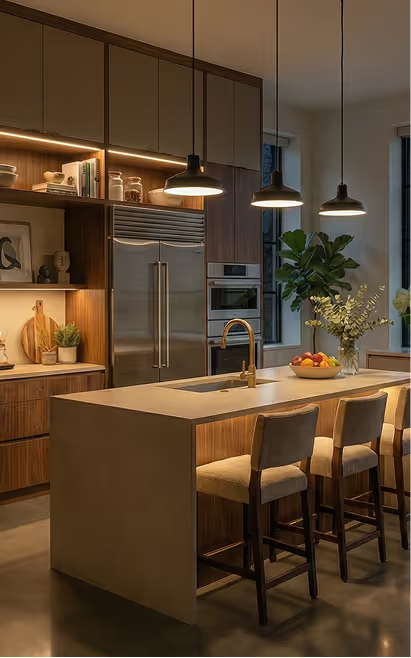
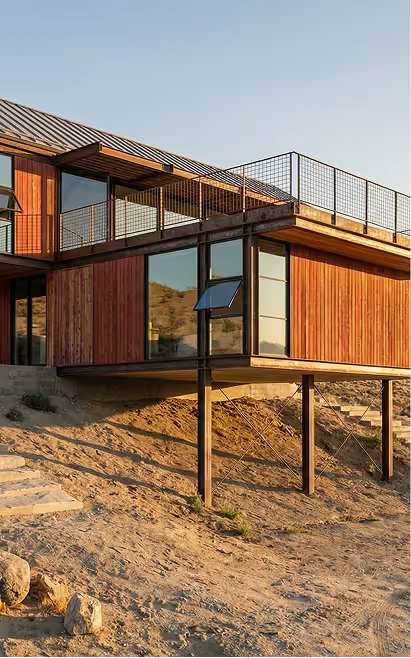
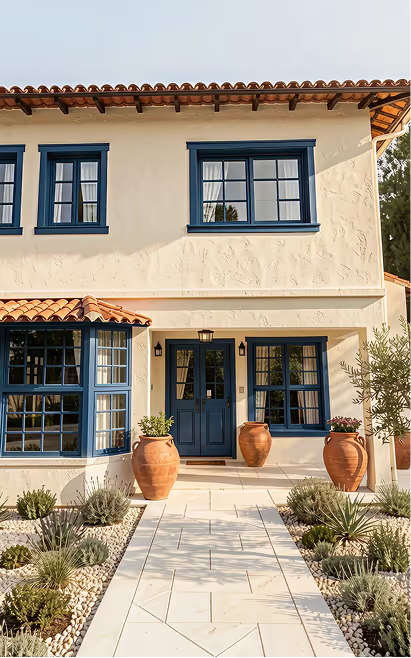
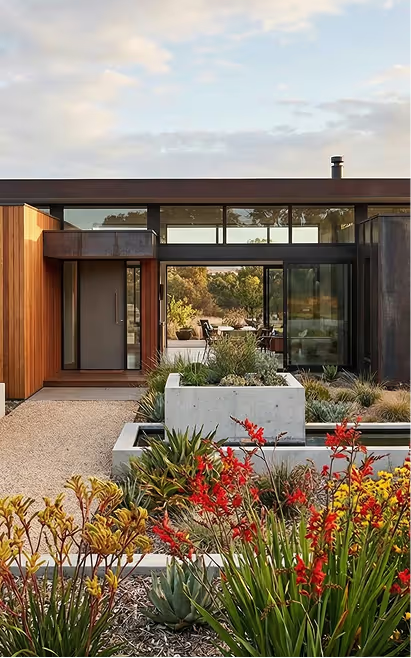
These are some of the results that several of our clients have achieved using Redraw