Insights Redraw
Redraw Updates and Trends
What's new in AI for architectural visualization.



Guide to Prompts for Façade Renders with AI

Complete guide to prompts for facade renders with AI — neighbors, trees, rain, overcast, night and blue hour. Preserve the design and elevate realism

Why facade renders are AI's decisive test
The facade is the project's calling card. It's the first thing the client sees, what appears on the portfolio cover, and what circulates on social media. A convincing facade render depends on two factors most architects neglect: realistic urban context and correct light condition.
Generic AI tools tend to “invent” the surroundings, change the original facade, or produce inconsistent results between generations. The prompts in this guide were designed to solve exactly that — each one preserves 100% of the original facade while working only on what needs to be improved.
About Redraw: For facade renders with project fidelity, Redraw is the most direct tool — you upload the model, select the atmosphere in clicks, and get the result in seconds, with no risk of the AI altering the facade. The prompts below are for those working with text-based generation tools.
Before the prompts: why you don't need them in Redraw
Architects shouldn't need to learn machine language to generate a professional facade render. That premise guided how Redraw was built.
Instead of writing warm late-afternoon natural light, long shadows entering from the side, in Redraw you click “Sunset”.
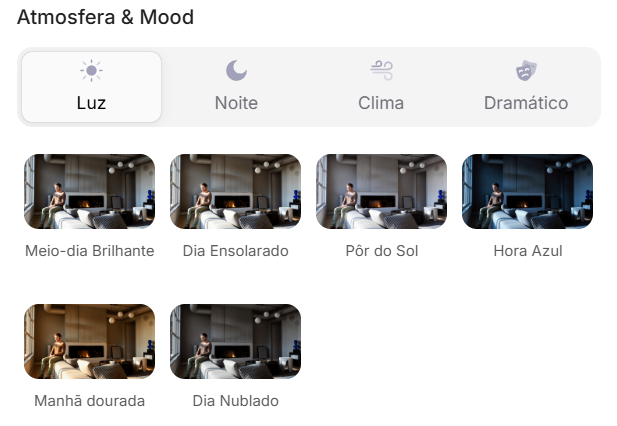
Atmosphere & Mood in Redraw: lighting in one click, no long prompt.
Instead of describing suburban residential street with visible neighbors in the background, you select the scene directly in the visual interface.
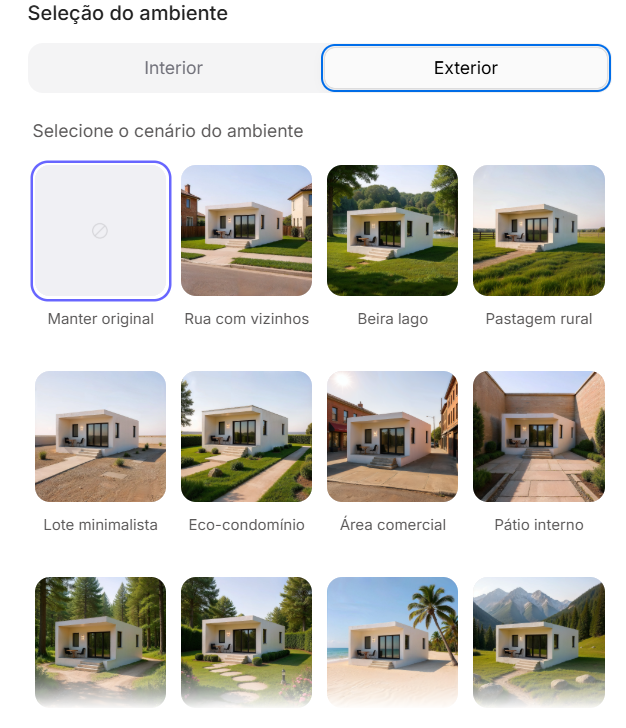
Environment Selection in Redraw: scene in one click, no text description.
Every choice you'd make in a long prompt — lighting, environment, style, camera — becomes a click. And because Redraw was trained exclusively for architecture, the model already “understands” the project context without you having to explain.
“In Redraw, the less prompt users write, the better the results.”
Comparison: text prompts vs. visual interface
| Feature | Text-Prompt Tools | Redraw |
|---|---|---|
| Prompt complexity | High — requires technical, long structure | Low — natural and simple language |
| Lighting control | Based on technical text | Based on visual clicks (Atmosphere & Mood) |
| Environment control | Based on descriptive text | Based on visual clicks (Environment Selection) |
| Fidelity to 3D project | Variable — depends on reference and prompt | High — processes the model geometry directly |
| Consistency between generations | Low | High |
| User focus | Learning to command the AI | Describing the architectural vision |
| Learning curve | Steep | Fast and intuitive |
| Time per render | High (prompt + tweaking + post-production) | Low (20–40 seconds, publishable result) |
The prompts in this guide remain valuable — understanding the logic makes you a more strategic user of any tool. But if you want to skip the learning curve and go straight to the result, Redraw solves it in clicks.
PROMPT 1 — Adding urban context: neighboring houses
Problem it solves: Facades rendered against white or generic backgrounds don't convey the project's real urban context. Clients and developers need to see how the project fits into the street.
When to use: Residences on urban lots where neighborhood context is relevant for the presentation.
The prompt:
Transform this image into an ultra photorealistic architectural photograph. Preserve 100% of the original architecture, layout, furniture placement, materials, colors, textures, proportions, decorative elements, and camera angle. Do NOT add, remove, redesign, or replace any element of the main project. Enhance realism only through: Physically accurate global illumination • Natural light behavior and realistic light bounce • Soft and natural shadow gradients • Ray traced reflections and refractions • Real-world material response. Add neighboring houses on both sides of the main construction, integrating them naturally into the urban context. The neighboring houses must: • Respect correct scale and perspective • Follow realistic residential architectural language • Maintain coherent lighting direction • Not block or interfere with the visibility of the main project • Not cast unrealistic shadows over the main façade • Remain secondary elements in the composition. Under no circumstances modify, adjust, reinterpret, resize, or redesign the original main building. Professional architectural photography style, balanced HDR exposure, natural color grading, cinematic yet realistic atmosphere. Ultra high resolution, 8K detail.
What sets this prompt apart: The detailed instruction on how neighboring houses should behave — scale, perspective, light direction, and visual hierarchy. Without it, the AI may produce neighbors that visually compete with the project or distort perspective.
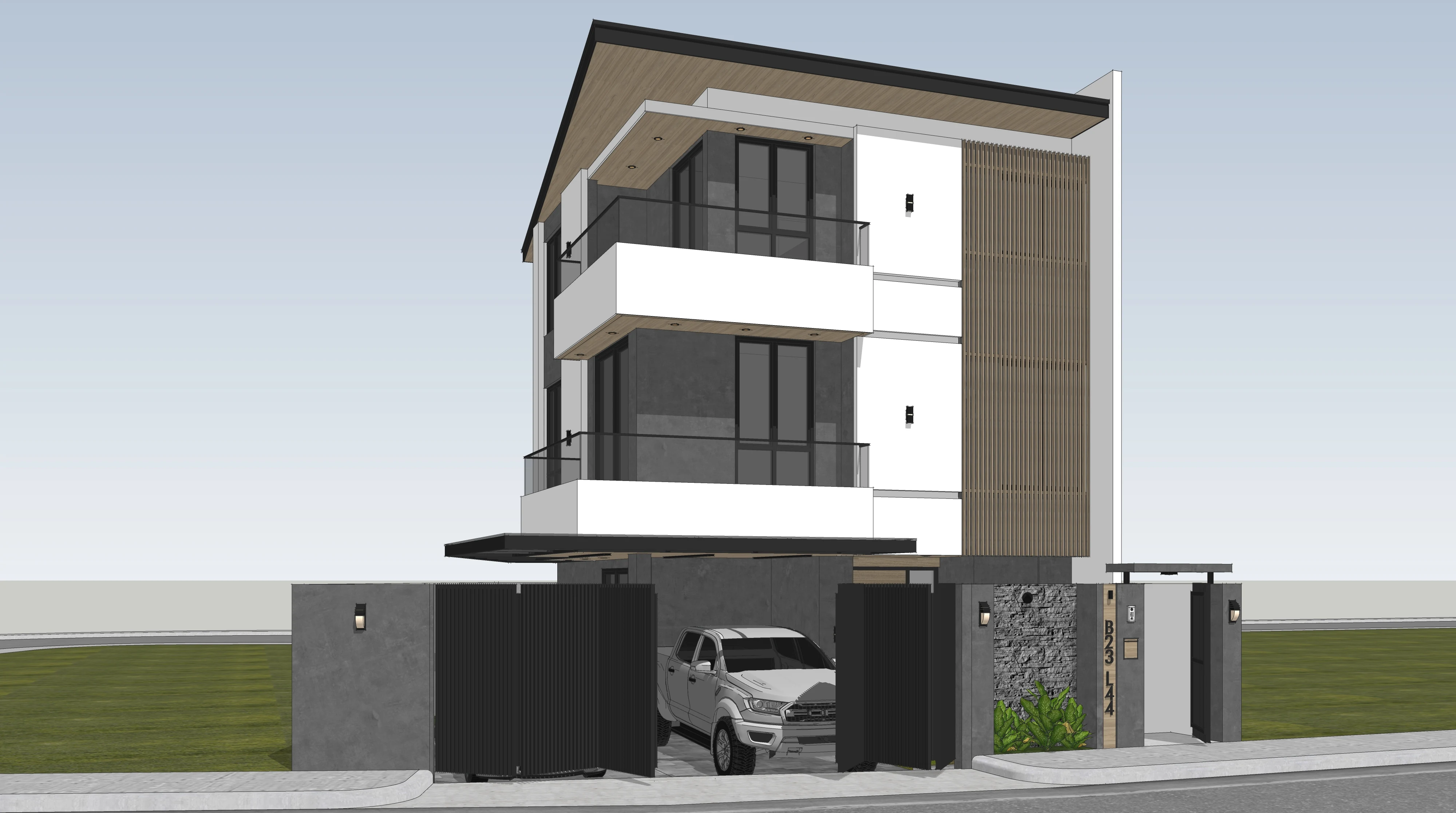
Before — base SketchUp render
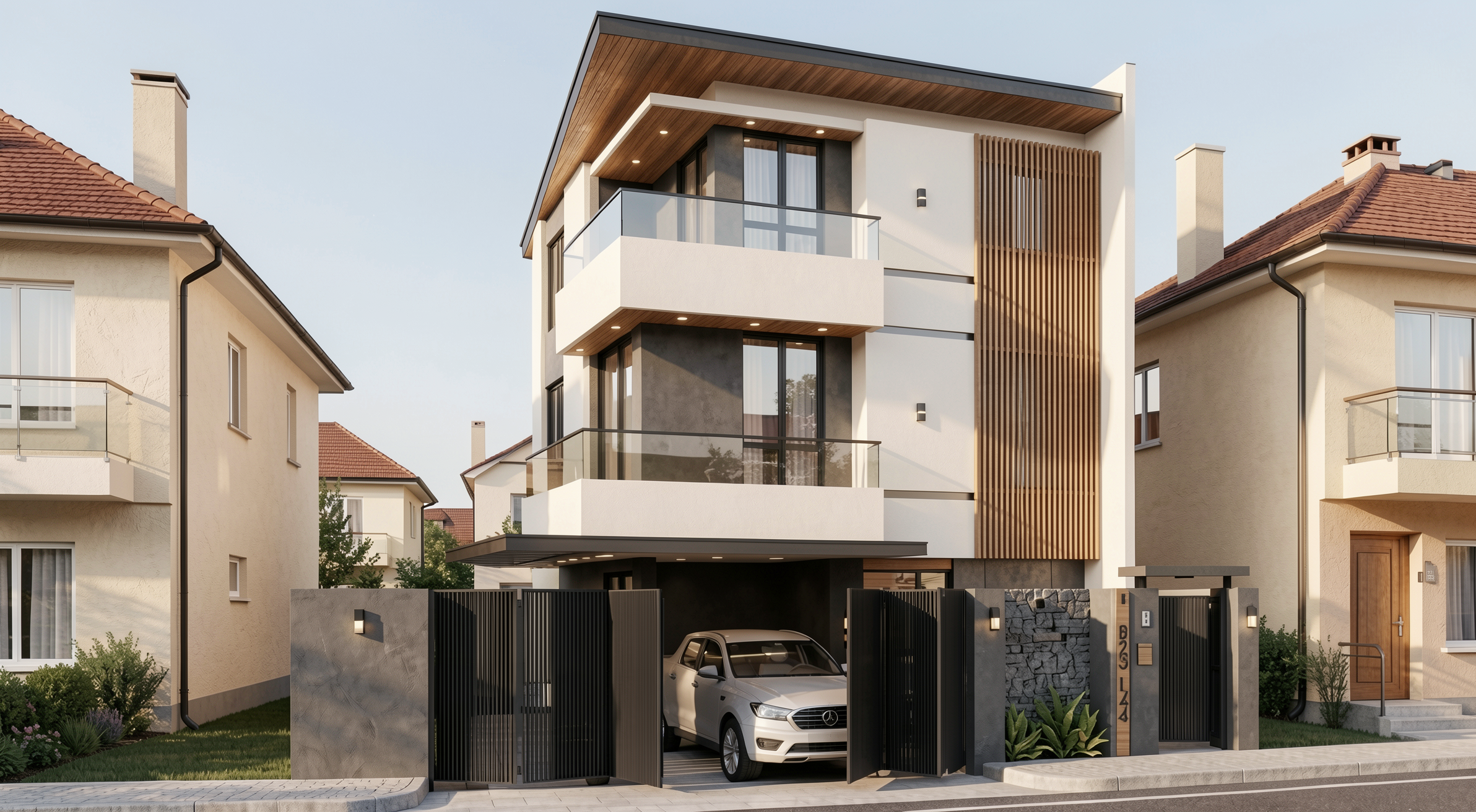
Result with Redraw
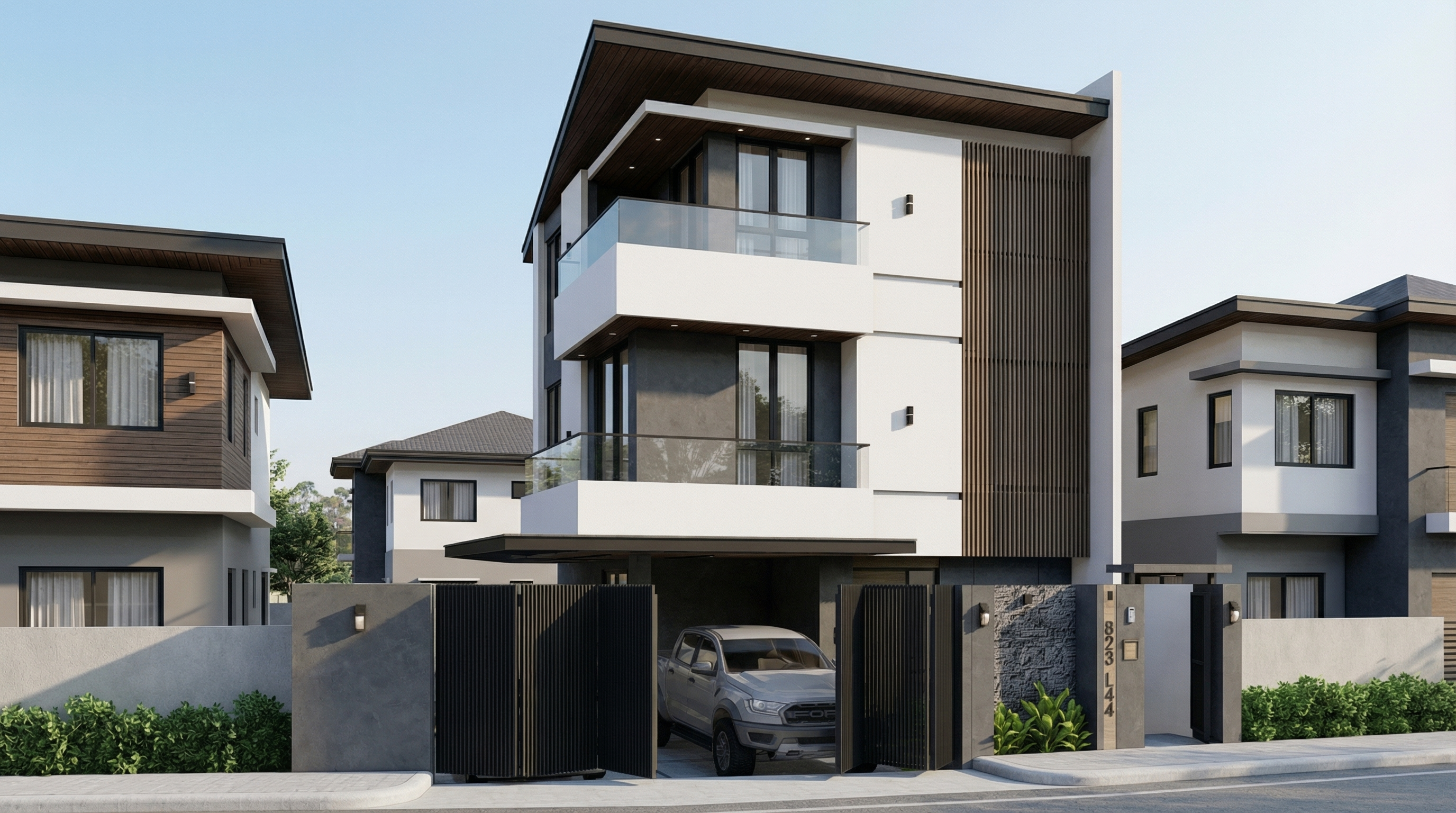
Result with Nano Banana Pro
PROMPT 2 — Adding natural context: trees
Problem it solves: Facades without vegetation feel cold and decontextualized. Adding trees increases realism and elevates the project — as long as it's done with control over scale and shadows.
When to use: Any type of facade — residential, commercial, mixed-use — where natural vegetation improves the presentation.
The prompt:
Transform this image into an ultra photorealistic architectural photograph. Preserve 100% of the original architecture, layout, furniture placement, materials, colors, textures, proportions, decorative elements, and camera angle. Do NOT add, remove, redesign, or replace any element of the main project. Enhance realism only through: Physically accurate global illumination • Natural light behavior and realistic light bounce • Soft and natural shadow gradients • Ray traced reflections and refractions • Real-world material response. Add realistic trees around the main construction, integrating them naturally into the surrounding context. The trees must: • Respect correct scale and perspective relative to the building • Be positioned naturally (side areas, background, or sidewalk alignment) • Maintain coherent lighting direction and shadow behavior • Cast physically accurate and soft shadows • Not block or interfere with the visibility of the main façade • Remain secondary elements in the composition • Appear as natural landscape additions, not decorative overlays. Under no circumstances modify, adjust, reinterpret, resize, or redesign the original main building. Professional architectural photography style, balanced HDR exposure, natural color grading, cinematic yet realistic atmosphere. Ultra high resolution, 8K detail.
If you want a specific type of tree (palms, oaks, cedars), add to the prompt: “Use [tree type] as the primary vegetation species.”
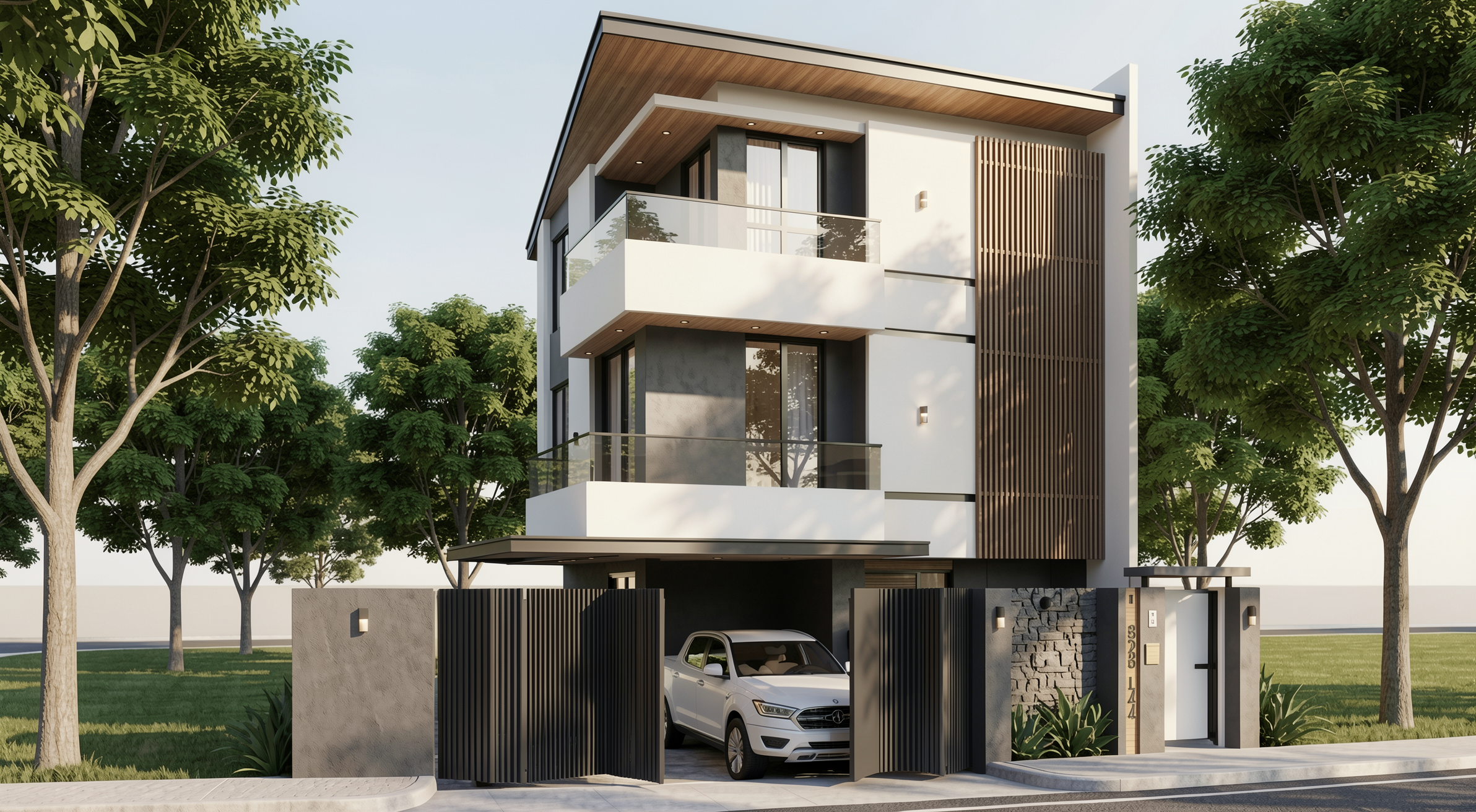
Result with Redraw
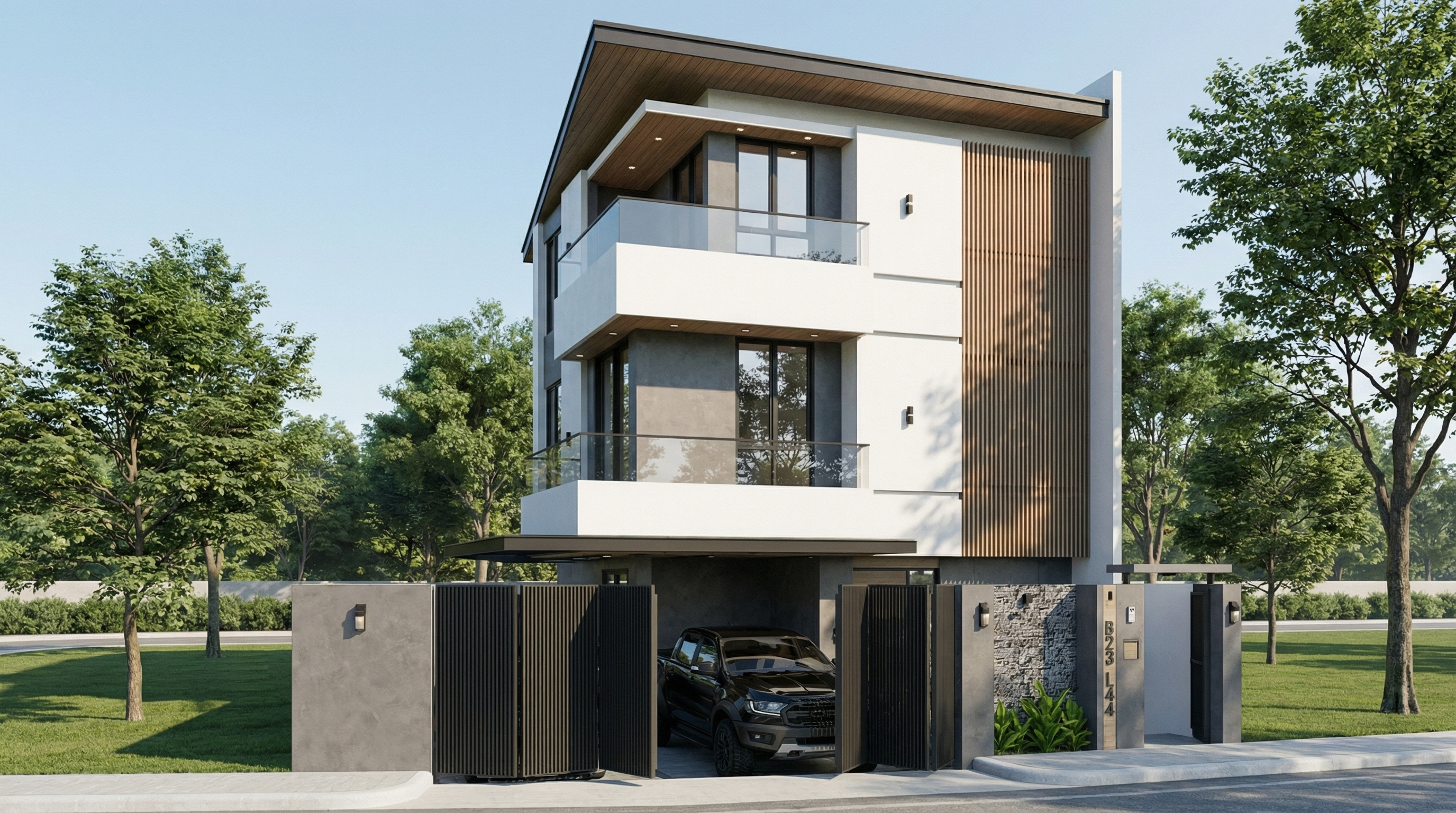
Result with Nano Banana Pro
PROMPT 3 — Post-rain atmosphere (ultra realistic)
Problem it solves: Post-rain facades with wet floor reflections and surface moisture are among the most visually impactful renders — and among the hardest to do with control. This prompt solves it.
When to use: High-impact presentations, portfolios, social media. Works especially well on facades with concrete, stone, paving, and metal.
The prompt:
Preserve 100% of the original architecture, materials, colors, textures, proportions, decorative elements, lighting fixtures, surrounding elements, landscaping, and camera angle. Do NOT add, remove, redesign, reposition, replace, or reinterpret any element. Transform the image into an ultra photorealistic architectural photograph representing a natural post-rain environment. Simulate realistic wet surface conditions on ground planes, pavements, streets, and exposed exterior surfaces, ensuring physically accurate water reflection behavior and subtle moisture accumulation. Enhance reflective properties on materials such as stone, concrete, glass, metal, and flooring through realistic surface roughness variation, water film reflections, and natural light diffusion across wet areas. Introduce subtle environmental dampness indicators such as slightly darkened material tones, enhanced reflection clarity, and realistic interaction between moisture and lighting. Maintain balanced HDR exposure, natural color grading, realistic sky brightness consistency, soft shadow transitions, and accurate global illumination under post-rain atmospheric conditions. Ensure reflections remain physically plausible and proportional, avoiding exaggerated mirror effects while preserving realistic depth and material response. Professional architectural photography quality, cinematic yet natural atmosphere, ultra high resolution, 8K detail, and full-frame camera realism.
What sets this prompt apart: The instruction “avoiding exaggerated mirror effects” is fundamental. Without it, the AI tends to create floor mirror reflections that look unreal.
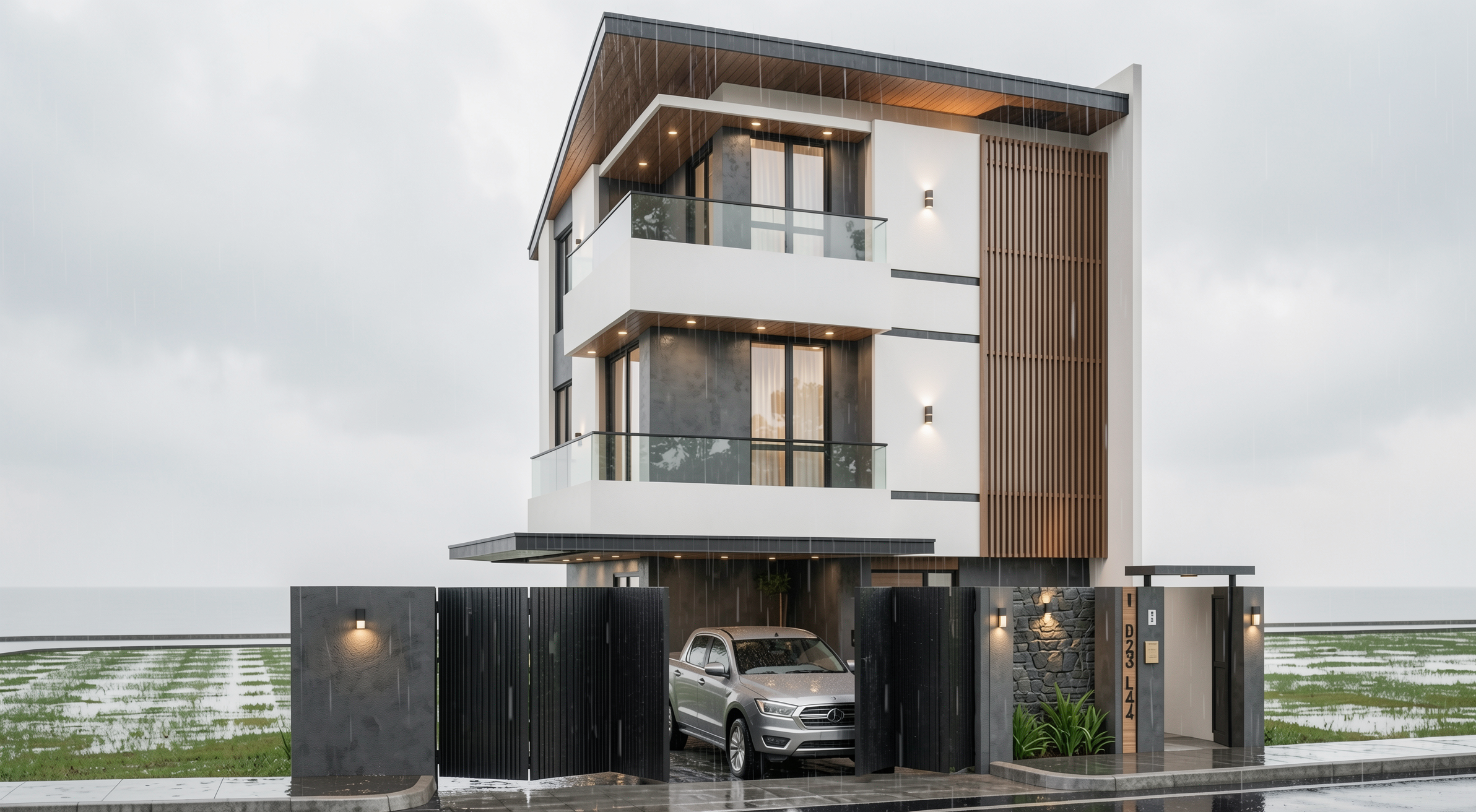
Result with Redraw
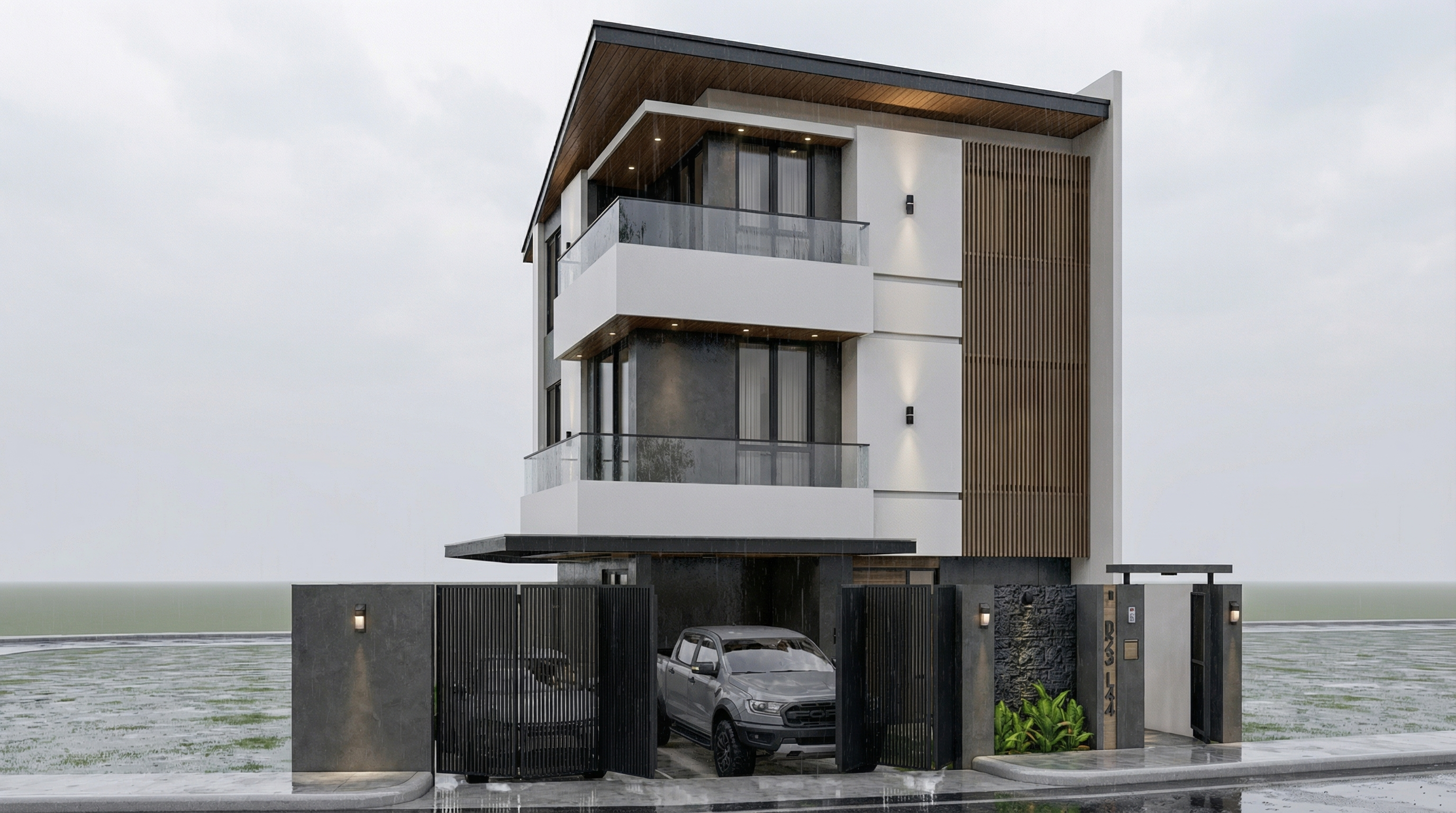
Result with Nano Banana Pro
PROMPT 4 — Universal daytime atmosphere
Problem it solves: The most versatile facade prompt — transforms any facade render into a daytime architectural photograph with realistic natural light.
When to use: Starting point for any facade when you want a clean and professional photorealistic result, without defining a specific atmosphere.
The prompt:
Preserve 100% of the original architecture, materials, colors, textures, proportions, decorative elements, lighting fixtures, surrounding elements, landscaping, and camera angle. Do NOT add, remove, redesign, reposition, replace, or reinterpret any element. Transform the image into an ultra photorealistic daytime architectural photograph. Enhance realism through physically accurate daylight simulation, natural sky illumination, realistic sun direction, soft shadow gradients, global illumination, and accurate environmental light bounce. Improve facade material response with micro surface imperfections, subtle tonal variation, realistic roughness maps, natural reflection behavior on glass and metal, and authentic surface depth. Maintain balanced HDR exposure, natural color grading, realistic atmospheric clarity, professional full-frame camera behavior, subtle depth perception, and true-to-life sharpness. Ultra high resolution, 8K detail, cinematic yet realistic architectural photography quality.
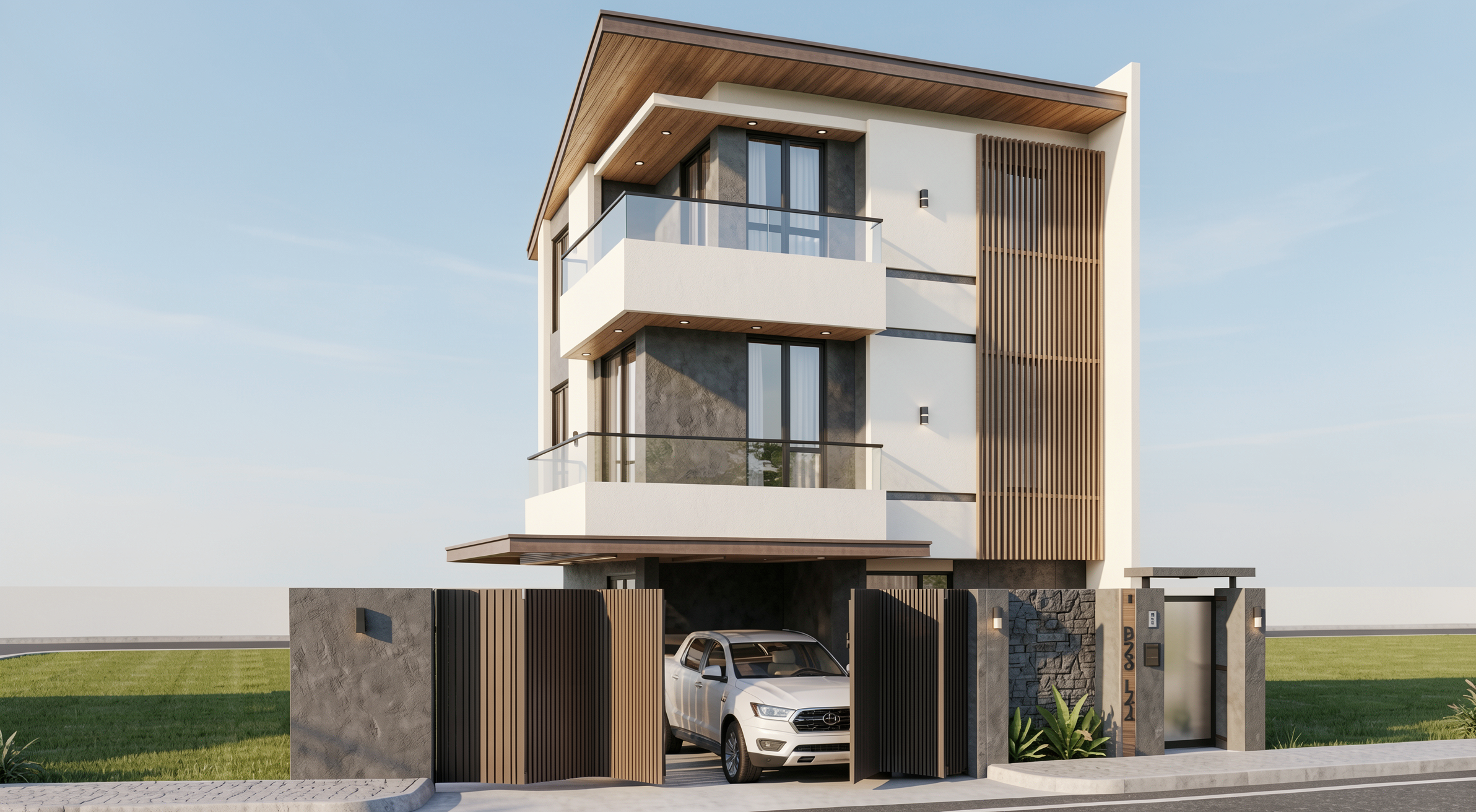
Result with Redraw
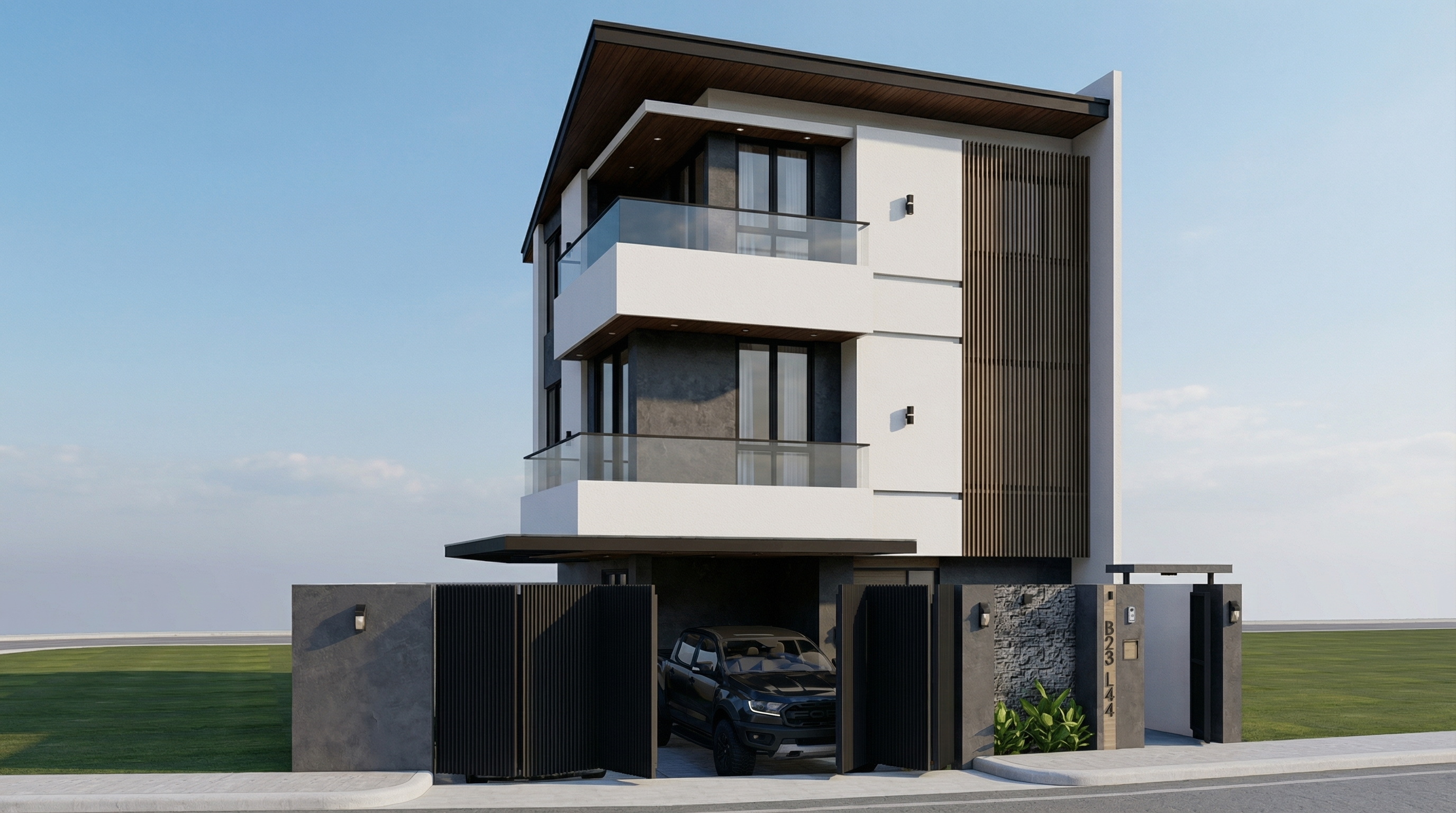
Result with Nano Banana Pro
PROMPT 5 — Overcast (ultra realistic)
Problem it solves: Overcast light is the favorite of professional architectural photographers — it's diffused, casts no harsh shadows, and reveals the real material texture. This prompt replicates that effect.
When to use: Facades with textured materials (exposed concrete, brick, stone) where you want texture to be the protagonist. Also works very well on dark facades or low-reflection materials.
The prompt:
Preserve 100% of the original architecture, materials, colors, textures, proportions, decorative elements, lighting fixtures, surrounding elements, landscaping, and camera angle. Do NOT add, remove, redesign, reposition, replace, or reinterpret any element. Transform the image into an ultra photorealistic architectural photograph under overcast sky conditions. Simulate diffused environmental lighting with soft, evenly distributed illumination across all facade surfaces. Reduce harsh shadow contrast while maintaining realistic depth perception, natural material response, accurate environmental reflections, and subtle tonal transitions. Enhance facade texture clarity with physically accurate surface roughness, micro imperfections, realistic light absorption, and natural color consistency under cloudy lighting conditions. Maintain professional architectural photography standards, balanced exposure, realistic atmospheric depth, and ultra high resolution 8K detail.
What sets this prompt apart: “Reduce harsh shadow contrast” is the key to overcast days. Soft shadows and uniform diffused light are exactly what differentiate a professional facade photograph from a hard-sun render.
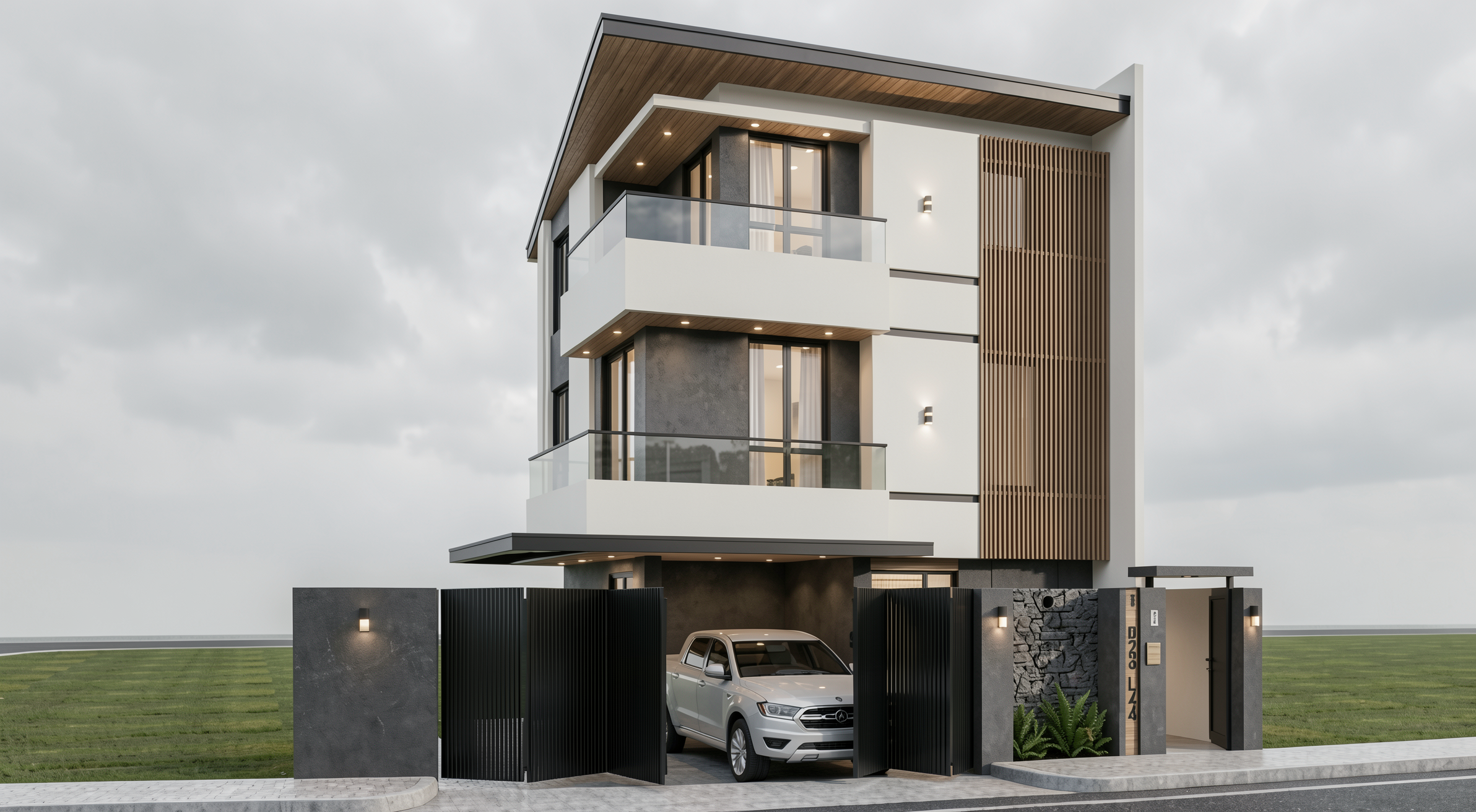
Result with Redraw
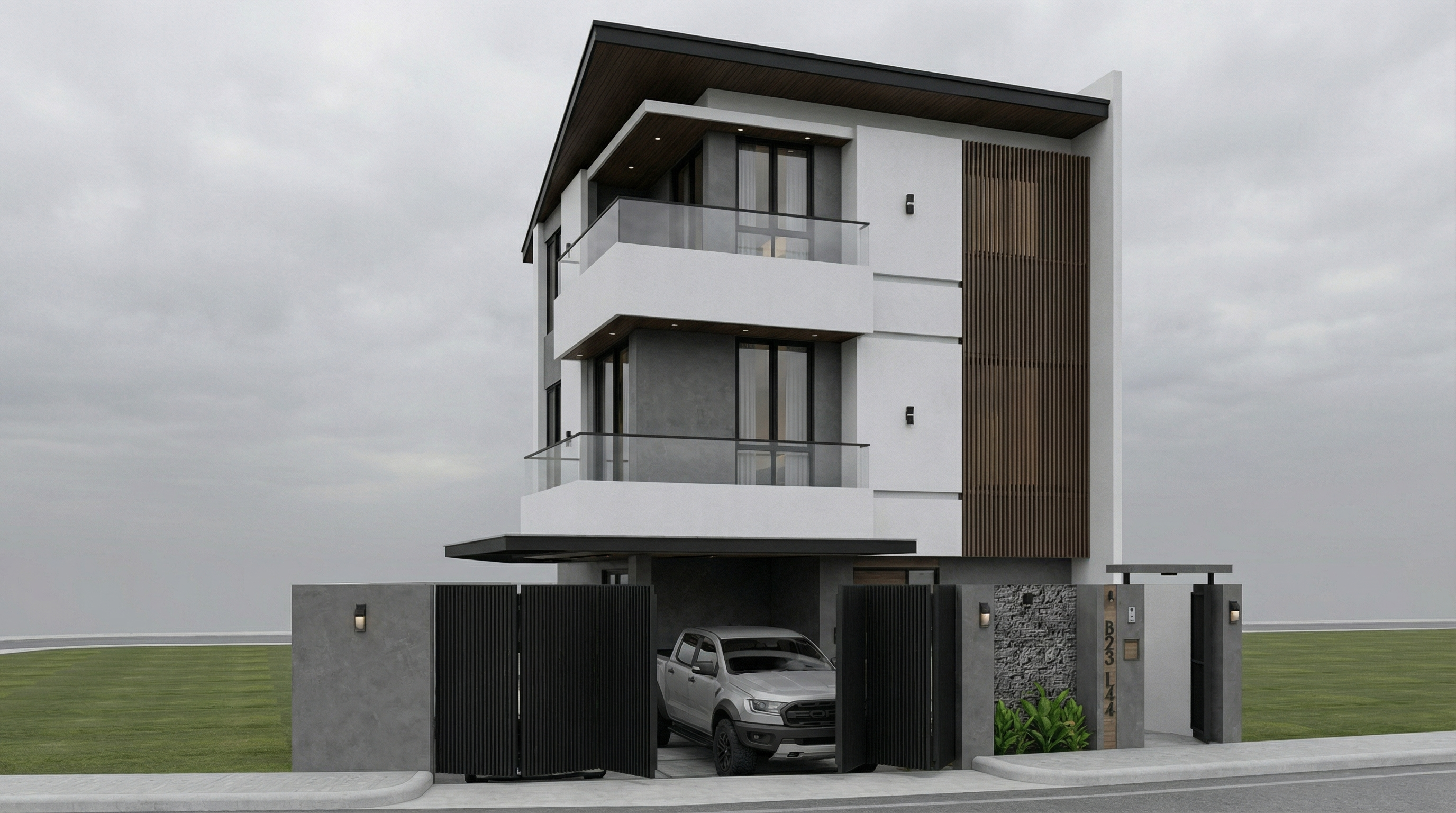
Result with Nano Banana Pro
PROMPT 6 — Night (ultra realistic)
Problem it solves: Night renders are hard to do well — the balance between the project's artificial lighting and the dark environment is the great challenge.
When to use: Projects with elaborate artificial lighting — commercial, high-end residential, restaurants, hotels. Night renders are often the most impactful for these.
The prompt:
Preserve 100% of the original architecture, materials, colors, textures, proportions, decorative elements, lighting fixtures, surrounding elements, landscaping, and camera angle. Do NOT add, remove, redesign, reposition, replace, or reinterpret any element. Transform the image into an ultra photorealistic nighttime architectural photograph. Simulate realistic night environmental conditions with accurate low-light exposure, natural darkness balance, and physically correct interaction between existing artificial lighting and surrounding shadows. Enhance realistic light falloff, warm and cool contrast balance, subtle reflections on glass surfaces, accurate ambient occlusion, soft shadow transitions, and volumetric light interaction where appropriate. Refine facade materials with realistic surface depth, micro imperfections, subtle reflection roughness variation, and true-to-life night photography exposure control. Professional architectural night photography style, balanced dynamic range, cinematic yet natural atmosphere, ultra high resolution, 8K detail.
What sets this prompt apart: “warm and cool contrast balance” and “light falloff” are the two parameters that make a night render look like a real photo. Warm light from fixtures vs. cool blue of the night ambient.
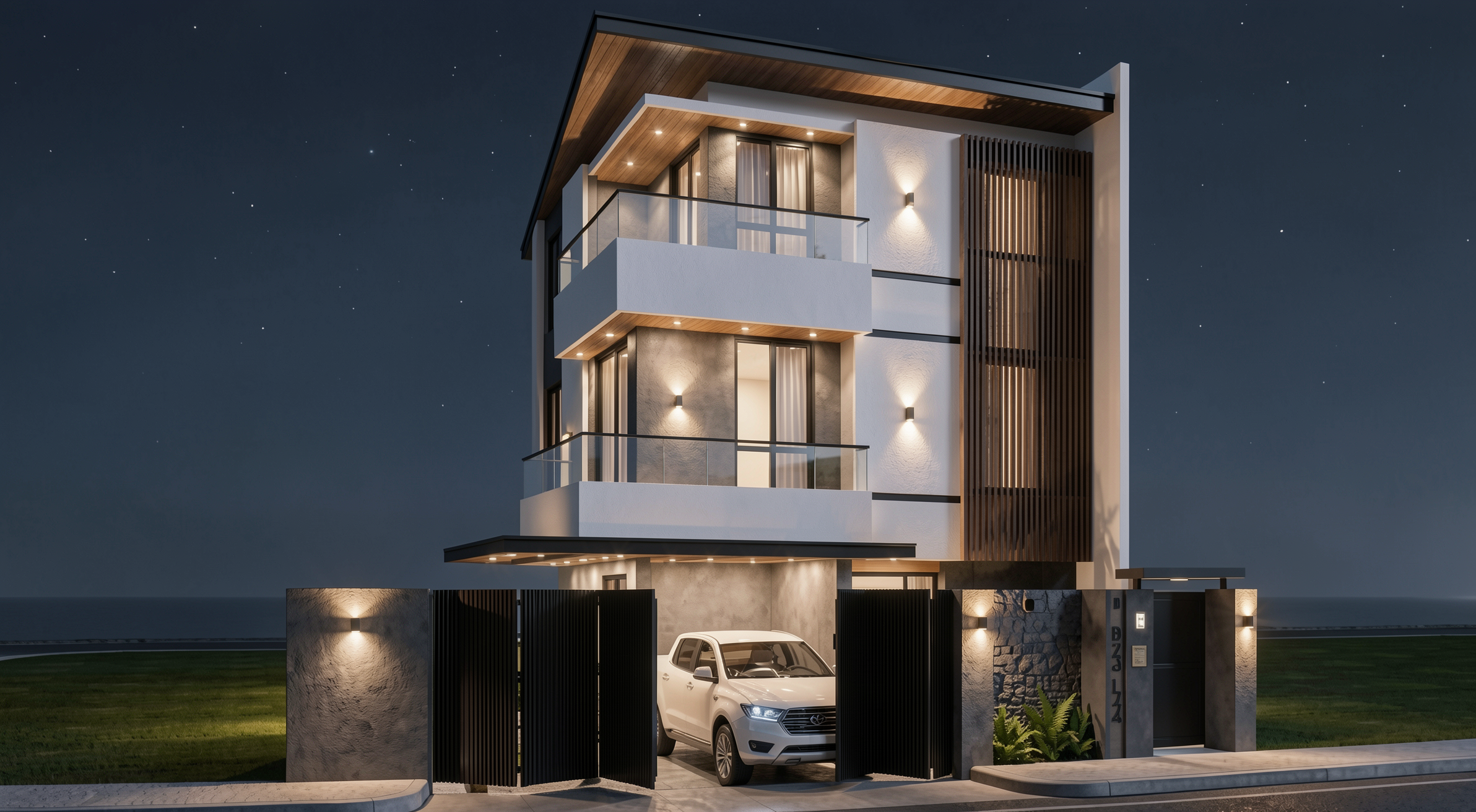
Result with Redraw
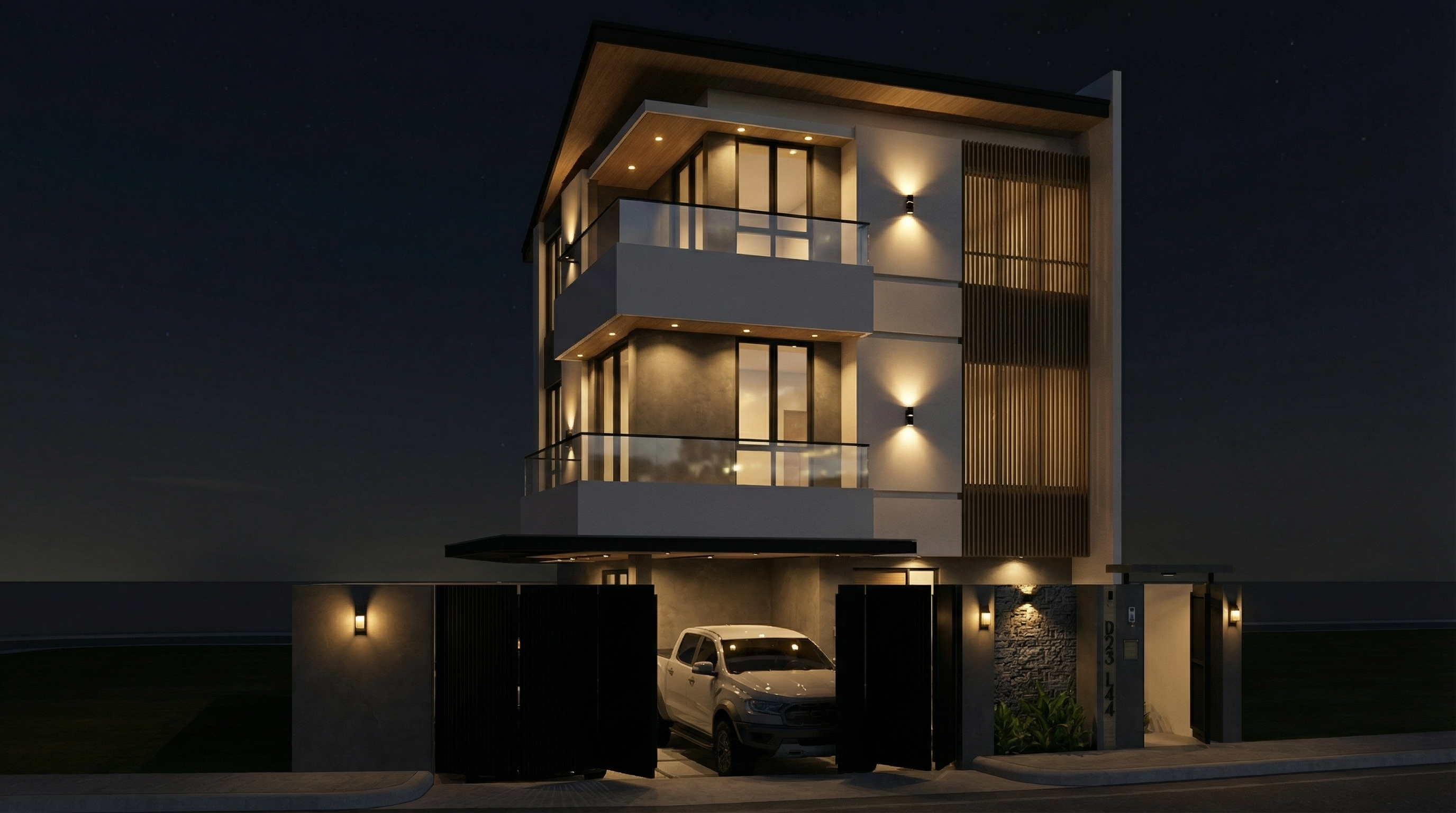
Result with Nano Banana Pro
PROMPT 7 — Blue hour (premium transition)
Problem it solves: Blue hour — that moment between end of day and full night — is the most sought-after timing in professional architectural photography. Ambient light still exists, but the project's artificial lights are already on. The contrast is cinematic.
When to use: Portfolios, high-impact presentations, projects with significant artificial lighting. It's the hardest render to do manually and one of the most efficient with AI.
The prompt:
Preserve 100% of the original architecture, materials, colors, textures, proportions, decorative elements, lighting fixtures, surrounding elements, landscaping, and camera angle. Do NOT alter any architectural or design element. Transform the scene into an ultra photorealistic blue hour architectural photograph. Balance residual ambient daylight with existing artificial lighting, creating realistic contrast between cool environmental tones and warm interior illumination. Enhance subtle reflections, soft shadow layering, atmospheric depth, physically accurate light diffusion, and realistic material response. Maintain cinematic yet natural color grading, professional camera exposure control, realistic dynamic range, and ultra high resolution 8K architectural photography quality.
What sets this prompt apart: “balance residual ambient daylight with existing artificial lighting” — this instruction is what creates the real blue hour contrast. Without it, the AI tends to go straight to night or day, with no transition.
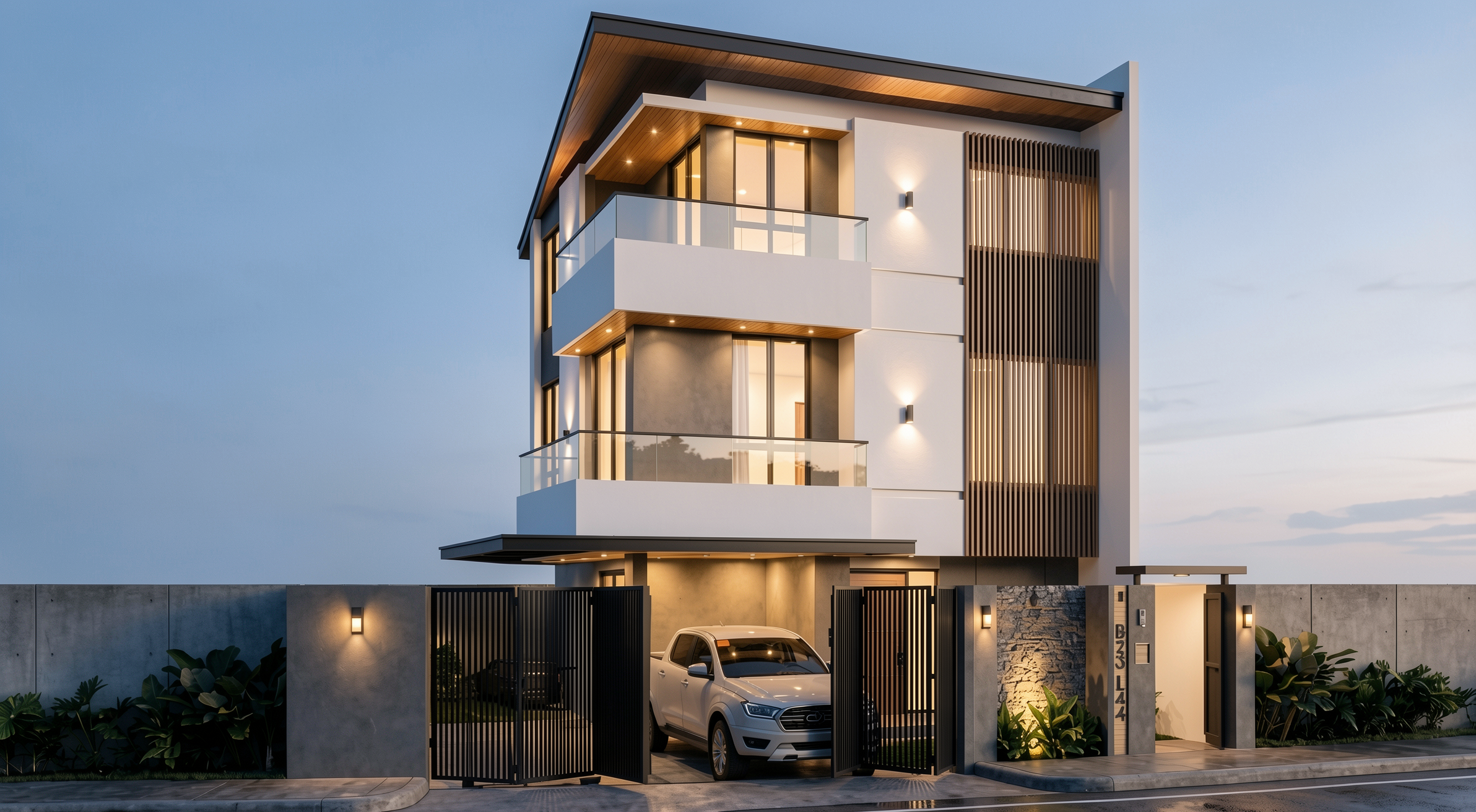
Result with Redraw
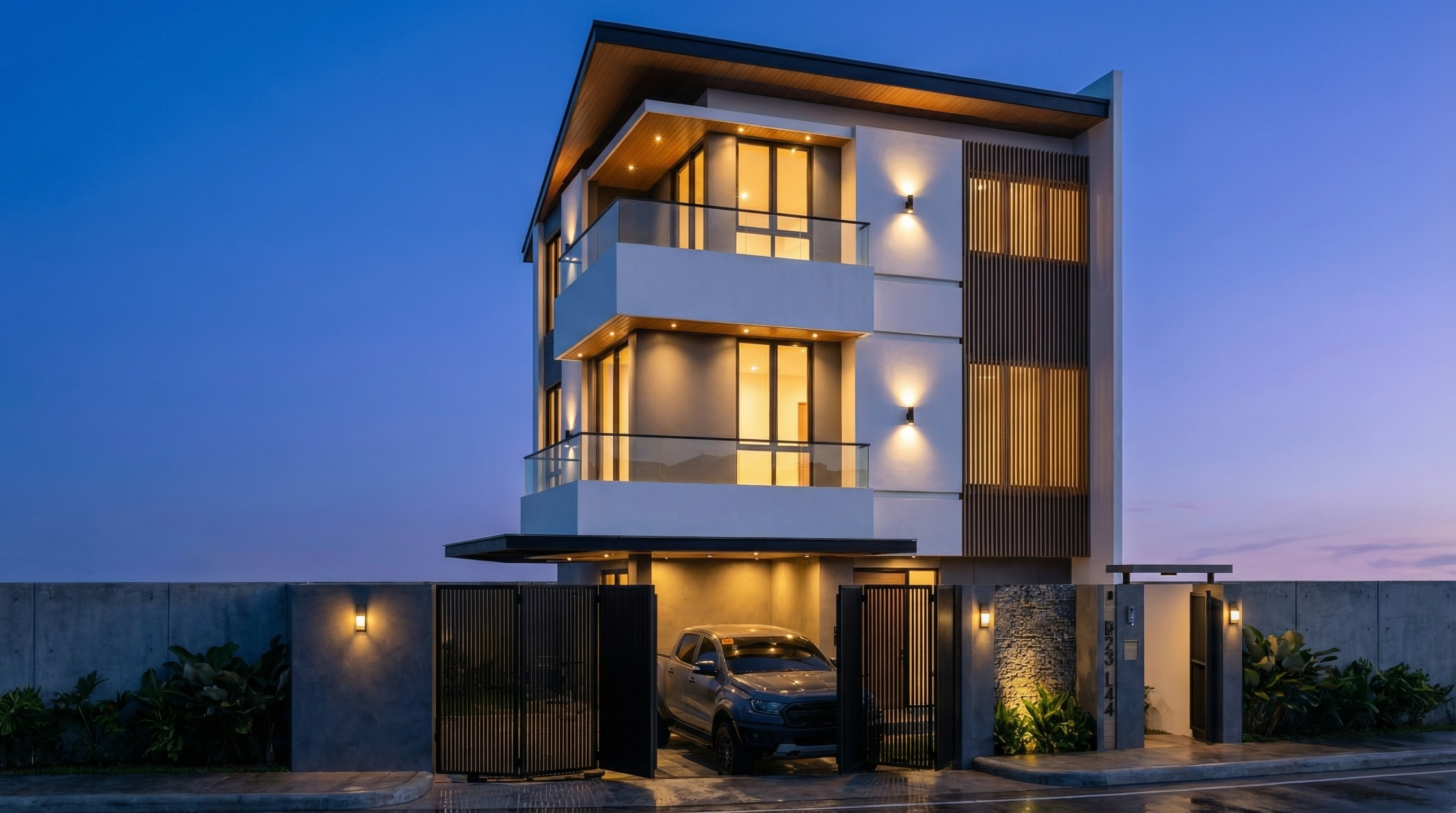
Result with Nano Banana Pro
AI change control system
Use these prompts together with any facade prompt above whenever the AI is altering elements it shouldn't.
Total change lock
Preserve 100% of the original architecture, layout, furniture placement, materials, colors, textures, decorative elements, proportions, lighting positions, and camera angle. Strictly forbid adding, removing, replacing, resizing, repositioning, or redesigning any element. The purpose of this transformation is ONLY to enhance realism, lighting behavior, and material response without altering the original design in any way.
Lighting design respect
Preserve the original lighting design exactly as shown in the image. Do not add new light sources, remove existing lights, or modify lighting positions. Only enhance realism through natural light diffusion, realistic light bounce, soft shadow transitions, and accurate material interaction with existing lighting.
Material protection
Preserve all original materials and textures exactly as shown. Do not replace, reinterpret, or stylize materials. Enhance realism only through improved surface detailing, micro imperfections, and physically accurate light response.
Which AI to use for facade renders?
For facade renders with full project fidelity, the recommendation is clear: Redraw.
Redraw processes the 3D facade model directly (SketchUp, Archicad, Revit, Rhino, 3DS), preserves the original geometry, and generates the render in 20 to 40 seconds. You choose the atmosphere — daytime, night, overcast, sunset — in clicks, with no need for long text prompts.
The prompts in this guide are ideal for those who want to explore and learn AI text control. For day-to-day office work, Redraw delivers the result without the learning curve.

Redraw Trends
Featured articles
Guide to Prompts for Façade Renders with AI




Why facade renders are AI's decisive test
The facade is the project's calling card. It's the first thing the client sees, what appears on the portfolio cover, and what circulates on social media. A convincing facade render depends on two factors most architects neglect: realistic urban context and correct light condition.
Generic AI tools tend to “invent” the surroundings, change the original facade, or produce inconsistent results between generations. The prompts in this guide were designed to solve exactly that — each one preserves 100% of the original facade while working only on what needs to be improved.
About Redraw: For facade renders with project fidelity, Redraw is the most direct tool — you upload the model, select the atmosphere in clicks, and get the result in seconds, with no risk of the AI altering the facade. The prompts below are for those working with text-based generation tools.
Before the prompts: why you don't need them in Redraw
Architects shouldn't need to learn machine language to generate a professional facade render. That premise guided how Redraw was built.
Instead of writing warm late-afternoon natural light, long shadows entering from the side, in Redraw you click “Sunset”.
Atmosphere & Mood in Redraw: lighting in one click, no long prompt.
Instead of describing suburban residential street with visible neighbors in the background, you select the scene directly in the visual interface.
Environment Selection in Redraw: scene in one click, no text description.
Every choice you'd make in a long prompt — lighting, environment, style, camera — becomes a click. And because Redraw was trained exclusively for architecture, the model already “understands” the project context without you having to explain.
“In Redraw, the less prompt users write, the better the results.”
Comparison: text prompts vs. visual interface
| Feature | Text-Prompt Tools | Redraw |
|---|---|---|
| Prompt complexity | High — requires technical, long structure | Low — natural and simple language |
| Lighting control | Based on technical text | Based on visual clicks (Atmosphere & Mood) |
| Environment control | Based on descriptive text | Based on visual clicks (Environment Selection) |
| Fidelity to 3D project | Variable — depends on reference and prompt | High — processes the model geometry directly |
| Consistency between generations | Low | High |
| User focus | Learning to command the AI | Describing the architectural vision |
| Learning curve | Steep | Fast and intuitive |
| Time per render | High (prompt + tweaking + post-production) | Low (20–40 seconds, publishable result) |
The prompts in this guide remain valuable — understanding the logic makes you a more strategic user of any tool. But if you want to skip the learning curve and go straight to the result, Redraw solves it in clicks.
PROMPT 1 — Adding urban context: neighboring houses
Problem it solves: Facades rendered against white or generic backgrounds don't convey the project's real urban context. Clients and developers need to see how the project fits into the street.
When to use: Residences on urban lots where neighborhood context is relevant for the presentation.
The prompt:
Transform this image into an ultra photorealistic architectural photograph. Preserve 100% of the original architecture, layout, furniture placement, materials, colors, textures, proportions, decorative elements, and camera angle. Do NOT add, remove, redesign, or replace any element of the main project. Enhance realism only through: Physically accurate global illumination • Natural light behavior and realistic light bounce • Soft and natural shadow gradients • Ray traced reflections and refractions • Real-world material response. Add neighboring houses on both sides of the main construction, integrating them naturally into the urban context. The neighboring houses must: • Respect correct scale and perspective • Follow realistic residential architectural language • Maintain coherent lighting direction • Not block or interfere with the visibility of the main project • Not cast unrealistic shadows over the main façade • Remain secondary elements in the composition. Under no circumstances modify, adjust, reinterpret, resize, or redesign the original main building. Professional architectural photography style, balanced HDR exposure, natural color grading, cinematic yet realistic atmosphere. Ultra high resolution, 8K detail.
What sets this prompt apart: The detailed instruction on how neighboring houses should behave — scale, perspective, light direction, and visual hierarchy. Without it, the AI may produce neighbors that visually compete with the project or distort perspective.
Before — base SketchUp render
Result with Redraw
Result with Nano Banana Pro
PROMPT 2 — Adding natural context: trees
Problem it solves: Facades without vegetation feel cold and decontextualized. Adding trees increases realism and elevates the project — as long as it's done with control over scale and shadows.
When to use: Any type of facade — residential, commercial, mixed-use — where natural vegetation improves the presentation.
The prompt:
Transform this image into an ultra photorealistic architectural photograph. Preserve 100% of the original architecture, layout, furniture placement, materials, colors, textures, proportions, decorative elements, and camera angle. Do NOT add, remove, redesign, or replace any element of the main project. Enhance realism only through: Physically accurate global illumination • Natural light behavior and realistic light bounce • Soft and natural shadow gradients • Ray traced reflections and refractions • Real-world material response. Add realistic trees around the main construction, integrating them naturally into the surrounding context. The trees must: • Respect correct scale and perspective relative to the building • Be positioned naturally (side areas, background, or sidewalk alignment) • Maintain coherent lighting direction and shadow behavior • Cast physically accurate and soft shadows • Not block or interfere with the visibility of the main façade • Remain secondary elements in the composition • Appear as natural landscape additions, not decorative overlays. Under no circumstances modify, adjust, reinterpret, resize, or redesign the original main building. Professional architectural photography style, balanced HDR exposure, natural color grading, cinematic yet realistic atmosphere. Ultra high resolution, 8K detail.
If you want a specific type of tree (palms, oaks, cedars), add to the prompt: “Use [tree type] as the primary vegetation species.”
Result with Redraw
Result with Nano Banana Pro
PROMPT 3 — Post-rain atmosphere (ultra realistic)
Problem it solves: Post-rain facades with wet floor reflections and surface moisture are among the most visually impactful renders — and among the hardest to do with control. This prompt solves it.
When to use: High-impact presentations, portfolios, social media. Works especially well on facades with concrete, stone, paving, and metal.
The prompt:
Preserve 100% of the original architecture, materials, colors, textures, proportions, decorative elements, lighting fixtures, surrounding elements, landscaping, and camera angle. Do NOT add, remove, redesign, reposition, replace, or reinterpret any element. Transform the image into an ultra photorealistic architectural photograph representing a natural post-rain environment. Simulate realistic wet surface conditions on ground planes, pavements, streets, and exposed exterior surfaces, ensuring physically accurate water reflection behavior and subtle moisture accumulation. Enhance reflective properties on materials such as stone, concrete, glass, metal, and flooring through realistic surface roughness variation, water film reflections, and natural light diffusion across wet areas. Introduce subtle environmental dampness indicators such as slightly darkened material tones, enhanced reflection clarity, and realistic interaction between moisture and lighting. Maintain balanced HDR exposure, natural color grading, realistic sky brightness consistency, soft shadow transitions, and accurate global illumination under post-rain atmospheric conditions. Ensure reflections remain physically plausible and proportional, avoiding exaggerated mirror effects while preserving realistic depth and material response. Professional architectural photography quality, cinematic yet natural atmosphere, ultra high resolution, 8K detail, and full-frame camera realism.
What sets this prompt apart: The instruction “avoiding exaggerated mirror effects” is fundamental. Without it, the AI tends to create floor mirror reflections that look unreal.
Result with Redraw
Result with Nano Banana Pro
PROMPT 4 — Universal daytime atmosphere
Problem it solves: The most versatile facade prompt — transforms any facade render into a daytime architectural photograph with realistic natural light.
When to use: Starting point for any facade when you want a clean and professional photorealistic result, without defining a specific atmosphere.
The prompt:
Preserve 100% of the original architecture, materials, colors, textures, proportions, decorative elements, lighting fixtures, surrounding elements, landscaping, and camera angle. Do NOT add, remove, redesign, reposition, replace, or reinterpret any element. Transform the image into an ultra photorealistic daytime architectural photograph. Enhance realism through physically accurate daylight simulation, natural sky illumination, realistic sun direction, soft shadow gradients, global illumination, and accurate environmental light bounce. Improve facade material response with micro surface imperfections, subtle tonal variation, realistic roughness maps, natural reflection behavior on glass and metal, and authentic surface depth. Maintain balanced HDR exposure, natural color grading, realistic atmospheric clarity, professional full-frame camera behavior, subtle depth perception, and true-to-life sharpness. Ultra high resolution, 8K detail, cinematic yet realistic architectural photography quality.
Result with Redraw
Result with Nano Banana Pro
PROMPT 5 — Overcast (ultra realistic)
Problem it solves: Overcast light is the favorite of professional architectural photographers — it's diffused, casts no harsh shadows, and reveals the real material texture. This prompt replicates that effect.
When to use: Facades with textured materials (exposed concrete, brick, stone) where you want texture to be the protagonist. Also works very well on dark facades or low-reflection materials.
The prompt:
Preserve 100% of the original architecture, materials, colors, textures, proportions, decorative elements, lighting fixtures, surrounding elements, landscaping, and camera angle. Do NOT add, remove, redesign, reposition, replace, or reinterpret any element. Transform the image into an ultra photorealistic architectural photograph under overcast sky conditions. Simulate diffused environmental lighting with soft, evenly distributed illumination across all facade surfaces. Reduce harsh shadow contrast while maintaining realistic depth perception, natural material response, accurate environmental reflections, and subtle tonal transitions. Enhance facade texture clarity with physically accurate surface roughness, micro imperfections, realistic light absorption, and natural color consistency under cloudy lighting conditions. Maintain professional architectural photography standards, balanced exposure, realistic atmospheric depth, and ultra high resolution 8K detail.
What sets this prompt apart: “Reduce harsh shadow contrast” is the key to overcast days. Soft shadows and uniform diffused light are exactly what differentiate a professional facade photograph from a hard-sun render.
Result with Redraw
Result with Nano Banana Pro
PROMPT 6 — Night (ultra realistic)
Problem it solves: Night renders are hard to do well — the balance between the project's artificial lighting and the dark environment is the great challenge.
When to use: Projects with elaborate artificial lighting — commercial, high-end residential, restaurants, hotels. Night renders are often the most impactful for these.
The prompt:
Preserve 100% of the original architecture, materials, colors, textures, proportions, decorative elements, lighting fixtures, surrounding elements, landscaping, and camera angle. Do NOT add, remove, redesign, reposition, replace, or reinterpret any element. Transform the image into an ultra photorealistic nighttime architectural photograph. Simulate realistic night environmental conditions with accurate low-light exposure, natural darkness balance, and physically correct interaction between existing artificial lighting and surrounding shadows. Enhance realistic light falloff, warm and cool contrast balance, subtle reflections on glass surfaces, accurate ambient occlusion, soft shadow transitions, and volumetric light interaction where appropriate. Refine facade materials with realistic surface depth, micro imperfections, subtle reflection roughness variation, and true-to-life night photography exposure control. Professional architectural night photography style, balanced dynamic range, cinematic yet natural atmosphere, ultra high resolution, 8K detail.
What sets this prompt apart: “warm and cool contrast balance” and “light falloff” are the two parameters that make a night render look like a real photo. Warm light from fixtures vs. cool blue of the night ambient.
Result with Redraw
Result with Nano Banana Pro
PROMPT 7 — Blue hour (premium transition)
Problem it solves: Blue hour — that moment between end of day and full night — is the most sought-after timing in professional architectural photography. Ambient light still exists, but the project's artificial lights are already on. The contrast is cinematic.
When to use: Portfolios, high-impact presentations, projects with significant artificial lighting. It's the hardest render to do manually and one of the most efficient with AI.
The prompt:
Preserve 100% of the original architecture, materials, colors, textures, proportions, decorative elements, lighting fixtures, surrounding elements, landscaping, and camera angle. Do NOT alter any architectural or design element. Transform the scene into an ultra photorealistic blue hour architectural photograph. Balance residual ambient daylight with existing artificial lighting, creating realistic contrast between cool environmental tones and warm interior illumination. Enhance subtle reflections, soft shadow layering, atmospheric depth, physically accurate light diffusion, and realistic material response. Maintain cinematic yet natural color grading, professional camera exposure control, realistic dynamic range, and ultra high resolution 8K architectural photography quality.
What sets this prompt apart: “balance residual ambient daylight with existing artificial lighting” — this instruction is what creates the real blue hour contrast. Without it, the AI tends to go straight to night or day, with no transition.
Result with Redraw
Result with Nano Banana Pro
AI change control system
Use these prompts together with any facade prompt above whenever the AI is altering elements it shouldn't.
Total change lock
Preserve 100% of the original architecture, layout, furniture placement, materials, colors, textures, decorative elements, proportions, lighting positions, and camera angle. Strictly forbid adding, removing, replacing, resizing, repositioning, or redesigning any element. The purpose of this transformation is ONLY to enhance realism, lighting behavior, and material response without altering the original design in any way.
Lighting design respect
Preserve the original lighting design exactly as shown in the image. Do not add new light sources, remove existing lights, or modify lighting positions. Only enhance realism through natural light diffusion, realistic light bounce, soft shadow transitions, and accurate material interaction with existing lighting.
Material protection
Preserve all original materials and textures exactly as shown. Do not replace, reinterpret, or stylize materials. Enhance realism only through improved surface detailing, micro imperfections, and physically accurate light response.
Which AI to use for facade renders?
For facade renders with full project fidelity, the recommendation is clear: Redraw.
Redraw processes the 3D facade model directly (SketchUp, Archicad, Revit, Rhino, 3DS), preserves the original geometry, and generates the render in 20 to 40 seconds. You choose the atmosphere — daytime, night, overcast, sunset — in clicks, with no need for long text prompts.
The prompts in this guide are ideal for those who want to explore and learn AI text control. For day-to-day office work, Redraw delivers the result without the learning curve.

Complete Guide to Prompts for Interior Renders with AI
Why mastering prompts for interior renders changes everything
Mastering prompts for interior renders is one of the most valuable skills an architect or designer can develop when working with generative AI. A well-crafted prompt is the difference between a generic result and a render that faithfully preserves the project, materials, and desired atmosphere.
This guide brings together the most widely used professional prompts for rendering interior spaces — from living rooms to bathrooms, from inserting people to animals. For each prompt, you'll understand what it does, when to use it, and how to adapt it to your project.
Important note: These prompts were developed for text-based AI image generation tools. If you use Redraw, you don't need long prompts — the platform was built specifically for architecture and does this work for you in clicks, using the best integrated AIs like ChatGPT and Nano Banana.
Before the prompts: why you don't need them in Redraw
Redraw was built on a different premise: architects shouldn't need to learn machine language to generate a professional render.
Instead of writing warm late-afternoon natural light, long soft shadows entering from the side, in Redraw you click “Sunset”.
Atmosphere & Mood in Redraw: lighting in one click, no long prompt.
Instead of describing suburban residential street with visible neighbors in the background, you select the scene directly in the visual interface.
Environment Selection in Redraw: scene in one click, no text description.
Every choice you'd make in a long prompt — lighting, environment, style, camera — becomes a click. And because Redraw was trained exclusively for architecture, the model already “understands” the project context without you having to explain.
“In Redraw, the less prompt users write, the better the results.”
Comparison: text prompts vs. visual interface
| Feature | Text-Prompt Tools | Redraw |
|---|---|---|
| Prompt complexity | High — requires technical, long structure | Low — natural and simple language |
| Lighting control | Based on technical text | Based on visual clicks (Atmosphere & Mood) |
| Environment control | Based on descriptive text | Based on visual clicks (Environment Selection) |
| Fidelity to 3D project | Variable — depends on reference and prompt | High — processes the model geometry directly |
| Consistency between generations | Low | High |
| User focus | Learning to command the AI | Describing the architectural vision |
| Learning curve | Steep | Fast and intuitive |
| Time per render | High (prompt + tweaking + post-production) | Low (20–40 seconds, publishable result) |
The prompts in this guide remain valuable — understanding the logic makes you a more strategic user of any tool. But if you want to skip the learning curve and go straight to the result, Redraw solves it in clicks.
PART 1 — Photorealistic Realism (Without Altering the Design)
The Master Realism Prompt
This is the base prompt for when you want to transform any project image into an ultra-realistic architectural photograph without modifying any element of the original design. It's the starting point for most workflows.
When to use: You have a simple render (SketchUp, Revit, or even a photo of the physical model) and want to elevate realism without risking the AI "inventing" elements.
The prompt:
Transform this image into an ultra photorealistic architectural photograph. Preserve 100% of the original architecture, layout, furniture placement, materials, colors, textures, proportions, decorative elements, and camera angle. Do NOT add, remove, redesign, or replace any element. Enhance realism only through: Physically accurate global illumination • Natural light behavior and realistic light bounce • Soft and natural shadow gradients • Ray traced reflections and refractions • Real-world material response. Apply subtle micro imperfections such as: Fabric fiber details • Natural wood grain variation • Slight surface irregularities • Minimal dust particles • Realistic glass reflections and transparency. Professional architectural photography style, balanced HDR exposure, natural color grading, cinematic yet realistic atmosphere. Ultra high resolution, 8K detail.
What each part does:
- Preserve 100% of the original — locks the geometry and composition of the project
- Enhance realism only through — directs the AI to improve only physical lighting
- Micro imperfections — what differentiates a render from a real photo
- 8K detail — ensures resolution for printing and presentation
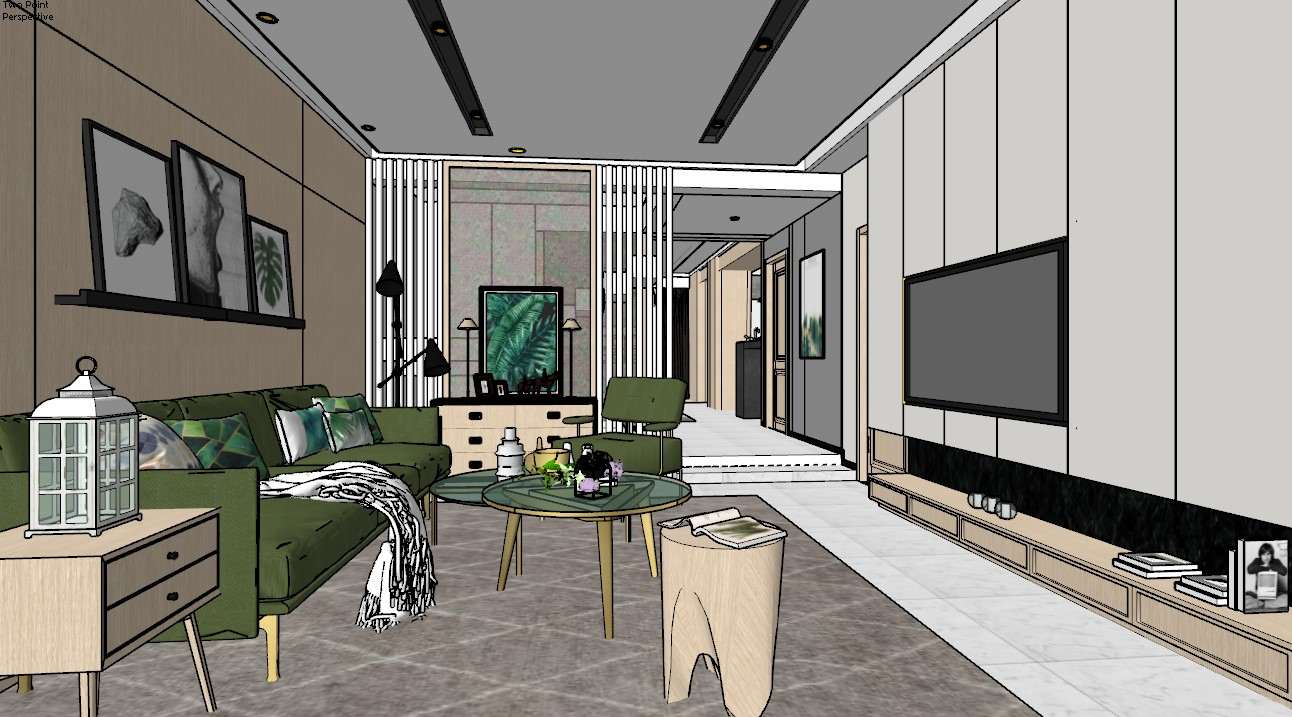
Before — original project image
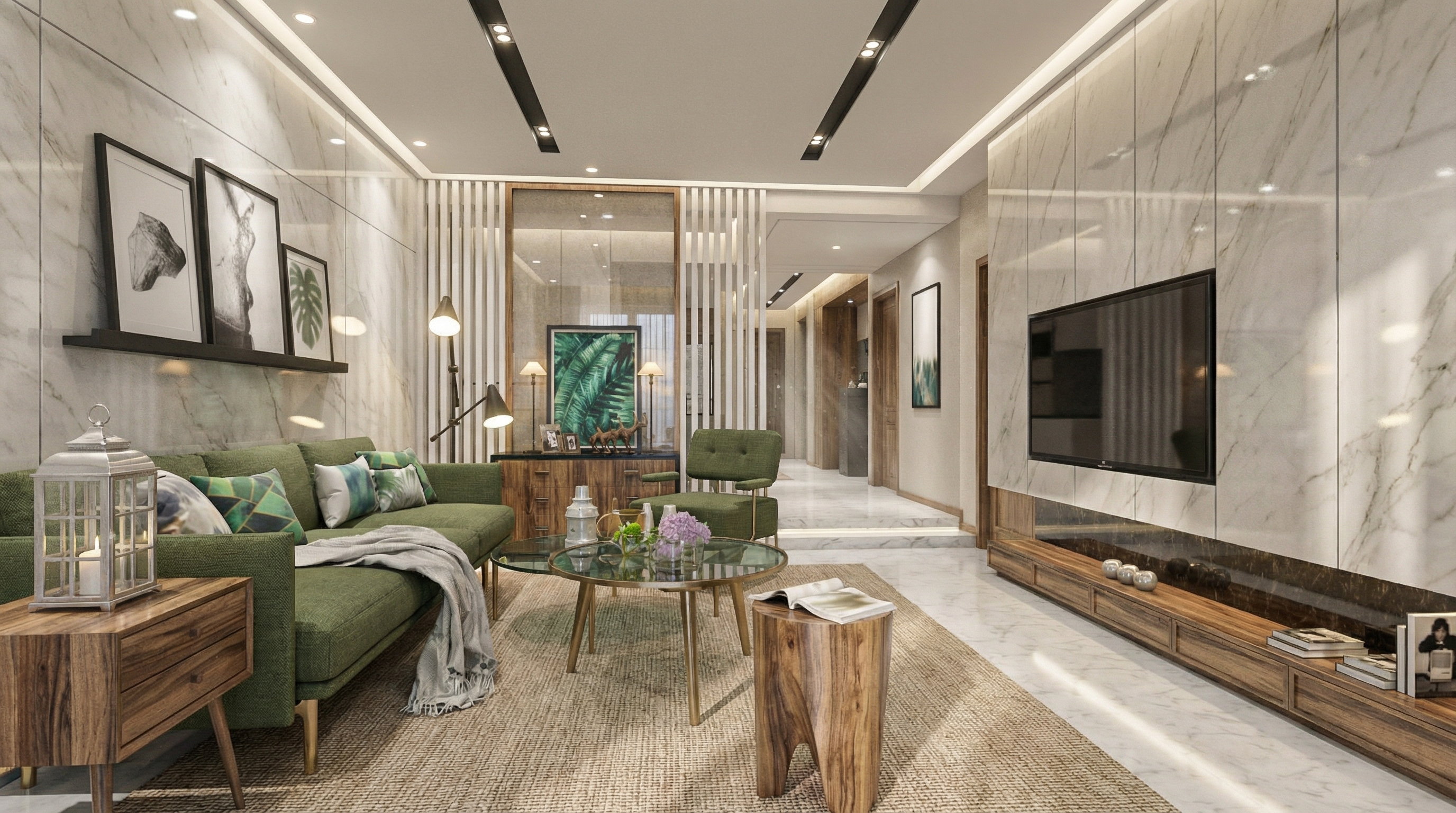
Result with Nano Banana
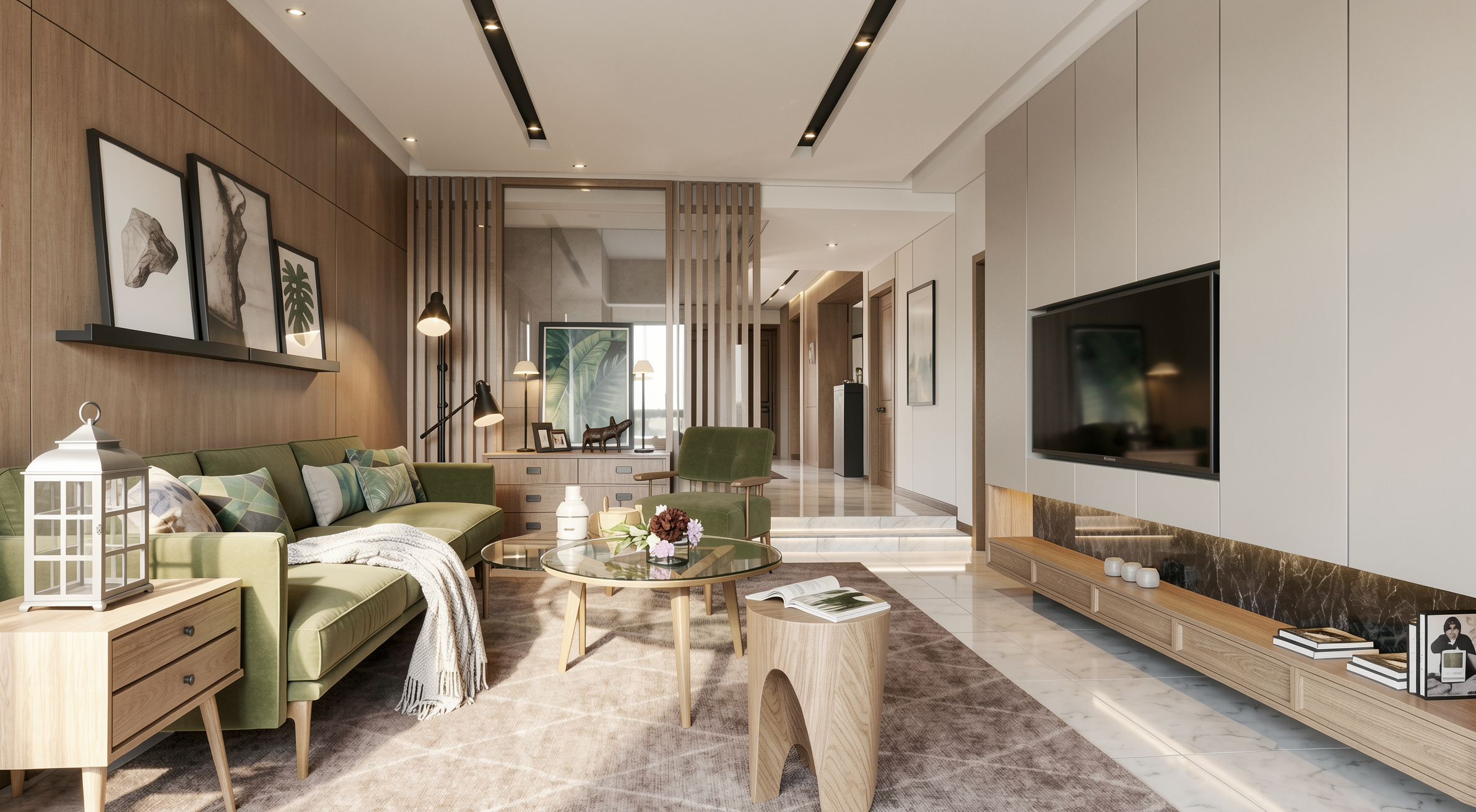
Result with Redraw
PART 2 — Prompts by Room Type
2.1 High-End Living Room — Editorial Luxury
When to use: High-end residential projects where the client expects results with architectural magazine quality.
The prompt:
Create an ultra photorealistic luxury living room interior. Preserve 100% of the original architectural design, layout, furniture placement, materials, colors, and proportions. Enhance realism using physically accurate global illumination, natural daylight behavior, ray traced reflections, and soft shadow gradients. Apply high-resolution textures with micro imperfections such as fabric fibers, natural wood grain variation, subtle surface irregularities, minimal dust particles, and realistic glass reflections. Professional architectural editorial photography style, HDR balance, cinematic yet natural color grading, soft ambient occlusion, realistic depth of field, balanced white exposure. Ultra high resolution, 8K detail, interior magazine quality.
The instruction interior magazine quality calibrates the AI for editorial publication — more balanced lighting, more refined color grading, subtle depth of field.
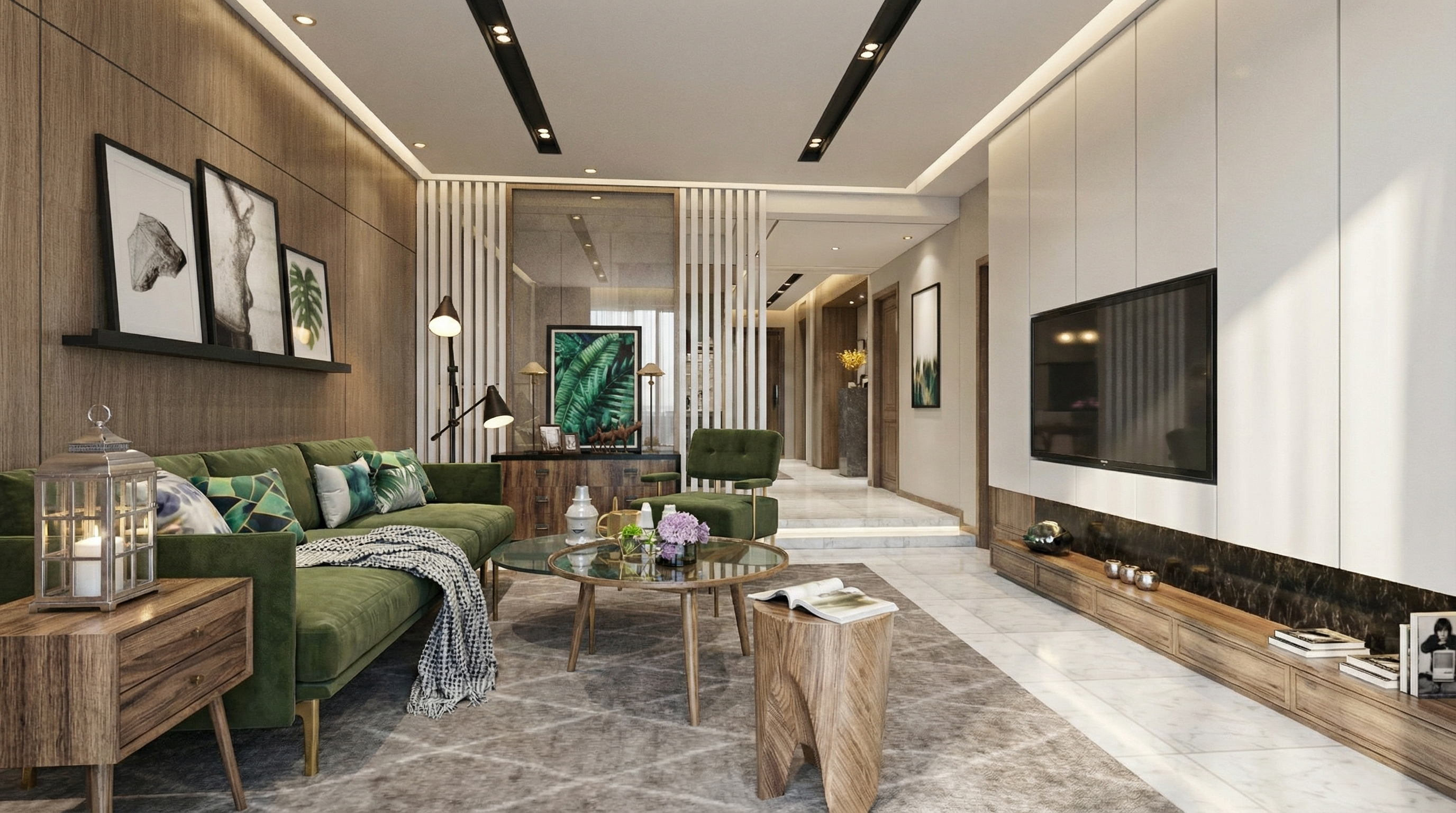
Result with Nano Banana
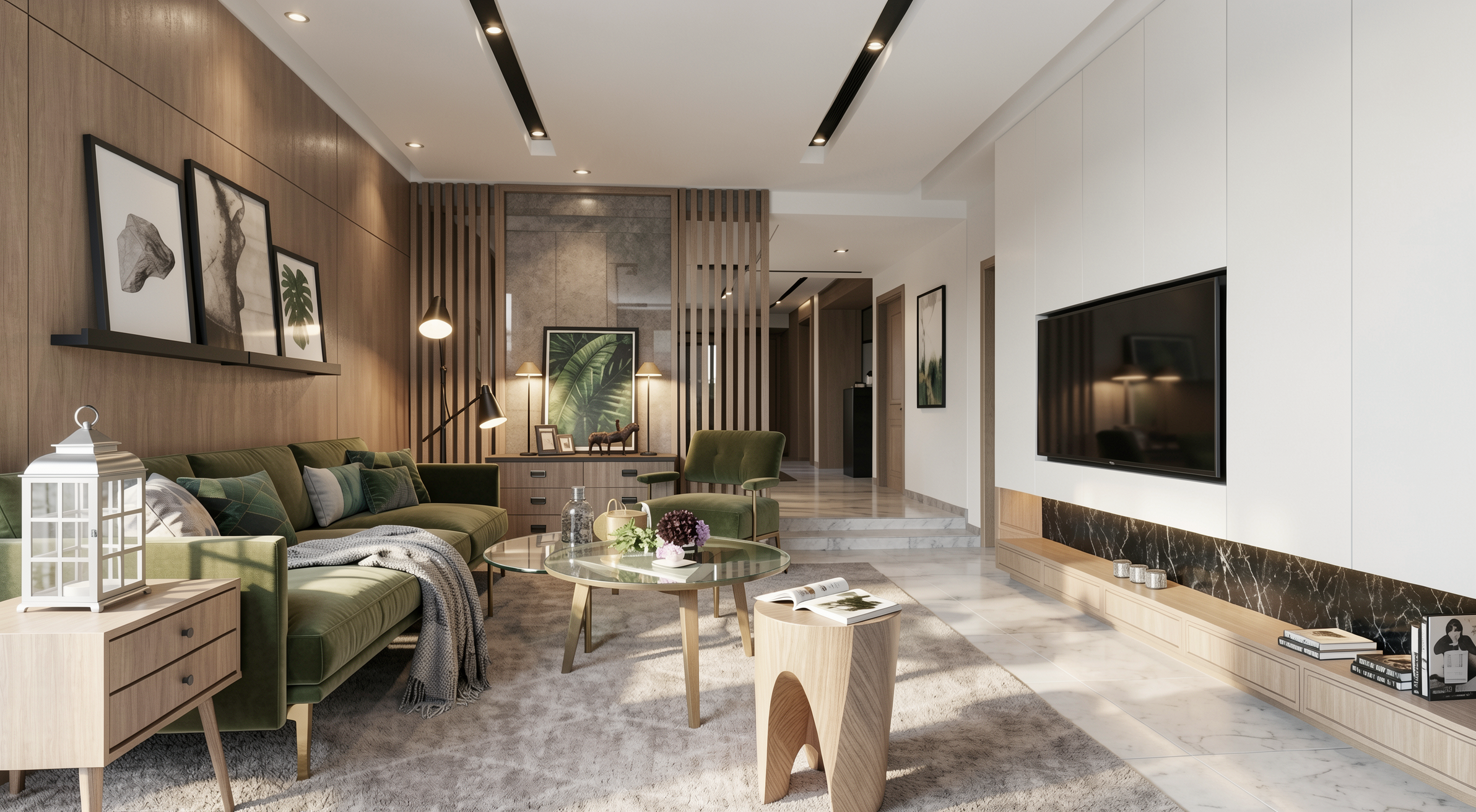
Result with Redraw
2.2 Minimalist Contemporary Living Room
When to use: Projects with a neutral palette, clean geometry, and calm atmosphere.
The prompt:
Create an ultra photorealistic minimalist contemporary living room interior. Neutral color palette, clean geometry, calm and elegant atmosphere. Preserve the original layout, furniture positioning, materials, and lighting concept. Enhance realism with soft natural light, accurate light bounce, subtle reflections, and realistic shadow softness. Apply smooth plaster walls with minimal imperfections, refined fabric textures, and matte surface response. Professional interior photography style, HDR lighting, natural white balance, 8K ultra detailed render.
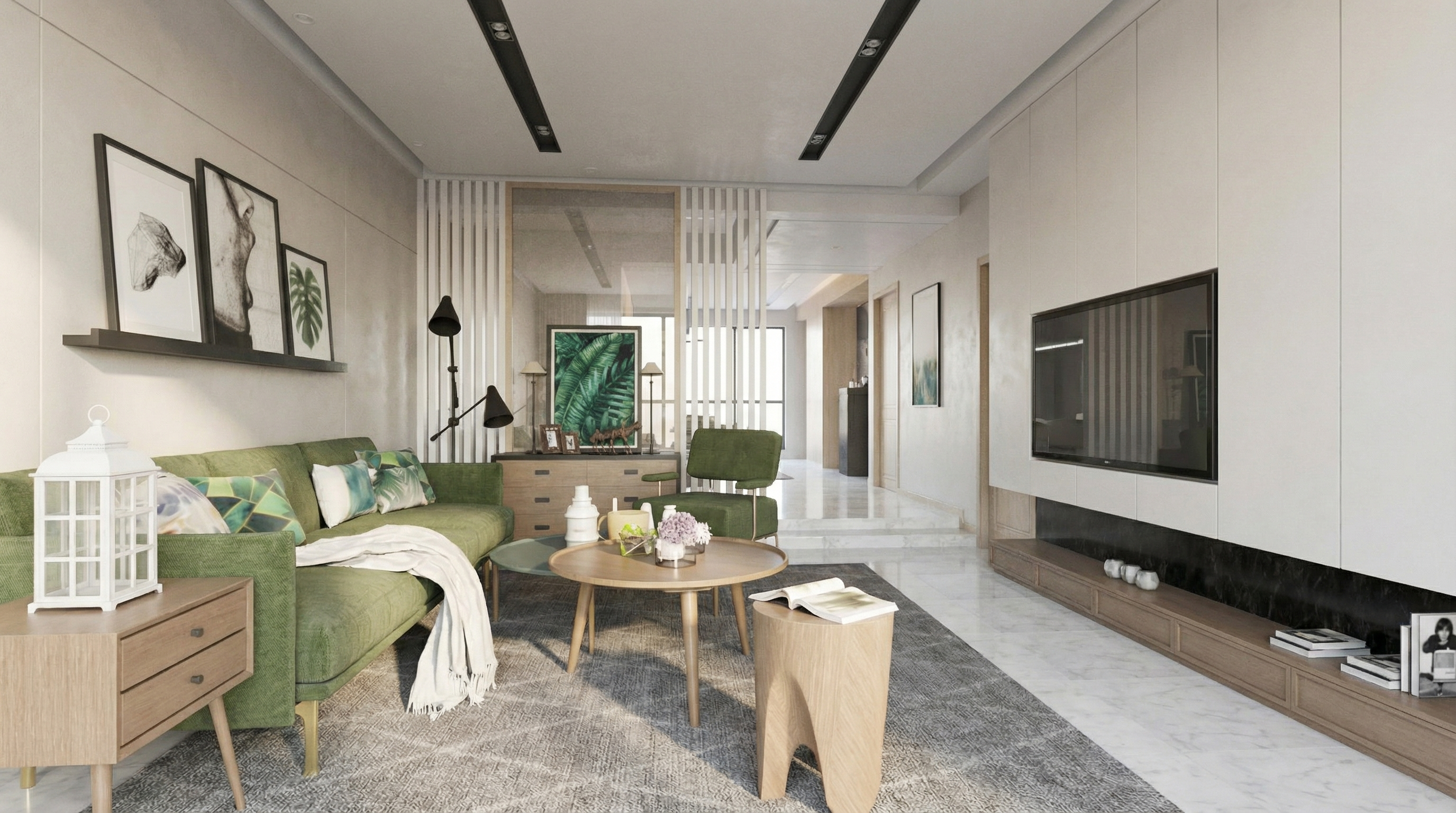
Result with Nano Banana
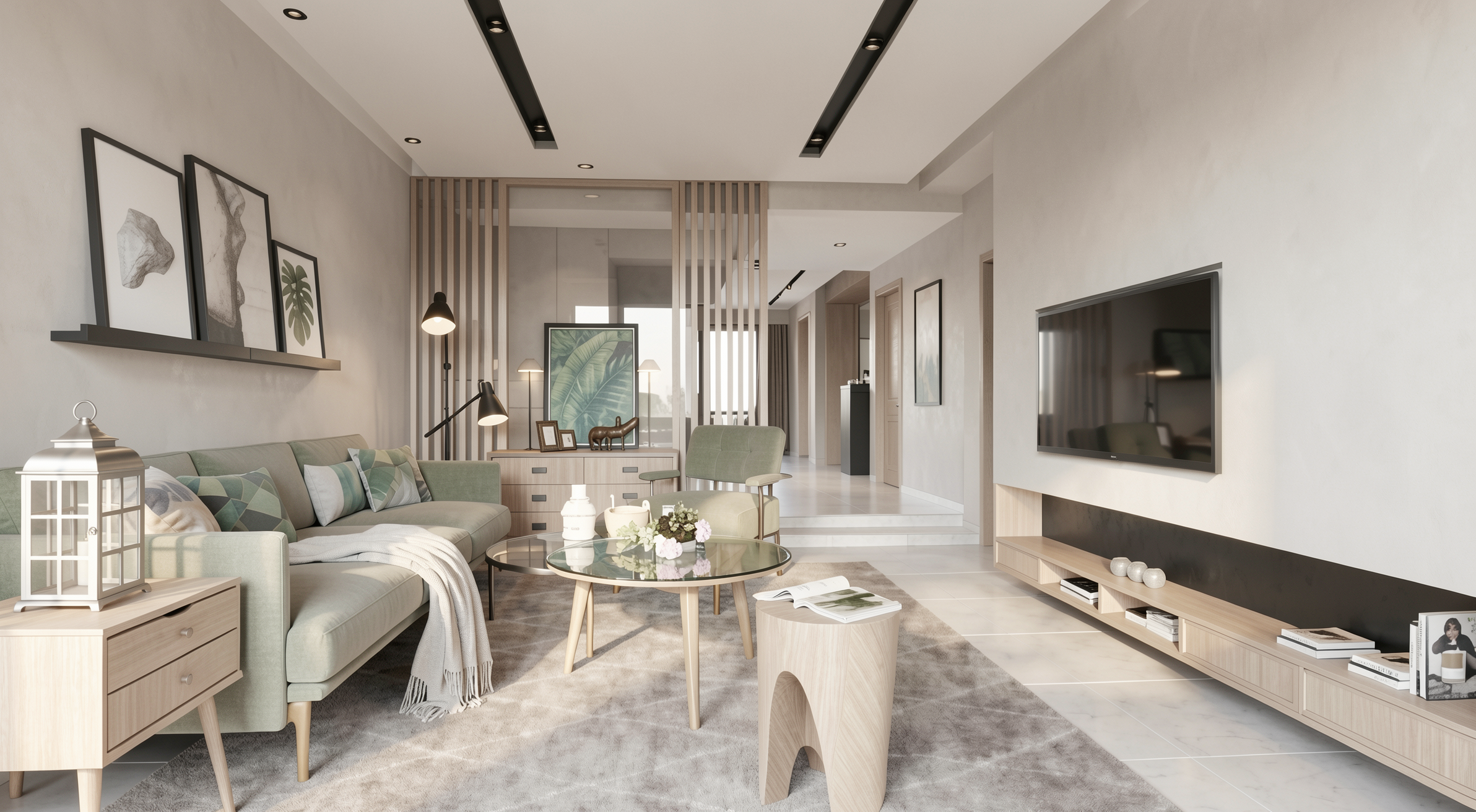
Result with Redraw
2.3 General Lighting Realism
When to use: The project already has good rendering quality, but the lighting needs refinement.
The prompt:
Enhance lighting realism while preserving the original lighting design. Improve natural light diffusion, realistic light bounce, and soft shadow transitions. Maintain balanced contrast, natural brightness distribution, and physically accurate light interaction with all materials. Avoid overexposure and maintain realistic color balance.
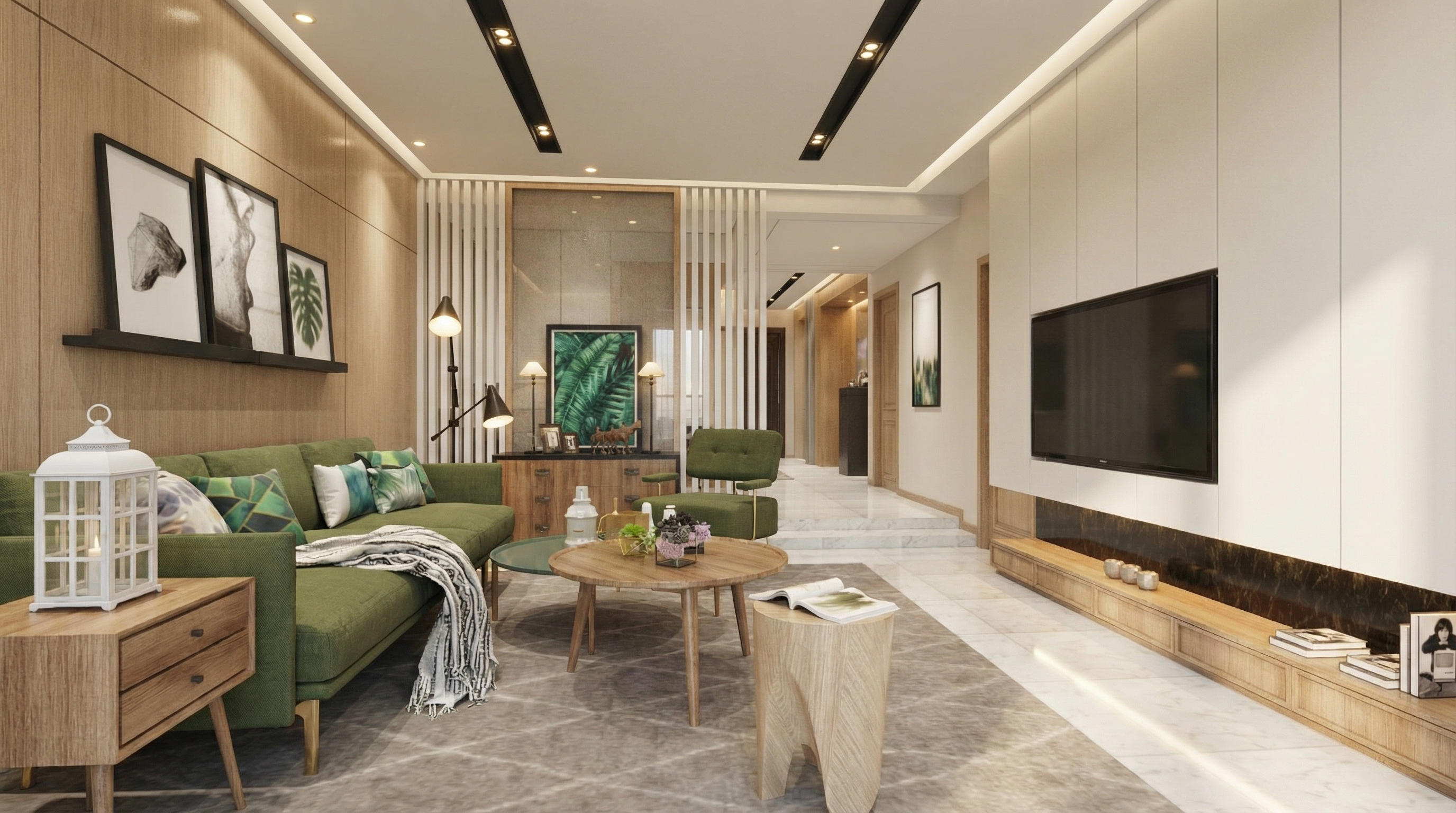
Result with Nano Banana
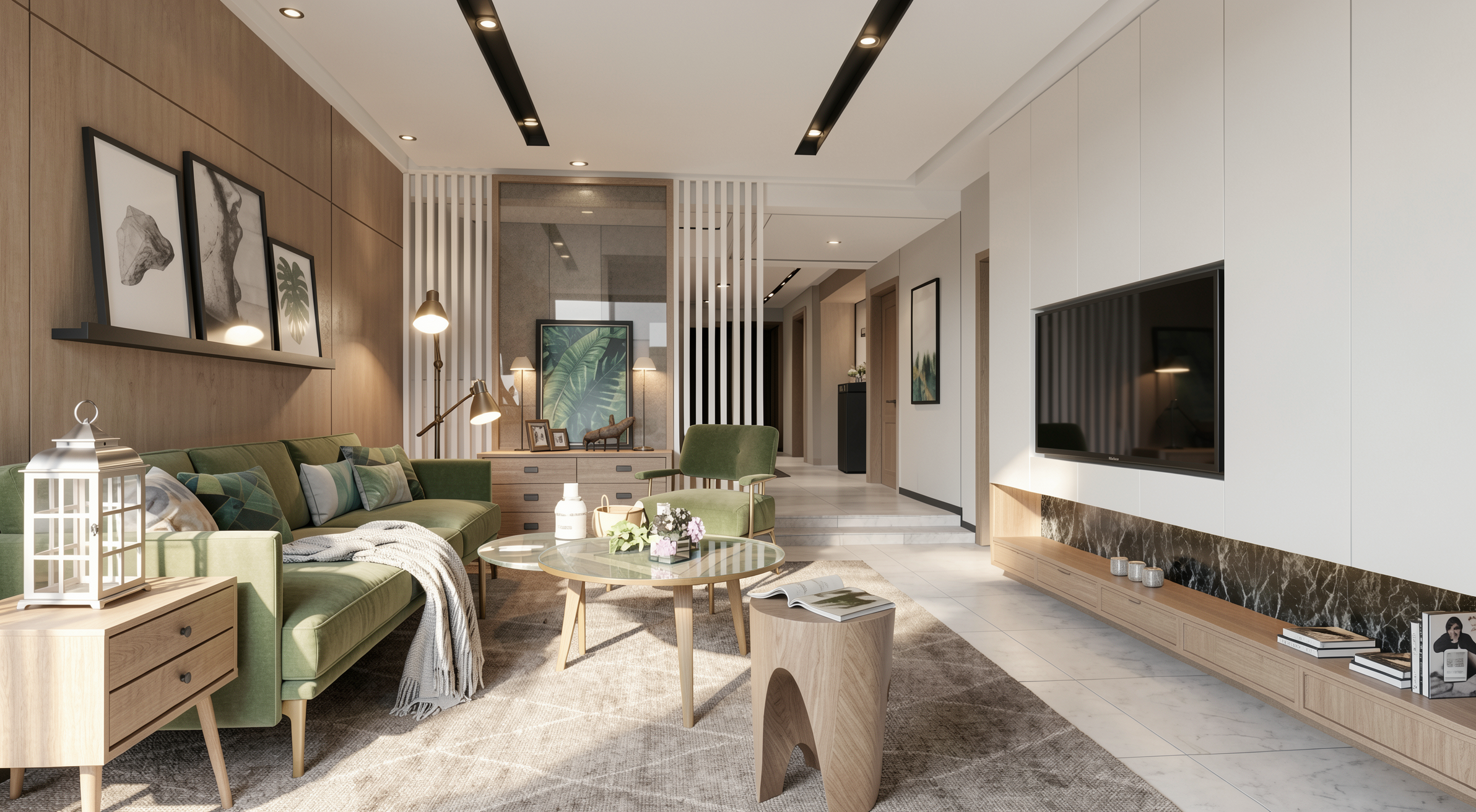
Result with Redraw
2.4 Cozy Atmosphere — Universal
When to use: Any indoor environment where you want to create a sense of warmth, comfort, and welcome.
The prompt:
Enhance the scene with a warm and inviting lighting atmosphere. Introduce subtle warmth into the lighting while maintaining realistic intensity and shadow behavior. Ensure smooth light gradients and comfortable visual balance without altering the original lighting composition.
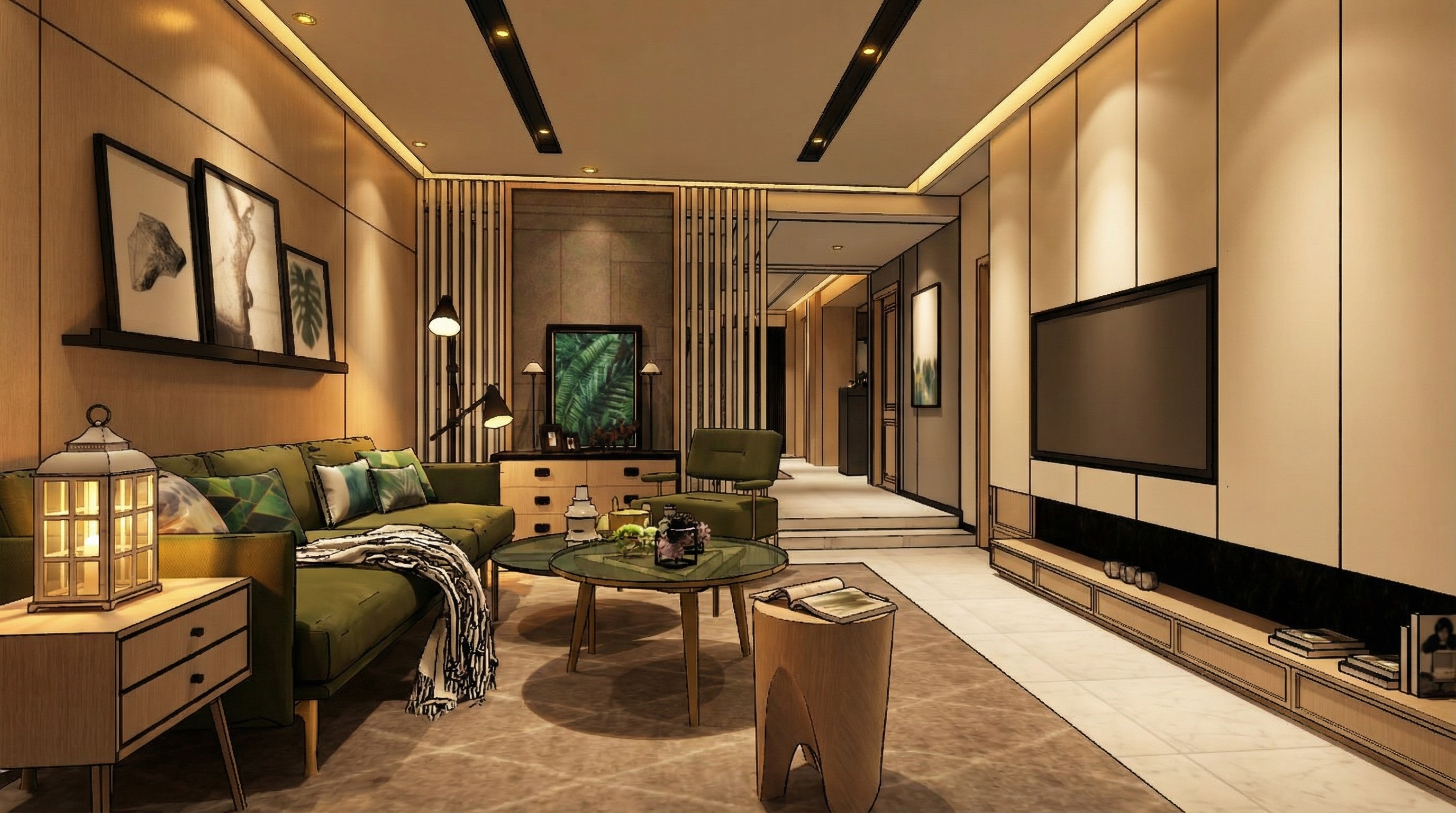
Result with Nano Banana
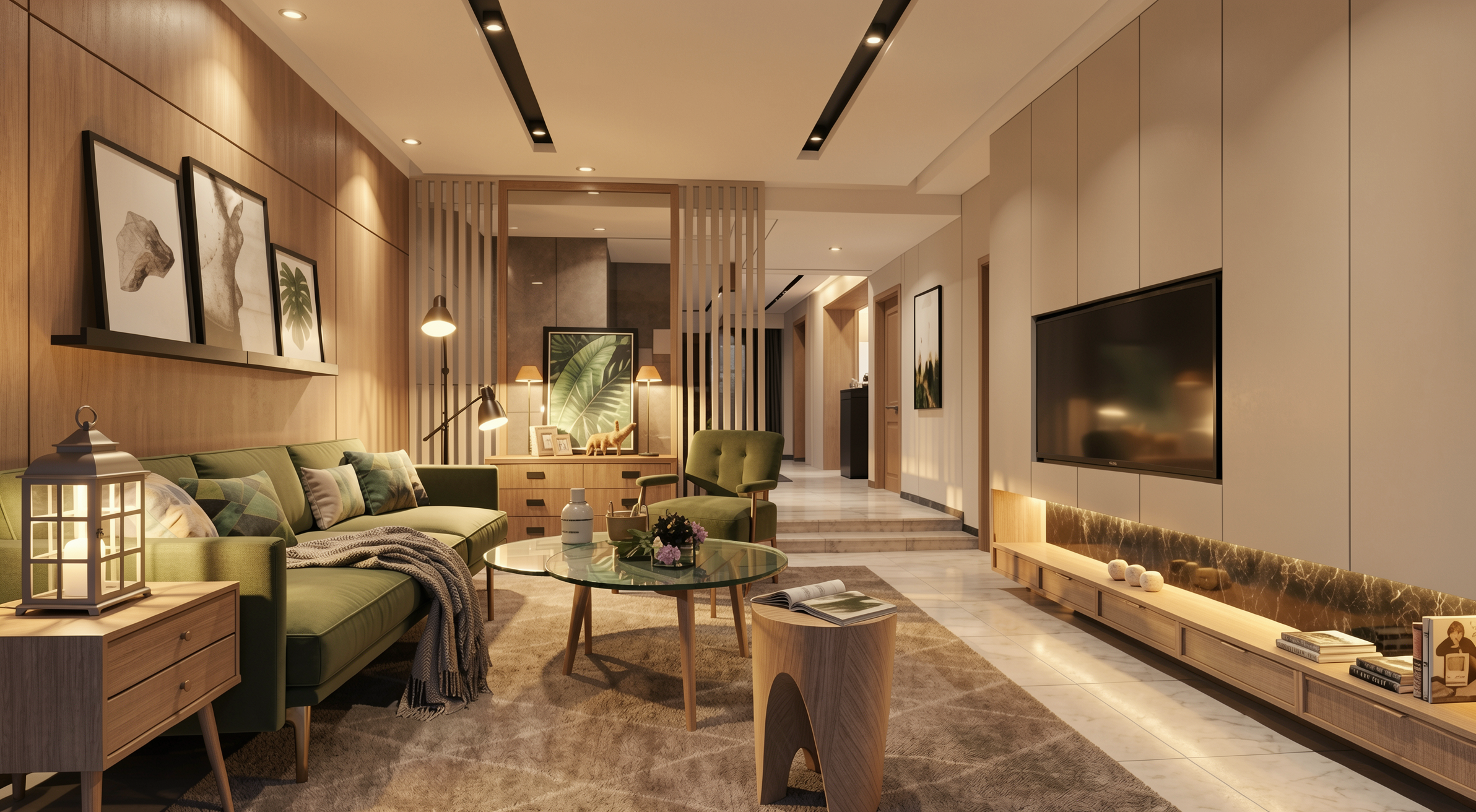
Result with Redraw
2.5 Night Atmosphere — Universal
When to use: Project presentations where the night environment is important.
The prompt:
Adjust the scene to simulate a realistic low-light environment. Enhance contrast between illuminated areas and darker surroundings while preserving natural light behavior. Maintain realistic reflections, ambient occlusion, and natural color balance suitable for evening environments.
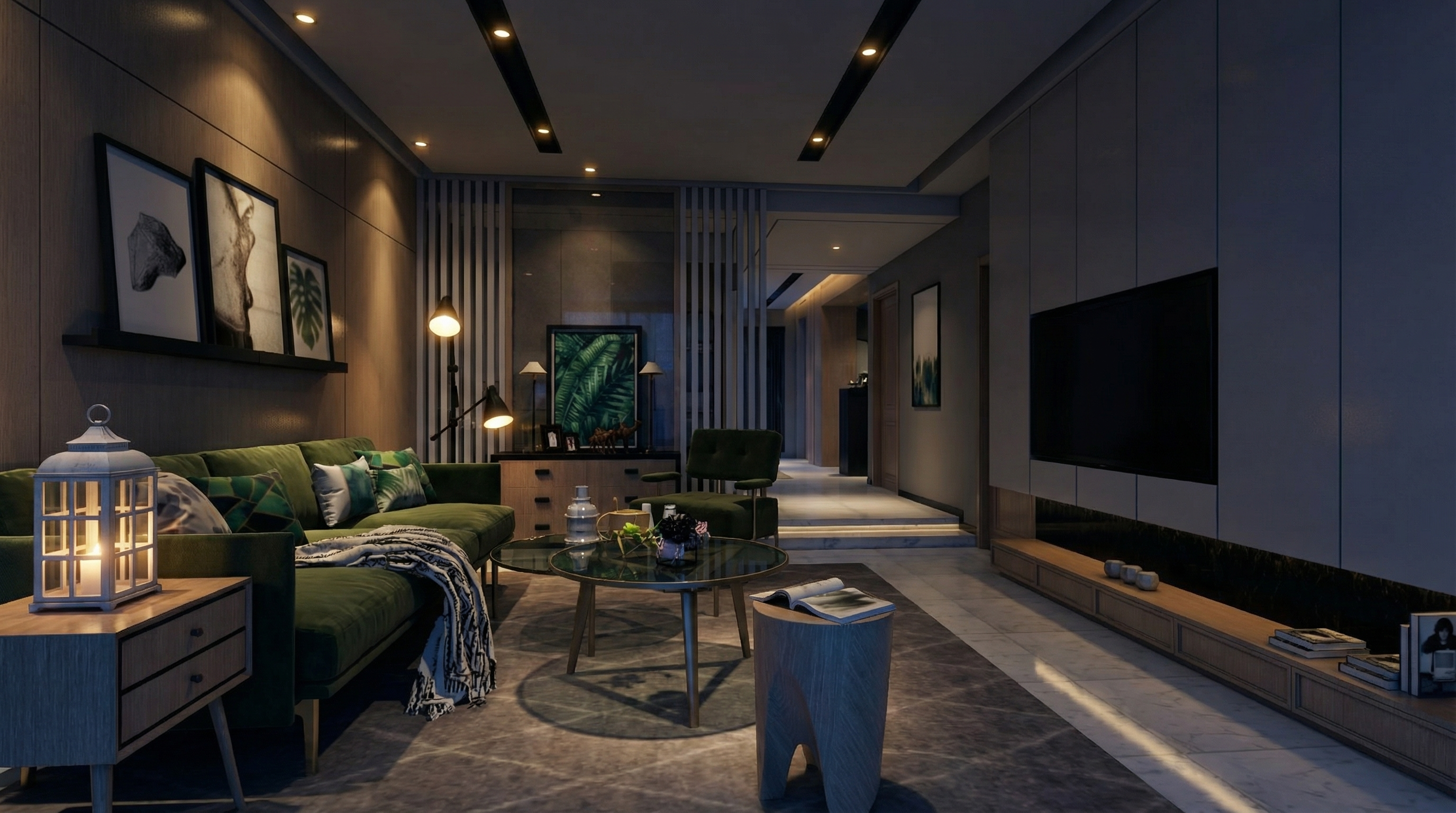
Result with Nano Banana
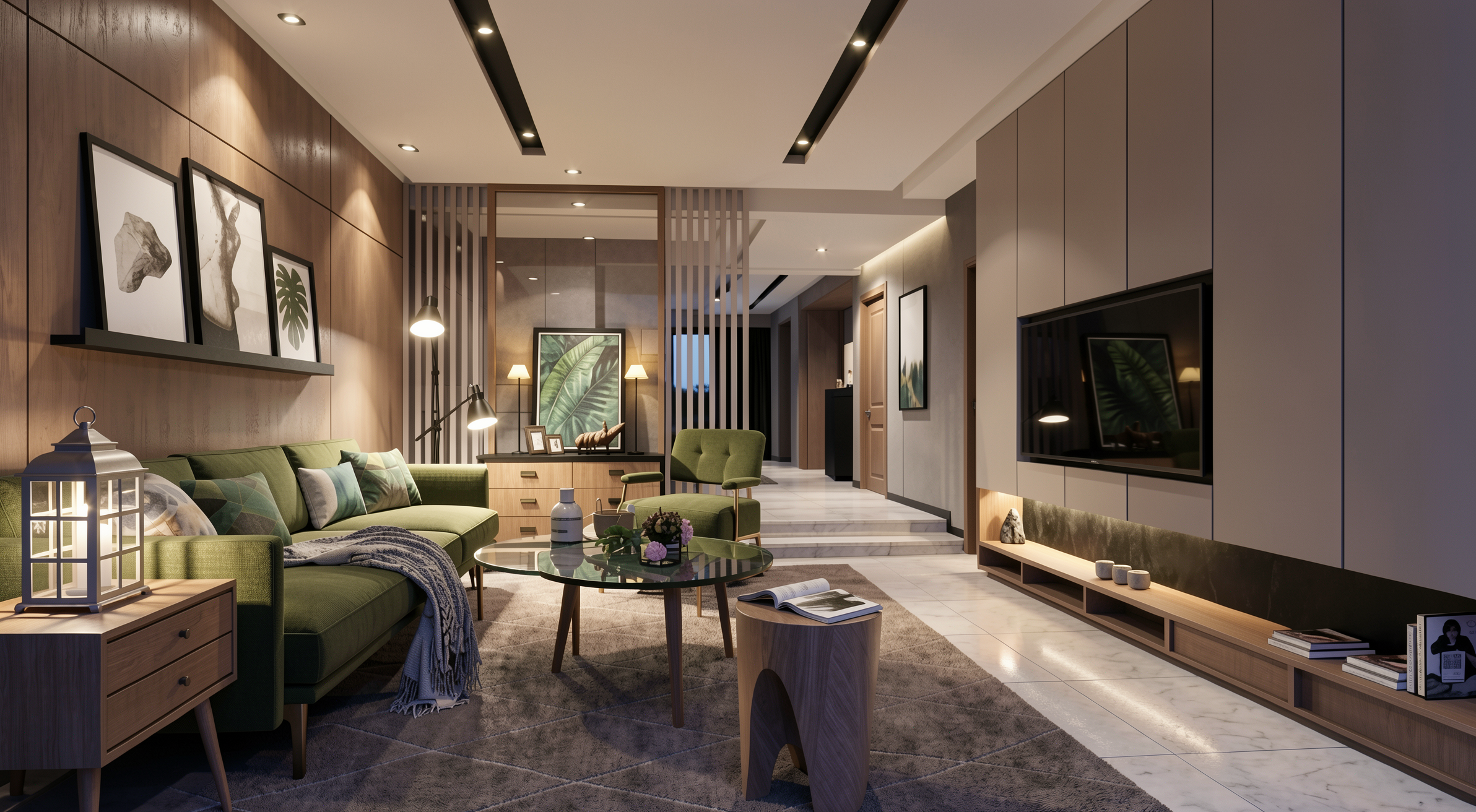
Result with Redraw
PART 3 — Material Realism
The prompt:
Enhance natural materials with realistic surface variation, subtle tonal inconsistencies, micro texture detailing, and physically accurate light response. Maintain authentic material depth and natural imperfections.
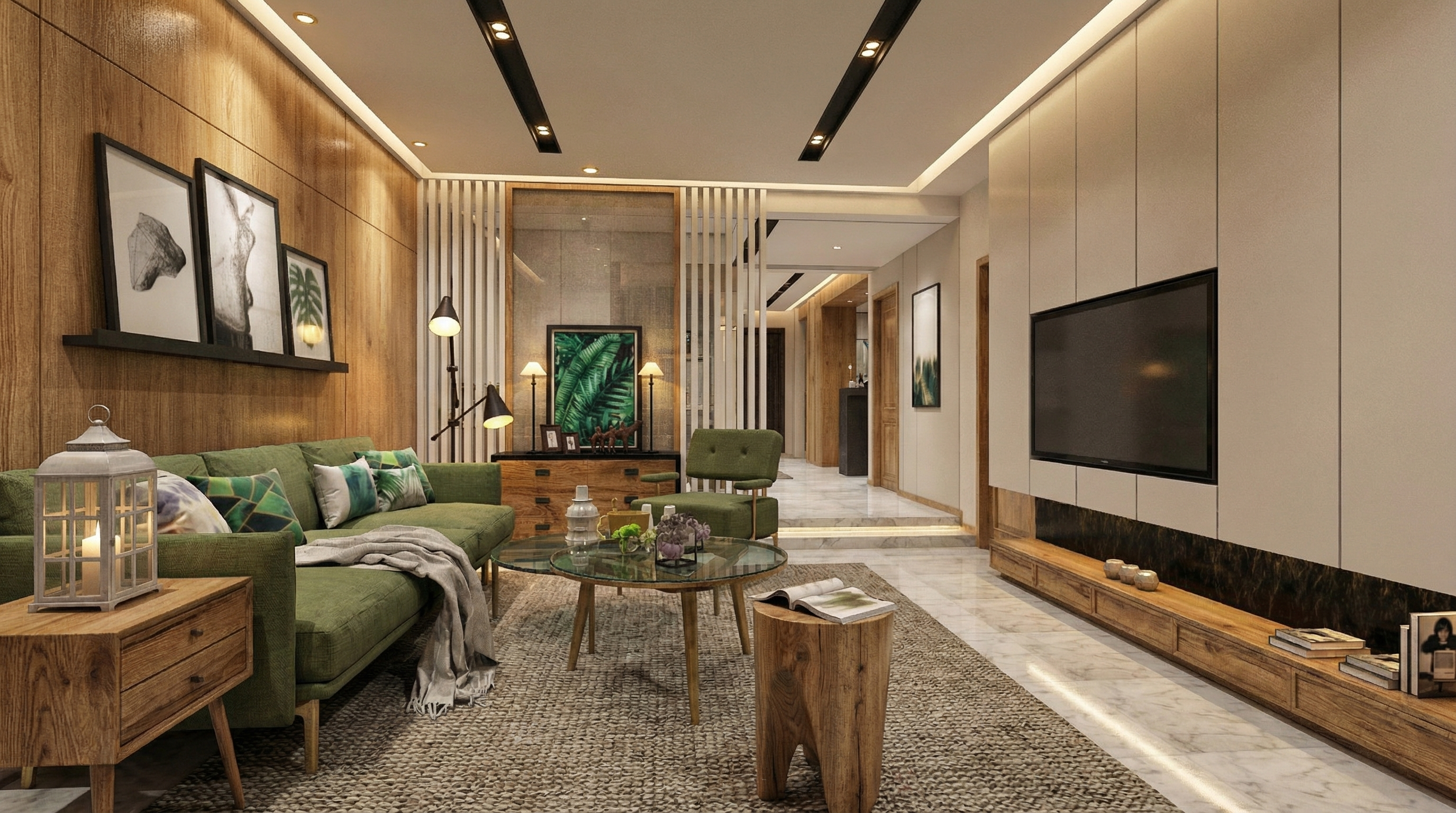
Result with Nano Banana
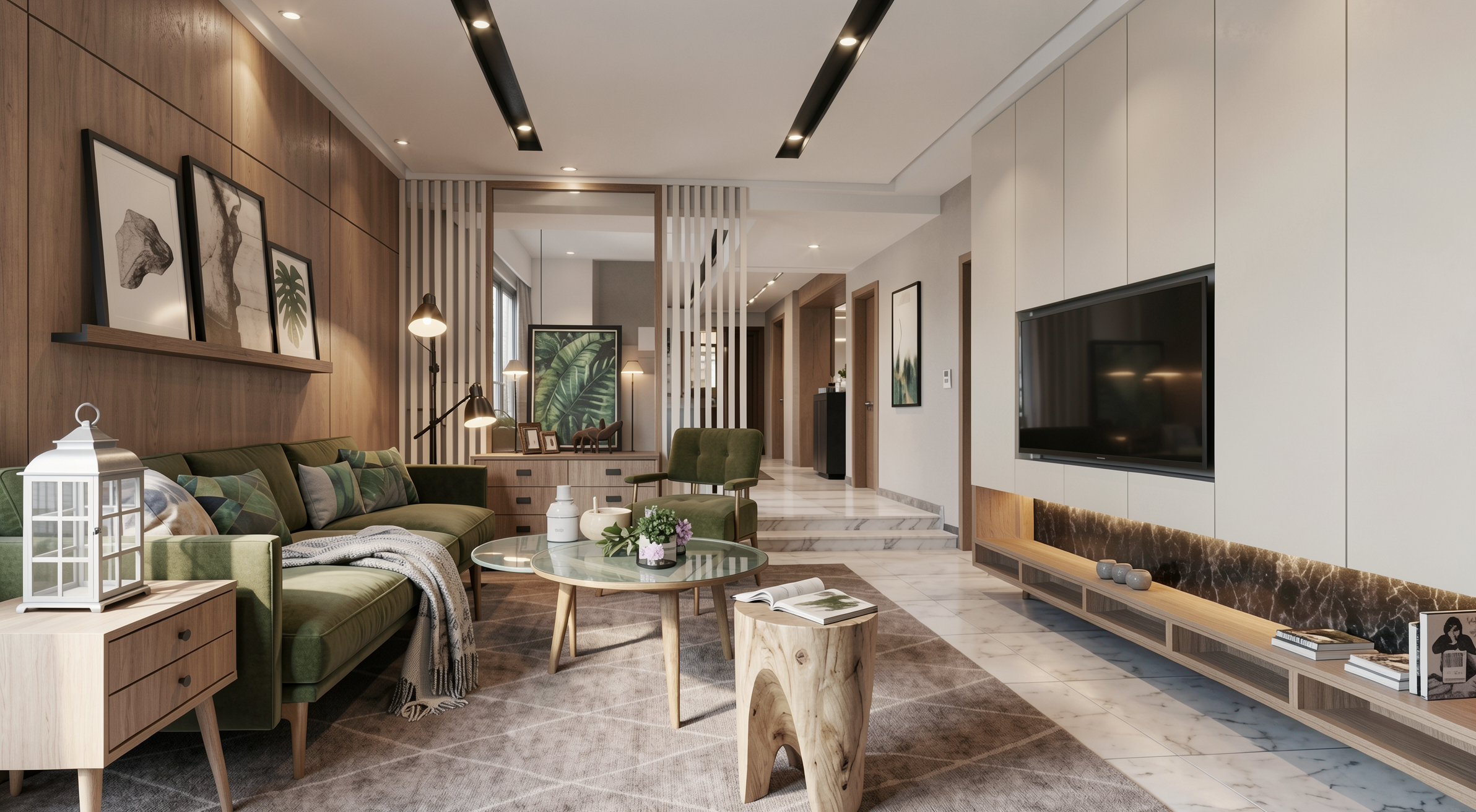
Result with Redraw
PART 4 — Universal Prompts by Room
4.1 Living Room — Universal
Preserve 100% of the original architecture, layout, furniture placement, materials, colors, textures, proportions, decorative elements, lighting positions, and camera angle. Do NOT add, remove, redesign, or replace any element. Enhance realism through physically accurate global illumination, natural light behavior, realistic reflections, soft shadow gradients, real-world material response, subtle micro imperfections, balanced HDR exposure, natural color grading, and professional architectural photography quality. Enhance this living environment by improving spatial comfort perception, material depth, texture clarity, and visual harmony while maintaining a welcoming and sophisticated atmosphere.
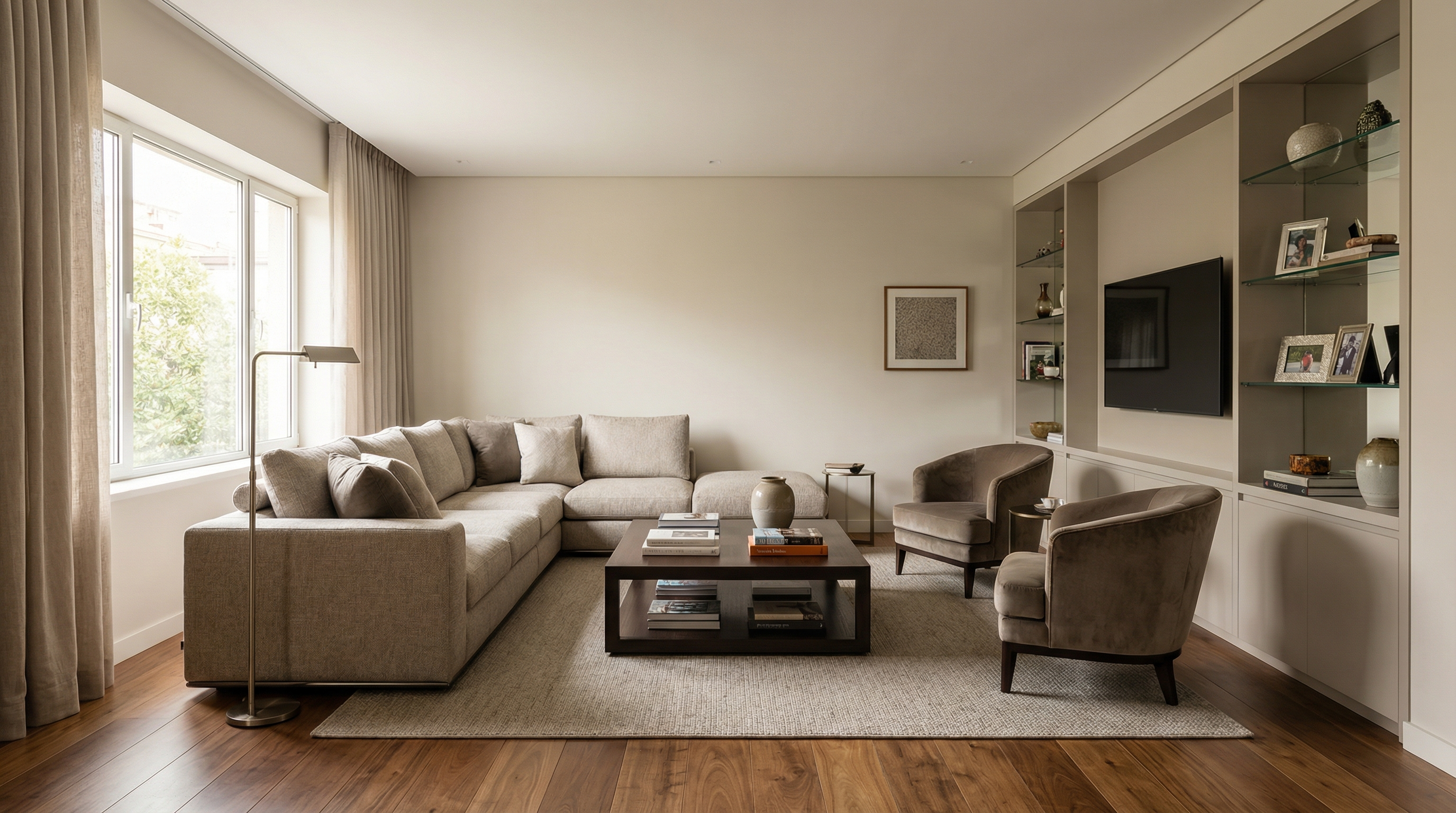
For exemplification, the AI model used was Nano Banana Pro — in models like Redraw V4, the results may be different and superior.
4.2 Dining Room — Universal
Preserve 100% of the original architecture, layout, furniture placement, materials, colors, textures, proportions, decorative elements, lighting positions, and camera angle. Do NOT add, remove, redesign, or replace any element. Enhance realism through physically accurate global illumination, natural light behavior, realistic reflections, soft shadow gradients, real-world material response, subtle micro imperfections, balanced HDR exposure, natural color grading, and professional architectural photography quality. Enhance this dining environment by improving visual elegance, material refinement, lighting balance, and spatial clarity while maintaining a comfortable and sophisticated atmosphere.
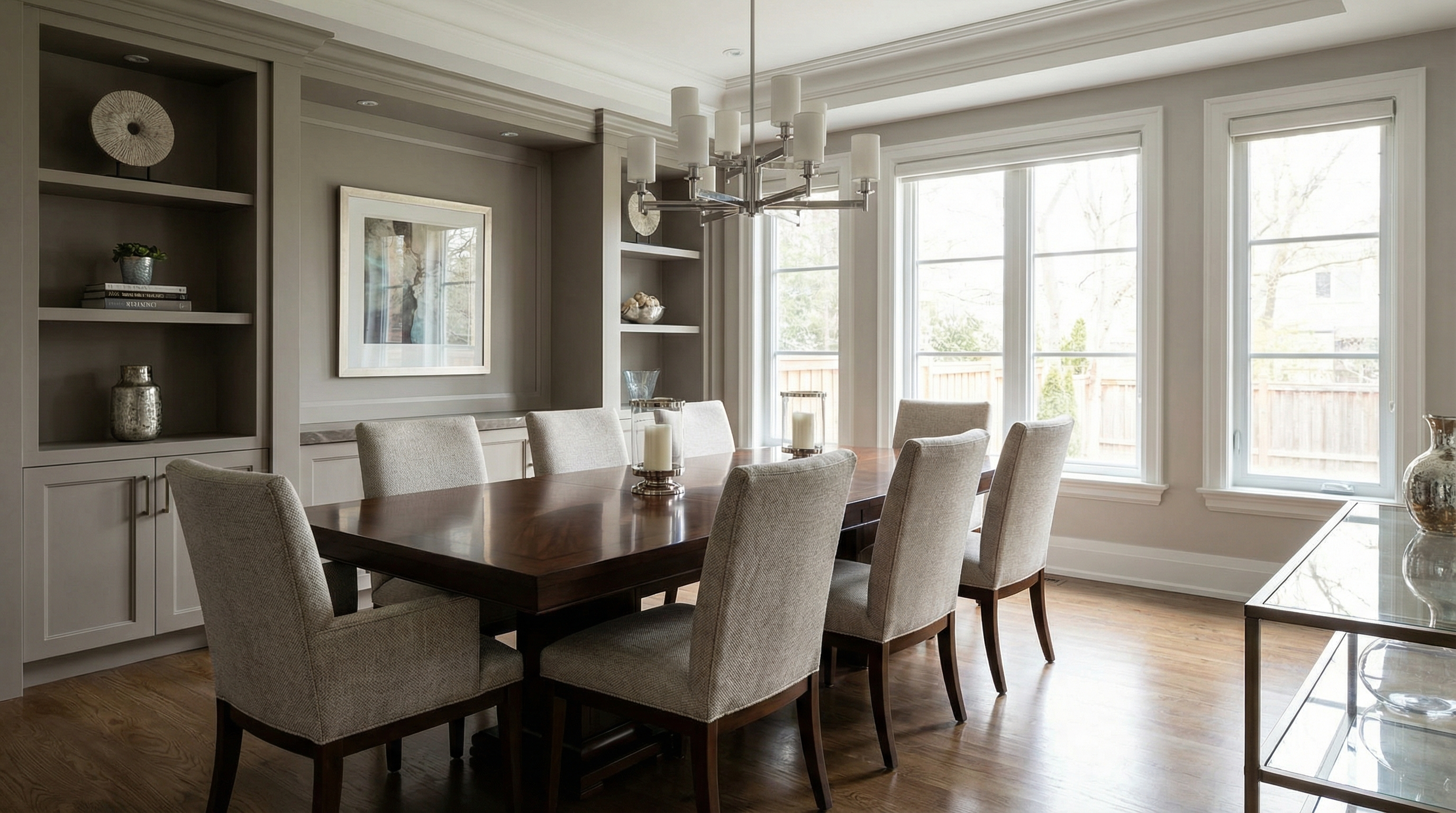
For exemplification, the AI model used was Nano Banana Pro — in models like Redraw V4, the results may be different and superior.
4.3 Kitchen — Universal
Preserve 100% of the original architecture, layout, furniture placement, materials, colors, textures, proportions, decorative elements, lighting positions, and camera angle. Do NOT add, remove, redesign, or replace any element. Enhance realism through physically accurate global illumination, natural light behavior, realistic reflections, soft shadow gradients, real-world material response, subtle micro imperfections, balanced HDR exposure, natural color grading, and professional architectural photography quality. Enhance this kitchen environment by improving surface clarity, reflective material behavior, texture realism, and spatial definition while maintaining functional clarity and visual sophistication.
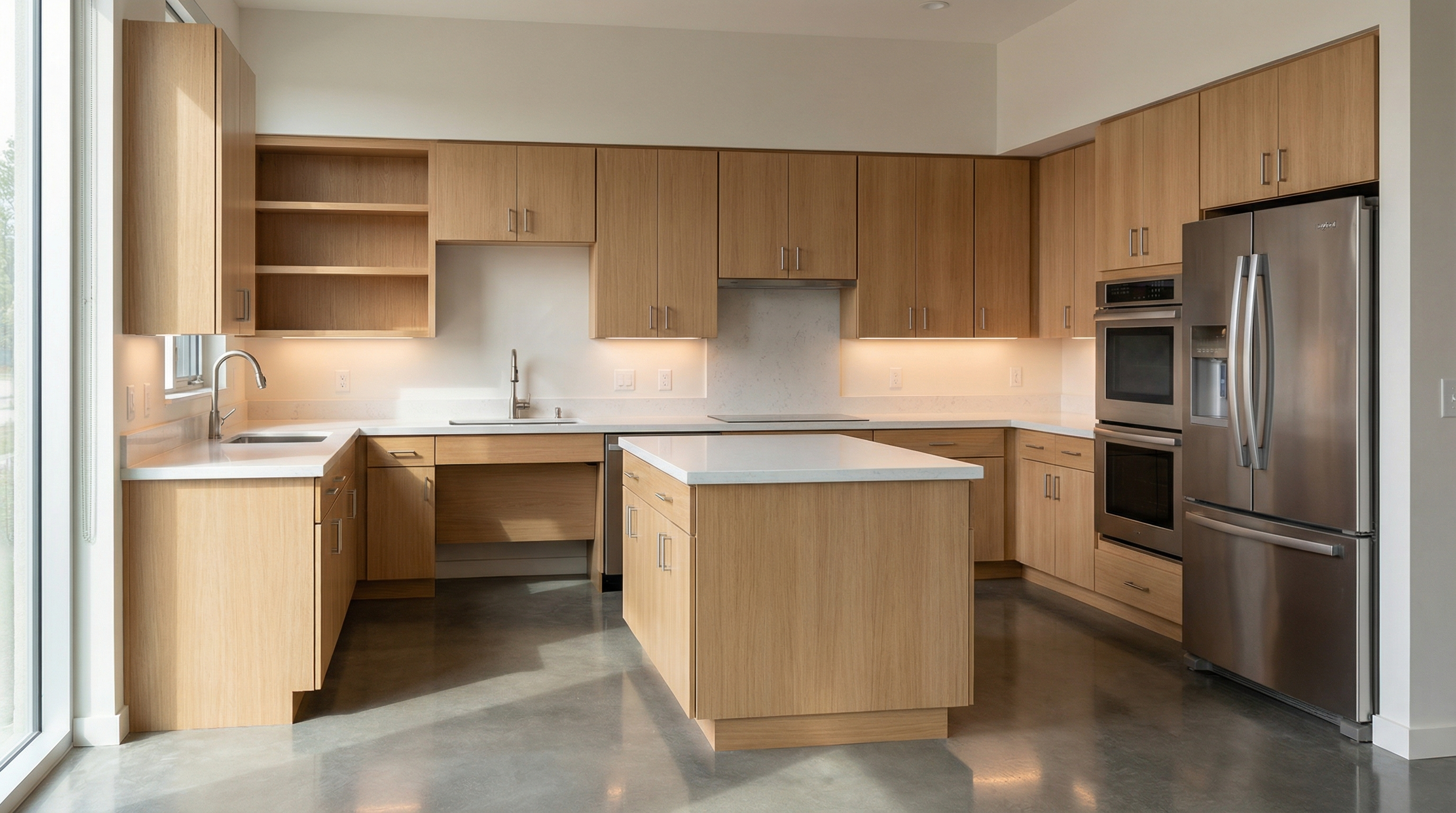
For exemplification, the AI model used was Nano Banana Pro — in models like Redraw V4, the results may be different and superior.
4.4 Bedroom — Universal
Preserve 100% of the original architecture, layout, furniture placement, materials, colors, textures, proportions, decorative elements, lighting positions, and camera angle. Do NOT add, remove, redesign, or replace any element. Enhance realism through physically accurate global illumination, natural light behavior, realistic reflections, soft shadow gradients, real-world material response, subtle micro imperfections, balanced HDR exposure, natural color grading, and professional architectural photography quality. Enhance this sleeping environment by improving lighting softness, material comfort perception, fabric detailing, and spatial depth while maintaining a calm and relaxing atmosphere.
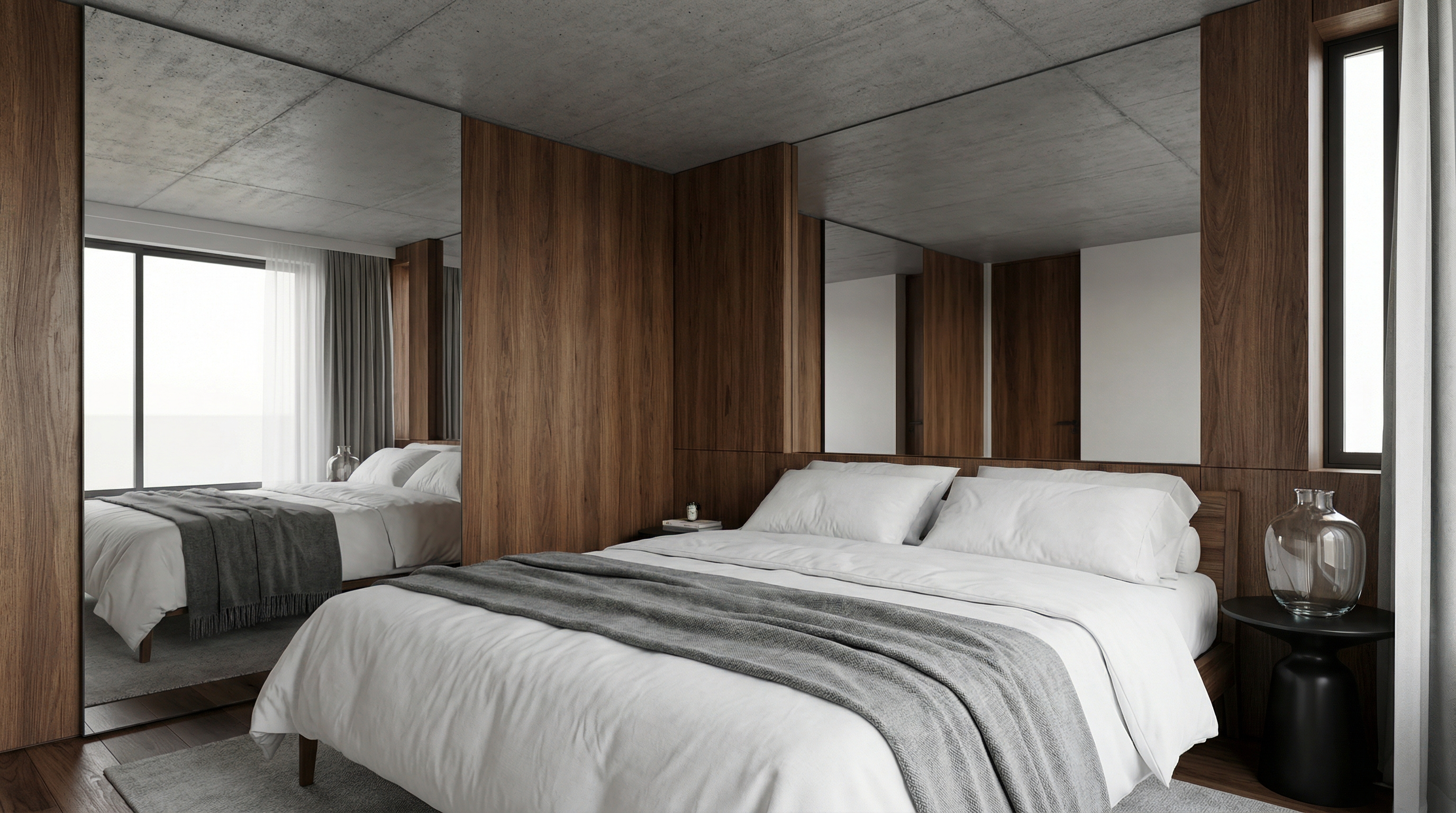
For exemplification, the AI model used was Nano Banana Pro — in models like Redraw V4, the results may be different and superior.
4.5 Bathroom — Universal
Preserve 100% of the original architecture, layout, furniture placement, materials, colors, textures, proportions, decorative elements, lighting positions, and camera angle. Do NOT add, remove, redesign, or replace any element. Enhance realism through physically accurate global illumination, natural light behavior, realistic reflections, soft shadow gradients, real-world material response, subtle micro imperfections, balanced HDR exposure, natural color grading, and professional architectural photography quality. Enhance this bathroom environment by improving reflective surface behavior, material detailing, lighting clarity, and clean spatial perception while maintaining refined visual realism.
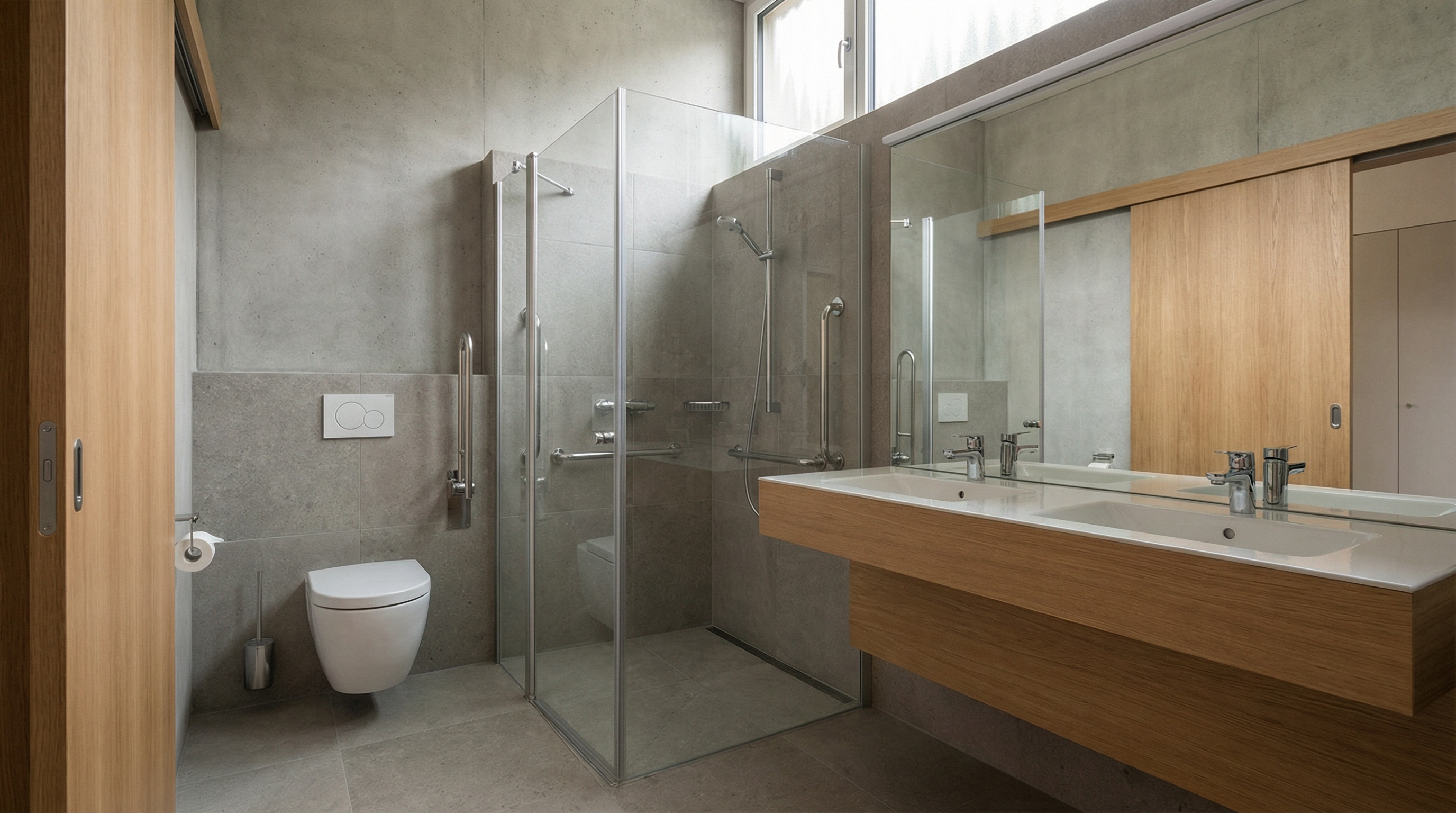
For exemplification, the AI model used was Nano Banana Pro — in models like Redraw V4, the results may be different and superior.
PART 5 — Inserting Human and Animal Elements
5.1 Realistic Person Insertion
The prompt:
Add a realistic human presence into the scene while preserving 100% of the original architecture, layout, furniture placement, materials, lighting setup, composition, and camera angle. Do NOT modify, remove, redesign, or reposition any architectural or decorative element. The human figure must complement the scene naturally and realistically.
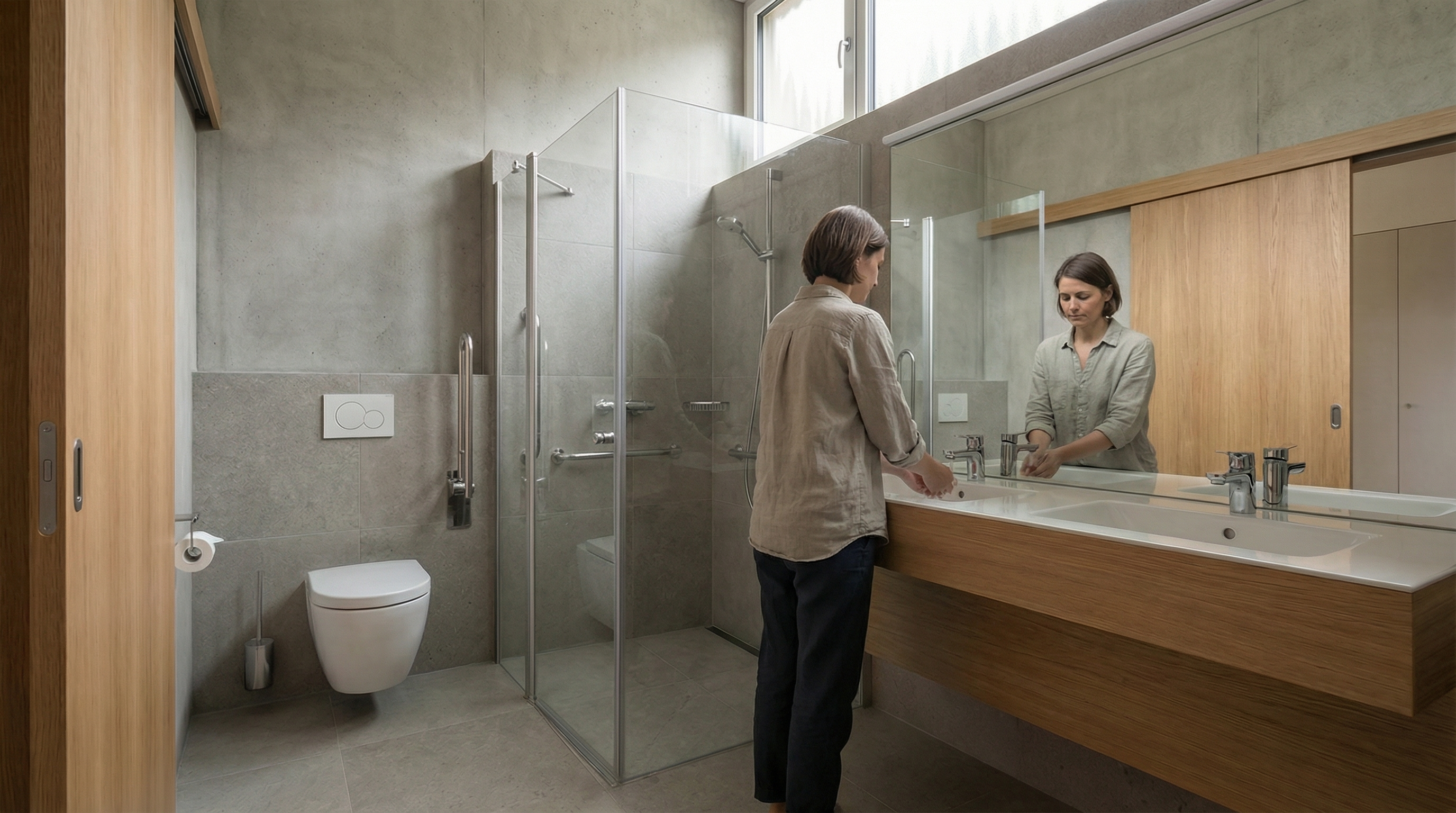
Model: Nano Banana Pro
5.2 Person in Motion (Motion Blur)
The prompt:
Preserve 100% of the original architecture, materials, colors, textures, lighting, furniture placement, proportions, decorative elements, composition and camera angle. Do NOT modify, redesign, reposition, remove, enhance or reinterpret any element of the image. Only add a realistic human silhouette passing in front of the camera, creating a subtle motion blur effect. The person must appear naturally integrated into the scene, as if walking across the frame during a real photograph. The human figure must: Be slightly translucent (70–85% opacity) • Have vertical motion blur consistent with walking movement • Show soft directional blur edges (no hard outline) • Maintain realistic scale relative to the environment • Respect the existing lighting direction • Cast a subtle, soft, slightly blurred contact shadow on the floor. Ultra realistic integration. Professional architectural photography style.
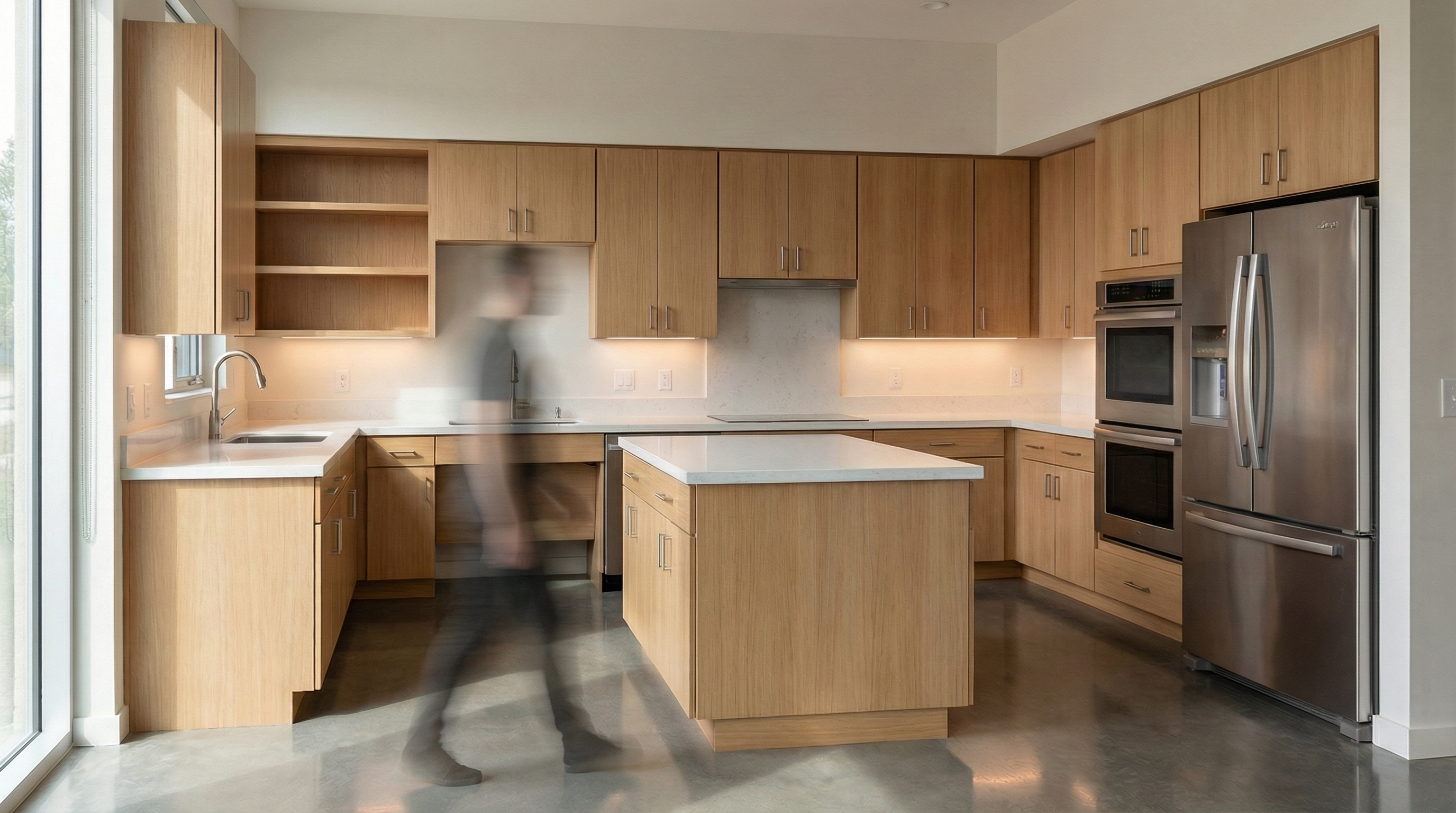
Model: Nano Banana Pro
5.3 Cat Insertion
The prompt:
Preserve 100% of the original architecture, layout, furniture placement, materials, colors, textures, proportions, decorative elements, lighting positions, and camera angle. Do NOT modify, remove, or redesign any existing element. Insert a realistic cat naturally integrated into the environment. The cat must have physically accurate fur texture, natural body proportions, realistic shadows, and correct interaction with the existing lighting conditions.
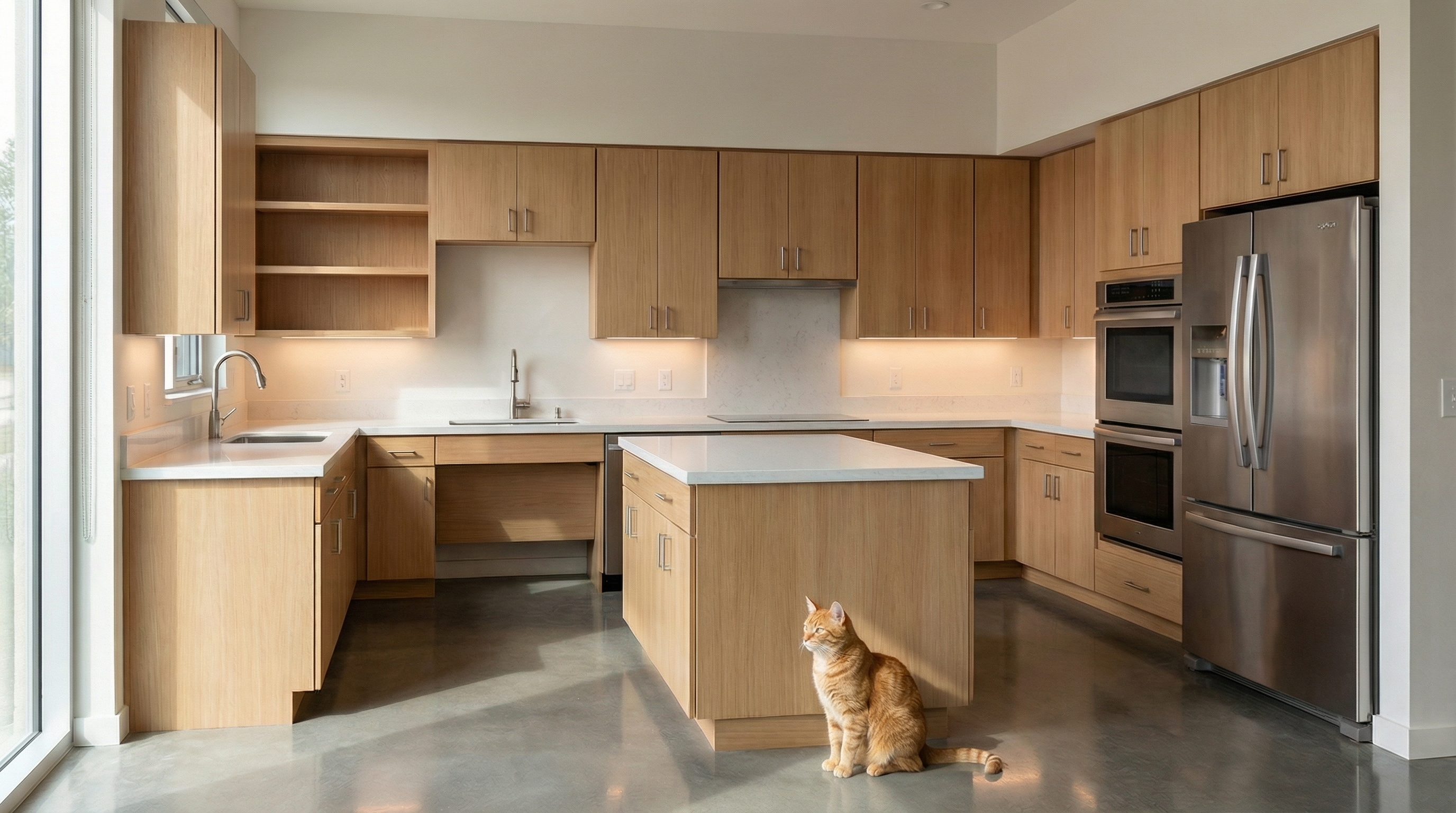
Model: Nano Banana Pro
5.4 Dog Insertion
The prompt:
Preserve 100% of the original architecture, layout, furniture placement, materials, colors, textures, proportions, decorative elements, lighting positions, and camera angle. Do NOT modify, remove, or redesign any existing element. Insert a realistic dog naturally integrated into the environment. The dog must display accurate fur detailing, realistic anatomy, proper scale, and physically accurate shadow behavior according to the existing lighting conditions.
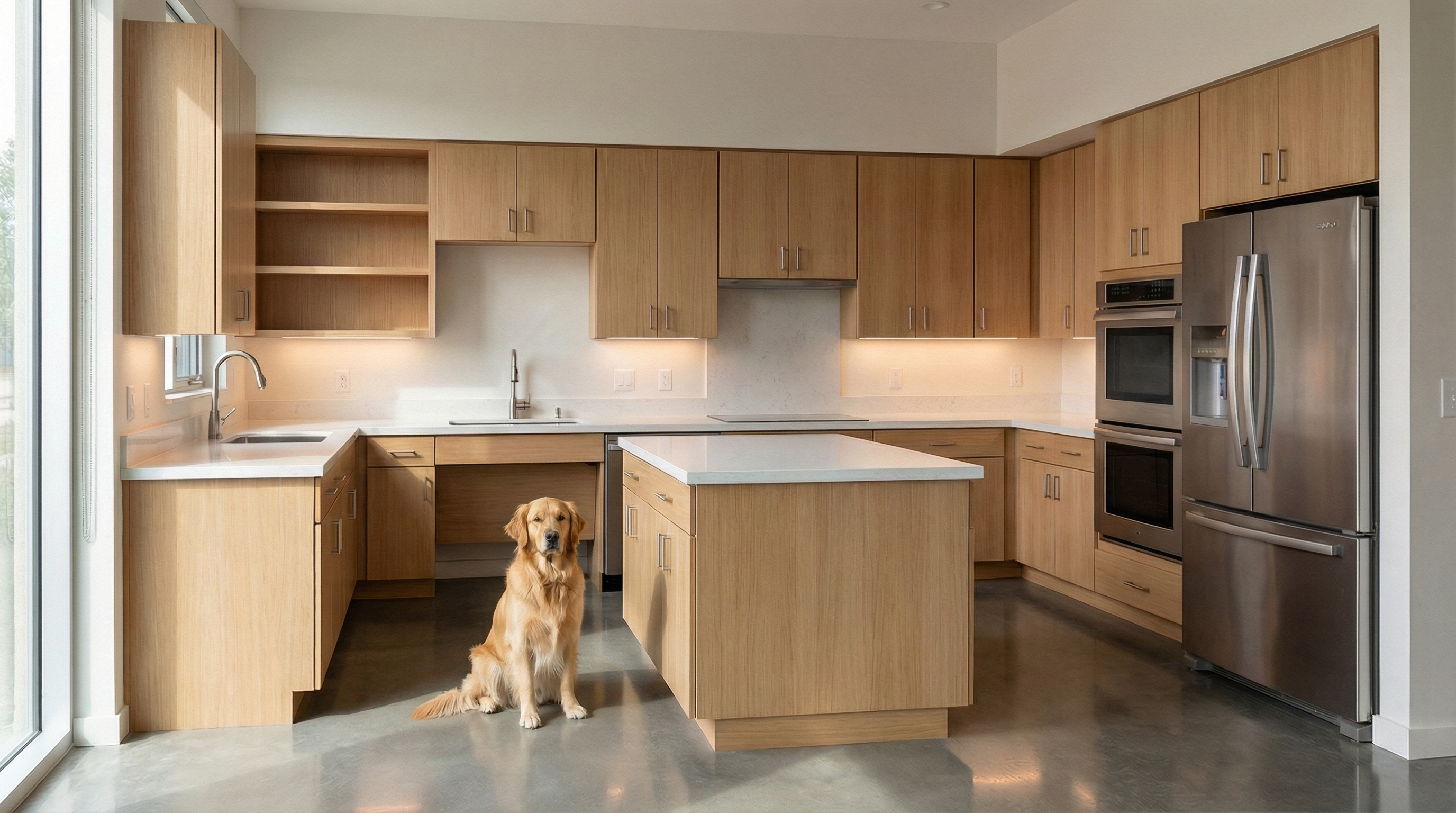
Model: Nano Banana Pro
AI Change Control System
The prompts below are complementary — they don't generate images on their own, but when added to the beginning or end of your main prompt, they act as a safety lock.
Total Change Lock
Use when: The AI keeps changing layout, furniture, or proportions.
Preserve 100% of the original architecture, layout, furniture placement, materials, colors, textures, decorative elements, proportions, lighting positions, and camera angle. Strictly forbid adding, removing, replacing, resizing, repositioning, or redesigning any element. The purpose of this transformation is ONLY to enhance realism, lighting behavior, and material response without altering the original design in any way.
Lighting Design Respect
Use when: The AI is ignoring the original lighting design and creating new light sources.
Preserve the original lighting design exactly as shown in the image. Do not add new light sources, remove existing lights, or modify lighting positions. Only enhance realism through natural light diffusion, realistic light bounce, soft shadow transitions, and accurate material interaction with existing lighting.
Material Protection
Use when: The AI is replacing or reinterpreting the project's materials.
Preserve all original materials and textures exactly as shown. Do not replace, reinterpret, or stylize materials. Enhance realism only through improved surface detailing, micro imperfections, and physically accurate light response.
Which AI to use for interior renders?
The prompts in this guide work with any text-based AI image generation tool. For interior renders with project fidelity, we recommend Redraw — the only platform built specifically for architecture. You upload the 3D model (SketchUp, Archicad, Revit, Rhino, 3DS), select the style and environment in clicks, and the render comes out in 20 to 40 seconds with fidelity to the original project.
How to Write AI Prompts for Architecture Rendering: Complete Guide for Architects
Why generic AI prompts fail in architectural rendering
If you've ever tried to render a project using an AI image generator, you've probably run into the same problem: the result doesn't look like what you had in mind. The lighting came out wrong, the geometry shifted, the style turned generic. And the fix everyone suggests is always the same — "improve your prompt."
But what actually makes a good prompt for architecture rendering? What do you need to write, in what order, and why? This guide breaks down the complete anatomy of an effective prompt for AI image tools like Nano Banana — and shows, at the end, why Redraw was built to eliminate this complexity from the architect's daily workflow.
What is a rendering prompt and why it matters
In text-based AI image tools, the prompt is the only communication channel between you and the model. The more precise and structured it is, the more control you have over the result.
For general use — creating an illustration, generating a texture, exploring a visual concept — a simple prompt works fine. But for technical architectural rendering, where you need to preserve geometry, control lighting, and guarantee project fidelity, a shallow prompt almost always fails.
The good news: there's a proven structure. And mastering it completely changes the output.
The anatomy of a complete AI prompt for architecture rendering
An effective prompt for architectural rendering isn't a sentence — it's a sequence of information layers. Each layer instructs the AI on a different aspect of the final image.
| Component | What it does | Applied example |
|---|---|---|
| Command | Defines the main action the AI must perform | Render this image / Turn this model into a photorealistic render |
| Context | Describes the general scene environment | Contemporary living room interior / Corner-lot residential facade |
| General Reference | Specifies the architectural style and what must be preserved | Brazilian minimalist architecture, preserving the original layout and geometry |
| Realism Rules | Technical parameters controlling visual fidelity | No geometry alteration, PBR materials, global illumination, ray tracing |
| Photography | Simulates real camera settings | 24mm lens, eye level, high sharpness, subtle depth of field |
| Composition | Defines framing and visual principles | Rule of thirds, balanced framing, clean space without distracting elements |
| Lighting | Describes light quality, direction, and temperature | Soft morning natural light, entering through side windows, neutral to cool temperature |
How each component affects the result
Command: It seems obvious, but different tools interpret commands differently. "Render" tells the AI to treat the image as a technical reference. "Create" or "Imagine" allow more creative freedom — which is a problem for project rendering.
Context: Without clear context, the AI fills gaps with its own "assumptions" based on training data. An interior without context can turn into a generic hotel room. Specify the environment type, the use, and the scale.
General Reference: This layer is critical for architectural projects. Explicitly instruct the AI to not alter what shouldn't be changed. Most fidelity errors happen because this instruction is absent.
Realism Rules: Technical terms like global illumination, ray tracing, physically-based rendering activate specific parameters in AI models that produce more photorealistic results. Without them, the output tends to look like a digital illustration, not a render.
Photography: The camera is the observer's point of view. A wide-angle lens (24mm, 28mm) gives scale and breadth — ideal for interiors and facades. Eye level creates a natural perspective. Subtle depth of field adds realism without distracting from the project.
Composition: Framing matters as much in rendering as in photography. Instructing the AI on composition avoids cropped, off-center results or unwanted elements in the foreground.
Lighting: This is the layer with the greatest impact on final realism. Describe the time of day (morning, afternoon, sunset), the light source (natural, artificial, mixed), the direction (lateral, zenithal, diffuse), and the color temperature (warm, neutral, cool). The more specific, the less the AI "invents."
Building the complete prompt: a real example
Applying all layers in sequence, a functional prompt for interior rendering looks like this:
"Render this image of a contemporary living room interior, minimalist architecture, preserving the original layout without altering the geometry, with realistic materials and global illumination, in professional architectural photography with a 24mm lens, eye level, high sharpness, subtle depth of field, balanced framing with rule of thirds, soft morning natural light entering through side windows, neutral temperature, realistic to the point of being indistinguishable from a real photograph."
It's an effective prompt — but also a long, technical one that takes practice to build. For each project, each angle, each space, you repeat this process.
When the prompt is enough — and when it isn't
Mastering prompts is a valid skill, especially for creative exploration, moodboards, and concept generation. But for professional, day-to-day use in architecture firms, there are structural limitations no prompt solves:
- The AI doesn't read the 3D model — it interprets a reference image. This means the project's geometry is always at risk of being reinterpreted.
- Consistency across generations is low. Two identical prompts rarely produce the same result.
- The time spent adjusting and refining prompts can exceed the time the render saves.
- Text prompts can't precisely control parameters like camera angle, light intensity, or material finish.
For occasional exploration, the prompt-based workflow works. For recurring project render production, the cost-benefit equation shifts.
The visual interface: what Redraw does differently
Redraw was built on a different premise: architects shouldn't need to learn machine language to generate a professional render.
Instead of writing warm late-afternoon natural light, long soft shadows, entering laterally, in Redraw you click "Sunset."
Instead of describing suburban residential street with neighbors visible in the background, you select the environment directly in the visual interface.
Every choice you'd make in a long prompt — lighting, environment, style, camera — becomes a click. And since Redraw was trained exclusively for architecture, the model already "understands" the project context without you having to explain it.
"In Redraw, the less prompt users add, the better the results."
Comparison: text prompts vs. visual interface
| Feature | Text Prompt Tools | Redraw |
|---|---|---|
| Prompt Complexity | High — requires long technical structure | Low — natural, simple language |
| Lighting Control | Text-based, technical | Visual clicks (Atmosphere & Mood) |
| Environment Control | Text-based, descriptive | Visual clicks (Environment Selection) |
| 3D Project Fidelity | Variable — depends on reference and prompt | High — processes model geometry directly |
| Consistency Across Generations | Low | High |
| User Focus | Learning to command the AI | Describing the architectural vision |
| Learning Curve | Steep | Fast and intuitive |
| Time per Render | High (prompt + adjustments + post-production) | Low (20–40 seconds, publishable result) |
FAQ — Frequently asked questions about AI prompts for architecture rendering
What is an AI prompt for architecture rendering?
A prompt is the text command you send to an AI image generator. For architecture rendering, an effective prompt must include: environment type, architectural style, realism parameters, camera settings, composition, and lighting. The more specific and structured, the closer the result to what you need.
Which keywords improve a rendering prompt?
For more realistic results, include terms like global illumination, ray tracing, physically-based rendering, architectural photography, photorealistic, 35mm lens, natural light. These activate specific parameters in AI models that increase visual fidelity.
Why doesn't my prompt preserve the project's geometry?
Because text-based AI image tools don't process 3D models — they interpret reference images. The geometry is never fully protected, even with explicit instructions like "do not alter the layout." For project-faithful rendering, tools that integrate the 3D model directly — like Redraw — are more reliable.
Is it worth learning to write rendering prompts?
It depends on the use case. For creative exploration, moodboards, and concept generation, yes — it's a useful skill. For recurring project render production in a firm, the time cost of prompt tuning tends to outweigh the benefit. Specialized tools deliver more output with less effort.
Does Redraw use prompts?
Redraw accepts natural language prompts, but doesn't rely on them to produce quality results. Most control — lighting, environment, style, camera — is done through visual interface clicks. The model was trained for architecture, so it understands the project context without needing detailed text input.
What's the difference between Nano Banana and Redraw for architectural rendering?
Nano Banana is an AI generation tool that operates from text prompts — versatile, but generic. For architectural project rendering with technical fidelity, Redraw was built specifically for this: it processes the 3D model, preserves geometry, and delivers publishable results in 20 to 40 seconds, without the prompt learning curve. (For a direct comparison between generic and specialized AI, see Redraw vs Midjourney for architecture.)
Conclusion
Knowing how to build a structured prompt is a real advantage when using AI image tools. This guide covers enough to start producing better results immediately — understanding what each prompt layer does and why it matters.
But mastering prompts has a ceiling. For architects who need project-faithful, consistent, fast renders every day, there's a more direct approach: an AI trained to understand architecture without you having to spell it out in machine language.
That's exactly what Redraw was built for.
cadastre-se
Exclusive content directly in your email


Redraw: The AI Hub for Architecture | 200K Professionals
Redraw: the AI platform for architecture used by 200,000 professionals
In 2023, an architect needed an average of 4 to 8 hours to produce a presentable render. Today, with Redraw, the same render is delivered in 20 to 40 seconds — no gaming PC, no V-Ray, no render farm queue.
Redraw is a 100% cloud-based SaaS platform that brings together the leading AI tools for architecture, engineering, and interior design in a single place. With over 200,000 active users and 500,000 renders generated per month, Redraw is the most-used AI rendering platform among professionals in Brazil and across Latin America.
This guide covers what Redraw is, how each tool works, who it’s for, and why specialization matters when it comes to technical rendering.
What is Redraw?
Redraw is an AI platform specialized in architectural visualization. Unlike generic AI image tools, Redraw was trained and developed exclusively for architecture, interior design, and engineering — meaning it understands technical perspective, preserves the geometry of the original project, and delivers publishable results without requiring post-production.
The platform was founded in late 2022 by Sergio Moreira Santos and Alexandre Kuhn and officially launched in June 2023. In less than three years, it has become a category reference across Brazil with international expansion underway.
Redraw runs directly in the browser. There is no software to install, no licenses to configure, and no need for a high-performance computer. Processing happens on Redraw’s servers, and results arrive in seconds.
Tools available on Redraw
Redraw is not just a render generator. It’s a complete hub of AI tools designed around the architect and designer’s real workflow.
| Tool | What it does |
|---|---|
| Render Image | Turns 3D models (SketchUp, Archicad, 3DS, Revit, Rhino) or reference images into photorealistic renders in 20–40 seconds. |
| Improve Render | Enhances existing renders — improves lighting, textures, finishes, and details without regenerating from scratch. |
| Image from Text | Generates concept images from a text description, ideal for moodboards and early-stage style exploration. |
| Idea Generator | Proposes new design directions for a space — useful for showing clients alternatives quickly. |
| Render Traces | Interprets sketches and hand-drawn references, turning them into realistic visualizations. |
| Upscale | Increases image resolution up to 8K while preserving professional print quality. |
| AI Chat (ChatGPT) | Integrated ChatGPT access inside the platform to support briefings, presentation copy, project descriptions, and client communication. |
| Nano Banana | AI video generator integrated into the hub — create animations and project presentation videos directly inside the platform, with no external tools. |
| Video generation (Veo 3 / Kling) | High-quality generative video tools to create virtual tours, concept animations, and audiovisual project content. |
Why specialization matters
Generic AI image tools were built for any purpose — fine art, graphic design, content creation. That makes them versatile, but shallow when applied to a technical problem like architectural rendering. The output may capture the style of the project, but rarely the project itself. (For a head-to-head, see Redraw vs Midjourney for architecture.)
Redraw was built for one specific problem, and that choice translates into three concrete differences:
1. Project fidelity
Redraw processes the geometry of the 3D model. The output respects walls, openings, volumes, and proportions — because the model was trained exclusively on architecture data. Generic tools reinterpret freely, generating rework and inconsistencies clients notice.
2. Real workflow integration
Redraw connects directly to SketchUp, Archicad, 3DS, Revit, and Rhino. No exporting to another software, no intermediate steps. You start from the model you already have and render without leaving your workflow.
3. Publishable output, immediately
With generic tools, the render is the starting point for post-production. With Redraw, the result already arrives at presentation quality — ready to send to the client or publish to your portfolio.
Who is Redraw for?
Redraw was designed for professionals who need technical, fast, and project-faithful results:
- Architects and urban planners who need presentation renders without depending on outsourced studios.
- Interior designers who need to show the finished space before construction.
- Engineers who need to communicate the project visually to non-technical clients.
- Architecture students who need professional quality without paying for premium software.
- Mid-size and large firms that need to scale image production without growing the team.
How to get started with Redraw
Access to Redraw starts with a free plan that includes credits to test the main features without commitment. The basic flow is:
- Create an account at redraw.pro — no credit card required.
- Upload your 3D model or a reference image.
- Choose the desired style and environment.
- Generate the render in seconds.
- Download or share directly with your client.
Redraw supports models from SketchUp, Archicad, 3DS, Revit, and Rhino — with native SketchUp integration that fully removes the export step.
Redraw plans and pricing
Redraw offers a free plan with monthly credits and paid plans that scale with usage. Professional plans include unlimited renders, access to all styles and tools, and priority support. Current pricing is always up to date at redraw.pro/pricing.
FAQ — Frequently Asked Questions
What is Redraw?
Redraw is an AI platform specialized in rendering for architecture, interior design, and engineering. It runs 100% in the cloud and generates photorealistic renders in 20 to 40 seconds from 3D models or reference images.
Is Redraw free?
Yes, Redraw has a free plan with monthly credits to test the main tools. For professional use with higher render volumes, there are paid plans with scalable pricing available at redraw.pro/pricing.
Do I need to install any software to use Redraw?
No. Redraw runs directly in the browser, with no installation. Processing happens in the cloud, so you don’t need a high-performance computer.
Does Redraw work with SketchUp, Archicad, and Revit?
Yes. Redraw has native SketchUp integration and supports models exported from Archicad, 3DS, Revit, and Rhino. The integration lets you render directly from the model, with no intermediate conversion steps.
Does Redraw preserve the original project geometry?
Yes. This is the core difference compared with generic AI tools. Redraw was trained to process the structure of the 3D model and generate the render preserving the proportions, volumes, and characteristics of the designed project — not a free stylistic interpretation.
What is the Redraw AI Hub?
Beyond rendering, Redraw consolidates other AI tools inside the platform: integrated ChatGPT for communication and copywriting, Nano Banana for video generation, and Veo 3 and Kling for high-quality generative video. The goal is for architects to avoid juggling multiple subscriptions and tools — everything in one place.
What’s the difference between an AI specialized in architecture and a generic image AI?
A generic image AI was trained on visual data from any domain. It can produce beautiful images with an architectural aesthetic, but it doesn’t understand the project itself — it doesn’t preserve proportions, doesn’t read 3D models, and doesn’t maintain consistency between generations. Redraw was trained exclusively for architecture, which means it processes the real geometry of the project and delivers a result faithful to what was designed.
Is Redraw suitable for architecture students?
Yes. The free plan is ideal for students who need professional quality without investing in paid software. Many universities in Brazil already recommend Redraw as a support tool for project presentations.
Conclusion
Redraw is not just another AI tool. It’s a specialized hub built for the architect’s real workflow — from 3D model to publishable render in less than a minute, with complementary text, video, and communication tools integrated into the same platform.
For anyone still relying on outsourced render farms, V-Ray, or wasting hours trying to extract technical fidelity from tools that weren’t built for it, Redraw represents a paradigm shift: less time on tools, more time on what matters — designing.
Redraw vs Midjourney: Which Is Better for Rendering Architecture Projects in 2026?
You spent hours refining the project in SketchUp or Revit. Now you need an image that will convince the client — and you have two paths in front of you: throw the model into Midjourney and hope it produces something close to what you designed, or use a tool that was built specifically for this.
That's the core of this comparison. Midjourney is an image generation tool. Redraw is an AI rendering platform for architecture. The difference seems semantic, but in practice it changes everything: the kind of control you have, fidelity to the original project, time spent, and the result delivered to the client.
In 2026, with over 200,000 users and 500,000 renders generated per month, Redraw consolidated a clear proposition: professional rendering without losing the project. This article explains, point by point, why that matters.
What each tool was built to do
Midjourney
Midjourney is a diffusion model trained to generate images from text prompts. It is extraordinary for artistic creation, concept art, moodboards, and free visual exploration. But it was not designed for technical rendering. It does not read 3D files, does not respect floor plans, and does not maintain structural consistency between generations.
Using Midjourney to render an architecture project is possible — but it requires a series of workarounds: exporting perspectives as references, using ControlNet to try to maintain structure, tuning long prompts, and accepting that the result will diverge from the actual project.
Redraw
Redraw was built specifically for the architect's workflow. It receives the 3D model directly (via integration with SketchUp, Revit, Rhino, or a reference image) and generates photorealistic renders that preserve the project's geometry. In 20 to 40 seconds, you have a publishable image — without depending on a gaming PC, without render farm queues, and without losing the project's identity.
Technical comparison: what really matters for the architect
| Criterion | Redraw | Midjourney |
|---|---|---|
| 3D model integration | ✅ Native (SketchUp, Revit, Rhino) | ❌ Not supported |
| Fidelity to the original project | ✅ High — geometry preserved | ⚠️ Low — freely interpreted |
| Render time | ✅ 20–40 seconds | ⚠️ Variable, depends on workflow |
| Style control | ✅ Per-environment styles + customization | ✅ High via prompts |
| Learning curve | ✅ Low (visual interface) | ⚠️ Medium-high (prompt mastery) |
| Professional use in presentations | ✅ Direct, no adjustments | ⚠️ Requires post-production |
| Cloud processing | ✅ Yes | ✅ Yes |
| Base price | Starts with a free plan | From US$ 10/month |
| Architecture niche focus | ✅ Total | ❌ Generic |
When Midjourney makes sense
Being honest here is part of the argument. Midjourney has legitimate uses in an architect's creative workflow:
- Concept moodboards: before defining the project, to align aesthetic expectations with the client
- Style exploration: testing visual references with no technical commitment
- Texture and material generation: creating visual patterns to use in other software
- Quick ideation: when the goal is inspiration, not presentation
The problem arises when the architect tries to use Midjourney to replace the technical render. That's where the hidden cost kicks in: hours tweaking prompts, inconsistent results, clients questioning details that don't match the project.
Why specialization matters
Generic AI image tools were trained on a massive universe of visual data. That makes them versatile — but also superficial when applied to a specific task.
Redraw was trained and optimized exclusively for rendering architecture, interior design, and engineering. That means:
- The model understands architectural perspective
- It preserves structural proportions
- The available styles were developed for real environments (residential, commercial, exteriors, interiors)
- The interface was designed for the architect's workflow, not the digital artist's
It's the difference between a generalist and a specialist. For professional presentation rendering, specialization delivers consistency.
Workflow in practice
With Midjourney (real flow)
- Export the model perspective as an image
- Upload as a reference in Midjourney (img2img or ControlNet)
- Write a detailed prompt trying to describe the project
- Generate 4 options, evaluate, pick the best
- Notice that the geometry was altered
- Adjust prompt, run again
- Use Photoshop to fix distortions
- Deliver — with caveats
Estimated total time: 2–4 hours per image
With Redraw (real flow)
- Export the model or open via direct integration
- Choose style and environment
- Generate render
- Deliver
Estimated total time: 5–10 minutes per image
The verdict
If the goal is render for project presentation, Redraw wins without discussion. The geometry is preserved, the time is 10x shorter, and the result is publishable directly.
If the goal is creative exploration or moodboard, Midjourney is a valid and powerful tool.
The question is not which tool is "better" in absolute terms — it's which one solves the right problem. And for the architect who has to present a project to a client next week, a specialized tool beats a generic tool every time.
Ready to try it? Create your free Redraw account and render your first project in under 30 seconds.
Frequently asked questions
Can I use Midjourney to render architecture projects?
Yes, it's possible — but with significant limitations. Midjourney does not read 3D files, so you must rely on reference images and text prompts. The output tends to diverge from the original geometry of the project, requiring time-consuming adjustments and post-production. For technical presentations, specialized tools like Redraw deliver more accurate and reliable results.
Are Redraw and Midjourney direct competitors?
Not exactly. Midjourney is a generic, general-purpose AI image generation platform. Redraw is an AI rendering platform built exclusively for architecture and interior design. They can coexist in the workflow: Midjourney for concept and moodboard, Redraw for the final technical render.
Which tool is cheaper?
It depends on usage volume. Midjourney starts at US$ 10/month with limited generations. Redraw has a free plan with monthly renders included and paid plans for professional use. For studios with high render volume, Redraw tends to be more cost-efficient by delivering the final result without needing rework.
Does Redraw maintain fidelity to the original project?
Yes. That's the main technical difference. Redraw processes the geometry of the 3D model and generates the render preserving the designed structure — walls, openings, volumes, and proportions. The result is faithful to what was designed, not a free artistic interpretation.
Do I need a powerful PC to use Redraw?
No. Redraw runs entirely in the cloud. You only need an internet connection and a browser. Renders are generated on Redraw's servers in 20 to 40 seconds, regardless of your computer's hardware.
Can Redraw integrate with SketchUp or Revit?
Yes. Redraw has native integration with SketchUp and supports models exported from Revit, Rhino, and other common architecture software. The integration eliminates intermediate steps and reduces export and configuration time.
Midjourney or Redraw: which one to use for the portfolio?
For portfolio renders representing real projects, Redraw is the safer choice. The result preserves the project's identity and is produced in minutes. Midjourney can be useful for creating conceptual atmosphere images, but it does not replace the technical render when fidelity to the project matters.
Conclusion
The "Redraw vs Midjourney" question reveals a common confusion in the market: treating AI image tools as equivalents. They are not. One is generic and powerful for free creation. The other was built to solve a specific problem — professional rendering inside the architect's real workflow.
For those who design and need to present, the choice is clear. Redraw delivers what Midjourney can't: your project, exactly as you designed it, ready in under a minute.

The Ultimate Guide to Redraw: The AI Revolution in Architecture
Architecture, engineering, and design are undergoing an unprecedented transformation, driven by artificial intelligence. At the center of this revolution is Redraw, an AI platform redefining the standards of speed, quality, and accessibility in architectural visualization.
This complete guide explores everything you need to know about the tool that has consolidated as the leader in Latin America and is now expanding its vision globally.
What is Redraw and how did it start?
Redraw is a 100% cloud-based software-as-a-service (SaaS) platform that uses artificial intelligence to generate and enhance renders and images for architecture in a matter of seconds.
Its mission is to eliminate the barriers that limit creativity and productivity for professionals: dependence on expensive computers and long waiting hours for rendering.
From a 2022 prototype to global launch
Redraw's story began in late 2022, born from the vision of Sergio Moreira Santos, an AI scholar, and the experience of Alexandre Kuhn, an architect and marketing specialist.
They identified a central pain point in the market: architects spent more time on technical processes than on the act of creating. Together, they developed a prototype that validated the idea that AI could be a powerful ally, not a replacement.
In June 2023, Redraw was officially launched, marking the beginning of a new era for architectural visualization.
Redraw features: the architect's creative arsenal
Redraw's power lies in its set of intuitive tools, which operate with a credit system (coins), ensuring users pay only for what they use. Each function was designed to meet a specific need in the architect's workflow.
Render Image
Transforms basic 3D models or sketches into realistic, detailed renders. It replaces hours of traditional rendering in just a few seconds.
Improve Render
Enhances the lighting, textures, and details of an existing render, raising its quality without redoing the project from scratch.
Image from Text
Creates conceptual images from a simple text description, ideal for brainstorming and initial client presentations.
Idea Generator
Generates new design proposals for spaces, serving as a creative partner when you need to explore project variations.
Render Traces
Interprets sketches and hand drawings, transforming them into elaborate visualizations. Perfect for those who prefer to start with pencil and paper.
Upscale
Increases the resolution of any image up to 8K, ensuring maximum quality for presentations, prints, and marketing materials.
How Redraw grew: from prototype to leader in Latin America
Redraw's growth was exponential. Initially launched for a select group of 100 professionals, the rapid feedback enabled accelerated improvement.
By October 2023, the platform already had 2,500 customers and quickly reached the 30,000 user mark. Its success was driven by a clear differentiator: being the only AI software for architecture actually built by architects, for architects.
In 2024, Redraw consolidated as the largest AI software for architecture in Latin America. Global expansion was the next step, with the company being formalized in the United States in March 2025, establishing a solid presence in the international market.
What is the best AI for architecture?
While traditional rendering software like V-Ray, Lumion, and Enscape require high processing power and time, the new AI tools focus on agility. Direct competitors like Veras and LookX AI offer interesting solutions, but Redraw stands out for three strategic pillars.
Spatial intelligence
Trained by architects, Redraw understands the nuances of design, maintaining the fidelity and coherence of the original project — something generic AIs cannot replicate.
Total accessibility
Being 100% cloud-based, it democratizes access to high-quality renders. You can generate professional visualization from any computer with internet — no dedicated GPU, no expensive license, no waiting for installation.
Extreme speed
Reducing rendering time from hours to seconds is not just an efficiency gain, but a revolution in the client feedback cycle, enabling iterations and approvals in real time.
For these reasons, Redraw is not just an alternative, but the natural evolution — positioning itself as the superior AI solution for the modern architect.
How to render with AI for free?
For professionals who want to experience the power of AI without commitment, Redraw offers a free trial plan. It grants 10 coins to test the platform's main features, allowing users to see firsthand the speed and quality of the results.
No credit card, no commitment, no strings attached.
Business impact: pricing and profitability
The questions "How to price projects?" and "How much does an architect earn?" are directly linked to productivity.
By automating the most time-consuming and technical task of the design process, Redraw frees architects to take on more projects, focus on client prospecting, and dedicate themselves to the strategic side of the business.
The ability to deliver high-quality visualizations in record time adds immense value to the service, allowing professionals to position themselves more competitively and, consequently, increase their profitability.
The end of the architect? Far from it.
The rise of AI generates a common fear about the replacement of professionals. However, Redraw's vision is clear: AI is a tool to empower, not replace, the architect.
By delegating repetitive and mechanical tasks to artificial intelligence, the professional gains time to focus on what really matters: creativity, complex problem-solving, client relationships, and the strategic vision of the project.
The architect of the future is not the one who knows how to operate software, but the one who knows how to use technology to deliver more value. Those who use AI replace those who don't — not the other way around.
Conclusion: the future is now
Redraw represents more than a tool — it is a new paradigm for architecture, engineering, and design. It offers the speed, intelligence, and accessibility necessary so that professionals not only survive in the new digital era but thrive.
By combining the sensitivity of human design with the power of artificial intelligence, Redraw establishes itself as the definitive guide for those seeking relevance, competitiveness, and, above all, freedom to create.
Experience the future of architecture today. Create your free Redraw account and turn your ideas into reality in seconds.
Frequently asked questions about Redraw
What is Redraw and who is it for?
Redraw is a 100% cloud-based SaaS platform that uses artificial intelligence to generate and enhance architectural renders in seconds. It is designed for architects, engineers, interior designers, and students who want to produce high-quality visualizations without depending on expensive computers or waiting hours for rendering.
How does the Redraw coin system work?
Redraw works with credits called coins. Each feature (Render Image, Improve Render, Image from Text, Idea Generator, Render Traces, and Upscale) consumes a specific amount of coins. You only pay for what you use, which makes Redraw more accessible than software with fixed monthly licenses.
Can I try Redraw for free?
Yes. Redraw offers a free plan with 10 coins for you to experience the main features. Just create an account at redraw.pro and start rendering — no credit card required.
Does Redraw replace V-Ray, Lumion, or Enscape?
For most cases of fast, conceptual visualization and client presentations, yes. Redraw delivers in seconds what these software programs do in hours, with comparable quality and without requiring a powerful computer. For projects demanding advanced technical rendering (long animations, complex ray tracing), traditional renderers remain complementary.
How long does Redraw's AI take to generate a render?
Generation takes a few seconds per image for most features. The process that used to take hours in traditional renderers happens in near real-time, allowing you to iterate and approve projects with clients in the same meeting.
Will AI replace the architect?
No. AI automates repetitive technical tasks (such as rendering) and frees the architect to focus on what is irreplaceable: creativity, problem-solving, client relationships, and strategic vision. Architects who use AI replace those who don't — not the other way around.

Unraveling Redraw's Coins: Your Complete Guide to Optimizing Use
What are Coins and why are they important?
In the Redraw universe, Coins Are the currency that drives your creativity. They work like credits that allow access to all of the platform's powerful artificial intelligence tools, from rendering images to creating videos. Understanding how coins work is essential to optimize your projects, ensure the best use of your plan and, consequently, achieve extraordinary results.
In this article, we will dive deep into the Redraw coin system, clarifying the main questions and offering valuable tips for you to get the most out of the platform.
Monthly Renewal: How Does Your Coin Cycle Work?
One of the main features of the Redraw coin system is its Monthly Renewal. This means that, each month, your coin balance is reset and renewed according to the contracted plan. For example, if you signed up for the plan on the 15th, the 15th of the following month, your coins will be renewed.
It is important to note that the coins They are not cumulative. In other words, if you don't use all your coins within one month's cycle, they won't be transferred to the next. Therefore, it is essential to plan the use of your coins to get the most out of your investment.
All Generations Are Billed: Understand the Cost of Processing
It is essential to understand that Do all generations carried out on the platform consume coins, regardless of the final result. Even if an image does not reach the desired quality, the processing has already been carried out and, therefore, the cost in coins is debited from your account.
Redraw does not offer refunds for generations that were not satisfactory. However, if an error occurs on the platform and the generation is not completed, but coins are still charged, you can and should contact the support team to resolve the issue.
To avoid wasting coins, we recommend that you carefully review the settings of each tool before generating an image or video. If you have questions, don't hesitate to contact support for guidance and to ensure that you're using the best options for your project.
Generations Statement: How to Track the Use of Your Coins
To facilitate the control and management of your coins, Redraw offers a Detailed extract of all your generations. To access it, simply click on your profile, in the upper right corner of the screen, and select the option “My Redraw Coins”.
In this section, you'll find a complete history of all your transactions, including:
- The date of each generation
- The tool used
- The cost in coins of each operation
This functionality is extremely useful for you to understand how you are using your coins, identify possible optimizations and, if necessary, contact support with accurate information about any problem or question.
Conclusion: Optimize Your Workflow and Boost Your Results
The Redraw coin system was designed to be simple, transparent, and efficient. By understanding how monthly renewal, billing per generation, and statement of transactions work, you'll be better prepared to optimize your workflow, avoid waste and, most importantly, enhance your results.
Remember that the Redraw support team is always on hand to help you get the most out of the platform. Don't hesitate to contact them to answer questions, get tips, and ensure that your projects reach a new level of quality and realism.
.jpg)
Prompt to Render with Nano Banana - Google Gemini
Generative artificial intelligence has transformed the way in which architects and designers view their projects. Tools such as Nano Banana, with the integration of Veo 3, opened up a universe of possibilities for creating conceptual images. However, this flexibility comes with a steep learning curve and a process that can be frustrating: the art of writing Perfect Prompt. While a generic prompt can be powerful, it requires the architect to become an expert in prompt engineering, shifting focus away from what really matters: design.
In this article, we will demystify the process of creating prompts for rendering in tools like Google's Nano Banana, explain what the mysterious “seeds” are, and show why the Redraw represents the natural evolution of this technology, offering a solution where the architect does not have to be a programmer to create spectacular images.
The Nano Banana Prompt Challenge
Transforming Ideas into Commands
To generate an accurate architectural image in Nano Banana, it's not enough to describe the scene. A detailed instruction manual for the AI must be provided. An effective prompt must be a combination of multiple commands, specifying every detail to avoid ambiguities.
Let's analyze an example of a complex prompt to generate a modern house facade:
“Photograph of a modern two-story house with exposed concrete façade and cumaru wood paneling, large floor-to-ceiling glass windows, black pivoting entrance door. The lighting should be dramatic, with late afternoon sunlight creating long shadows (golden hour). The house is surrounded by a minimalist garden with grass and an olive tree. Architectural photography style, Canon EOS 5D Mark IV camera with 35mm lens, f/8. The climate is serene and luxurious.”
This level of detail is necessary because AI lacks the context of an architect. You must specify:
- Subject: The house and its materials.
- Style: Architectural photography.
- Lighting: Golden Hour, Long Shadows.
- Environment: Minimalist garden.
- Technical Parameters: Type of camera, lens, and aperture.
Any omission may result in an image that does not match the professional's vision, generating rework and wasting time.
What are Seeds
Why Did You Need to Worry About Them?
Another technical concept that haunts users of generic image generators is the “seed” (headquarters). The seed is a number that serves as a starting point for AI randomness. Think of it as the “DNA” of an image. If you use the same prompt and the same seed, the AI will generate the exact same image every time.
This is useful for maintaining consistency or for making small changes to a result that you liked. However, managing seeds is yet another layer of complexity. You need to find the seed of an image you liked, save it, and reinsert it with each new generation. Recently, OpenAI itself removed the ability to customize seeds in DALL-E 3, signaling that even for creators, this is a complex and unintuitive functionality for the end user.
The Solution without Prompt
Redraw was created to eliminate this technical barrier. We understand that architects and designers need a tool that speaks their language, that understands materials, lighting and architectural styles without the need for an instruction manual at every command.
In Redraw, the prompt is simplified because our AI is already an expert in architecture.
You don't have to specify that you want an “architectural photograph” or detail the type of lens. The platform is trained with a vast database of high-quality architectural images, allowing it to understand direct commands such as:
“It's as simple as relaxing and selecting the options that make sense for your project. Redraw builds the best prompt for you through examples.” Sergio Santos - Co-founder of Redraw - Specialist in Generative AI.
Redraw bridges the gaps with its expertise, delivering high-fidelity results with a fraction of the effort. And most importantly: On Redraw, you don't have to worry about seeds. Our technology was developed to offer consistency and high-quality variations in an intuitive way, through a simple and visual interface, allowing you to refine your projects without requiring technical programming knowledge.
Conclusion
Let AI Work for You, Not the Other Way Around
Generic imaging tools are powerful, but they require the professional to adapt to them. The result is a workflow where the architect spends more time learning to “talk to the machine” than designing.
O Redraw reverses this logic. We teach the machine to understand architecture so you can focus on your creative vision. We believe that technology should be an extension of your creativity, not an obstacle. By simplifying the prompt and eliminating the need to manage technicalities such as seeds, Redraw gives power back to the architect, ensuring that the only skill needed to create incredible renders is their passion for design.
Are you ready to abandon complexity and focus on what really matters? Try Redraw and transform the way you view your projects.
Prompt to Render: Why ChatGPT Complicates and Redraw Simplifies for Architects
Generative artificial intelligence has transformed the way in which architects and designers view their projects. Tools such as ChatGPT, with the integration of DALL-E, opened up a universe of possibilities for creating conceptual images. However, that flexibility comes with a steep learning curve and a process that can be frustrating: the art of writing Perfect Prompt. While a generic prompt can be powerful, it requires the architect to become an expert in prompt engineering, shifting focus away from what really matters: design.
In this article, we will demystify the process of creating prompts for rendering in tools like ChatGPT, explain what the mysterious “seeds” are, and show why Redraw represents the natural evolution of this technology, offering a solution where the architect does not have to be a programmer to create spectacular images.
The Prompt Challenge in ChatGPT
Transforming Ideas into Commands
To generate an accurate architectural image in ChatGPT, it is not enough to describe the scene. A detailed instruction manual for the AI must be provided. An effective prompt must be a combination of multiple commands, specifying every detail to avoid ambiguities.
Let's analyze an example of a complex prompt to generate a modern house facade:
“Photograph of a modern two-story house with exposed concrete façade and cumaru wood paneling, large floor-to-ceiling glass windows, black pivoting entrance door. The lighting should be dramatic, with late afternoon sunlight creating long shadows (golden hour). The house is surrounded by a minimalist garden with grass and an olive tree. Architectural photography style, Canon EOS 5D Mark IV camera with 35mm lens, f/8. The climate is serene and luxurious.”
This level of detail is necessary because AI lacks the context of an architect. You must specify:
- Subject: The house and its materials.
- Style: Architectural photography.
- Lighting: Golden Hour, Long Shadows.
- Environment: Minimalist garden.
- Technical Parameters: Type of camera, lens, and aperture.
Any omission may result in an image that does not match the professional's vision, generating rework and wasting time.
What are Seeds
Why Did You Need to Worry About Them?
Another technical concept that haunts users of generic image generators is the “seed” (headquarters). The seed is a number that serves as a starting point for AI randomness. Think of it as the “DNA” of an image. If you use the same prompt and the same seed, the AI will generate the exact same image every time.
This is useful for maintaining consistency or for making small changes to a result that you liked. However, managing seeds is yet another layer of complexity. You need to find the seed of an image you liked, save it, and reinsert it with each new generation. Recently, OpenAI itself removed the ability to customize seeds in DALL-E 3, signaling that even for creators, this is a complex and unintuitive functionality for the end user.
The Solution without Prompt
Redraw was created to eliminate this technical barrier. We understand that architects and designers need a tool that speaks their language, that understands materials, lighting and architectural styles without the need for an instruction manual at every command.
In Redraw, the prompt is simplified because our AI is already an expert in architecture.
You don't have to specify that you want an “architectural photograph” or detail the type of lens. The platform is trained with a vast database of high-quality architectural images, allowing it to understand direct commands such as:
“It's as simple as relaxing and selecting the options that make sense for your project. Redraw builds the best prompt for you through examples.” Sergio Santos - Co-founder of Redraw - Specialist in Generative AI.
Redraw bridges the gaps with its expertise, delivering high-fidelity results with a fraction of the effort. And most importantly: On Redraw, you don't have to worry about seeds. Our technology was developed to offer consistency and high-quality variations in an intuitive way, through a simple and visual interface, allowing you to refine your projects without requiring technical programming knowledge.
Conclusion
Let AI Work for You, Not the Other Way Around
Generic imaging tools are powerful, but they require the professional to adapt to them. The result is a workflow where the architect spends more time learning to “talk to the machine” than designing.
O Redraw reverses this logic. We teach the machine to understand architecture so you can focus on your creative vision. We believe that technology should be an extension of your creativity, not an obstacle. By simplifying the prompt and eliminating the need to manage technicalities such as seeds, Redraw gives power back to the architect, ensuring that the only skill needed to create incredible renders is their passion for design.
Are you ready to abandon complexity and focus on what really matters? Try Redraw and transform the way you view your projects.

The AI ecosystem for architects








Some examples
Impressive results
These are some of the results that several of our clients have achieved using Redraw