Insights Redraw
Redraw Updates and Trends
What's new in AI for architectural visualization.




AI for SketchUp: 10 Plugins and Tools Every Architect Needs in 2026

AI for SketchUp in 2026: the 10 plugins and tools every architect needs. From modeling to photorealistic rendering in 30 seconds.

SketchUp is the most popular modeling software among architects in Brazil and worldwide. Easy to learn, fast to use, and with a plugin ecosystem that lets you do practically anything. But SketchUp alone has limitations. It's through plugins and external tools that it transforms from a "massing software" into a complete professional tool.
In 2026, AI entered this ecosystem with force. And the best part: the most powerful AI tool for SketchUp is not a plugin. It's easier than one. But before we get there, let's cover the essential plugins every architect should know.
Modeling plugins: SketchUp at its best
These plugins solve native SketchUp limitations and give you more control over modeling.
1. Curviloft
SketchUp struggles with organic shapes. Complex curves, flowing roofs, facades with non-linear geometry. Curviloft solves this. It creates surfaces from curves, smooth transitions between different profiles, and shapes that native SketchUp simply cannot produce. For architects designing contemporary buildings with curves, it's indispensable.
Free.
2. SubD (Subdivision Surfaces)
SubD adds subdivision modeling to SketchUp. You create a simple shape (low-poly) and the plugin smooths it in real time, generating complex organic surfaces. The trick is that you work on the simple model (fast and lightweight) and switch to the smoothed version when you need to see the result. Keeps the file light while allowing advanced geometries.
Paid (~$39).
3. Profile Builder
Creates custom profiles (baseboards, moldings, channels, metal profiles) and applies them along any path. Instead of manually modeling each detail, you define the profile once and the plugin extrudes it wherever you need. Saves hours in detailing work.
Paid (~$49).
4. Skatter 2
The most powerful scatter plugin for SketchUp. Vegetation, street furniture, stones, tiles — any object that needs to be repeated at scale. Skatter distributes objects across surfaces with control over density, random rotation, and region exclusion. It turns landscaping and urban scenes that would take hours into minutes.
Paid (~$69).
5. CleanUp³
Models imported from DWG, Revit, or other software arrive in SketchUp full of unnecessary geometry. Duplicate faces, stray edges, repeated materials. CleanUp clears everything automatically. Reduces file size, improves performance, and prevents problems at render time.
Free.
6. Solid Inspector²
Before exporting for 3D printing or any boolean operation, the model needs to be solid. Solid Inspector checks and automatically fixes geometry issues: reversed faces, internal edges, holes. It's the "doctor" for your model.
Free.
7. PlaceMaker
Draw a rectangle on the map and PlaceMaker imports 3D terrain, surrounding buildings, satellite imagery, and elevation data. It does in 2 minutes what would take a full day of manually modeling urban context. For site studies and shadow analysis, it's transformative.
Paid (~$100/year).
8. Skalp
Generates sections and elevations with hatching directly in SketchUp. For those who need technical drawings without leaving the software, Skalp creates sections with material patterns (concrete, earth, insulation) that update automatically when the model changes.
Paid (~$59).
AI plugins for SketchUp: what exists (and what's missing)
9. Redraw: the AI tool that isn't a plugin (and is better than one)
Redraw is not a SketchUp plugin. Nothing needs to be installed. And that's exactly why it works better.
The workflow is simple: take a screenshot of the 3D view in SketchUp, open Redraw in your browser, upload the image, and in 20 to 40 seconds receive a photorealistic render. Works with any version of SketchUp (Free, Go, Pro). No plugin compatibility required. No file weight added. No crashes.
AI plugins like SketchUp AI Render and Veras need to read the 3D geometry of the model, which creates version dependency, compatibility problems, and technical limitations. Redraw skips all of that. It works with the visual image of the model — which is what the AI actually needs.
And the result is superior. Redraw has proprietary models trained for architecture that understand materiality, natural lighting, and proportion. It's not generic AI with an architecture skin. These are models that know the difference between porcelain tile flooring and a wood deck, between sunset light and artificial lighting.
Inside Redraw, beyond the proprietary model, you access ChatGPT optimized for rendering, optimized Gemini, Nano Banana. You can generate project video (proprietary tool + Veo 3 + Kling AI). You can generate 3D objects to import back into SketchUp. You can enhance existing renders with Enhance Render.
It's more than any plugin offers. And easier to use.
Why "not being a plugin" is an advantage
It may seem counterintuitive. If Redraw were a SketchUp plugin, you could click directly from the software. But in practice, plugins create problems:
They depend on the SketchUp version. Update SketchUp and the plugin stops working until an update is released.
They weigh on the model. Render plugins add processing that makes SketchUp slower.
They limit use to one software. If tomorrow you model something in Revit or ArchiCAD, the SketchUp plugin is useless.
Redraw works with any software, on any machine, anywhere. Took a screenshot? Render it. Doesn't matter if it came from SketchUp Free on a Chromebook or SketchUp Pro on a workstation.
The complete SketchUp architect toolkit for 2026
| Function | Tool | Type | Cost |
|---|---|---|---|
| Organic shapes | Curviloft | Free plugin | Free |
| Subdivision | SubD | Paid plugin | ~$39 |
| Custom profiles | Profile Builder | Paid plugin | ~$49 |
| Scatter (vegetation) | Skatter 2 | Paid plugin | ~$69 |
| Model cleanup | CleanUp³ | Free plugin | Free |
| Solid verification | Solid Inspector² | Free plugin | Free |
| Urban context | PlaceMaker | Paid plugin | ~$100/year |
| Sections with hatching | Skalp | Paid plugin | ~$59 |
| AI render + video + 3D | Redraw | Web platform | $15/month |
Frequently asked questions
What is the best AI plugin for SketchUp?
Redraw is not a plugin but delivers superior results: photorealistic render in 30 seconds, nothing to install, with proprietary models trained for architecture.
Does Redraw work with SketchUp Free?
Yes. Since Redraw works with a screenshot of the model, it works with any version of SketchUp, including Free, Go, and Pro. No plugin or specific version required.
Which SketchUp plugins are free?
Curviloft, CleanUp³, and Solid Inspector² are free and essential.
Does Redraw generate 3D objects for SketchUp?
Yes. Redraw has a proprietary 3D object generation model that can be imported directly into SketchUp. Furniture, vegetation, lighting fixtures — any element missing from your library.
Is it worth paying for SketchUp plugins?
It depends on your workflow. SubD, Skatter, and PlaceMaker pay off the investment within a few weeks of use. For rendering, there's no point investing in a paid plugin when Redraw delivers more for $15/month with no installation.
Try Redraw → redraw.pro

Redraw Trends
Featured articles
AI for SketchUp: 10 Plugins and Tools Every Architect Needs in 2026




SketchUp is the most popular modeling software among architects in Brazil and worldwide. Easy to learn, fast to use, and with a plugin ecosystem that lets you do practically anything. But SketchUp alone has limitations. It's through plugins and external tools that it transforms from a "massing software" into a complete professional tool.
In 2026, AI entered this ecosystem with force. And the best part: the most powerful AI tool for SketchUp is not a plugin. It's easier than one. But before we get there, let's cover the essential plugins every architect should know.
Modeling plugins: SketchUp at its best
These plugins solve native SketchUp limitations and give you more control over modeling.
1. Curviloft
SketchUp struggles with organic shapes. Complex curves, flowing roofs, facades with non-linear geometry. Curviloft solves this. It creates surfaces from curves, smooth transitions between different profiles, and shapes that native SketchUp simply cannot produce. For architects designing contemporary buildings with curves, it's indispensable.
Free.
2. SubD (Subdivision Surfaces)
SubD adds subdivision modeling to SketchUp. You create a simple shape (low-poly) and the plugin smooths it in real time, generating complex organic surfaces. The trick is that you work on the simple model (fast and lightweight) and switch to the smoothed version when you need to see the result. Keeps the file light while allowing advanced geometries.
Paid (~$39).
3. Profile Builder
Creates custom profiles (baseboards, moldings, channels, metal profiles) and applies them along any path. Instead of manually modeling each detail, you define the profile once and the plugin extrudes it wherever you need. Saves hours in detailing work.
Paid (~$49).
4. Skatter 2
The most powerful scatter plugin for SketchUp. Vegetation, street furniture, stones, tiles — any object that needs to be repeated at scale. Skatter distributes objects across surfaces with control over density, random rotation, and region exclusion. It turns landscaping and urban scenes that would take hours into minutes.
Paid (~$69).
5. CleanUp³
Models imported from DWG, Revit, or other software arrive in SketchUp full of unnecessary geometry. Duplicate faces, stray edges, repeated materials. CleanUp clears everything automatically. Reduces file size, improves performance, and prevents problems at render time.
Free.
6. Solid Inspector²
Before exporting for 3D printing or any boolean operation, the model needs to be solid. Solid Inspector checks and automatically fixes geometry issues: reversed faces, internal edges, holes. It's the "doctor" for your model.
Free.
7. PlaceMaker
Draw a rectangle on the map and PlaceMaker imports 3D terrain, surrounding buildings, satellite imagery, and elevation data. It does in 2 minutes what would take a full day of manually modeling urban context. For site studies and shadow analysis, it's transformative.
Paid (~$100/year).
8. Skalp
Generates sections and elevations with hatching directly in SketchUp. For those who need technical drawings without leaving the software, Skalp creates sections with material patterns (concrete, earth, insulation) that update automatically when the model changes.
Paid (~$59).
AI plugins for SketchUp: what exists (and what's missing)
9. Redraw: the AI tool that isn't a plugin (and is better than one)
Redraw is not a SketchUp plugin. Nothing needs to be installed. And that's exactly why it works better.
The workflow is simple: take a screenshot of the 3D view in SketchUp, open Redraw in your browser, upload the image, and in 20 to 40 seconds receive a photorealistic render. Works with any version of SketchUp (Free, Go, Pro). No plugin compatibility required. No file weight added. No crashes.
AI plugins like SketchUp AI Render and Veras need to read the 3D geometry of the model, which creates version dependency, compatibility problems, and technical limitations. Redraw skips all of that. It works with the visual image of the model — which is what the AI actually needs.
And the result is superior. Redraw has proprietary models trained for architecture that understand materiality, natural lighting, and proportion. It's not generic AI with an architecture skin. These are models that know the difference between porcelain tile flooring and a wood deck, between sunset light and artificial lighting.
Inside Redraw, beyond the proprietary model, you access ChatGPT optimized for rendering, optimized Gemini, Nano Banana. You can generate project video (proprietary tool + Veo 3 + Kling AI). You can generate 3D objects to import back into SketchUp. You can enhance existing renders with Enhance Render.
It's more than any plugin offers. And easier to use.
Why "not being a plugin" is an advantage
It may seem counterintuitive. If Redraw were a SketchUp plugin, you could click directly from the software. But in practice, plugins create problems:
They depend on the SketchUp version. Update SketchUp and the plugin stops working until an update is released.
They weigh on the model. Render plugins add processing that makes SketchUp slower.
They limit use to one software. If tomorrow you model something in Revit or ArchiCAD, the SketchUp plugin is useless.
Redraw works with any software, on any machine, anywhere. Took a screenshot? Render it. Doesn't matter if it came from SketchUp Free on a Chromebook or SketchUp Pro on a workstation.
The complete SketchUp architect toolkit for 2026
| Function | Tool | Type | Cost |
|---|---|---|---|
| Organic shapes | Curviloft | Free plugin | Free |
| Subdivision | SubD | Paid plugin | ~$39 |
| Custom profiles | Profile Builder | Paid plugin | ~$49 |
| Scatter (vegetation) | Skatter 2 | Paid plugin | ~$69 |
| Model cleanup | CleanUp³ | Free plugin | Free |
| Solid verification | Solid Inspector² | Free plugin | Free |
| Urban context | PlaceMaker | Paid plugin | ~$100/year |
| Sections with hatching | Skalp | Paid plugin | ~$59 |
| AI render + video + 3D | Redraw | Web platform | $15/month |
Frequently asked questions
What is the best AI plugin for SketchUp?
Redraw is not a plugin but delivers superior results: photorealistic render in 30 seconds, nothing to install, with proprietary models trained for architecture.
Does Redraw work with SketchUp Free?
Yes. Since Redraw works with a screenshot of the model, it works with any version of SketchUp, including Free, Go, and Pro. No plugin or specific version required.
Which SketchUp plugins are free?
Curviloft, CleanUp³, and Solid Inspector² are free and essential.
Does Redraw generate 3D objects for SketchUp?
Yes. Redraw has a proprietary 3D object generation model that can be imported directly into SketchUp. Furniture, vegetation, lighting fixtures — any element missing from your library.
Is it worth paying for SketchUp plugins?
It depends on your workflow. SubD, Skatter, and PlaceMaker pay off the investment within a few weeks of use. For rendering, there's no point investing in a paid plugin when Redraw delivers more for $15/month with no installation.
Try Redraw → redraw.pro
AI for Revit: How to Render BIM Projects with Artificial Intelligence in 2026
Revit is the most complete modeling software for architecture. That is not an opinion. It is the global BIM market standard. The amount of information a Revit model carries — precise geometry, assigned materials, construction data, dimensions, quantities — has no equivalent in any other software.
And it is precisely that richness of information that makes Revit excellent for AI rendering.
A well-built 3D model in Revit, when used as a base for AI, delivers superior results compared to SketchUp. The geometry is more precise, materials are already defined in the project, and views are generated with technical accuracy. The AI receives an image with more context, more detail, and consequently produces a better render.
The problem was never Revit. The problem is what comes after.
Revit's bottleneck: rendering
Revit models like nothing else. But rendering inside Revit is painful. The native engine is limited and slow. Most professionals turn to plugins (V-Ray for Revit, Enscape for Revit) or export to other software.
Each of these options adds cost, complexity, and time:
V-Ray for Revit costs $540/yr. It demands powerful hardware and hours of configuration per render. The result is excellent if you master it, but the learning curve is long and time is short.
Enscape for Revit costs $575/yr. It is faster to render but results look generic. Photorealism in materials and lighting is lacking.
Exporting to Lumion or D5 Render adds yet another step (and another license). The file must be exported, imported, reconfigured. Materials are lost in conversion. It is rework.
In the end, the professional who uses Revit spends more time trying to render than modeling. The software that produces the best 3D model on the market is the one that suffers most when it comes to generating images.
Revit + Redraw: the perfect model meets the perfect render
With Redraw, the workflow changes completely. You take a screenshot of the 3D view in Revit and upload it to Redraw. In 20 to 40 seconds, the AI generates a photorealistic render.
No plugin. No export. No material configuration. No waiting 2 hours for a render.
And the result is better than most renders produced with V-Ray or Enscape by professionals who do not have time to configure everything perfectly. Because Redraw's AI was trained to understand architectural context: it identifies materials by appearance, applies realistic natural lighting, and preserves the exact geometry of the model.
If the Revit model is well optimized (and we will cover how to optimize it shortly), the AI render surpasses what SketchUp delivers. Because Revit generates cleaner views, with more defined geometry, and the AI can interpret them with greater precision.
How to optimize your Revit model for AI rendering
Not every screenshot produces an excellent result. The model needs to be presentable. Some practical tips:
Use a realistic 3D view, not wireframe. The AI interprets what it sees. If the view has edge lines, axes, and annotations, the render will reflect that. Enable Realistic or Shaded mode in Revit before taking the screenshot.
Position the camera as you would in a real photo. Eye level (1.50 m to 1.70 m for interiors), natural angle, no excessive distortion. The AI delivers better results when the perspective feels human.
Keep materials assigned. Revit allows you to assign materials to each element. Even if they are not fully renderable materials, the visual information they provide in the 3D view helps the AI interpret what is floor, wall, glass, wood.
Clean up the view. Hide elements that are not part of the scene: piping, exposed structure (if not intentional), grid lines. The cleaner the screenshot, the better the result.
Use full-screen resolution. Take the screenshot at the maximum monitor resolution. More pixels = more information for the AI.
With an optimized model, Revit delivers the best possible base for AI rendering. Better than SketchUp (more precise geometry), better than ArchiCAD (more configurable views), and much better than exports to other software that lose information along the way.
The complete workflow: Revit + Redraw at every project phase
Phase 1: Concept
The project is just beginning. Mass studies, massing, initial site placement. You have a basic Revit model and need to show the client how the project is progressing.
With Redraw, take a screenshot of the massing and generate a quick render. The client sees the project volume with realistic materiality and lighting. In 30 seconds. Without spending hours on a render that will change next week.
Want to explore styles? Use Redraw's idea generation. Brutalist, contemporary, tropical facade. Generate variations in seconds and align direction with the client before developing further.
Phase 2: Design Development
The model is advanced. Materials defined, spaces detailed, lighting considered. Now you need quality renders to validate with the client and make final adjustments.
Screenshot of the Revit 3D view, upload to Redraw, render in 30 seconds. The client asks for wood flooring instead of porcelain tile? Another 30 seconds. Prefers black frames instead of white? Another 30 seconds. In 10 minutes you have generated 15 variations that in the traditional workflow would take 2 days.
Phase 3: Client Presentation
Project approved — time to present with final quality. Facade renders, interiors, aerial perspectives. Material for the commercial proposal, portfolio, and social media.
Render in Redraw at maximum quality. Use Enhance Render to refine details. Generate a project video with Redraw's video tool (proprietary model, Veo 3, or Kling AI). Generate 3D objects missing from the model and import them into SketchUp/Revit.
Complete deliverable. One platform. One subscription.
Frequently Asked Questions
Do I need a plugin to use AI with Revit?
No. Redraw works through the browser. You take a screenshot of the Revit 3D view and upload it to the platform. No plugin to install, no file to export, no integration required.
Is a Revit model good for AI rendering?
Excellent. Revit generates precise geometry with assigned materials. When well optimized, a Revit screenshot delivers superior results to SketchUp for Revit AI rendering, because the AI receives more context and more detail.
Does Redraw replace V-Ray for Revit?
For the vast majority of everyday renders (presentations, variations, portfolio), yes. V-Ray retains an advantage only in scenarios requiring absolute control of every parameter. For everything else, Redraw is faster, cheaper, and the result is professional.
Can I render Revit sections and floor plans with AI?
Yes. Redraw accepts any image. If you generate a humanized section view or floor plan in Revit and upload it to Redraw, the AI can humanize and stylize it. Redraw has presets for humanized floor plans and architectural sections.
Does Revit run on Mac?
Not natively. Revit is Windows only. But BIM rendering AI with Redraw works on any system. You can model on Windows with Revit and render on Mac, tablet, or mobile through Redraw.
Try Redraw → redraw.pro

The AI for Architecture Leading Latin America Now Expanding to the US and Europe
Latin America is producing the world's largest AI rendering revolution. And Brazil is leading it.
While American and European companies try to adapt generic AIs to architecture, a Brazilian startup built from scratch the largest AI platform specialized in rendering for architects, engineers, and interior designers on the planet. With more than 200,000 registered users, over 500,000 renders generated per month, and a presence in dozens of countries.
The name is Redraw. If you work with architecture in Latin America — or anywhere in the world — and don't know it yet, this article explains why you should.
The numbers that position Redraw as the best AI rendering platform for architecture in Latin America
200,000 registered professionals. The majority are in Brazil, with accelerating expansion to Mexico, Colombia, Argentina, Chile, Peru, and English-speaking markets (US, Canada, Europe).
More than 500,000 renders per month. That is more than any other AI platform focused on architecture in the world produces. And the volume grows every month.
Platform in 3 languages. Portuguese, English, and Spanish. Native websites, support, and content in each language. Not automatic translation. Local operation.
Team of AI specialists. Proprietary models trained exclusively for architecture, engineering, and interior design. Constantly updated. Results that, in benchmarks, surpass any generic AI in project fidelity.

South Summit 2026: global recognition
In March 2026, Redraw won South Summit in Porto Alegre in the Digital and Tech Solutions category. South Summit is one of the largest global platforms connecting startups, investors, and major corporations. The Brazilian edition had more than 23,000 participants, around 3,000 startups registered, and 130 investment funds.
More than 2,000 companies entered globally. Only 50 reached the final, split across 5 categories. Redraw took the prize.
This recognition is not just a trophy. It is validation that the problem Redraw solves — accessible, fast, and faithful rendering for project professionals — has global relevance. And that the solution came from Latin America.
Why no competitor dominates Latin America
Redraw's main global competitors are American, European, and Chinese companies: Veras (Chaos Group, based in Bulgaria/US), LookX (China), Rendair (Turkey), ArchiVinci (US). None of them have a strong presence in Portuguese or Spanish.
They have no PT-BR support. They do not understand the particularities of the Latin American market. They do not know that here, the professional often works alone, with a laptop, without a hardware budget, and needs to deliver fast because the client asked yesterday.
Redraw was born in that context. Built by people who understand the reality of Brazilian and Latin American architects. And that shows in everything: accessible price (from US$15/month), 100% cloud platform (works on any machine), support in Portuguese and Spanish, and educational content in all 3 languages.
While competitors charge US$30 to US$60/month for generic results, Redraw delivers more for less. Because it was built for this market.
The global expansion that starts from Brazil
Redraw started in Brazil and is expanding to the world: US, Canada, Europe, Middle East. International traction grows every month, driven by the quality of proprietary models and the recognition from South Summit 2026.
But the core remains Latin America. This is where the 200,000 professionals who validated the platform are. This is where daily feedback shapes every update. Redraw is not an American company trying to translate a product for Brazil. It is a Brazilian company taking the best AI for architecture to the world.
That matters. Because when a Latin American professional needs support, they speak with someone who understands the context. When they suggest a feature, it is considered. When they complain, they are heard. Not "ticket #47832 with a response in 72 hours in English."
Warning: beware of the generic AIs flooding the market
With the growth of the AI for architecture market, a serious problem has emerged: dozens of new tools that charge high prices for results that are not worth it.
What these tools do: they take the ChatGPT or Gemini API, put an interface on top, add an "AI for architecture" label, and charge $10 per 10 renders — $1 per image generated by an AI anyone can access directly through ChatGPT for free.
They have no proprietary model. They do not invest in architecture-specific training. They have no AI team. They are intermediaries reselling generic API with absurd markup.
The result is predictable: generic images that do not maintain project fidelity, without consistency, without control. The professional pays a lot, gets a bad result, and concludes that "AI for architecture doesn't work." It does work. It just doesn't work with an API reseller.
How to identify these tools:
Ask if the platform has proprietary models trained for architecture. If the answer is vague or they say they "use the best models on the market" without specifying which ones are theirs, it is API resale.
Look at the price per render. If they charge $1+ per image, that is exploitation. Redraw delivers 300 renders for US$15/month (less than $0.05 per render).
Test with your real project. If the AI changes geometry, invents windows, and alters proportions, the underlying model is generic. The packaging does not matter.
What Redraw delivers that generic platforms cannot
Proprietary models. Trained with millions of real images from architecture, engineering, and interior design projects. Not ChatGPT with a skin. Proprietary AI that understands architectural projects.
Optimized AI hub. ChatGPT, Gemini, and Nano Banana inside Redraw, all prepared by the team to deliver superior results for architecture. The ChatGPT inside Redraw is not the same ChatGPT you use on OpenAI's website.
Complete ecosystem. Photorealistic render in 30 seconds. Enhance Render. Video generation with a proprietary tool + Veo 3 + Kling AI. 3D object generation for SketchUp. Everything in one platform, for one subscription.
Fair price. From US$15/month with ~300 renders. Free trial with 10 credits, no credit card. No tricks, no credits that expire in 24 hours.
Real support. In Portuguese and Spanish. WhatsApp, email, live chat. People who understand architecture responding, not a generic bot.
Frequently asked questions
What is the best AI for architecture in Latin America?
Redraw is the largest AI platform for architecture in Latin America, with over 200,000 users and 500,000 monthly renders. It serves professionals in Brazil, Mexico, Argentina, Chile, Colombia, Peru, the US, and Europe. Winner of South Summit 2026 in the Digital and Tech Solutions category.
Is Redraw a Brazilian company?
Yes. Founded in Brazil, operating in Portuguese, English, and Spanish. The development, AI, and support team operates from Brazil, with international expansion. The company is headquartered in the United States.
Are generic AI tools for architecture a scam?
Not all, but many charge excessive prices ($1+ per render) to resell the ChatGPT or Gemini API without any proprietary training. Before subscribing, verify whether the platform has proprietary models trained specifically for architecture.
Does Redraw work in other countries in Latin America?
Yes. The platform is available in Portuguese, English, and Spanish, with an active presence in Mexico, the United States, Canada, Colombia, Argentina, Chile, Peru, and other countries. Support is available in all languages.
How much does Redraw cost?
From US$15/month with ~300 renders. Free trial with 10 credits, no credit card required. It is the AI architecture platform with the best value for money in Latin America — and increasingly competitive globally.
Try Redraw → redraw.pro
cadastre-se
Exclusive content directly in your email


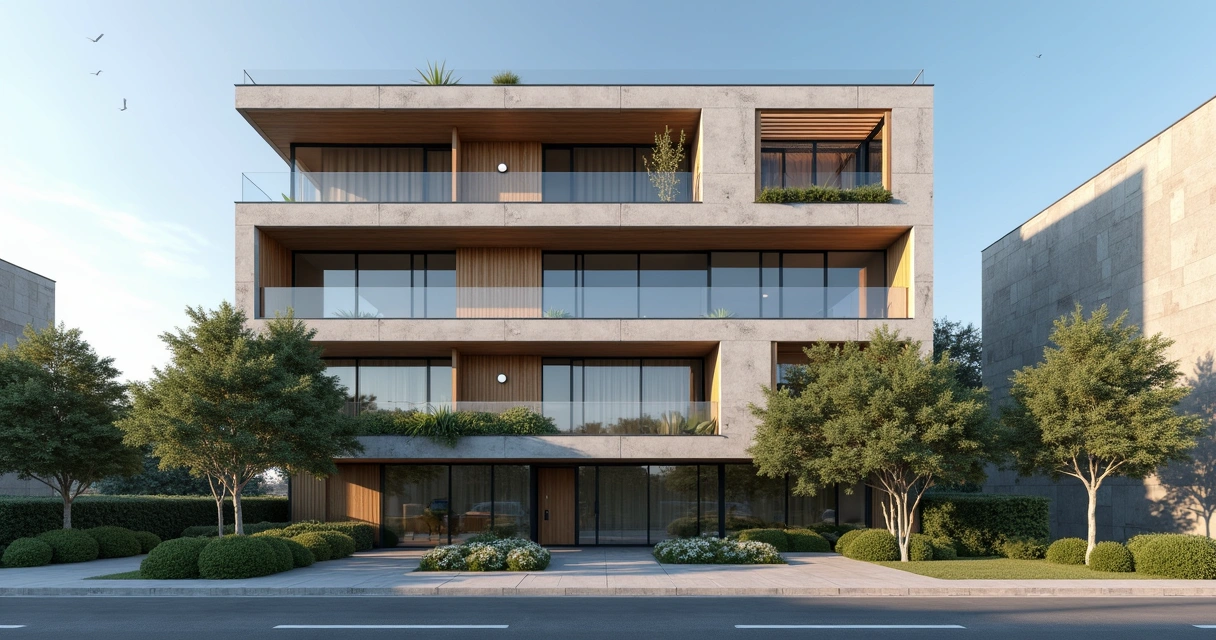
Rendered Facade

Rendered Facades: The New Standard of Excellence
Rendered façade is almost a calling card for any architect or designer who takes their portfolio seriously. Forget the 3D video game of the 90s or that rendering that seems like something out of a hasty PowerPoint. Today, the expectation is different. Try Redraw for free and see how simple it is to create professional rendered facades. In this visual guide, you'll understand what makes a digital façade stand out in the market and how to achieve that standard without wasting nights of sleep (or months configuring plugins).
What is a rendered façade and why should every architect use it
Definition and importance in the presentation of projects
The rendered façade is the closest graphic translation to reality before the construction site begins. It allows the professional to show, almost as realistically as a photograph, all aspects of the project: volumetry, materials, lighting, integration with the environment. And here among us, convincing a client or an investor with such an image has another weight.
Whoever sees, understands. Those who understand, approve. Simple as that.
In the context of presentation, a digital exterior prepared in this way raises the level of the project and transmits technical security, mastery of design and a touch of sophistication that differentiates the professional in the market.
Difference between photo and facade rendering
Not every beautiful image is the work of a drone or a professional camera. Most of the hyper-realistic images of projects of Render architecture What's going around is actually rendering. The rendering allows you to anticipate the finished work, change materials in seconds and adjust details that in practice could cost a small fortune.
While the photo portrays the real, the rendering invents the possible.
Traditional vs. AI methods for creating rendered facades
Classic software: SketchUp + V-Ray, Lumion, Enscape
For many years, creating a high-impact façade relied on the combined use of modelers and plugins. SketchUp and Revit, for example, are great for modeling, but they're not rendering tools by nature. To give life and texture, solutions such as V-Ray or Lumion came in, requiring robust computers (and a lot, a lot of patience from the user).
- Detailed modeling in 3D software.
- Material configuration.
- Plugin installation and manual light adjustments.
- Export, rendering, and post-production.
Make no mistake: between getting started and having an Instagram-worthy rendering, days (or weeks) can separate those two moments.
The hidden costs of traditional methods
Has anyone ever stopped to add up the amounts of these “small” details? V-Ray costs around R$2,000, and Lumion can almost be considered a used car, costing around R$20,000 a year. Apart from the hardware: it needs a high-end graphics card, memory and energy (not to mention the professional's time, which, after all, also has a price).
How AI revolutionized facade rendering
It's no exaggeration: the advance of artificial intelligence brought a digital shortcut, eliminating much of the visual bureaucracy of old processes. According to data presented in studies on AI in architecture, this technology radically changed the scenario by allowing, for example, simple uploads of 2D images to generate 3D renderings directly in the browser, without having to install anything or call the fire department if the PC crashes.
Tools like Redraw work from uploading images and solve the problem in minutes. No rendering farms, no monstrous machines, no “surprise” costs on the card.
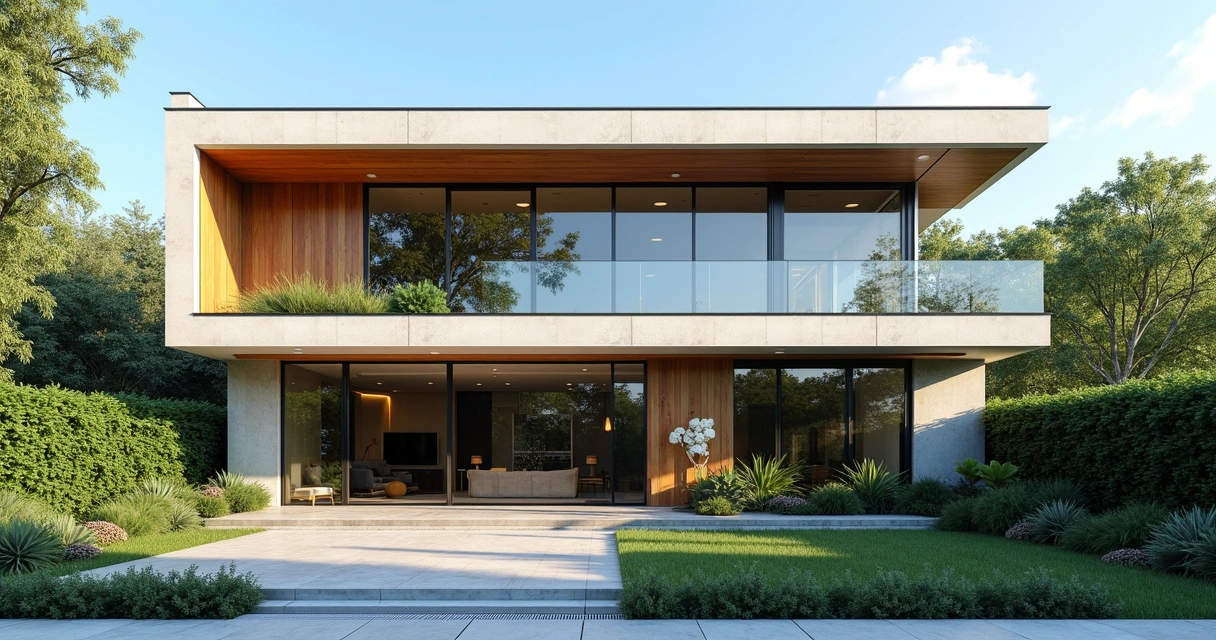
How to create a facade rendered with artificial intelligence
Preparing the base image
The first step is to have the project base in hand. This image can be exported from a model created in SketchUp or Revit, but remember: they don't render on their own. Just generate a screenshot or export the desired perspective in high resolution.
Style and materiality configurations
On the Redraw platform, after uploading the file, you choose the architectural style, predominant materials, and references. Want glass reflecting the blue sky? Slatted wood in the main volume? Just select the options. The AI understands the reference and applies authentic texturing and details compatible with the proposed scenario.
Lighting and ambience adjustments
The final touch: configure light, climate, and even time of day. Bright sun, orange late afternoon, or dramatic nighttime lighting. Here, the game is fun and unbureaucratic: just click, view and adjust until you reach the perfect atmosphere.
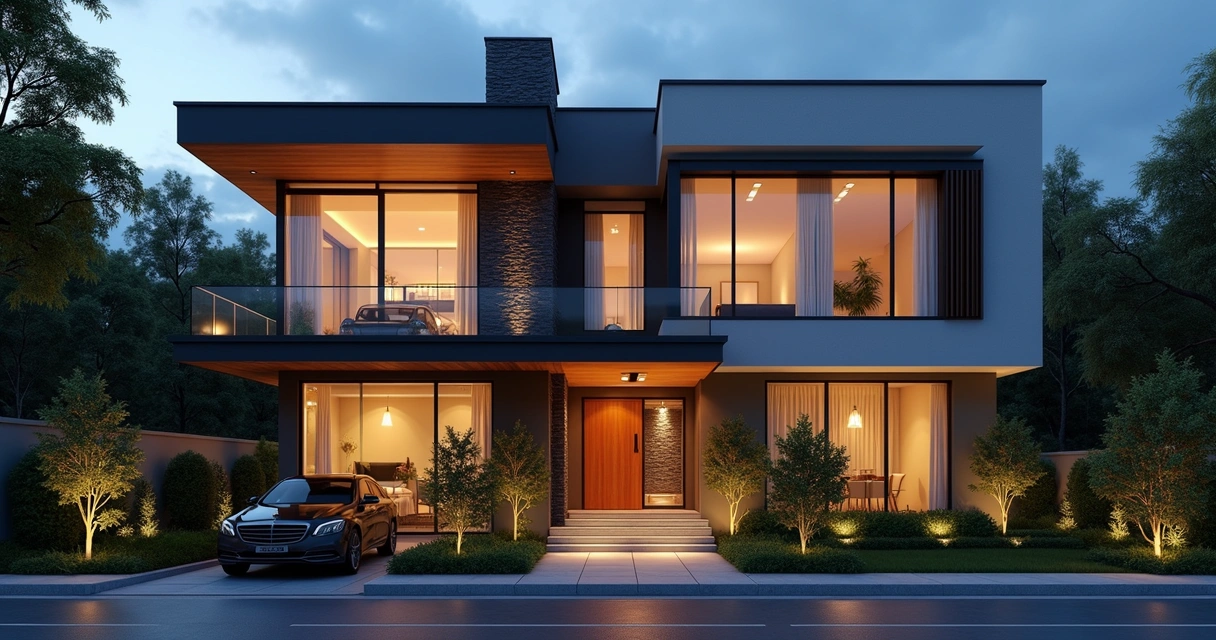
Essential elements of a professional rendered façade
Composition and framing
He is the digital “photographer”. The angle makes the project feel more stately, cozy, or expansive. Work with guidelines, human-eye perspective, and avoid wide-angle lens exaggerations (unless you're selling a miniature castle).
Realistic textures and materials
The textures are responsible for the realism of the result. Bricks, stones, concrete, glass: every material should look palpable. Don't be afraid to be detailed. Play even with the inclination of the wood veins, small imperfections in the concrete, reflections, details that only a good rendering captures.
Lighting and surrounding environment
Light is everything. A daytime rendering with clear skies enhances modern lines. The yellowish sunset light, on the other hand, brings warmth. The secret lies in the balance: no excess contrast, well-placed shadows, natural reflection.
Vegetation and contextual elements
Real plants, cars, people in natural poses, and even pets. You don't have to transform the rendering into a crowded urban scene, but suggesting everyday use humanizes the digital façade and brings everything closer to the real.
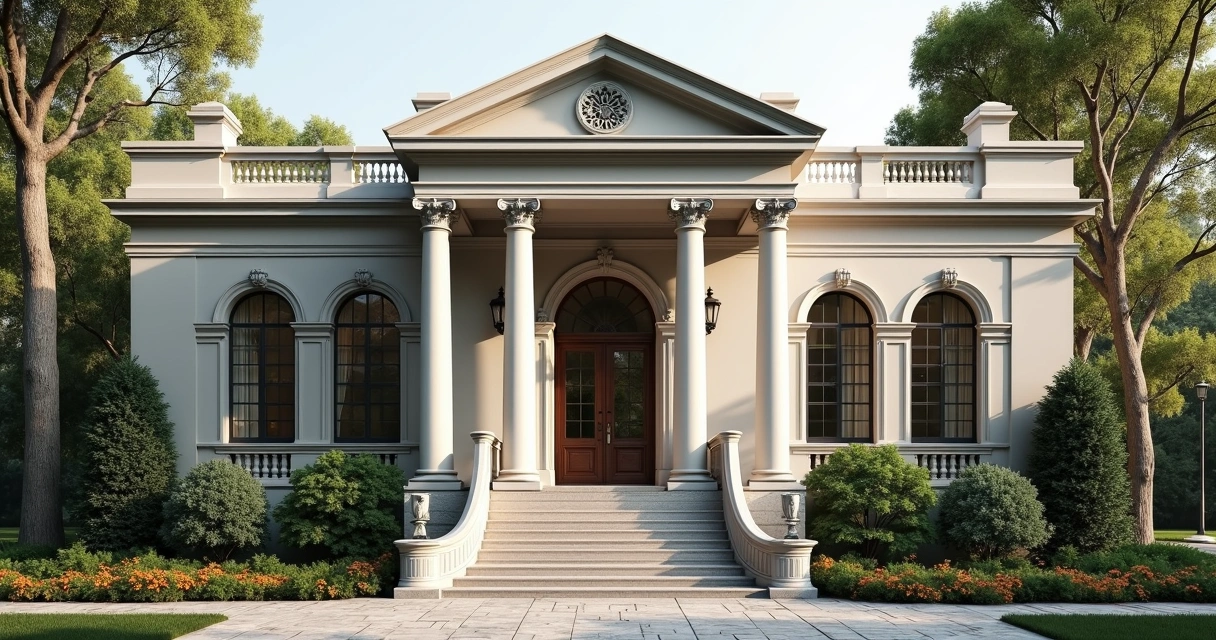
Common mistakes when creating rendered facades
Proportion and scale problems
Who has never seen a door bigger than the parked car? Attention to the sizing of doors, windows, and furniture. Use real references (or, at the very least, Google) to avoid falling into this trap.
Artificial and unrealistic lighting
“Ghost” light is the terror of night facades. Avoid unsourced light sources, exaggerated glare, and reflections that would make a cleaning product commercial jealous.
Oversaturation and effects
Render isn't a comic book cover. “Warming up” the colors a bit may be interesting, but abusing saturation and vignetting ruins naturalness. If in doubt, at least go.
Types of rendered facades and their applications
Commercial vs. residential renders
Presentations for investors, malls, stores, and corporate buildings require a “cleaner” digital façade, focused on noble materials and sophisticated lighting. Homes and residential environments, on the other hand, work better with a cozy touch, garden, people and everyday details.
Different architectural styles
There is no universal aesthetic. Minimalist, brutalist, classic, futuristic... The AI, in fact, understands the briefing and adapts the texturing according to the predominant style in the project.
Daytime vs. nighttime facades
The same project can gain two “faces”: during the day, take advantage of natural light and shadows; at night, try dramatic artificial lighting. This highlights volumes, translucent materials, and details of rendered facades that would go unnoticed.
Expert tips for impactful rendered facades
Visual Storytelling in Architecture
Each render tells a story. Don't make the façade look like an empty showroom. Add human elements, context, and plausible situations to create connection with the observer.
Use of colors and contrasts
Neutral colors enhance materials, but don't shy away from daring with dots of color in surrounding elements, plants, or lighting. Soft contrasts highlight volumes without turning the scene into a neon festival.
Integration with the environment
Don't “cut out” the building from its context. List landscaping, streets, and nearby development. Facades that ignore the surroundings transmit artificiality and distract the customer's eyes.
Frequently asked questions about rendered façade
What is a rendered façade?
A rendered façade is a hyper-realistic digital image of the exterior of an architectural project, created in programs or platforms that simulate materials, lighting, and environments. It serves to present the proposal to the client in a clear and visually appealing way before any construction.
How do I render a facade?
Just create the base in your preferred modeling software and export the desired visualization, then import it into a rendering tool. Using AI, such as Redraw, the process is very simple: sending the image, selecting styles, and quick adjustments.
What is the best software for rendering facades?
There are several options, but if you are looking for simplicity and agility, Redraw allows you to obtain high-level results without requiring installation, integration with programs or a powerful computer. AI-based platforms dramatically shorten the time and cost of the process.
How much does a 3D facade project cost?
The amount varies depending on the method chosen. Traditional plugins can cost thousands of reais a year in licenses alone. The use of AI, as with Redraw, represents a very affordable alternative, since the payment is monthly, flexible and does not require investment in advanced hardware.
Is it worth investing in a rendered façade?
Yes. A good image anticipates the vision of the final project, facilitates client approval and can be decisive in competitions. It is a small investment close to the differential it provides to the portfolio and to the professional's presentation.
Conclusion: Transform your projects with professional rendered facades
If you want to design, impress, and sell, it's never been easier. Hyper-realistic images are no longer the privilege of those who master dozens of plugins or invest small treasures in cutting-edge hardware. Thanks to AI, accelerating the process and delivering sophisticated results became routine.
Start impressing your customers today with professional-quality rendered facades using the Redraw. Don't wait months to see your project come to life. Experiment and discover how technology can be your best assistant in the office.
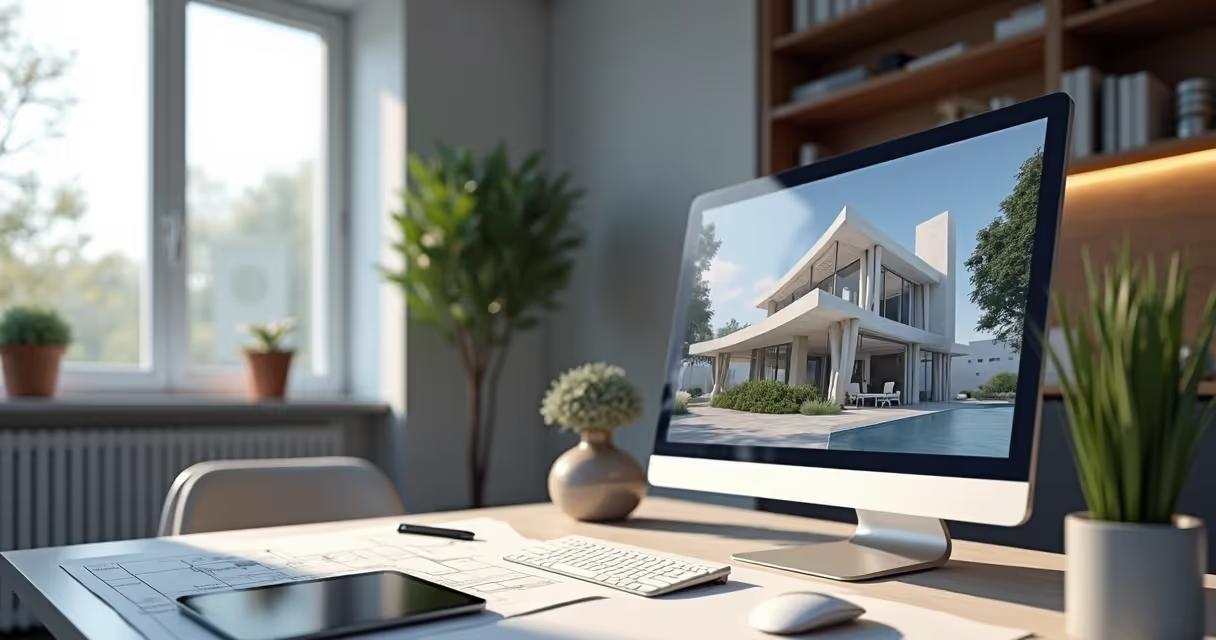
Rendering Meaning
Demystifying Rendering: What You Need to Know
Rendering meaning is not just a question for those who have barely ventured into SketchUp or Revit (in fact, none of them render on their own, see?). In fact, understanding what rendering is and why this process is so talked about has become almost the obligation of any architect, engineer, designer, or student who invests in visualization as part of their work. After all, what's the point of creating an impressive project on paper if, when it comes to showing it to the client, it looks like a poorly finished model or, even worse, just gray lines and cubes?
That's why today we're going to uncomplicate the concept of rendering once and for all. Yes, that beautiful word that many pretend to master but run away when the fateful black screen of traditional software appears or that message: “Plug-in not found”. Breathe. It doesn't need drama. The idea here is to remove fear for good and show how to transform 3D models not only into beautiful images, but also into professional presentations that truly communicate.
What does rendering really mean in the world of architecture
Contrary to what many people think, rendering is not a piece of cake. The technical translation may seem scary at first glance, but deep down, it's simple. Rendering, in essence, is the process of converting digital 3D models into realistic (or stylized, if you prefer) two-dimensional images. It's like taking a photograph of something that doesn't exist yet, only in the virtual world.
Render is the bridge between design and emotion!
In the world of architecture, then, rendering goes far beyond making the portfolio beautiful. It means bringing the project to life before it even gets off the ground. That's where this “magic” comes in: transforming walls, floors and volumes into textures, shadows, warm lights and reflections that leave the customer jaw-dropping. And it's not just for the customer, see? Often, that detailed rendering is what guarantees the developer's “yes” or even regulatory approvals.
Rendering meaning: technical definition and practical applications
Now, removing the dust from the technical terms, rendering meaning can be defined, in the “architect”, as:
- Process of generating a digital image (render) from three-dimensional data.
- Simulation of light, materials, textures and cameras to transform a raw model into a realistic (or stylized, depending on the customer's taste) vision.
- Creation of images for architectural projects, interior design, commercial presentations, contests, videos and even games.
In practice, this translates into something much less glamorous: running such a rendering may mean waiting a few minutes, or hours, while the computer is cold to scratch walls, calculate shadows, generate reflections, insert textures and treat each pixel of your project. And all of this, who would say, can be done through the browser, as in Redraw, with the help of artificial intelligence to accelerate (and simplify!) each stage.
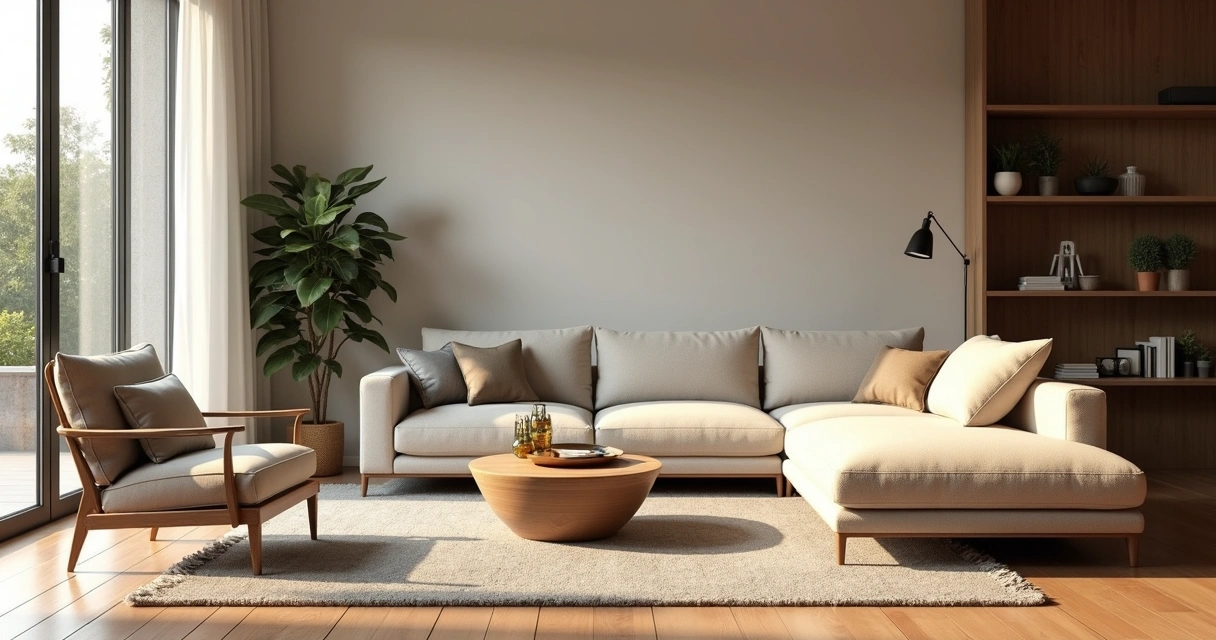
The process behind rendering
Behind each final image, there is a series of hellish mathematical, physical, and digital operations (those that tie the knot in the head of an architecture student). But aside from the excess drama, the process boils down to:
- The user builds a 3D model with lines, volumes, and basic textures.
- You define the camera, the viewing angle, and the “objectives” of the render (what to focus on, how to illuminate, etc.).
- Textures, materials, lighting information, and environment settings are applied.
- The program begins the simulation of light rays, adding shadows, reflection calculations, and transparencies.
- The computer calculates each pixel until it generates a final giant image (or a video, if you prefer).
All of this used to be time-consuming, expensive, and torture for weak machines. Now, with platforms like Redraw using cloud processing and AI, that suffocation has all but disappeared.
Why rendering changed the routine of architects and designers
Five minutes to convince someone: that's all you have. And that's where the perfect rendered image comes in. Rendering isn't just a free beauty step. It's the most effective way to:
- Communicate ideas for those who do not understand plans, cuts and facades;
- Present design solutions, colors, materials and lighting;
- Anticipate errors even before execution;
- Change the story of a project at the presentation meeting.
Without yielding, the project loses strength and hardly gains the expected impact. And look, I've seen professionals lose business because of a poorly done image, a “hard” performance, or something that looked like a poorly done video game scene...
The main types of rendering you should know
Render is not all the same, and each modality fits a need. Just look at the main types:
Raster rendering
The “fast” method: transforms polygons and pixels into images without major light calculations, suitable for quick presentations or projects that do not require so much photorealism.
Ray tracing rendering
Here comes the glamor of physics: it simulates each ray of light, its reflections and refractions, creating ultra-realistic images. Oh, but don't complain after the delay (on some platforms, you might want a strong coffee while you wait... or use AI in the cloud and solve it quickly).
Real-time rendering
It allows the user to navigate the scene in real time, ideal for interactive presentations. Almost a virtual visit, perfect to surprise that indecisive customer.
Offline rendering
This process is generally slower, but it results in incredibly detailed images, with very high quality, often used in portfolios, contests, or marketing and sales materials.
AI-based rendering
Fresh news: artificial intelligence algorithms accelerate the rendering process, improve materials, adjust lighting and deliver results that previously relied only on a lot of study and patience. Platforms like Redraw are making this process faster, more accessible and, most importantly, free of technical complexity.
Real-time rendering vs. offline rendering
Who has never been left dividing the screen between the “stuck” SketchUp and that rendering running on the firm's computer? The difference between real-time and offline rendering is not only in time, but in the entire purpose of each process:
- Real-time: the user makes adjustments, moves the camera, changes materials and sees everything updated instantly. Don't expect photorealistic perfection, but get ready to wow clients in interactive meetings.
- Offline: everything is calculated before the presentation. It generally takes longer, but offers eye-filling visual results, with reflections, soft shadows, and richness of detail.
Time or quality? Choose wisely.
Photorealistic rendering and its applications
Photorealistic rendering is the consumer dream of any architect who seeks to get the most visual impact from their projects. It's the art of making the customer ask: “Is this a photo or is it ready yet?”
This type of image requires extreme attention to materials, lighting (natural and artificial), ambience, and post-production. For a long time, it was only possible with powerful machines and expensive software. Today, AI and cloud rendered (literally!) this game: any professional can achieve the review result directly from the browser.
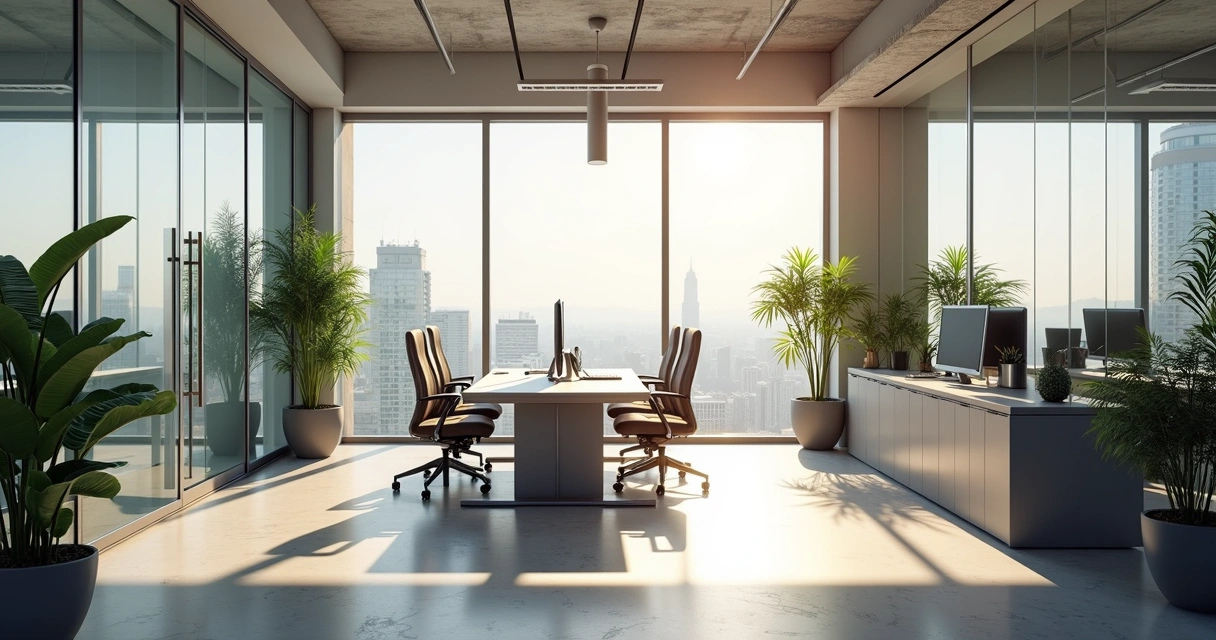
Ray tracing: the science behind perfect reflexes
Do you know those renders where you can even see the reflection of the lamp on the glass top? The merit of ray tracing, a technique that mimics the real behavior of light: each ray “shoots”, hits, reflects, crosses, interacts with textures, all in accordance with the laws of physics.
The result? Precise reflections, faithful colors, shadows with soft gradients. For the end user, only the visual impact matters. But for those who render, understanding the power of ray tracing can be decisive when choosing the type of image, the extent to invest in quality and when seeking a more practical method (as Redraw's AI can deliver).
How does the rendering process work in practice
Talking is easy. Getting your hands dirty is the challenge. Here is a summary of the traditional path for those who are still using conventional software:
- 3D modeling (with basic tools): walls, slabs, furniture...
- Configuration of materials: floor textures, glass shine, paint color...
- Definition of lighting: artificial, natural, prominent light spots.
- Camera choice: angles, distances, focal plane (all to create drama, of course).
- Render configuration: resolution, quality, effects
- Spin the dice and wait while the computer does all the mathematical calculations, with a bit of suspense and expectation for the result...
- Post-production: color adjustment, brightness, minor artistic retouching.
With AI-based solutions, such as Redraw, much of this configuration is done automatically. The user basically uploads an image, selects the type of render and receives the final version ready in seconds. It sounds like magic, but it's not (or maybe it's a bit).
From the 3D model to the final image: step by step
Do you want a simple script so you don't feel embarrassed when showing your rendering? Here's the winning sequence:
- Create or import the 3D model in the program of your choice (remember that SketchUp and Revit are not natively rendered, so save the image of your model);
- Prepare the layers of materials and textures;
- Set the lighting, one of the most treacherous items (bad light will sink any render!) ;
- Configure the scene (camera, resolution, effects);
- Send for rendering: in the traditional method, adjust every detail; with AI, send and wait;
- Look at the result, smile (or cry!) and get ready to show it to the customer.
The secret isn't just in the software. It's in the open eye.
Hardware and software: what really matters
That's the point where a lot of people make a big mistake. That story that only PC gamers can render may have even been true in the past. Today, cloud-based and AI-based platforms broke that rule for good.
- 3D modeling: can be done on almost any computer.
- Traditional rendering: requires dedicated GPU, spare memory, and patience. Without good hardware, the image may take hours or not come out at all.
- AI rendering: just upload the basic image of the project and leave the processing to the cloud, as Redraw does. Who would have thought: even an entry-level notebook became a rendering station!
AI rendering: the new era of architectural visualization
If until recently rendering was synonymous with suffering and a graphics card upgrade, today it is possible to render faster and easier with the aid of artificial intelligence.
- AI recognizes elements, materials, and lighting in your project.
- Transform sketches into photorealistic images in no time.
- Take away that fear of missing a deadline just because your PC “is crying”.
Redraw has been consolidating itself precisely by offering this experience without a learning curve, eliminating technical steps and delivering results in seconds, directly from the browser. No need to invest in expensive plugins or spend hours configuring complex settings.

Why artificial intelligence is transforming the industry
Just look at the current scenario. Professionals have short deadlines, increasingly demanding clients, increasing competition, and tight budgets. Artificial intelligence revolutionized rendering because it offers:
- Speed: processes images in seconds, not hours.
- Access: works on any computer, all you need is internet access.
- Simplicity: the technical part becomes detail, AI takes care of parameters, lighting and material correction.
- It delivers results previously reserved only to large studios (and monstrous budgets!).
Stop wasting time struggling with settings and plugins. Focus on the creativity and communication of your project. Technology already does the rest.
Redraw vs. traditional methods: speed without complication
Those who have spent nights “cooking” a rendering know the pain of seeing the machine crash or having to redo everything because the customer requested a “small adjustment” at the last minute. Redraw solves this with a simple proposal:
- No need for very expensive plugins (which weigh on your pocket and only work with an absurd annual license);
- 100% cloud processing, your computer only serves as a bridge, you don't have to suffer;
- Automatic results: the image went up, in seconds you can finally breathe a sigh of relief;
- Affordable plans for students, freelancers, and businesses.
It seems ideal for that last-minute presentation, or to avoid becoming a slave to the limitations of your own hardware. Yes, it's to make it easier. And you don't even have to read a thousand-page manual.
Best Practices for Professional Rendering
Do you want to reach another level and not rely solely on luck or AI? Follow some tips that save any presentation:
- Plan what you want to show: it's no use rendering every angle, choose the best focus.
- Adjust materials and finishes: even the smallest detail makes a difference.
- Invest time in lighting: it changes everything, from dramatic to “salt-free”.
- Use post-production sparingly: exaggerations deliver the trick, balance generates realism.
- Test different configurations: the perfect rendering is the one that thrills.
Preparing your scene for better results
Rendering well doesn't start at the click of the button. Preparation is crucial. Don't forget:
- Clean the template: delete unnecessary elements.
- Think about storytelling: insert objects, people, vegetation to humanize the scene.
- Set the rendering time: morning, afternoon or evening, everything changes in perception.
- Apply cameras with different focal lengths to achieve striking effects.
It takes work, but it's the kind of effort that translates into presentations that really convince.
Lighting and materials: the secrets of impactful renders
Do you want to transform a common rendering into a reference? Focus your attention on the two factors that stand out the most:
- Lighting: the soul of rendered project. Test natural light, artificial light, direct and indirect lights, spots, and special effects. Sometimes a simple glow makes the difference between “approved” and “off”.
- Materials: from glass to concrete, from marble to wood. The closer to the real one, the more the viewer connects to the project.
Texture and light can transform the obvious into the unforgettable.
FAQ - Frequently asked questions about rendering
What does it mean to render in 3D?
3D rendering is the process of transforming a three-dimensional model (made in modeling software) into an image that simulates light, materials, textures, and perspective. This image may look as real as a photo or follow a style of its own, depending on the setting. The objective is to visually communicate the project, facilitating understanding both for clients and for those who execute the work.
What are the main types of rendering?
There are several types, but the main ones are: raster rendering (faster, less detail), ray tracing (simulates real light, longer), in real time (for interactive navigation), offline (high quality for final materials) and, recently, rendering based on artificial intelligence, which speeds up and simplifies the entire process.
How does the rendering process work?
At the base, it consists of taking a 3D model, configuring lighting, materials, choosing camera angles, and defining scene details. The software then calculates how light interacts with all surfaces and creates a 2D image from that data. The rendering can be offline, in real time, or AI-supported, depending on the solution chosen.
Is rendering 3D projects expensive?
It depends on the method used. Traditional software often requires powerful computers, graphics cards, and expensive licenses. On the other hand, AI solutions, such as those offered by Redraw, make rendering accessible even for those who only have a basic notebook, since all processing takes place in the cloud and the costs are much lower.
Where can I learn how to render better?
You can search for online tutorials, free courses, workshops, and lots of practical experimentation in modeling and rendering software. Platforms offer guides and support, as well as communities willing to share tips and teach techniques. If you want to simplify this path, tools such as Redraw reduce technical weight and allow you to focus more on the creative part of your projects.
Conclusion: master the art of rendering and change your projects
Ultimately, learning the true meaning of rendering is a game-changer. The market is changing fast, and those who don't keep up are left behind. Master rendering and transform your projects into visual experiences that inspire, connect, and conquer. AI platforms, such as Redraw, are there precisely to be the bridge between technology and your creativity, turning what was previously complex into a quick, uncomplicated and surprising step.
So, ready to render without drama and show the world the real potential of your projects? Get to know the Redraw and see how to make a qualitative leap, saving time and truly impressive.

Sunken Living Rooms
What are downgraded rooms and why are they trending
Lowered rooms, you may have recently come across photos of modern environments where the floor of the main room is, let's say, “one step below” the rest of the house. No, no one forgot to finish the slab or made a mistake with the concrete. This is the so-called lowered room, also known as sunken living or conversation pit (yes, English loves to give new names to what our grandmothers already knew!).
The concept isn't new, but the charm remains intact. A room of this type brings the floor of the living area a few centimeters, or even dozens of them, below the level of the other rooms. Sometimes it's just a “sink”, sometimes it's almost a pool (without water, please). The goal? Create a different, more intimate space and, of course, draw sighs from friends who are still attached to the concept of “straight to the end”.
The interesting thing is that, after forgotten decades, these rooms returned in 2023 redesigned, full of sophistication. Yes, now the parties no longer have shaggy carpets and strange lamps like in the 70s; but it still maintains that air of “here the conversation yields more”.
And do you know the best? Before breaking the floor of your house and embarking on the adventure of unevenness, you can now experiment and visualize what the project would be like in a realistic way, directly from the computer. With platforms like Redraw, it is possible to simulate, adjust to rendered image of lowered rooms (and avoid surprises such as bumping your head into the lamp or realizing that the sofa looked like a lost island).
The history of lowered rooms: from the 60s to the 21st century
The Golden Age (1960-1970)
Imagine the living room of a modern house from the 60's or 70's. The owners look like they're straight out of Audrey Hepburn parties or Madison Avenue meetings. It was the height of the lowered room: rugs, cushions, low fireplaces... everyone “thrown” almost at floor level around a table, talking, listening to records, or just philosophizing. It was the “chic of the moment”.
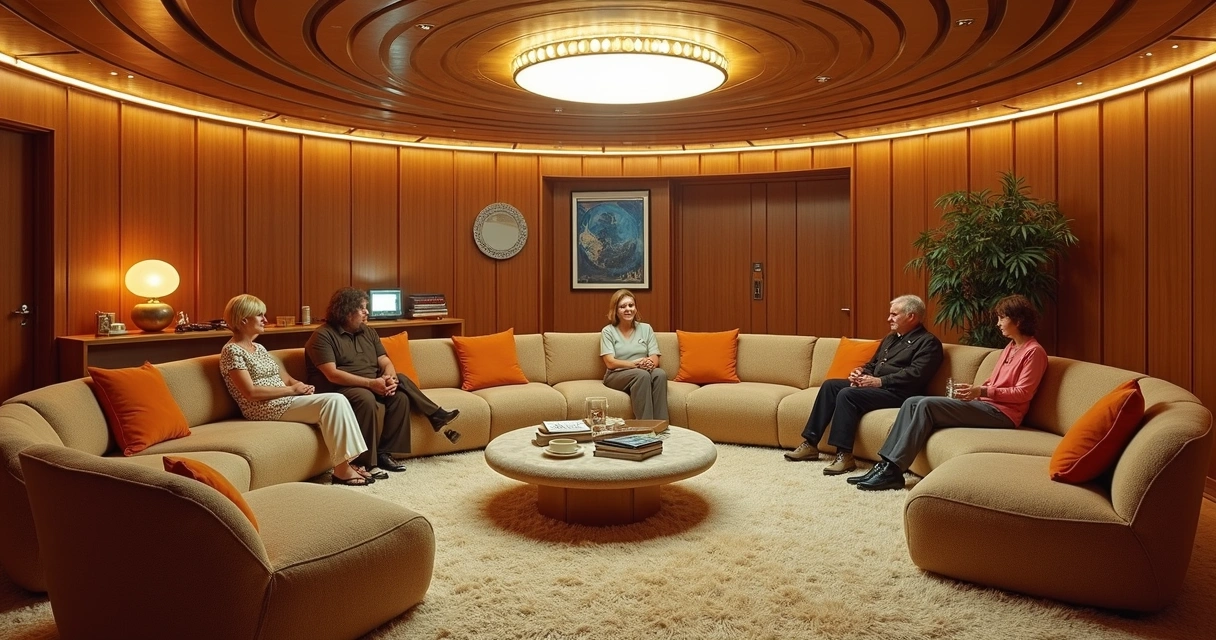
The effect was sophisticated and bold, perfect for those who wanted to impress at the time. The architectural films and magazines of that period gave the feeling that those who had such a room were more cool, more open to new experiences. Everything had the scent of modernity and a slight exaggeration in the decoration.
Decline and oblivion
As with almost everything in the design, the cycle closed. At the turn of the 80s and 90s, downgraded rooms began to be seen as complicated, impractical, and even dangerous (everyone knows someone who sprained their foot there, right?). Stairs took over the projects, the floor was level. It was the sign that the reign of this trend was at an end.
Few dared to stick to the idea. The trend was flat floors, versatility and easy-to-move furniture. The rooms that survived were renovated or were given carpets covering the “hole”. The dream became just a memory, which (almost) no one missed. Almost...
The modern and sophisticated return
Around 2023, something changed again. Architects and designers began to revisit old references. The search for more interactive spaces, as well as the trend of integrated environments, brought back the concept of uneven rooms. But this time, without visual excesses. The look is now cleaner, using neutral colors, recessed lighting and sophisticated coatings. The main thing now is to value comfort, integration, and a sense of spaciousness.
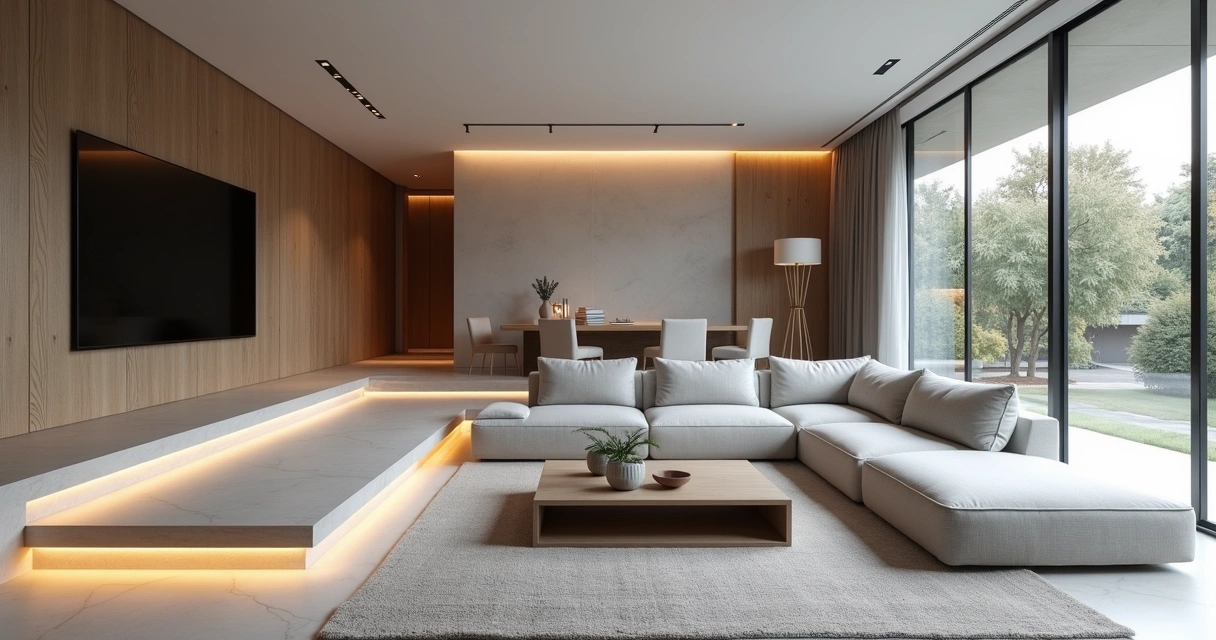
Those who know Redraw know how easy and fast it is to transform an old sketch into a modern visual proposal, testing materials, furniture and even playing with floor heights to find the ideal setting.
Anatomy of a lowered room: essential elements
Did you work up the courage to get out of the obvious? So, find out what can't be missing for the proposal to be complete (and, honestly, beautiful):
The gap: the heart of the project
The key element (no pun intended) of these rooms is the sunken floor. It can be 15, 30, even 45 centimeters below the original ground floor level. The important thing is to create a physical and visual separation from the rest of the environment. The slope can take up steps or be completed smoothly, like a large ramp, depending on the proposal and the space available.
Whatever path is chosen, the key is to ensure harmony between the “hole” and the rest of the property.
Bespoke sofas and furniture
In many projects, the sunken area is surrounded by custom-made sofas, forming a kind of “arena” of conversation. Others bet on modular armchairs that can be repositioned. The important thing is to prioritize furniture that highlights the embrace of space, those that invite you to sit back and forget about the passing of time.
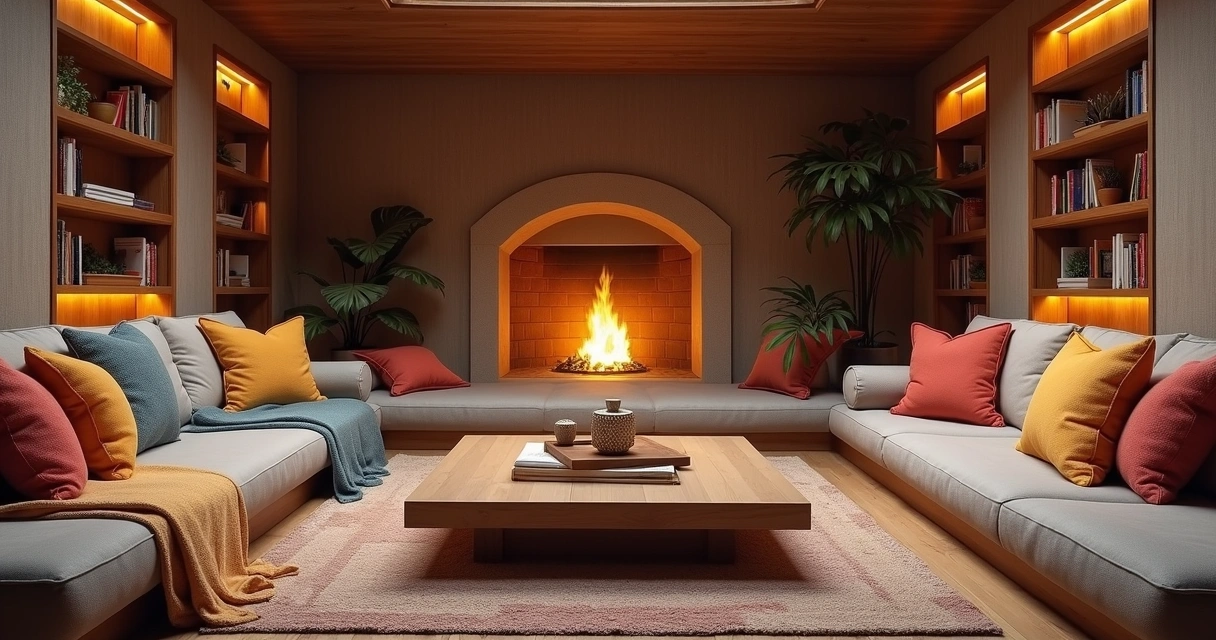
Strategic lighting
When it comes to lighting, it's worth leaving that dark suspense movie corner. Spots embedded in the steps, floor lamps, LED strips... The objective is to highlight the unevenness and ensure a welcoming atmosphere during the day and at night. A golden tip: bet on indirect light to reinforce the intimate atmosphere.
Materials and coatings
Hardwood floors, porcelain tile, burnt cement, or even custom-made rugs are great for the recess area. The walls can gain texture or keep the same material as the rest to create continuity. It is possible to dare with colors, but honestly, when in doubt, opt for neutral tones. Thus, the space is not dated for a few years.
Those who use platforms such as Redraw can simulate material combinations before investing in renovation or furniture. It saves time, money and, above all, avoids headaches with hasty choices.
Advantages of lowered rooms
Many leave the concept behind for fear of complications. But there are several positive points, and some slightly narcissistic reasons, I must say, to consider the proposal. Let's go to the main ones:
Intimate and welcoming environment
Imagine the scene of gathering friends together for an evening of conversation. Instead of everyone scattered on chairs far apart, all together, on lower levels, almost in a circle. It's as if the living room itself encourages the exchange of ideas, laughs, and, in short, helps to forget about the cell phone.
It's an invitation to slow down and truly socialize.
Visual separation of environments
The recess serves, in a natural way, to divide integrated spaces without the need for walls or partitions. A subtle height difference already creates a clear delimitation between the living area and, for example, the dining room or the kitchen. The result? Multifunctional environments without that visual “clutter”.
Sense of spaciousness
It seems contradictory, but depressions in the floor can make a room seem even bigger. The eye follows the unevenness and, instead of seeing a single straight plane, sees different depths. It's a great visual trick for small sized apartments or homes.
Focal point and sophistication
The lowered room hardly goes unnoticed. It becomes the center of attention, the place to display an incredible carpet, a low fireplace, elegant furniture. In other words:
The downside is pure design magazine charm.
And honestly, who doesn't like to visit a house and leave saying: “did you see that different room?”
Disadvantages and important precautions
Of course, it's not all flowers. The unevenness, if not well executed or thought out, can cause some headaches (and even ankles!). Here are the main points of attention:
Accessibility issues
“Hidden” steps are beautiful in photos, but they can pose a challenge for people with reduced mobility, the elderly, or young children. In addition, poorly placed furniture or a staircase without adequate lighting increase the risk of tripping.
- Prefer wide and safe steps.
- Avoid slippery surfaces.
- Focus on visual signage — tapes or built-in lighting.
Difficulty of maintenance
Cleaning hard-to-reach corners, removing dirt from built-in carpets, or changing custom-made furniture are tasks that require a little more patience.
Not to mention the “little gifts” that children and pets love to hide in the sales. If you have animals at home, the chance of finding that missing bone there is real.
Possible moisture problems
When lowering floors, there is always a risk of accumulated moisture, especially in single-storey houses or in regions with a high groundwater table. Good waterproofing and the use of suitable materials are indispensable. If moisture appears, the solution is to seek a qualified professional (and prefer to simulate the environment first using tools such as Redraw, for example).
Cost and structural viability
It is essential to consult an engineer before breaking floors and slabs. Depending on the structure of the house or apartment, it may be impractical or very expensive to carry out a downgrade. Changes to buildings, for example, are almost never allowed. And even in houses, it is necessary to check if there are pipes or beams on the site. Cheap can (literally) be expensive.
How to plan a recessed room without error
Determined to dive into this trend? So, some practical tips to not turn your dream into a headache:
- Simulate the project: Don't rely solely on imagination. Realistic simulations, such as those made in Redraw, allow you to adjust proportions and play with materials before investing any amount.
- Consult a professional: Architects and engineers are allied in this type of work, mainly to ensure safety and viability.
- Think about the function: The lowered area can completely transform the use of the room, but it needs to be adapted to the routine of the house. Those who have pets or the elderly at home need to redouble their attention.
- Invest in lighting: Don't underestimate the power of light on the steps and in the most hidden corners of the slope.
- Opt for custom-made furniture: They fit perfectly into the space and help to enhance the concept.
- Waterproof and prevent collisions of cutlery or silver: Metallic noises amplify the underside and any infiltration can become a domestic drama.
Frequently asked questions about downgraded rooms
What is a lowered room?
It is an environment where the living area has a floor a few centimeters or even dozens of them below the rest of the room, creating a marked difference in level. The objective is to generate intimacy, visually divide environments and bring a different charm to the decoration, taking advantage of both the modern and vintage aspect of this architecture.
How to downgrade a room?
The downgrade requires good structural planning. The first step is to consult an engineer or architect to assess the possibility, especially in apartments where there are limitations. Then, the height of the recess is defined, the steps are drawn and the waterproofing is designed. It is recommended to simulate the design in 3D, using digital platforms (such as Redraw), and only after approving the project start executing the work, always with qualified professionals.
What are the advantages of downgraded rooms?
Among the positive aspects are: creating a welcoming environment conducive to conversations, delimiting spaces without the need for walls, giving a sense of spaciousness and sophistication, in addition to transforming the lowered area into a true focal point of the house. The proposal values design and provides more collective and cozy experiences.
Are lowered rooms safe?
When well planned, they are safe. The key is to ensure proportional steps, anti-slip materials and adequate lighting, especially for the elderly, children or people with reduced mobility. Extra attention to avoid trips and falls. The virtual simulation of the steps, as is possible with Redraw, helps to predict possible risks and adjust the project before construction.
How much does it cost to downgrade a room?
The costs vary greatly depending on the size, materials and complexity of the work. In houses, the price tends to be lower; in apartments, it may not be feasible. Budgets generally include floor breaks, structural reinforcement, waterproofing, and custom-made furniture. The ideal is to simulate all the options, seek quotes from specialists and consider an investment starting at a few thousand reais, which may increase according to the degree of personalization. Using solutions such as Redraw to visualize and simulate before construction can help a lot in controlling costs.
Conclusion: the charm and functionality of the unevenness in the room
Lowered rooms aren't just a fad or a redesigned vintage touch. They represent a creative solution, full of personality, that still conquers those who want to go beyond the basics in residential design. When well planned, they are synonymous with hospitality, visual organization and modernity.
But (and there's always a “but”), every detail needs to be evaluated carefully. Plan, simulate, play with different possibilities and especially test all ideas before turning the house into a construction site. Platforms like Redraw came precisely to eliminate the fear of error and to enable fearless experimentation.
The future of design lies in boldness, but also in safety. Visualize before, perform with confidence.
If you feel like taking your projects off the ground, or simply want to understand how your house can gain another life with lowered rooms, discover the Redraw, sign up without obligation and see how 3D visualization can change the way we think about architecture and interiors.

AI to Create Architecture Projects
Unveiling the Potential of AI in Architecture
AI to create architectural projects is much more than a modern concept, it's almost an invitation to abandon the suffering of eternal renders and the dependence on computers that seem to want to take off with each 3D model. Today, with advanced technologies such as Redraw, architects and designers gain time, quality and, why not say, peace of mind. In this article, I will explain how artificial intelligence ceased to be only for those who proudly say “Silicon Valley” and became routine in the daily lives of architectural firms (with that slight hint of provocation for those who still insist on suffering). If you're looking to reduce waiting days and transform hours of headaches into seconds of results, keep reading: discovering the potential of AI for architects may be the missing step for your office to move out of “stone age rendering” mode for the 21st century. Oh, in the end, you will understand why Redraw has become a reference when it comes to accelerating and improving architectural projects. Ready?
Why AI became a reality in architecture
Let's start at the beginning: why, after all, does everyone only talk about AI to create architectural projects now? Basically because, until yesterday, renderings took days and were expensive. And I'm not even going to comment on the corrupted files at 3 in the morning. But, all kidding aside, the market has changed. Time has run short, the client wants the project for yesterday and the costs, honestly, no longer fit the budget.
Problems with traditional methods? Many, of course:
- Days and more days waiting for that “beautiful rendering” (which sometimes isn't so beautiful)
- Outsourcing to specialists, always on budget
- Endless revisions, since “just one more adjustment” never ends
- Heavy software that requires car-sized computers and consumes coffee as if it were water
Enough of clear nights waiting for the yield to end.
This is where artificial intelligence comes in. Solutions such as Redraw reduce production time from days to seconds, facilitate changes, and democratize access. Oh, even that student with a basic notebook becomes a minute specialist... okay, maybe in seconds it's an exaggeration, but it already helps a lot!
What AI actually does when creating projects
Generation of concepts and ideas
Do you know that creative white guy that hits when the deadline is up? Instead of looking at nothing, today there is already AI for architects who suggest ideas, concepts, and even architectural styles based on simple commands. Just write “apartment with open concept and natural light” and voila, references appear that save a lot of time in the initial phase of the project.
Rendering and viewing
That one professional rendering with AI What used to take the whole weekend is now ready for the coffee break. Platforms such as Redraw deliver a hyper-realistic view in a few seconds, straight from the browser. 3D projects, automatic texturing and painlessly adjusted lighting: can you imagine that presentation to the client happening without a crisis?
Optimization of layouts and plans
Have you ever considered asking the AI to reorganize a layout to gain more natural lighting or adjust circulatory flows? Well, today that's real. AI tools for creating architectural projects analyze and propose changes to plans, optimizing the use of space and functionality. It's almost like having a super-powered intern (except he never complains about cold coffee).
Automation of repetitive tasks
Nobody deserves to waste time adjusting basic details, applying textures, or rearranging furniture. With AI, boring routines become automatic. He was left with more time to dedicate to creation and to the details that matter. And, here among us, your time is worth gold!
Top AI tools for architects in 2025
International tools (Midjourney, DALL-E, Stable Diffusion)
Around the world, several AI solutions are already helping architects to develop conceptual arts and images in record time. They transform text into images, bring quick inspiration, and are great for brainstorming. But not all of them speak Portuguese, they are not always in tune with the reality of Brazilian offices, and sometimes the result is so surreal that... well, it's better to laugh than to cry.
Specialized architectural solutions
When it comes to automation of construction processes, volume generation and plant adaptation, some platforms have emerged in recent years thinking directly about the pain of architects. From the sketch to the final result, the goal is to always deliver more with less effort with the help of AI to create architectural projects. The difference lies in how much the tool understands the daily life of the Brazilian office, which is not always the case with imported solutions.
Redraw: the Brazilian solution that is changing the game
In this scenario, Redraw stands out as an AI platform for creating architectural projects designed for the national public. All accessible directly from the browser, without installing anything, and with support in Portuguese. Here, you transform scrawled drawings into realistic images, improve the quality of presentations, and generate animated videos using only a static rendering. The learning curve? Smooth, almost as easy as ordering a coffee with sugar (although someone always gets the point wrong...).
How to use AI in practice: from concept to final project
Conceptualization phase (ideation with AI)
The starting point is now more interesting: you type what you imagine, mix some references and let the AI generate visual suggestions. This feeds the creative process and allows quick presentations of concepts to the client, without having to explain using incomprehensible gestures or doodles.
Project development (refinement)
Based on initial proposals, you use AI tools to adjust proportions, test material combinations, or even identify layout problems. It's that part where the customer asks for “just a little bit more light” or “an extra wall”. Adjustments like this are no longer traumatic, since the repetition is the responsibility of the robots.
Presentation to the customer (professional rendering)
The time has come to shine. Hyper-realistic renders can be made in seconds, showing material textures, natural lighting, surrounding scenery, and even animation along the project. Redraw allows you to convert simple sketches into this type of final delivery, reducing the gap between expectation and reality. The customer sees, understands, and approves faster. (Hey, are you still spending nights messing with post-production?)
Optimized workflow with Redraw
- Quickly import your files, drawings, or sketches
- Choose the type of visualization: 3D, realistic, animated, etc.
- Review and adjust settings in a few clicks, right in the cloud
- Share the result with clients, colleagues, or in the portfolio
In the end, the workflow is so light that you're even surprised.
Redraw vs traditional tools: the Brazilian revolution
Comparing Redraw with conventional methods is almost unfair. We're talking about days versus seconds for a rendering. The computer doesn't have to be a supermachine. And the best thing: the price does not require selling a kidney.
- Time: Rendering that took 1 to 4 days is ready in less than a minute
- Cost: Goodbye to expensive outsourcing and reliance on high-performance equipment
- Quality: Result ready for professional presentation, even if you only know the basics of AI or 3D
- Support: The service in Portuguese and the active community in Brazil make a difference when it comes to tightening

Success stories: architects who adopted AI
It sounds like sales pitch, but the results speak for themselves. Professionals and companies that started to include AI in the workflow report better deliveries and, above all, more free time. And you know the value of that in times of insane deadlines.
- Time and resources: Projects delivered in much shorter time frames, without sacrificing nights and weekends
- Productivity: Those who adopt AI start to absorb more demands, grow their portfolio and delight customers
- Presentation: Impactful visual proposals help to close more contracts and avoid discussions about “that's not really what I wanted”
- Real ROI: The investment pays off long before any traditional software subscription. Or rather, if it pays in time, money and reputation
Those who don't update end up being left behind. It's not terrorism, it's a fact.
The future of AI architecture
Artificial intelligence in architecture is just beginning. The next trends point to more autonomous virtual assistants, integration with BIM, budget automation, and even constructive suggestions based on technical standards.
- Increasingly intuitive tools: just ask and see it happen
- Collaborative, real-time projects with colleagues from anywhere
- AI helping to avoid design errors before the work begins (and you saving yourself future rework and headaches)
The role of the architect changes. Creativity remains sovereign, but the job has become to create with artificial intelligence, never just automated. Your choices will define the value of the project, and AI will be behind the scenes, accelerating without stealing credit.
It's not a replacement tool, it's an evolution tool.
How to start using AI in your projects today
If curiosity struck, here's a recipe with almost no secrets:
- First step: List the tasks that take the most time in your workflow
- Look for easy-to-use platforms, such as Redraw, to test without obligation
- Integrate little by little: Start with the most repetitive steps, move forward with the concepts and you will soon be using AI in every phase of the project
- Final tip: Take advantage of tutorials, webinars, and support in Portuguese so you don't get lost in the learning curve
Experimenting is the best way. Take a free test, simulate a project, and see for yourself. Redraw is there to prove that sometimes it only takes one click to change everything.
Faq - frequently asked questions about AI in architecture
What is AI in architecture?
AI in architecture refers to the use of artificial intelligence to aid in the creation, enhancement, and presentation of architectural projects. This includes everything from automatic idea generation, plant optimization, and even hyper-realistic rendering of images and videos, all in a much faster and more accessible way than traditional methods.
How to use AI for architectural projects?
You can use AI by writing text commands to generate conceptual images, automating repetitive workflow tasks, improving visual presentations, and refining layouts based on intelligent analysis. Tools like Redraw allow you to transform sketches into professional renders with a few clicks.
What are the benefits of AI in architecture?
The main benefits are quick delivery, reduced costs, improved presentation quality, and openness to new ideas. AI also democratizes access to technology, allowing offices of all sizes to have access to resources previously restricted to large companies.
Are there free AI tools for architecture?
Some international tools offer limited free versions, but for professional and continuous use, the ideal is to look for platforms that offer quality, support, and advanced features, such as Redraw. It's worth trying for free and then deciding which plan best suits your needs.
Would it replace architects in projects?
No, not at all. AI acts as an assistant that accelerates steps and suggests possibilities, but the final decision and creativity remain with the architect. The professional's role evolves to use technology to their advantage, never being replaced by it.
Conclusion: Your Smart Choice for the Future
At the end of the day, using AI to create architectural projects is no longer a matter of fashion or luxury, it's an inevitable trend. Professionals who have already opened up to this technology are reaping the fruits in the form of time, quality and differentiation in the market. So why not try Redraw, learn more about how artificial intelligence can transform your projects and take that leap in your workflow? Take a test, challenge yourself to break the routine, and discover how AI can be your most valuable ally going forward.
Contact us from Redraw.
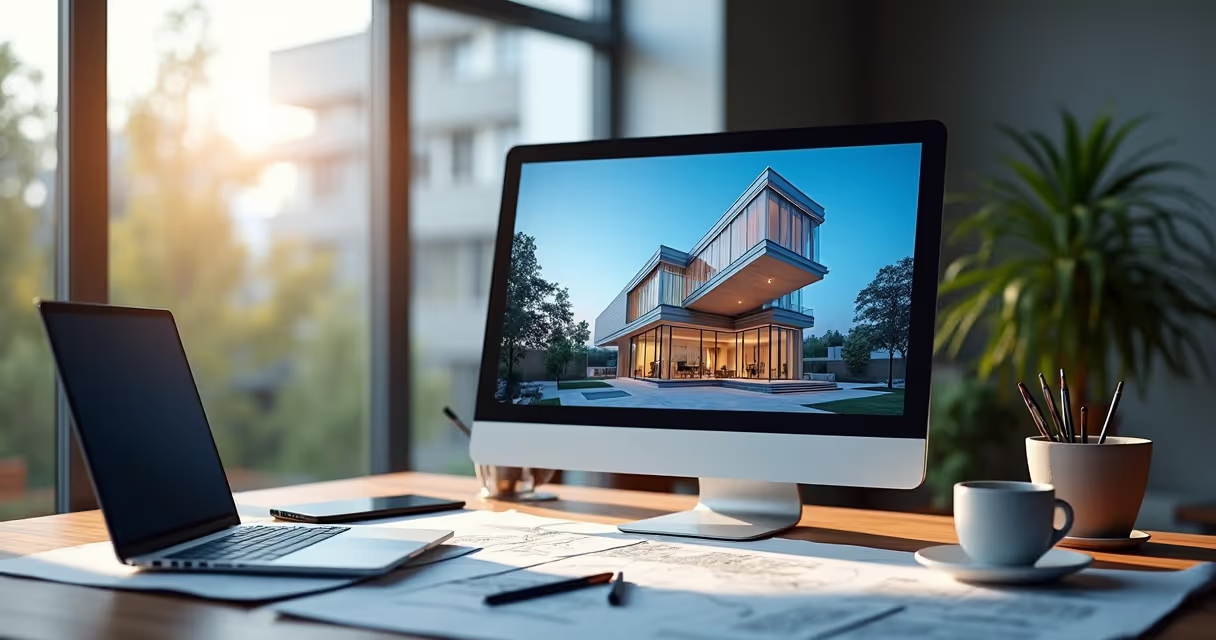
Rendered Project
Quickly and impressively rendered project
Rendered design no longer has to be synonymous with sleepless nights, computers begging for help, or that classic cup of coffee that cools down before finishing the process. In the world of architects and designers, rendering a project has become almost a ritual. But what if I told you that today you can generate an award-winning rendered image in minutes, without hardware crisis or complex technical juggling? Follow me, and I will show you how Redraw opened this door, delivering architectural visualization via artificial intelligence directly through the browser.
Your project is more real than ever. Ready to impress clients and colleagues, without drama.
If you are looking to transform your ideas into realistic renderings (or simply tired of hearing that “I didn't understand” from the client), this guide is for you. Keep an eye out to the end, because there are tips, history and, of course, that invitation to get to know Redraw.
What is a rendered project and why does it matter
Do you know that floor plan full of doodles and dimensions? Then, when it becomes a visual image, full of shadows, textures and context, the rendered project is born. In other words, we are talking about translating your technical lines into such a rendered image, that anyone, layman or not, will look at and think: “oh, I want to live there!”
Architectural visualization ceased to be luxury and became an almost mandatory item. Clients want to understand the space, the play of light, the volume, the materials, and they want all of this without having to decipher complex plans or cuts. Have you ever seen a customer trying to understand plan facades? Not even Google Translate can do it!
- Three-dimensional projection adds value to presentation material
- Facilitates decisions by those who hire, construction, and suppliers
- It reduces those unpleasant surprises: “but I thought it would be different...”
It's a short journey from the technical plane to the enchantment of the eye. Designing a render not only serves to show, but to sell, convince, align expectations and... save professional skin more than once.
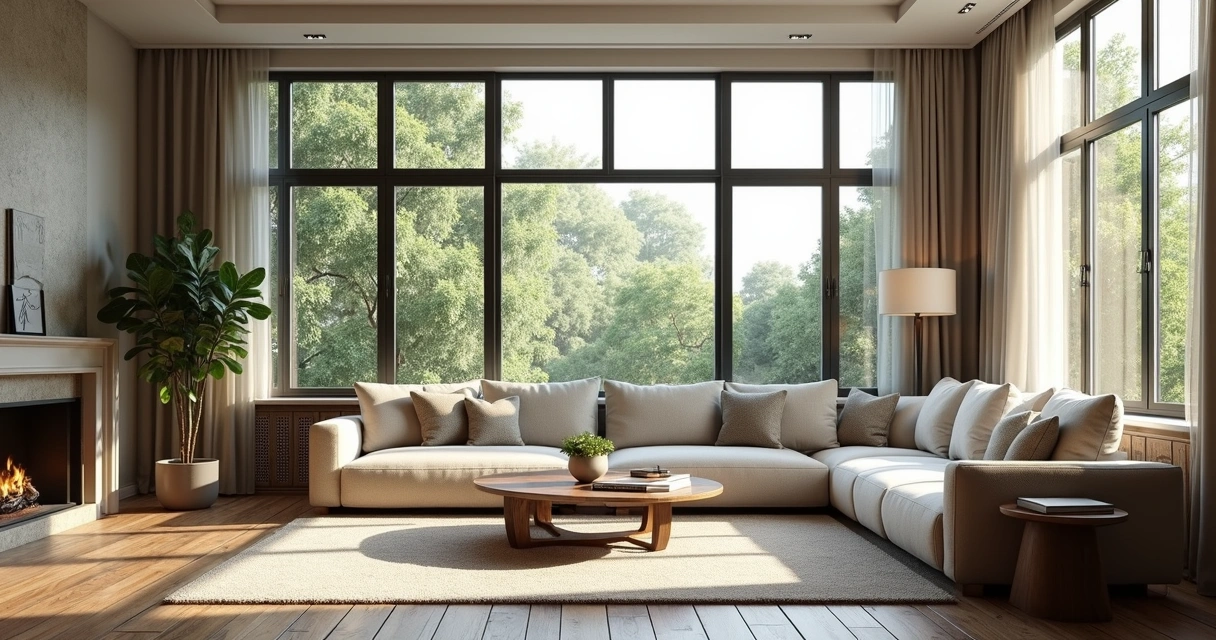
How rendering evolved with artificial intelligence
Let's be serious, professional rendering with AI 3D wasn't for amateurs. Only people with the patience of a monk (and a gamer's computer) faced it. We worked hours to see, at the end, the result appear slowly in blocks, as if we were using dial-up internet.
But then, here is where artificial intelligence comes in. And no, I'm not romanticizing. AI literally changed the game, bringing features such as:
- Autonomous interpretation of materials and light
- Automatic fault correction
- Generating visual ideas from text, yes, you say it and it creates
- Cloud processing, leaving your computer free for other missions
Redraw, for example, took this advance and made it available: architects, designers, engineers and even those who are just starting out can render projects in the browser, in minutes. It's not science fiction, it's real life. And it's too good not to rely on a graphics card or the goodwill of someone else's computer.
Today, algorithms understand your proposal, fill spaces, adjust light, texture, and even suggest alternatives. That is, less time waiting and more time impressive.
Advantages of an AI-rendered project
If before the office shook at the mere hearing of the term “rendered image”, now many are already breathing a sigh of relief. Let's list what changed (and make your life easier at once):
- Baffling Agility No, it's not an exaggeration. 3D rendering with artificial intelligence reduces hours to minutes. Who hasn't been keeping up with the progress bar and making a promise to All Saints?
- Impressive qualityAI learns from thousands of references and takes great care in delivery. From small suggestions in perspective to millimetric adjustments for texture and reflection.
- Fewer technical errors Automation reduces the chance that the image will be full of smudges, bursting lights, and floating objects (yes, it's happened to everyone, it will).
- Cloud for allYour notebook or PC can be basic. The processing is resolved online, you only need internet. There's no excuse for poor rendering anymore, and customers thank you.
- Stimulate the creative sideAsk for quick changes, test different combinations of materials, change lighting and compare results in a few clicks.
Your time is valuable. Render to live, not live to render.
Those who work with Redraw immediately notice: delegating the heavy lifting to AI frees up energy for what matters. Experiment with ideas, test solutions, dare. And delete that old phrase from the vocabulary: “computer crashed and I lost everything”.
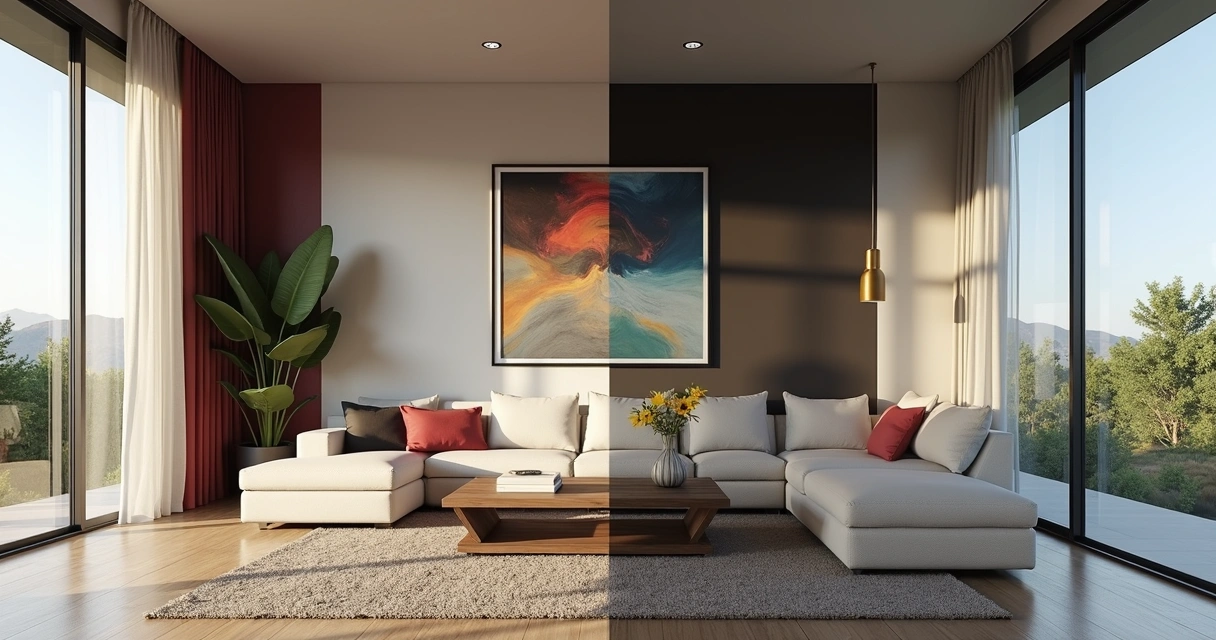
How to create a rendered project using Redraw
Let's go step by step, and there's no mystery here. Working with Redraw is less drama, more results. The flow, so simple, seems like a short movie script:
- Upload your project file You can upload images, sketches, or 3D models, right from your browser. No installing monstrous programs.
- Choose the type of rendered imageDo you want a classic rendering, a conceptual style, or even an animation? Select and continue.
- Describe what you want (optional) You can write: “bright room with natural light, wooden floors, bright furniture” and let the AI guide the magic.
- Wait a few seconds. Believe me, it's usually faster than ordering coffee at the bakery.
- Get your RENDER ready to download, submit for approval, or post to that group of undecided customers. You can even transform a still image into an animated video. The sky's the limit.
Depending on the plan, there are also advanced settings and dedicated support. Didn't like it? Ask to redo, change colors, textures, or add elements. A playground for architects and designers without the patience for slow rework.
Rendered design vs. traditional rendering
That's the topic that sparks discussion at the office cafe. On the one hand, the purists saying that nothing beats the manual touch of traditional rendering. On the other, the modern class, who have forgotten what it is to wait three hours to see a low-resolution rendering.
Let's put it on the scale, without filter:
- Traditional rendering is patient, sometimes stubbornly slow. IA already delivers faster than many people finish their afternoon snack.
- Equipment Classic rendering often requires roasted machines, special video cards, and steel nerves. In the cloud model, as with Redraw, a decent notebook is enough. Or even a tablet.
- Level of detailingToday, artificial intelligence reaches frightening photographic and realistic levels. With a few adjustments, it surprises even the most demanding.
- Cost Traditionally, it requires investment in expensive hardware and licenses. In the IA model, you pay for the service, without scaring the electricity bill.
- Classic learning curve requires mastery of software, manual adjustment, and a dose of patience. AI only requires creativity and good commands. And that's liberating.
The future wants agility, not nostalgia.
Of course there's room for both. But if your customer keeps asking for last-minute changes, guess which model will save your deadline?
Care and good practices for your rendered projects
Okay, don't just throw everything into the AI and expect a miracle. A good rendered project depends on a few rules. Here's what you can't miss to keep your images from joining that shameful group of “strange renders on the internet”:
- Define materials and colors clearly. The more accurate the input, the better the result. Specify types of floors, coatings, lighting. AI is part of it, but it doesn't read thought.
- Think about the proportions. It's no use cluttering up the room with furniture. Less is more, the scale speaks too loudly in 3D rendering.
- Avoid exaggerations in post-productionExcessive brightness, surreal reflections, or high saturation discourage realism. Look for references and keep the rendered image true to the project's intent.
- Focus on lightingLight is life. Good artificial or natural light enhances volumes, textures and makes every space more convincing.
- Test test angles, change elements, ask for opinions from colleagues. Sometimes a small adjustment makes all the difference.
- Don't forget the contextPlace people, everyday objects, vegetation. All of this helps the client to see “life” in space.
Be careful with wood textures: the customer swears they know it from afar.
With a little whim, even those who don't understand anything about architecture will look at your rendering and smile. And smiling is always great feedback.
Rendered Project FAQs
What is a rendered project?
It is the realistic or artistic visual representation created through the 3D rendering of an architectural project, whether residential, commercial or institutional. Instead of showing technical drawings, the rendered image presents the result as if it were already ready, facilitating the understanding, decision-making, and enchantment of clients or staff. It can be static or animated, bringing experiences that are ever closer to the real.
How much does a rendered project cost?
The amount varies a lot. It will depend on the complexity of the project, the desired quality, the number of images and the type of service contracted. At Redraw, for example, there are affordable plans for professionals and companies, in addition to the customization option. In other words, it is possible to find prices ranging from a few tens to hundreds of reais per image or package, but the cost-benefit ratio is certainly greater than investing heavily in your own infrastructure.
How to make a good architectural rendering?
The secret lies in the sum of well-detailed input, visual references and common sense in the choice of materials and light. Define the concept of the environment, specify textures, choose strategic angles, take care of the lighting, and adjust final details carefully. Platforms like Redraw help a lot, since AI optimizes patterns and corrects possible flaws. And of course: whenever possible, review and ask for opinions before finalizing.
What is the best software for rendering?
There are several tools on the market, each appropriate to the professional's profile and the project's demand. Some prioritize quality, others agility, but it's always important to choose the one whose result delivers the desired look within your workflow. Redraw, for example, stands out for working directly in the browser, without installation and allowing projects to be rendered with the aid of artificial intelligence in a very intuitive way.
Is it worth investing in rendered projects?
Absolutely. The presentation of the project has an absurd visual impact, facilitates communication and reduces the possibility of rework or doubts. It helps sell ideas, guarantee approval, and create a portfolio of respect. The investment returns in professional appreciation, customer satisfaction and agility in all phases of the project. In other words: it's worth a lot!
Conclusion and next step with Redraw
Did you just see how the art of creating a rendered project ceased to be a technological marathon and became an almost pleasurable process? It's no exaggeration: today, rendering a project has become so accessible that it seems like a magic trick, but it's pure technology, state-of-the-art artificial intelligence and that dose of creativity that only you bring.
Redraw opens the doors for you to experiment, test, and surprise. Your portfolio thanks you, and so do your clients. What about your mental health? Well, this one may never be shaken again by a rendering that took all day to finish.
Your next project can become a reality in minutes. It just depends on you.
Access the Redraw, discover the possibilities and transform your architectural visualization into something so realistic that only the scent of the environment will be missing.
3D Rendering
The Impact of 3D Rendering on Visual Projects
3D rendering is a crucial tool for any architecture, interior design, or engineering professional who wants to stand out in the market. A quality visual presentation can make all the difference in the way a project is perceived. Images that appear real, even if computer-generated, have the power to instantly captivate the attention of customers and partners. If you've heard about the topic but still have questions about its application and importance, don't worry. This guide was designed to clarify your questions and provide valuable insights to improve your visual projects, also using innovative tools, such as Redraw's artificial intelligence.
What is rendering and why does it matter so much
Imagine, for a second, presenting your client with just lines and drafts. Now imagine the same customer smiling at an image that looks like a photo... but was created on your computer. That's basically the difference between using (or not) 3D visualization in projects: transforming simple digital models into images that convince, enchant, sell ideas.
Rendering was born as a technical process, used to simulate light, shadow, texture, and color. What is generally done from a model created in programs How to render in SketchUp or How to render in Revit. In the old days, these images were almost “raw”, cold, even half artificial. Today, with the right technology, a render is easily confused with professional photography.
- More than a digital painting: it is a faithful translation of the project's intention.
- It helps to predict problems before spending on construction.
- It's powerful for selling projects, approving quotes, and delighting the client.
“Whoever sees, buys the idea.”
But, okay... Where did all this boom come from? Why, after all, has rendering become an almost mandatory practice in the market? The answer involves expectation, customers want to see it to believe it, and also marketing: everyone wants to present impeccable portfolios on social networks and websites. Makes sense, doesn't it?
How AI is changing the rendering game
For a long time, rendering was synonymous with long hours of waiting. Computers heating up. Strange noises coming from the office. And not infrequently, that desire to throw everything out the window when, in the end, the image was lower than expected.
With the arrival of artificial intelligence, that changed, much faster than anyone imagined. AI entered the process to “think” for you (in part). This includes everything from suggesting realistic materials to correcting lighting, creating scenarios, or even imagining styles based on descriptive text.
- Rendering with artificial intelligence: waiting time has plummeted. And the quality went up.
- Cloud-based software, such as Redraw, dispenses with powerful machines and runs directly from the browser.
AI can simulate materials, propose color palettes, create realistic vegetation, suggest camera angles, generate renders from drafts, and even transform a static image into an animated video. A universe that a few years ago seemed like science fiction or Hollywood studio talk.
“Now the machine thinks together, yields more and surprises with the result.”
In addition, AI reduces the risk of human errors, speeds up decision-making, and allows even beginners to create professional-quality images. And that, my friend or my friend, saves time, energy (and gray hair).
AI rendering: Why use Redraw
Redraw was designed for architects, engineers, designers and students, basically anyone who needs a good look without wasting hours trying to adjust light or waiting for the rendering to finish. It was born with a total focus on agility and ease.
Contrary to what many people still think, there is no need to install anything. The use is directly in the browser and the interface is very reminiscent of programs that you should already use, such as SketchUp or Revit. The secret? Everything runs in the cloud, so it doesn't matter if your notebook is simple.

- Speed: renders in less than 40 seconds, without crashing the PC.
- Quality: realistic image, with precise lighting and materials, it looks like a magazine.
- Ease: user-friendly interface, clear options, support for beginners, and advanced features for those who master.
Another point: you can transform sketches into realistic renders, create animated videos directly from static images, and even generate ideas from simple text commands. I've seen people who were thrilled to see the project itself become a video in minutes.
5 advantages of rendering an image with AI in architecture
- Unlimited practicalityYes, rendering an image with AI does not require advanced technical knowledge. Just submit your model and wait for the “magic click” of the artificial intelligence.
- True Agility Projects that once required an entire night's rendering can now be finished in minutes.
- Quick and smart adjustmentsDidn't like a material or want to change the visual style? Everything is done in a few clicks, without having to redo the project from scratch.
- Impressive results The quality standard jumped. Faithful colors, convincing textures, realistic lighting. Your customer's environment comes alive (and likes on the networks).
- Accessibility With IAs in the command and online rendering, you don't need a good machine. It can even be made from that old notebook stored in the closet.
“Rendering was never just for those who understand computers.”
Architectural projects are more attractive, and even suggestions from text (“I want a rustic environment with natural light in the morning”) are understood by the machine. This may sound weird, but it's real!
Traditional rendering vs. AI rendering
Let's go to the comparison bluntly. The most obvious difference: while the traditional form relies heavily on hardware and manual configurations (whose learning curve is considerable), AI automates and “guesses” what you need, streamlining the process without compromising quality.
- Execution time: traditional can take hours, AI ends in seconds or a few minutes.
- Manual adjustments: in the old way, every detail needs to be configured. AI anticipates scenarios and suggests instant improvements.
- Necessity of equipment: classic methods require robust machines. AI and cloud-based solutions dispense with this.
- Learning: old software requires intense training. AI brings professional results even to those who are just starting out.
That jump isn't just a matter of “comfort”. It is also a response to the new pace of the market. Clients expect agility, they want to participate in the process, ask for changes and see everything taking shape live.
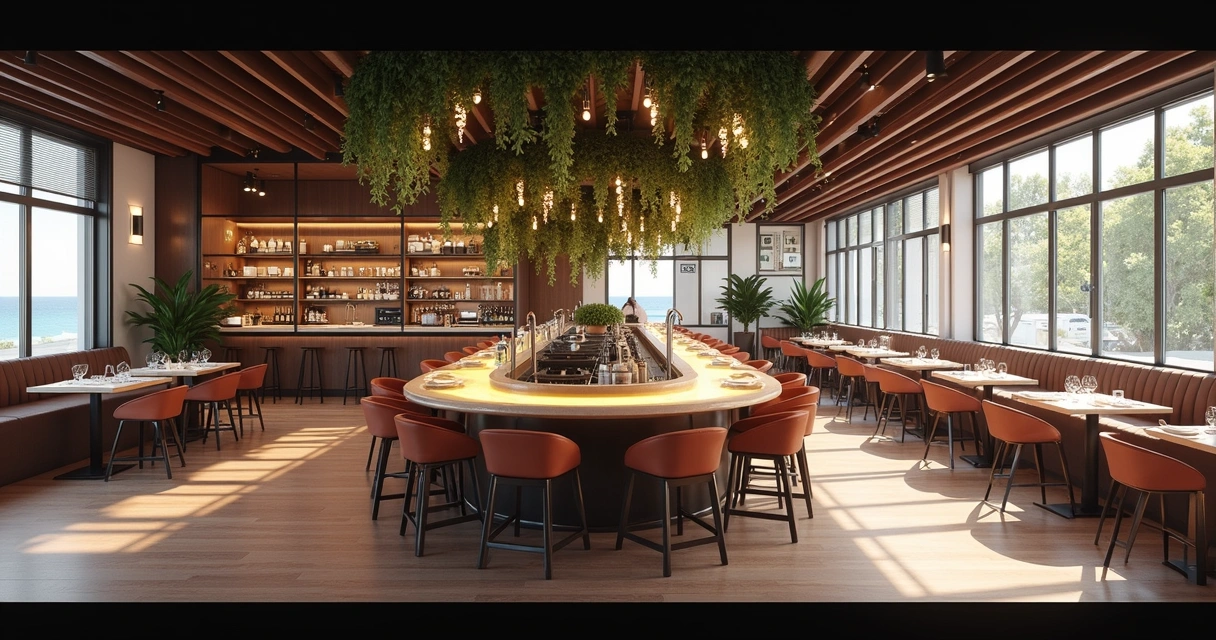
“AI didn't come to replace professionals, but to enhance results.”
And it's not an exaggeration. Today, the best ideas are born from the union between human experience and state-of-the-art technological resources. The professional who understands how to use AI to their advantage becomes a reference and escapes being left behind.
AI rendering FAQ
What is 3D rendering in architecture?
3D rendering in architecture is the process of transforming digital models of projects into realistic images or animations, simulating lighting, materials, and shadows. Thus, professionals are able to present to the client what the result will be like, even before starting the work.
How does the 3D rendering process work?
It works like this: you start by creating a digital model using your own software (such as SketchUp or Revit). Then, you configure lighting, camera, textures, and colors. In the manual method, these adjustments require technical knowledge. With AI, most of these decisions are automated, just upload the file to the platform (such as Redraw), choose preferences and wait for the image to be generated.
What programs are used to render 3D?
The most common are SketchUp, Revit, and others for 3D modeling. To generate the realistic images themselves, there are specific platforms, some focused on artificial intelligence, such as Redraw, which requires no installation and allows direct rendering of the browser, ideal for those who want speed and ease.
Is 3D rendering worth it for projects?
It's worth a lot! In addition to delighting clients and facilitating approvals, it allows adjustments in real time, avoids future errors and adds value to the portfolio. With AI methods, the time investment is small and the visual return is enormous.
How much does a 3D rendering service cost?
The price may vary: there are firms that charge per image, per project, or per time of use of the tool. Platforms like Redraw bet on different plans, allowing everything from free trials to monthly subscriptions. It's always good to compare what fits in your pocket and the needs of the project.
How to start rendering images with Redraw
If you still find yourself lost cracking fingers beside the computer, relax. Getting started in this universe may be simpler than it seems, especially if the tool was created to make your life easier.
- Choose your project: it ranges from a simple room model to that plan prepared in SketchUp, Revit, or other compatible software.
- Upload to Redraw: just access the platform, select the type of rendering and upload the file. Everything straight from the browser, without installation.
- Configure your wishes: choose style, lighting, materials and, if you want, give text commands such as “Scandinavian touch” or “light wood floor”. Redraw understands.
- Click and wait: In about 40 seconds, ready! Your render can now be saved, shared, posted or, if you prefer... it can become an animated video.
Want an incentive? Redraw offers free tests to prove, in practice, that you don't need a NASA computer or free hours to generate spectacular images. And if doubts arise, the support is focused on those who actually work with architecture and design, without fuss.
“Render, see the result, then try to go back... Don't want to.”
Now that you understand what 3D rendering is, why it changed so much with the use of AI, and how tools like Redraw can transform your visual presentation, it's time to allow yourself to try the new one. Did you like the idea? Want to see with your own eyes in less than a minute? Try the Redraw right now, discover other resources and take a step further in valuing your work.


The AI ecosystem for architects








Some examples
Impressive results
These are some of the results that several of our clients have achieved using Redraw