Insights Redraw
Redraw Updates and Trends
What's new in AI for architectural visualization.



AI for SketchUp: 10 Plugins and Tools Every Architect Needs in 2026

AI for SketchUp in 2026: the 10 plugins and tools every architect needs. From modeling to photorealistic rendering in 30 seconds.

SketchUp is the most popular modeling software among architects in Brazil and worldwide. Easy to learn, fast to use, and with a plugin ecosystem that lets you do practically anything. But SketchUp alone has limitations. It's through plugins and external tools that it transforms from a "massing software" into a complete professional tool.
In 2026, AI entered this ecosystem with force. And the best part: the most powerful AI tool for SketchUp is not a plugin. It's easier than one. But before we get there, let's cover the essential plugins every architect should know.
Modeling plugins: SketchUp at its best
These plugins solve native SketchUp limitations and give you more control over modeling.
1. Curviloft
SketchUp struggles with organic shapes. Complex curves, flowing roofs, facades with non-linear geometry. Curviloft solves this. It creates surfaces from curves, smooth transitions between different profiles, and shapes that native SketchUp simply cannot produce. For architects designing contemporary buildings with curves, it's indispensable.
Free.
2. SubD (Subdivision Surfaces)
SubD adds subdivision modeling to SketchUp. You create a simple shape (low-poly) and the plugin smooths it in real time, generating complex organic surfaces. The trick is that you work on the simple model (fast and lightweight) and switch to the smoothed version when you need to see the result. Keeps the file light while allowing advanced geometries.
Paid (~$39).
3. Profile Builder
Creates custom profiles (baseboards, moldings, channels, metal profiles) and applies them along any path. Instead of manually modeling each detail, you define the profile once and the plugin extrudes it wherever you need. Saves hours in detailing work.
Paid (~$49).
4. Skatter 2
The most powerful scatter plugin for SketchUp. Vegetation, street furniture, stones, tiles — any object that needs to be repeated at scale. Skatter distributes objects across surfaces with control over density, random rotation, and region exclusion. It turns landscaping and urban scenes that would take hours into minutes.
Paid (~$69).
5. CleanUp³
Models imported from DWG, Revit, or other software arrive in SketchUp full of unnecessary geometry. Duplicate faces, stray edges, repeated materials. CleanUp clears everything automatically. Reduces file size, improves performance, and prevents problems at render time.
Free.
6. Solid Inspector²
Before exporting for 3D printing or any boolean operation, the model needs to be solid. Solid Inspector checks and automatically fixes geometry issues: reversed faces, internal edges, holes. It's the "doctor" for your model.
Free.
7. PlaceMaker
Draw a rectangle on the map and PlaceMaker imports 3D terrain, surrounding buildings, satellite imagery, and elevation data. It does in 2 minutes what would take a full day of manually modeling urban context. For site studies and shadow analysis, it's transformative.
Paid (~$100/year).
8. Skalp
Generates sections and elevations with hatching directly in SketchUp. For those who need technical drawings without leaving the software, Skalp creates sections with material patterns (concrete, earth, insulation) that update automatically when the model changes.
Paid (~$59).
AI plugins for SketchUp: what exists (and what's missing)
9. Redraw: the AI tool that isn't a plugin (and is better than one)
Redraw is not a SketchUp plugin. Nothing needs to be installed. And that's exactly why it works better.
The workflow is simple: take a screenshot of the 3D view in SketchUp, open Redraw in your browser, upload the image, and in 20 to 40 seconds receive a photorealistic render. Works with any version of SketchUp (Free, Go, Pro). No plugin compatibility required. No file weight added. No crashes.
AI plugins like SketchUp AI Render and Veras need to read the 3D geometry of the model, which creates version dependency, compatibility problems, and technical limitations. Redraw skips all of that. It works with the visual image of the model — which is what the AI actually needs.
And the result is superior. Redraw has proprietary models trained for architecture that understand materiality, natural lighting, and proportion. It's not generic AI with an architecture skin. These are models that know the difference between porcelain tile flooring and a wood deck, between sunset light and artificial lighting.
Inside Redraw, beyond the proprietary model, you access ChatGPT optimized for rendering, optimized Gemini, Nano Banana. You can generate project video (proprietary tool + Veo 3 + Kling AI). You can generate 3D objects to import back into SketchUp. You can enhance existing renders with Enhance Render.
It's more than any plugin offers. And easier to use.
Why "not being a plugin" is an advantage
It may seem counterintuitive. If Redraw were a SketchUp plugin, you could click directly from the software. But in practice, plugins create problems:
They depend on the SketchUp version. Update SketchUp and the plugin stops working until an update is released.
They weigh on the model. Render plugins add processing that makes SketchUp slower.
They limit use to one software. If tomorrow you model something in Revit or ArchiCAD, the SketchUp plugin is useless.
Redraw works with any software, on any machine, anywhere. Took a screenshot? Render it. Doesn't matter if it came from SketchUp Free on a Chromebook or SketchUp Pro on a workstation.
The complete SketchUp architect toolkit for 2026
| Function | Tool | Type | Cost |
|---|---|---|---|
| Organic shapes | Curviloft | Free plugin | Free |
| Subdivision | SubD | Paid plugin | ~$39 |
| Custom profiles | Profile Builder | Paid plugin | ~$49 |
| Scatter (vegetation) | Skatter 2 | Paid plugin | ~$69 |
| Model cleanup | CleanUp³ | Free plugin | Free |
| Solid verification | Solid Inspector² | Free plugin | Free |
| Urban context | PlaceMaker | Paid plugin | ~$100/year |
| Sections with hatching | Skalp | Paid plugin | ~$59 |
| AI render + video + 3D | Redraw | Web platform | $15/month |
Frequently asked questions
What is the best AI plugin for SketchUp?
Redraw is not a plugin but delivers superior results: photorealistic render in 30 seconds, nothing to install, with proprietary models trained for architecture.
Does Redraw work with SketchUp Free?
Yes. Since Redraw works with a screenshot of the model, it works with any version of SketchUp, including Free, Go, and Pro. No plugin or specific version required.
Which SketchUp plugins are free?
Curviloft, CleanUp³, and Solid Inspector² are free and essential.
Does Redraw generate 3D objects for SketchUp?
Yes. Redraw has a proprietary 3D object generation model that can be imported directly into SketchUp. Furniture, vegetation, lighting fixtures — any element missing from your library.
Is it worth paying for SketchUp plugins?
It depends on your workflow. SubD, Skatter, and PlaceMaker pay off the investment within a few weeks of use. For rendering, there's no point investing in a paid plugin when Redraw delivers more for $15/month with no installation.
Try Redraw → redraw.pro

Redraw Trends
Featured articles
AI for SketchUp: 10 Plugins and Tools Every Architect Needs in 2026




SketchUp is the most popular modeling software among architects in Brazil and worldwide. Easy to learn, fast to use, and with a plugin ecosystem that lets you do practically anything. But SketchUp alone has limitations. It's through plugins and external tools that it transforms from a "massing software" into a complete professional tool.
In 2026, AI entered this ecosystem with force. And the best part: the most powerful AI tool for SketchUp is not a plugin. It's easier than one. But before we get there, let's cover the essential plugins every architect should know.
Modeling plugins: SketchUp at its best
These plugins solve native SketchUp limitations and give you more control over modeling.
1. Curviloft
SketchUp struggles with organic shapes. Complex curves, flowing roofs, facades with non-linear geometry. Curviloft solves this. It creates surfaces from curves, smooth transitions between different profiles, and shapes that native SketchUp simply cannot produce. For architects designing contemporary buildings with curves, it's indispensable.
Free.
2. SubD (Subdivision Surfaces)
SubD adds subdivision modeling to SketchUp. You create a simple shape (low-poly) and the plugin smooths it in real time, generating complex organic surfaces. The trick is that you work on the simple model (fast and lightweight) and switch to the smoothed version when you need to see the result. Keeps the file light while allowing advanced geometries.
Paid (~$39).
3. Profile Builder
Creates custom profiles (baseboards, moldings, channels, metal profiles) and applies them along any path. Instead of manually modeling each detail, you define the profile once and the plugin extrudes it wherever you need. Saves hours in detailing work.
Paid (~$49).
4. Skatter 2
The most powerful scatter plugin for SketchUp. Vegetation, street furniture, stones, tiles — any object that needs to be repeated at scale. Skatter distributes objects across surfaces with control over density, random rotation, and region exclusion. It turns landscaping and urban scenes that would take hours into minutes.
Paid (~$69).
5. CleanUp³
Models imported from DWG, Revit, or other software arrive in SketchUp full of unnecessary geometry. Duplicate faces, stray edges, repeated materials. CleanUp clears everything automatically. Reduces file size, improves performance, and prevents problems at render time.
Free.
6. Solid Inspector²
Before exporting for 3D printing or any boolean operation, the model needs to be solid. Solid Inspector checks and automatically fixes geometry issues: reversed faces, internal edges, holes. It's the "doctor" for your model.
Free.
7. PlaceMaker
Draw a rectangle on the map and PlaceMaker imports 3D terrain, surrounding buildings, satellite imagery, and elevation data. It does in 2 minutes what would take a full day of manually modeling urban context. For site studies and shadow analysis, it's transformative.
Paid (~$100/year).
8. Skalp
Generates sections and elevations with hatching directly in SketchUp. For those who need technical drawings without leaving the software, Skalp creates sections with material patterns (concrete, earth, insulation) that update automatically when the model changes.
Paid (~$59).
AI plugins for SketchUp: what exists (and what's missing)
9. Redraw: the AI tool that isn't a plugin (and is better than one)
Redraw is not a SketchUp plugin. Nothing needs to be installed. And that's exactly why it works better.
The workflow is simple: take a screenshot of the 3D view in SketchUp, open Redraw in your browser, upload the image, and in 20 to 40 seconds receive a photorealistic render. Works with any version of SketchUp (Free, Go, Pro). No plugin compatibility required. No file weight added. No crashes.
AI plugins like SketchUp AI Render and Veras need to read the 3D geometry of the model, which creates version dependency, compatibility problems, and technical limitations. Redraw skips all of that. It works with the visual image of the model — which is what the AI actually needs.
And the result is superior. Redraw has proprietary models trained for architecture that understand materiality, natural lighting, and proportion. It's not generic AI with an architecture skin. These are models that know the difference between porcelain tile flooring and a wood deck, between sunset light and artificial lighting.
Inside Redraw, beyond the proprietary model, you access ChatGPT optimized for rendering, optimized Gemini, Nano Banana. You can generate project video (proprietary tool + Veo 3 + Kling AI). You can generate 3D objects to import back into SketchUp. You can enhance existing renders with Enhance Render.
It's more than any plugin offers. And easier to use.
Why "not being a plugin" is an advantage
It may seem counterintuitive. If Redraw were a SketchUp plugin, you could click directly from the software. But in practice, plugins create problems:
They depend on the SketchUp version. Update SketchUp and the plugin stops working until an update is released.
They weigh on the model. Render plugins add processing that makes SketchUp slower.
They limit use to one software. If tomorrow you model something in Revit or ArchiCAD, the SketchUp plugin is useless.
Redraw works with any software, on any machine, anywhere. Took a screenshot? Render it. Doesn't matter if it came from SketchUp Free on a Chromebook or SketchUp Pro on a workstation.
The complete SketchUp architect toolkit for 2026
| Function | Tool | Type | Cost |
|---|---|---|---|
| Organic shapes | Curviloft | Free plugin | Free |
| Subdivision | SubD | Paid plugin | ~$39 |
| Custom profiles | Profile Builder | Paid plugin | ~$49 |
| Scatter (vegetation) | Skatter 2 | Paid plugin | ~$69 |
| Model cleanup | CleanUp³ | Free plugin | Free |
| Solid verification | Solid Inspector² | Free plugin | Free |
| Urban context | PlaceMaker | Paid plugin | ~$100/year |
| Sections with hatching | Skalp | Paid plugin | ~$59 |
| AI render + video + 3D | Redraw | Web platform | $15/month |
Frequently asked questions
What is the best AI plugin for SketchUp?
Redraw is not a plugin but delivers superior results: photorealistic render in 30 seconds, nothing to install, with proprietary models trained for architecture.
Does Redraw work with SketchUp Free?
Yes. Since Redraw works with a screenshot of the model, it works with any version of SketchUp, including Free, Go, and Pro. No plugin or specific version required.
Which SketchUp plugins are free?
Curviloft, CleanUp³, and Solid Inspector² are free and essential.
Does Redraw generate 3D objects for SketchUp?
Yes. Redraw has a proprietary 3D object generation model that can be imported directly into SketchUp. Furniture, vegetation, lighting fixtures — any element missing from your library.
Is it worth paying for SketchUp plugins?
It depends on your workflow. SubD, Skatter, and PlaceMaker pay off the investment within a few weeks of use. For rendering, there's no point investing in a paid plugin when Redraw delivers more for $15/month with no installation.
Try Redraw → redraw.pro
AI for Revit: How to Render BIM Projects with Artificial Intelligence in 2026
Revit is the most complete modeling software for architecture. That is not an opinion. It is the global BIM market standard. The amount of information a Revit model carries — precise geometry, assigned materials, construction data, dimensions, quantities — has no equivalent in any other software.
And it is precisely that richness of information that makes Revit excellent for AI rendering.
A well-built 3D model in Revit, when used as a base for AI, delivers superior results compared to SketchUp. The geometry is more precise, materials are already defined in the project, and views are generated with technical accuracy. The AI receives an image with more context, more detail, and consequently produces a better render.
The problem was never Revit. The problem is what comes after.
Revit's bottleneck: rendering
Revit models like nothing else. But rendering inside Revit is painful. The native engine is limited and slow. Most professionals turn to plugins (V-Ray for Revit, Enscape for Revit) or export to other software.
Each of these options adds cost, complexity, and time:
V-Ray for Revit costs $540/yr. It demands powerful hardware and hours of configuration per render. The result is excellent if you master it, but the learning curve is long and time is short.
Enscape for Revit costs $575/yr. It is faster to render but results look generic. Photorealism in materials and lighting is lacking.
Exporting to Lumion or D5 Render adds yet another step (and another license). The file must be exported, imported, reconfigured. Materials are lost in conversion. It is rework.
In the end, the professional who uses Revit spends more time trying to render than modeling. The software that produces the best 3D model on the market is the one that suffers most when it comes to generating images.
Revit + Redraw: the perfect model meets the perfect render
With Redraw, the workflow changes completely. You take a screenshot of the 3D view in Revit and upload it to Redraw. In 20 to 40 seconds, the AI generates a photorealistic render.
No plugin. No export. No material configuration. No waiting 2 hours for a render.
And the result is better than most renders produced with V-Ray or Enscape by professionals who do not have time to configure everything perfectly. Because Redraw's AI was trained to understand architectural context: it identifies materials by appearance, applies realistic natural lighting, and preserves the exact geometry of the model.
If the Revit model is well optimized (and we will cover how to optimize it shortly), the AI render surpasses what SketchUp delivers. Because Revit generates cleaner views, with more defined geometry, and the AI can interpret them with greater precision.
How to optimize your Revit model for AI rendering
Not every screenshot produces an excellent result. The model needs to be presentable. Some practical tips:
Use a realistic 3D view, not wireframe. The AI interprets what it sees. If the view has edge lines, axes, and annotations, the render will reflect that. Enable Realistic or Shaded mode in Revit before taking the screenshot.
Position the camera as you would in a real photo. Eye level (1.50 m to 1.70 m for interiors), natural angle, no excessive distortion. The AI delivers better results when the perspective feels human.
Keep materials assigned. Revit allows you to assign materials to each element. Even if they are not fully renderable materials, the visual information they provide in the 3D view helps the AI interpret what is floor, wall, glass, wood.
Clean up the view. Hide elements that are not part of the scene: piping, exposed structure (if not intentional), grid lines. The cleaner the screenshot, the better the result.
Use full-screen resolution. Take the screenshot at the maximum monitor resolution. More pixels = more information for the AI.
With an optimized model, Revit delivers the best possible base for AI rendering. Better than SketchUp (more precise geometry), better than ArchiCAD (more configurable views), and much better than exports to other software that lose information along the way.
The complete workflow: Revit + Redraw at every project phase
Phase 1: Concept
The project is just beginning. Mass studies, massing, initial site placement. You have a basic Revit model and need to show the client how the project is progressing.
With Redraw, take a screenshot of the massing and generate a quick render. The client sees the project volume with realistic materiality and lighting. In 30 seconds. Without spending hours on a render that will change next week.
Want to explore styles? Use Redraw's idea generation. Brutalist, contemporary, tropical facade. Generate variations in seconds and align direction with the client before developing further.
Phase 2: Design Development
The model is advanced. Materials defined, spaces detailed, lighting considered. Now you need quality renders to validate with the client and make final adjustments.
Screenshot of the Revit 3D view, upload to Redraw, render in 30 seconds. The client asks for wood flooring instead of porcelain tile? Another 30 seconds. Prefers black frames instead of white? Another 30 seconds. In 10 minutes you have generated 15 variations that in the traditional workflow would take 2 days.
Phase 3: Client Presentation
Project approved — time to present with final quality. Facade renders, interiors, aerial perspectives. Material for the commercial proposal, portfolio, and social media.
Render in Redraw at maximum quality. Use Enhance Render to refine details. Generate a project video with Redraw's video tool (proprietary model, Veo 3, or Kling AI). Generate 3D objects missing from the model and import them into SketchUp/Revit.
Complete deliverable. One platform. One subscription.
Frequently Asked Questions
Do I need a plugin to use AI with Revit?
No. Redraw works through the browser. You take a screenshot of the Revit 3D view and upload it to the platform. No plugin to install, no file to export, no integration required.
Is a Revit model good for AI rendering?
Excellent. Revit generates precise geometry with assigned materials. When well optimized, a Revit screenshot delivers superior results to SketchUp for Revit AI rendering, because the AI receives more context and more detail.
Does Redraw replace V-Ray for Revit?
For the vast majority of everyday renders (presentations, variations, portfolio), yes. V-Ray retains an advantage only in scenarios requiring absolute control of every parameter. For everything else, Redraw is faster, cheaper, and the result is professional.
Can I render Revit sections and floor plans with AI?
Yes. Redraw accepts any image. If you generate a humanized section view or floor plan in Revit and upload it to Redraw, the AI can humanize and stylize it. Redraw has presets for humanized floor plans and architectural sections.
Does Revit run on Mac?
Not natively. Revit is Windows only. But BIM rendering AI with Redraw works on any system. You can model on Windows with Revit and render on Mac, tablet, or mobile through Redraw.
Try Redraw → redraw.pro

The AI for Architecture Leading Latin America Now Expanding to the US and Europe
Latin America is producing the world's largest AI rendering revolution. And Brazil is leading it.
While American and European companies try to adapt generic AIs to architecture, a Brazilian startup built from scratch the largest AI platform specialized in rendering for architects, engineers, and interior designers on the planet. With more than 200,000 registered users, over 500,000 renders generated per month, and a presence in dozens of countries.
The name is Redraw. If you work with architecture in Latin America — or anywhere in the world — and don't know it yet, this article explains why you should.
The numbers that position Redraw as the best AI rendering platform for architecture in Latin America
200,000 registered professionals. The majority are in Brazil, with accelerating expansion to Mexico, Colombia, Argentina, Chile, Peru, and English-speaking markets (US, Canada, Europe).
More than 500,000 renders per month. That is more than any other AI platform focused on architecture in the world produces. And the volume grows every month.
Platform in 3 languages. Portuguese, English, and Spanish. Native websites, support, and content in each language. Not automatic translation. Local operation.
Team of AI specialists. Proprietary models trained exclusively for architecture, engineering, and interior design. Constantly updated. Results that, in benchmarks, surpass any generic AI in project fidelity.

South Summit 2026: global recognition
In March 2026, Redraw won South Summit in Porto Alegre in the Digital and Tech Solutions category. South Summit is one of the largest global platforms connecting startups, investors, and major corporations. The Brazilian edition had more than 23,000 participants, around 3,000 startups registered, and 130 investment funds.
More than 2,000 companies entered globally. Only 50 reached the final, split across 5 categories. Redraw took the prize.
This recognition is not just a trophy. It is validation that the problem Redraw solves — accessible, fast, and faithful rendering for project professionals — has global relevance. And that the solution came from Latin America.
Why no competitor dominates Latin America
Redraw's main global competitors are American, European, and Chinese companies: Veras (Chaos Group, based in Bulgaria/US), LookX (China), Rendair (Turkey), ArchiVinci (US). None of them have a strong presence in Portuguese or Spanish.
They have no PT-BR support. They do not understand the particularities of the Latin American market. They do not know that here, the professional often works alone, with a laptop, without a hardware budget, and needs to deliver fast because the client asked yesterday.
Redraw was born in that context. Built by people who understand the reality of Brazilian and Latin American architects. And that shows in everything: accessible price (from US$15/month), 100% cloud platform (works on any machine), support in Portuguese and Spanish, and educational content in all 3 languages.
While competitors charge US$30 to US$60/month for generic results, Redraw delivers more for less. Because it was built for this market.
The global expansion that starts from Brazil
Redraw started in Brazil and is expanding to the world: US, Canada, Europe, Middle East. International traction grows every month, driven by the quality of proprietary models and the recognition from South Summit 2026.
But the core remains Latin America. This is where the 200,000 professionals who validated the platform are. This is where daily feedback shapes every update. Redraw is not an American company trying to translate a product for Brazil. It is a Brazilian company taking the best AI for architecture to the world.
That matters. Because when a Latin American professional needs support, they speak with someone who understands the context. When they suggest a feature, it is considered. When they complain, they are heard. Not "ticket #47832 with a response in 72 hours in English."
Warning: beware of the generic AIs flooding the market
With the growth of the AI for architecture market, a serious problem has emerged: dozens of new tools that charge high prices for results that are not worth it.
What these tools do: they take the ChatGPT or Gemini API, put an interface on top, add an "AI for architecture" label, and charge $10 per 10 renders — $1 per image generated by an AI anyone can access directly through ChatGPT for free.
They have no proprietary model. They do not invest in architecture-specific training. They have no AI team. They are intermediaries reselling generic API with absurd markup.
The result is predictable: generic images that do not maintain project fidelity, without consistency, without control. The professional pays a lot, gets a bad result, and concludes that "AI for architecture doesn't work." It does work. It just doesn't work with an API reseller.
How to identify these tools:
Ask if the platform has proprietary models trained for architecture. If the answer is vague or they say they "use the best models on the market" without specifying which ones are theirs, it is API resale.
Look at the price per render. If they charge $1+ per image, that is exploitation. Redraw delivers 300 renders for US$15/month (less than $0.05 per render).
Test with your real project. If the AI changes geometry, invents windows, and alters proportions, the underlying model is generic. The packaging does not matter.
What Redraw delivers that generic platforms cannot
Proprietary models. Trained with millions of real images from architecture, engineering, and interior design projects. Not ChatGPT with a skin. Proprietary AI that understands architectural projects.
Optimized AI hub. ChatGPT, Gemini, and Nano Banana inside Redraw, all prepared by the team to deliver superior results for architecture. The ChatGPT inside Redraw is not the same ChatGPT you use on OpenAI's website.
Complete ecosystem. Photorealistic render in 30 seconds. Enhance Render. Video generation with a proprietary tool + Veo 3 + Kling AI. 3D object generation for SketchUp. Everything in one platform, for one subscription.
Fair price. From US$15/month with ~300 renders. Free trial with 10 credits, no credit card. No tricks, no credits that expire in 24 hours.
Real support. In Portuguese and Spanish. WhatsApp, email, live chat. People who understand architecture responding, not a generic bot.
Frequently asked questions
What is the best AI for architecture in Latin America?
Redraw is the largest AI platform for architecture in Latin America, with over 200,000 users and 500,000 monthly renders. It serves professionals in Brazil, Mexico, Argentina, Chile, Colombia, Peru, the US, and Europe. Winner of South Summit 2026 in the Digital and Tech Solutions category.
Is Redraw a Brazilian company?
Yes. Founded in Brazil, operating in Portuguese, English, and Spanish. The development, AI, and support team operates from Brazil, with international expansion. The company is headquartered in the United States.
Are generic AI tools for architecture a scam?
Not all, but many charge excessive prices ($1+ per render) to resell the ChatGPT or Gemini API without any proprietary training. Before subscribing, verify whether the platform has proprietary models trained specifically for architecture.
Does Redraw work in other countries in Latin America?
Yes. The platform is available in Portuguese, English, and Spanish, with an active presence in Mexico, the United States, Canada, Colombia, Argentina, Chile, Peru, and other countries. Support is available in all languages.
How much does Redraw cost?
From US$15/month with ~300 renders. Free trial with 10 credits, no credit card required. It is the AI architecture platform with the best value for money in Latin America — and increasingly competitive globally.
Try Redraw → redraw.pro
cadastre-se
Exclusive content directly in your email


.jpg)
Prompt to Render with Nano Banana - Google Gemini
Generative artificial intelligence has transformed the way in which architects and designers view their projects. Tools such as Nano Banana, with the integration of Veo 3, opened up a universe of possibilities for creating conceptual images. However, this flexibility comes with a steep learning curve and a process that can be frustrating: the art of writing Perfect Prompt. While a generic prompt can be powerful, it requires the architect to become an expert in prompt engineering, shifting focus away from what really matters: design.
In this article, we will demystify the process of creating prompts for rendering in tools like Google's Nano Banana, explain what the mysterious “seeds” are, and show why the Redraw represents the natural evolution of this technology, offering a solution where the architect does not have to be a programmer to create spectacular images.
The Nano Banana Prompt Challenge
Transforming Ideas into Commands
To generate an accurate architectural image in Nano Banana, it's not enough to describe the scene. A detailed instruction manual for the AI must be provided. An effective prompt must be a combination of multiple commands, specifying every detail to avoid ambiguities.
Let's analyze an example of a complex prompt to generate a modern house facade:
“Photograph of a modern two-story house with exposed concrete façade and cumaru wood paneling, large floor-to-ceiling glass windows, black pivoting entrance door. The lighting should be dramatic, with late afternoon sunlight creating long shadows (golden hour). The house is surrounded by a minimalist garden with grass and an olive tree. Architectural photography style, Canon EOS 5D Mark IV camera with 35mm lens, f/8. The climate is serene and luxurious.”
This level of detail is necessary because AI lacks the context of an architect. You must specify:
- Subject: The house and its materials.
- Style: Architectural photography.
- Lighting: Golden Hour, Long Shadows.
- Environment: Minimalist garden.
- Technical Parameters: Type of camera, lens, and aperture.
Any omission may result in an image that does not match the professional's vision, generating rework and wasting time.
What are Seeds
Why Did You Need to Worry About Them?
Another technical concept that haunts users of generic image generators is the “seed” (headquarters). The seed is a number that serves as a starting point for AI randomness. Think of it as the “DNA” of an image. If you use the same prompt and the same seed, the AI will generate the exact same image every time.
This is useful for maintaining consistency or for making small changes to a result that you liked. However, managing seeds is yet another layer of complexity. You need to find the seed of an image you liked, save it, and reinsert it with each new generation. Recently, OpenAI itself removed the ability to customize seeds in DALL-E 3, signaling that even for creators, this is a complex and unintuitive functionality for the end user.
The Solution without Prompt
Redraw was created to eliminate this technical barrier. We understand that architects and designers need a tool that speaks their language, that understands materials, lighting and architectural styles without the need for an instruction manual at every command.
In Redraw, the prompt is simplified because our AI is already an expert in architecture.
You don't have to specify that you want an “architectural photograph” or detail the type of lens. The platform is trained with a vast database of high-quality architectural images, allowing it to understand direct commands such as:
“It's as simple as relaxing and selecting the options that make sense for your project. Redraw builds the best prompt for you through examples.” Sergio Santos - Co-founder of Redraw - Specialist in Generative AI.
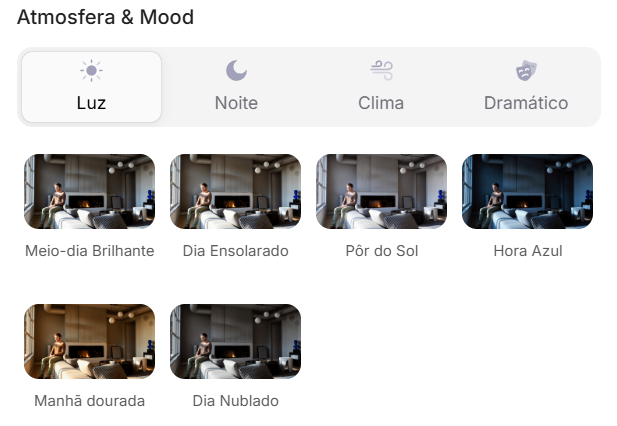
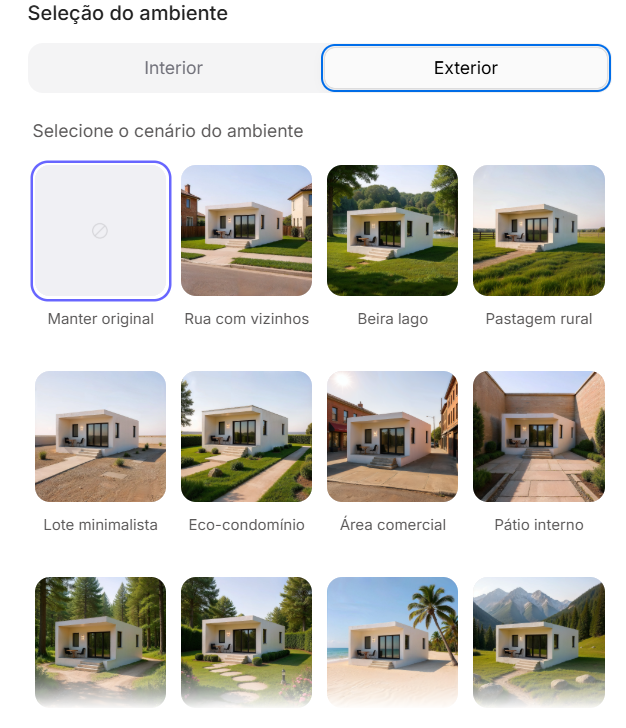
Redraw bridges the gaps with its expertise, delivering high-fidelity results with a fraction of the effort. And most importantly: On Redraw, you don't have to worry about seeds. Our technology was developed to offer consistency and high-quality variations in an intuitive way, through a simple and visual interface, allowing you to refine your projects without requiring technical programming knowledge.
Conclusion
Let AI Work for You, Not the Other Way Around
Generic imaging tools are powerful, but they require the professional to adapt to them. The result is a workflow where the architect spends more time learning to “talk to the machine” than designing.
O Redraw reverses this logic. We teach the machine to understand architecture so you can focus on your creative vision. We believe that technology should be an extension of your creativity, not an obstacle. By simplifying the prompt and eliminating the need to manage technicalities such as seeds, Redraw gives power back to the architect, ensuring that the only skill needed to create incredible renders is their passion for design.
Are you ready to abandon complexity and focus on what really matters? Try Redraw and transform the way you view your projects.
Prompt to Render: Why ChatGPT Complicates and Redraw Simplifies for Architects
Generative artificial intelligence has transformed the way in which architects and designers view their projects. Tools such as ChatGPT, with the integration of DALL-E, opened up a universe of possibilities for creating conceptual images. However, that flexibility comes with a steep learning curve and a process that can be frustrating: the art of writing Perfect Prompt. While a generic prompt can be powerful, it requires the architect to become an expert in prompt engineering, shifting focus away from what really matters: design.
In this article, we will demystify the process of creating prompts for rendering in tools like ChatGPT, explain what the mysterious “seeds” are, and show why Redraw represents the natural evolution of this technology, offering a solution where the architect does not have to be a programmer to create spectacular images.
The Prompt Challenge in ChatGPT
Transforming Ideas into Commands
To generate an accurate architectural image in ChatGPT, it is not enough to describe the scene. A detailed instruction manual for the AI must be provided. An effective prompt must be a combination of multiple commands, specifying every detail to avoid ambiguities.
Let's analyze an example of a complex prompt to generate a modern house facade:
“Photograph of a modern two-story house with exposed concrete façade and cumaru wood paneling, large floor-to-ceiling glass windows, black pivoting entrance door. The lighting should be dramatic, with late afternoon sunlight creating long shadows (golden hour). The house is surrounded by a minimalist garden with grass and an olive tree. Architectural photography style, Canon EOS 5D Mark IV camera with 35mm lens, f/8. The climate is serene and luxurious.”
This level of detail is necessary because AI lacks the context of an architect. You must specify:
- Subject: The house and its materials.
- Style: Architectural photography.
- Lighting: Golden Hour, Long Shadows.
- Environment: Minimalist garden.
- Technical Parameters: Type of camera, lens, and aperture.
Any omission may result in an image that does not match the professional's vision, generating rework and wasting time.
What are Seeds
Why Did You Need to Worry About Them?
Another technical concept that haunts users of generic image generators is the “seed” (headquarters). The seed is a number that serves as a starting point for AI randomness. Think of it as the “DNA” of an image. If you use the same prompt and the same seed, the AI will generate the exact same image every time.
This is useful for maintaining consistency or for making small changes to a result that you liked. However, managing seeds is yet another layer of complexity. You need to find the seed of an image you liked, save it, and reinsert it with each new generation. Recently, OpenAI itself removed the ability to customize seeds in DALL-E 3, signaling that even for creators, this is a complex and unintuitive functionality for the end user.
The Solution without Prompt
Redraw was created to eliminate this technical barrier. We understand that architects and designers need a tool that speaks their language, that understands materials, lighting and architectural styles without the need for an instruction manual at every command.
In Redraw, the prompt is simplified because our AI is already an expert in architecture.
You don't have to specify that you want an “architectural photograph” or detail the type of lens. The platform is trained with a vast database of high-quality architectural images, allowing it to understand direct commands such as:
“It's as simple as relaxing and selecting the options that make sense for your project. Redraw builds the best prompt for you through examples.” Sergio Santos - Co-founder of Redraw - Specialist in Generative AI.
Redraw bridges the gaps with its expertise, delivering high-fidelity results with a fraction of the effort. And most importantly: On Redraw, you don't have to worry about seeds. Our technology was developed to offer consistency and high-quality variations in an intuitive way, through a simple and visual interface, allowing you to refine your projects without requiring technical programming knowledge.
Conclusion
Let AI Work for You, Not the Other Way Around
Generic imaging tools are powerful, but they require the professional to adapt to them. The result is a workflow where the architect spends more time learning to “talk to the machine” than designing.
O Redraw reverses this logic. We teach the machine to understand architecture so you can focus on your creative vision. We believe that technology should be an extension of your creativity, not an obstacle. By simplifying the prompt and eliminating the need to manage technicalities such as seeds, Redraw gives power back to the architect, ensuring that the only skill needed to create incredible renders is their passion for design.
Are you ready to abandon complexity and focus on what really matters? Try Redraw and transform the way you view your projects.
The 8 Best Renderers of 2026

Every year the market for architectural renderers changes, some alternatives appear, others cease to be relevant, software remains king of the market while some are consolidating and, in the midst of all this, in 2026, IAs are increasingly capable of generating and improving their renderings and have a promising future in sight.
This year, however, given the news and evolution of the renderers, the question is no longer which option is the best, since all of them can give you great results, but rather, which one best meets my demands.
In this article, we will show you the 8 best options at the beginning of the year for you to render your architectural projects, evaluating them based on 3 aspects: learning difficulty, price, and rendering agility.
V-RAY
V-Ray remains the first choice when thinking about rendering for architecture. It is one of the most consolidated tools and remains a reference for its precision and realism, great for offices that want to have an above average result and for studios that work with luxury real estate launches where each image needs to be like a photo.
The V-Ray engine is robust, offering rendering options via CPU, GPU, or a hybrid model. Its main advantage is full control over lighting parameters and materials. However, this control comes at a price: the learning curve is high and the time to render is the longest among the options on the list.
Positive Points:
- Unquestionable quality: It remains one of the best options in terms of final quality.
- Chaos Ecosystem: Perfect integration with the Chaos Cosmos (asset library) and Chaos Cloud.
- Post-Production Control: Generates a wide range of Render Elements for advanced composition in Photoshop.
- Interoperability: Because it's a plugin, it's a great option for offices and architects working with SketchUp.
Negative Points
- Hardware Requirement: Needs state-of-the-art computers to improve quality options while reducing rendering time.
- Complexity: It requires a lot of study to extract the best that the software has to offer, which can make it more difficult to start from scratch.

CORONA
While V-Ray is the precision tool, Corona simplifies some technical parameters, making it a simple option and focuses only on the essentials for a quality rendering but with results very similar to the competitor.
Corona simplified complex processes, such as LightMix, which allows you to change the intensity and color of the lights after the rendering has been completed without needing multiple renders to test day and night scenes.
It is ideal for offices focused on interior design and high-end residential architecture, it balances quality with productivity and its ability to handle lighting and complex materials (such as fabrics and woods) with little configuration effort makes it extremely efficient for medium teams.
Positive Points:
- Industry Standard: It is the reference software for archviz offices and studios when it comes to realism and productivity.
- Chaos Ecosystem: Like V-ray, it also has interoperability with Chaos Cosmos and Chaos Cloud.
- Simplicity: It has several options that improve the user experience and make rendering easier.
Negative Points
- Complexity: Despite being simple compared to V-Ray, it's still more complex to learn than many on the list.
- 3ds Max: Doesn't work natively with SketchUp, the most common modeling program among architects.

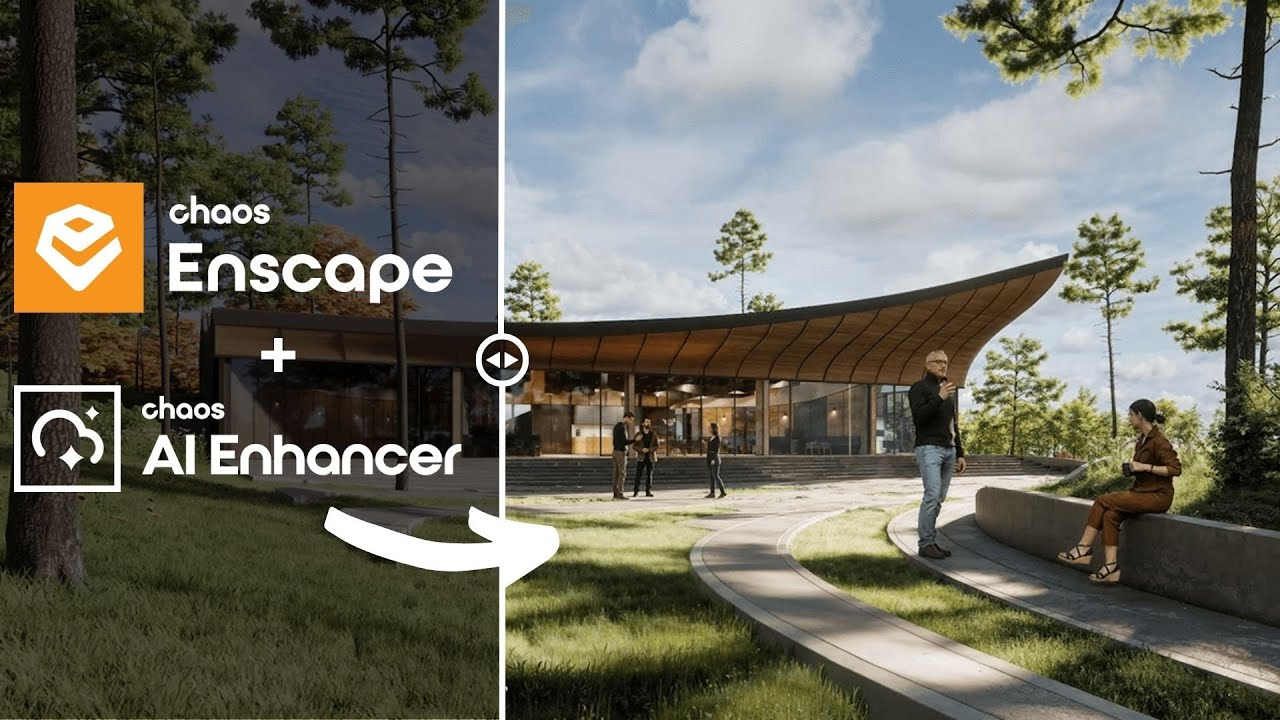
ENSCAPE
Enscape is the best option for the architect who seeks simplicity and wants to have quick results. The program is a plugin that runs within the most popular programs on the market (Sketchup, Revit, Archicad and Rhino), facilitating the workflow and minimizing modeling rework.
In addition, it shows your results in real time without the need for many settings in lighting and effects. Rendering previews as some programs require is not something for those who use Enscape, which requires you to render only the final version.
Positive Points:
- Simplicity and Agility: Few configurations are needed to achieve a quality rendering with very low waiting times.
- Chaos Ecosystem: It also includes the Chaos Cosmos and the Chaos Cloud.
- Plugin: It works together within almost all architectural software.
Negative Points
- Quality: Among the options on the list, it may be the one with the weakest rendering results, especially in outdoor scenes.
- Customization: It allows few customizations due to its simplified interface.
TWINMOTION
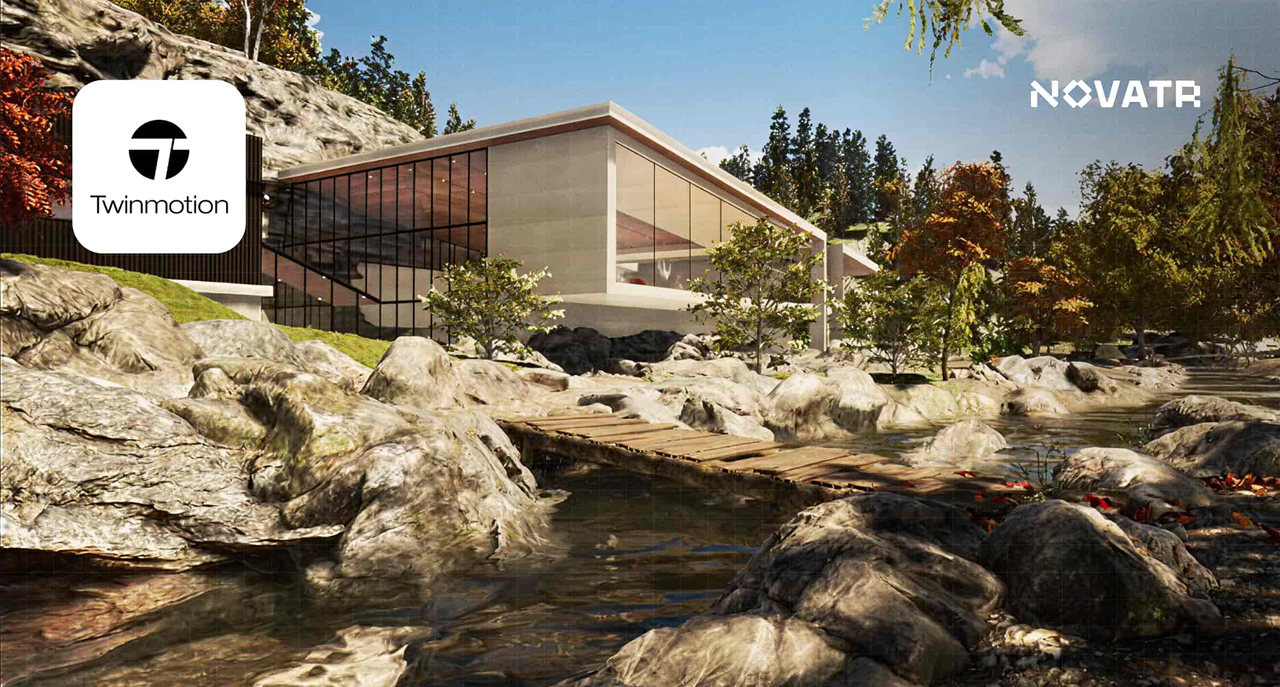
Also with an extremely simple and intuitive interface, Twinmotion focuses on unique animation experiences, with simplified options that only it presents and has fast and accurate rendering. It is also compatible with several programs (SketchUp, Revit, Archicad and Rhino) through its Datashmith plugin, but unlike Enscape, it does not work internally in the programs but runs separately with automatic updates (which can be turned off) of the base model of the program you are using.
Positive Points:
- Simplicity and Agility: Very low rendering and animation times and a very user-friendly interface.
- Datasmith: It is compatible with most modeling programs.
- Animations: There are several options to create customized animations.
- Price: It's free.
Negative Points
- Library: It doesn't have a robust library like the competitors.
- Quality: Not up to the level of top renderers in the market.
UNREAL ENGINE
Certainly the most complex option on the list, Unreal Engine is also the software with the most possibilities among all the others, it allows you to create the most varied interactive experiences, both for an individual client and for real estate launches.
Although its differential is its interactivity, its renderings and animations leave nothing to be desired, and can be compared with images produced in Corona and with the highest rendering speed among all competitors.
Unreal, however, due to its learning difficulty, makes it a specific niche program for archviz studios or large architectural firms, but nothing prevents you from taking full advantage of this great tool.
Positive Points:
- Render Speed: Almost instant renders and animations in a matter of minutes.
- Interactivity: Allows delivery with fully customizable interactive projects.
- Quality: It compares to the best options on the market.
- Price: It's free.
Negative Points
- Library: There is no native library, requiring you to do it from scratch
- Difficulty: It has a very high learning curve and ended up becoming a niche option.
- Heavy Hardware: This is the heaviest program on the list, requiring a very robust computer or notebook.

LUMION
Along with V-Ray, Lumion is one of the software that has dominated the rendering market in Brazil since the beginning. Because of its ease of use and vast library, they make it a relevant option today, however, with its minor updates, it makes it an increasingly less relevant alternative.
Lumion continues to have the best vegetation of all software for landscaping and has a large number of effects to customize your renderings, whether realistic or artistic, shining especially outdoors.
Positive Points:
- Library: In addition to having the best vegetation, it also has numerous options to compose your indoor or outdoor scene.
- Ease: It's undoubtedly the easiest and most intuitive program on the list.
- Render Speed: Not the fastest option but it is among the fastest.
Negative Points
- Losing Relevance: It is rapidly lagging behind the most relevant updates from competitors.
- Heavy Hardware: With each new update, the program gets even heavier, requiring an extremely strong machine.
- Cost: It is by far the most expensive software among the options listed.
D5 RENDER
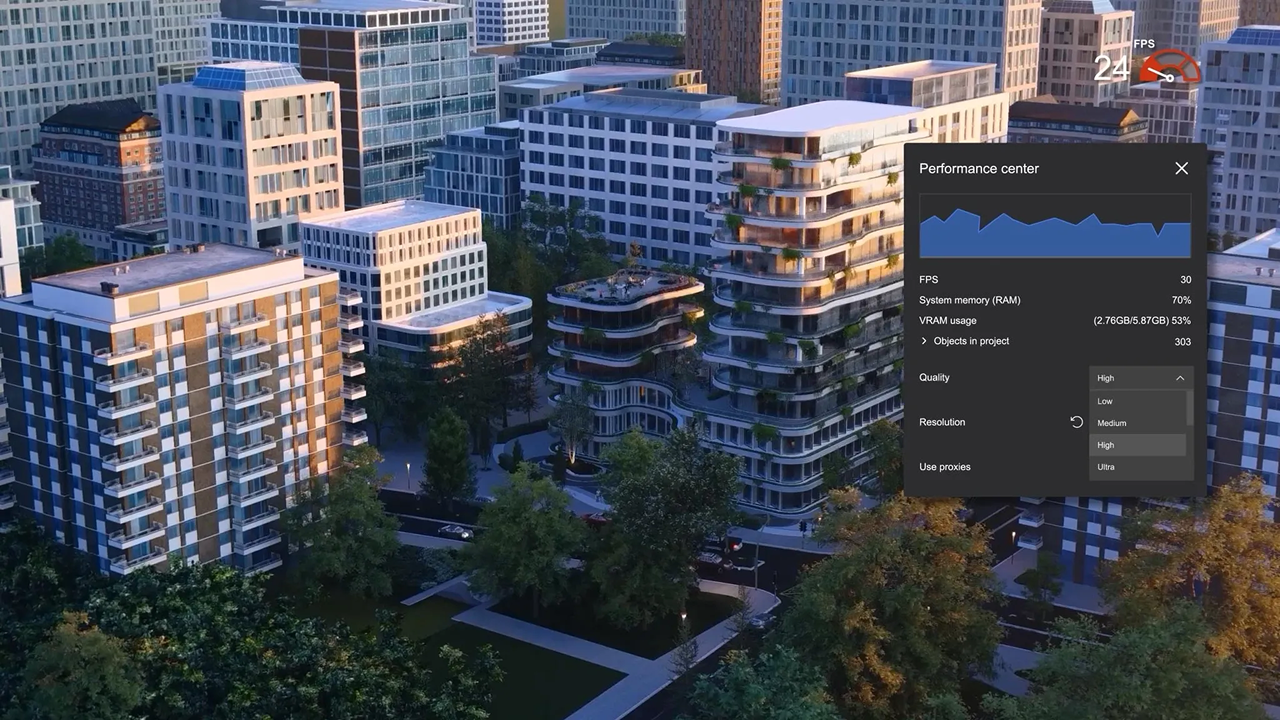
The surprise of the rendering market and the new darling of architects, the D5 innovates by bringing ease, agility, library and integration with native AI, making it very easy to create an image, requiring only general knowledge of rendering and photography to achieve an optimal result.
Because of its free plan, it is also a great option for those architects who want to start rendering their projects and don't know where to start. This version, however, has library, functionality and AI limitations, requiring you to pay for its full version, which is not so expensive by market standards.
Positive Points:
- Library: It has a great library in its paid version, limited to the free version.
- Ease: Extremely easy and fast to use and render.
- Cost: It offers a free version and a paid plan with affordable prices.
- AI: It integrates with your artificial intelligence to save time and improve results in its paid version.
Negative Points
- Heavy Hardware: Like the other options, it requires a powerful computer to be used with quality.
- Free version: Although it has a free version, it is limited, compared to Twinmotion and Unreal Engine, they have a full free version.
- Simplicity: Because of its simplicity, it has fewer customization parameters than more complete programs, such as V-Ray, Corona, and Unreal.
REDRAW
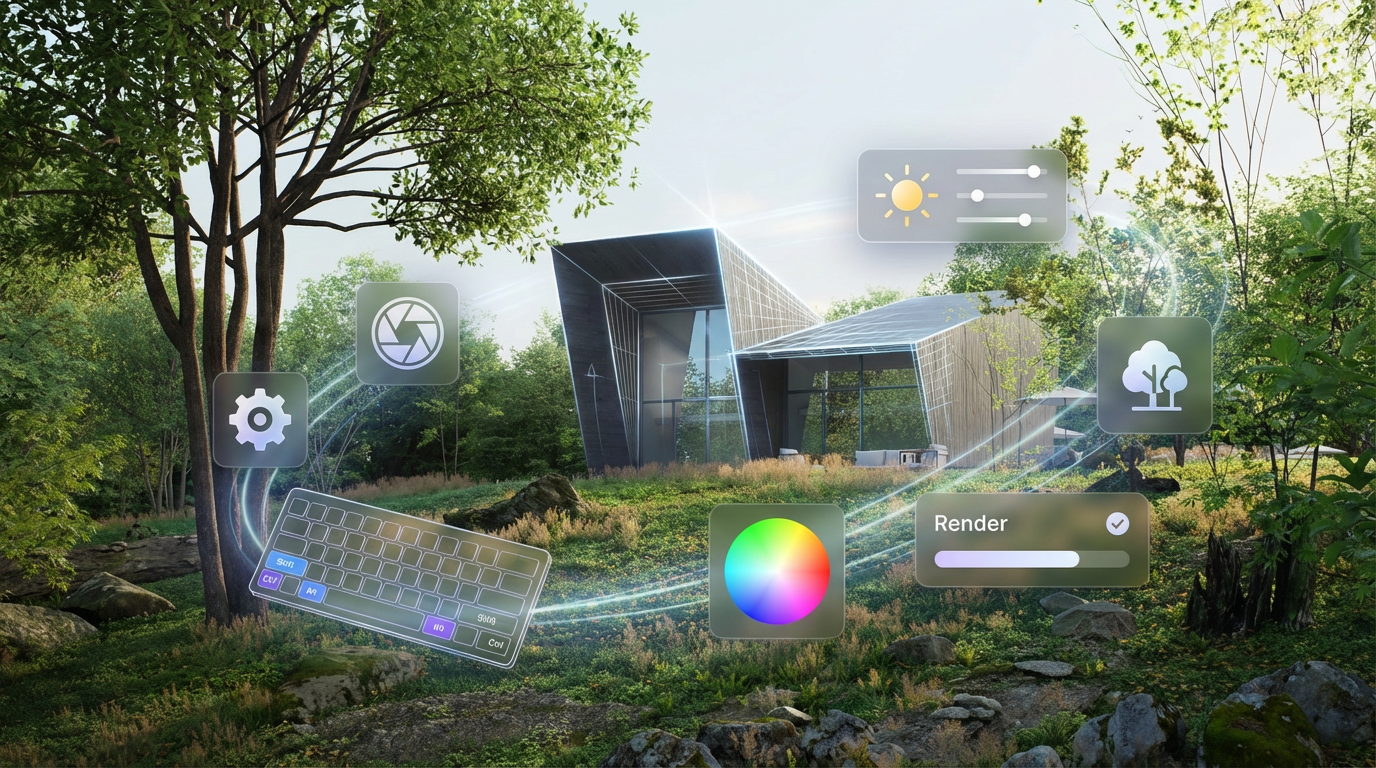
Unlike the other alternatives, Redraw is not a separate software or a plugin, but rather a browser AI that works anywhere you want, requiring only an internet connection.
Another difference is that you only need your modeling and only a few commands in Redraw's AI to instantly get an image to present to your client, making it the best option for architectural firms that want to save time and money by testing various alternatives until they find one suitable for your situation.
Redraw also provides integration with several other IAs, such as ChatGPT Pro and Gemini, which makes it a hub of the most powerful and innovative artificial intelligence on the market and allows you to not only create renderings but also improve those you have done in other programs, being the most versatile option on the market.
Positive Points:
- Agility: Generate instant renderings from your base images.
- Ease: You don't need knowledge in rendering, you can generate images from prints from your modeling program.
- Versatility: Allows you to change the styles of your image, customizing your delivery to the client and also improving your renderings from other programs.
- Cost: It allows free uses but has the cheapest paid plans among the options on the list.
Negative Points
- Internet: It always requires an internet connection to work
- AI: Technical limitations that all IAs have but which will quickly be overcome due to rapid advances and innovations in the market
- Waste of Time: You will no longer be able to drink coffee and watch reels while waiting for the rendering to be ready.
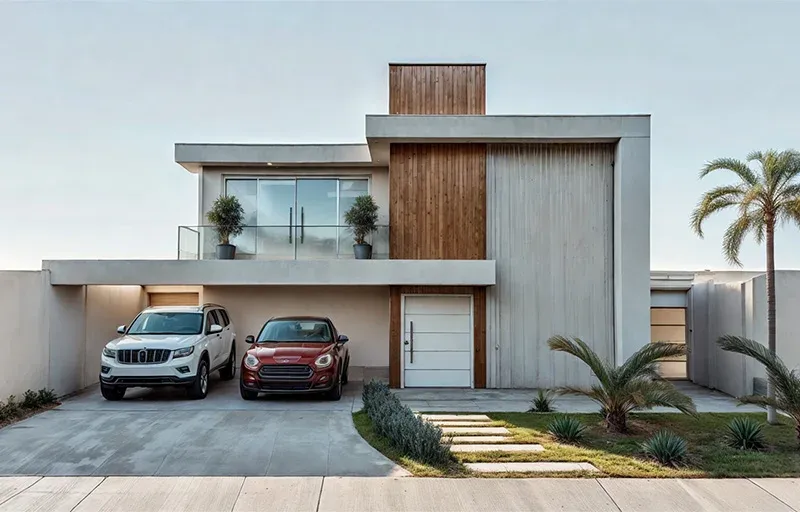
CONCLUSION
There is no single answer, each situation and objective requires a specific tool, each with its positive and negative aspects. If you want quality, look for Vray or Corona. If you want agility combined with ease of learning, use Twinmotion or Enscape. If you want a vast library, Lumion, integration with AI, D5Render and interactivity, the Unreal Engine. But if you want the best of ease, agility, quality and innovation, united in a single option, Redraw is your right choice.
Redraw is ready to meet all your needs and expectations, simplifying rendering and taking it to the next level with the use of our AI specifically created for architecture.
ChatGPT in Architecture
The Future of Architecture: The ChatGPT Revolution
ChatGPT architecture has never made more sense to Brazilian architects than it does now. From a futuristic conversation to happy hour, it became an office routine, after Redraw integrated the GPT-4 intelligence directly into its platform. As a result, professionals who previously spent hours explaining ideas to interns, designers, or slow software discovered that it was enough to type “brutalist façade with vertical stripes” in the chat, wait 30 seconds, and see the hyper-realistic rendering appear from Nought on the screen. All this without installing plugins or messing with super-powerful computers. It's no exaggeration: this integration created the first conversational AI ecosystem with instant rendering in the country, changing the workflow, and even the mood, of those who live by delivering visuals.
ChatGPT architecture: how integration with Redraw changed everything
The integration between ChatGPT and Redraw created a turning point that is still being digested by many professionals in Brazil. Before, to transform a briefing into realistic images, architects had to jump between tools, adjust a thousand settings and, almost always, face technical frustrations.
With ChatGPT within Redraw, this process was reduced to a few clicks and some well-formulated sentences.
Do you want to know how it works in practice?
- Create concept: in the integrated chat, describe what you need, for example, “60m² apartment, open concept, earthy tones and large window”.
- Adjust: refine the request with automatic questions or suggestions from ChatGPT itself.
- Preview: click “render” and wait. The result appears on the screen in up to 30 seconds.
- Feedback: Ask for variations, add technical details, or generate alternative perspectives, without leaving the same page.
This “superpower” is in the hands of more than 80,000 active users, who already understand the value of saving up to 90% of the time on renderings and concept tests.
What is ChatGPT and how it revolutionizes architectural projects
ChatGPT is a language model trained to understand, generate and dialogue on almost any topic, including architecture. Its version based on GPT-4 overcomes the text-to-text barrier. It interprets a briefing and already solutions, standards, styles, and even estimates of area or lighting. And when integrated with Redraw, it becomes an “instant translator” between technical words and photorealistic images.
Gpt-4: The Brain Behind the Change
The latest generation of the model, the GPT-4, understands complex contexts, knows how to differentiate rendering from a volumetric model, and recognizes specific terms (such as “vertical brise”, “double ceiling height” or “vegetation density on the edge of an urban lot”). Thus, he responds like a senior architect, without trying to guess the client's taste, but basing the answers on Brazilian trends, standards, and references.
Why Brazilian architects choose chatgpt
According to Redraw's internal analysis, professionals are looking for architectural ChatGPT to gain speed and centralize workflow. Integration saves time, reduces rework, streamlines concept approval, and gets repetitive tasks out of the way. Brazilians like “all in one”, and the alternative of creating rendering directly from the browser, without investing in expensive hardware, makes a difference for small and medium-sized offices.
Differences between free and integrated ChatGPT
Many have already tried the free version of ChatGPT on the web. But without native integration with a visual platform, the chat is limited to generating texts and references. The difference between Redraw is that it transforms responses into rendered images, eliminating copies and pastes between applications. It's literally a leap from conversation to the final visual, without losing information along the way.
Which AI does a complete architectural project?
This question appears almost every day in groups of architects. With TCCs, commercial proposals and increasingly demanding clients, the desire to automate processes increases, but few know what to trust.
ChatGPT vs other visual IAs: the real comparison
While other intelligence creates loose images based on artistic prompts, ChatGPT, integrated with Redraw, goes further. It understands context, generates aligned text and image (without distortions or headless results), and complies with Brazilian technical guidelines. The secret lies in the conversation of “remembering” the office pattern, the palette, the use of space, and even the client's preference, something that no isolated visual AI can deliver.
Why integration matters more than isolated AI
AI alone generates beautiful results that are disconnected from the actual design process. The integration, on the other hand, allows for more precise commands, continuous context, and automatic sequences that speed up briefing to visualization. It's the difference between ordering a pizza on the phone and having an automatic kitchen, adjusting the flavor according to your diet.
Redraw + ChatGPT: the Brazilian response
Speaking of a national reality, only the Redraw + ChatGPT union was built on the step by step of Brazilian flows, with support in Portuguese and price in real. The result is a 100% cloud engine, adapted to render both 30m² apartments in São Paulo and 500m² homes in Santa Catarina, from sketch to rendering, everything goes through the chat. See more behind the scenes of this technology in details on how Redraw works.
How to use ChatGPT to create projects with Redraw
Now for the practical part. If someone has already logged in, they will notice that Redraw's integrated environment allows instant access to ChatGPT. You don't have to download anything. Just open the project, click on the chat tab, choose the GPT-4 model, and start the dialogue:
Step 1: accessing ChatGPT within Redraw
Once logged in, the user clicks on the desired project and opens the side chat window. The integration recognizes project settings, imports data from SketchUp/Revit, and suggests intelligent questions, such as “Do you want a more Scandinavian look?” or “What is the solar orientation of the environment?”
Step 2: from briefing to concept in seconds
The architect writes clear sentences about the objective (“commercial room, 3.5m ceiling height, natural lighting, clean style”). ChatGPT responds with a conceptual proposal, material references, and already suggests layout and detailing options. The user can adjust, ask “What if I enlarge the window?”
Step 3: Transforming text into photorealistic rendering
Just click “render”. The Redraw cloud processes the order and, in about 30 seconds, delivers the renders with magazine catalog quality, including lighting, textures, and even automatic setting.

How to ask ChatGPT to do an architectural project
Asking for a project for AI requires a bit of malice. The secret lies in the prompt, that is, in the command that translates all your architectural reasoning into digital instruction.
Anatomy of the Perfect Prompt for Architecture
Good Prompt has:
- Description of the environment or typology (“single-storey house, 120m²”).
- Desired style (“industrial, exposed concrete”).
- Technical requirements (“cross lighting, natural ventilation”).
- Palette of preferred colors and materials.
- Detailed function (“master suite with closet, integrated kitchen”).
The more precise and objective, the faster and more faithful the ChatGPT result integrated with Redraw will be.
Practical examples that work with Redraw
- “I want a 40m² loft with industrial style, exposed brick, metallic mezzanine and lots of natural light.”
- “Compact apartment, 30m², neutral palette, planned furniture and small balcony.”
- “Corporate room for startups, flexible furniture, green wall and dimmable lighting.”
The result appears within 30 seconds, ready for approval or adjustment.
Other prompts inspirations can be found at Advanced content about applied AI in projects.
Common Mistakes and How to Avoid Them
- Being too generic (“pretty house”, “modern room”).
- Ask for incompatible elements (e.g., “glass walls in southern Brazil without thermal protection”).
- Do not review the text and create contradictory prompts (“sober but very colorful palette”).
Just review before submitting, prioritizing clarity and technical consistency.
Templates ready for different projects
- Residential: “Single storey house, 150m², 3 bedrooms, living room/kitchen integration, façade with cobogós, sandy tones, front garden.”
- Commercial: “Clothing store, large window, vertical exposure, white walls, and steerable lighting rails.”
- Institutional: “Children's school, colorful environments, low furniture, covered patio, lots of diffused lighting.”
- Landscaping: “Tropical garden, native species, low lighting, stone paths and shaded rest area.”
The ChatGPT architecture integrated with Redraw
The secret of the Redraw experience lies in the integration architecture. Opened via API to GPT-4, the system connects chat responses directly with the cloud rendering engine, forming a continuous cycle between conversation and visual result.
How does technical integration work
The user doesn't see it, but the platform automatically translates the textual briefing into parametric commands sent to the rendering engine, while keeping the conversation open for refinement. This allows you to receive instant visual feedback without giving up technical dialogue.
Cloud processing: your notebook thanks you
100% cloud processing eliminates the need for expensive video cards or local servers. The generated file can be downloaded, adjusted, or sent to clients in less than 1 minute.
From idea to render in 4 automated steps
- Prompt entry into the chat.
- Contextual interpretation by AI.
- Sending the parameters to the rendering engine.
- Receipt of the ready render, already in the active project.
Security and Intellectual Property
All submitted and rendered projects are under user control, with automatic backup and restricted access via secure login. Redraw doesn't use project data to train independent AI models, keeping intellectual property protected.
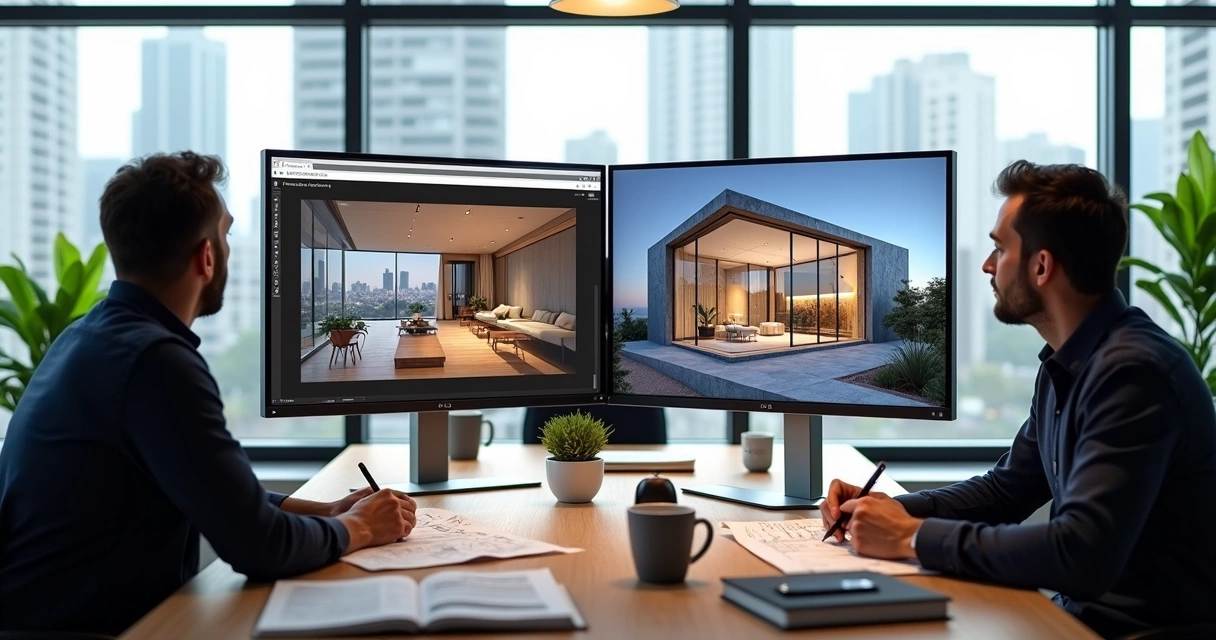
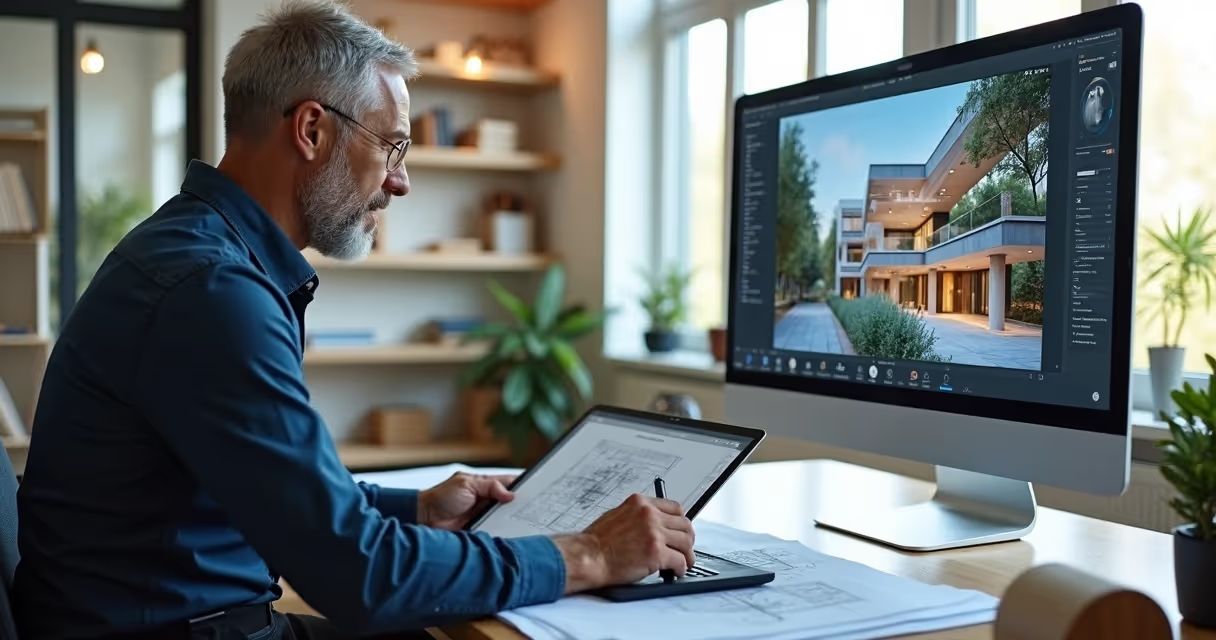
Complete workflow: ChatGPT + Sketchup + Redraw
The process integrated with SketchUp or Revit does not require digital juggling. The base project is normally created in these tools, exported to Redraw, and that's where the magic continues.
Importing basic 3d models
The platform accepts SKP, RVT, and DWG files. Just import and choose whether you prefer to start with the basic volume or activate the chat for details.
Enriching with intelligent prompts
The user can ask for more details, “add pergola to the porch”, “insert hidden LED lighting”, “change facade color to dark blue”.
Generating instant variations
Tired of the result? Request changes to the chat and receive other material, texture, layout, and lighting options in a few seconds. This eliminates time-consuming drafting and speeds up approvals with customers.
Refinement with Conversational AI
The best part: you don't have to start from scratch with every change. The AI understands the context, history of the project and adjusts only what is necessary. The work flows, without that feeling of “fighting” with the software.
Learn more about integration with design software at Article about interior design with AI.
Real Results: Architects Using ChatGPT with Redraw
Numbers speak louder than creative slogans. And in the case of Redraw with ChatGPT, KPIs excite even construction managers.
Reduction from 48h to 30min in renders
Before the integration, renders took two days between briefing, file exchange, adjustments, and export. Now, real projects report final delivery in less than half an hour, with three or more options ready for the customer to approve the same day.
Proven ROI in Brazilian offices
Architect Juliana Silva, from Belo Horizonte, says: “By saving time and cutting expenses with a render farm, we were able to increase the number of projects completed in 2024.” Other data collected in internal research show a reduction of up to 70% in operating costs in small offices that migrated to the 100% cloud flow.
Testimonials from integration users
“When the customer ordered 12 facade variations, I thought it would be a wasted weekend. With the Redraw chat, I delivered everything in 1h30.”
“AI even helped me find solutions that my team hadn't thought of.”
These testimonials are published directly on Redraw's real case channel.
The 4 types of architecture powered by ChatGPT
Integrated AI doesn't live in residential areas alone. Four segments stand out in the professional use of ChatGPT combined with Redraw:
Residential: from the floor plan to the virtual tour
From the creation of the layout, definition of finishes to a 360° digital tour, ChatGPT interprets the needs of the Brazilian house, natural light, integration, ventilation, and real solutions for the climate and the national pocket.
Commercial: Presentations That Sell
Store, restaurant, office? The chat generates images with an emphasis on the product, flow of people, ergonomics, and already suggests techniques for displaying brands or exploiting a façade.
Institutional: Norms and Creativity
School projects, clinics and public offices are automated in compliance with ABNT standards, accessibility, and environmental comfort requirements. All with suggestions of colors and furniture adapted to the purpose of the building.
Landscape design: nature rendered with AI
Prompt: “rain garden for urban lot, native species and recycled wood bench”. The result is instantaneous: the rendering shows vegetation, shadows and paths according to the city's biome, editable in the chat.
To learn how AI and landscape design move forward together, see tips at AI projects article.
Frequently asked questions about ChatGPT in architecture
What is ChatGPT in architecture?
It is the application of GPT-4 conversational intelligence to transform technical briefings, ideas and requests from architects into objective answers, ready-made concepts, regulations and, with Redraw, even instantly rendered images. ChatGPT understands architectural language and translates instructions into practical flows without intermediaries.
How to use ChatGPT in architectural projects?
The most practical way is through integration with platforms such as Redraw. The professional accesses a chat, describes the project requirements, style, area, materials, standard, receives suggestions and can generate 3D images or renders with just one click. There is no need to program or install new software on the computer.
What are the benefits of ChatGPT for architects?
Architects gain agility, centralize information, reduce rework, and generate photorealistic visualizations based on simple text commands. The integrated use eliminates noise between the “desired” and the “executed”, optimizes costs and allows presenting varied options to the customer without increasing the workload.
Does ChatGPT replace architecture professionals?
No. ChatGPT in architecture is a support tool, and the architect's talent and critical eye are still irreplaceable. The AI takes care of the repetitive and conversational phase, while the professional is dedicated to the concept, detail, and human relations of the project.
What architectural tasks can be automated?
With ChatGPT combined with Redraw, it is possible to automate:
- Generation of proposals and conceptual alternatives
- Photorealistic rendering
- Review of standards and accessibility
- Choice of palettes, materials and furniture
- Standardized documentation and technical captions
Thus, AI frees up time for the architect to focus on creativity, service, and personalized solutions for each client.
Conclusion: the future has arrived with integrated ChatGPT and Redraw
What seemed like fiction a little while ago has become routine in the most attentive offices in Brazil. Use chatgpt architecture integrated with Redraw It is to deliver more, with a better look and less wear.
The invitation remains: take the test and personally see the transformation in your creative process, without depending on expensive hardware, without losing technical control, and with support in Portuguese and prices in real. The future of projects is just a prompt away. Try it and be surprised.
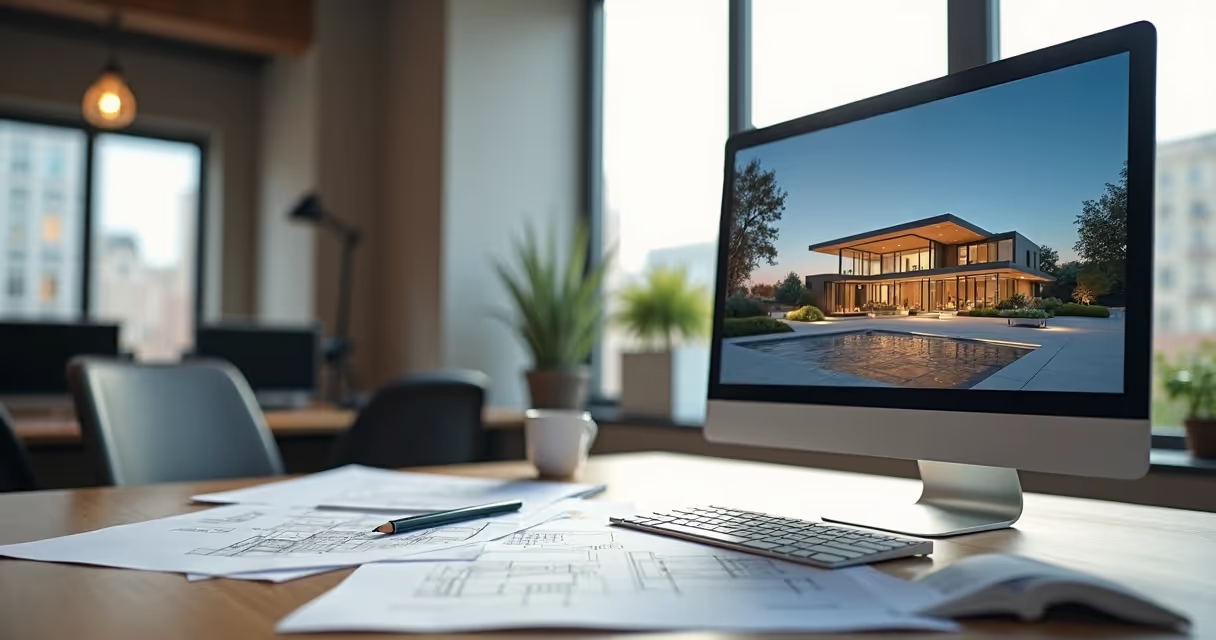
Architectural Project
What is an architectural project and what is its importance?
Architectural design: the backbone of any successful construction. If you think that a project is just a collection of blueprints and technical doodles, I suggest rethinking. A well-designed plan is what transforms dreams into solid walls. Better yet, it avoids that classic scenario of headaches and extra expenses that appear out of nowhere, as if they were a negative bonus from the construction universe.
After all, no one, absolutely no one, wants to discover in the middle of the construction that they forgot a bathroom or that the master bedroom became smaller than the warehouse of materials. More than a beautiful design, it must guarantee safety, functionality, comfort and, of course, compliance with urban planning legislation. And here among us, a project carried out “on the olohometer” really only serves to test patience, and the pocket.
If you are looking for peace of mind, economy and professional results, investing from the start in an architectural design is not a freshness, it's a strategy. And today, with innovative platforms such as Redraw, visualizing and improving each stage has never been so accessible, fast and practical. Do you want to know how to take the risks out of the scene and put creativity and technique in charge? Read on and discover why paying attention to every detail makes all the difference in the final result.
Building without a project is like cooking without a recipe: the chance of going wrong is too great.
And while we're talking about that, take the time to discover Redraw's resources while learning more about each decisive step to transform your architectural project into a success, without unpleasant surprises along the way.

The essential steps of an effective architectural design
Forget the idea that you just have to sit down, draw a line here and another there, and voila: project ready. There is a script, almost a ritual, that must be followed to guarantee a functional, legally supported result appropriate to the client's needs and the peculiarities of the terrain. To ignore these phases is to open the door to rework, unnecessary costs, and delays. Do you want to know where to start and where to step firmly at each stage? Let's go to the realistic step by step of developing architectural projects.
Preliminary study and needs program
The start takes place even before any line appears on paper or canvas. The responsible professional must know, first of all, what the client wants and, especially, what he needs. Here, conversation is everything: understanding the profile of the residence, business or office, the routines that will take place there, the size of the environments, the flows, desires and even those family manias (who never?)
With this information, the needs program is born, literally a detailed list of environments, areas, functions, and expectations. Then research begins on local legislation, restrictions, air conditioning, luminosity, accessibility, and terrain analysis.
- Initial meetings and interviews
- Survey and survey of the existing land or building
- Preparation of the needs program
- Legal and technical feasibility studies
All of this is condensed into free sketches, short sketches, and preliminary analyses.
Preliminary draft and approval
After the diagnosis has been made, it's time to transform ideas into more concrete forms. The preliminary draft is like a “neat draft”, already taking into account footage, volumetry, relationships between indoor and outdoor environments, and definitions of materials. Plan drawings, cuts, facades and, today, even three-dimensional models are usually presented.
Customer feedback and adjustments come and go at that time. Sometimes there is a sudden desire to have a glass pool in the middle of the room and it is up to the architect to clearly show if it fits there or is it just a beautiful idea from Pinterest (who doesn't?).
When the designs reach a point of consensus and are aligned with municipal regulations, it is time to seek approval with public agencies. Bureaucracy appears, but it's a necessary evil.
- Development of architectural solutions
- Initial drawings: plans, cuts, facades
- 3D volumetric design illustrating the concept
- Presentation to the customer for validation
- Compliance with current regulations and legislation
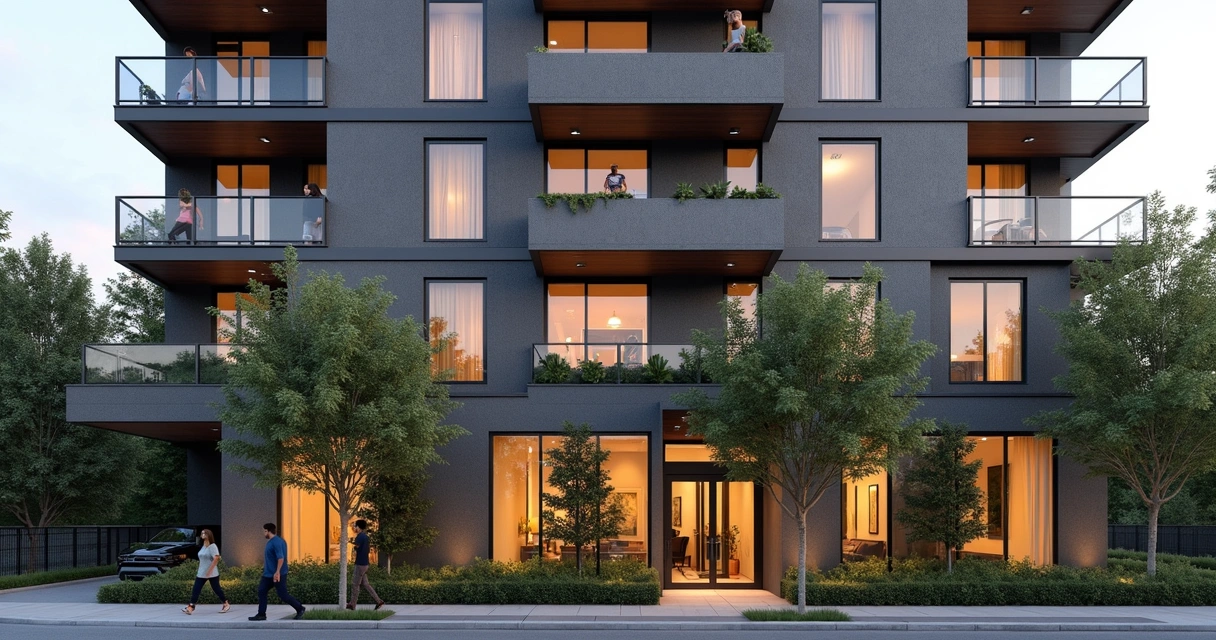
Legal and executive project
Now comes the moment that separates professionals from adventurers: detail. The legal project is that set of drawings, memorials, and documents that will be sent and analyzed by municipalities or competent bodies, basically to ensure that no one is thinking of building a pyramid on the side of the central square. It must clearly show circulations, accesses, volumes, spaces, heights and respect all allowed indents and occupations.
The executive phase, on the other hand, goes further: this is where each corner, installation, system, and material is truly specified. It's no longer enough to draw “a square is the bedroom”, now it's time to say what the plinth, the thickness of the doors, the type of window, where each wiring runs and so on.
- Preparation of final drawings and descriptive memorials
- Complete executive project: architecture, structure, electrical and hydraulic installations, fire prevention, accessibility
- Material lists, technical specifications, construction details, spreadsheets and quotes
- Additional documentation as required by local requirements
Mistakes here are expensive and make everyone lose their minds (and money). The precision of the details can guarantee whether the work will be linear or an impromptu show.
Designing without detailing is like buying a puzzle without knowing if the pieces fit together.
Tools and technologies that optimize architectural design
Do you remember what it was like to draw by hand, erase and redesign everything just because the customer decided to move a door? Well, digital tools changed everything. It is no longer possible to imagine, in the middle of 2024, creating projects with only rulers and scalimeters. New technologies have arrived to simplify, accelerate and provide much more quality!
BIM and AI rendering software (such as Redraw)
The acronym BIM (Building Information Modeling) ceased to be a hype and became routine for those seeking a more collaborative and detailed result. BIM tools allow you to create information-rich 3D models, where changes in plans are immediately reflected in cuts, facades, and quantities. And it doesn't stop there: by integrating data and simulating different situations, it is much easier to predict interferences, rationalize costs, and avoid unpleasant surprises in execution.
With the arrival of artificial intelligence, the scenario became even more interesting. Platforms like Redraw have redefined the way of visualizing and communicating ideas. In a matter of seconds, it is possible to generate realistic views of the environments, enhance low-quality images, create renders for presentation to the client, or transform sketches into images that practically “jump” off the screen. All accessible directly from the browser, without the need for supercomputers or crazy installations.
- Automated development of 3D renderings
- Generating images from texts or sketches
- Converting still images into captivating animations
- Cloud processing: freedom to design on any computer
The result? Much more impactful, faster presentations with that “wow effect” that wins customers and approvals.

3D modeling and virtual reality
Have you ever thought about being able to “walk” inside your future apartment or office before it even came off the ground? With advanced three-dimensional modeling, it is easy to simulate colors, textures, lighting and furniture, in addition to testing circulation and ergonomic solutions.
The virtual reality glasses and immersive environments allow both the client and the professional an almost tactile experience of the designed space. This immersion reduces those typical doubts such as “will it be small?” or “does this color match the floor?” , solving in advance questions that could only appear in the completed work (and then it's too late, right?).
- Virtual explorations of the designed space
- Real-time evaluation of lighting and furniture solutions
- Easy to detect problems and adjust details even at the design stage
And of course, this whole process isn't just about enchanting or impressing. It considerably improves communication between designers, engineers, and clients and reduces the margin of error in interpretations.
Clear visualization, less expensive surprises.

How to choose the right professional for your architectural project
Let's be honest: quality architecture is not born out of thin air, nor is it a divine gift. It is the result of a lot of technical training, sensitivity, experience and constant updating. Choosing the professional who will sign your home, office or business is almost as important as deciding where to live or invest.
Always look for an architect or engineer registered with the class council (CAU for architects and CREA for engineers), a consistent portfolio and good references. Assess the professional's posture during initial conversations. Does he really listen to you or does he just want to sell you a ready-made model? Are you willing to explain the reasons for each solution?
- Experience and specialization: each project has a profile. Residential? Commercial? Industrial? Look for similar references.
- Proximity and service: projects are procedural, you want someone present and able to maintain an open dialogue.
- Mastery of technologies: professionals who already use digital platforms, such as Redraw, are able to offer visualizations, adjustments, and presentations that make life (and a lot) easier for those who are investing.
- Transparency in the steps and costs: no mysterious budgets or projects that do not clarify what is included.
Ultimately, the project is your time, your money, and your dream at stake. Then it's worth researching properly.
A good professional avoids works that become an eternal WhatsApp group meme.
Common architectural design mistakes (and how to avoid them)
It seems impossible, but even well-intentioned projects can slip into classic traps. Some of them happen out of carelessness, others out of haste, and many, amazingly, out of overconfidence. Let's list some stumbling blocks that you'll want to keep out of your way:
- Neglecting the terrain: designing without knowing the peculiarities of the place, inclination, insolation, winds, standards, is a recipe for the problem.
- Ignore the legislation: don't invent fashion with recess, template, accessibility and parking spaces. The city doesn't forgive even the 1-centimeter error.
- Failures in compatibility: electrical and hydraulic installations, structure and architecture don't talk? You can expect conflicts and rework on the work.
- Underestimate the budget: millionaire dreams for modest pockets. It is important to align expectations from the preliminary study and prioritize feasible solutions.
- Poor communication with the client: designing is listening, explaining, presenting, and adjusting all the time. Doing “what the customer asks” without question can lead to disastrous results.
- Technical outdated: resisting the use of modern tools and resources such as artificial intelligence is to assume that the competition will come out ahead.
In the end, to err is human, but to err out of unpreparation is a choice. Those who invest time in the right steps and invest in technologies such as Redraw arrive at the end with less headaches and more satisfaction.
A good project is a project that provides solutions before problems appear.
FAQ: Frequently asked questions about architectural design
How much does an architectural project cost?
The value of rendered project depends on variables such as total area, type of use, complexity of the solutions, level of detail and, of course, the experience of the professional or office. In practice, there are three common forms of budgeting: per square meter of the project, percentage of the cost of the work, or closed price after analyzing the scope. It's worth remembering: projects with advanced technologies, realistic renderings and greater detail tend to have slightly higher values, but they save a lot during execution, avoiding rework.
What is the difference between architect and engineer when drafting a project?
The architect is focused on the design of spaces, on functional and aesthetic solutions, on environmental comfort, and on the adaptation to urban legislation and accessibility within Render architecture. The engineer, in turn, provides structural and technical vision, ensuring the physical viability and safety of the building. In ideal situations, the two professionals work together. The architect develops the architectural project, while the engineer develops complementary ones, such as structure, electrical and hydraulic.
Can Redraw help me visualize my architectural project?
Absolutely. Using Redraw allows architects, engineers, and clients to visualize environments with much more clarity, even during studies and preliminary projects. The platform generates ultra-realistic renders and enhances images quickly, allowing for more accurate assessments and safer decision-making. In addition, the intuitive interface does not require robust computers running directly from the browser, which speeds up and democratizes access to the visualization of high-end projects.
What is an architectural project?
It is the set of plans, drawings, memorials, and technical specifications that define the design of a building, house, or built space. It guides all construction professionals, details internal and external spaces, materials, construction systems, and guarantees compliance with urban planning and safety regulations. In essence, it is a manual that transforms ideas into reality, guiding execution from start to finish.
What are the stages of the architectural project?
The typical process includes: data collection and terrain study, needs program, preliminary study, preliminary design (with conceptual drawings and volumetry), legal project (for approval by the city hall), executive project (complete detail), compatibility with complementary projects (structure, electrical, hydraulic) and final revision for adjustments according to the work. Each phase has deliverables and revisions essential for successful construction.
What documents are needed in the project?
For legal approval and execution of a building, it is necessary to submit floor plans, detailed cuts and facades, location on the land, area charts, descriptive memorial, ART or RRT by the professional, implementation study, complementary projects (structure, electrical, hydraulic, fire prevention), material spreadsheet and, in some cases, electronic images or models. The list may vary depending on local government requirements.
What current technologies are used in architecture?
Among the most common technologies are BIM platforms, three-dimensional modeling software, artificial intelligence rendering (such as Redraw), virtual and augmented reality, automated compatibility systems, and digital presentation tools. All of these new features help to predict interferences, reduce failures, and bring more clarity to professionals and clients.
Conclusion: quality architectural design and guarantee your work with Redraw
At the end of this guide, it's clear: architectural design is much, much more than a bunch of lines and symbols that are difficult to understand. It combines technique, creativity, study, legislation and, yes, patience to adjust dozens of details to achieve the ideal result. Using solutions such as Redraw streamlines, simplifies and enhances each stage, from conception to final presentation.
If you are thinking of bringing your dream to life, building, renovating or even reinventing your spaces, invest in quality, information and cutting-edge technology.
Don't risk it, design with someone who understands. When in doubt, choose the Redraw and see your future in high definition.
Discover Redraw's solutions now and discover how to make your architectural project memorable, efficient and surprising from start to finish.

Architecture Moodboard
What is an Architecture Moodboard and Why Is It Essential?
Moodboard architecture: the digital drawing board that will revolutionize your projects. If you still associate the creation of inspirational panels with magazine clippings and glue sticks, get ready to discover a universe of possibilities that goes far beyond craftsmanship. Using reference panels to present ideas and concepts is nothing new, but the way in which this happens today goes hand in hand with surprising visual aids, high-level software and, of course, artificial intelligence. Do you want to convince a customer quickly? Do you need to align your team so you don't run the risk of everyone imagining the project with a different aesthetic? Well, come with me because moodboarding is your new best friend.
Think of the moodboard as the visual translation of the central idea of an architectural project. It serves to communicate, align expectations and, above all, awaken emotions. Colors, textures, materials, furniture, landscapes, architectural details: everything can be there, gathered in a single framework that is more efficient than many powerpoints or long meetings. Perhaps you have experienced the disappointment of presenting a project, thinking that it was clear and, in the end, realizing that the client saw something completely different. The moodboard exists to avoid this type of misunderstanding, saving time, energy, and, if you're foolish, even a few tears.
Transform loose ideas into irresistible inspirations.
In addition to translating concepts, the moodboard gathers information that guides the entire design process. It is that visual summary that helps with decision-making, making it easier to select finishes, organize colors, or even think about the sensations that the environment should convey. Today, those who present a moodboard are seen as someone prepared, aware and, honestly, much more likely to close the deal. What customer doesn't like to feel special receiving a sensory preview of the future space?
And if you think that the only function of the moodboard is to delight the customer, you are mistaken. It also serves as a compass for the execution of the project, helping the entire team to row in the same direction. It doesn't matter if you work alone, with a duo, or in a busy office: visual clarity saves you from discussions, boring alignments, and unnecessary revisions.
In short? Architectural moodboard is the bridge between inspiration and result. And you don't want to see that bridge fall, do you?
Now, let's find out how to turn a bunch of loose references into a breathtaking panel.
Tools and software to create incredible architectural moodboards
If in the past we had to fight with glue, paper and images from magazines, today that suffering has become almost an urban legend. Digital resources allow you to create moodboards that are much more beautiful, dynamic and easy to edit. Choosing the right tool will save time and triple the impact of your presentations.
Redraw: rendering software
Do you want to go beyond static montages? I present Redraw, a platform that is changing the logic of visual development in architecture. It uses artificial intelligence to 3D rendering, improve images and transform simple sketches into hyper-realistic scenes. The difference here is flexibility: you can create and adjust moodboards in your own browser, without relying on powerful machines or complicated installations. Redraw allows you to select references, test visual styles, and quickly visualize how your favorite elements would be inserted in the project proposal. All of this considerably reduces the time between the concept and that image that makes the customer say “Wow!” without blinking.
Online tools
If you need additional resources or want to make a more traditional panel, there are several practical and intuitive options. Image editing programs allow you to quickly organize references, play with overlays, include labels, and even integrate short videos or animated GIFs (this is a trend, you can take note). The dynamic here is simple: drag, drop, adjust sizes and create compositions that combine technical information with a lot of inspiration. Don't forget to maintain the quality of the images. Pixelated moodboard conquers no one.
Bonus tip: invest in tools that allow you to collaborate in real time, especially if you work as a team or like to involve the client in the creative process.
Step by step: how to create an architectural moodboard that impresses
Making a killer moodboard is not a matter of artistic gift. The secret lies in the processes. I'm going to show you a simple itinerary, one that makes life easier even for those who swear they're not very familiar with graphic design.
Define the concept and style of the project
Before throwing images onto a screen, ask yourself: what feeling should space convey? Is it cozy? Sophistication? Urban inspiration? The concept is the “common thread” and even the moodboard can sense if you skip this step. Bring together keywords, ideas, and even sensations. Write it down on a sheet of paper. This will serve as a filter to select the best elements. And don't be afraid to be bold in references. A couture dress, a piece of art, or a traveling landscape may have everything to do with that client's country house.
Collect high-quality images and references
Hunt time! Spend some time digging up photos, textures, material maps, and even small illustrations. Be careful not to just copy someone else's projects. Think about details that really connect with what you intend to create. Image sites, free banks, own photographs, catalogs and, of course, the renderings generated by platforms such as Redraw, are inexhaustible sources.
Bad, blurry, or low-resolution images devalue the moodboard.
- Look for proportion in the photos
- Avoid going overboard with filters
- Prefer real images to excessive use of mockups
- Include physical samples (taken from photos) whenever possible, such as fabrics or stones
Arrange the elements in a harmonic way
The time has come to orchestrate everything on the panel. See the moodboard as a visual narrative. Don't just throw everything together and hope it makes sense. Attention to color balance, the proportion between textures, and the hierarchy of the elements.
Visual balance is the secret of elegant moodboarding.
Assemble the main images first. Then fill in with small references, quick notes, color palettes, small sketches, or furniture details. Don't want to embrace the world: you have to let your eyes breathe. Separate space between images and maintain a pattern. You can bet on geometric shapes, lines and subtle overlays to add a personal touch. If you were in doubt about the result, move away from the screen a bit and see if the panel tells the story of the project without needing many words. If you need to, ask for someone else's opinion. Sometimes an outside look reveals what was lost in the excess of references.
Common mistakes when creating architectural moodboards (and how to avoid them)
Mistakes happen, but some slip-ups can compromise even the best of rendered projects. Here is an honest list of the most common failures in assembling architectural reference panels:
- Excessive reference and visual confusion: Overcrowded panels tire and lose impact. Focus on quality, not quantity.
- Misalignment with the initial concept: Select only what really speaks to the purpose of the project, avoid references just because they are in fashion.
- Low-resolution images: Pixelation is not a trend. Only use sharp photos with good lighting.
- Reading difficulty: Leave space between elements and don't clutter up the text panel. Moodboard is not a liquidation poster.
- Lack of consistent palette: Exaggerated color contrasts end up leaving everything polluted. Choose a central palette and stay true to it.
Avoiding these mistakes is half the way to creating an impactful and professional presentation. An extra tip? Invest in a reliable tool that provides flexibility for quick adjustments. Even because there is always that customer who loves to change everything the day before.
FAQ: Frequently asked questions about architectural moodboard
What is the difference between a moodboard and a semantic panel?
The moodboard presents visual, sensory, and aesthetic references, mixing images of environments, materials, colors, art, and objects, all designed to create an atmosphere or convey a general feeling. The semantic panel, on the other hand, tends to focus on more conceptual and subjective elements, such as words, mind maps, phrases, and concepts that define the creative paths of the project. In short, the moodboard is more visual, while the semantic panel delves into the meaning of ideas.
How to present a moodboard to a customer?
The presentation of a moodboard needs to be objective and engaging. Use short sentences, point out each element, and explain how that image, texture, or color contributes to the project concept. Avoid excessive technical terms and try to create a visual narrative, showing how the choices on the moodboard will materialize the customer's dream. It is even worth asking him to say which images attract the most attention, making the moment more participatory. A cool tip is to use platforms like Redraw to display images rendered in real time, increasing the impact during the presentation.
Can Redraw help me create moodboards?
Yes, it can even make it easier, a lot. Redraw was designed precisely for professionals who need to transform ideas into real images, without fuss. You can import references, gather styles, create renderings of specific environments, and explore project variations in a few seconds. Whether your goal is to illustrate possibilities for a client or coordinate team ideas, Redraw allows you to centralize everything in a visual panel that truly reflects the concept of the proposal. No mystery and no need for computers with a hardcore configuration.
What is the difference between a moodboard and a semantic panel?
The moodboard has a more visual focus, bringing together graphic elements, color palettes, textures, and images that express sensations or serve as a compass for architectural creation. The semantic panel, on the other hand, serves to organize ideas, themes, and concepts in a more written form, often composing mental maps, keywords, and direct links with the project's subjective values. The ideal is to use the two together: the semantic panel to organize thought and the moodboard to give visual body to what you want to create.
Where to find references for architectural moodboard?
The key is to vary the research sources! Manufacturer catalogs, image banks, specialized magazines, office portfolios, travel, art, fashion and, of course, the renderings created by platforms such as Redraw are excellent starting points. The tip is to seek references that truly dialogue with the project concept, avoid the obvious and mix international trends with local solutions, innovative materials with classics. Thus, your moodboard will go out of the ordinary and truly surprise.
Conclusion: Turn your inspiration into successful projects with Redraw
Assembling a moodboard is more than playing with gluing digital figurines, it's giving shape to the concept, awakening emotions and creating immediate connections with your audience or client. If you've come this far, you've noticed that creating panels inspired by architecture is one of the smartest strategies to start the project on the right foot, align teams and enchant those who are going to invest in the final result.
Platforms like Redraw came to accelerate, organize, and transform the routine of the most demanding professionals. You save time, impress more, and deliver increasingly surprising projects. And let's be honest, who doesn't like to score points in the presentation and still facilitate the execution of the project later?
The right moodboard sells the idea before the project even exists.
If you want to take your architectural presentations to the next level and truly delight clients and partners, discover Redraw. Experiment, discover the power of artificial intelligence applied to creativity and transform the way of presenting visual projects once and for all. Sign up and start creating moodboards as impactful as the best magazine cover projects right now.


The AI ecosystem for architects








Some examples
Impressive results
These are some of the results that several of our clients have achieved using Redraw